nterm.nvim
July 15, 2021 · View on GitHub
WIP. Only fish shell is currently fully functional. I plan to add support for bash and zsh (and maybe other shells), but I don't know when. PRs to support other shells are very welcome
nterm.nvim
A neovim plugin to interact with the terminal emulator, with notifications.
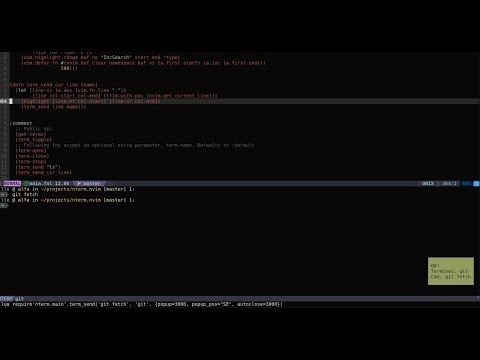
Demo
Installation
Neovim (0.5) and
Olical/aniseed are required for
nterm.nvim to work.
netcat (nc command) must also be
installed in your system.
Use your favourite plugin manager, a popular one is vim-plug:
Plug 'Olical/aniseed'
Plug 'jlesquembre/nterm.nvim'
I prefer to use Nix and home-manager to manage my neovim configuration
Rationale
nterm.nvim tries to make easier to interact with Neovim's terminal emulator.
While there are other similar plugins, all of them assign a number to every new terminal. I always forget what command is running on which terminal number. My approach is to assign an unique name to every terminal.
Most of the commands I execute on Neovim's terminal run only for a short period of time. For that reason, I want to get a notification once the command finish, and hide the terminal buffer if the command success.
Usage
First, initialize the plugin:
require'nterm.main'.init({
  maps = true,  -- load defaut mappings
  shell = "fish",
  size = 20,
  direction = "horizontal", -- horizontal or vertical
  popup = 2000,     -- Number of miliseconds to show the info about the commmand. 0 to dissable
  popup_pos = "SE", --  one of "NE" "SE" "SW" "NW"
  autoclose = 2000, -- If command is sucesful, close the terminal after that number of miliseconds. 0 to disable
})

-- Optional, if you want to use the telescope extension
require('telescope').load_extension('nterm')
Notice that shell option only is used if a terminal with that name doesn't
exist. size and direction options are only used if the terminal is not
visible. The other options are used in every command.
Public API
Notice that TERMINAL_NAME and OPTIONS all functions are optional. If
terminal name is not specified, the default terminal will be used. It is
required to specify a TERMINAL_NAME to use the OPTIONS argument. The
OPTIONS is a table with the same options that the init function, and allows
to override the default values.
Remember to import the library first: local nterm = require'nterm.main'
-
nterm.term_send(COMMAND, TERMINAL_NAME, OPTIONS): Send a command to a terminal, creates and opens that terminal if required. -
nterm.term_toggle(OPTIONS): Toggle the terminal. When you hide the terminals with this command, the layout is saved, and it will be the same when you toggle again -
nterm.term_focus(TERMINAL_NAME, OPTIONS): Focus that terminal and enters insert mode -
nterm.term_send_cur_line(TERMINAL_NAME): Sends the current line to the terminal
Colors
You can customize the pop-up colors setting the highlighting groups
NtermSuccess and NtermError
Maps
You can create your own mappings, overriding the default configuration provided
to the init function:
vim.api.nvim_set_keymap(
  "n",
  "<leader>gp",
  "<cmd>lua require'nterm.main'.term_send('git push', 'git', {popup=3000, popup_pos="NE", autoclose=0})<cr>"
)
Defauls mappings:
| mode | key | Action |
|---|---|---|
| normal | <leader>tt | term_toggle() |
| normal | <leader>tl | term_send_cur_line() |
| normal | <leader>tf | term_focus() |
| normal | <leader>gpp | term_send('git push', 'git') |
| normal | <leader>gps | term_send('git push --set-upstream origin HEAD', 'git') |
| normal | <leader>gpf | term_send('git push --force-with-lease', 'git') |
| normal | <leader>gpt | term_send('git push --tags', 'git') |
| normal | <leader>gpu | term_send('git pull --ff-only', 'git') |
| normal | <leader>gt | term_focus('git') |
Notes
-
If you are writing some script, you can check for the
VIMenv variable to know if the script is executed in a neovim terminal -
The terminal name is saved in the
b:nterm_name(to be used by vim scripts) and in theNTERM_NAMEenv varible (to be used by shell scripts)
Telescope extension
Commands:
Telescope nterm

" Using lua function
lua require('telescope').extensions.nterm.nterm()
Telescope mappings:
| mode | key | Action |
|---|---|---|
| insert | <cr> | Open current selection |
| insert | <c-e> | Create new terminal |
| insert | <c-f> | Focus terminal |