django-json-widget
October 24, 2025 · View on GitHub
============================= django-json-widget
.. image:: https://badge.fury.io/py/django-json-widget.svg :target: https://badge.fury.io/py/django-json-widget

An alternative widget that makes it easy to edit the new Django's field JSONField (PostgreSQL specific model fields)
Quickstart
Install django-json-widget::
pip install django-json-widget
Add it to your INSTALLED_APPS:
.. code-block:: python
INSTALLED_APPS = (
    ...
    'django_json_widget',
    ...
)
Add the widget in your admin.py:
.. code-block:: python
from django.contrib import admin
from django.db.models import JSONField
from django_json_widget.widgets import JSONEditorWidget
from .models import YourModel


@admin.register(YourModel)
class YourModelAdmin(admin.ModelAdmin):
    formfield_overrides = {
        JSONField: {'widget': JSONEditorWidget},
    }
You can also add the widget in your forms.py:
.. code-block:: python
from django import forms
from django_json_widget.widgets import JSONEditorWidget
from .models import YourModel


class YourForm(forms.ModelForm):
    class Meta:
        model = YourModel

        fields = ('jsonfield',)

        widgets = {
            'jsonfield': JSONEditorWidget
        }
Configuration
You can customize the JSONEditorWidget with the following options:
- width: Width of the editor as a string with CSS size units (px, em, % etc). Defaults to
90%. - height: Height of the editor as a string CSS size units. Defaults to
550px. - options: A dict of options accepted by the
JSON editor_. Options that require functions (eg. onError) are not supported. - mode (deprecated): The default editor mode. This argument is redundant because it can be specified as a part of
options. Preserved for backwards compatibility with version 0.2.0. - attrs: HTML attributes to be applied to the wrapper element. See the
Django Widget documentation_.
Accessing JsonEditor Instance
The JsonEditor instance is automatically exposed for external access through two methods:
- Window object: Available as
window['FIELD_ID_editor']where FIELD_ID is the field's HTML ID - DOM element: Available as
container.jsonEditorproperty on the widget's container element
Example usage for external JavaScript access:
.. code-block:: javascript
// Access via window object
var editor = window['id_jsonfield_editor'];
editor.set({'key': 'new value'});

// Access via DOM element
var container = document.getElementById('id_jsonfield');
var editor = container.jsonEditor;
editor.set({'key': 'new value'});
This allows you to programmatically call JsonEditor methods like set(), get(), update(), etc. from custom JavaScript code running in your admin pages or forms.
.. _json editor: https://github.com/josdejong/jsoneditor/blob/master/docs/api.md#configuration-options .. _Django Widget documentation: https://docs.djangoproject.com/en/2.1/ref/forms/widgets/#django.forms.Widget.attrs
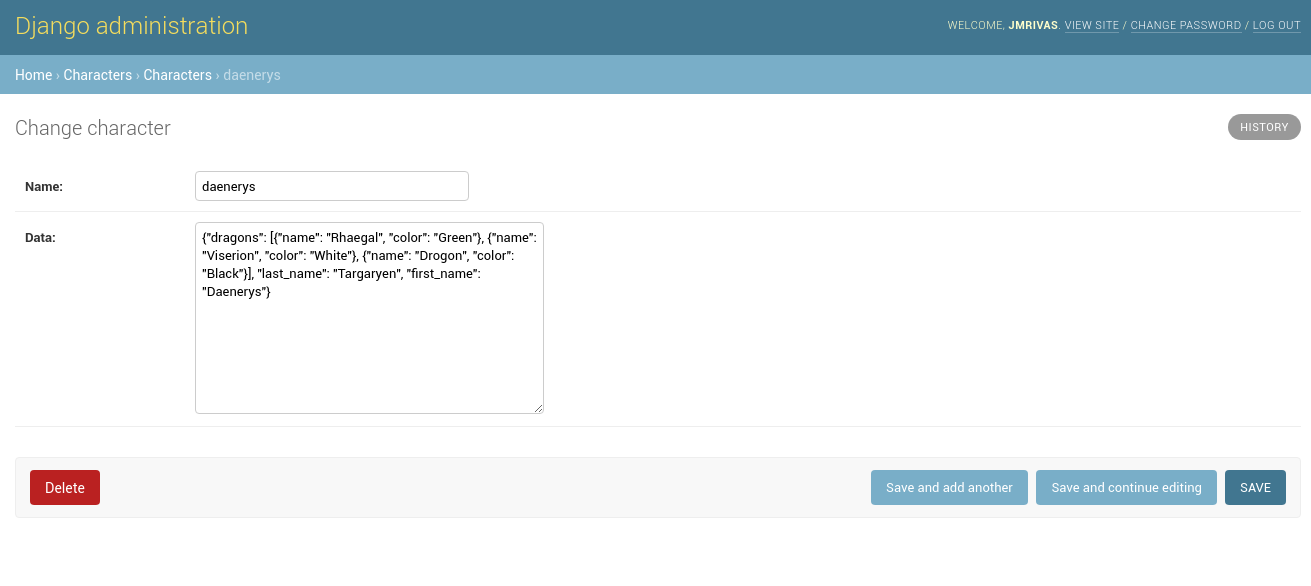
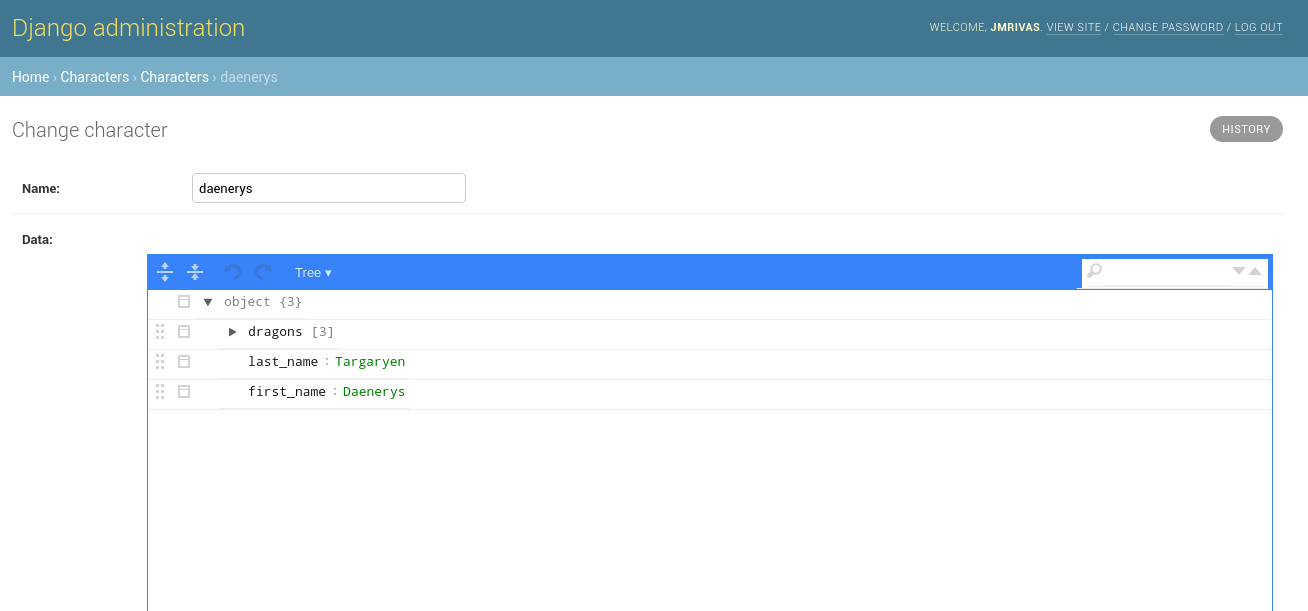
JSONEditorWidget widget
Before:
.. image:: https://raw.githubusercontent.com/jmrivas86/django-json-widget/master/imgs/jsonfield_0.png
After:
.. image:: https://raw.githubusercontent.com/jmrivas86/django-json-widget/master/imgs/jsonfield_1.png
Development Guide
Read the contribution guide.
Credits
Tools used in rendering this package:
- Cookiecutter_
cookiecutter-djangopackage_
.. _Cookiecutter: https://github.com/audreyr/cookiecutter
.. _cookiecutter-djangopackage: https://github.com/pydanny/cookiecutter-djangopackage