sublime-colorpick
November 30, 2015 · View on GitHub
Color picker plugin for Sublime Text 2 and 3 (Mac OS X)
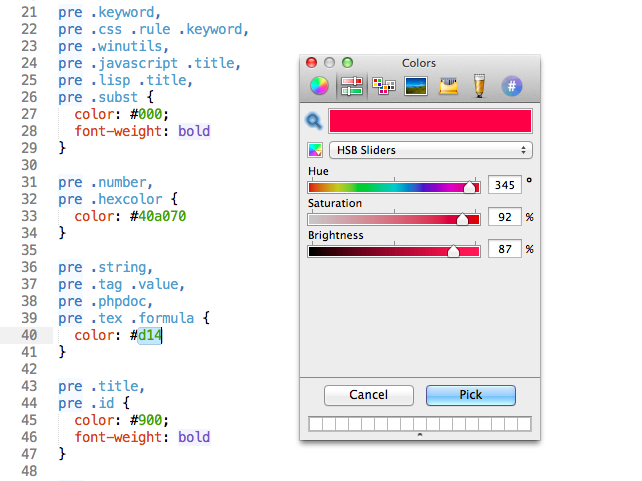
about
For me, a colorpicker is the last piece of the puzzle to make Sublime Text 2 a complete TextMate replacement. Et voilà!
Source for the colorpick binary can be found at https://github.com/jnordberg/color-pick
installation
cd ~/Library/Application\ Support/Sublime\ Text\ 2/Packages
git clone git://github.com/jnordberg/sublime-colorpick.git ColorPick
usage
cmd+shift+c to insert a color
or bind it to a key of your choosing, the command is color_pick
options
If you prefer your colors to be uppercase (#FF0000 vs #ff0000), set the color_pick_upcase option in your user settings (cmd+comma)
Example:
{
  "font_face": "Menlo",
  "font_size": 11.0,
  "tab_size": 2,
  "word_wrap": true,
  "wrap_width": 90,
  "color_pick_upcase": true
}