Markdown Reader
July 23, 2026 · View on GitHub





GitHub Repository · Changelog · Contributing
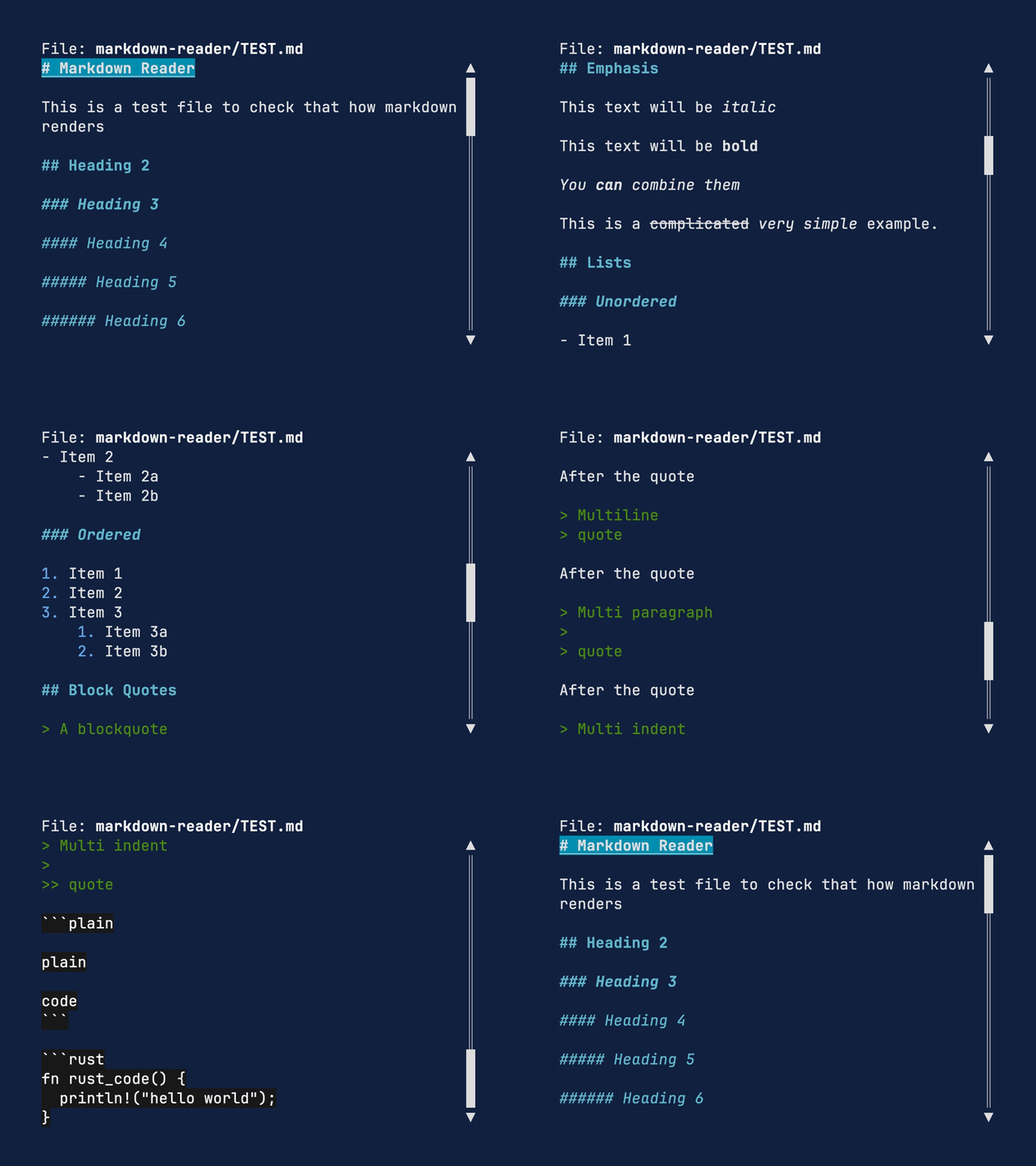
An experimental Proof of Concept markdown reader that uses Ratatui to render markdown files. The primary purpose of this crate is to test the tui-markdown crate. It is not ready for any sort of real world use.
Installation
To install the markdown reader application (mdr):
cargo install --locked markdown-reader
Usage
mdr --help

A simple markdown reader that uses ratatui to render markdown files.

Usage: mdr [OPTIONS] [PATH]

Arguments:
  [PATH]
          The path to the markdown file to read

          [default: README.md]

Options:
      --image-fallback <MODE>
          Text to display in place of Markdown images

          Possible values:
          - alt-text:         Display the image description, falling back to its URL
          - url:              Display the image URL
          - alt-text-and-url: Display the image description and URL

          [default: alt-text]

      --code-theme <THEME>
          Built-in syntax-highlighting theme (default: base16-ocean-dark)

          Possible values:
          - base16-eighties-dark: The dark Base16 Eighties theme
          - base16-mocha-dark:    The dark Base16 Mocha theme
          - base16-ocean-dark:    The default dark Base16 Ocean theme
          - base16-ocean-light:   The light Base16 Ocean theme
          - inspired-github:      The light Inspired GitHub theme
          - solarized-dark:       The dark Solarized theme
          - solarized-light:      The light Solarized theme

      --code-theme-file <PATH>
          Load a custom syntax-highlighting theme from a TextMate .tmTheme file

  -h, --help
          Print help (see a summary with '-h')

  -V, --version
          Print version
By default, images display their alt text and code uses the Base16 Ocean dark theme. Select a different representation for images or a built-in code theme:
mdr --image-fallback alt-text-and-url README.md
mdr --code-theme solarized-dark README.md
Custom syntax-highlighting themes can be loaded from TextMate .tmTheme files:
mdr --code-theme-file themes/custom.tmTheme README.md
--code-theme and --code-theme-file are mutually exclusive.
The repository includes a feature showcase for manually checking every supported Markdown construct:
cargo run -p markdown-reader -- markdown-reader/TEST.md
Status
This is working code, but not every markdown feature is supported. PRs welcome!
- Headings
- Heading attributes / classes / anchors
- Normal paragraphs
- Block quotes
- Nested block quotes
- GFM alerts
- Bold (strong)
- Italic (emphasis)
- Strikethrough
- Ordered lists
- Unordered lists
- Code blocks
- HTML
- Math
- Footnotes
- Definition lists
- Tables
- Linebreak handling
- Rule
- Tasklists
- Links
- Images
- Metadata blocks
- Superscript
- Subscript
License
Copyright (c) 2024 Josh McKinney
This project is licensed under either of
- Apache License, Version 2.0 (LICENSE-APACHE or http://www.apache.org/licenses/LICENSE-2.0)
- MIT license (LICENSE-MIT or http://opensource.org/licenses/MIT)
at your option.
Contribution
Unless you explicitly state otherwise, any contribution intentionally submitted for inclusion in the work by you, as defined in the Apache-2.0 license, shall be dual licensed as above, without any additional terms or conditions.
See CONTRIBUTING.md.