Set a LogPolicy suitable for real-time
June 23, 2026 · View on GitHub


Interface between libfranka and mc_rtc. It provides multi-robot support and connect mc_panda devices to their libfranka counterpart.
Setup
Nix
Building with Nix
To build the software, simply use
nix build .#mc-franka
Developping
To develop, use
nix develop .#mc-rtc-superbuild-mc-franka-devel
This will give you a shell with mc_rtc configured to use the mc_panda and mc_panda_lirmm robots, and mc_franka built from source. Follow the instructions in the terminal.
Running
You can use the mc-rtc-superbuild-mc-franka-devel environment where you compiled mc_franka yourself, or if you simply want to let Nix build and run the software:
- Step 1: create a suitable
mc_frankaconfiguration for your robot in anmc_rtc.yamlfile (please refer toUsagesection).
nix develop .#mc-rtc-superbuild-mc-franka # or -devel
# Run the gui in the background
(mc-rtc-magnum &)
# By default mc_rtc_ticker will use the configuration provided by `MC_RTC_CONTROLLER_CONFIG` env variable. This is set by the mc-rtc-superbuild derivation and devShell to contain all needed runtime depencencies and optionally a default controller's configuration
MCFrankaControl -f mc_rtc.yaml
From source
Dependencies
This package requires:
You will also need the linux-libc-dev package on Ubuntu and Debian systems. To build and install the software:
- Install this project's dependencies
- Install this project (
cmake/make/make install)
Usage
- Make sure the system is setup properly to work with the robot
- Make sure your user account has sufficient memory limits
For that last point, you want to edit /etc/security/limits.conf and add the following line:
USERNAME - memlock 1000000000
Then log-out and log-in, you can confirm the new limit is active by running:
ulimit -l
Your mc_rtc configuration file (typically ~/.config/mc_rtc/mc_rtc.yaml) should contain the following lines:
# General mc_rtc configuration to run a panda controller at 1kHz
MainRobot: PandaDefault # Or PandaHand/PandaFoot/PandaPump according to the end-effector installed on the robot
Enabled: YourController
Timestep: 0.001

# Set a LogPolicy suitable for real-time
LogPolicy: threaded

# Franka specific configuration
Franka:
  ControlMode: Position # Can be: Position/Velocity/Torque
  panda_default: # Name of the robot in the controller
    ip: 172.16.0.2 # IP of the robot
  panda_2: # Name of an extra panda in the controller
    ip: 172.16.1.2
  # Actuated robots that are not controlled via mc_franka
  ignored: [env/door, env/box]
Run the program:
MCFrankaControl
You can also provide an additional configuration file (to swap between different network configurations easily for example):
MCFrankaControl -f conf.yaml
Known issues
It may happen that some libraries are not found due to the high priviligies given for real-time scheduling. To overcome it, please consider running the following commands :
echo "$HOME/workspace/devel/catkin_data_ws/install/lib" | sudo tee -a /etc/ld.so.conf.d/mc_rtc_ros.conf
echo "$HOME/workspace/install/lib" | sudo tee -a /etc/ld.so.conf.d/mc_rtc.conf
echo "/opt/ros/${ROS_DISTRO}/lib" | sudo tee -a /etc/ld.so.conf.d/ros2.conf
Then run the following command :
sudo ldconfig
Video presentation
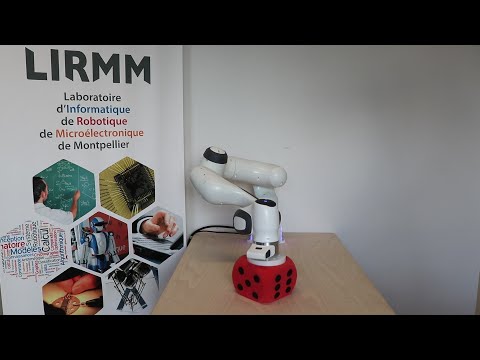
A video demonstrating panda motion generation and simultaneous pump actuation employing this implementation is available here:
Reference
Writing code takes time. If this implementation is useful for your research, please cite the related publication:
@INPROCEEDINGS{Dehio2021ICRA,
  title={Robot-Safe Impacts with Soft Contacts Based on Learned Deformations},
  author={Dehio, Niels and Kheddar, Abderrahmane},
  booktitle={IEEE Int. Conf. on Robotics and Automation},
  pages={1357-1363},
  year={2021},
  pdf = {https://hal.archives-ouvertes.fr/hal-02973947/document},
  url = {https://hal.archives-ouvertes.fr/hal-02973947}
}

This work was partially supported by the Research Project I.AM. through the European Union H2020 program under GA 871899.