readme.md
August 29, 2026 · View on GitHub







What is Meta Package Manager?
- snapshots every package on your machine to one file, and restores it on a new one
- provides the
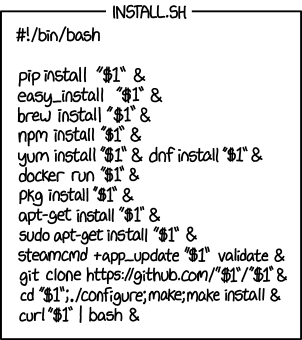
mpmCLI, a wrapper around all package managers mpmis likeyt-dlp, but for package managers instead of videosmpmsolves XKCD #1654 - Universal Install Script
Quick start
Thanks to uv, you can run mpm on any platform in one command, without installation or venv:
$ uvx meta-package-manager
Take everything installed on this machine, whichever package manager put it there, and write it to a single file:
$ mpm dump packages.toml
On the next machine, put it all back:
$ mpm restore packages.toml
Features
- Snapshot installed packages to a TOML manifest or a Brewfile, across every manager at once.
- Restore that manifest on another machine, and get the same set of packages back.
- Inventory and list all package managers available on the system.
- Supports macOS, Linux and Windows.
- Standalone executables for Linux, macOS and Windows.
- List installed packages.
- List duplicate installed packages.
- Search for packages.
- Install a package.
- Remove a package.
- List outdated packages.
- List orphaned packages.
- Sync local package infos.
- Diagnose the health of package managers.
- Upgrade all outdated packages.
- Mitigate supply-chain attacks with a release-age cooldown that refuses too-recent versions:
mpm --cooldown "7 days" upgrade --all. - Software Bill of Materials: export installed packages to SPDX and CycloneDX SBOM files.
- Pin-point commands to a subset of package managers (include/exclude selectors).
- Support plain, versioned and purl package specifiers.
- Export output to JSON or user-friendly tables.
- Shell auto-completion for Bash, Zsh and Fish.
- Provides a SwiftBar/Xbar plugin for friendly macOS integration.
- Provides a GNOME Shell extension for friendly Linux desktop integration.
- Because
mpmtries to wrap all other package managers, it became another pathological case of XKCD #927: Standards
Supported package managers
One CLI to rule them all. Every manager below links to its own documentation page, and mpm runs them concurrently bar the few that queue on a shared backend.
| Package manager | Version | Cooldown | Platforms | installed | outdated | orphans | search | install | upgrade | upgrade_all | remove | sync | cleanup | doctor |
|---|---|---|---|---|---|---|---|---|---|---|---|---|---|---|
am | >= 10.4 | 🐧 | ✓ | ✓ | ✓ | ✓ | ✓ | |||||||
antidote | >= 2.2 | 🐧 🍎 | ✓ | ✓ | ✓ | ✓ | ✓ | |||||||
antigen | >= 2 | 🐧 🍎 | ✓ | ✓ | ✓ | |||||||||
apk | >= 2.10 | 🐧 | ✓ | ✓ | ✓ | ✓ | ✓ | ✓ | ✓ | ✓ | ✓ | |||
apm ⚠️ | >= 1 | 🅱️ 🐧 🍎 🪟 | ✓ | ✓ | ✓ | ✓ | ✓ | ✓ | ✓ | ✓ | ||||
apt | >= 1 | 🅱️ 🐧 ⨂ | ✓ | ✓ | ✓ | ✓ | ✓ | ✓ | ✓ | ✓ | ✓ | ✓ | ✓ | |
apt-cyg ⚠️ | ✓ | ✓ | ✓ | ✓ | ✓ | |||||||||
apt-mint | >= 1 | 🅱️ 🐧 ⨂ | ✓ | ✓ | ✓ | ✓ | ✓ | ✓ | ✓ | ✓ | ✓ | ✓ | ✓ | |
asdf | >= 0.16 | 🐧 🍎 | ✓ | ✓ | ✓ | ✓ | ✓ | ✓ | ✓ | ✓ | ||||
basalt | >= 0.10 | 🐧 🍎 | ✓ | ✓ | ✓ | |||||||||
bin | >= 0.27 | 🐧 🍎 🪟 | ✓ | ✓ | ✓ | ✓ | ✓ | |||||||
bob | 🐧 🍎 🪟 | ✓ | ✓ | ✓ | ✓ | ✓ | ✓ | |||||||
bpkg | 🐧 🍎 | ✓ | ||||||||||||
brew | >= 6 | 🐧 🍎 | ✓ | ✓ | ✓ | ✓ | ✓ | ✓ | ✓ | ✓ | ✓ | ✓ | ✓ | |
bun | >= 1.2 | 🐧 🍎 🪟 | ✓ | ✓ | ✓ | ✓ | ✓ | ✓ | ||||||
cargo | >= 1 | 🅱️ 🐧 🍎 ⨂ 🪟 | ✓ | ✓ | ✓ | ✓ | ||||||||
cask | >= 6 | 🍎 | ✓ | ✓ | ✓ | ✓ | ✓ | ✓ | ✓ | ✓ | ✓ | ✓ | ||
cave | ✓ | ✓ | ✓ | ✓ | ✓ | ✓ | ✓ | ✓ | ||||||
choco | >= 2 | 🪟 | ✓ | ✓ | ✓ | ✓ | ✓ | ✓ | ✓ | |||||
chromebrew | ✓ | ✓ | ✓ | ✓ | ✓ | ✓ | ✓ | |||||||
clib | 🐧 🍎 | ✓ | ✓ | ✓ | ||||||||||
composer | >= 1.4 | 🅱️ 🐧 🍎 ⨂ 🪟 | ✓ | ✓ | ✓ | ✓ | ✓ | ✓ | ✓ | ✓ | ✓ | |||
conda | >= 4.6 | 🐧 🍎 🪟 | ✓ | ✓ | ✓ | ✓ | ✓ | ✓ | ✓ | ✓ | ||||
cpan | >= 1.64 | 🅱️ 🐧 🍎 ⨂ 🪟 | ✓ | ✓ | ✓ | ✓ | ✓ | |||||||
deb-get | 🐧 | ✓ | ✓ | ✓ | ✓ | ✓ | ✓ | ✓ | ✓ | ✓ | ||||
dkp-pacman | >= 6 | 🐧 🍎 | ✓ | ✓ | ✓ | ✓ | ✓ | ✓ | ✓ | ✓ | ✓ | ✓ | ✓ | |
dnf | >= 4 | 🅱️ 🐧 ⨂ | ✓ | ✓ | ✓ | ✓ | ✓ | ✓ | ✓ | ✓ | ✓ | ✓ | ✓ | |
dnf5 | >= 5 | 🅱️ 🐧 ⨂ | ✓ | ✓ | ✓ | ✓ | ✓ | ✓ | ✓ | ✓ | ✓ | ✓ | ✓ | |
dotnet | >= 8.0.400 | 🐧 🍎 🪟 | ✓ | ✓ | ✓ | ✓ | ✓ | ✓ | ||||||
elan | >= 4 | 🐧 🍎 🪟 | ✓ | ✓ | ✓ | ✓ | ✓ | |||||||
emerge | >= 3 | 🅱️ 🐧 ⨂ | ✓ | ✓ | ✓ | ✓ | ✓ | ✓ | ✓ | ✓ | ✓ | ✓ | ||
eopkg | >= 3.2 | 🐧 | ✓ | ✓ | ✓ | ✓ | ✓ | ✓ | ✓ | ✓ | ✓ | |||
fink | 🍎 | ✓ | ✓ | ✓ | ✓ | ✓ | ✓ | ✓ | ✓ | |||||
fisher | >= 4 | 🐧 🍎 | ✓ | ✓ | ✓ | ✓ | ✓ | |||||||
flatpak | >= 1.2 | ✓ | 🅱️ 🐧 ⨂ | ✓ | ✓ | ✓ | ✓ | ✓ | ✓ | ✓ | ✓ | ✓ | ||
fwupd | >= 1.9.5 | 🐧 | ✓ | ✓ | ✓ | ✓ | ✓ | ✓ | ||||||
gcloud | >= 170 | 🐧 🍎 🪟 | ✓ | ✓ | ✓ | ✓ | ✓ | |||||||
gem | >= 2.5 | 🅱️ 🐧 🍎 ⨂ 🪟 | ✓ | ✓ | ✓ | ✓ | ✓ | ✓ | ✓ | ✓ | ✓ | ✓ | ||
getnf | 🐧 🍎 | ✓ | ✓ | ✓ | ✓ | ✓ | ✓ | |||||||
gext | >= 0.11 | 🅱️ 🐧 ⨂ | ✓ | ✓ | ✓ | ✓ | ✓ | ✓ | ✓ | |||||
gh-ext | >= 2 | 🐧 🍎 🪟 | ✓ | ✓ | ✓ | ✓ | ✓ | ✓ | ||||||
ghcup | >= 0.2.1 | 🐧 🍎 🪟 | ✓ | ✓ | ✓ | ✓ | ✓ | ✓ | ||||||
guix | 🐧 | ✓ | ✓ | ✓ | ✓ | ✓ | ✓ | ✓ | ✓ | ✓ | ||||
haxelib | >= 4 | 🅱️ 🐧 🍎 ⨂ 🪟 | ✓ | ✓ | ✓ | ✓ | ✓ | ✓ | ||||||
jpm | 🐧 🍎 🪟 | ✓ | ✓ | ✓ | ✓ | ✓ | ||||||||
juliaup | >= 1.21 | 🐧 🍎 🪟 | ✓ | ✓ | ✓ | ✓ | ✓ | ✓ | ✓ | ✓ | ||||
krew | >= 0.4 | 🅱️ 🐧 🍎 ⨂ 🪟 | ✓ | ✓ | ✓ | ✓ | ✓ | ✓ | ✓ | |||||
lazy | >= 11 | 🅱️ 🐧 🍎 ⨂ 🪟 | ✓ | ✓ | ||||||||||
luarocks | >= 3.9.1 | 🅱️ 🐧 🍎 ⨂ 🪟 | ✓ | ✓ | ✓ | ✓ | ✓ | ✓ | ✓ | |||||
macports | >= 2 | 🍎 | ✓ | ✓ | ✓ | ✓ | ✓ | ✓ | ✓ | ✓ | ✓ | ✓ | ||
mamba | >= 2 | 🐧 🍎 🪟 | ✓ | ✓ | ✓ | ✓ | ✓ | ✓ | ✓ | ✓ | ||||
mas | >= 7 | ✓ | 🍎 | ✓ | ✓ | ✓ | ✓ | ✓ | ✓ | ✓ | ||||
mason | >= 2 | 🅱️ 🐧 🍎 ⨂ 🪟 | ✓ | ✓ | ✓ | ✓ | ✓ | |||||||
micro | >= 2 | 🅱️ 🐧 🍎 ⨂ 🪟 | ✓ | ✓ | ✓ | ✓ | ✓ | ✓ | ||||||
micromamba | >= 2 | 🐧 🍎 🪟 | ✓ | ✓ | ✓ | ✓ | ✓ | ✓ | ✓ | ✓ | ||||
miktex | >= 22.3 | 🐧 🪟 | ✓ | ✓ | ✓ | ✓ | ✓ | ✓ | ||||||
mise | >= 2025.5.10 | 🅱️ 🐧 🍎 ⨂ 🪟 | ✓ | ✓ | ✓ | ✓ | ✓ | ✓ | ✓ | ✓ | ✓ | ✓ | ||
nala | >= 0.12.2 | 🐧 | ✓ | ✓ | ✓ | ✓ | ✓ | ✓ | ✓ | ✓ | ✓ | |||
nimble | >= 0.22 | 🅱️ 🐧 🍎 ⨂ 🪟 | ✓ | ✓ | ✓ | ✓ | ✓ | |||||||
nix | >= 2 | 🐧 🍎 | ✓ | ✓ | ✓ | ✓ | ✓ | ✓ | ✓ | ✓ | ✓ | |||
npm | >= 11.10 | ✓ | 🅱️ 🐧 🍎 ⨂ 🪟 | ✓ | ✓ | ✓ | ✓ | ✓ | ✓ | ✓ | ✓ | ✓ | ||
oh-my-fish | >= 6 | 🐧 🍎 | ✓ | ✓ | ✓ | ✓ | ✓ | |||||||
ollama | >= 0.5 | 🐧 🍎 🪟 | ✓ | ✓ | ✓ | ✓ | ||||||||
opam | >= 2 | 🅱️ 🐧 🍎 | ✓ | ✓ | ✓ | ✓ | ✓ | ✓ | ✓ | |||||
opkg | >= 0.2 | 🅱️ 🐧 ⨂ | ✓ | ✓ | ✓ | ✓ | ✓ | ✓ | ✓ | ✓ | ||||
pacaur ⚠️ | >= 4 | 🅱️ 🐧 ⨂ | ✓ | ✓ | ✓ | ✓ | ✓ | ✓ | ✓ | ✓ | ✓ | ✓ | ✓ | |
pacman | >= 5 | 🅱️ 🐧 ⨂ | ✓ | ✓ | ✓ | ✓ | ✓ | ✓ | ✓ | ✓ | ✓ | ✓ | ✓ | |
pacstall | >= 6 | 🐧 | ✓ | ✓ | ✓ | ✓ | ✓ | ✓ | ✓ | ✓ | ||||
pamac | >= 11 | 🐧 | ✓ | ✓ | ✓ | ✓ | ✓ | ✓ | ✓ | ✓ | ✓ | |||
paru | >= 1.9.3 | ✓ | 🅱️ 🐧 ⨂ | ✓ | ✓ | ✓ | ✓ | ✓ | ✓ | ✓ | ✓ | ✓ | ✓ | ✓ |
pikaur | >= 1 | 🅱️ 🐧 ⨂ | ✓ | ✓ | ✓ | ✓ | ✓ | ✓ | ✓ | ✓ | ✓ | ✓ | ✓ | |
pip | >= 26.1 | ✓ | 🅱️ 🐧 🍎 ⨂ 🪟 | ✓ | ✓ | ✓ | ✓ | ✓ | ✓ | ✓ | ✓ | |||
pipx | >= 1 | ✓ | 🅱️ 🐧 🍎 ⨂ 🪟 | ✓ | ✓ | ✓ | ✓ | ✓ | ✓ | |||||
pixi | >= 0.65 | 🐧 🍎 🪟 | ✓ | ✓ | ✓ | ✓ | ✓ | ✓ | ||||||
pkcon | >= 0.7 | 🐧 | ✓ | ✓ | ✓ | ✓ | ✓ | ✓ | ✓ | ✓ | ||||
pkg | >= 1.11 | ✓ | ✓ | ✓ | ✓ | ✓ | ✓ | ✓ | ✓ | ✓ | ✓ | ✓ | ||
pkg-tools | ✓ | ✓ | ✓ | ✓ | ✓ | ✓ | ✓ | ✓ | ||||||
pkgin | ✓ | ✓ | ✓ | ✓ | ✓ | ✓ | ✓ | ✓ | ✓ | |||||
pnpm | >= 11 | ✓ | 🅱️ 🐧 🍎 ⨂ 🪟 | ✓ | ✓ | ✓ | ✓ | ✓ | ✓ | ✓ | ✓ | |||
ports | ✓ | ✓ | ✓ | ✓ | ✓ | ✓ | ✓ | ✓ | ||||||
pwsh-gallery | >= 7.4 | 🐧 🍎 🪟 | ✓ | ✓ | ✓ | ✓ | ✓ | ✓ | ✓ | |||||
pyenv | >= 2.3.13 | 🐧 🍎 | ✓ | ✓ | ✓ | ✓ | ||||||||
raco | 🐧 🍎 🪟 | ✓ | ✓ | ✓ | ✓ | ✓ | ||||||||
rustup | >= 1.28 | 🐧 🍎 🪟 | ✓ | ✓ | ✓ | ✓ | ✓ | ✓ | ||||||
scoop | >= 0.2.4 | 🪟 | ✓ | ✓ | ✓ | ✓ | ✓ | ✓ | ✓ | ✓ | ✓ | ✓ | ||
sdkman | >= 5 | 🐧 🍎 | ✓ | ✓ | ✓ | ✓ | ✓ | ✓ | ✓ | ✓ | ||||
sfsu | >= 1.16 | 🪟 | ✓ | ✓ | ✓ | ✓ | ✓ | ✓ | ✓ | ✓ | ✓ | |||
sheldon | >= 0.6 | 🐧 🍎 | ✓ | ✓ | ||||||||||
slapt-get | ✓ | ✓ | ✓ | ✓ | ✓ | ✓ | ✓ | ✓ | ||||||
snap | >= 2 | 🅱️ 🐧 ⨂ | ✓ | ✓ | ✓ | ✓ | ✓ | ✓ | ✓ | |||||
soar | >= 0.12 | 🐧 | ✓ | ✓ | ✓ | ✓ | ✓ | ✓ | ✓ | ✓ | ||||
sorcery | ✓ | ✓ | ✓ | ✓ | ✓ | ✓ | ✓ | ✓ | ||||||
spack | >= 1 | 🐧 🍎 | ✓ | ✓ | ✓ | ✓ | ✓ | ✓ | ||||||
steamcmd | 🅱️ 🐧 🍎 ⨂ 🪟 | ✓ | ||||||||||||
stew | >= 0.3 | 🐧 🍎 🪟 | ✓ | ✓ | ✓ | ✓ | ✓ | |||||||
sun-tools | ✓ | ✓ | ||||||||||||
swupd ⚠️ | ✓ | ✓ | ✓ | ✓ | ✓ | ✓ | ||||||||
tazpkg | ✓ | ✓ | ✓ | ✓ | ✓ | ✓ | ✓ | ✓ | ||||||
tlmgr | >= 2018 | 🅱️ 🐧 🍎 ⨂ 🪟 | ✓ | ✓ | ✓ | ✓ | ✓ | ✓ | ✓ | ✓ | ✓ | ✓ | ||
topgrade | >= 17 | 🅱️ 🐧 🍎 🪟 | ✓ | |||||||||||
trizen | >= 1 | 🅱️ 🐧 ⨂ | ✓ | ✓ | ✓ | ✓ | ✓ | ✓ | ✓ | ✓ | ✓ | ✓ | ✓ | |
urpmi | ✓ | ✓ | ✓ | ✓ | ✓ | ✓ | ✓ | ✓ | ✓ | |||||
uv | >= 0.5 | ✓ | 🅱️ 🐧 🍎 ⨂ 🪟 | ✓ | ✓ | ✓ | ✓ | ✓ | ✓ | ✓ | ||||
uvx | >= 0.10.10 | ✓ | 🅱️ 🐧 🍎 ⨂ 🪟 | ✓ | ✓ | ✓ | ✓ | ✓ | ✓ | |||||
vagrant | >= 2.4 | 🐧 🍎 🪟 | ✓ | ✓ | ✓ | ✓ | ✓ | ✓ | ✓ | ✓ | ||||
vcpkg | 🐧 🍎 🪟 | ✓ | ✓ | ✓ | ✓ | ✓ | ✓ | ✓ | ||||||
vim-pack | >= 0.12 | 🅱️ 🐧 🍎 ⨂ 🪟 | ✓ | ✓ | ✓ | ✓ | ✓ | |||||||
volta ⚠️ | >= 1.0.2 | 🐧 🍎 🪟 | ✓ | ✓ | ✓ | ✓ | ||||||||
vscode | >= 1.60 | 🅱️ 🐧 🍎 ⨂ 🪟 | ✓ | ✓ | ✓ | |||||||||
vscodium | >= 1.60 | 🅱️ 🐧 🍎 ⨂ 🪟 | ✓ | ✓ | ✓ | |||||||||
winget | >= 1.28.190 | 🪟 | ✓ | ✓ | ✓ | ✓ | ✓ | ✓ | ✓ | ✓ | ||||
xbps | >= 0.59 | 🐧 | ✓ | ✓ | ✓ | ✓ | ✓ | ✓ | ✓ | ✓ | ✓ | ✓ | ✓ | |
xcodes | >= 1 | 🍎 | ✓ | ✓ | ✓ | |||||||||
yarn | >= 1.20, < 2 | 🅱️ 🐧 🍎 ⨂ 🪟 | ✓ | ✓ | ✓ | ✓ | ✓ | ✓ | ✓ | ✓ | ||||
yarn-berry | >= 2 | 🅱️ 🐧 🍎 ⨂ 🪟 | ✓ | ✓ | ||||||||||
yay | >= 11 | ✓ | 🅱️ 🐧 ⨂ | ✓ | ✓ | ✓ | ✓ | ✓ | ✓ | ✓ | ✓ | ✓ | ✓ | ✓ |
yazi | >= 25.2.7 | 🅱️ 🐧 🍎 ⨂ 🪟 | ✓ | ✓ | ✓ | ✓ | ✓ | |||||||
yum | >= 4 | 🅱️ 🐧 ⨂ | ✓ | ✓ | ✓ | ✓ | ✓ | ✓ | ✓ | ✓ | ✓ | ✓ | ✓ | |
zef | 🅱️ 🐧 🍎 ⨂ 🪟 | ✓ | ✓ | ✓ | ✓ | ✓ | ✓ | ✓ | ||||||
zerobrew | >= 0.3 | 🐧 🍎 | ✓ | ✓ | ✓ | ✓ | ✓ | ✓ | ||||||
zeroinstall | 🅱️ 🐧 🍎 ⨂ 🪟 | ✓ | ✓ | ✓ | ||||||||||
zim | >= 1 | 🐧 🍎 | ✓ | ✓ | ||||||||||
zinit | >= 3.10 | 🐧 🍎 | ✓ | ✓ | ✓ | ✓ | ✓ | |||||||
zplug | >= 2 | 🐧 🍎 | ✓ | ✓ | ✓ | |||||||||
zypper | >= 1.14 | 🅱️ 🐧 ⨂ | ✓ | ✓ | ✓ | ✓ | ✓ | ✓ | ✓ | ✓ | ✓ | ✓ |
Platforms: 🅱️ BSD1 · 🐧 Linux2 · 🍎 macOS · ⨂ Unix3 · 🪟 Windows
Note
If your favorite manager is missing or does not support an operation, you can influence its implementation: open a ticket to document its output or read the contribution guide and submit a pull request.
You can help if you purchase business support 🤝 or sponsor the project 🫶.
Installation
All installation methods are available in the documentation. Below are the most popular ones:
Homebrew
mpm is part of the official Homebrew default tap, bottled for macOS and Linux, so you can install it with:
$ brew install meta-package-manager
macOS
mpm is also available on MacPorts:
$ sudo port install meta-package-manager
Windows
mpm is available in the main repository of Scoop, so you just need to:
> scoop install main/meta-package-manager
Executables
Standalone binaries of mpm latest version are available as direct downloads for several platforms and architectures:
No need to install Python or uv. Useful for CI/CD pipelines running on minimal images, or old platforms where dependency management is painful.
Quickstart
List installed packages
List all packages installed on current system:
$ mpm installed
╭──────────────────────────────────────────────┬─────────┬──────────┬──────────────────────────────────────────╮
│ Package ID                                   │ Name    │ Manager  │ Installed version                        │
├──────────────────────────────────────────────┼─────────┼──────────┼──────────────────────────────────────────┤
│ curl                                         │         │ brew     │ 8.21.0                                   │
│ git                                          │         │ brew     │ 2.55.0                                   │
│ aerial                                       │         │ cask     │ 3.6.3                                    │
│ amethyst                                     │         │ cask     │ 0.24.3                                   │
│ bigdecimal                                   │         │ gem      │ 3.1.4                                    │
│ bundler                                      │         │ gem      │ 2.4.22                                   │
│ 361285480                                    │ Keynote │ mas      │ 15.3.1                                   │
│ 408981434                                    │ iMovie  │ mas      │ 10.4.4                                   │
│ @mermaid-js/mermaid-cli                      │         │ npm      │ 11.12.0                                  │
│ npm                                          │         │ npm      │ 11.19.0                                  │
│ cyclonedx-python-lib                         │         │ uv       │ 11.11.0                                  │
│ packageurl-python                            │         │ uv       │ 0.17.6                                   │
│ https://github.com/nvim-lualine/lualine.nvim │         │ vim-pack │ 221ce6b2d999187044529f49da6554a92f740a96 │
│ charliermarsh.ruff                           │         │ vscode   │ 2026.70.0                                │
│ ms-python.python                             │         │ vscode   │ 2026.4.0                                 │
│ zsh-users/zsh-autosuggestions                │         │ zinit    │ ?                                        │
│ zsh-users/zsh-completions                    │         │ zinit    │ ?                                        │
│ (...)                                        │         │          │                                          │
╰──────────────────────────────────────────────┴─────────┴──────────┴──────────────────────────────────────────╯
483 packages total (brew: 246, uv: 75, gem: 62, cask: 52, vscode: 16, vim-pack: 9, zinit: 9, mas: 7, npm: 6, cargo: 1, gh-ext: 0, pnpm: 0, uvx: 0, yarn: 0).
Narrow the listing to packages whose ID or name matches a query by passing it as an argument. The match is fuzzy by default (case-insensitive and tokenized); add --exact to require a verbatim match on the package ID or name:
$ mpm installed sphinx
$ mpm installed --exact Sphinx
List outdated packages
List all packages installed for which an upgrade is available:
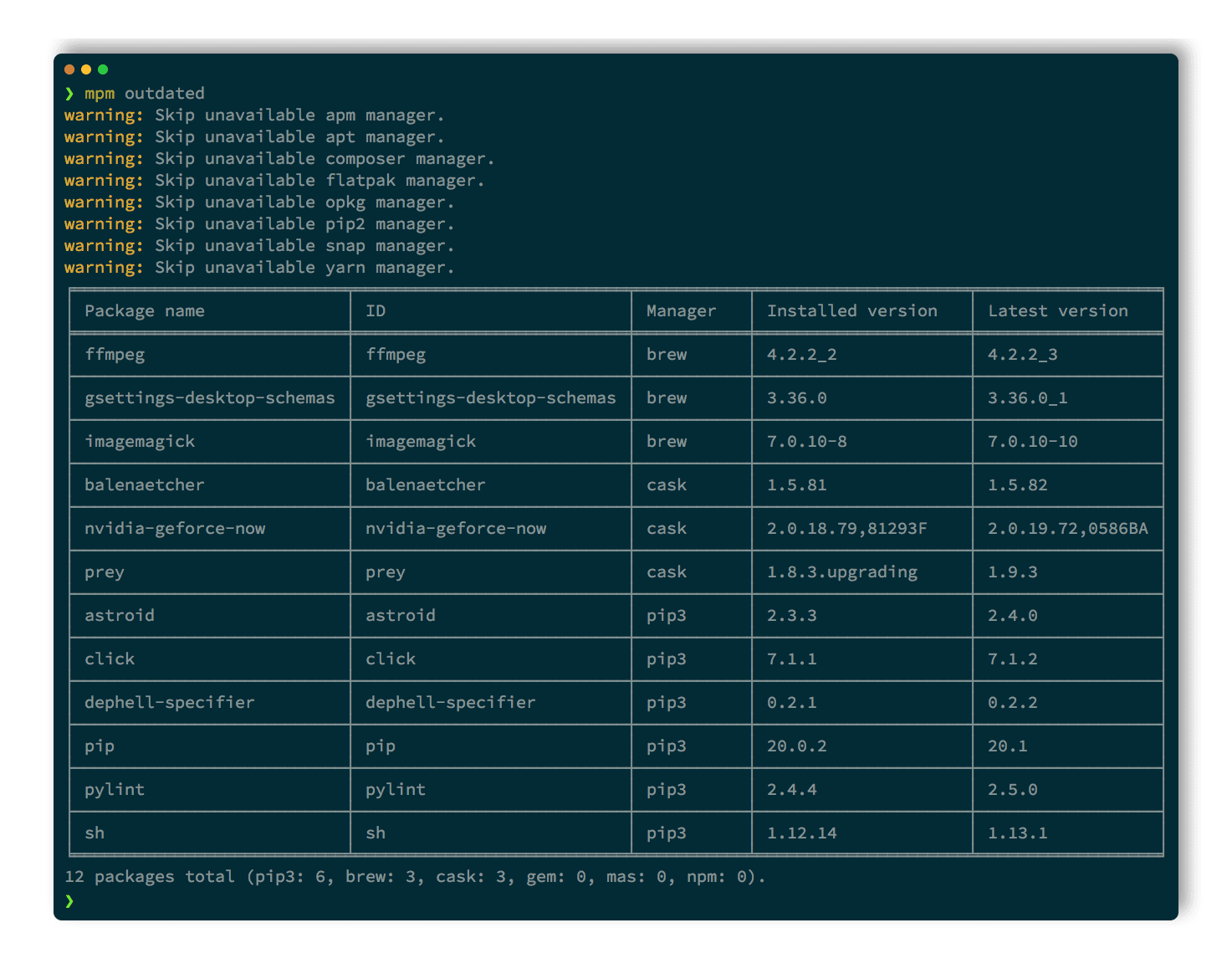
$ mpm outdated
╭──────────────┬─────────────┬─────────┬───────────────────┬────────────────╮
│ Package name │ ID          │ Manager │ Installed version │ Latest version │
├──────────────┼─────────────┼─────────┼───────────────────┼────────────────┤
│ curl         │ curl        │ brew    │ 7.79.1            │ 7.79.1_1       │
│ git          │ git         │ brew    │ 2.33.0            │ 2.33.0_1       │
│ openssl@1.1  │ openssl@1.1 │ brew    │ 1.1.1l            │ 1.1.1l_1       │
│ rake         │ rake        │ gem     │ 13.0.3            │ 13.0.6         │
│ Telegram     │ 747648890   │ mas     │ 8.1               │ 8.1.3          │
│ npm          │ npm@8.0.0   │ npm     │ 7.24.0            │ 8.0.0          │
│ pip          │ pip         │ pip     │ 21.2.4            │ 21.3           │
│ regex        │ regex       │ pip     │ 2021.9.30         │ 2021.10.8      │
╰──────────────┴─────────────┴─────────┴───────────────────┴────────────────╯
8 packages total (brew: 3, pip: 2, gem: 1, mas: 1, npm: 1, apm: 0, cask: 0, composer: 0).
The same query argument restricts the listing to outdated packages whose ID or name matches, again fuzzy by default and exact with --exact:
$ mpm outdated git
Upgrade outdated packages
A recent study shows that 70% of vulnerabilities lie in outdated libraries, so keeping every piece of software up to date is one of the key habits of security professionals. mpm upgrades all packages from all managers with a one-liner:
$ mpm upgrade --all
Updating all outdated packages from brew...
==> Upgrading 4 outdated packages:
gnu-getopt 2.35.1 -> 2.35.2
rclone 1.51.0 -> 1.52.0
fd 8.1.0 -> 8.1.1
youtube-dl 2020.05.08 -> 2020.05.29
(...)
Updating all outdated packages from cask...
==> Upgrading 4 outdated packages:
balenaetcher 1.5.89 -> 1.5.94, libreoffice 6.4.3 -> 6.4.4
(...)
Updating all outdated packages from gem...
Updating openssl
(...)
Updating all outdated packages from npm...
+ npm@6.14.5
(...)
Updating all outdated packages from pip...
Successfully installed dephell-argparse-0.1.3
Successfully installed dephell-pythons-0.1.15
This is the primary use case of mpm, and the main reason I built it.
Upgrade with a supply-chain cooldown
There is a counter-argument to the advice above. Chasing the newest release the moment it ships is exactly how supply-chain attacks reach you: a compromised version is usually detected and pulled within days of publication, but an immediate upgrade installs it before that happens. Blindly staying on the bleeding edge trades one risk (outdated, vulnerable libraries) for another (freshly poisoned releases).
mpm reconciles the two with a release-age cooldown, refusing any version published more recently than a threshold:
$ mpm --cooldown "7 days" upgrade --all
You still pick up older security fixes promptly, while sitting out the risky first days of a brand-new release. See the cooldown guide for the full mechanism and which managers enforce it natively.
List managers
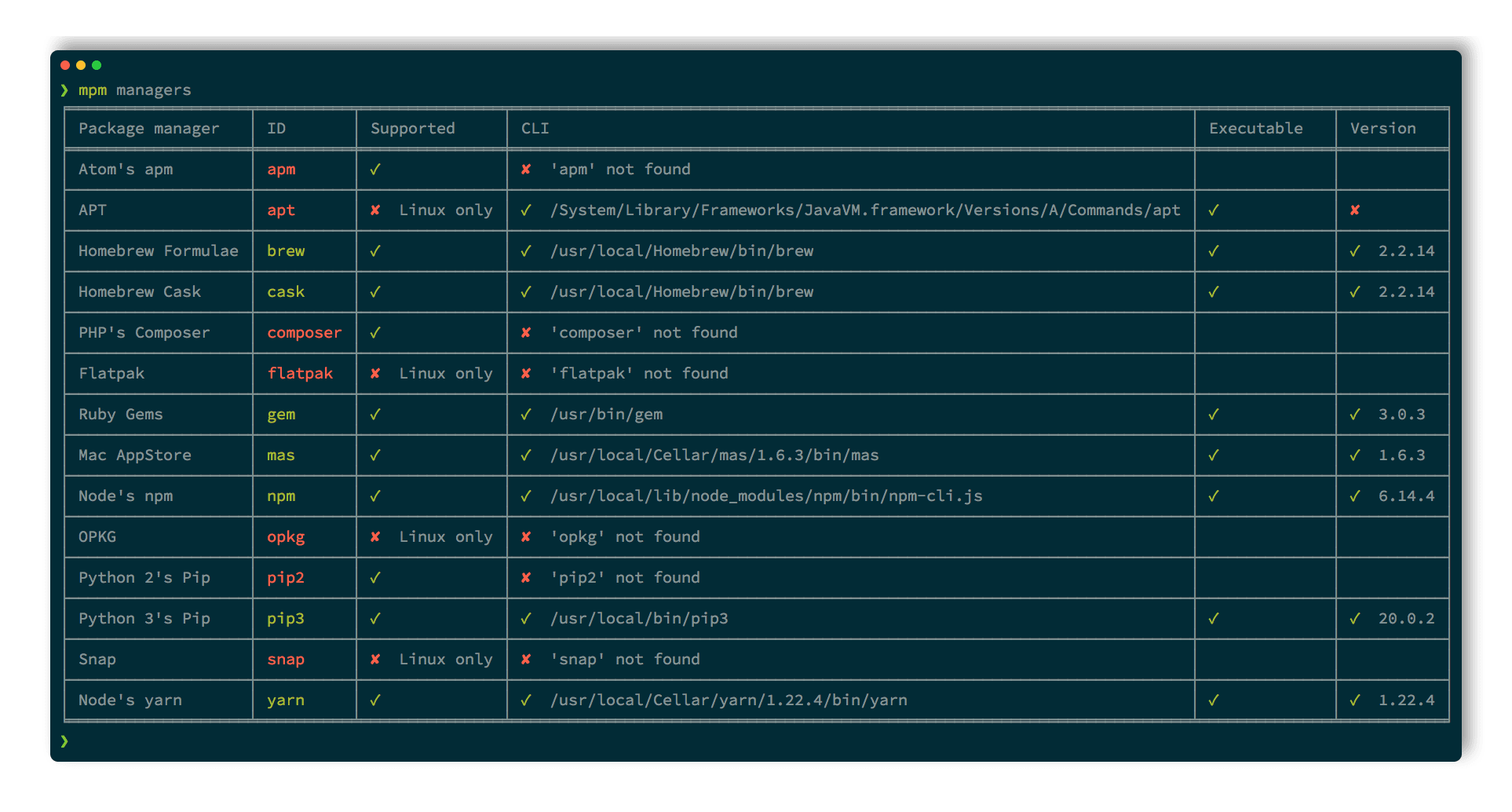
mpm reports the package managers it detected on your system, and the version each one self-reports:
$ mpm managers
╭────────────┬───────────────────────┬────────────────────────────────────────────────────────────────────────┬──────────────────────╮
│ Manager ID │ Name                  │ CLI                                                                    │ Version              │
├────────────┼───────────────────────┼────────────────────────────────────────────────────────────────────────┼──────────────────────┤
│ brew       │ Homebrew Formulae     │ ✓ /opt/homebrew/bin/brew                                               │ ✓ 6.0.17-69-g38ee325 │
│ cargo      │ Rust cargo            │ ✓ /opt/homebrew/bin/cargo                                              │ ✓ 1.97.1             │
│ cask       │ Homebrew Cask         │ ✓ /opt/homebrew/bin/brew                                               │ ✓ 6.0.17-69-g38ee325 │
│ cpan       │ Perl CPAN             │ ✓ /usr/bin/cpan                                                        │ ✓ 2.28               │
│ gem        │ RubyGems              │ ✓ /usr/bin/gem                                                         │ ✓ 3.4.5              │
│ gh-ext     │ GitHub CLI extensions │ ✓ /opt/homebrew/bin/gh                                                 │ ✓ 2.97.0             │
│ mas        │ Mac App Store         │ ✓ /opt/homebrew/bin/mas                                                │ ✓ 7.0.0              │
│ npm        │ Node npm              │ ✓ /opt/homebrew/bin/npm                                                │ ✓ 11.19.0            │
│ pnpm       │ Node pnpm             │ ✓ /opt/homebrew/bin/pnpm                                               │ ✓ 11.20.0            │
│ topgrade   │ Topgrade              │ ✓ /opt/homebrew/bin/topgrade                                           │ ✓ 17.9.0             │
│ uv         │ Python uv             │ ✓ /opt/homebrew/bin/uv                                                 │ ✓ 0.12.3             │
│ uvx        │ Python uvx            │ ✓ /opt/homebrew/bin/uv                                                 │ ✓ 0.12.3             │
│ vim-pack   │ Neovim vim-pack       │ ✓ /opt/homebrew/bin/nvim                                               │ ✓ 0.12.4             │
│ vscode     │ Visual Studio Code    │ ✓ /Applications/Visual Studio Code.app/Contents/Resources/app/bin/code │ ✓ 1.133.0            │
│ yarn       │ Yarn Classic          │ ✓ /opt/homebrew/bin/yarn                                               │ ✓ 1.22.22            │
│ zinit      │ Zinit                 │ ✓ /opt/homebrew/bin/zsh                                                │ ✓ 3.15.0             │
╰────────────┴───────────────────────┴────────────────────────────────────────────────────────────────────────┴──────────────────────╯
If you wonder why one of your package managers is not in that list, name it: a manager you select explicitly is always reported, and the extra columns spell out what mpm could not resolve.
$ mpm --composer --volta --choco --yarn-berry managers
╭────────────┬──────────────┬──────────────────┬──────────────────────────┬────────────┬───────────────────╮
│ Manager ID │ Name         │ Supported        │ CLI                      │ Executable │ Version           │
├────────────┼──────────────┼──────────────────┼──────────────────────────┼────────────┼───────────────────┤
│ choco      │ Chocolatey   │ ✘ Windows        │ ✘ choco not found        │            │                   │
│ composer   │ PHP Composer │ ✓                │ ✘ composer not found     │            │                   │
│ volta      │ Volta        │ ✓ (unmaintained) │ ✘ volta not found        │            │                   │
│ yarn-berry │ Yarn Berry   │ ✓                │ ✓ /opt/homebrew/bin/yarn │ ✓          │ ✘ 1.22.22 >=2.0.0 │
╰────────────┴──────────────┴──────────────────┴──────────────────────────┴────────────┴───────────────────╯
Four different reasons, one per row. choco only runs on Windows. composer is supported here but its CLI is nowhere on the PATH. volta is missing too, and is flagged unmaintained upstream, which is also why selecting it prints a deprecation notice on stderr. And yarn-berry is the interesting one: its CLI was found and is executable, but the yarn on this machine is a 1.x that does not satisfy the >=2.0.0 its wrapper requires, so mpm will not drive it.
To browse the whole catalog instead, widen the view: mpm managers --view supported lists every manager your platform can run, found or not, and mpm managers --view all adds those mpm implements for other platforms and the unmaintained ones. The global --all-managers flag is a synonym for the widest of the three.
If your favorite manager is not supported yet, you can help! See the contribution guide. A handful of tools are deliberately left out, each with its rationale: they are catalogued in unsupported managers.
Used in
Check these projects to get real-life examples of mpm usage:
Dotfiles - macOS dotfiles for Python developers, using
mpmto manage system packages.
Feel free to send a PR to add your project in this list if you are relying on mpm in any way.
Usage
Other subcommands and options are documented in:
- the detailed help screens
- the manager augmentations where you’ll find inspiration on how to leverage
mpmpower
Footnotes
-
BSD: DragonFly BSD, FreeBSD, MidnightBSD, NetBSD, OpenBSD, SunOS. ↩
-
Linux: AlmaLinux, Alpine Linux, ALT Linux, Amazon Linux, Android, Arch Linux, Buildroot, CachyOS, CentOS, ChromeOS, Clear Linux OS, CloudLinux OS, Debian, EndeavourOS, Exherbo Linux, Fedora, Generic Linux, Gentoo Linux, Guix System, IBM PowerKVM, Kali Linux, KVM for IBM z Systems, Linux Mint, Mageia, Mandriva Linux, Manjaro Linux, NixOS, Nobara, openSUSE, OpenWrt, Oracle Linux, Parallels, Pidora, PikaOS, Raspbian, RedHat Enterprise Linux, Rocky Linux, Scientific Linux, Slackware, SliTaz GNU/Linux, Source Mage GNU/Linux, SUSE Linux Enterprise Server, Tuxedo OS, Ubuntu, Ultramarine, Void Linux, Windows Subsystem for Linux v1, Windows Subsystem for Linux v2, XenServer. ↩
-
Unix: Cygwin, GNU/Hurd, Haiku, IBM AIX, IBM i, illumos, Solaris. ↩