🍦 VanFS
March 5, 2025 · View on GitHub
| Contents |
|---|
| 🍦 VanFS 📱 Versatility of Web Technology for Cross-Platform App Development |
| 🚀 Getting Started |
| 🌐 Web Components |
| ⚡️ Functional Reactive Programming (FRP) |
| ⏱️ Timeline |
vanfs
🍦 VanFS

VanFS is a project template for 1:1 bindings from F# to VanJS (A tiny Reactive UI Framework without React/JSX) + WebComponents + micro FRP (Functional reactive programming)
What is VanJS?

https://github.com/vanjs-org/van
🍦 VanJS: World's smallest reactive UI framework. Incredibly Powerful, Insanely Small - Everyone can build a useful UI app in an hour.
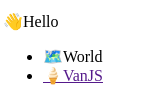
VanJS (abbreviated Vanilla JavaScript) is an ultra-lightweight , zero-dependency , and unopinionated Reactive UI framework based on pure vanilla JavaScript and DOM. Programming with VanJS feels like building React apps in a scripting language, without JSX. Check-out the Hello World code below:
VanJS code in JavaScript

import van from "vanjs-core"

const { a, p, div, li, ul } = van.tags
// Reusable components can be just pure vanilla JavaScript functions.
// Here we capitalize the first letter to follow React conventions.
const Hello =
    () =>
        div(
            p("👋Hello"),
            ul(
                li("🗺️World"),
                li(a({ href: "https://vanjs.org/" }, "🍦VanJS")),
            ),
        )

van.add(document.body, Hello())
VanFS is a F# project template for one-to-one direct bindings of VanJS
VanFS code in F#

module HelloApp
open Browser
open Browser.Types
open Fable.Core.JsInterop
open Van.Basic // import tags, add

let a: Tag = tags?a
let p: Tag = tags?p
let div: Tag = tags?div
let ul: Tag = tags?ul
let li: Tag = tags?li

let Hello =
    fun _ ->
        div [
            p ["👋Hello"]
            ul [
                li ["🗺️World"]
                li [a [{|href="https://vanjs.org/"|}; "🍦VanJS"]]
            ]
        ]

add [document.body; Hello()]
|> ignore
Demo
https://codepen.io/kentechgeek/pen/VwNOVOx
Components with parameters
VanJS components are just functions in JavaScript.
VanFS components are just functions in F#, and there are no strict rules like functional components in React.
However, if we aim for a consistent style for components with parameters that is similar to:
a [{|href="https://vanjs.org/"|}; "🍦VanJS"]
the following code should be more appropriate:
let Greeting: Tag =
    fun list ->
        let name: string = list[0]?name
        div [$"Hello {name}!"]

add [document.body; Greeting [{|name="Ken"|}]]
|> ignore

Here is the corresponding TSX code:

const Greeting: Component<{ name: string }> =
    ({ name }) =>
        <div>Hello {name}!</div>;

render(() => <Greeting name="Ken" />, document.body);
Why VanJS is based on Vanilla JavaScript
VanJS: About - the Story behind VanJS
But I think, in a nutshell, the best way to describe it is: VanJS is the scripting language for UI, just like bash is the scripting language for terminal.
Being the scripting language for UI , is the fundamental principle that guides the design of VanJS . It's based on JavaScript so that it can work in as many environments as possibles, not only for websites, but also for webviews which most major OSes support.
VanJS: About - How Did VanJS Get Its Name?
Under the hood, VanJS stays truthful to Vanilla JavaScript as close as possible, as there is no transpiling, virtual DOM or any hidden logic. VanJS code can be translated to Vanilla JavaScript code in a very straightforward way.
Why we should avoid using JavaScript
VanJS is a library based on Vanilla JavaScript for the well-established reasons.

However, to take full advantage of VanJS , we should consider using alternative languages instead of JavaScript , which are commonly referred to as AltJS .
One of the critical reasons is that JavaScript is not a type-safe language , which can lead to runtime errors and bugs.
The Effect of Programming Language On Software Quality
Most notably, it does appear that strong typing is modestly better than weak typing, and among functional languages, static typing is also somewhat better than dynamic typing. We also find that functional languages are somewhat better than procedural languages. It is worth noting that these modest effects arising from language design are overwhelmingly dominated by the process factors such as project size, team size, and commit size. However, we hasten to caution the reader that even these modest effects might quite possibly be due to other, intangible process factors, e.g., the preference of certain personality types for functional, static and strongly typed languages.
In fact, in modern web development, JavaScript has increasingly become a compile target from other languages, such as TypeScript.

TypeScript -> JavaScript
VanJS can be regarded as a compile target from VanFS (AltJS)
VanFS (AltJS) -> VanJS


VanFS project includes some TypeScript code.
1. The internal mechanism of VanFS
https://github.com/ken-okabe/vanfs/blob/main/van-api/ts/basic.ts
TS code for the purpose of conversion using JS Proxy:
// unary function ([a,b,c,...]) in F#
// -> n-ary function (a,b,c,...) in VanJS
This is under the van-api directory which is essential and we would not want to modify it to keep things working.
2. For styles and Web Components
Users must install any required CSS or Web Components .
VanJS does not provide the specific installation support beause it's just a VanillaJS.
On the other hand, VanFS clarifies the step-by-step process as below:
CSS
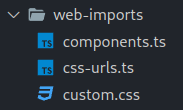
Everything we need to customize or import is located under web-imports directory.
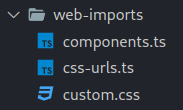
Import and Register the web components
/web-imports/components.ts

import {
    provideFluentDesignSystem,
    fluentCard,
    fluentCheckbox
} from "@fluentui/web-components";

provideFluentDesignSystem()
    .register(
        fluentCard()
    );

provideFluentDesignSystem()
    .register(
        fluentCheckbox()
    );
/web-imports/css-urls.ts
export let cssURLs = [
 "https://fonts.googleapis.com/css2?family=Material+Symbols+Outlined:opsz,wght,FILL,GRAD@20..48,100..700,0..1,-50..200"
];
Regardless, all the required code within the VanFS project is compiled into a single VanillaJS bundle using Fable and Vite.
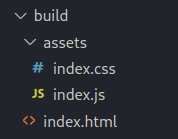
See: 🚀 Getting Started

Why we should avoid using TypeScript and migrate to F#

F# gives you simplicity and succinctness like Python with correctness , robustness and performance beyond C# or Java.
Undoubtedly, TypeScript is the most commonly used AltJS. It is a superset of JavaScript that adds type safety and other features. So why not use TypeScript?
There are many reasons, but chief among them is developer productivity .
For instance, the below are the identical code written in TypeScript and F#.
let bindT = <A, B>
    (monadf: (a: A) => Timeline<B>) =>
    (timelineA: Timeline<A>): Timeline<B> => {
        let timelineB = monadf(timelineA.lastVal);
        let newFn = (a: A) => {
            nextT(monadf(a).lastVal)(timelineB);
            return undefined;
        };
        timelineA.lastFns = timelineA.lastFns.concat([newFn]);
        return timelineB;
    };
In TypeScript, compared with legacy JavaScript, an additional step is required to add type signatures to all variables, functions, and parameters. This is often overwhelming.
let bindT =
    fun monadf timelineA ->
        let timelineB = timelineA.lastVal |> monadf
        let newFn =
            fun a ->
                timelineB
                |> nextT (a |> monadf).lastVal
                |> ignore
        timelineA.lastFns <- timelineA.lastFns @ [ newFn ]
        timelineB
The F# code is much cleaner and more readable than TypeScript code.
In F#, we rarely need to add types manually thanks to its powerful type inference. This makes F# development feel similar to legacy JavaScript coding.
In reality, it is much more than that.
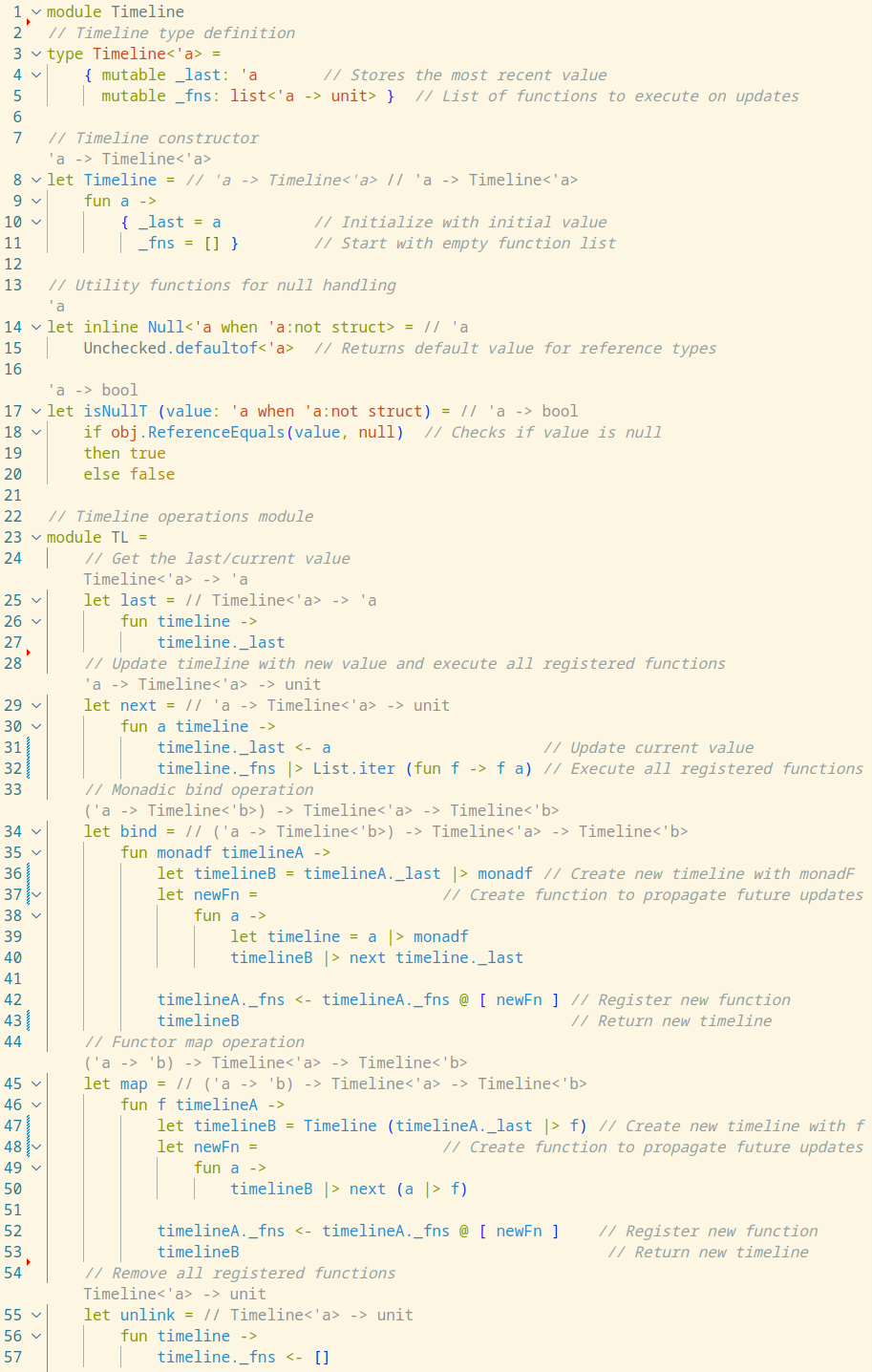
The powerful F# compiler automatically generates type annotations in VSCode editor, eliminating the need for manual typing that TypeScript demands.
While programmers may want to define fundamental object types that form the backbone of their code, in other places, if the F# compiler warns for a demand of manual type annotations, usually, something is wrong .
In F#, if the compiler cannot infer the type, it often suggests that there may be mathematical inconsistencies.
In TypeScript, if the compiler cannot infer the type, it often suggests limitations in its type inference capabilities. This makes it hard to determine the precise cause of the problem.
As a result, F# programmers are naturally led to write mathematically consistent and rigorous code; unfortunately, this benefit rarely happens in TypeScript.
F# as an AltJS: A Comparison with TypeScript
F# is generally recognized as running on the .NET Framework, but just as TypeScript is compiled to JavaScript, F# is also compiled to JavaScript.
-
TypeScript -> JavaScript
-
F# -> JavaScript
More precisely,
TypeScirpt
⬇ TypeScript Compiler running on Node.js (npx tsc)
JavaScript running in the browser
F#
⬇ Fable Compiler running on .NET (dotnet fable)
JavaScript running in the browser
Therefore, the backbone of VanFS is Fable.

Fable enables F# code to be compiled to JavaScript and run in the browser.
Why browser? Why VanJS?
There are a lot of Why s here!
I've created a separate article on this topic since it's part of the larger frontend app development landscape and deserves a focused discussion with my own opinions.
📱 Versatility of Web Technology for Cross-Platform App Development


| Contents |
|---|
| 🍦 VanFS 📱 Versatility of Web Technology for Cross-Platform App Development |
| 🚀 Getting Started |
| 🌐 Web Components |
| ⚡️ Functional Reactive Programming (FRP) |
| ⏱️ Timeline |
getting-started
🚀 Getting Started
Build a VanFS project template
Prerequisites
If you are new to F# and using VSCode, read F# Settings on VSCode.
A VanFS/Fable project is a hybrid of F#.NET project and npm project .
Quick Start
git clone https://github.com/ken-okabe/vanfs
cd vanfs
dotnet restore  # .NET project setup
dotnet tool restore
npm i           #  npm project setup
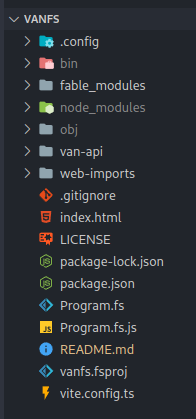
or Create a project from scratch
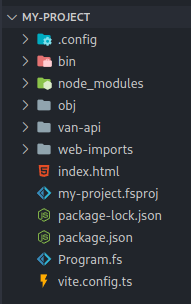
mkdir my-project
cd my-project
dotnet new console -lang F#
dotnet new tool-manifest
dotnet tool install fable
dotnet add package Fable.Core
dotnet add package Fable.Browser.Dom
npm init -y
npm i -D vanjs-core
npm i -D vite
# Copy&Place `van-api` `web-imports` directory
# Copy&Place `index.html` `Program.fs` `vite.config.ts` file
# modify `my-project.fsproj`
#  <ItemGroup>
#    <Compile Include="van-api/fs/*.fs" />
#    <Compile Include="Program.fs" />
#  </ItemGroup>
/my-project.fsproj
<Project Sdk="Microsoft.NET.Sdk">

  <PropertyGroup>
    <OutputType>Exe</OutputType>
    <TargetFramework>net8.0</TargetFramework>
    <RootNamespace>my_project</RootNamespace>
  </PropertyGroup>

  <ItemGroup>
    <Compile Include="van-api/fs/*.fs" />
    <Compile Include="Program.fs" />
  </ItemGroup>

  <ItemGroup>
    <PackageReference Include="Fable.Browser.Dom" Version="2.16.0" />
    <PackageReference Include="Fable.Core" Version="4.3.0" />
  </ItemGroup>

</Project>
Compile F# to JavaScript
dotnet fable watch
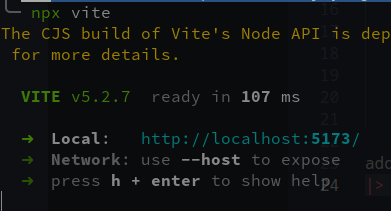
Live Preview with Vite
npx vite
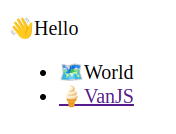
Build with Vite
npx vite build
The production files will be under build directory.
CSS
Everything we need to customize or import is located under web-imports directory.
/web-imports/custom.css

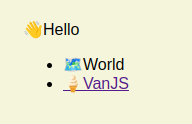
body {
    font-family: sans-serif;
    padding: 1em;
    background-color: beige;
  }
Demo
https://codepen.io/kentechgeek/pen/zYXQyxz
| Contents |
|---|
| 🍦 VanFS 📱 Versatility of Web Technology for Cross-Platform App Development |
| 🚀 Getting Started |
| 🌐 Web Components |
| ⚡️ Functional Reactive Programming (FRP) |
| ⏱️ Timeline |
web-components
🌐 Web Components
VanFS can leverage custom HTML tags provided by Web Components with design systems : Microsoft Fluent, Google Material Design, etc. .
Fluent

https://github.com/microsoft/fluentui/
Install the Fluent UI Web Components with NPM or Alternatives
https://www.npmjs.com/package/@fluentui/web-components
npm install @fluentui/web-components
Import and Register the web components
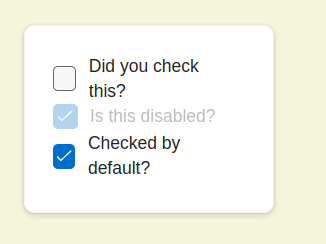
Let's use Fruent Web Card and Checkbox.
https://learn.microsoft.com/en-us/fluent-ui/web-components/components/card?pivots=typescript
https://learn.microsoft.com/en-us/fluent-ui/web-components/components/checkbox?pivots=typescript
/web-imports/components.ts
import {
    provideFluentDesignSystem,
    fluentCard,
    fluentCheckbox
} from "@fluentui/web-components";

provideFluentDesignSystem()
    .register(
        fluentCard()
    );

provideFluentDesignSystem()
    .register(
        fluentCheckbox()
    );
Some Web Components use CSS
/web-imports/custom.css
body {
    font-family: sans-serif;
    padding: 1em;
    background-color: beige;
  }

.custom {
    --card-width: 200px;
    --card-height: 150px;
    padding: 22px;
  }
Use Web Components from Program.fs
Program.fs
module WebComponentsApp
open Browser
open Browser.Types
open Fable.Core.JsInterop
open Van.Basic // import tags, add

let br : Tag = tags?br

// Define the fluent-card and fluent-checkbox tags
let fluentCard: Tag = tags?``fluent-card``
let fluentCheckbox: Tag = tags?``fluent-checkbox``

let List =
    fun _ ->
        fluentCard [
            {|``class``="custom"|}
            // class is a reserved word in F#
            // so we use backticks to escape it
            fluentCheckbox ["Did you check this?"]
            br []
            fluentCheckbox [{|``checked``=true; disabled=true|}; "Is this disabled?"]
            br []
            fluentCheckbox [{|``checked``=true|}; "Checked by default?" ]
        ]

add [document.body; List()]
|> ignore
Clean the fable project and compile again
When major changes are made, cleaning the Fable project is sometimes necessary.
dotnet fable clean

dotnet fable watch
Live Preview with Vite
npx vite
Material Design
https://material-web.dev/about/intro/
https://github.com/material-components/material-web
Install the Material Web Components with NPM or Alternatives
https://material-web.dev/about/quick-start/
https://www.npmjs.com/package/@material/web
npm install @material/web
Import the web components
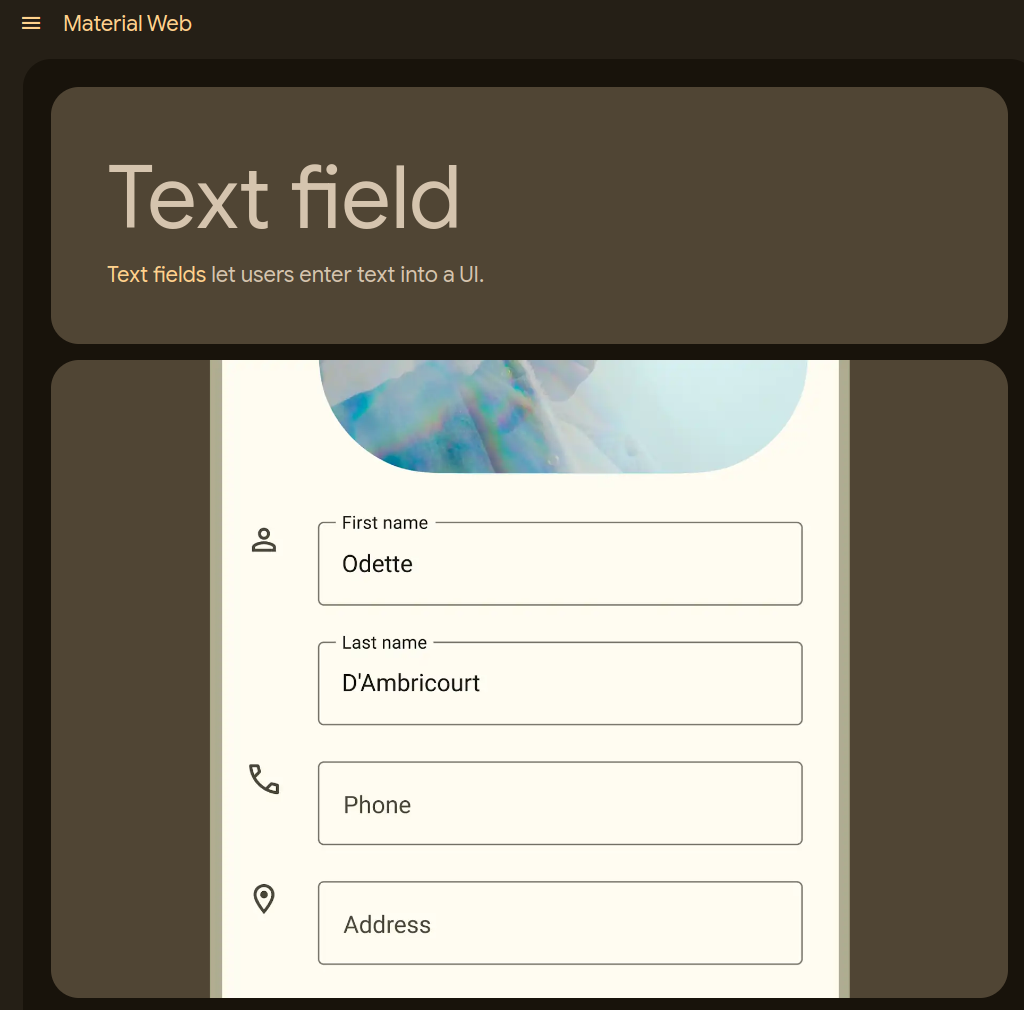
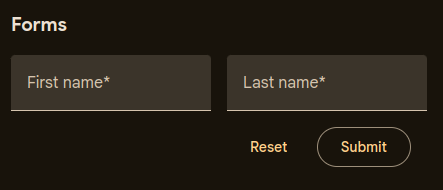
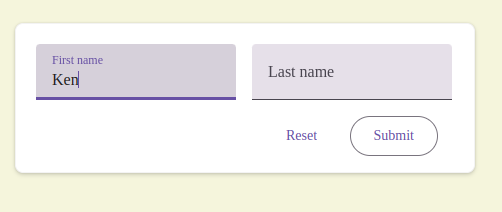
Let's use Material web Text field.
https://material-web.dev/components/text-field/
https://material-web.dev/components/text-field/stories/
/web-imports/components.ts
import '@material/web/textfield/filled-text-field.js';
import '@material/web/button/text-button.js';
import '@material/web/button/outlined-button.js';
/web-imports/custom.css
.custom3 {
    --card-width: 460px;
    --card-height: 150px;
    padding: 20px;
  }

.row {
  align-items: flex-start;
  display: flex;
  flex-wrap: wrap;
  gap: 16px;
}

.buttons {
  justify-content: flex-end;
  padding: 16px;
}

md-filled-text-field,
md-outlined-text-field {
  width: 200px;
}
Program.fs
module MaterialUI
open Browser
open Browser.Types
open Fable.Core.JsInterop
open Van.Basic // import tags, add

let div: Tag = tags?div
let form: Tag = tags?form

let fluentCard: Tag = tags?``fluent-card``
let mdFilledTextField: Tag = tags?``md-filled-text-field``
let mdTextButton: Tag = tags?``md-text-button``
let mdOutlinedButton: Tag = tags?``md-outlined-button``

let Form =
    fun _ ->
        fluentCard [
            {|``class``="custom3"|}
            form [
                div [
                    {|``class``="row"|}
                    mdFilledTextField [
                        {|
                        label="First name"
                        name="first-name"
                        required=""
                        autocomplete="given-name"
                        |}
                    ]
                    mdFilledTextField [
                        {|
                        label="Last name"
                        name="last-name"
                        required=""
                        autocomplete="family-name"
                        |}
                    ]
                ]
                div [
                    {|``class``="row buttons"|}
                    mdTextButton [
                        {|``type``= "reset"|}
                        "Reset"
                    ]
                    mdOutlinedButton [
                        {|``type``= "submit"|}
                        "Submit"
                    ]
                ]
            ]
        ]

add [document.body; Form()]
|> ignore
Build with Vite
npx vite build
Demo
https://codepen.io/kentechgeek/pen/KKYLwgN?editors=1111
Import the web components
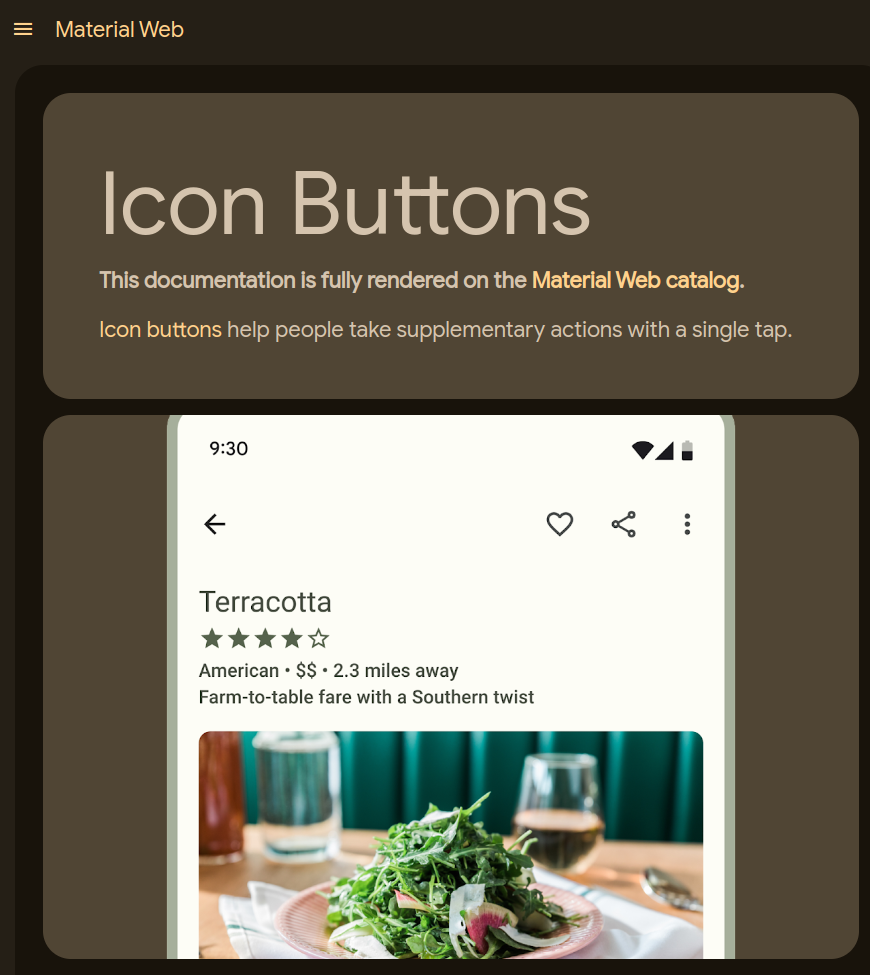
Let's use Material web Icon Buttons.
https://material-web.dev/components/icon-button/
/web-imports/components.ts
import '@material/web/icon/icon.js';
import '@material/web/iconbutton/icon-button.js';
Material Web Components use Google Fonts/Icons
https://m3.material.io/styles/icons/overview

https://fonts.google.com/icons
Install Google Fonts/Icons
Obtain required CSS URLs from the Google Fonts page.
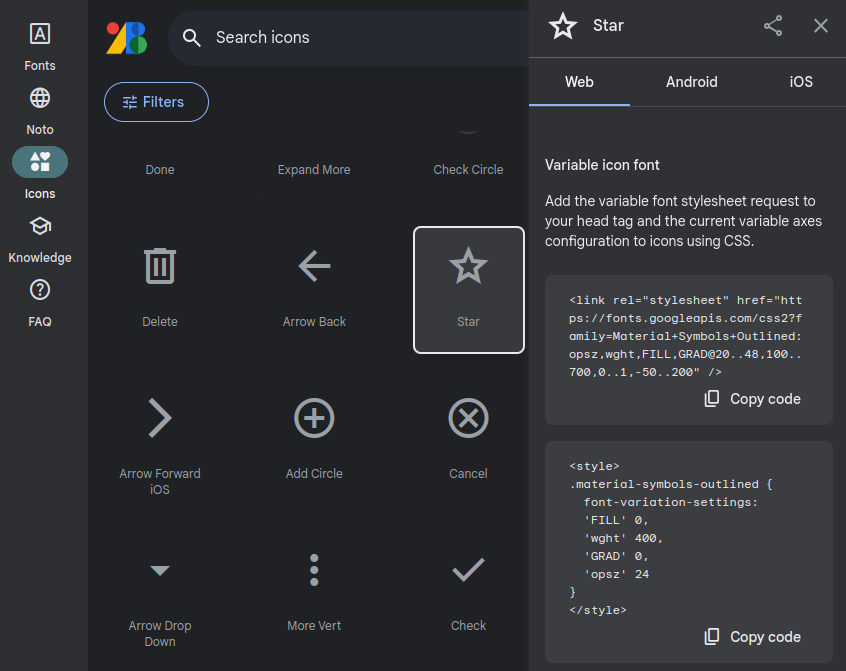
Add the CSS URL to
/web-imports/css-urls.ts
export let cssURLs = [
 "https://fonts.googleapis.com/css2?family=Material+Symbols+Outlined:opsz,wght,FILL,GRAD@20..48,100..700,0..1,-50..200"
];
frp
| Contents |
|---|
| 🍦 VanFS 📱 Versatility of Web Technology for Cross-Platform App Development |
| 🚀 Getting Started |
| 🌐 Web Components |
| ⚡️ Functional Reactive Programming (FRP) |
| ⏱️ Timeline |
frp
⚡️ Functional Reactive Programming (FRP)
(1:1 bindings for composing UIs) + micro FRP
VanFS is described as
1:1 bindings from F# to VanJS (A tiny Reactive UI Framework without React/JSX) + WebComponents + micro FRP
or
VanFS is a F# project template for one-to-one direct bindings of VanJS
1:1 bindings is absolutely true within the scope of the basic features for composing UIs, but not a case for its state management.
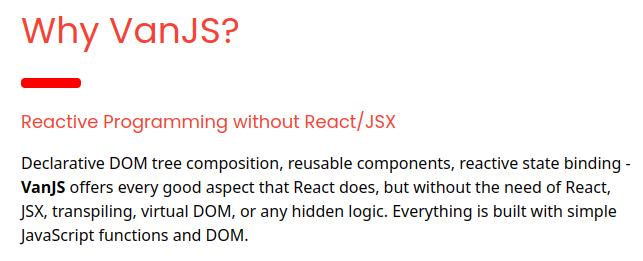
VanJS is a framework that embraces Reactive Programming
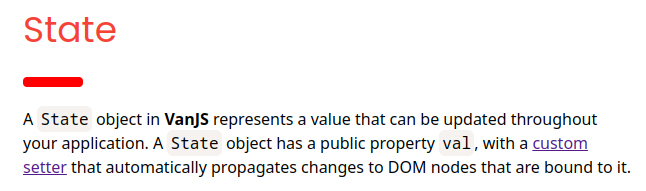
VanJS reactively binds its state objects to corresponding DOM elements. This means that when a state object updates, the corresponding DOM element automatically updates as well. This approach is a common feature among declarative UI libraries such as React, SolidJS, etc.
VanJS state API
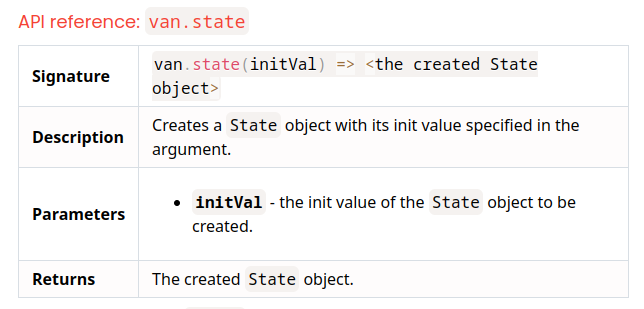
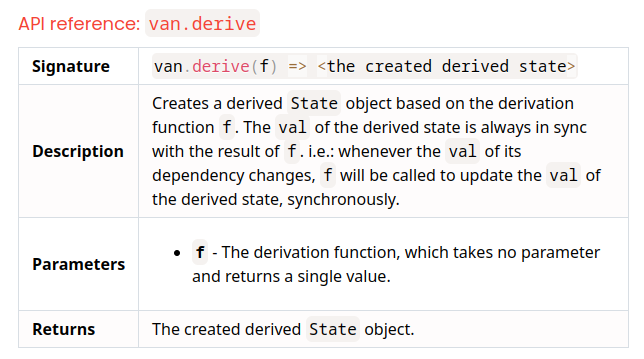
In order to utilize the state management, VanJS provides two APIs: van.state and van.derive.
VanFS is a framework that embraces Functional Reactive Programming (FRP)
VanJS is Reactive.
VanFS is Functional Reactive.
| Contents |
|---|
| 🍦 VanFS 📱 Versatility of Web Technology for Cross-Platform App Development |
| 🚀 Getting Started |
| 🌐 Web Components |
| ⚡️ Functional Reactive Programming (FRP) |
| ⏱️ Timeline |
timeline
⏱️ Timeline
https://github.com/ken-okabe/timeline
Timeline is a lightweight, functional reactive programming (FRP) library that provides elegant state management across multiple programming languages. Originally implemented in F#, this repository now includes ports to various languages while maintaining the same core principles and API.
TimelineElement is a modified version of Timeline, which wraps the State object of VanJS and serves as an additional module for utilizing the state management of VanFS.
🔍 Type
TimelineE<'a>
// Timeline type definition
type TimelineE<'a> =
    { mutable _last: 'a       // Stores the most recent value
      mutable _fns: list<'a -> unit> // List of functions to execute on updates
      el: StateElement<'a> } // <== add native VanJS state object
| Field | Description | Van.state |
|---|---|---|
_last | Last value of the Timeline | State.val |
el | Reactive DOM element of the Timeline | State |
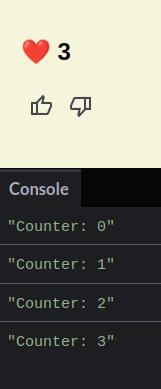
Counter app
VanJS
import van from "vanjs-core"

const { button, div, h2 } = van.tags

const Counter =
    () => {
        const counter = van.state(0)

        van.derive(() =>
            console.log(`Counter: ${counter.val}`))

        return div(
            h2("❤️ ", counter),
            button(
                {
                    onclick: () => ++counter.val
                },
                "👍"
            ),
            button(
                {
                    onclick: () => --counter.val
                },
                "👎"
            ),
        )
    }

van.add(document.body, Counter())
VanFS
Program.fs
module CounterApp

open Browser
open Browser.Types
open Fable.Core.JsInterop

open Van.Basic // import tags, add
open Van.TimelineElement // import Timeline

let div: Tag = tags?div
let h2: Tag = tags?h2
let icon: Tag = tags?``md-icon``
let iconButton: Tag = tags?``md-icon-button``

let Counter =
    fun _ ->
        let counter = TimelineE 0 // ① initialize an Timeline

        counter // ② the binary operation of the Timeline
        |> TLE.map (fun value ->
                     console.log $"Counter: {value}")
        |> ignore
        // ignore the return value of `console.log`

        div [
            h2 ["❤️ "; counter.el] // 👈 `counter.el`
            iconButton [           // for Reactive DOM element
                {|onclick = fun _ ->
                                counter // ③ update the Timeline
                                |> TLE.next ((counter |> TLE.last) + 1)
                |}
                icon ["thumb_up"]
            ]
            iconButton [
                {|onclick = fun _ ->
                                counter // ③ update the Timeline
                                |> TLE.next ((counter |> TLE.last) - 1)
                |}
                icon ["thumb_down"]
            ]
        ]

add [document.body; Counter()]
|> ignore
Demo
https://codepen.io/kentechgeek/pen/gOyqNqb?editors=1111