ivim
April 18, 2026 · View on GitHub
An easy and customizable Vim/Neovim setup with a modern Neovim path and legacy Vim paths in one repository.
    _       _
   (_)   __(_)___ ___
  / / | / / / __ `__ \
 / /| |/ / / / / / / /
/_/ |___/_/_/ /_/ /_/
Current Status
ivim now provides three tracks:
nvim/init.lua(modern Neovim, recommended)vimrc_mini(legacy Vim/Neovim script config)vimrc(legacy full config, not actively maintained)
If you like this project, you can buy me a coffee.
Choose a Track
| Track | File | Best for | Status |
|---|---|---|---|
| Modern Neovim | nvim/init.lua | Neovim users who want modern plugins and Lua config | Recommended |
| Mini legacy | vimrc_mini | Vim 8+ and users who prefer Vimscript setup | Stable |
| Full legacy | vimrc | Historical ivim setup | Not maintained |
Highlights (Modern Neovim)
- Nord-based UI
- Single-file config (
nvim/init.lua) lazy.nvimplugin managementtelescope.nvim+neo-tree.nvimnavigationnvim-lspconfig+mason.nvim+nvim-cmpfor LSP/completiontreesitter, formatting (conform.nvim), linting (nvim-lint)
Screenshots
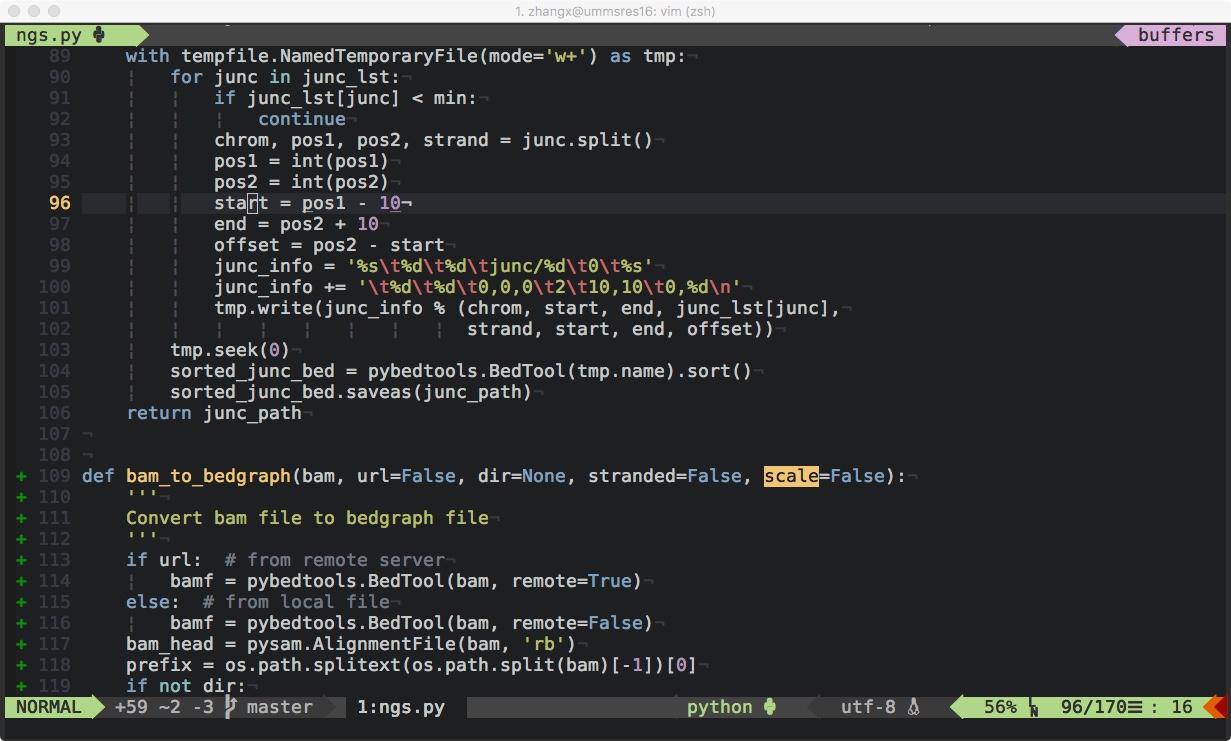
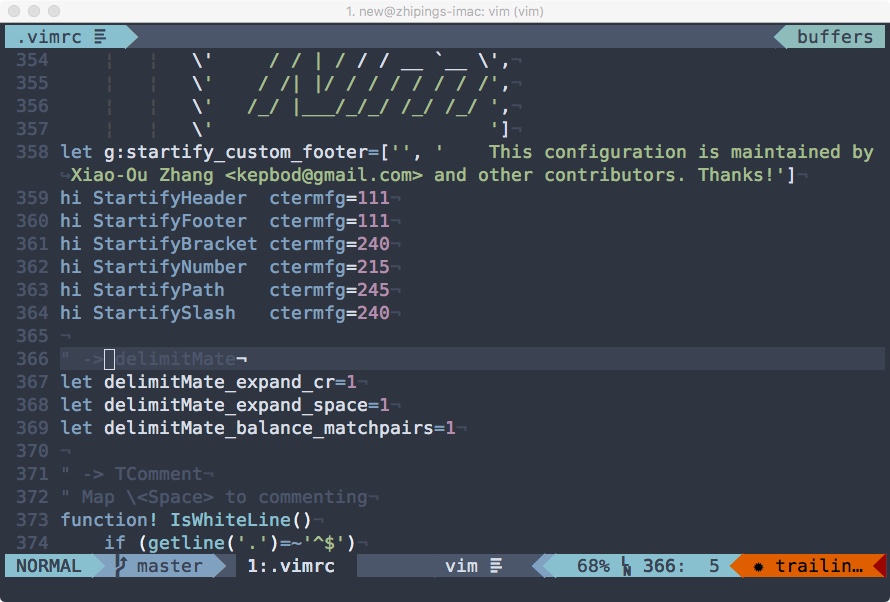
Legacy screenshots are kept for reference:
- ivim:
- ivim_mini:
Requirements
For modern Neovim track (-N)
- Neovim 0.10+
- Git
curlorwget- Node.js + npm (for
pyrightand other npm-based Mason packages) - Recommended external tools:
shellcheck,ruff,markdownlint,eslint_d
For legacy tracks (-i, -m, -u)
- Vim 7.3+ (
-i) / Vim 8.0+ (-m) / Neovim (-u) - Git
- Optional:
ctags
Installation
Modern Neovim (recommended)
bash <(curl -L https://raw.githubusercontent.com/kepbod/ivim/master/setup.sh) -N
# or
bash <(wget --no-check-certificate https://raw.githubusercontent.com/kepbod/ivim/master/setup.sh -O -) -N
Legacy full ivim
bash <(curl -L https://raw.githubusercontent.com/kepbod/ivim/master/setup.sh) -i
Legacy mini for Vim
bash <(curl -L https://raw.githubusercontent.com/kepbod/ivim/master/setup.sh) -m
Legacy mini for Neovim (Vimscript)
bash <(curl -L https://raw.githubusercontent.com/kepbod/ivim/master/setup.sh) -u
Setup Script Options
setup.sh supports:
-i: install legacy full ivim-m: install legacy mini for Vim-u: install legacy mini for Neovim-N: install modern Neovim single-file config-n: update ivim and installed plugins-d/--dry-run: print actions without changing files-y/--yes: auto-confirm prompts
Examples:
# Preview modern Neovim install
bash setup.sh --dry-run -N

# Install modern Neovim config non-interactively
bash setup.sh --yes -N

# Update non-interactively
bash $HOME/.ivim/setup.sh --yes -n
Updating
bash $HOME/.ivim/setup.sh -n
Configuration Notes
- Modern Neovim config lives in nvim/init.lua.
- Legacy mini config is vimrc_mini.
- Legacy full config is vimrc.
- The modern Neovim track enables LSP by default for Lua (
lua_ls), Python (pyright), and Markdown (marksman) throughmason.nvim. - Leader key is
Space. - Default LSP keys in the modern track include
gd/gr/gi/gD,K,<leader>ls,<leader>rn,<leader>ca, and<leader>cf. - Default diagnostics keys include
[d/]d,<leader>le,<leader>ld,<leader>lj, and<leader>lk.
Keymap Quick Reference (Modern Neovim)
Spacethen wait: open which-key hintsSpace ?: open full keymap hintsSpace ff: find filesSpace fg: live grepSpace fb: buffersSpace fr: recent filesSpace f: toggle file treeSpace t: symbols outlineSpace wh/wj/wk/wl: move between windowsSpace wv/Space ws: split vertical / horizontalSpace wq: close current windowSpace le/Space ld: line diagnostics / diagnostics listSpace rn: rename symbolSpace ca: code actionSpace cf: format buffer
For historical customization docs, see the wiki:
Contributing
Contributions are welcome. See issue #31 for context.
License
MIT. See LICENSE.txt.