volar-plugin-vue-router
May 6, 2024 · View on GitHub

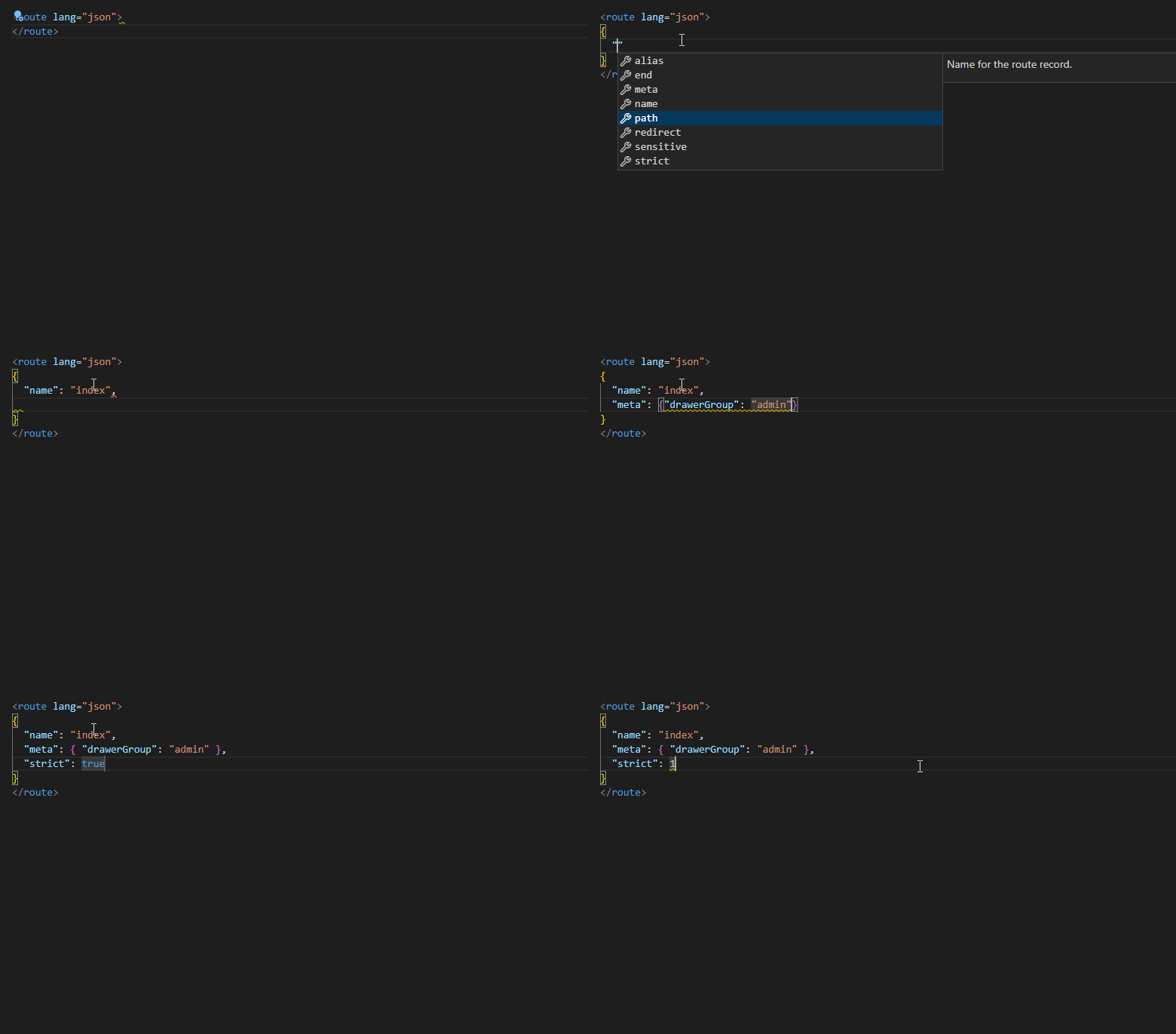
Volar plugin for IntelliSense in <route> custom block in Vue SFC. Inspired by built-in json plugin of Volar.
Warning
volar.config.js is no longer supported since Vue - Official v2. If you want to use this plugin, please install Vue - Official v1.8.27.
Usage
pnpm add -D volar-plugin-vue-router
# or
npm i -D volar-plugin-vue-router
# or
yarn add -D volar-plugin-vue-router
volar.config.js
const route = require("volar-plugin-vue-router").default;

module.exports = {
  // volar >= v1.7
  services: [route()],
  // volar < v1.7
  plugins: [route()],
};
RouteMeta
Vue Router allows users to type the meta field by extending the RouteMeta. You can pass the path of source file containing RouteMeta type and the path of tsconfig to this plugin. For example:
const route = require("volar-plugin-vue-router").default;

module.exports = {
  services: [
    route({ path: "src/route-meta.d.ts", tsconfig: "./tsconfig.app.json" }),
  ],
};
Then this plugin will use ts-json-schema-generator to generate JSON Schema of meta and give you Intellisense of meta in <route lang="json"> custom block.
For example, the type declaration below will generate the following JSON Schema for Intellisense:
// route-meta.d.ts
export {};

import "vue-router";
import type { Role } from "@/api/users";

declare module "vue-router" {
  interface RouteMeta {
    /** Drawer item icon */
    icon?: string;
    /** Groups will be separated by divider line in drawer */
    drawerGroup?: "admin" | "PUC";
    /** Determine the order of item in drawer */
    drawerIndex?: number;
    /** Drawer item and breadcrumb text */
    title?: string;
    /** Authorized user groups */
    roles?: Role[];
  }
}
Generated Schema:
{
  "$ref": "#/definitions/RouteMeta",
  "$schema": "http://json-schema.org/draft-07/schema#",
  "definitions": {
    "Role": {
      "enum": ["superuser", "admin", "staff"],
      "type": "string"
    },
    "RouteMeta": {
      "additionalProperties": false,
      "properties": {
        "drawerGroup": {
          "description": "Groups will be separated by divider line in drawer",
          "enum": ["admin", "PUC"],
          "type": "string"
        },
        "drawerIndex": {
          "description": "Determine the order of item in drawer",
          "type": "number"
        },
        "icon": {
          "description": "Drawer item icon",
          "type": "string"
        },
        "roles": {
          "description": "Authorized user groups",
          "items": {
            "$ref": "#/definitions/Role"
          },
          "type": "array"
        },
        "title": {
          "description": "Drawer item and breadcrumb text",
          "type": "string"
        }
      },
      "type": "object"
    }
  }
}
Refresh
Once you modify your definition of RouteMeta, restart Volar with VSCode command palette to make it effective.
