jev-bfs
September 17, 2026 · View on GitHub
Find a path between two English Wikipedia articles with Jev. Watch the pages, link scores, and elapsed time in your terminal.
Chromium reads the articles. Jev ranks their outgoing links. Python controls the search. The tool uses no ChatGPT controller or search API.
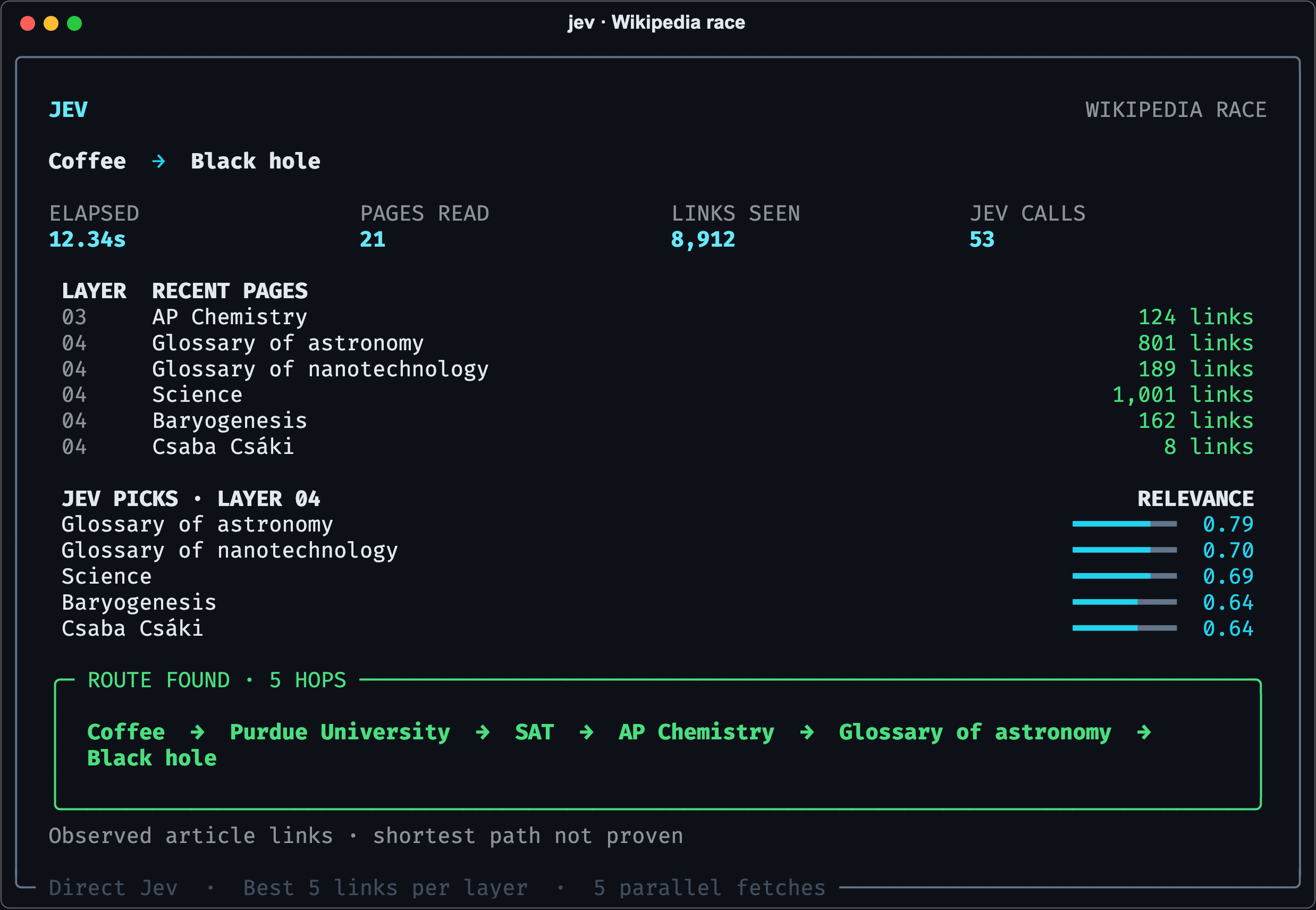
Example from a recorded run. Results and timings vary.
Install
Use Python 3.11 or later and uv. Install directly from GitHub:
uv tool install git+https://github.com/komikat/jev-bfs.git
jev-bfs --install-browser
If the shell cannot find jev-bfs, run uv tool update-shell.
Then restart the shell.
On Linux, install the Playwright system dependencies if they are missing.
Set your TypeSafe API key:
export JEVON_KEY="your-typesafe-api-key"
The tool also accepts TYPESAFE_API_KEY.
It checks the process environment, the current directory's .env, then ~/.config/jev-bfs/.env.
The first source with a key takes precedence.
Jev API calls use your TypeSafe account.
Run
Supply any two article titles or URLs:
jev-bfs "Chicken nugget" "Heat death of the universe"
jev-bfs "Skibidi Toilet" "Immanuel Kant"
Run jev-bfs without arguments to enter the titles interactively.
Use the target's canonical article title.
Use a terminal with 100 columns and 40 rows for the full display.
Smaller terminals show a compact display.
Save the trace while the display runs:
jev-bfs "Coffee" "Black hole" --save result.json
Return only JSON for scripts:
jev-bfs "Coffee" "Black hole" --json > result.json
The report includes the path, observed links, scores, progress events, errors, timing, and API usage.
Exit status 0 means the tool finds a path.
Exit status 1 means it finds no path or encounters a runtime error.
Invalid arguments return 2.
An interrupted run returns 130.
Search controls
The default search keeps the five highest-ranked links at each level. It has no default hop limit or total page limit. It stops when it finds the target, exhausts the selected routes, or you press Ctrl+C.
Set optional limits:
jev-bfs "Coffee" "Black hole" --width 5 --depth 6 --max-pages 100
--width: links retained per level; default5.--depth: maximum path edges; default unlimited.--max-pages: maximum page fetch attempts; default unlimited.
Use --width 0 to retain all candidates in breadth-first order.
The default mode is a beam search across BFS levels.
Its link selection can remove the shortest route.
The tool reports observed paths and does not claim a proof of shortestness.
How it works
- Fetch up to five pages concurrently.
- Extract English article links from the article content.
- Check for a direct link to the target.
- Ask Jev to favor links with the fewest expected remaining hops.
- Keep the highest-ranked candidates for the next level.
- Repeat until the search ends.
Each Jev request receives the target query, link titles, and URLs.
Article text is not sent to Jev.
Each request scores up to 128 candidates.
Up to five requests run concurrently.
The model alias is jev-latest.
Develop
git clone https://github.com/komikat/jev-bfs.git
cd jev-bfs
uv sync --locked
uv run jev-bfs --install-browser
uv run python -m unittest discover -s tests -v
uv build
The implementation has three modules: core.py, cli.py, and terminal.py.
Run python -m jev_bfs from an environment with the package installed.
License
MIT.