Weather App
October 11, 2020 · View on GitHub



Weather App
When you're done with your challenge push your code to github repo and publish
it using gh-pages. Add link to it to your main frontend tasks repo.
Great job! Go ahead and share your progress with others - send a message in course channel with the link to you repo and the words "Weather APP - finished" and add link to repo with code of the website.
Weather app
Create a page with a weather cast. As example, you can see forecast from darksky.
As a user, I would like to:
- enter the name of a city and get the forecast for it;
- see forecast for some period, not only for today. As example, for tomorrow, week, two weeks, etc;
- choose units — Celsius or Fahrenheit;
- have a list of favorite cities. By selecting favorite city from the list, I want to see forecast in it;
- have a list of recently viewed cities;
- see current city or latitude and longitude in the link in the address bar of the browser. If I open this link in the new window, website must show me weather in this city;
- see fancy icons for forecast and design. Usage of template absolutely acceptable.
You must support only last versions of major browsers — Chrome, Safari, FF, Edge.
If you wish, you can support Internet Explorer, but this is not required. Same story with mobile devices.
Stuff which will help you:
- Основы XMLHttpRequest - you can use XMLHttpRequest for sending requests to webserver;
- Weather public API's - you can use one of this API for getting data for your website;
- URL API - you can use this for working with URL;
- Manipulating the browser history - you must know how to work with browser history.
If you feel that you can do a better job, you can:
Choose path of master of sun and clouds, and:
- use async/awaits and fetch API for handling network requests;
- make good responsive/fluid/elastic/whatever design and other modern stuff;
Choose path of grandmaster of storms, tornadoes for all over the time, space and in all possible far-far away, and:
-
see video, which will give basic understanding about architecture of modern website — Nicholas Zakas: Scalable JavaScript Application Architecture;
-
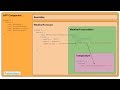
after finishing above mentioned video, try to build your website from components. As example:
- Application — fetching, storing and processing all the data
- SearchBar — controls search input, sends input data to Application
- TodayForecast — takes data from Application and shows forecast for today
- WeekForecast — takes data from Application and shows forecast for week
- TemperatureDropdown — dropdown, which gives possibility to select Celsius or Fahrenheit
Additional information
- The exact list of forecast periods may depend on API which you choose for this task. Providing forecast not for week, but for five days, 10 days, etc. totally acceptable;
- Map with temperatures is not required for this task;
Video
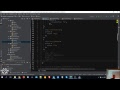
You can see workshop's screencast below.



Done?
Congratulations! 🎉
You have finished Stage 0 of the course!
➡️ Go to Course Chat and let us know about!
⤴️ Back to Contents