Menubar plugins
August 6, 2018 · View on GitHub
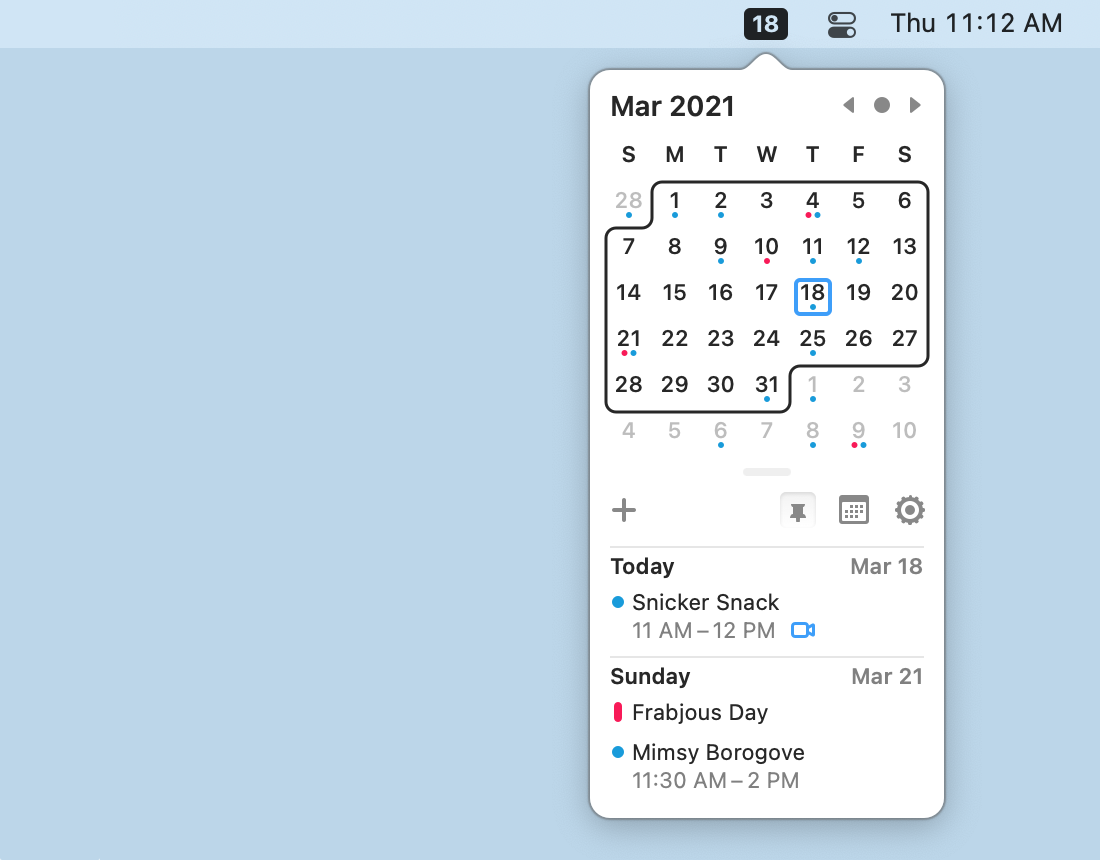
- Itsycal
- MenuMeters
- I like to see
CPU GraphandMemory Used/Free Totals
- I like to see
Window Management
-
Use Spaces
ctrl 1-5to switch to themMission Control->Displays have separate SpacesenabledMission Control-> uncheckAutomaticcaly rearrange Spaces based on most recent use
-
Moom to move/position windows
I use a 8 x 4 grid where:
ctrl shift cmd A- LeftD- rightQ- top leftE- top rightZ- bottom leftC- bottom rightF- full screenS- middle 4 columnsJ- left 1/3K- middle 1/3L- right 1/3U- left 2/3I- middle 2/3O- right 2/3 -
Hot Corners
- Bottom Left corner
Put Display to Sleepfor quick screen locking
- Bottom Left corner
QuickLook plugins
- sindresorhus/quick-look-plugins: List of useful Quick Look plugins for developers
- qlmarkdown: QuickLook generator for Markdown files.
- qlImageSize Shows Image Dimensions and File Size in OS X's Quick Look
Spotlight
- Alfred - Productivity App for Mac OS X is just better
- More predictive results. My main pain point of Spotlight is that I'll type in text, it shows the result I want, then as I go to press
return, it switches to another result. SO frustrating.
- More predictive results. My main pain point of Spotlight is that I'll type in text, it shows the result I want, then as I go to press
Familiar to MS Windows
- Witch
- For a
cmd tablike Windows to see all windows in an app, too (nocmd ~needed!) - My preferred settings:
Cycle Windows, Sort byWindow Activity, Orientation->- Uncheck
List windows from all spacesto filter apps to current Screen - Uncheck
List apps without windowsto ignore things likeFinderwhen there are no open windows.
- For a
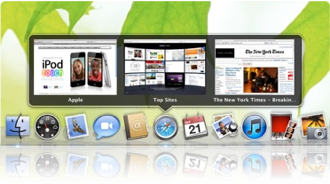
- HyperDock
- Drag window to left or right to size it
- Hover previews and controls in Dock
- Snap
- Launch apps from Dock with
cmd 1-9
- Launch apps from Dock with
- If you want a menu in your app, not just the Menubar, try out MenuEverywhere

Media
- beardedspice/beardedspice: Mac Media Keys for the Masses allows me to tolerate browser-based media players, which means I no longer need to open itunes!
Hidden gems
Space saving
- "Just freed up 4.5GB by running yarn cache clean and 1.7GB by brew cleanup!" - Nik Graf on Twitter
Dev Tools
Other Apps
- Tweetbot for Mac for Twitter
Keyboard Setup
- osx - How to disable typing special characters when pressing option key in Mac OS X? - Stack Overflow
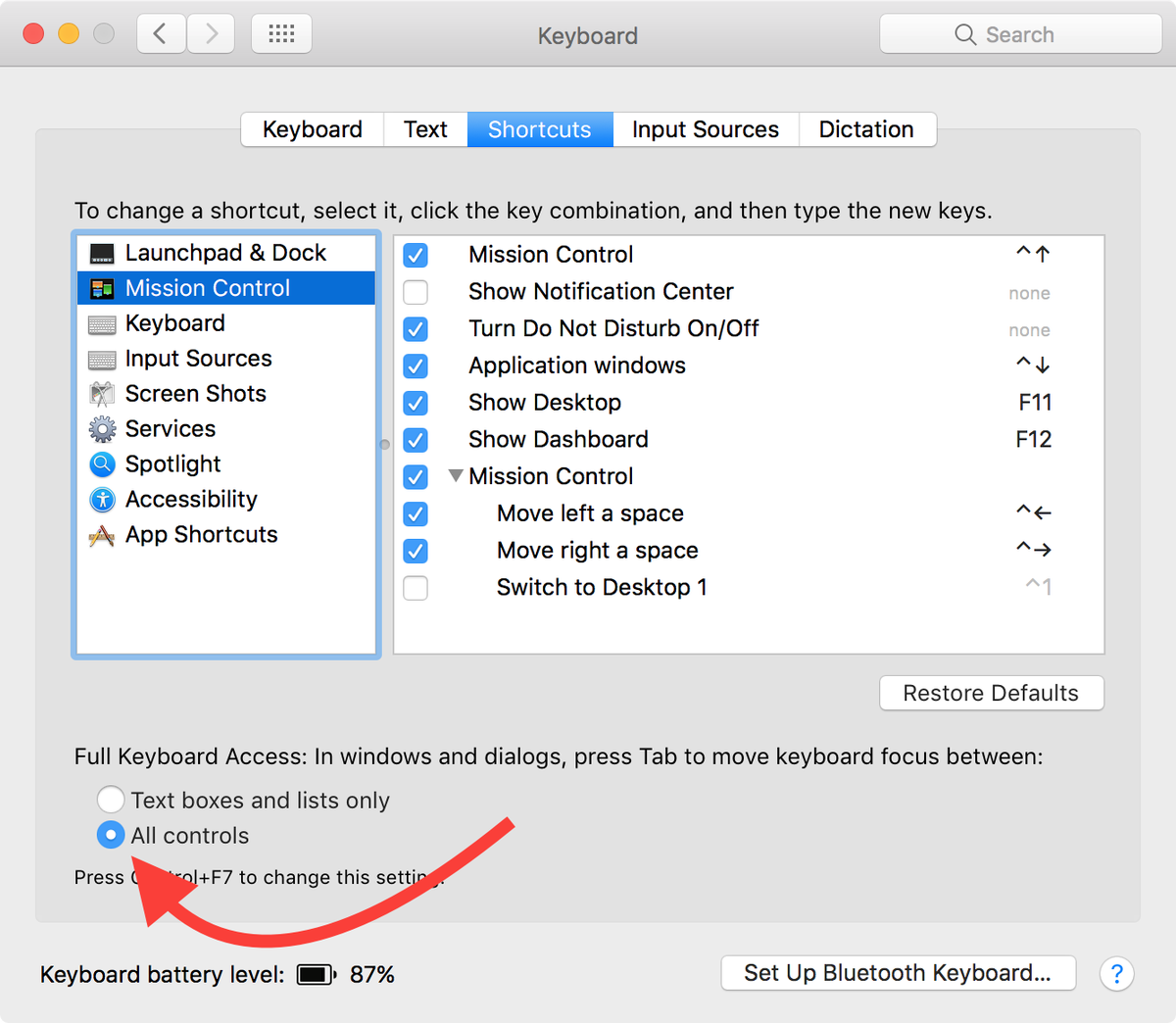
- "CHECK THIS BOX. Use your tab key constantly to move between controls. Learn ^a, ^e, ^f, ^b, alt-BS in text boxes." - Gary Bernhardt
- System Preferences > Keyboard > All Applications --> add "Paste and Match Style" ⌘V
- System Preferences > Keyboard > Text > disable "Smart Quotes"
Key Remapping
Use tekezo/Karabiner-Elements: The next generation Karabiner for macOS Sierra
I like the following configs:
Mac Keyboard Device
caps_lock => left_command
left_command => left_control
right_command => right_option
right_option => right_control
Microsoft Keyboard Device
caps_lock => left_command
left_command => left_option
left_option => left_control
Gmail keybindings for Mail.app
How to Use Gmail’s Keyboard Shortcuts in macOS Mail using jgavris/GMailinator at sierra-uuid