iPhone vs Android in brief
December 28, 2018 · View on GitHub
iphone unable to set default apps, generic launcher, siri bad
Android fragmentation, poor upgrade percentage, 50% sales of Apple's store, and most are for games and/or via ads
Lock in
Android:
- allows replacing browser, keyboard, messenger, etc.
- Dimensions: Uniquely Android - YouTube
- about openness of the platform: sharing, replacing defaults, broadcasting events, etc. Basically everything that made me choose Android from the start.
iOS:
- locked in to Safari, iMessage, etc.
- This infuriates me!
- iOS is starting to open up a bit more though. The keyboard is now replacable.
Launcher
Android's is replaceable
iOS is not
Widgets
Android:
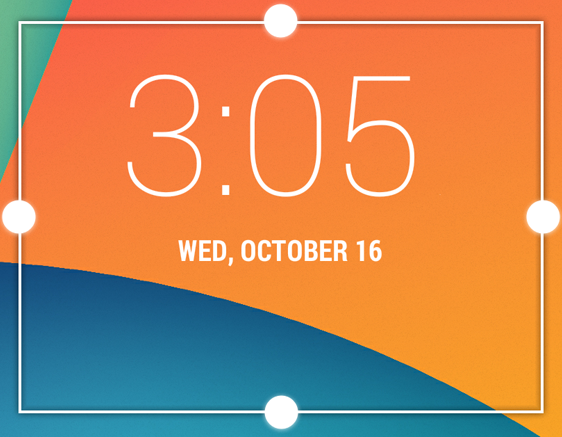
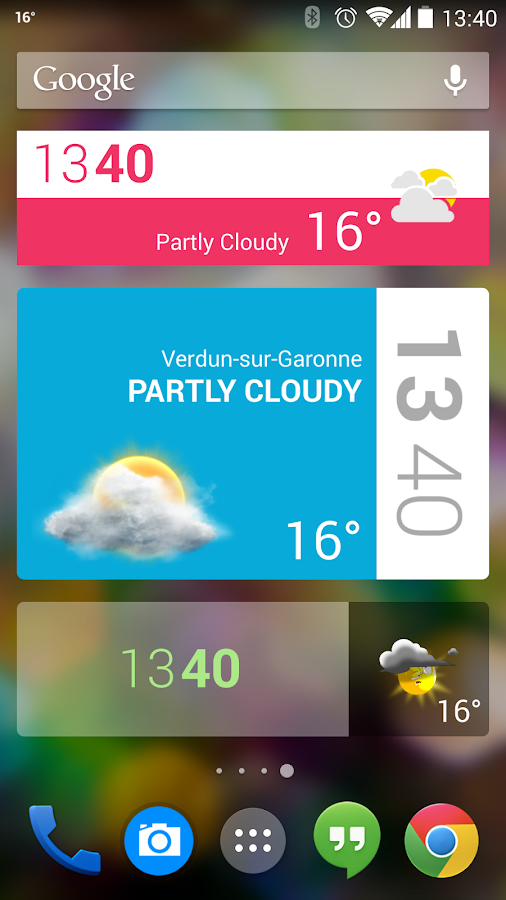
- widgets live on desktop screens. I.e. it is glancable in your launcher/dashboard.
- from an app, hit
hometo see it immediately, or swipe left/right to the screen that houses it - since it exists on your launcher, it can take up rectangular sections (and are often resizable), meaning widgets can exist next to eachother, they do not take entire rows.
iOS:

- widgets exist in Today section of Notification Center and on the Search screen from the launcher. It has a designated area, not necessarily glancable.
- from app, hit
hometo go see launcher. Swipe left to furthest left screen that houses search. - OR, from app, swipe down from top to see Notification Center. If
Todaywas selected before, you might see it immediately (or you might need to scroll down). Otherwise, pressTodaytab. - may also need to expand widget to see all of its content.
- each widget takes up a full row, so no stacking up with others in a single row.
- How to use widgets on iPhone and iPad | iMore for a great write-up
- and Best Today view widgets for iPhone and iPad | iMore for some of the better ones out there
Lock Screen Widgets
Android used to have this. No more. From v4.2 - 4.4. See DashClock Widget - Android Apps on Google Play for an example.
Now, it relies on Notifications and their associated actions for functionality. iOS employs the same approach.
Quick Actions
Android:
- Long press an icon

Orelease allows you to go further with pinning actions to your launcher. Almost like a widget.- "I can’t tell you how much I love these draggable shortcuts in Android. Wait I can: I love them a lot." - Dieter Bohn on Twitter

iOS:
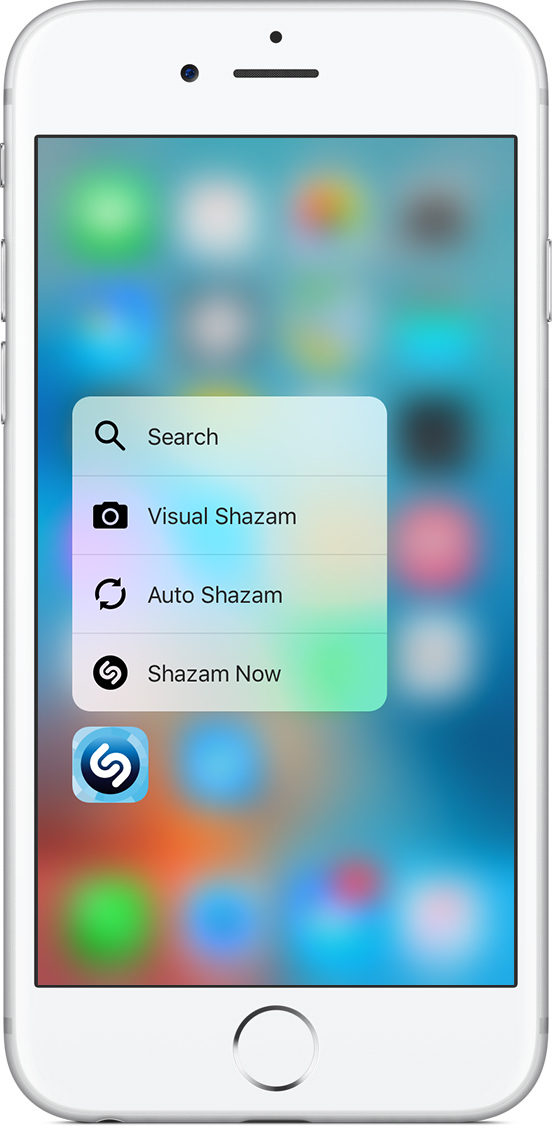
- 3D Touch an icon
Tablet
Android tablets are essentially non-existant at this point. Chromebooks are taking their place though.
iPad just received a surge of new hype from the recent OS.
Notifications
Android:
- Actionable buttons in notification.

- Somewhat of a Detail View via an additional swipe down (sometimes need to use two fingers). Called an
Expanded Notification - Notifications are groupable. Called "channels", I think.
iOS:
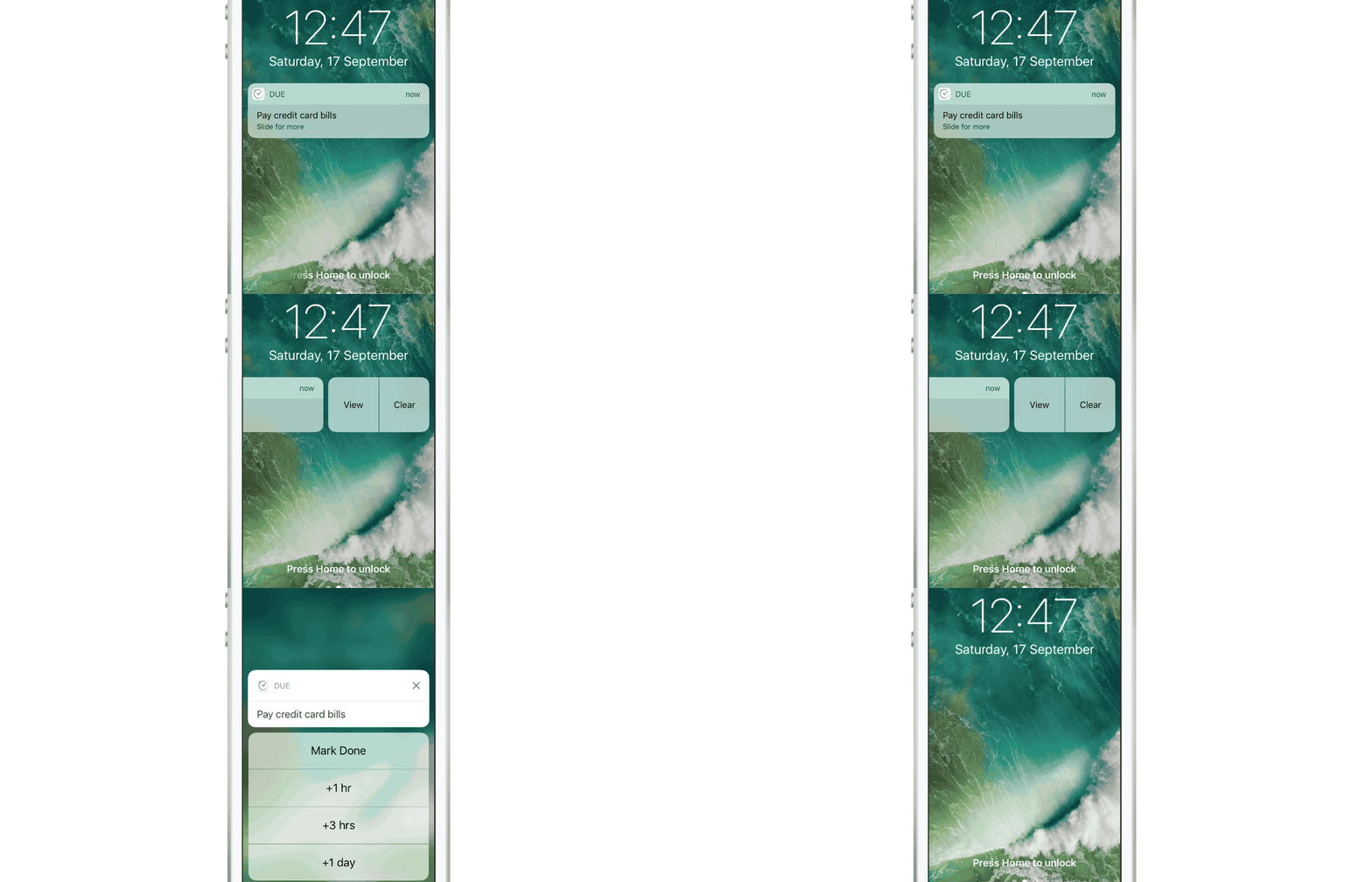
- Actionable buttons not shown in collapsed state of notification (I think)
- to see buttons in "notification" (like Android), it'd need to be a widget?

- Full Detail View by pressing notification, now there may be action buttons

- Notifications are not groupable.
Regarding the Detial View: Why not just open the app to see these? Do you really need to reply to iMessage and stay in the notification (not the app) to continue conversations back/forth? Seems unnecessary, but perhaps I'm just missing the point since I'm used to Android's solution.
Icon Badges
iOS:
- Had these for a long time now
Android:
- Notification Badges recently added with
Orelease
Screen Saver
Android: formerly Daydream, now called "Screen Saver". Can be enabled when plugged in and/or docked.
iOS: none
Share
Android:
- Smart Sharing learns about users' personalized sharing preferences and better understands for each type of content which are the right apps to share with. For example, if a user takes a photo of a receipt, Android O can suggest an expense-tracking app; if the user takes a selfie, a social media app can better handle the image.
Quick Settings
Android:
- Swipe down from top for a row of actions. Swipe again for expanded rows.
- Apps CAN hook in to this to add custom actions.
iOS:
- Swipe up from bottom for a full page of actionable controls.
- Apps CAN NOT hook in to this to add custom controls.
Navigation
Android's back button is vastly supperior to iOS's top-left back buttons, imo.
Windowing
Split Windows
Android:
- Multi-Window Support | Android Developers
- Android has this on phones, but I basically never use it.

iOS:
- iPad only
Floating Windows
Android:
- Supported: app can float over other apps
- Also supports
freeformwith Developer option enabled.- freeform enables all apps to be launched as floating and resizable, just like our desktop windows
- Taskbar - Android Apps on Google Play even provides a Windows-like start menu and Taskbar. Could be amazing with tablets + keyboard + mouse, as it also offers keyboard hotkeys.

- PIP supported in O release


Widget essentially pins to desktop. Float let's it float over apps. Default state of app is full screen (or 100% x 100%). Split mode just adds another full app and allows user to change the line that they stretch to.
iOS:
- only
pipsupported
Lock Window
Android:
- Screen Pinning (Android 5.0 APIs | Android Developers) allows a user to "pin" current app to the front to prevent access to the rest of the OS. Only that app is usable until it is unpinned (hold Back + Overview). When unpinned, user is first set back to lock screen.
- Note: this is different from kiosk mode.
Multi-user
Android:
- Supported on tablets - Android 4.2 APIs | Android Developers
iOS:
- Not supported (iPad is designed to be a single-user device)
Work Profile
Android
- "On a device with a work profile, users can toggle work mode. When work mode is off the managed user is temporarily shut down, which disables work profile apps, background sync, and notifications. This includes the profile owner application. When work mode is off, the system displays a persistent status icon to remind the user that they can't launch work apps. The launcher indicates that work apps and widgets are not accessible." - Android 7.0 for Developers | Android Developers
Device Accessories
Android
- Keyboard
Meta /to trigger a Keyboard Shortcuts screen that displays all shortcuts available both from the system and from the app in focus.- Note: able to remap keys
- Mouse
iOS
- Keyboard
- Note: not able to remap keys (I think)
- (no mouse)
AR
Android:
- Tango - requires hardware that most devices do not currently have.
- ARCore - no additional hardware (released after ARKit).
iOS:
- ARKit - no additional hardware. Uses normal sensors and software. Means it is accessible to all, as soon as iOS 11 is released.
Store tools
Android
- Staggered releases
- Perf metrics
- Subscription metrics: Android Developers Blog: Build a subscriptions business on Google Play with these new features and best practices
- drop rates, current subs
iOS
Lite apps
This section is just a nod to the Go apps that google is building and promoting for developing regions. The Youtube Go, for example, show exactly how big a video is and allows users to opt-in to downloading it--it isn't automatically downloaded.