Starred
May 9, 2026 · View on GitHub




Install
Package Manager (recommended): Window → Package Manager → + → Add package from git URL…
https://github.com/landosilva/starred.git
Pin to a release:
https://github.com/landosilva/starred.git#v0.1.6
Or clone and use Add package from disk… → package.json.
Requires Unity 2022.3 LTS or newer.
Favorites
Tools → Starred → Favorites
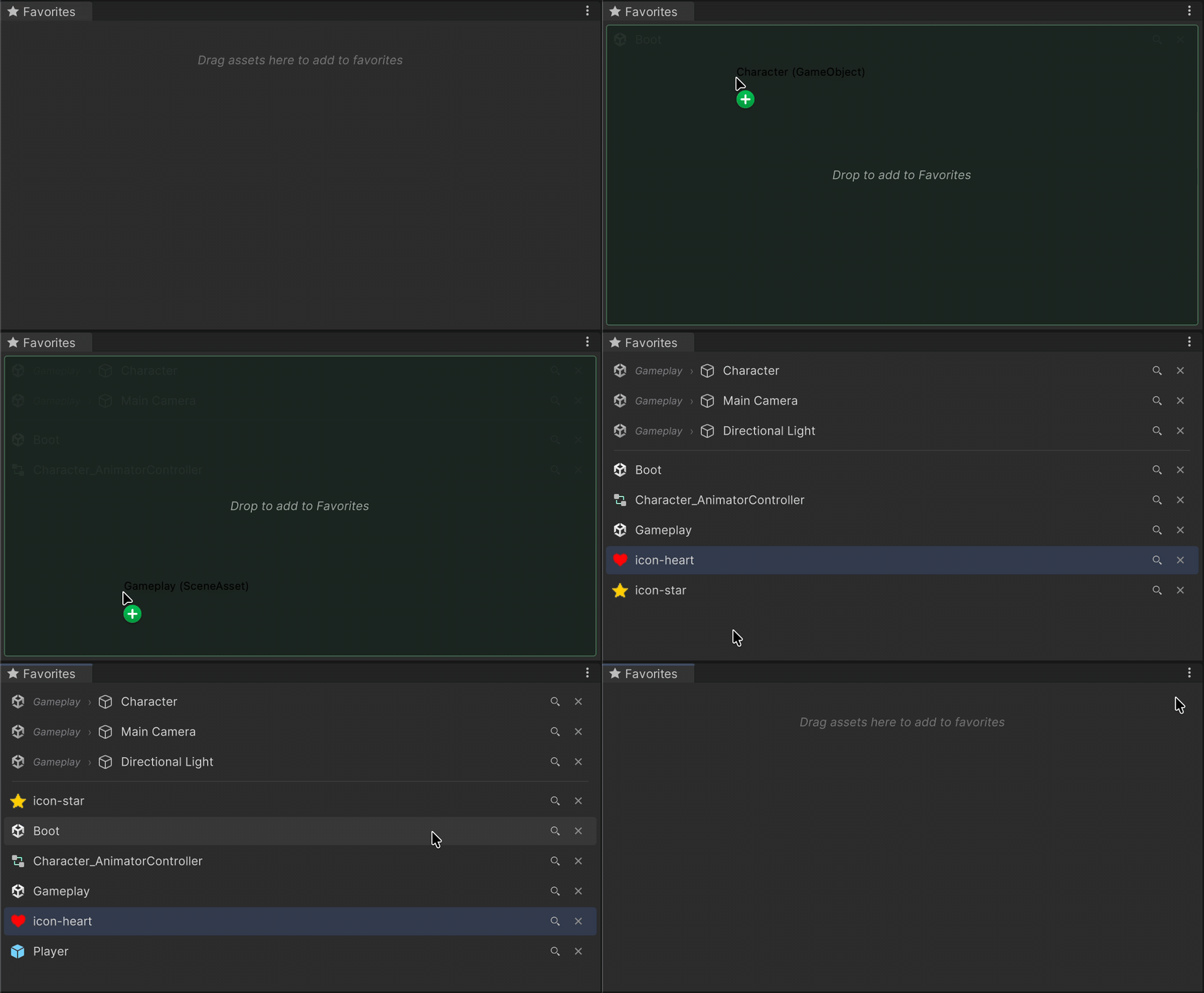
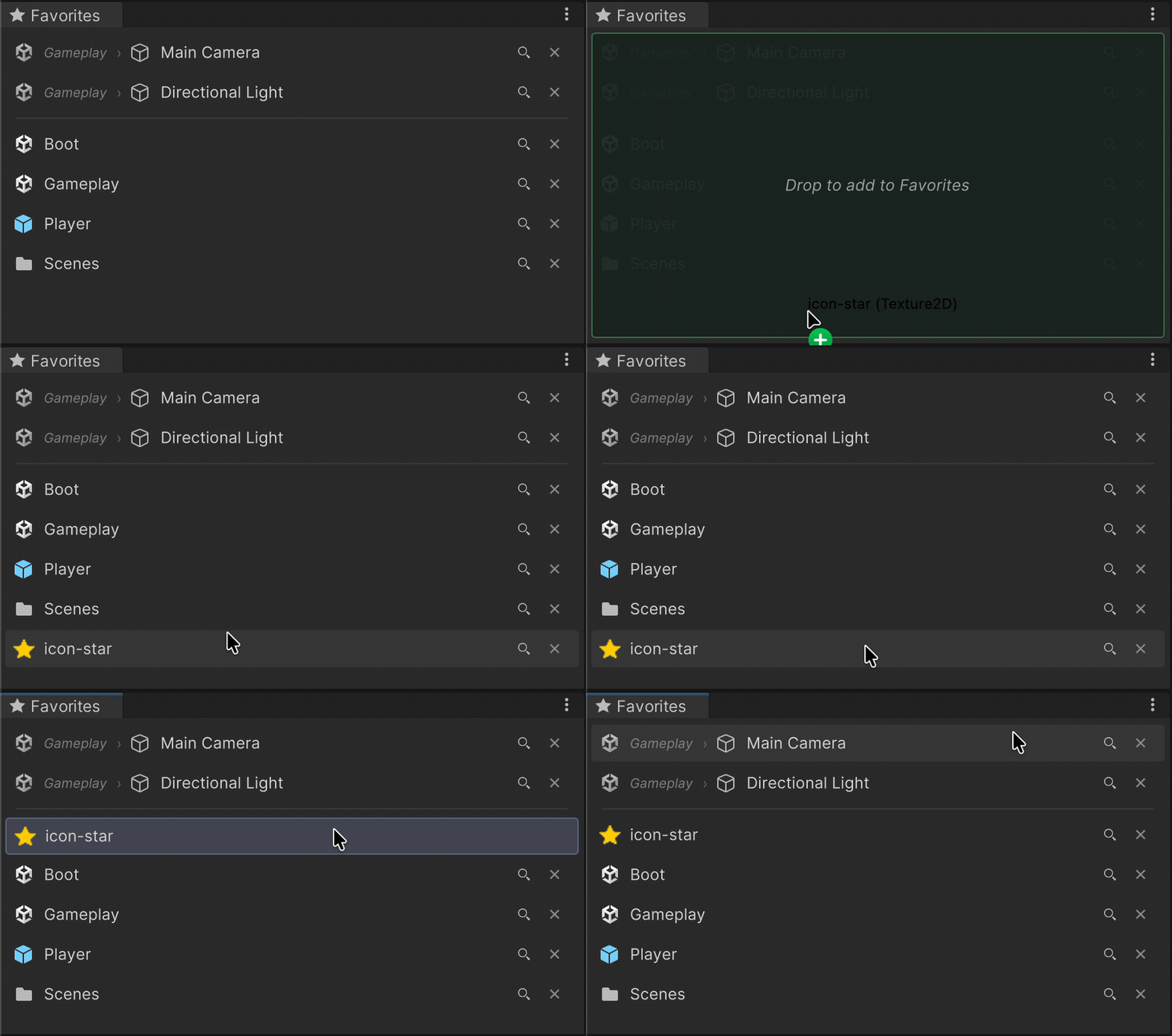
- Drop in project assets or scene GameObjects.
- Click to select. Double-click to open or frame.
- Drag out onto Inspector fields.
- Reorder by drag. Lens icon to ping in Project/Hierarchy.
Scene-bound entries use scene-path + hierarchy-path, so they only appear while their scene is loaded. Missing or renamed objects show red.
Selection History
Tools → Starred → History
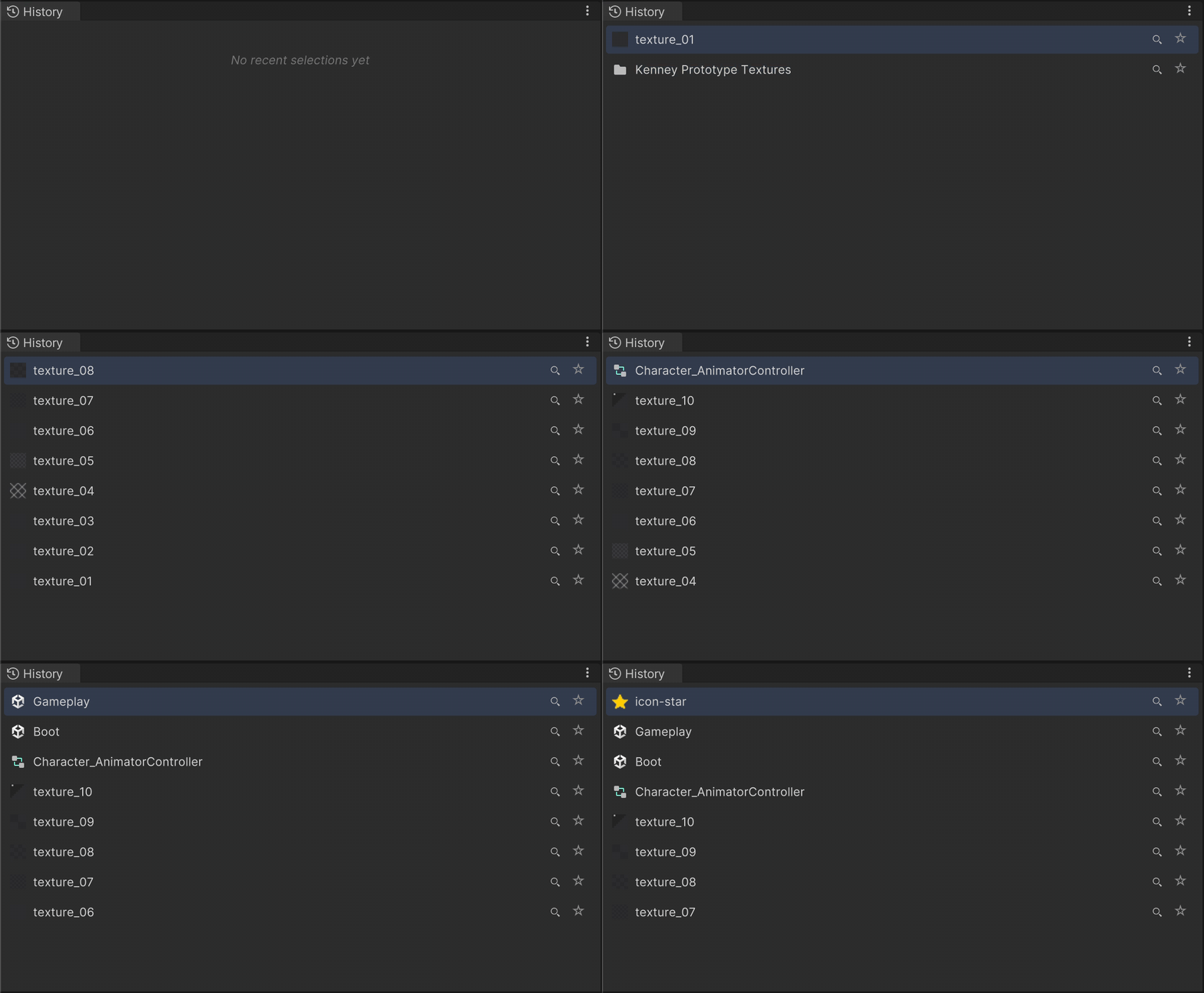
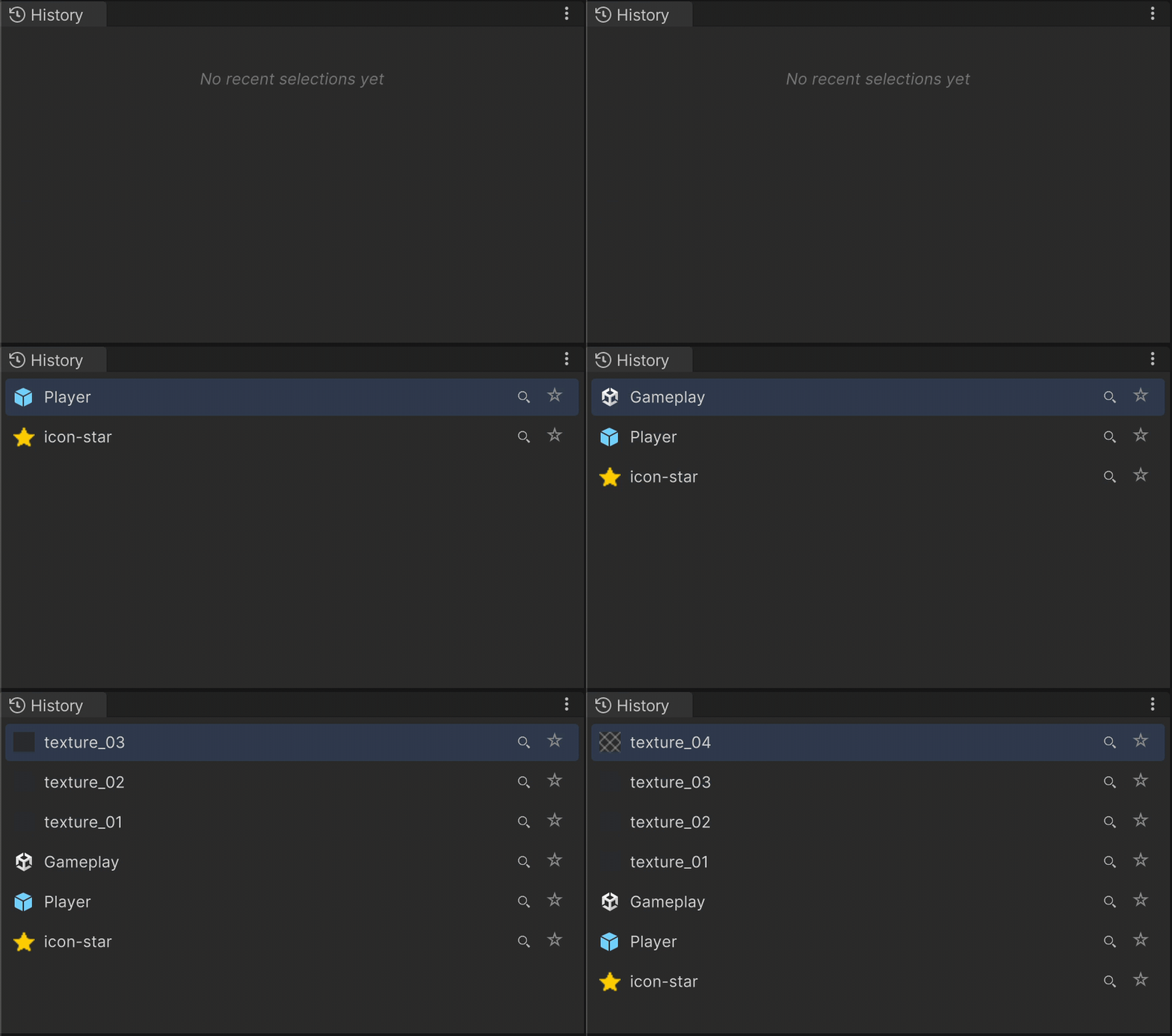
Auto-populated, most-recent-first. Re-selecting bumps to the top. Each row has a ★ button to promote to Favorites. Size caps at 4 / 8 / 16 / 32.
Star Overlays
Favorited items get a ★ overlay in the Project and Hierarchy windows. Click the overlay to unfavorite directly.
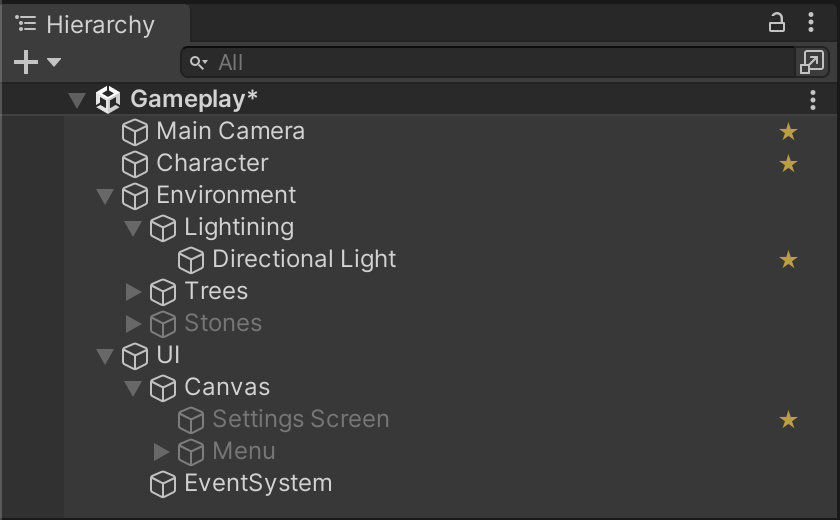
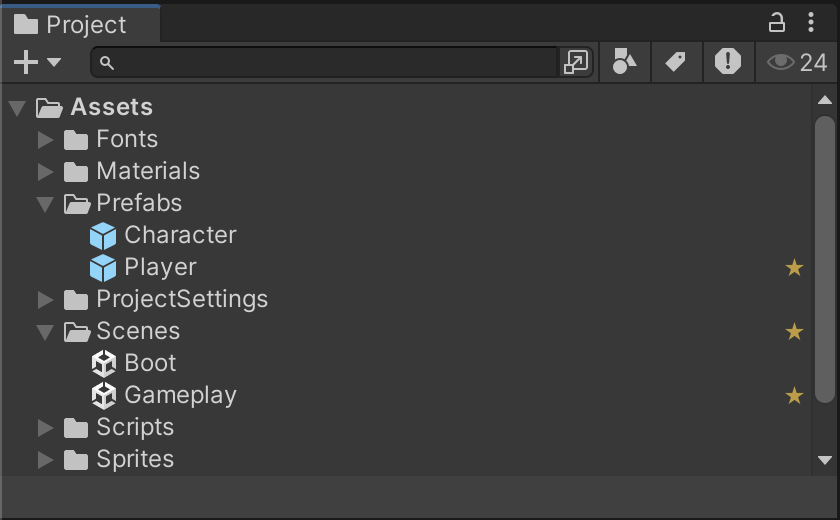
Both overlays toggle independently in Preferences.
Context Menu
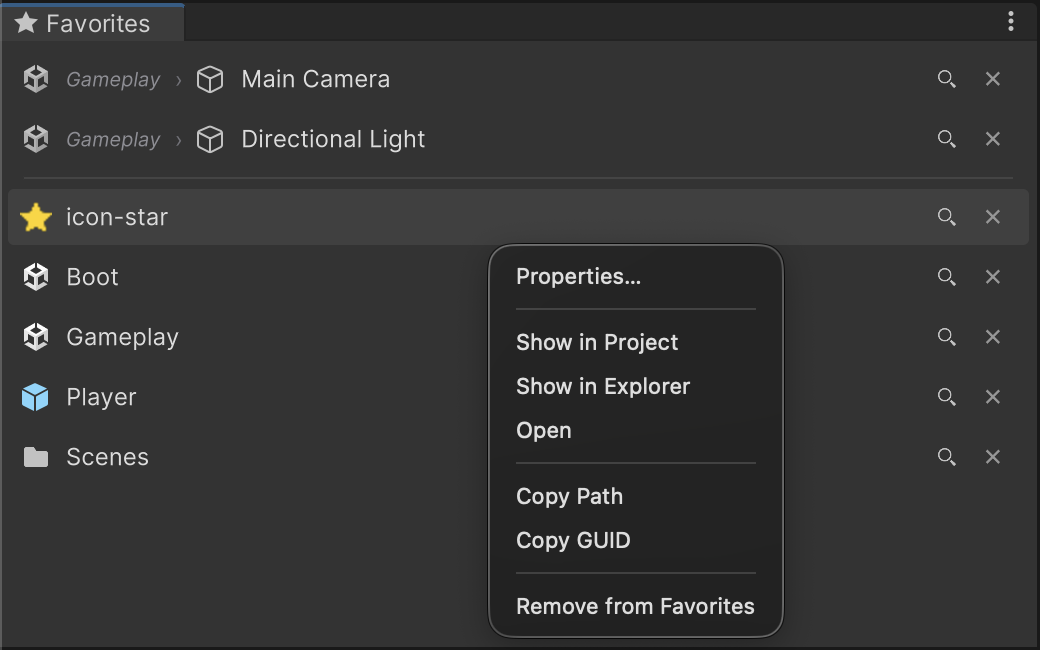
Every row has a context menu:
- 👁 Show in Project / Hierarchy
- 🗂 Show in Explorer
- ↗️ Open — opens the asset in its default editor (scene, IDE, prefab stage…)
- 📷 Frame in Scene View
- 📋 Copy Path / GUID / Hierarchy Path
- ❌ Remove from Favorites
Preferences
- macOS: Unity → Settings → Starred
- Windows: Edit → Preferences → Starred
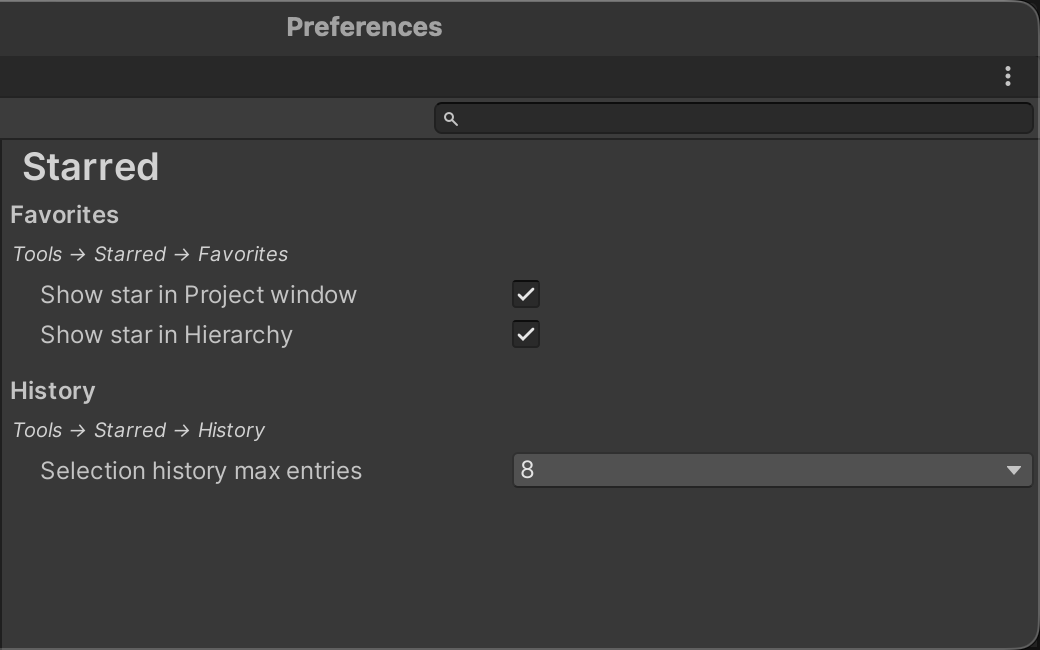
- Show star in Project window — toggle Project ★ overlay.
- Show star in Hierarchy — toggle Hierarchy ★ overlay.
- Selection history max entries — 4 / 8 / 16 / 32.
Also available on each window's ⋮ menu.
Data
| What | Where | Scope |
|---|---|---|
| Favorites | UserSettings/FavoriteAssets.json | Per-user, per-project. GUID-based. |
| History | UserSettings/SelectionHistory.json | Per-user, per-project. |
| Preferences | EditorPrefs | Per-user, per-machine. |
Nothing touches Assets/.
Compatibility
| Unity | Status |
|---|---|
| 6000.0 LTS | ✅ Tested |
| 2022.3 LTS | ✅ Tested |
| Older | ❌ Not supported |
Editor-only. No runtime footprint, no dependencies.