instawow
January 16, 2026 · View on GitHub
.. image:: https://img.shields.io/matrix/wow-addon-management:matrix.org :target: https://matrix.to/#/#wow-addon-management:matrix.org?via=matrix.org :alt: Matrix channel
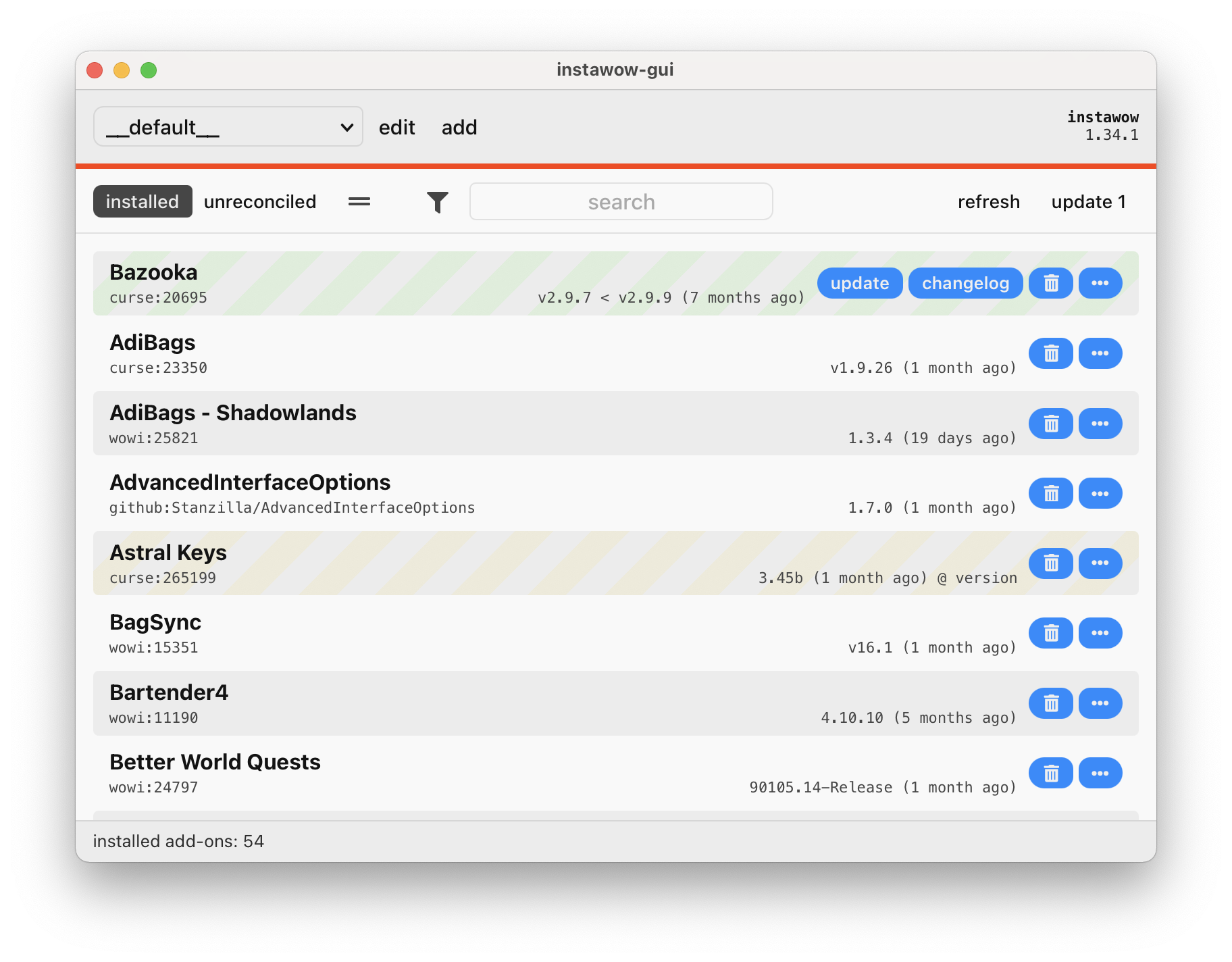
instawow is an add-on manager for World of Warcraft. It can be used to install, update and remove add-ons from GitHub, CurseForge, WoWInterface, Tukui and Wago Addons. instawow has an interoperable CLI and GUI, fuzzy search with download scoring and several other goodies.
.. list-table:: :widths: 50 50
-
- .. figure:: https://asciinema.org/a/8m36ncAoyTmig4MXfQM8YjE6a.svg :target: https://asciinema.org/a/8m36ncAoyTmig4MXfQM8YjE6a?autoplay=1 :alt: Asciicast demonstrating the operation of instawow :width: 640
- .. figure:: https://raw.githubusercontent.com/layday/instawow/main/instawow-gui/screenshots/v1.34.1.png :target: https://github.com/layday/instawow/releases/latest :alt: instawow-gui main window :width: 640

Installation
You can download pre-built binaries <https://github.com/layday/instawow/releases/latest>__
of instawow from GitHub. bin <https://github.com/marcosnils/bin>__
users can install the CLI binaries by running::
bin install github.com/layday/instawow
If you'd prefer to install instawow from source, you are able to choose from:
pipx <https://github.com/pypa/pipx>__:pipx install instawowuv <https://docs.astral.sh/uv/guides/tools/#installing-tools>__:uv tool install instawowNix and NixOS <https://nixos.org/>__: the CLI-only version of instawow is available as theinstawowpackage
CLI operation
tl;dr
Begin by running ``instawow reconcile``
to register previously-installed add-ons with *instawow*
(or ``instawow reconcile --auto`` to do the same without user input).
To install add-ons, you can search for them using the ``search`` command::

    instawow search masque

In addition, *instawow* is able to interpret add-on URLs and *instawow*-specific
URIs of slugs and host IDs.
All of the following will install Masque::

    instawow install https://www.curseforge.com/wow/addons/masque
    instawow install curse:masque
    instawow install curse:13592
    instawow install https://github.com/SFX-WoW/Masque
    instawow install github:sfx-wow/masque

You can ``update`` add-ons and ``remove`` them just as you'd install them.
If ``update`` is invoked without arguments, it will update all of your
installed add-ons.  You can ``list`` add-ons and view detailed information about
them using ``list --format detailed``.
For ``list`` and other similarly non-destructive commands, the source can be omitted
and the alias can be shortened, e.g. ``instawow reveal masq``
will bring up the Masque add-on folder in your file manager.

Add-on reconciliation
instawow will not automatically take ownership of your add-ons.
To start receiving add-on updates for pre-installed add-ons, you must run instawow reconcile.
For each add-on you have installed,
reconcile will ask you to select a remote add-on from a list of candidates.
This process can be automated with reconcile --auto.
Any add-on which is reconciled is reinstalled because the installed version cannot be
reliably extracted from installed add-on metadata.
Add-on re-reconciliation
*instawow* is able to suggest alternative sources for any add-on
you have installed via ``instawow rereconcile``.  ``rereconcile``
takes any number of add-on definitions as arguments.  All of the following are valid::

    instawow rereconcile
    instawow rereconcile curse:
    instawow rereconcile curse:masque
    instawow rereconcile curse:masque github:layday/some-addon wowi:

Add-on search
~~~~~~~~~~~~~

*instawow* comes with a rudimentary ``search`` command
with results ranked based on edit distance and popularity.
Search uses a collated add-on catalogue which is updated
`once daily <https://github.com/layday/instawow-data/tree/data>`__.
You can install multiple add-ons directly from search.

Install strategies
~~~~~~~~~~~~~~~~~~

Add-ons take a number of options which determine how they are resolved:

- ``any_flavour`` to ignore game version compatibility by prioriting "affine" game versions
- ``any_release_type`` to ignore add-on stability
- ``version_eq=[VERSION]`` to install a specific add-on version

The default strategy set is empty.
In the CLI, you can define strategies in the fragment portion of the add-on URI,
separated by a comma, e.g. ``instawow install curse:masque#any_release_type,any_flavour``.
Strategies are respected by ``install`` and ``update``.  To reset an add-on's strategies on update,
you can specify a null fragment, e.g. ``instawow update curse:masque#=``.

Reverting add-on updates
instawow keeps a log of all versions of an add-on it has previously
installed.
Add-on updates can be undone using the instawow rollback command.
Add-ons which have been rolled back are pinned and will not receive updates.
Rollbacks can themselves be undone with instawow rollback --undo,
which will install the latest version of the specified add-on using
the default strategy.
Profiles
Multi-flavour management is accomplished using profiles.
Assuming your default profile is configured for retail,
you can create a pristine profile for classic with::

    instawow -p classic configure

"``classic``" is simply the name of the profile; you will be asked to select
the installation folder, or to provide the add-on folder and game flavour if
an installation cannot be found or the flavour cannot be inferred.

``-p`` is a global option. You can prefix any *instawow* command with ``-p``,
e.g. to update your new profile's add-ons, you would run::

    instawow -p classic update

You can omit ``-p`` for the default profile if one exists.

Migrating Classic profiles
^^^^^^^^^^^^^^^^^^^^^^^^^^

With the exception of "Classic Era" profiles
(``vanilla_classic`` in *instawow* parlance), classic profiles will start
receiving updates for the latest Classic release once it is supported by
*instawow*.  You would not need to override the profile's flavour.

WeakAura updater
instawow contains a WeakAura updater modelled after
WeakAuras Companion <https://weakauras.wtf/>__. To use the updater
and provided that you have WeakAuras installed::
instawow plugins weakauras-companion build
instawow install instawow:weakauras-companion
You will have to rebuild the companion add-on before invoking instawow update
to receive aura updates. If you would like to check for updates on
every instawow update, install the
instawow:weakauras-companion-autoupdate variant, omitting
the build step::
instawow install instawow:weakauras-companion-autoupdate
Plug-ins
*instawow* can be extended using plug-ins.  Plug-ins can be used to add support
for arbitrary hosts and add new commands to the CLI.  You will find a sample
plug-in in ``tests/plugin``.

Configuration directories
instawow conforms to the XDG base directory standard and will respect XDG environment variables on all platforms, if set. The following directories are used by instawow:
{cache-home }/instawow, corresponding to$XDG_CACHE_HOME{config-home}/instawow, corresponding to$XDG_CONFIG_HOME{state-home }/instawow, corresponding to$XDG_STATE_HOME{temp-home }/instawowt
On macOS and Windows, the configuration and state directories are combined if XDG is not in use.
The active directory paths are printed by instawow debug config
and the cache can be purged with instawow cache clear.
Metadata sourcing
CurseForge
CurseForge is set to retire its unauthenticated add-on API by the end of Q1 2022.
CurseForge will be issuing keys for the new API conditionally and which
add-on managers are obligated to conceal.
The new API is therefore unworkable for add-on managers except through a
proxy service, which the author of this particular add-on manager cannot afford.
At the same time, CurseForge will be providing the option for authors to unlist
their add-ons from the new API, and downloads intitiated through the new API
will not count towards author credits for the ad revenue sharing programme.

GitHub
~~~~~~

*instawow* supports WoW add-ons *released* on GitHub – that is to say that
the repository must have a release (tags won't work) and the release must
have an add-on ZIP file attached to it as an asset.
*instawow* will not install or build add-ons directly from
source, or from tarballs or 'zipballs', and will not validate
the contents of the ZIP file.

Transparency
------------

Web requests initiated by *instawow* can be identified by its user agent string.

Every 24 hours, on launch, *instawow* will query `PyPI <https://pypi.org>`__ –
the canonical Python package index – to check for *instawow* updates.

Contributing
------------

Bug reports and fixes are welcome.  Do open an issue before committing to
making any significant changes.

Related work
------------

The author of `strongbox <https://github.com/ogri-la/strongbox>`__ has been
cataloguing similar software.  If you are unhappy
with *instawow*, you might find one of these
`other <https://ogri-la.github.io/wow-addon-managers/>`__ add-on managers more
to your liking.