VIEO_SLAM
October 18, 2024 · View on GitHub
Now this project is improved by zzh, based on ORBSLAM2 && ORBSLAM3
-
More Annotations and Less Codes(By Template Class Tech.)
-
Real-Time Code With Some Subtle Changes(default is to be faster):
- Able to run full ba at last(slower but map should be more accurate)
- Loading uses .bin vocabulary
- PoseOptimization uses PVR vertex while localBA/GlobalBA use PR-V
- Some other time cost related changes
- Future work can be:
- inverse depth parameterization
- optical flow method
-
More Camera+Sensor Modes are supported:
- undistorted Monocular + (IMU/Encoder) mode: Monocular V(I)(E)O is implemented like the VIORBSLAM paperVisual-Inertial Monocular SLAM with Map Reuse, especially thanks to OnManifold Preintegration paperOn-Manifold Preintegration for Real-Time and JingWang's initial version and our VIEOS2
- rectified Stereo(max 2 cams) + (IMU/Encoder) mode: Stereo V(I)(E)O is implemented like our VIEOS2
- undistorted RGBD(max 1 cam) + (IMU/Encoder) mode: RGBD V(I)(E)O is implemented like our VIEOS2
- distorted Stereo(max 4 cams) + (IMU/Encoder) mode: dStereo V(I)(E)O is implemented like ORBSLAM3 and our VIEOS2
- distorted RGBD(max 1 cam) + (IMU/Encoder) mode: dRGBD V(I)(E)O is implemented like dStereo VIEO
-
We named the total system as VIEO_SLAM, where O should finally means the other odometers instead of ORB descriptor. We hope to provide a general visual tightly-coupled with any odometer SLAM system in the end.
PS:
- IMU now only support max 1 IMU
- If more cams on distorted Stereo, easily fix the seg bug by yourself
- For Monocular V(I)EO: pure encoder edges insertion strategy now is simple like +IMU insertion strategy, but scale initialization for mono is still lacked, so this mode is not fully completed; And we still consider Initialization of Monocular SLAM is not suitable for a Differential Wheeled Robot based on our experience
Test
EuRoC Dataset
(d)Monocular/(d)Stereo VIO:
ATE Min Of Random 3 tests MonocularVIO Res(cm,Leica);feat num 1000:
(With FBA)
V101(1.4cm),V102(1.8),V103(4.4),V201(1.2),V202(1.3),V203(2.6),MH01(6.7),MH02(5.7),MH03(6.3),MH04(5.9),MH05(9.4)
PS: 2017/12/26
ATE Avg/Median of N tests StereoVIO Res(m,Leica|Est*); Features Number Per Image 1200(default;with||out full ba)->375(no loopclosing;with||out full ba); XXX_distXXX.yaml--XXX.yaml(undist without full ba as ref)
V101 0.017888/0.017616|0.035052/0.034860||0.019735/0.019514|0.035789/0.035731->0.018910/0.018985|0.035632/0.035471||0.020756/0.021202|0.035918/0.036252--0.018476/0.018231|0.035063/0.035029 10
V102 0.022362/0.022213|0.016317/0.016273||0.021366/0.021214|0.014588/0.014620->0.024741/0.025009|0.019132/0.019268||0.022603/0.022760|0.016506/0.016661--0.022545/0.022436|0.015767/0.015836 10
V103 0.038916/0.038863|0.021750/0.021647||0.038115/0.037802|0.020986/0.020389->0.043644/0.040182|0.027705/0.022665||0.044555/0.040441|0.029167/0.023657--0.038710/0.038631|0.020553/0.020438 10
V201 0.015749/0.014587|0.015731/0.014304||0.022818/0.023921|0.022530/0.023320->0.014915/0.014982|0.014996/0.014842||0.023473/0.021866|0.023411/0.021846--0.024517/0.024946|0.024161/0.024381 10
V202 0.019527/0.019495|0.017804/0.017634||0.023671/0.022422|0.022215/0.020864->0.020402/0.020161|0.018902/0.018731||0.031844/0.031650|0.031324/0.031341--0.020858/0.019811|0.019544/0.018579 10
V203 0.019012/0.017985|0.017980/0.016481||0.021353/0.020476|0.020542/0.019832->0.060442/0.056718|0.058173/0.055665||0.086015/0.088312|0.083809/0.086926--0.038777/0.038115|0.037079/0.036610 10
MH01 0.059842/0.059756|0.017838/0.017249||0.066127/0.065833|0.024341/0.023576->0.058831/0.059010|0.016081/0.015900||0.070513/0.071213|0.030387/0.031152--0.067008/0.067172|0.020542/0.020248 10
MH02 0.047977/0.048046|0.013370/0.013479||0.055555/0.056624|0.020540/0.020171->0.049461/0.049422|0.015902/0.015881||0.064356/0.063641|0.032989/0.033975--0.063953/0.061788|0.029255/0.028646 10
MH03 0.077632/0.076835|0.022180/0.022058||0.069532/0.068211|0.030862/0.031337->0.069338/0.068886|0.025994/0.026027||0.062263/0.059950|0.037323/0.038242--0.081279/0.081786|0.027322/0.027452 10
MH04 0.072695/0.072156|0.038317/0.038364||0.081037/0.082057|0.041786/0.041933->0.078449/0.076010|0.061373/0.056185||0.094425/0.094830|0.072156/0.071767--0.096471/0.098185|0.059423/0.059678 10
MH05 0.096981/0.096364|0.040337/0.040273||0.121044/0.123658|0.064372/0.064665->0.093922/0.095772|0.044452/0.042012||0.120464/0.120727|0.067696/0.062810--0.114954/0.111532|0.058268/0.053788 10
Avg          /0.044   |        /0.023   ||        /0.049   |        /0.029   ->        /0.048   |        /0.029   ||        /0.058   |        /0.0413  --        /0.053   |        /0.031
Final MH05 mean time cost per frame of frontend(ms): 43.X -> 11.X -- 35.X
PS:2024/9/9;
Script(./EvaluateEuRoC_Ntimes.sh StereoVIO 10) On i9-14900HX virtual box with 16cores;
+ meaning accuracy up(both median diff>=5mm)/ times cost down(>=1ms) compared with before
! means the key accuracy for this dataset
TUM_VI Dataset
dStereo VIO:
ATE Avg/Median of N tests MonocularVIO||StereoVIO Res(m); feat num 1500||1000(default)->||375; all wo full ba
corridor1   ||  0.030333/0.030333  1-> 0.104489/0.104489  1
corridor2   ||  0.037978/0.037978  1-> 0.037800/0.037800  1
corridor3   ||  0.009488/0.009488  1-> 0.014729/0.014729  1
corridor4   ||  0.160247/0.160247  1-> 0.295224/0.295224  1
corridor5   ||  0.054881/0.054881  1-> 0.065482/0.065482  1
magistrale1 ||  0.140162/0.140162  1-> 0.485789/0.485789  1
magistrale2 ||  1.431317/1.431317  1-> 1.406868/1.406868  1
magistrale3 ||  2.283627/2.283627  1-> 2.118524/2.118524  1
magistrale4 ||  0.080294/0.080294  1-> 2.050121/2.050121  1
magistrale5 ||  1.004619/1.004619  1-> 1.171270/1.171270  1
magistrale6 ||  0.171341/0.171341  1-> 2.416196/2.416196  1
outdoors1   || 11.745594/11.745594 1->14.222525/14.222525 1
outdoors2   ||  2.103154/2.103154  1->32.152353/32.152353 1
outdoors3   ||  3.119151/3.119151  1->16.678324/16.678324 1
outdoors4   ||  2.778857/2.778857  1-> 8.069969/8.069969  1
outdoors5   ||  4.616562/4.616562  1-> 5.163795/5.163795  1
outdoors6   || 22.152639/22.152639 1->13.542675/13.542675 1
outdoors7   ||  1.583668/1.583668  1-> 2.408600/2.408600  1
outdoors8   ||  5.684597/5.684597  1-> 6.446467/6.446467  1
room1       ||  0.009263/0.009263  1-> 0.009624/0.009624  1
room2       ||  0.008006/0.008006  1-> 0.007604/0.007604  1
room3       ||  0.011118/0.011118  1-> 0.006626/0.006626  1
room4       ||  0.007057/0.007057  1-> 0.007481/0.007481  1
room5       ||  0.007530/0.007530  1-> 0.007580/0.007580  1
room6       ||  0.006508/0.006508  1-> 0.006697/0.006697  1
slides1     ||  0.085470/0.085470  1-> 0.441656/0.441656  1
slides2     ||  0.215374/0.215374  1-> 1.072960/1.072960  1
slides3     ||  0.644625/0.644625  1-> 0.404310/0.404310  1
Avg         ||          /2.15       ->         /3.96
Final slides3 mean time cost per frame of frontend(ms): X.X || 32.X -> 17.X
PS:2024/9/9;
Script(./EvaluateEuRoC_Ntimes.sh StereoVIO 3 TUM_VI) On i9-14900HX virtual box with 16cores;
Usage
-
Build with build.sh. Notice the version requirement of Eigen3 & OpenCV in CMakeLists.txt.
-
Modify the path in Examples/Monocular/EuRoC_VIO.yaml
-
Normally use it like:
Monocular:
cd ~/zzh/VIEO_SLAM/Examples/MonocularStereo:
cd ~/zzh/VIEO_SLAM/Examples/StereoVIO:(LocalWindowSize<=0 for Monocular ORB-SLAM in that paper: ORB-SLAM+IMU Initialization)
 ./mono_euroc ../../Vocabulary/ORBvoc.bin ./EuRoC_VIO.yaml ~/dataset/EuRoC/V202medium/mav0/cam0/data ./EuRoC_TimeStamps/V202.txt ~/dataset/EuRoC/V202medium/mav0/imu0/data.csv
 ./stereo_euroc ../../Vocabulary/ORBvoc.bin ./EuRoC_VIO.yaml  ~/dataset/EuRoC/V103difficult/mav0/cam0/data ~/dataset/EuRoC/V103difficult/mav0/cam1/data ./EuRoC_TimeStamps/V103.txt ~/dataset/EuRoC/V103difficult/mav0/imu0/data.csv
ORBSLAM2:(you can also use ./EuRoC.yaml with Tbc is default I)
 ./mono_euroc ../../Vocabulary/ORBvoc.bin ./EuRoC_VIO.yaml ~/dataset/EuRoC/V202medium/mav0/cam0/data ./EuRoC_TimeStamps/V202.txt
 ./stereo_euroc ../../Vocabulary/ORBvoc.bin ./EuRoC_VIO.yaml  ~/dataset/EuRoC/V203difficult/mav0/cam0/data ~/dataset/EuRoC/V203difficult/mav0/cam1/data ./EuRoC_TimeStamps/V203.txt
VEORBSLAM2 or VIEORBSLAM2: (you may refer to the kinect2_qhd.yaml, later we may publish our dataset containing encoders & IMU data)
./rgbd_tum ../../Vocabulary/ORBvoc.bin ./kinect2_qhd.yaml $OURFILE $OURFILE/associate.txt $OURFILE/EncSensor.txt ./rgbd_tum ../../Vocabulary/ORBvoc.bin ./kinect2_qhd.yaml $OURFILE $OURFILE/associate.txt $OURFILE/IMUSensor.txt(path to IMU data file) 9(number of IMU data: (Accelerator,Magnetic,Gyroscope) for our dataset) 0(RGBD SLAM) $OURFILE/EncSensor.txt(path to encoder data file) -
Fastly use it on EuRoC/TUM-VI Benchmark like:
VIEO_SLAM:
./SetEuRoCVIO_Once.sh StereoVIO MH05difficult MH05 0.2 EuRoC EuRoC_VIO
./SetEuRoCVIO_Once.sh StereoVIO dataset-room1_512_16 dataset-room1_512 0. TUM_VI TUM_VI_512_VIO
PS: Please contact zhuzhanghao9331@yahoo.co.jp for more details.
Related Publications:
[IMU, Encoders and Stereo/RGB-D] Zhanghao Zhu, Yutaka Kaizu, Kenichi Furuhashi and Kenji Imou. Visual-Inertial RGB-D SLAM with Encoders for a Differential Wheeled Robot. IEEE Sensors Journal, vol. 22, pp. 5360-5371, 2022. (https://ieeexplore.ieee.org/document/9502133)
Below most part is the primary README of ORBSLAM2
ORB-SLAM2
Authors: Raul Mur-Artal, Juan D. Tardos, J. M. M. Montiel and Dorian Galvez-Lopez (DBoW2)
13 Jan 2017: OpenCV 3 and Eigen 3.3 are now supported.
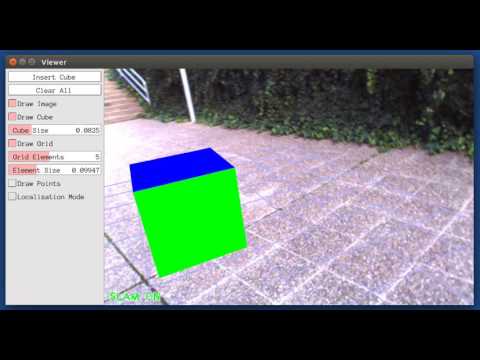
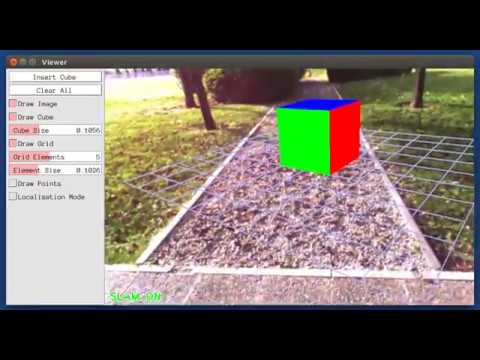
22 Dec 2016: Added AR demo (see section 7).
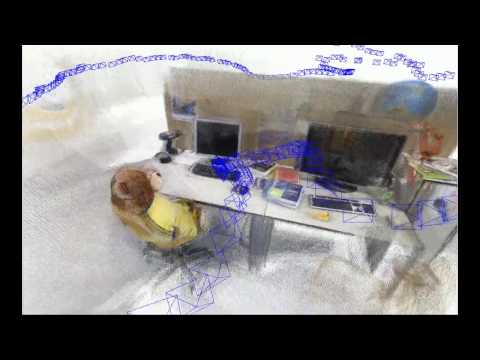
ORB-SLAM2 is a real-time SLAM library for Monocular, Stereo and RGB-D cameras that computes the camera trajectory and a sparse 3D reconstruction (in the stereo and RGB-D case with true scale). It is able to detect loops and relocalize the camera in real time. We provide examples to run the SLAM system in the KITTI dataset as stereo or monocular, in the TUM dataset as RGB-D or monocular, and in the EuRoC dataset as stereo or monocular. We also provide a ROS node to process live monocular, stereo or RGB-D streams. The library can be compiled without ROS. ORB-SLAM2 provides a GUI to change between a SLAM Mode and Localization Mode, see section 9 of this document.
Related Publications:
[Monocular] Raúl Mur-Artal, J. M. M. Montiel and Juan D. Tardós. ORB-SLAM: A Versatile and Accurate Monocular SLAM System. IEEE Transactions on Robotics, vol. 31, no. 5, pp. 1147-1163, 2015. (2015 IEEE Transactions on Robotics Best Paper Award). PDF.
[Stereo and RGB-D] Raúl Mur-Artal and Juan D. Tardós. ORB-SLAM2: an Open-Source SLAM System for Monocular, Stereo and RGB-D Cameras. ArXiv preprint arXiv:1610.06475 PDF.
[DBoW2 Place Recognizer] Dorian Gálvez-López and Juan D. Tardós. Bags of Binary Words for Fast Place Recognition in Image Sequences. IEEE Transactions on Robotics, vol. 28, no. 5, pp. 1188-1197, 2012. PDF
1. License
ORB-SLAM2 is released under a GPLv3 license. For a list of all code/library dependencies (and associated licenses), please see Dependencies.md. VIEO_SLAM is under review and when the paper is published, we may also apply for GPLv3 release or just use the one from ORB-SLAM2
For a closed-source version of ORB-SLAM2 for commercial purposes, please contact the authors: orbslam (at) unizar (dot) es.
For a closed-source version of VIEO_SLAM for commercial purposes, please contact the authors: zhuzhanghao9331@yahoo.co.jp
If you use ORB-SLAM2 (Monocular) in an academic work, please cite:
@article{murTRO2015,
  title={{ORB-SLAM}: a Versatile and Accurate Monocular {SLAM} System},
  author={Mur-Artal, Ra\'ul, Montiel, J. M. M. and Tard\'os, Juan D.},
  journal={IEEE Transactions on Robotics},
  volume={31},
  number={5},
  pages={1147--1163},
  doi = {10.1109/TRO.2015.2463671},
  year={2015}
 }
if you use ORB-SLAM2 (Stereo or RGB-D) in an academic work, please cite:
@article{murORB2,
  title={{ORB-SLAM2}: an Open-Source {SLAM} System for Monocular, Stereo and {RGB-D} Cameras},
  author={Mur-Artal, Ra\'ul and Tard\'os, Juan D.},
  journal={arXiv preprint arXiv:1610.06475},
  year={2016}
 }
If you use VIEOS2 (Stereo or RGB-D) in an academic work, please cite:
@article{zhu2021visual,
  title={Visual-Inertial RGB-D SLAM with Encoders for a Differential Wheeled Robot},
  author={Zhu, Zhanghao and Kaizu, Yutaka and Furuhashi, Kenichi and Imou, Kenji},
  journal={IEEE Sensors Journal},
  year={2021},
  publisher={IEEE}
 }
2. Prerequisites
We have tested the library in Ubuntu 20.04, but it should be easy to compile in other platforms. A powerful computer (e.g. i7) will ensure real-time performance and provide more stable and accurate results.
C++11 or C++0x Compiler
We use the new thread and chrono functionalities of C++11.
Pangolin+Sophus
We use Pangolin for visualization and user interface. Dowload and install instructions can be found at: https://github.com/stevenlovegrove/Pangolin. Tested with commit id 86eb4975fc4f.
We use Sophus for more compact translation and rotation operation. Tested with commit id 780cd0fce405(old code with Eigen 3.3.7).
OpenCV
We use OpenCV to manipulate images and features. Dowload and install instructions can be found at: http://opencv.org. Required at leat 2.4.3. Tested with OpenCV 4.5/3.2.0.
Eigen3
Required by g2o (see below). Download and install instructions can be found at: http://eigen.tuxfamily.org. Required at least 3.1.0. Tested with Eigen 3.3.7/3.2.10.
DBoW2 (Included in loop folder)
We use modified versions of the DBoW2 library to perform place recognition
g2o (Included in optimizer folder)
We use modified versions of the g2o library to perform non-linear optimizations.
But we can choose newest g2o by set(USE_G2O_NEWEST 1) in CMakeLists.txt
cholmod
ubuntu: sudo apt-get install libsuitesparse-dev
PCL (optional)
We use pcl for RGBD mode. Tested with 1.10.0/1.9.0.
ROS (optional)
We provide some examples to process the live input of a monocular, stereo or RGB-D camera using ROS. Building these examples is optional. In case you want to use ROS, a version Hydro or newer is needed. Tested with Neotic.
3. Building VIEO_SLAM library and examples
Clone the repository:
git clone https://github.com/leavesnight/VIEO_SLAM.git VIEO_SLAM
We provide a script build.sh to build the submodule libraries and VIEO_SLAM. Please make sure you have installed all required dependencies (see section 2). Execute:
cd VIEO_SLAM
chmod +x build.sh
./build.sh
This will create libVIEO_SLAM.so at lib folder and the executables mono_tum, mono_kitti, rgbd_tum, stereo_kitti, mono_euroc and stereo_euroc in Examples folder.
4. Monocular Examples
TUM Dataset
-
Download a sequence from http://vision.in.tum.de/data/datasets/rgbd-dataset/download and uncompress it.
-
Execute the following command. Change
TUMX.yamlto TUM1.yaml,TUM2.yaml or TUM3.yaml for freiburg1, freiburg2 and freiburg3 sequences respectively. ChangePATH_TO_SEQUENCE_FOLDERto the uncompressed sequence folder.
./Examples/Monocular/mono_tum Vocabulary/ORBvoc.bin Examples/Monocular/TUMX.yaml PATH_TO_SEQUENCE_FOLDER
KITTI Dataset
-
Download the dataset (grayscale images) from http://www.cvlibs.net/datasets/kitti/eval_odometry.php
-
Execute the following command. Change
KITTIX.yamlby KITTI00-02.yaml, KITTI03.yaml or KITTI04-12.yaml for sequence 0 to 2, 3, and 4 to 12 respectively. ChangePATH_TO_DATASET_FOLDERto the uncompressed dataset folder. ChangeSEQUENCE_NUMBERto 00, 01, 02,.., 11.
./Examples/Monocular/mono_kitti Vocabulary/ORBvoc.bin Examples/Monocular/KITTIX.yaml PATH_TO_DATASET_FOLDER/dataset/sequences/SEQUENCE_NUMBER
EuRoC Dataset
-
Download a sequence (ASL format) from http://projects.asl.ethz.ch/datasets/doku.php?id=kmavvisualinertialdatasets
-
Execute the following first command for V1 and V2 sequences, or the second command for MH sequences. Change PATH_TO_SEQUENCE_FOLDER and SEQUENCE according to the sequence you want to run.
./Examples/Monocular/mono_euroc Vocabulary/ORBvoc.bin Examples/Monocular/EuRoC.yaml PATH_TO_SEQUENCE_FOLDER/mav0/cam0/data Examples/Monocular/EuRoC_TimeStamps/SEQUENCE.txt
./Examples/Monocular/mono_euroc Vocabulary/ORBvoc.bin Examples/Monocular/EuRoC.yaml PATH_TO_SEQUENCE/cam0/data Examples/Monocular/EuRoC_TimeStamps/SEQUENCE.txt
5. Stereo Examples
KITTI Dataset
-
Download the dataset (grayscale images) from http://www.cvlibs.net/datasets/kitti/eval_odometry.php
-
Execute the following command. Change
KITTIX.yamlto KITTI00-02.yaml, KITTI03.yaml or KITTI04-12.yaml for sequence 0 to 2, 3, and 4 to 12 respectively. ChangePATH_TO_DATASET_FOLDERto the uncompressed dataset folder. ChangeSEQUENCE_NUMBERto 00, 01, 02,.., 11.
./Examples/Stereo/stereo_kitti Vocabulary/ORBvoc.bin Examples/Stereo/KITTIX.yaml PATH_TO_DATASET_FOLDER/dataset/sequences/SEQUENCE_NUMBER
EuRoC Dataset
-
Download a sequence (ASL format) from http://projects.asl.ethz.ch/datasets/doku.php?id=kmavvisualinertialdatasets
-
Execute the following first command for V1 and V2 sequences, or the second command for MH sequences. Change PATH_TO_SEQUENCE_FOLDER and SEQUENCE according to the sequence you want to run.
./Examples/Stereo/stereo_euroc Vocabulary/ORBvoc.bin Examples/Stereo/EuRoC.yaml PATH_TO_SEQUENCE/mav0/cam0/data PATH_TO_SEQUENCE/mav0/cam1/data Examples/Stereo/EuRoC_TimeStamps/SEQUENCE.txt
./Examples/Stereo/stereo_euroc Vocabulary/ORBvoc.bin Examples/Stereo/EuRoC.yaml PATH_TO_SEQUENCE/cam0/data PATH_TO_SEQUENCE/cam1/data Examples/Stereo/EuRoC_TimeStamps/SEQUENCE.txt
6. RGB-D Example
TUM Dataset
-
Download a sequence from http://vision.in.tum.de/data/datasets/rgbd-dataset/download and uncompress it.
-
Associate RGB images and depth images using the python script associate.py. We already provide associations for some of the sequences in Examples/RGB-D/associations/. You can generate your own associations file executing:
python associate.py PATH_TO_SEQUENCE/rgb.txt PATH_TO_SEQUENCE/depth.txt > associations.txt
- Execute the following command. Change
TUMX.yamlto TUM1.yaml,TUM2.yaml or TUM3.yaml for freiburg1, freiburg2 and freiburg3 sequences respectively. ChangePATH_TO_SEQUENCE_FOLDERto the uncompressed sequence folder. ChangeASSOCIATIONS_FILEto the path to the corresponding associations file.
./Examples/RGB-D/rgbd_tum Vocabulary/ORBvoc.bin Examples/RGB-D/TUMX.yaml PATH_TO_SEQUENCE_FOLDER ASSOCIATIONS_FILE
7. ROS Examples
Building the nodes for Stereo/RGB-D + (IMU)
- Add the path including Examples/ROS/VIEO_SLAM to the ROS_PACKAGE_PATH environment variable. Open .bashrc file and add at the end the following line. Replace PATH by the folder where you cloned VIEO_SLAM:
export ROS_PACKAGE_PATH=${ROS_PACKAGE_PATH}:PATH/VIEO_SLAM/Examples/ROS
- Execute
build_ros.shscript:
chmod +x build_ros.sh
./build_ros.sh
Running Stereo_Inertial Node
For a stereo/RGB-D input from topic config Camera.topic and Camera.topic2 + IMU data input from IMU.topic(refering to a non-existent topic can run VO),
run node VIEO_SLAM/Stereo_Inertial.
You will need to provide the vocabulary file and a settings file.
PS: If you provide rectification matrices (see Examples/Stereo/EuRoC.yaml example), the node will recitify the images online, otherwise images may be pre-rectified.
rosrun VIEO_SLAM Stereo_Inertial PATH_TO_VOCABULARY PATH_TO_SETTINGS_FILE IF_ONLINE_CLACHE SPARSE_MAP_NAME
Example: Download a rosbag (e.g. V1_01_easy.bag) from the EuRoC dataset (http://projects.asl.ethz.ch/datasets/doku.php?id=kmavvisualinertialdatasets). Open 3 tabs on the terminal and run the following command at each tab:
roscore
rosrun VIEO_SLAM Stereo_Inertial Vocabulary/ORBvoc.bin Examples/Stereo/EuRoC.yaml false
rosbag play --pause V1_01_easy.bag /cam0/image_raw:=/camera/left/image_raw /cam1/image_raw:=/camera/right/image_raw
Once VIEO_SLAM has loaded the vocabulary and Sensor topic has data, system will run. Enjoy it!.
Note: a powerful computer is required to run the most exigent sequences of these datasets.
8. Processing your own sequences
You will need to create a settings file with the calibration of your camera. See the settings file provided for the TUM and KITTI datasets for monocular, stereo and RGB-D cameras. We use the calibration model of OpenCV. See the examples to learn how to create a program that makes use of the VIEO_SLAM library and how to pass images to the SLAM system. Stereo input may be synchronized and rectified. RGB-D input must be synchronized and depth registered.
9. SLAM and Localization Modes
You can change between the SLAM and Localization mode using the GUI of the map viewer.
SLAM Mode
This is the default mode. The system runs in parallal three threads: Tracking, Local Mapping and Loop Closing. The system localizes the camera, builds new map and tries to close loops.
Localization Mode
This mode can be used when you have a good map of your working area. In this mode the Local Mapping and Loop Closing are deactivated. The system localizes the camera in the map (which is no longer updated), using relocalization if needed.