ghmarkdown
November 18, 2017 · View on GitHub
| |PyPi version|
The complete command-line tool for GitHub-flavored markdown. It provides a convenient interface for the API provided by GitHub.
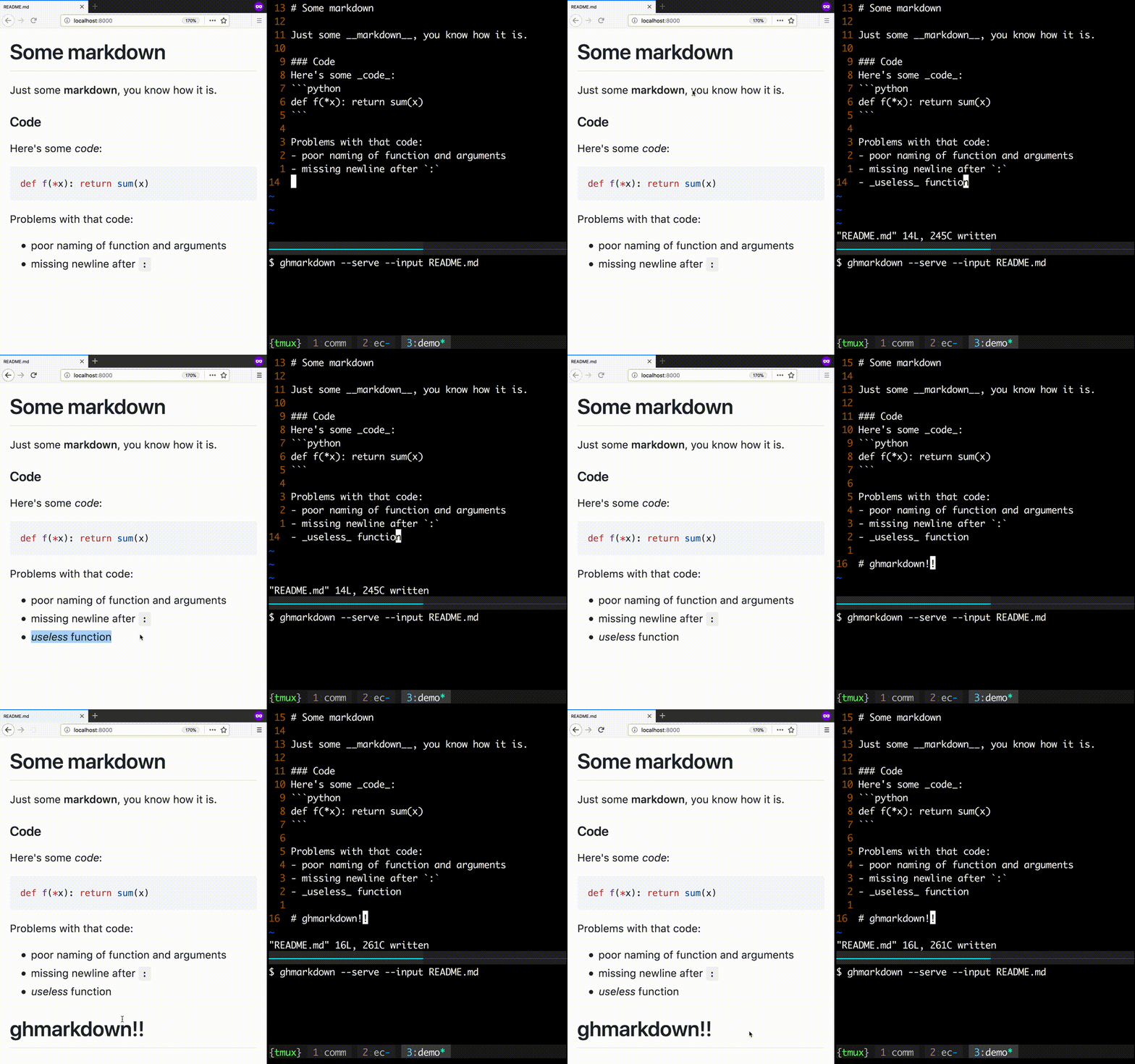
ghmarkdown's --serve feature let's you locally view your markdown
live, so you can view your changes as you work!
|usage gif|
Features
- Host your markdown locally to easily view your changes upon refresh.
- Easy to
install <#installation>__ - Easy to
use <#usage>__ - Works on Mac, Linux, and Windows
Installation
.. code:: bash
pip install ghmarkdown
Usage
Run your markdown on a local server:
.. code:: bash
# these do the same thing
$ ghmarkdown -si my_file.md
$ ghmarkdown --serve --input my_file.md
$ cat my_file.md | ghmarkdown --serve # doesn't update changes
Parse your markdown to HTML locally:
.. code:: bash
# these do the same thing
$ ghmarkdown -i my_file.md -o my_page.html
$ ghmarkdown --input my_file.md --output my_page.html
$ cat my_file.md | ghmarkdown > my_page.html
See all features and parameters:
::
$ ghmarkdown --help
usage:
  ghmarkdown [--help | --version] [--login] [--bare] [--verbose] [--input MD]
             [--output HTML | --serve [--port PORT]]

The complete command-line tool for GitHub-flavored markdown

optional arguments:
  -h, --help            show this help message and exit
  --version
  --input MD, -i MD     input markdown file (otherwise STDIN)
  --output HTML, -o HTML
                        output html file (otherwise STDOUT)
  --login, -l           allows for more requests
  --bare, -b            disable standalone html (gives fragment)
  --verbose, -v         displays server output and rate information
  --serve, -s           locally serve parsed markdown
  --port PORT, -p PORT
GitHub limits usage of its api, so if you want more than 60 req/hr use
--login (you'll get 5000 req/hr)
.. |PyPi version| image:: https://img.shields.io/pypi/v/ghmarkdown.svg :target: https://pypi.python.org/pypi/ghmarkdown/ .. |Python version| image:: https://img.shields.io/badge/Python-3-brightgreen.svg?style=flat .. |usage gif| image:: https://raw.githubusercontent.com/lucasem/ghmarkdown/master/demo.gif