OOMWOO One
August 10, 2026 · View on GitHub
OOMWOO One
Open-source robot vacuum you build yourself.
ROS 2 Jazzy · Gazebo · URDF · Nav2 · SLAM · 2D LiDAR · robot description



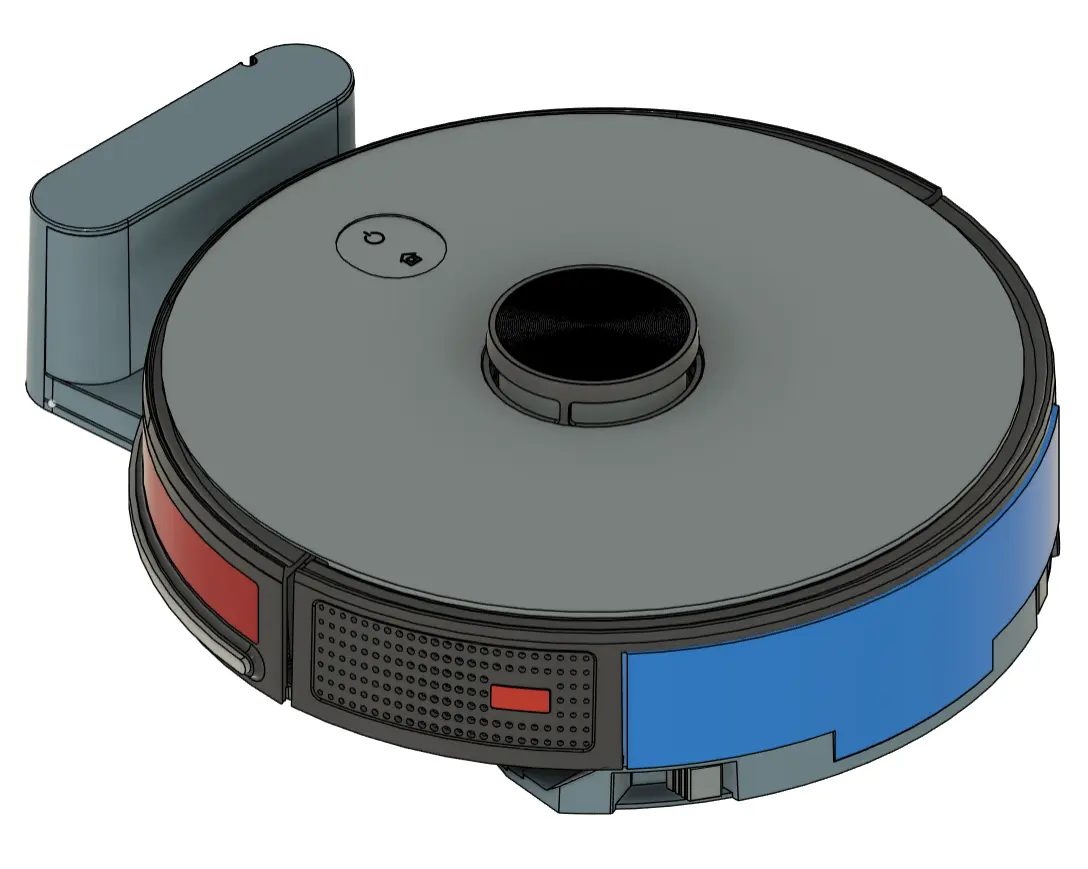
ROS 2 robot description, Gazebo simulation for oomwoo-one, the first OOMWOO open-source robot vacuum model. TODO download 3D printing STEP/3MF and CAD design.
Tutorials:
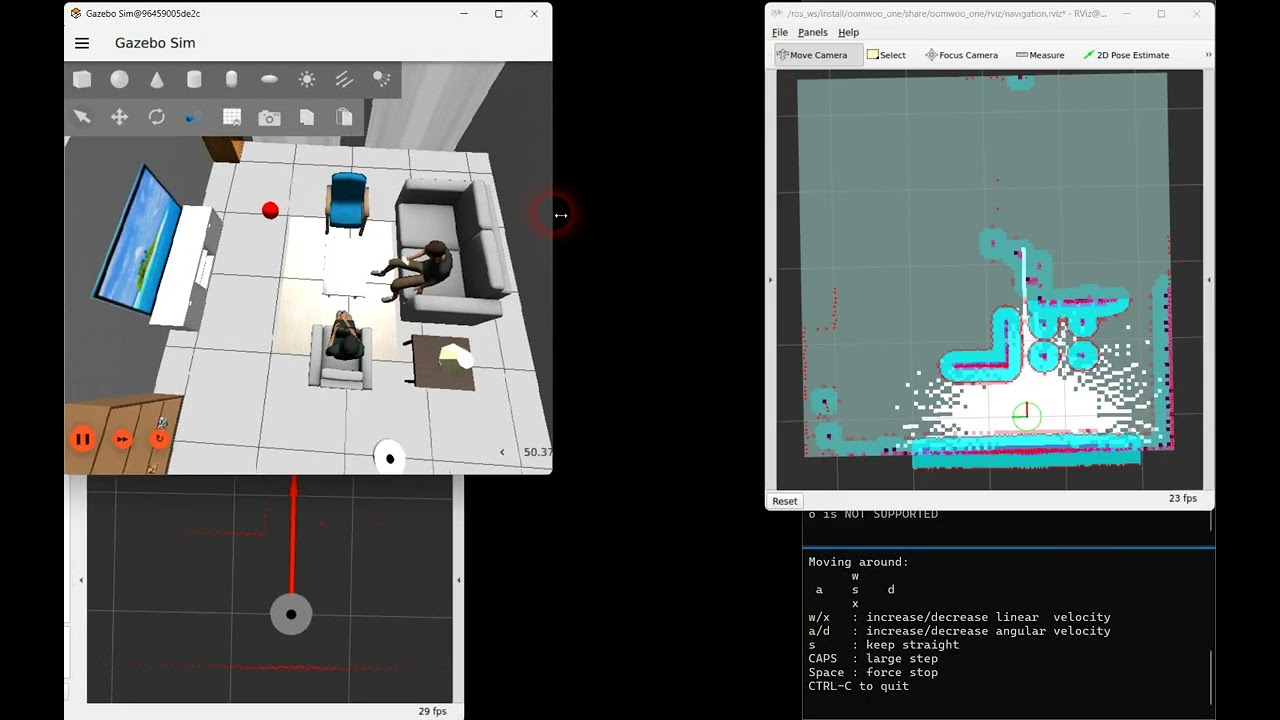
Video: OOMWOO One Step-by-step Gazebo/ROS2 simulation tutorial
Package contents
urdf/— xacro description of the ~349 mm round vacuum (body + LiDAR turret, diff-drive wheels, caster). Frames follow the Kaia.ai convention:base_footprint → base_link → base_scan.config/ekf.yaml—robot_localizationEKF that fuses/odom+/imuand publishes theodom → base_footprinttransform (the bridge publishes the/odomtopic but not this TF, which cartographer requires).config/cartographer_lds_2d.lua,config/navigation.yaml, … — SLAM / Nav2 tuning.config/gz_bridge.yaml,urdf/plugins.xacro— Gazebo simulation: diff-drive, odometry (ground-truth + wheel), 2D LiDAR, side distance sensors, a front multizone ToF, front stereo cameras, and front bumper contact sensors. See Simulation: sensors, topics & tuning below, and docs/sim-bumpers.md for how the simulated bumpers are wired and the three gz-sim gotchas that make them easy to break.launch/bringup.launch.py— physical bring-up: bridge +robot_state_publisher+ EKF.
Usage
Select the robot model (used by the shared Kaia.ai launch files):
kaia config robot.model oomwoo_one
Simulation (no robot needed)
ros2 launch oomwoo_gazebo world.launch.py
ros2 launch oomwoo_bringup navigation.launch.py use_sim_time:=true slam:=True
ros2 run kaiaai_teleop teleop_keyboard
Physical robot
The robot must be on the LAN running SangamIO (see the Proscenic root & setup tutorial for flashing/Wi-Fi).
ros2 launch oomwoo_one bringup.launch.py robot_ip:=<robot-ip>
ros2 launch oomwoo_bringup navigation.launch.py slam:=True
ros2 run kaiaai_teleop teleop_keyboard
ros2 run nav2_map_server map_saver_cli -f ~/maps/map
You can store the robot IP once instead of passing robot_ip:= every time:
kaia config robot.ip <robot-ip>
ros2 launch oomwoo_one bringup.launch.py
(Precedence: an explicit robot_ip:= wins, otherwise kaia config robot.ip, otherwise 192.168.1.143.)
Simulation: sensors, topics & tuning
Everything below is for the Gazebo sim (ros2 launch oomwoo_gazebo world.launch.py). The
gz sensors are defined in urdf/plugins.xacro and bridged to ROS 2 by
config/gz_bridge.yaml; all sizes/optics are tunable params in urdf/params.xacro.
Sensors
| Sensor | ROS topic(s) | Type | Details | Frame |
|---|---|---|---|---|
| 2D LiDAR (turret) | /scan | sensor_msgs/LaserScan | 360 samples, 5 Hz, 0.1–10 m | base_scan |
| Side distance L / R | /range_left, /range_right | sensor_msgs/LaserScan | short-range wall sensors aimed straight out (±90°), ~0.02–0.5 m; a real ToF (sensor_msgs/Range) on hardware | range_left_link, range_right_link |
| Front multizone ToF | /tof_front/points | sensor_msgs/PointCloud2 | 16×8 depth grid, 120°H × 60°V, 0.02–4 m — models two VL53L7CX (each 8×8, 60°) at ±30° | tof_front_link |
| Front stereo cameras L / R | /camera_left/image, /camera_right/image (+ …/camera_info) | sensor_msgs/Image, `CameraInfo$ | \text{RGB}, \text{VGA} 640 \times 480, 120° \text{HFoV}, ~50 \text{mm} \text{base} (\text{OV5647}-\text{equivalent}) | $camera_{left,right}_optical_frame` |
| Front bumpers L / R | /bumper_left/contact, /bumper_right/contact | ros_gz_interfaces/Contacts | front 180° contact arc; non-empty contacts = pressed | base_link |
| IMU (gyro + accel) | /imu | sensor_msgs/Imu | 6-axis, 100 Hz, near body center; angular velocity + linear acceleration + orientation (ground-truth attitude; the hardware IMU has none). EKF IMU fusion is off for now | imu_link |
Rendered sensors (LiDAR, side ranges, ToF, cameras) need the sim's GPU render path. On a headless/no-GPU setup they advertise but read empty (
inf/black) — run with a working GL stack (orheadless:=trueuses software GL, which is slow and may not render depth).
Odometry, TF & actuation
| Topic | Type | Notes |
|---|---|---|
/odom | nav_msgs/Odometry | canonical odometry; odom_source picks the stream (below) |
/odom_truth, /odom_wheel | nav_msgs/Odometry | the other stream, always published for wheel-slip comparison |
/tf, /tf_static | tf2_msgs/TFMessage | odom → base_footprint (from the selected odom source) + the fixed sensor frames |
/joint_states | sensor_msgs/JointState | wheel joints |
/clock | rosgraph_msgs/Clock | sim time (use use_sim_time:=true) |
/cmd_vel | geometry_msgs/Twist | input — velocity command to the diff-drive |
Odometry source switch — world.launch.py odom_source:=truth|wheel selects which odom
owns /odom + /tf; both streams always publish so you can diff them to measure slip:
odom_source | /odom + /tf | wheel odom on | ground-truth odom on |
|---|---|---|---|
truth (default) | ground-truth model pose (slip-free) | /odom_wheel | /odom |
wheel | wheel-encoder odom (slip drifts) | /odom | /odom_truth |
Viewing the sensors
ros2 topic list                              # everything available
ros2 topic hz /scan                          # confirm a sensor is publishing
ros2 topic echo /bumper_left/contact         # bumpers (non-empty contacts = pressed)
ros2 topic echo /range_right                 # side distance
ros2 run rqt_image_view rqt_image_view       # pick /camera_left/image or /camera_right/image
ros2 run tf2_tools view_frames               # dump the TF tree to frames.pdf
# RViz with the shipped config (LiDAR, ToF PointCloud2, cameras, TF):
ros2 launch oomwoo_bringup monitor_robot.launch.py use_sim_time:=true
#   or: rviz2 -d "$(ros2 pkg prefix oomwoo_one)/share/oomwoo_one/rviz/gazebo.rviz"
In RViz, add a LaserScan on /scan (and /range_*), a PointCloud2 on
/tof_front/points, Image displays on /camera_*/image, and set the fixed frame to
odom (or map once localized).
URDF parameters (urdf/params.xacro)
All dimensions, sensor placements and optics are xacro properties — edit and re-launch. Grouped as:
| Group | Example params |
|---|---|
| Body & drivetrain | base_diameter, wheel_diameter, wheel_base, lower_cylinder_height, caster_* |
| Front bumper | bumper_facets_per_side, bumper_thickness, bumper_height, bumper_z |
| Side distance sensors | range_sensor_{min,max,angle_deg,samples,fov_deg,update_rate,z} |
| Front ToF | tof_front_{h_samples,v_samples,hfov_deg,vfov_deg,min,max,update_rate} |
| Stereo cameras | camera_{width,height,hfov_deg,baseline,near,far,update_rate} |
| IMU | imu_{x,y,z,update_rate,gyro_noise,accel_noise} |
Related files: urdf/robot.urdf.xacro (links/joints), urdf/plugins.xacro (gz plugins +
sensors), urdf/inertial.xacro (mass/inertia macros), urdf/materials.xacro (colors).
world.launch.py arguments (package oomwoo_gazebo)
ros2 launch oomwoo_gazebo world.launch.py <arg>:=<value> …
| Argument | Default | Values | Meaning |
|---|---|---|---|
robot_model | (empty → kaia config robot.model) | package name | robot description package to spawn |
world | living_room.world | file in oomwoo_gazebo/worlds | Gazebo world |
x_pose, y_pose | -2.0, -0.5 | meters | spawn position |
use_sim_time | true | true/false | use the sim /clock |
headless | false | true/false | server-only, offscreen, software GL (no GUI) |
odom_source | truth | truth/wheel | which odometry owns /odom + /tf (see above) |
Frame tree
map → odom → base_footprint → base_link → base_scan            (2D LiDAR)
                                        → wheel_left_link / wheel_right_link / caster_link
                                        → range_left_link / range_right_link
                                        → tof_front_link
                                        → camera_{left,right}_link → camera_{left,right}_optical_frame
map → odom comes from AMCL (localization); odom → base_footprint from the selected odom
source; the rest are fixed frames from robot_state_publisher.
Notes
- URDF dimensions are approximate (~349 mm diameter, ~95 mm height, 0.233 m wheel base to match the bridge's odometry). Refine against measurements of your robot.
- Vacuum-specific actuators (vacuum/brushes/water pump, LEDs) are exposed by the bridge via
/set_actuator,/set_led,/set_lidarand the/actuator_cmd,/led_cmdtopics.
License
Apache 2.0