README_EN.md
February 6, 2026 · View on GitHub
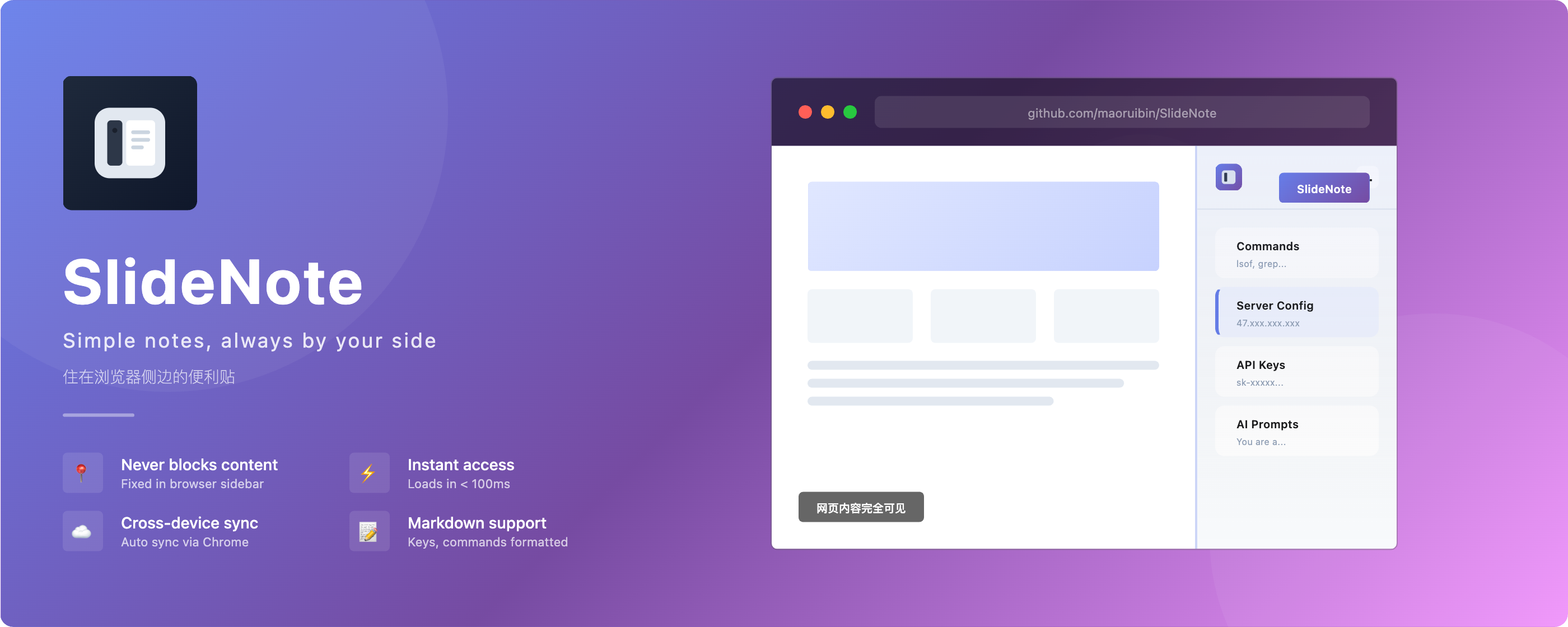
SlideNote
Slide notes, always by your side
侧边笔记,常伴左右
中文
A sticky note in your browser sidebar — quick capture for fragments, never blocks content



✨ Features
- 📌 Sidebar Panel, Never Blocks Content — Lives in your browser sidebar, always accessible without covering your page
- 🔖 Web Clipper — Right-click to save selected text from any webpage, aggregated by date
- ⚡️ Instant Access — Opens in < 100ms, no app switching needed
- 🔄 Auto-Sync Across Devices — Uses Chrome Storage API, your fragments follow you everywhere
- 🔍 Instant Search — Real-time filter across all notes
- 📝 Markdown Support — Basic formatting for keys, commands, and code
- 📌 Pin Notes — Keep important notes at the top
- 💾 Auto-Save — Saves automatically 1 second after you stop typing
- ⚡️ Ultra Lightweight — No framework dependencies, only 57KB
🎯 Use Cases
| Use Case | Examples |
|---|---|
| Developers | API keys, server addresses,常用 commands, database credentials |
| Multi-device Workers | Company Mac + Home Mac + Laptop — access the same fragments everywhere |
| Content Creators | Account credentials, content templates, prompts for AI tools |
| Daily Fragments | IP addresses, meeting notes, to-do lists, quick reminders |
It's not a note-taking app. Think of it as a cloud clipboard for the small pieces of information you need to access quickly while browsing.
📦 Installation
Option 1: Chrome Web Store (Recommended)

Click here to install from Chrome Web Store
Option 2: Microsoft Edge Users
SlideNote is fully compatible with Microsoft Edge (Edge 114+), but not yet published on Edge Add-ons store.
Edge users please install manually:
- Download the latest release from GitHub Releases and unzip
- Open Edge browser
- Go to
edge://extensions/ - Enable "Developer mode" in the bottom left
- Click "Load unpacked"
- Select the unzipped folder
Option 3: Download Local Package
Download the latest release from GitHub Releases and install manually:
- Download and unzip the package
- Open Chrome browser
- Go to
chrome://extensions/ - Enable "Developer mode" in the top right
- Click "Load unpacked"
- Select the unzipped folder
Option 4: Build from Source
# Clone the repository
git clone https://github.com/maoruibin/SlideNote.git
cd SlideNote

# Install dependencies
npm install

# Build for production
npm run build:prod
- Open Chrome browser
- Go to
chrome://extensions/ - Enable "Developer mode" in the top right
- Click "Load unpacked"
- Select the
distfolder in the project directory
🚀 Usage
- Click the SlideNote icon in your Chrome toolbar
- The sidebar panel opens, ready to use
- Click "New Note" to create your first note
- Click a note to start editing
- Right-click a note to reorder or delete
- Auto-saves 1 second after you stop typing
❓ FAQ
Where are notes stored? Is it secure?
SlideNote uses Chrome Storage API to store data:
- ✅ No third-party servers; data syncs directly between your local and Google
- ✅ Open source, code is transparent
- ✅ No personal information collected
Is there a sync limit?
Chrome Storage Sync API has these limits:
- Total capacity ~100KB (about 50,000 Chinese characters)
- Suitable for: API Keys, commands, prompts, and similar fragmented information
SlideNote is a "sticky note", not a "notebook". For storing large amounts of content, consider using dedicated note apps like Notion or Obsidian.
🛠️ Tech Stack
Vanilla JS (ES6+)  →  No framework overhead
Vite               →  Fast build
Chrome Storage     →  Free cloud sync
CSS Variables      →  Design system
Why no framework?
| Reason | Description |
|---|---|
| Performance | Load time < 100ms, no 100KB+ framework bloat |
| Simplicity | A fragment keeper doesn't need complex state management |
| Stability | No framework upgrade risks — code that works today still works years from now |
📁 Project Structure
slidenote/
├── src/sidepanel/
│   ├── core/           # Data layer (Store, EventBus, SyncManager)
│   ├── components/     # UI components
│   └── utils/          # Utility functions
├── docs/               # Documentation
└── public/icons/       # Icon resources
🎨 Design Philosophy
Restrained colors   →  Single-tone, non-distracting
Clear hierarchy     →  List vs content, at a glance
Comfortable spacing →  Room to breathe
Consistent rounded  →  Gentle, not sharp
🗺️ Roadmap
v0.0.3 (Current)
- Sidebar panel, never blocks content
- Instant search & filter
- Auto-save & cross-device sync
- Basic Markdown support (preview mode)
- Copy as rich text or Markdown source
v0.0.4 (Planned)
- Data export (JSON/Markdown)
- Keyboard shortcuts
- Dark mode
📮 Follow the Author
Scan to follow my WeChat Official Account for development updates

💖 Support
If this project helps you, buy me a coffee ☕️

|

|
🌟 More Works
Check out my other projects: doc.gudong.site
📄 License
👨💻 Author
Gudong | Blog: https://blog.gudong.site/
Slide notes, always by your side 侧边笔记,常伴左右
If you find this project helpful, please give it a ⭐ Star!