Sketch Exporter
August 25, 2016 · View on GitHub
OS X Automator workflow for exporting assets from .sketch files (req. SketchTool).
Installation
- Install Sketch (SketchTool comes bundled with Sketch and Sketch Beta)
- Unzip and put Sketch Exporter.workflow into ~/Library/Services
Usage
-
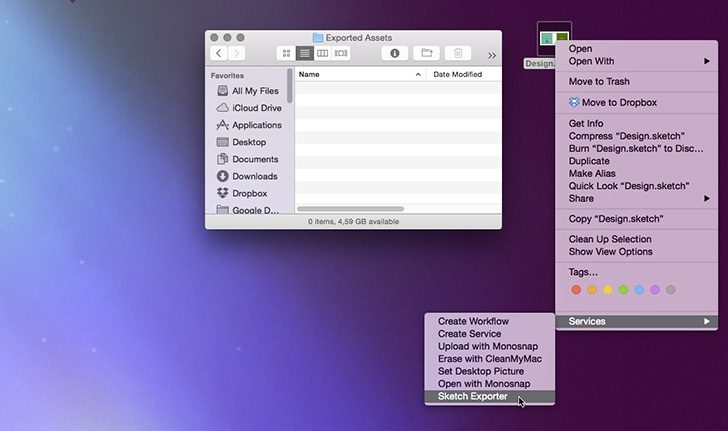
Right click on .sketch file.
-
Select "Sketch Exporter" from "Services" menu.
-
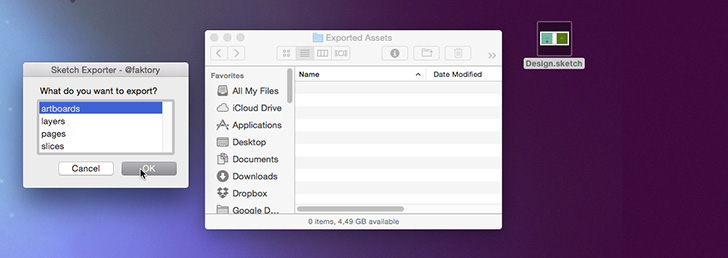
Choose what do you want to export.
-
Choose output folder for files.
-
That's all!

You can quickly export Artboards, Pages, Layers (marked as exportable) and Slices.

Author
Mariusz Ostrowski E-Mail: mariusz.ostrowski@gmail.com Twitter: @faktory