Unship
June 7, 2026 · View on GitHub
Unship
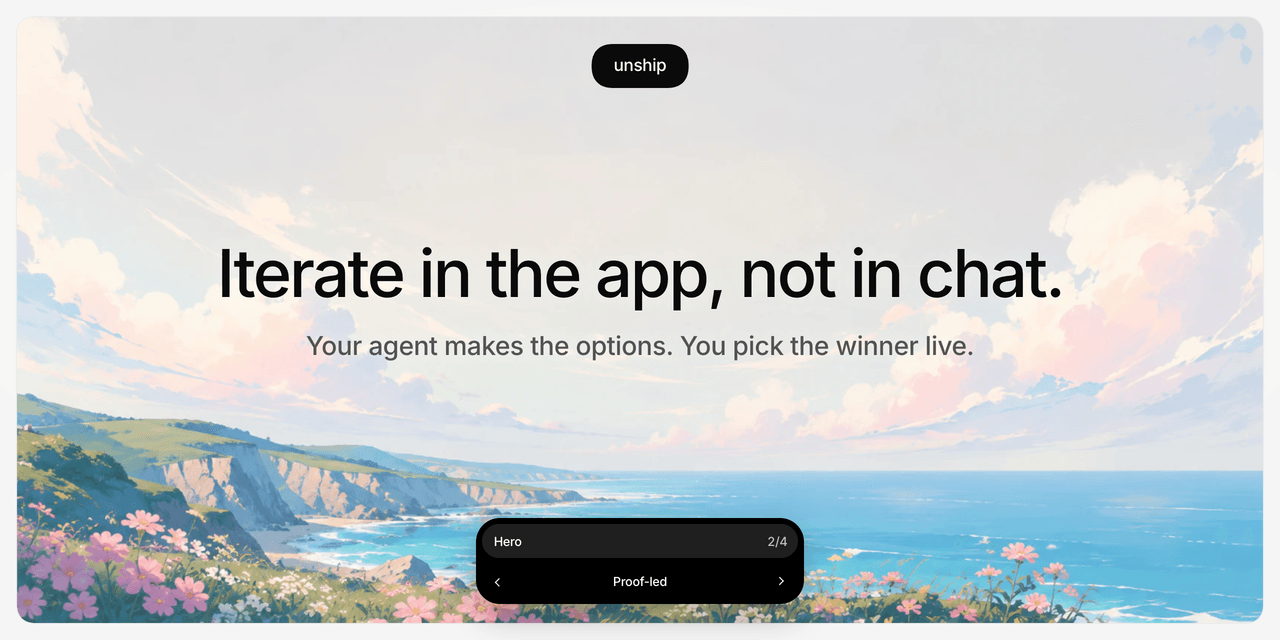
Iterate with your agent in the app, not in chat.
Unship gives your coding agent a tiny local picker for comparing alternatives in your real app. The agent adds temporary options in source, you switch between them in the browser, and after you choose a winner the agent removes the rest.
Early beta. Unship is local comparison tooling, not production experiment infrastructure.
Unship does not send telemetry. No remote service. No account or remote session store. Picker selection does not save source, write files, or make product decisions. The toolbar remembers its dragged position locally across refreshes; variant selection stays memory-only unless local persistence is explicitly enabled. You choose by naming a visible option label in chat.
Install
npx @unship/cli@latest install
Want your agent to handle setup safely? Copy this:
Set up Unship for this repo. Run `npx @unship/cli@latest install --dry-run`, explain what it detected and which files it would write, then ask me before running the install. If I approve, run `npx @unship/cli@latest install --yes`.
Restart your agent, then ask naturally:
use unship to compare 4 hero directions
use unship to explore loading, empty, and error states for import
use unship to compare 3 pricing page CTA treatments
Where supported, /unship works too:
/unship compare 3 hero directions
For unsupported agents:
npx @unship/cli@latest install --print-skill
Put the printed SKILL.md wherever your agent loads skills.
Claude Code users can load the skill through the plugin system instead:
/plugin marketplace add mbenhard/unship
/plugin install unship@unship-marketplace
The cross-agent skills CLI works too:
npx skills add mbenhard/unship
How It Works
- Ask your agent for alternatives.
- The agent adds temporary
data-unship-*options in source. - You compare them in your local preview with the picker.
- You tell the agent which visible label to keep.
- The agent removes losing options and runs
unship checkbefore shipping.
<section data-unship-pick="Hero">
  <div data-unship-option="Current">
    ...
  </div>

  <div data-unship-option="Proof-led" hidden>
    ...
  </div>

  <div data-unship-option="Direct" hidden>
    ...
  </div>
</section>
The picker switches direct child options. It does not reload the app, swap source, save state, or add a production dependency by default.
Good For
- UI section variants
- copy and CTA directions
- loading, empty, error, and success states
- small flow previews
- design-system treatment comparisons
- rendered docs or CLI output previews
Unship works best when the options can live safely in one local rendered surface.
Not For
- production experiments
- analytics-backed A/B tests
- persistent user sessions
- backend side effects
- auth or payment flows
- global scripts, duplicate active IDs, focus traps, or destructive controls
If a comparison is too risky to inline, ask the agent to make a smaller preview surface.
Commands
Most users only need install, then natural-language prompts.
npx @unship/cli@latest install
npx @unship/cli@latest doctor --json
npx @unship/cli@latest setup --json
npx @unship/cli@latest check --json
setup returns a dev-only picker snippet for a local app shell. check verifies that temporary Unship artifacts are gone before release.
The npm package is @unship/cli. The binary is unship, so local installs can run:
./node_modules/.bin/unship check --json
If your team wants repo-local agent instructions:
npx @unship/cli@latest init
Targets: codex, antigravity, claude, opencode, or all.
Troubleshooting
If /unship does not appear, restart your agent. Most agents load skills and slash commands at startup.
Then check setup:
npx @unship/cli@latest doctor --json
If installed files are stale:
npx @unship/cli@latest install --repair
Natural language still works even when the slash command is unavailable:
use unship to compare 3 directions for the hero section
Feedback
Trying Unship in a real project? Feedback is welcome, especially if the agent got confused. Open an issue for agent trouble, a picker bug, docs confusion, or a focused feature idea.
Development
npm ci
npm run verify
License
MIT