Using BeautifulSoup (Python) mixed with Express (NodeJS) with MetaCall
January 14, 2022 · View on GitHub
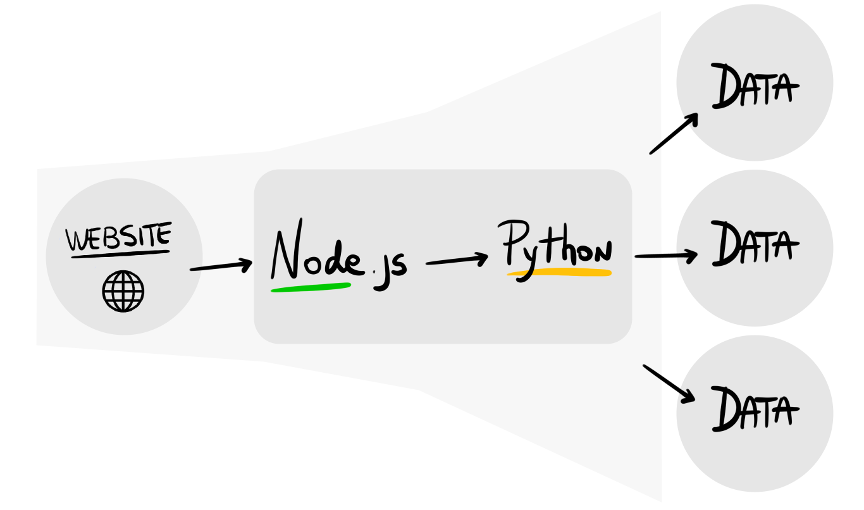
In this example we show how to use BeautifulSoup (Python) from an Express server (NodeJS) in order to build a Polyglot Scrapping API. Link to the article: https://medium.com/@metacall/this-scraping-serverless-polyglot-is-metacall-c13223ae1cb5 .
Install
Clone the repository:
git clone https://github.com/metacall/beautifulsoup-express-example
Install MetaCall CLI:
curl -sL https://raw.githubusercontent.com/metacall/install/master/install.sh | sh
Navigate to the directory:
cd beautifulsoup-express-example
Install application dependencies:
metacall pip3 install beautifulsoup4==4.8.2 certifi==2019.11.28
metacall npm install metacall express
Run the Application
metacall index.js
For testing it, in another terminal, let's scrape all URLs from NPM:
curl localhost:3000/?url=https://www.npmjs.com/
It should output something like:
["https://docs.npmjs.com","https://npm.community","https://go.npmjs.com/npm-pkgsafe","https://docs.npmjs.com","https://npm.community","https://www.npmjs.com/advisories","http://status.npmjs.org/","https://blog.npmjs.org/"]
Docker
An alternative version with Docker and automated testing is provided.
docker build -t metacall/beautifulsoup-express-example .
docker run --rm -p 3000:3000 -it metacall/beautifulsoup-express-example
MetaCall FaaS

After deploying the application into the FaaS https://dashboard.metacall.io, it can be accessed with (change <your_alias> by the alias you used to sign up):
curl -X POST https://api.metacall.io/<your_alias>/metacall-beautifulsoup-express-example/v1/call/links -X POST --data '{ "url": "https://www.npmjs.com/" }'