AngularTouchKeyboard
February 24, 2026 · View on GitHub
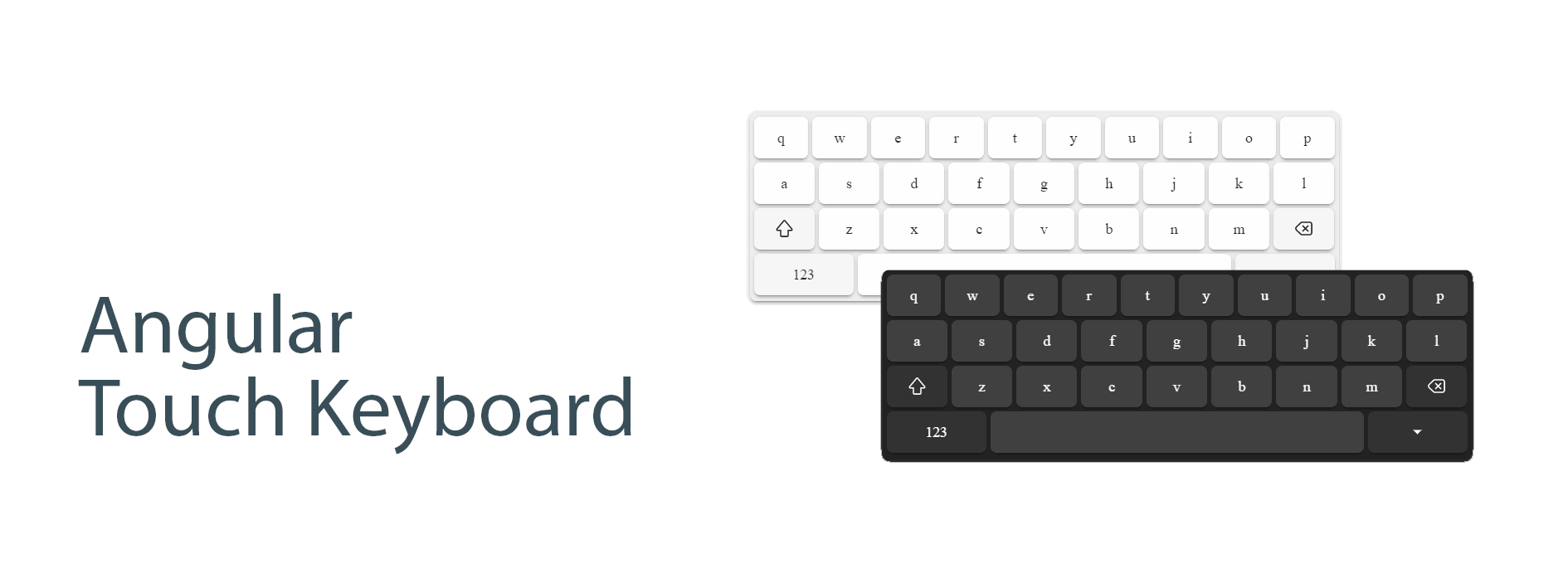
An Angular touch keyboard component that provides a customizable on-screen keyboard for input elements. Fully compatible with Angular, Angular Material, and Ionic Framework.



Features
- 📱 Responsive virtual keyboard
- 🌐 Multiple locale support
- 🎯 Flexible positioning
- 🖥️ Full-screen mode support
- 🎨 Customizable appearance
- Ⓜ️ AngularMaterial support
- ⏺️ Ionic Framework support
- ⌨️ Smart native keyboard handling on mobile devices
Demo
https://mohsen77sk.github.io/angular-touch-keyboard/
Installation
npm install @angular/cdk ngx-touch-keyboard
Compatibility
The version of this library is synchronized with the major version of Angular to ensure compatibility.
| Angular Version | Package Version |
|---|---|
| >= 18.0.0 | 4.x |
| >= 16.0.0 | 3.x |
| >= 14.0.0 | 2.x |
Basic Usage
Import the NgxTouchKeyboardModule in your app.module.ts:
import { NgxTouchKeyboardModule } from 'ngx-touch-keyboard';

@NgModule({
  imports: [
    NgxTouchKeyboardModule
  ],
})
export class AppModule { }
If you want to set the custom locale, provide NGX_TOUCH_KEYBOARD_LOCALE by custom locale
- default locale is
enUS
import { NGX_TOUCH_KEYBOARD_LOCALE, faIR } from 'ngx-touch-keyboard';

@NgModule({
  providers: [
    { provide: NGX_TOUCH_KEYBOARD_LOCALE, useValue: faIR }
  ],
})
export class AppModule { }
Add the directive to your input elements:
Basic usage
<input ngxTouchKeyboard [(ngxTouchKeyboardOpen)]="isOpen">
Open keyboard on input focus
<input ngxTouchKeyboard ngxTouchKeyboardOpenOnFocus>
Basic usage in Ionic
<ion-input ngxTouchKeyboard [(ngxTouchKeyboardOpen)]="isOpen"></ion-input>
API Reference
Directives
NgxTouchKeyboard
@Directive({
  selector: `input[ngxTouchKeyboard],
             textarea[ngxTouchKeyboard],
             ion-input[ngxTouchKeyboard],
             ion-textarea[ngxTouchKeyboard]`,
})
Inputs
| Name | Type | Default | Description |
|---|---|---|---|
ngxTouchKeyboardOpen | boolean | false | Controls the visibility of the keyboard |
ngxTouchKeyboardOpenOnFocus | boolean | false | Open the visibility of the keyboard On focus |
ngxTouchKeyboardLocale | Locale | enUS | Sets the keyboard locale |
ngxTouchKeyboardFullScreen | boolean | false | Enables full-screen mode |
ngxTouchKeyboardDebug | boolean | false | Enables debug mode |
ngxConnectedTouchKeyboardOrigin | NgxTouchKeyboardOrigin | null | Sets a custom origin for the keyboard position |
Methods
openPanel(): Opens the keyboard panelclosePanel(): Closes the keyboard paneltogglePanel(): Toggles the keyboard panel visibility
Advanced Usage
Custom locale
<input ngxTouchKeyboard [ngxTouchKeyboardLocale]="faIR">
Full-Screen Mode
<input ngxTouchKeyboard [ngxTouchKeyboardFullScreen]="true">
Custom Position Origin
<div ngxTouchKeyboardOrigin #origin="ngxTouchKeyboardOrigin">
  <input ngxTouchKeyboard [ngxConnectedTouchKeyboardOrigin]="origin">
</div>
Localization
AngularTouchKeyboard is localized in 8 keyboard-specific locales:
en-USEnglish (United States) (default)en-UKEnglish (United Kingdom)es-ESSpanish (Spain)fa-IRPersian (Iran)he-ILHebrew (Israel)ka-GEGeorgian (Georgia)ru-RURussian (Russia)sv-SESwedish (Sweden)
Themes
Built-in themes
default: white themedark: dark theme
You must put the class dark in the body to use the dark theme.
Create custom theme
To customize the theme, you need to use css variables.
| Name | Description |
|---|---|
--tk-color-text | color of text button |
--tk-background | color of background panel |
--tk-background-button | color of background basic button |
--tk-background-button-fn | color of background functional button |
--tk-background-button-active | color of background active button |
Layouts
Depends on attribute inputmode, the keyboard layout is changed.
| inputmode | Screenshot |
|---|---|
inputmode='text' | 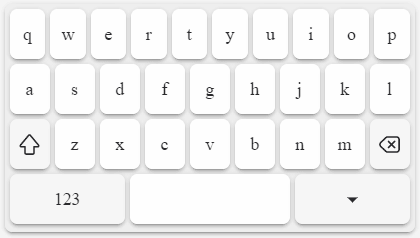 |
inputmode='search' | 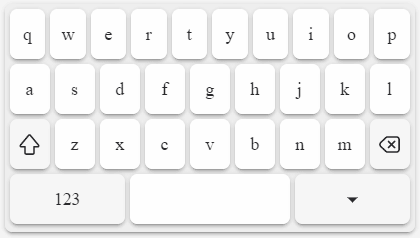 |
inputmode='email' | 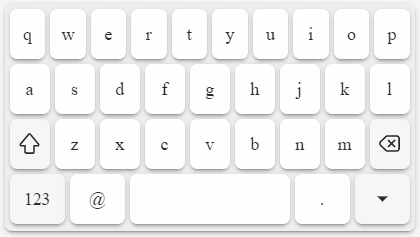 |
inputmode='url' | 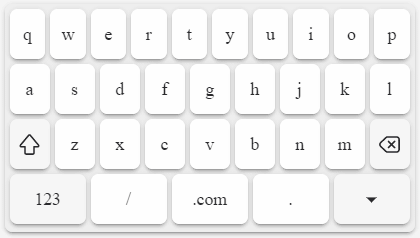 |
inputmode='numeric' | 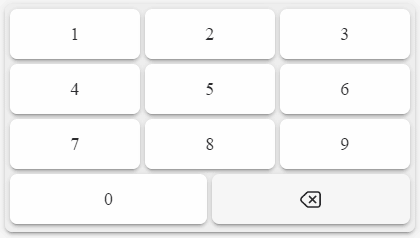 |
inputmode='decimal' | 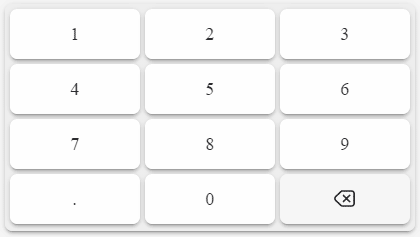 |
inputmode='tel' | 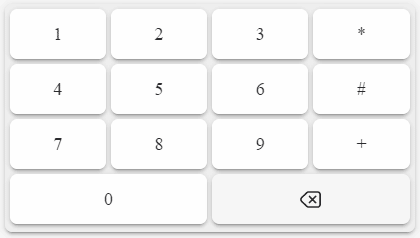 |
Development
The most useful commands for development are:
npm run startto start a development servernpm run build-demoto build the demo locally (it will be published automatically by GitHub Actions)
Contributing
Contributions are welcome! Please feel free to submit a Pull Request.