Getting started
July 4, 2025 · View on GitHub
Introduction
🚀 Welcome to the WLC Scenario Explorer source code!
This tool allows exploration of different future scenarios for Whole Life Cycle greenhouse gas (GHG) emissions of buildings across Europe
THE GOAL: help policymakers and practitioners as well as researchers to explore the impact of various strategies on carbon footprints like:
- Increase of circularity measures
- Reduce space per capita
- Reduce transport and construction emissions
- Shift to low carbon and bio-based solutions
- Reduce operational emissions
- Increase use of improved materials
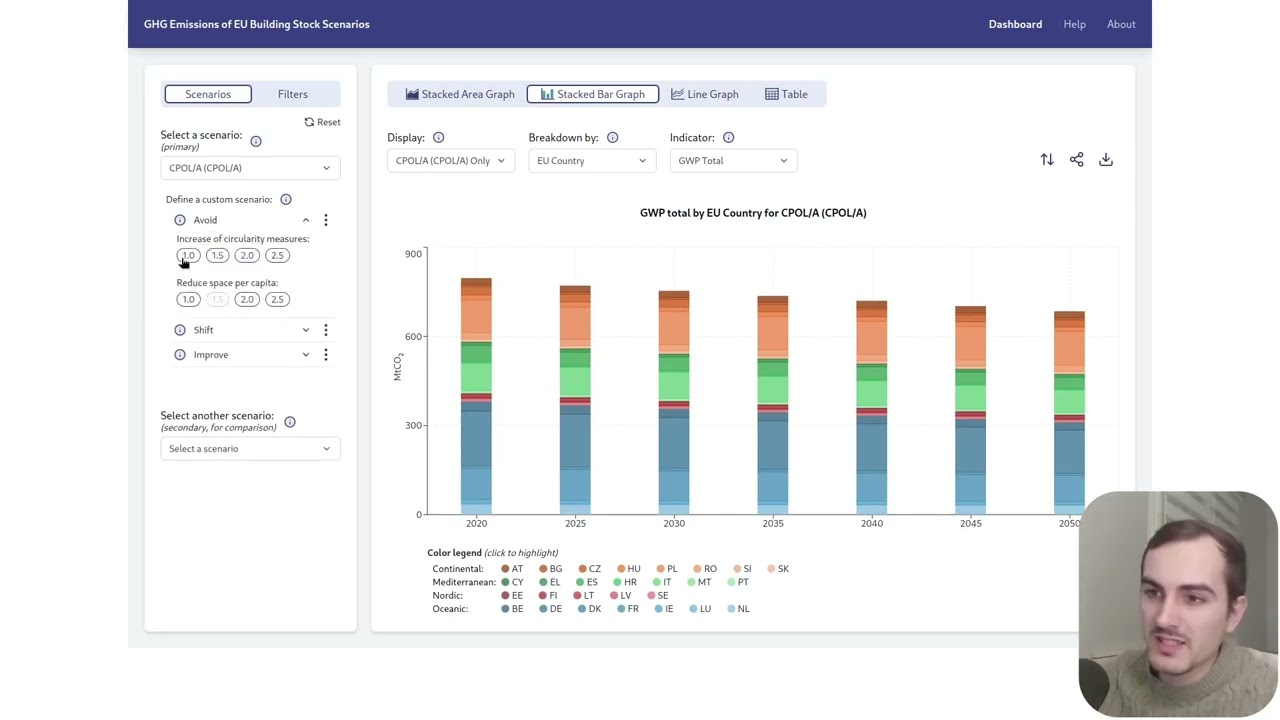
Users can view emissions for each building type, country, material, and more!
You can download the displayed data as an image or as a spreadsheet and visualize it with three type of graphs in the app.
The data comes from building LCAs and building stock modelling of KU Leuven and TU Graz developed as part of the ‘Analysis of Life-cycle Greenhouse Gas Emissions and Removals of EU Buildings and Construction’ study funded by the European Commission.
https://c.ramboll.com/life-cycle-emissions-of-eu-building-and-construction.
The app is accessible at https://ae-scenario-explorer.cloud.set.kuleuven.be and is hosted on the KU Leuven university infrastructure.
Disclaimer: The terminal commands in this documentation are for linux machines.
Installation
You need python ^3.12.6, node ^20.13.1, poetry ^1.8.3 and pnpm ^9.4.0 installed on your machine (or higher versions).
You don't need the following to start the app locally (click to see more)
- docker (required to update the tests snapshots , see more in Tests end to end section)
- pulse secure (required to access non production deployments, see more in the VPN section)
- clone the project through ssh and install the dependencies with this command:
git clone git@gitlab.kuleuven.be:ae/sustainable-construction/dg-grow-eu-scenariotool/scenario-explorer.git &&
cd scenario-explorer/backend && poetry install &&
cd ../frontend && pnpm install &&
cd ../e2e && npm install &&
cd ../documentation && pnpm install
If needed see giltab documentation related to ssh
- add the env files
cd ../backend && cp ./.env.example .env &
cd ../frontend && cp ./.env.example .env
- Open the project in the root directory with your favorite code editor
code ../
- Create the root/data/scenarios folder and generate the seeds
mkdir ../data/scenarios &&
pnpm dlx tsx ./scripts/generateSeeds.ts
Start the app
- Start the dev servers from the root directory (one terminal for each):
cd backend && poetry run task dev
cd frontend && pnpm run dev
cd documentation && pnpm run start
The app should be running on localhost:3000 and the documentation on localhost:4000.
For more info: see the documentation. If somehow you can't run the documentation server, you can still access the doc in repo/documentation/docs
Example usage
Video:
API documentation
There is only one API endpoint. After starting the documentation server (see intallation) go to:
http://localhost:4000/docs/API/scenario
or open the file at:
./documentation/docs/API/scenario.md
There is also a bruno collection at:
./backend/bruno
Contacts
- Martin Röck: martin.roeck@kuleuven.be (scientific project lead)
- Benjamin Lesné: benjamin.lesne@outlook.fr (developer of the app)
- KU Leuven IT Support: it-support@set.kuleuven.be (DevOps referent)