Tensorflow realtimeobjectdetection on Jetson Xavier/TX2/TX1, PC
July 31, 2020 · View on GitHub
About this repository
forked from GustavZ/realtime_object_detection: https://github.com/GustavZ/realtime_object_detection
And focused on model split technique of ssd_mobilenet_v1.
Download model from here: tf1_detection_model_zoo
wget http://download.tensorflow.org/models/object_detection/ssd_mobilenet_v1_coco_2018_01_28.tar.gz
and here: TensorFlow DeepLab Model Zoo
wget http://download.tensorflow.org/models/deeplabv3_mnv2_pascal_train_aug_2018_01_29.tar.gz
Support models
| Model | model_type | split_shape |
|---|---|---|
| ssd_mobilenet_v1_coco_11_06_2017 | nms_v0 | 1917 |
| ssd_mobilenet_v1_coco_2017_11_17 | nms_v1 | 1917 |
| ssd_inception_v2_coco_2017_11_17 | nms_v1 | 1917 |
| ssd_mobilenet_v1_coco_2018_01_28 | nms_v2 | 1917 |
| ssdlite_mobilenet_v2_coco_2018_05_09 | nms_v2 | 1917 |
| ssd_inception_v2_coco_2018_01_28 | nms_v2 | 1917 |
| ssd_mobilenet_v1_quantized_300x300_coco14_sync_2018_07_03 | nms_v2 | 1917 |
| ssd_mobilenet_v1_0.75_depth_quantized_300x300_coco14_sync_2018_07_03 | nms_v2 | 1917 |
| ssd_resnet50_v1_fpn_shared_box_predictor_640x640_coco14_sync_2018_07_03 | nms_v2 | 51150 |
| ssd_mobilenet_v1_fpn_shared_box_predictor_640x640_coco14_sync_2018_07_03 | nms_v2 | 51150 |
| ssd_mobilenet_v1_ppn_shared_box_predictor_300x300_coco14_sync_2018_07_03 | nms_v2 | 3000 |
| faster_rcnn_inception_v2_coco_2018_01_28 | faster_v2 | |
| faster_rcnn_resnet50_coco_2018_01_28 | faster_v2 | |
| faster_rcnn_resnet101_coco_2018_01_28 | faster_v2 | |
| faster_rcnn_inception_resnet_v2_atrous_coco_2018_01_28 | faster_v2 | |
| mask_rcnn_inception_resnet_v2_atrous_coco_2018_01_28 | mask_v1 | |
| mask_rcnn_inception_v2_coco_2018_01_28 | mask_v1 | |
| mask_rcnn_resnet101_atrous_coco_2018_01_28 | mask_v1 | |
| mask_rcnn_resnet50_atrous_coco_2018_01_28 | mask_v1 | |
| deeplabv3_mnv2_pascal_train_aug_2018_01_29 | deeplab_v3 | |
| deeplabv3_mnv2_pascal_trainval_2018_01_29 | deeplab_v3 | |
| deeplabv3_pascal_train_aug_2018_01_04 | deeplab_v3 | |
| deeplabv3_pascal_trainval_2018_01_04 | deeplab_v3 |
-
TensorRT ->
model_type: 'trt_v1'
Requirements: https://github.com/NVIDIA-Jetson/tf_trt_models -
Faster R-CNN: PC/Xavier only
faster_rcnn_nas_coco_2018_01_28 occurred Out Of Memory on my PC.
Other Faster R-CNN has not checked yet. -
Mask R-CNN: PC/Xavier only
Removed split_model.
Add worker_threads for parallel detection. A little bit fast, maybe. -
DeepLab V3: PC/Xavier only
See also:
- https://github.com/tensorflow/models/issues/3270
- https://devblogs.nvidia.com/tensorrt-integration-speeds-tensorflow-inference/
Getting Started:
- login Jetson TX2. Desktop login or ssh remote login.
ssh -C -Y ubuntu@xxx.xxx.xxx.xxx - copy .config.yml to config.yml
cp .config.yml config.yml - edit
config.ymlfor your environment. (Ex. camera_input: 0 # for PC) - run
python run_stream.pyrealtime object detection from webcam - or run
python run_video.pyrealtime object detection from movie file - or run
python run_image.pyrealtime object detection from image file - wait a few minutes.
- Multi-Threading is better performance than Multi-Processing. Multi-Processing bottleneck is interprocess communication.
Requirements:
pip install --upgrade pyyaml
Also, OpenCV >= 3.1 and Tensorflow >= 1.4 (1.6 is good)
config.yml
Image
with run_image.py
Please create 'images' directory and put image files.(jpeg,jpg,png)
Subdirectories can also be used.
image_input: 'images' # input image dir
Movie
with run_video.py
movie_input: 'input.mp4' # mp4 or avi. Movie file.
Camera
with run_stream.py
This is OpenCV argument.
- USB Webcam on PC/Xavier
camera_input: 0
- USB Webcam on TX2
camera_input: 1
- Onboard camera on Xavier (with TX2 onboard camera)
camera_input: "nvarguscamerasrc ! video/x-raw(memory:NVMM), width=1280, height=720,format=NV12, framerate=120/1 ! nvvidconv ! video/x-raw,format=I420 ! videoflip method=rotate-180 ! appsink"
- Onboard camera on TX2
camera_input: "nvcamerasrc ! video/x-raw(memory:NVMM), width=(int)1280, height=(int)720,format=(string)I420, framerate=(fraction)30/1 ! nvvidconv flip-method=0 ! video/x-raw, format=(string)BGRx ! videoconvert ! video/x-raw, format=(string)BGR ! appsink"
Save to file
- Movie (run_stream.py or run_video.py)
Save detection frame to movie file. (./output_movie/output_unixtime.avi)
Requires a lot of disk space. - Image (run_image.py)
Save detection image to image file. (./output_image/PATH_TO_FILE/filename.jpg)
Normally, this output image file is the same width x height and format as input images.
But if run with MASK R-CNN, output file size is resized bywidthandheight.
save_to_file: True
Without Visualization
I do not know why, but in TX2 force_gpu_compatible: True it will be faster.
- on TX2
force_gpu_compatible: True
visualize: False
- on PC
force_gpu_compatible: False
visualize: False
With Visualization
Visualization is heavy. Visualization FPS possible to limit.
Display FPS: Detection FPS.
- default is with Single-Processing and show every frames.
visualize: True
vis_worker: False
max_vis_fps: 0
vis_text: True
- Visualization FPS limit with Single-Processing
visualize: True
vis_worker: False
max_vis_fps: 30
vis_text: True
- Visualization FPS limit with Multi-Processing
This is good to use withsave_to_file: True.
visualize: True
vis_worker: True
max_vis_fps: 30
vis_text: True
- Model type
model_type: 'nms_v2'
The difference between 'nms_v1' and 'nms_v2' is BatchMultiClassNonMaxSuppression inputs.
model_type: trt_v1 is somewhat special. See config.yml.
# ssd_mobilenet_v1_coco_2018_01_28
model_type: 'nms_v2'
model_path: 'models/ssd_mobilenet_v1_coco_2018_01_28/frozen_inference_graph.pb'
label_path: 'models/labels/mscoco_label_map.pbtxt'
num_classes: 90
- Splite shape
split_shape: 1917
ExpandDims_1's shape. Ex:
| learned size | split_shape |
|---|---|
| 300x300 | 1917 |
| 400x400 | 3309 |
| 500x500 | 5118 |
| 600x600 | 7326 |
See also: Learn Split Model
- TensorRT split/non-split both support. Need Tensorflow with TensorRT support. (r1.9 has bug. I use r1.8/r1.10.1 for pc)
model_type: 'trt_v1'
precision_model: 'FP32'     # 'FP32', 'FP16', 'INT8'
model: 'ssd_inception_v2_coco_2018_01_28'
label_path: 'models/labels/mscoco_label_map.pbtxt'
num_classes: 90
Console Log
FPS:25.8 Frames:130 Seconds: 5.04248 | 1FRAME total: 0.11910 cap: 0.00013 gpu: 0.03837 cpu: 0.02768 lost: 0.05293 send: 0.03834 | VFPS:25.4 VFrames:128 VDrops: 1
FPS: detection fps. average fps of fps_interval (5sec).
Frames: detection frames in fps_interval.
Seconds: fps_interval running time.
1FRAME
total: 1 frame's processing time. 0.1 means delay and 10 fps if it is single-threading(split_model: False). In multi-threading(split_model: True), this value means delay.
cap: time of capture camera image and transform for model input.
gpu: sess.run() time of gpu part.
cpu: sess.run() time of cpu part.
lost: time of overhead, something sleep etc.
send: time of multi-processing queue, block and pipe time.
VFPS: visualization fps.
VFrames: visualization frames in fps_interval.
VDrops: When multi-processing visualization is bottleneck, drops.
Updates:
-
Support Xavier onboard camera. (with TX2 onboard camera)
-
Add parallel detection for Mask R-CNN.
-
Remove split from Mask R-CNN.
-
Support DeepLab V3 models.
model_type: deeplab_v3 -
Add image input.
-
Rename config.yml parameter name from save_to_movie to save_to_file.
-
support Faster R-CNN models.
-
Add
max_frame: 0for no exit withvisualize: False. -
support ssd_mobilenet_v1 11 Jun, 2017 model.
-
Add from movie.
-
Add save_to_movie.
-
BETA: Support MASK R-CNN models.
-
Always split GPU/CPU device.
-
Support SSD 2018_07_03 models.
-
Support TensorRT Optimization. : Need TensorRT, Tensorflow with TensorRT.
-
Support ssd_mobilenet_v2, ssdlite_mobilenet_v2 and ssd_inception_v2_coco. : Download model from here: detection_model_zoo
-
Add Multi-Processing visualization. : Detection and visualization are asynchronous.
-
Drop unused files.
-
Add force_gpu_compatible option. : ssd_mobilenet_v1_coco 34.5 FPS without vizualization 1280x720 on TX2.
-
Multi-Processing version corresponds to python 3.6 and python 2.7.
-
Launch speed up. : Improve startup time from 90sec to 78sec.
-
Add time details. : To understand the processing time well.
-
Separate split and non-split code. : Remove unused session from split code.
-
Remove Session from load frozen graph. : Reduction of memory usage.
-
Flexible sleep_interval. : Maybe speed up on high performance PC.
-
FPS separate to multi-processing. : Speed up.
-
FPS streaming calculation. : Flat fps.
-
FPS is average of fps_interval. : Flat fps.
-
FPS updates every 0.2 sec. : Flat fps.
-
solve: Multiple session cannot launch problem. tensorflow.python.framework.errors_impl.InternalError: Failed to create session.
My Setup:
- PC
- CPU: i7-8700 3.20GHz 6-core 12-threads
- GPU: NVIDIA GTX1060 6GB
- MEMORY: 32GB
- Ubuntu 16.04
- docker-ce
- nvidia-docker
- nvidia/cuda
- Pyton 2.7.12/OpenCV 3.4.1/Tensorflow 1.6.1
- Pyton 3.6.5/OpenCV 3.4.1/Tensorflow 1.6.1
- Jetson Xavier
- JetPack 4.0 Developer Preview
- Python 2.7/OpenCV 3.3.1/Tensorflow 1.6.1
- Python 2.7/OpenCV 3.3.1/Tensorflow 1.10.1 (slow)
- JetPack 4.1.1 Developer Preview
- Python 3.6.7/OpenCV 3.4.1/Tensorflow 1.10.1 (seems fast. I changed opencv build options.)
- JetPack 4.0 Developer Preview
- Jetson TX2
- JetPack 3.2/3.2.1
- Python 3.6
- OpenCV 3.4.1/Tensorflow 1.6.0
- OpenCV 3.4.1/Tensorflow 1.6.1
- OpenCV 3.4.1/Tensorflow 1.7.0 (slow)
- OpenCV 3.4.1/Tensorflow 1.7.1 (slow)
- OpenCV 3.4.1/Tensorflow 1.8.0 (slow)
- JetPack 3.1
- Python 3.6
- OpenCV 3.3.1/Tensorflow 1.4.1
- OpenCV 3.4.0/Tensorflow 1.5.0
- OpenCV 3.4.1/Tensorflow 1.6.0
- OpenCV 3.4.1/Tensorflow 1.6.1 (Main)
- JetPack 3.2/3.2.1
- Jetson TX1
- SSD Storage
- JetPack 3.2
- Python 3.6
- OpenCV 3.4.1/Tensorflow 1.6.0
NVPMODEL
| Mode | Mode Name | Denver 2 | Frequency | ARM A57 | Frequency | GPU Frequency |
|---|---|---|---|---|---|---|
| 0 | Max-N | 2 | 2.0 GHz | 4 | 2.0 GHz | 1.30 GHz |
| 1 | Max-Q | 0 | 4 | 1.2 GHz | 0.85 GHz | |
| 2 | Max-P Core-All | 2 | 1.4 GHz | 4 | 1.4 GHz | 1.12 GHz |
| 3 | Max-P ARM | 0 | 4 | 2.0 GHz | 1.12 GHz | |
| 4 | Max-P Denver | 2 | 2.0 GHz | 0 | 1.12 GHz |
Max-N
sudo nvpmodel -m 0
sudo ./jetson_clocks.sh
Max-P ARM(Default)
sudo nvpmodel -m 3
sudo ./jetson_clocks.sh
Show current mode
sudo nvpmodel -q --verbose
Current Max Performance of ssd_mobilenet_v1_coco_2018_01_28
| FPS | Machine | Size | Split Model | Visualize | Mode | CPU | Watt | Ampere | Volt-Ampere | Model | classes |
|---|---|---|---|---|---|---|---|---|---|---|---|
| 227 | PC | 160x120 | True | False | - | 27-33% | 182W | 1.82A | 183VA | frozen_inference_graph.pb | 90 |
| 223 | PC | 160x120 | True | True, Worker 30 FPS Limit | - | 28-36% | 178W | 1.77A | 180VA | frozen_inference_graph.pb | 90 |
| 213 | PC | 544x288 | True | False | - | 49-52% | 178W | 1.79A | 180VA | frozen_inference_graph.pb | 90 |
| 212 | PC | 160x120 | True | True | - | 30-34% | 179W | 1.82A | 183VA | frozen_inference_graph.pb | 90 |
| 207 | PC | 544x288 | True | True, Worker 30 FPS Limit | - | 48-53% | 178W | 1.76A | 178VA | frozen_inference_graph.pb | 90 |
| 190 | PC | 544x288 | True | True | - | 52-58% | 176W | 1.80A | 177VA | frozen_inference_graph.pb | 90 |
| 174 | PC | 1280x720 | True | False | - | 42-49% | 172W | 1.72A | 174VA | frozen_inference_graph.pb | 90 |
| 163 | PC | 1280x720 | True | True, Worker 30 FPS Limit | - | 47-53% | 170W | 1.69A | 170VA | frozen_inference_graph.pb | 90 |
| 153 | PC | 1280x720 | True | True, Worker 60 FPS Limit | - | 51-56% | 174W | 1.73A | 173VA | frozen_inference_graph.pb | 90 |
| 146 | PC | 1280x720 | True | True, Worker No Limit (VFPS:67) | - | 57-61% | 173W | 1.70A | 174VA | frozen_inference_graph.pb | 90 |
| 77 | PC | 1280x720 | True | True | - | 29-35% | 142W | 1.43A | 144VA | frozen_inference_graph.pb | 90 |
| 60 | Xavier | 160x120 | True | False | Max-N | 34-42% | 31.7W | 0.53A | 54.5VA | frozen_inference_graph.pb | 90 |
| 59 | Xavier | 544x288 | True | False | Max-N | 39-45% | 31.8W | 0.53A | 54.4VA | frozen_inference_graph.pb | 90 |
| 58 | Xavier | 1280x720 | True | False | Max-N | 38-48% | 31.6W | 0.53A | 55.1VA | frozen_inference_graph.pb | 90 |
| 54 | Xavier | 160x120 | True | True | Max-N | 39-44% | 31.4W | 0.52A | 54.4VA | frozen_inference_graph.pb | 90 |
| 52 | Xavier | 544x288 | True | True | Max-N | 39-50% | 31.4W | 0.55A | 56.0VA | frozen_inference_graph.pb | 90 |
| 48 | Xavier | 1280x720 | True | True | Max-N | 44-76% | 32.5W | 0.54A | 55.6VA | frozen_inference_graph.pb | 90 |
| 43 | TX2 | 160x120 | True | False | Max-N | 65-76% | 18.6W | 0.28A | 29.9VA | frozen_inference_graph.pb | 90 |
| 40 | TX2 | 544x288 | True | False | Max-N | 60-77% | 18.0W | 0.28A | 29.8VA | frozen_inference_graph.pb | 90 |
| 38 | TX2 | 1280x720 | True | False | Max-N | 62-75% | 17.7W | 0.27A | 29.2VA | frozen_inference_graph.pb | 90 |
| 37 | TX2 | 160x120 | True | True | Max-N | 5-68% | 17.7W | 0.27A | 28.0VA | frozen_inference_graph.pb | 90 |
| 37 | TX2 | 160x120 | True | False | Max-P ARM | 80-86% | 13.8W | 0.22A | 23.0VA | frozen_inference_graph.pb | 90 |
| 37 | TX2 | 160x120 | True | True | Max-P ARM | 77-80% | 14.0W | 0.22A | 23.1VA | frozen_inference_graph.pb | 90 |
| 35 | TX2 | 544x288 | True | True | Max-N | 20-71% | 17.0W | 0.27A | 27.7VA | frozen_inference_graph.pb | 90 |
| 35 | TX2 | 544x288 | True | False | Max-P ARM | 82-86% | 13.6W | 0.22A | 22.8VA | frozen_inference_graph.pb | 90 |
| 34 | TX2 | 1280x720 | True | False | Max-P ARM | 82-87% | 13.6W | 0.21A | 22.2VA | frozen_inference_graph.pb | 90 |
| 32 | TX2 | 544x288 | True | True | Max-P ARM | 79-85% | 13.4W | 0.21A | 22.3VA | frozen_inference_graph.pb | 90 |
| 31 | TX2 | 1280x720 | True | True | Max-N | 46-75% | 16.9W | 0.26A | 28.1VA | frozen_inference_graph.pb | 90 |
| 27 | TX1 | 160x120 | True | False | - | 71-80% | 17.3W | 0.27A | 28.2VA | frozen_inference_graph.pb | 90 |
| 26 | TX2 | 1280x720 | True | True | Max-P ARM | 78-86% | 12.6W | 0.20A | 21.2VA | frozen_inference_graph.pb | 90 |
| 26 | TX1 | 544x288 | True | False | - | 74-82% | 17.2W | 0.27A | 29.0VA | frozen_inference_graph.pb | 90 |
| 26 | TX1 | 160x120 | True | True | - | 69-81% | 17.1W | 0.27A | 28.7VA | frozen_inference_graph.pb | 90 |
| 24 | TX1 | 1280x720 | True | False | - | 73-80% | 17.6W | 0.27A | 29.3VA6 | frozen_inference_graph.pb | 90 |
| 23 | TX1 | 544x288 | True | True | - | 77-82% | 16.7W | 0.27A | 28.2VA | frozen_inference_graph.pb | 90 |
| 19 | TX1 | 1280x720 | True | True | - | 78-86% | 15.8W | 0.26A | 26.7VA | frozen_inference_graph.pb | 90 |
on Xavier 544x288:

on PC 544x288:

on TX2 544x288:

Youtube
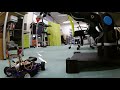
Robot Car and Realtime Object Detection
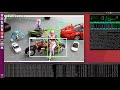
Object Detection vs Semantic Segmentation on TX2
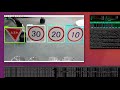
Realtime Object Detection on TX2
Realtime Object Detection on TX1
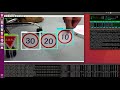
Movie's FPS is little bit slow down. Because run ssd_movilenet_v1 with desktop capture.
Capture command:
gst-launch-1.0 -v ximagesrc use-damage=0 ! nvvidconv ! 'video/x-raw(memory:NVMM),alignment=(string)au,format=(string)I420,framerate=(fraction)25/1,pixel-aspect-ratio=(fraction)1/1' ! omxh264enc ! 'video/x-h264,stream-format=(string)byte-stream' ! h264parse ! avimux ! filesink location=capture.avi
Training ssd_mobilenet with own data
https://github.com/naisy/train_ssd_mobilenet
Multi-Threading for Realtime Object Detection
Multi-Threading for Realtime Object Detection