CarLensCollectionViewLayout
April 24, 2019 · View on GitHub




An easy-to-use Collection View Layout for card-like animation 🎉
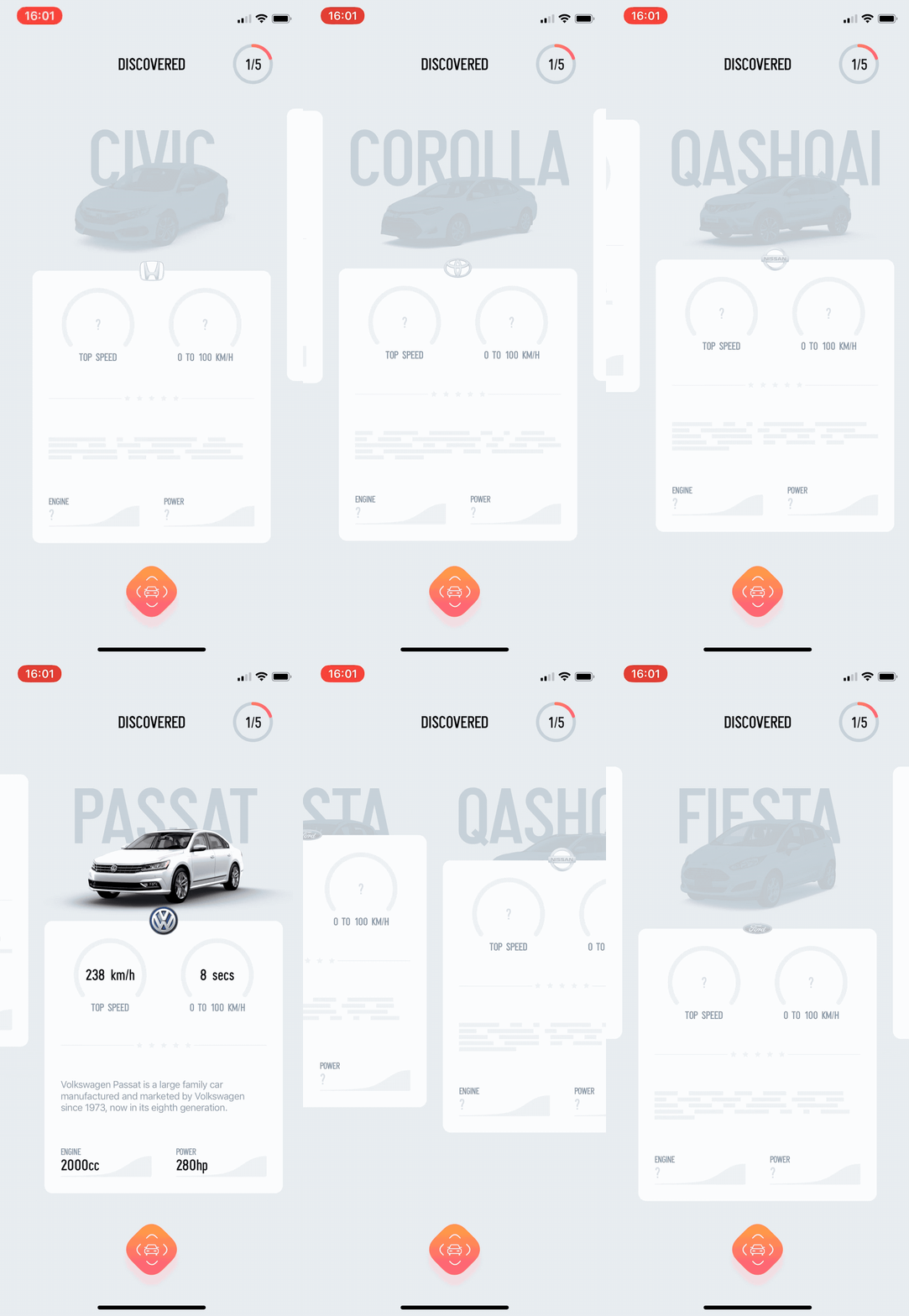
CarLensCollectionViewLayout was created out of the implementation in CarLens application 🚘. The image above exactly shows the screen from the app!
Requirements
CarLensCollectionViewLayout is written in Swift 4.2 and supports iOS 9.0+.
Usage
Basic Usage
The two main steps are needed for the configuration of CarLensCollectionViewLayout:
Step 1
Assign CarLensCollectionViewLayout to yours collection view layout:
collectionView.collectionViewLayout = CarLensCollectionViewLayout()
or initialize your collection view with CarLensCollectionViewLayout:
UICollectionView(frame: .zero, collectionViewLayout: CarLensCollectionViewLayout())
Step 2
Subsclass CarLensCollectionViewCell and call configure(topView: UIView, cardView: UIView) during the cell’s initialization:
class CollectionViewCell: CarLensCollectionViewCell {
    override init(frame: CGRect) {
	super.init(frame: frame)
	configure(topView: upperView, cardView: bottomView)
    }
}
The sample implementation is available in Demo project.
Customization
Layout
You can also initialize CarLensCollectionViewLayout with a CarLensCollectionViewLayoutOptions object by passing any of the parameters available. Others will be configured automatically.
Parameters:
minimumSpacing - A minimum spacing between cells.
decelerationRate - A deceleration for a scroll view.
shouldShowScrollIndicator - A value indicating whether collection view should have a scroll indicator.
itemSize - The size to use for cells.
Example:
let options = CarLensCollectionViewLayoutOptions(minimumSpacing: 40)
collectionView.collectionViewLayout = CarLensCollectionViewLayout(options: options)
Cell
While subsclassing CarLensCollectionViewCell you can call configure(...) with an additional parameter topViewHeight. The card view height will be calculated based on this value.
Example:
class CollectionViewCell: CarLensCollectionViewCell {
    override init(frame: CGRect) {
	super.init(frame: frame)
	configure(topView: upperView, cardView: bottomView, topViewHeight: 300)
    }
}


Installation
CocoaPods
If you're using CocoaPods, add the following dependency to your Podfile:
use_frameworks!
pod 'CarLensCollectionViewLayout', '~> 1.2.0'
Carthage
If you're using Carthage, add the following dependency to your Cartfile:
github "netguru/CarLensCollectionViewLayout" ~> 1.2.0
About
This project is made with ❤️ by Netguru and maintained by Anna-Mariia Shkarlinska.
License
CarLensCollectionViewLayout is licensed under the MIT License. See LICENSE.md for more info.
Read More
- Introducing CarLensCollectionViewLayout - a New Open Source iOS Tool by Netguru
- How We Built CarLens
- Increasing the Accuracy of the Machine Learning Model in CarLens