About
July 15, 2023 · View on GitHub
- Bass Studio is a DAW which supports VST2 and CLAP plugins.
- Releases are provided for Windows, MacOS and Linux for the x86_64 architecture.
- The program requires Hardware OpenGL acceleration.
- This Project is available under Open Source license since May 4th 2023
- Only 64 bit builds are supported
- All dependencies are built from source and have to be build with the same compiler version
- I have been working on this solo since 2017.
Download
- Releases: https://github.com/nidefawl/bass-studio/releases
- Latest build: https://github.com/nidefawl/bass-studio/actions
Donations
If you like the software please consider a donation
Screenshots


Video
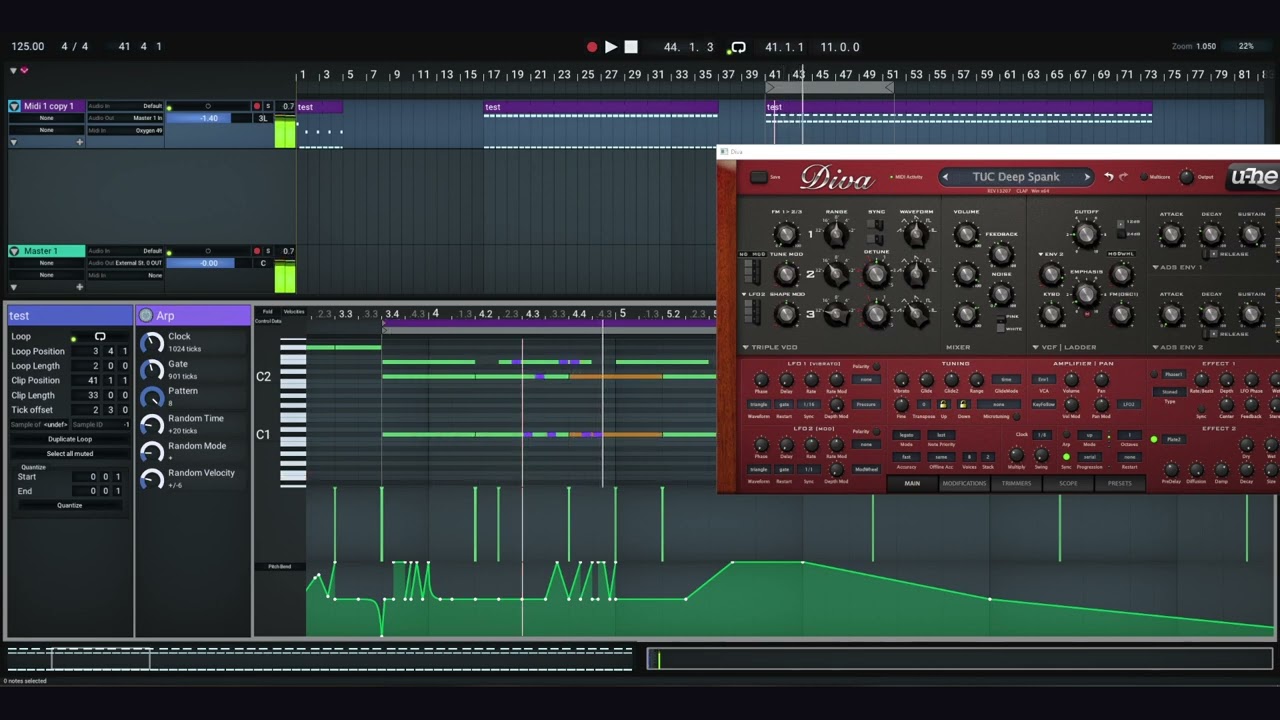
CLAP Demo (Diva)
Community
Feel free to join the Discord Server which I recently created. Hit me a message if you have questions. https://discord.gg/MxsgB7Ex
Build requirements
- CMake v3.23+
- Python 3.8+
- Compiler with C++17 feature support:
- Windows: Visual Studio 2019 or llvm-mingw 14.0.0 toolchain
- Linux: clang minimum version 12
- MacOS: clang - untested
Build instructions Linux
Required system dependencies on Ubuntu:
sudo apt install libx11-dev libxrandr-dev libxinerama-dev libxcursor-dev libxi-dev libasound2-dev python3-distutils libgtk-3-dev
The dependecies reside in a different repository: https://github.com/nidefawl/daw-deps.git
Both GCC and Clang can be used to compile.
export CC=clang
export CXX=clang++
git clone --recurse-submodules "https://github.com/nidefawl/daw-deps.git"
git clone "https://github.com/nidefawl/bass-studio.git"
mkdir build-deps
cd build-deps
python3 ../daw-deps/build.py
cd ../bass-studio
cmake -S. -Bbuild -G"Ninja Multi-Config" -DPROJECT_DEPS_PATH:PATH=../daw-deps -DPROJECT_DEPS_INSTALL_PATH=../build-deps/install
cmake --build build --config RelWithDebInfo --target bass
Build instructions Windows
It is recommended to use the latest version of LLVM-MinGW for Windows builds.
Visual Studio 2022
MSVC builds are supported as well. MSVC provides a better debug experience than LLDB/GDB on Windows.
Windows Terminal
"C:\Program Files\Microsoft Visual Studio\2022\Community\VC\Auxiliary\Build\vcvarsall.bat" amd64
mkdir bass-studio-dev
cd bass-studio-dev
git clone --recurse-submodules "https://github.com/nidefawl/daw-deps.git"
git clone "https://github.com/nidefawl/bass-studio.git"
mkdir build-deps
cd build-deps
python3 ..\daw-deps\build.py
cd ..\bass-studio
cmake -S. -Bbuild -DPROJECT_DEPS_PATH:PATH=../daw-deps -DPROJECT_DEPS_INSTALL_PATH=../build-deps/install
Now you either build on command line with
cmake --build build --config RelWithDebInfo --target bass
or in Visual Studio with
start build\bass.sln
Additional steps:
- Copy soxr-msvc-release.dll from ../build-deps/install/soxr/bin to ./run
- If dependencies were built at some other location
-PROJECT_DEPS_INSTALL_PATH=D:/somefolder/build-deps/build/installhas to be provided.
MacOS
- MacOS version is experimental/broken/untested as I don't own a Mac or Hackintosh
- install brew
/usr/bin/ruby -e "$(curl -fsSL https://raw.githubusercontent.com/Homebrew/install/master/install)"
- install clang and cmake
brew install llvm
brew install cmake
- Build deps with
python3 ../daw-deps/build.py -DCMAKE_OSX_DEPLOYMENT_TARGET=10.12
- Build daw same way as on linux
Manual Installation
- Read-Write resources are stored in "C:\Users<user>\AppData\Roaming\bass":
- logfile, settings.json
- plugin database (SQLite)
- view-layout json files (F1-F10 keys)
- theme presets (important)
- Read-only resources are stored in "./res"
- Fonts, Icons, GLSL shader code
- Build scripts will generate the executable to "./run/"
- The program must be executed inside ./run/ to find the sibling ./res/ directory. You can also symlink it
Running tests
cd C:/dev/daw/build/
ctest --verbose
ctest --output-on-failure # to only see tests that failed