Pulse for Claude Code
July 19, 2026 · View on GitHub


Claude Code, with a pulse.
A local dashboard that watches every Claude Code (and Codex) session on your machine, gives it a literal heartbeat, and lets you approve its tool calls from your phone or a strip under your MacBook's notch. Zero dependencies. Nothing leaves your machine.
Covered by XDA Developers: "a must-have tool for anyone working with Claude."
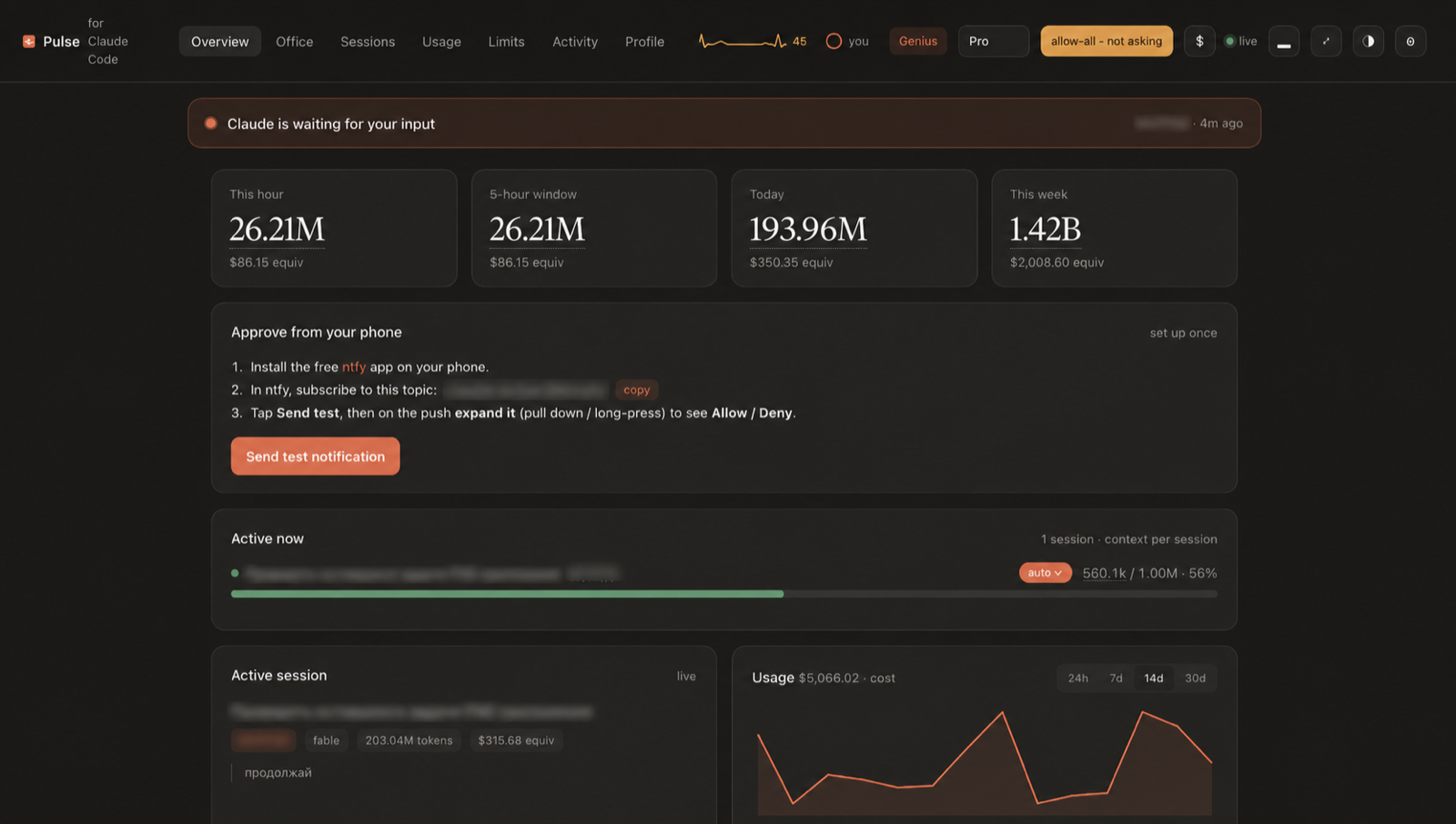
Claude Code already writes every session to disk as it happens. Pulse reads those files, read only, no account, no telemetry, and turns them into something that feels less like a log viewer and more like a cockpit: live spend by hour, day and week, context fill per session, full-text search across everything you have ever run, scheduled messages that fire the moment your limit resets, and Allow / Allow all / Deny that follows you to your desktop, your phone, and your notch.
The pulse
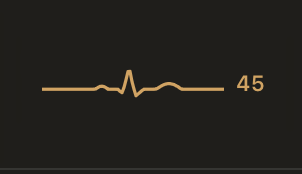
45 bpm. Claude is resting.
The heart rate is real: tool calls and generated tokens over the last two minutes drive it from a resting ~45 up to ~185 when Claude is sprinting through a refactor. When you hit your usage limit, it flatlines. It beats in the topbar on every screen, and in the notch:

The notch
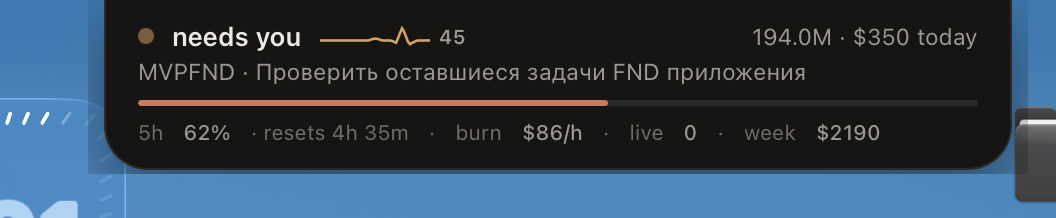
A native always-on-top strip under your camera notch: state, today's numbers, context bar, burn rate, and working approval buttons. Hover it and it grows into a menu with every live session. Right-click to dismiss.
claude-pulse notch (or the ▂ button in the dashboard) compiles a ~100-line Swift overlay once and pins it above every app and every Space. No Electron, no frameworks. The whole thing is an NSPanel and a WKWebView.
The office
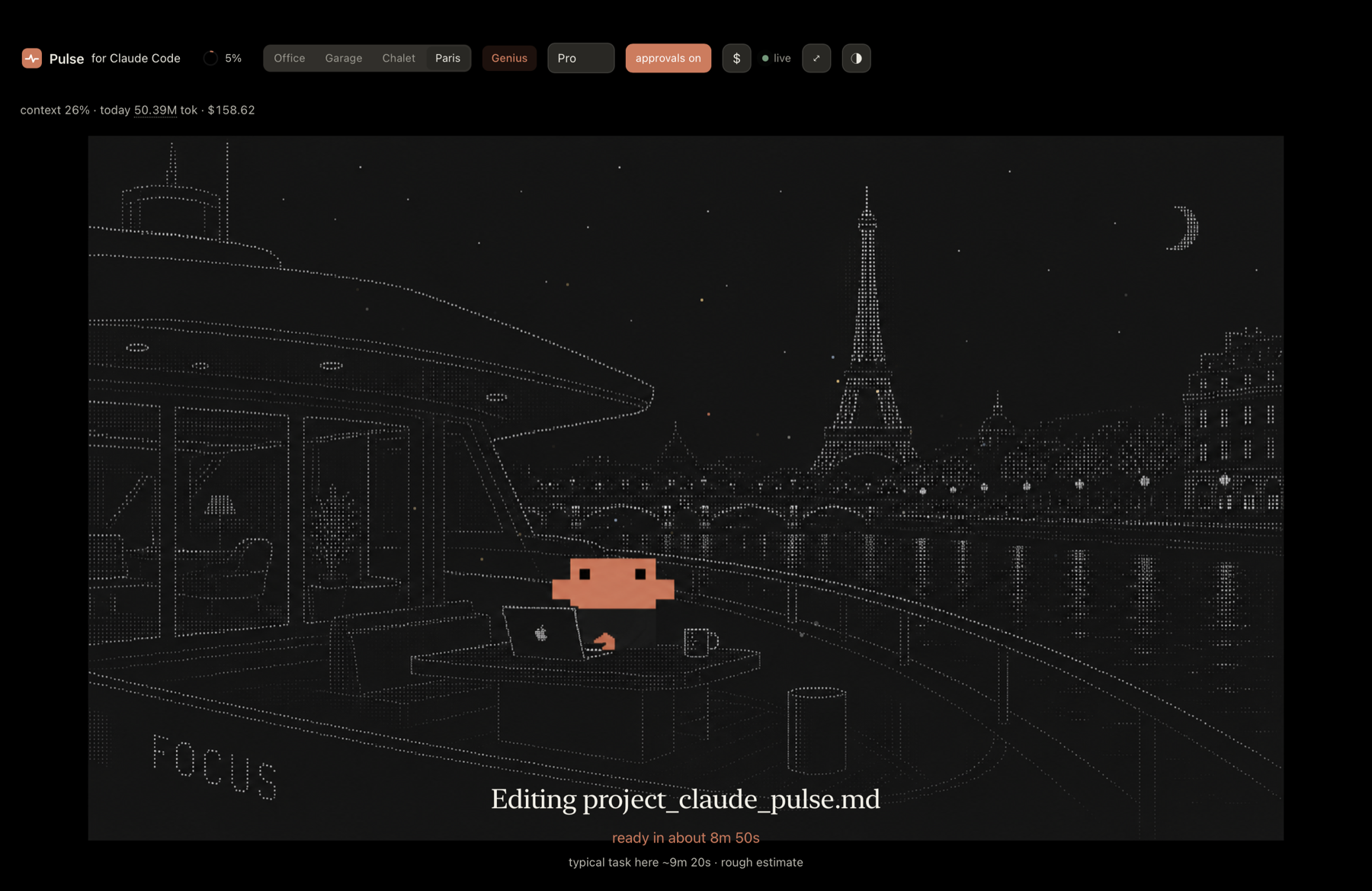
Claude at his desk in New York, doing your work while you watch like a benevolent manager.
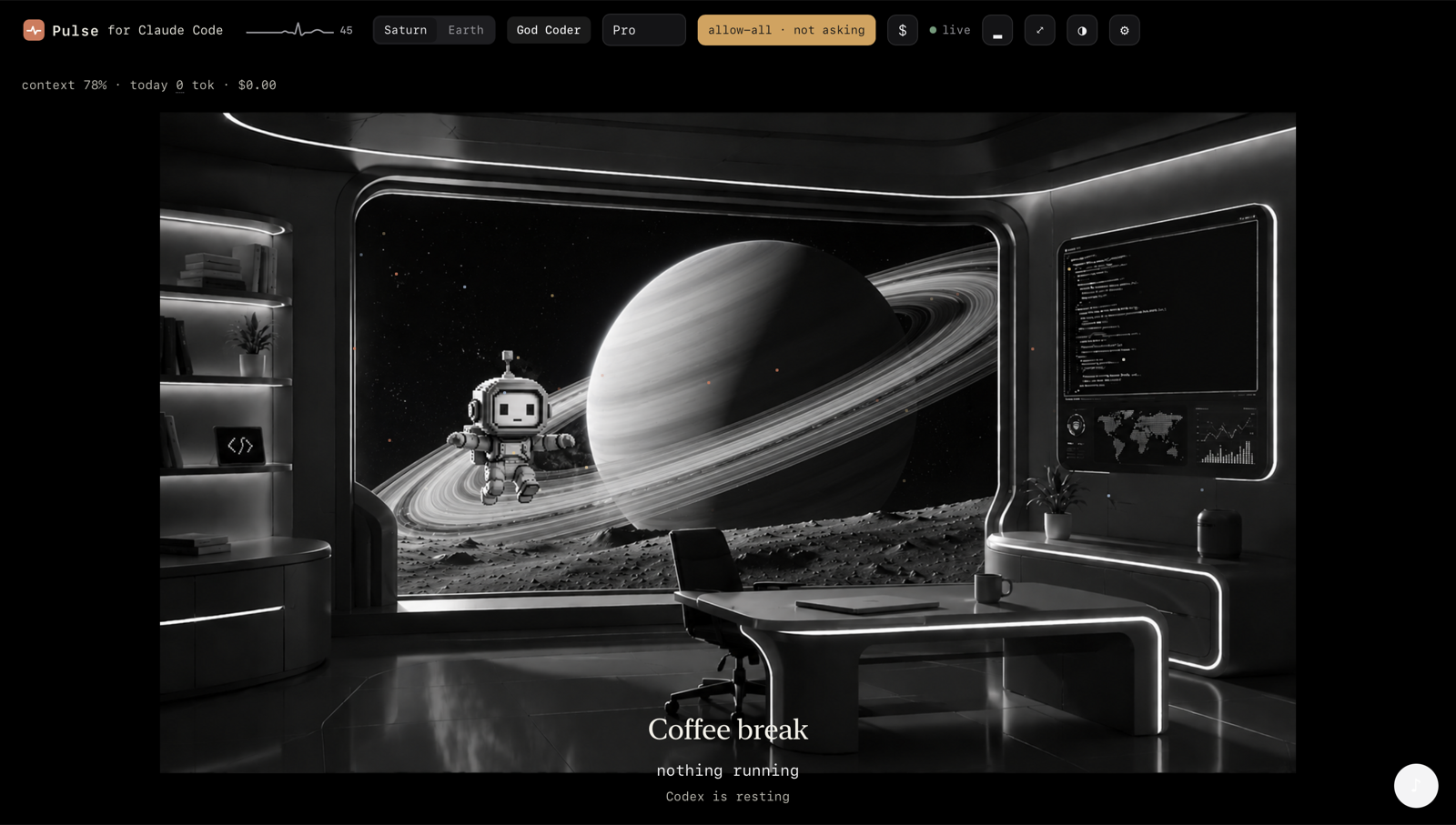
Run Codex too? Its dashboard is a separate mono world, same building, different floor. The data splits properly: the Codex dashboard shows Codex numbers, the Claude one shows Claude's.
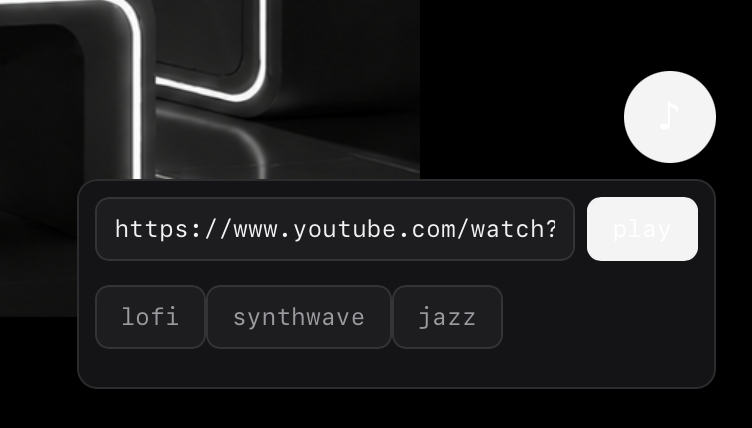
Music while it works: paste any YouTube link, or one tap of lofi / synthwave / jazz.
The profile
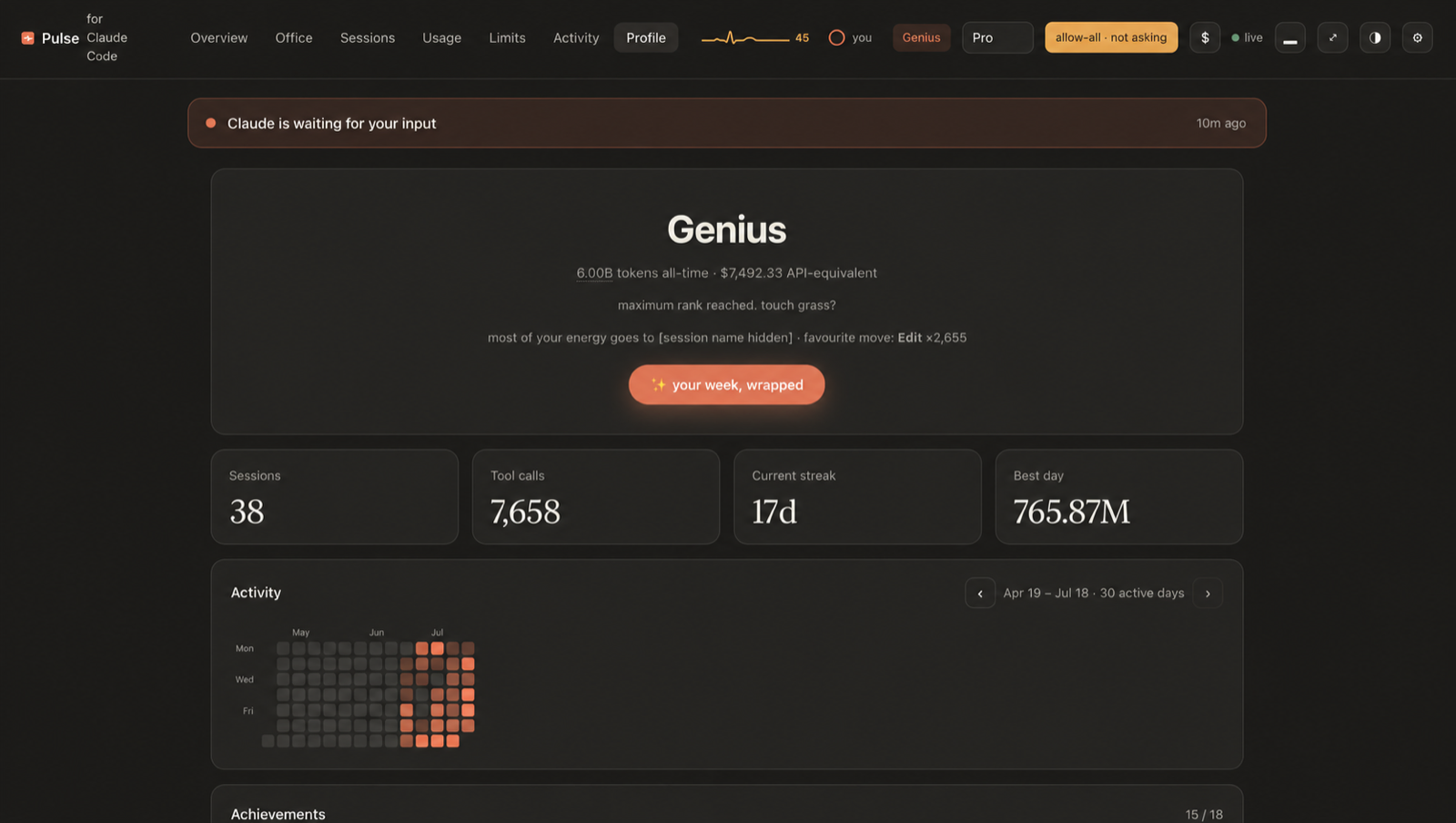
Rank, streak, records, and a wall of achievements, computed entirely from your local logs. Yes, there is an achievement for burning 100M tokens in a day. No, we are not proud of how it was earned.
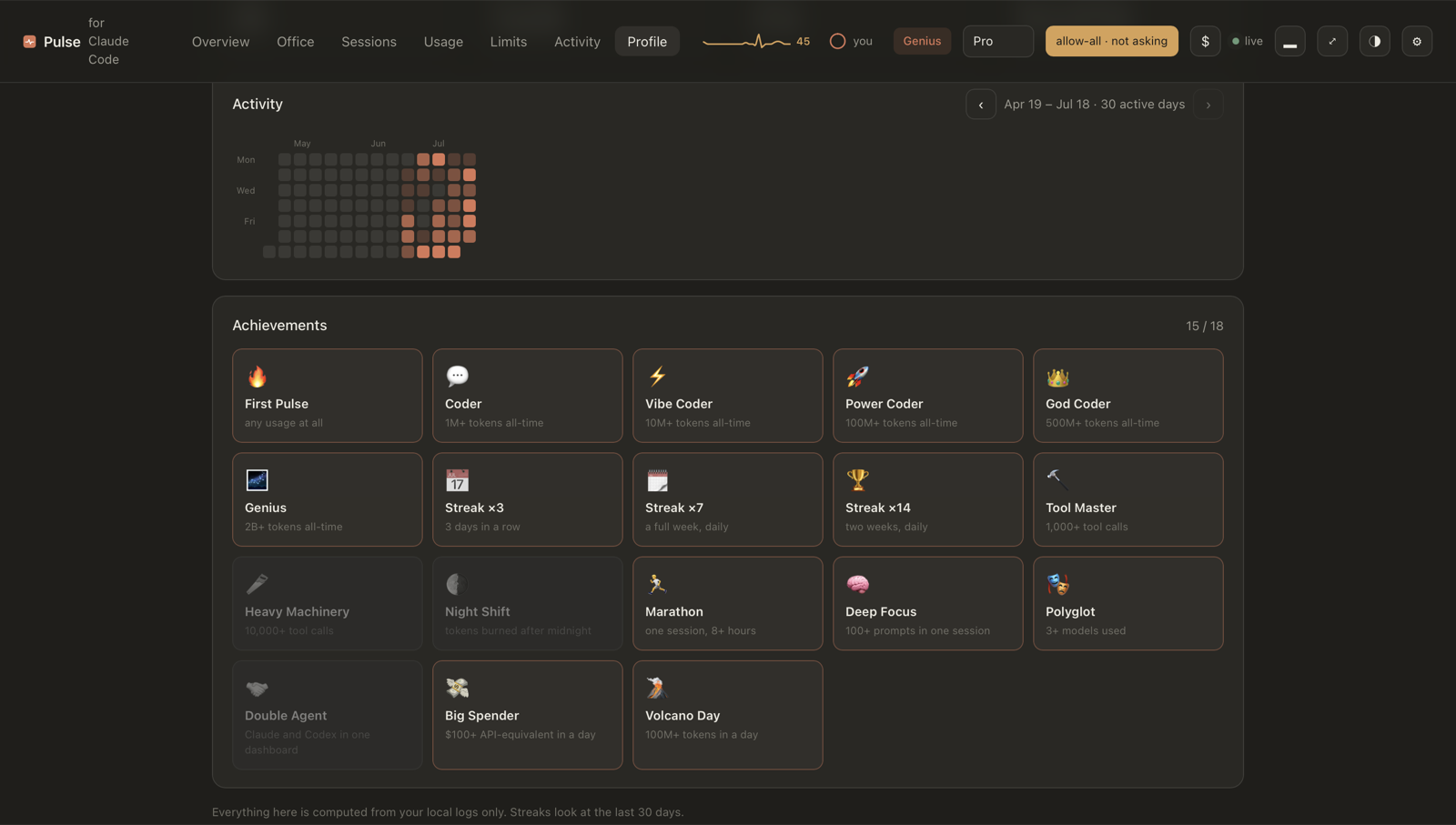
A GitHub-style activity heatmap: click any square and the day opens huge over frosted glass, with a plain-words summary of when you started, when you stopped, and where the tokens went.
The limits
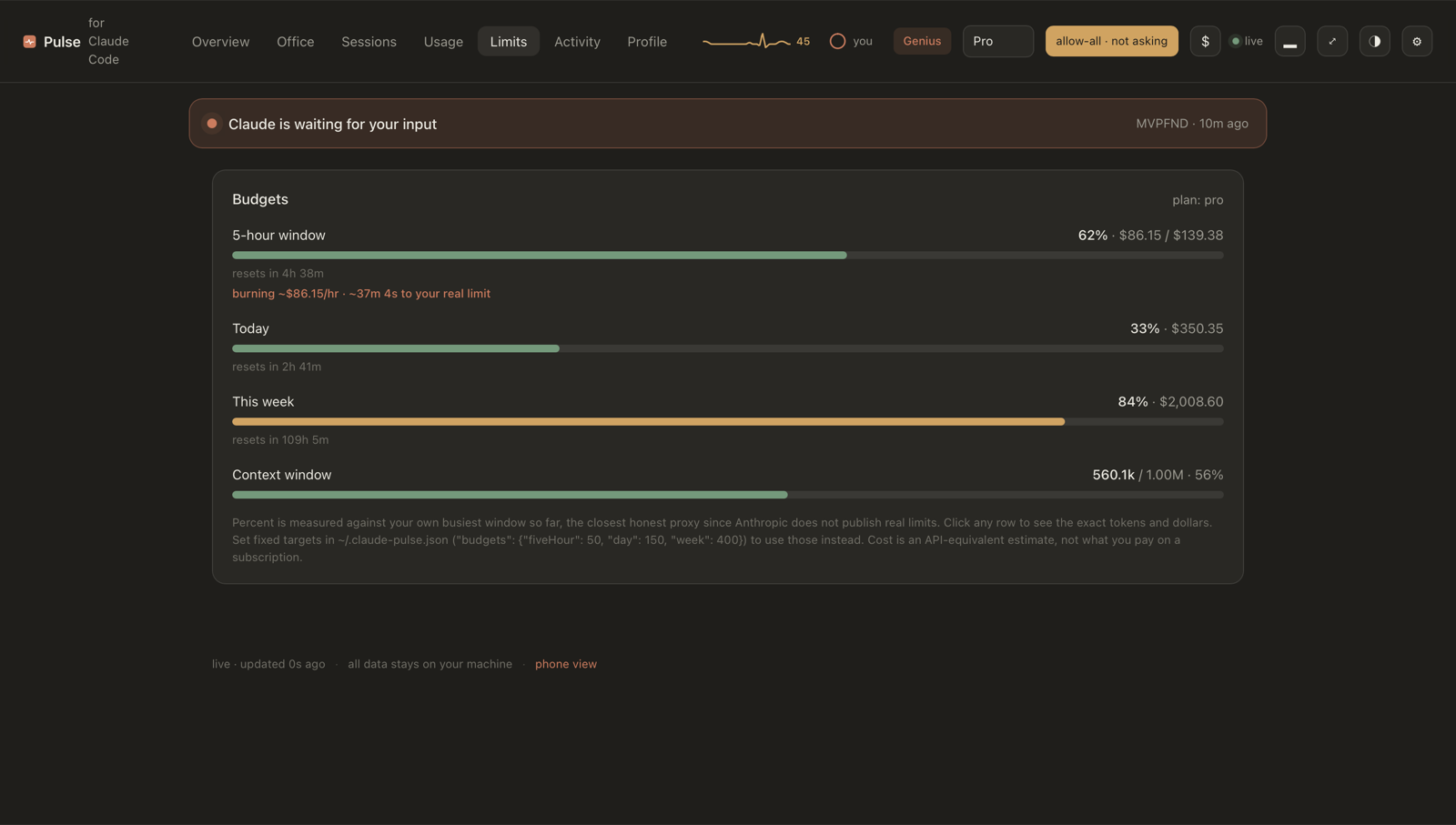
The honest version of "how much do I have left": measured against your own real ceiling (learned from your last limit hit), with burn rate and minutes-to-wall. Anthropic does not publish limits; Pulse does not pretend to know them.
Why you might want it
- Approve from anywhere. A phone push with working
Allow/Allow all/Denybuttons. No Wi-Fi setup, no IP, works on cellular. Approval cards show the actual command or diff, and each session has an auto mode for long unattended runs. - Schedule a message. Limit resets at 10:00? Open the session, type the time and "continue", walk away. Pulse resumes it headless at 10:00 and links you to the result.
- Never lose a session. One command recovers your last session as a readable transcript; auto-snapshots mean a crash never costs you context.
- See the spend. Tokens and API-equivalent cost by hour, day, week, model and project, against budgets you set, with a phone alert when you cross one.
- Your week, wrapped. A shareable Spotify-Wrapped-style card of your week, drawn to a PNG locally.
- Custom sounds.
claude-pulse gen-soundsgenerates the four UI sounds with ElevenLabs (done, attention, error, sent), each with one job. - Multiple machines. Point
extraRootsat rsync'd mirrors of another host and get one unified dashboard. - Search everything. Full-text search across every session on disk, one click to the transcript.
- Local and private. Reads
~/.clauderead only, serves on127.0.0.1, zero dependencies, no telemetry.
Quick start
Requires Node 18+. Run it with no install:
npx pulse-for-claude-code
Or install it globally, which puts the claude-pulse command on your PATH:
npm install -g pulse-for-claude-code
claude-pulse
Or clone it:
git clone https://github.com/nikitadoudikov/claude-pulse.git
cd claude-pulse
node bin/cli.js
Either way it opens http://127.0.0.1:4317. To get desktop and phone
notifications and to approve tool calls, wire the hooks (one command, safe to
re-run):
claude-pulse install-hooks # adds the hooks to ~/.claude/settings.json
Every claude-pulse <command> in this README assumes the global install. If
you use npx instead, the command is npx pulse-for-claude-code <command>,
e.g. npx pulse-for-claude-code install-hooks. From a clone it is
node bin/cli.js <command>.
Then restart Claude Code, and you are set. Other options:
claude-pulse --port 4317   # change the port
claude-pulse --no-open     # do not open the browser
Keep it running
Run in the foreground and Pulse dies when you close that terminal. To keep it alive independently, run it in the background:
claude-pulse start     # run detached, survives closing the terminal
claude-pulse status    # is it running?
claude-pulse stop      # stop it
claude-pulse restart   # stop and start again
If your terminal crashes, claude-pulse start brings it back in one command,
and a background instance is not affected by the crash in the first place.
On macOS you can hand Pulse to the system so it starts at login and respawns itself if it ever dies:
claude-pulse install-service     # start at login, auto-restart
claude-pulse uninstall-service   # remove it
Recover a lost session
Terminal crashed, laptop froze, hit a session limit? Nothing is lost: Claude Code writes every session to disk as it happens. One command brings the last one back, prints a recap and saves a readable transcript:
claude-pulse recover        # the most recent session
claude-pulse recover 2      # the one before that
claude-pulse recover <id>   # a specific session
It saves a light markdown file under ~/.claude-pulse/exports/ (a 15 MB log
becomes a ~180 KB file) and prints a link to read the full transcript in the
browser or on your phone. You can also open any session in the dashboard and use
open transcript / download .md.
While Pulse runs it also auto-snapshots every recently active session to
~/.claude-pulse/exports/snapshots/ (one file per session, rewritten only when
it changes). So the latest state is always on disk even if you never run
recover. Set snapshotMinutes to 0 in ~/.claude-pulse.json to turn it off.
To back up everything at once, claude-pulse export-all writes every session
into a single small gzipped markdown file, or use download all history on the
Sessions screen.
Search every session
Lost where you did something? The Sessions screen has a search box that scans every session on disk for a word or phrase and jumps you straight to the transcript. It works from your phone too.
On your phone
The simplest phone control is the ntfy notification itself: it carries working
Allow / Allow all / Deny buttons (see above), no network setup at all.
For a richer view, open http://<your-machine>:4317/phone on the same Wi-Fi
(needs bindLan: true) to see what Claude is doing right now plus a Pause /
Resume button. Pausing stops Claude from running further tools until you
resume. Both need the PreToolUse hook wired.
How it works
  ┌──────────────┐   writes .jsonl    ┌──────────────────────┐   SSE    ┌──────────────┐
  │  Claude Code │ ─────────────────▶ │  Pulse  (read only)  │ ───────▶ │  dashboard   │
  │  (terminal)  │                    │   127.0.0.1:4317     │          │  + phone     │
  └──────┬───────┘                    └──────────────────────┘          └──────────────┘
         │
         │  hooks:  Notification  ·  Stop  ·  PreToolUse
         ▼
  ┌─────────────────────────────┐
  │  ~/.claude-pulse/           │   pending approvals · decisions · events
  └─────────────────────────────┘
Claude Code logs every session as JSONL under ~/.claude/projects/. Each assistant
message carries a usage block (input, output and cache tokens) with a timestamp.
Pulse reads those files (read only), caches each file by modification time so
unchanged sessions are never re-parsed, and aggregates the numbers. The browser
gets live updates over Server-Sent Events. Three small hooks let Claude Code tell
Pulse when it needs you, when a turn ends, and when it wants to run a tool.
Notifications when Claude needs you
Claude Code can run a hook when it needs your attention. Point its Notification
event at the bundled script and Pulse will show a banner and fire a desktop
notification, even if the tab is in the background.
The easy way is one command:
claude-pulse install-hooks     # wires the hooks into ~/.claude/settings.json (safe to re-run)
claude-pulse uninstall-hooks   # removes them
It backs up your settings once, merges next to any hooks you already have, and
never adds a duplicate. Restart Claude Code afterwards. To do it by hand instead,
add this to ~/.claude/settings.json (use the absolute path to your clone):
{
  "hooks": {
    "Notification": [
      {
        "matcher": "",
        "hooks": [
          { "type": "command", "command": "node /absolute/path/to/claude-pulse/hooks/notify-hook.js" }
        ]
      }
    ],
    "Stop": [
      {
        "matcher": "",
        "hooks": [
          { "type": "command", "command": "node /absolute/path/to/claude-pulse/hooks/stop-hook.js" }
        ]
      }
    ],
    "PreToolUse": [
      {
        "matcher": "",
        "hooks": [
          { "type": "command", "command": "node /absolute/path/to/claude-pulse/hooks/permission-hook.js" }
        ]
      }
    ]
  }
}
Keep claude-pulse running and you are set.
Approve tools from the dashboard (and your phone)
With the PreToolUse hook wired, when Claude wants to run something that needs
permission, an approval card appears in Pulse with Allow, Allow all and
Deny. Allow all stops asking for the rest of the run.
This is built to never hang Claude. Read only tools pass straight through, and if
Pulse is not running, has not heard from you within the approval timeout (60s by
default, set approvalTimeoutMs), or hits any error, it falls back to the normal
terminal prompt. Nothing breaks if you ignore it. The phone push carries Allow,
Allow all and Deny buttons.
To approve from your phone, you only need an ntfyTopic (below) and the ntfy
app. The push notification carries Allow, Allow all and Deny buttons, and
tapping one sends the answer back through ntfy to a private reply topic that
Pulse listens on. No same Wi-Fi, no IP, no open port: it works from anywhere,
even on cellular. Pulse only acts on a reply while it is actually waiting for
that request, so a stale notification can do nothing.
  Claude wants to run a tool
          │
          ▼
   PreToolUse hook ──▶ Pulse ──push──▶ phone notification
          │                                   │
          │                              tap "Allow"
          │                                   │
          │                    answer returns over ntfy
          │                                   │
          ▼                                   ▼
   hook is still waiting ◀── decision ◀── Pulse (subscribed to the reply topic)
          │
          ▼
   hook returns "allow" ──▶ Claude runs the tool
Phone push (optional)
To get a push on your phone when Claude needs you or finishes, pick a hard to
guess topic name, install the free ntfy app and subscribe to
that topic, then set it in ~/.claude-pulse.json:
{ "ntfyTopic": "claude-pulse-9f3a7c" }
With the hooks above wired, the Notification hook pushes when Claude is waiting
for you, and the Stop hook pushes when a turn finishes (debounced to 30s so a
back and forth does not spam you). Anyone who knows the topic can read it, so use
a random name.
If you set budgets (below), Pulse also pushes when a rolling window crosses 80%
then 100% of its budget, so you find out from your pocket, not by checking.
Reserved topics, access tokens, and self-hosted ntfy
On bare public ntfy.sh the topic name is the entire security boundary. To close
that, reserve the topic (ntfy Supporter tier or self-hosted server ACLs), reserve
<topic>-reply the same way, mint an access token, and set:
{
  "ntfyTopic": "claude-pulse-9f3a7c",
  "ntfyServer": "https://ntfy.sh",
  "ntfyToken": "tk_..."
}
With ntfyToken set, every publish and the reply-topic subscription send
Authorization: Bearer <token>, and the Allow / Allow all / Deny buttons carry
the same header in their action definition (the ntfy app does not attach your
account credentials to http actions on its own, so replies to a reserved
reply topic need it). Note the token is therefore embedded in the notification
payload; on a reserved, subscriber-only topic the only parties who can see it
are your own devices and the ntfy server that issued it. ntfyServer also
accepts a self-hosted base URL, e.g. https://ntfy.example.com.
Per-hook push toggles
If another tool already pushes some of these events (or you only want approval pushes), turn individual hooks' pushes off without unsetting the topic:
{
  "ntfyPushApproval": true,
  "ntfyPushNotification": false,
  "ntfyPushStop": false
}
All three default to true. They gate only the phone push; desktop
notifications and the dashboard event feed are unaffected.
Multiple machines in one dashboard
Pulse reads ~/.claude/projects and ~/.codex/sessions on the local machine.
To fold in sessions from other hosts, mirror their directories locally however
you like (rsync on a timer works well) and point extraRoots at the mirrors
in ~/.claude-pulse.json:
{
  "extraRoots": [
    {
      "label": "buildbox",
      "claudeProjects": "/srv/mirrors/buildbox/claude-projects",
      "codexSessions": "/srv/mirrors/buildbox/codex-sessions"
    }
  ]
}
Both directory keys are optional per entry. Sessions from an extra root show
a green label chip with the root's name in the Sessions list and search
results, and count into every total. The CLAUDE_PULSE_EXTRA_ROOTS env var
(same JSON array) overrides the config entry.
Configuration
Copy config.example.json to ~/.claude-pulse.json and edit. Every field is optional.
{
  "plan": "max20",
  "contextLimit": 200000,
  "idleMinutes": 10,
  "approvalTimeoutMs": 60000,
  "budgets": { "fiveHour": 140, "day": 360, "week": 1100 }
}
About limits
Anthropic does not publish exact subscription limits, and they are usage based
rather than a fixed token count. Pulse cannot read your real plan ceiling, so the
budgets above are rough API-equivalent estimates you adjust to match what you
observe. The pro, max5 and max20 presets are starting points, not official
numbers. Token cost is estimated from public API list prices purely as a usage
proxy; subscription users do not pay per token.
Security and privacy
Pulse is local-first and opt-in. Out of the box it binds to 127.0.0.1 only,
makes no outbound calls, has zero dependencies (no supply chain), and reads
~/.claude read only. Nothing leaves your machine and there is no analytics. Two
optional features change that, and both are off until you turn them on:
- Phone push (
ntfyTopic) routes through the public ntfy.sh relay. Approval prompts (with a short command summary) and your taps pass through a topic you name, so anyone who learns the topic can read those prompts and answer them. Use a long random topic, and self-host ntfy or use ntfy access tokens if you want stronger guarantees. Pulse only acts on a reply while it is genuinely waiting for that exact request, so a stale or guessed message cannot approve anything by itself. - LAN access (
bindLan) binds the server to your whole network so a phone on the same Wi-Fi can open the live/phonepage. While it is on, other devices on that network can also read the dashboard and your transcripts, so only enable it on a network you trust. You do not need it for phone approvals (those go through ntfy), so most people should leave it off.
Runtime state, the device token and your config live in your home directory under
~/.claude-pulse/, and are never committed or sent anywhere.
License
MIT