glamorous-stylus 💄
September 18, 2017 · View on GitHub

Use glamorous to style React components with Stylus
Install
npm install glamorous-stylus
After you're done with the installation, place this in your index.html.
IMPORTANT - This is required for client side usage of Stylus
<script src="https://cdn.rawgit.com/nitin42/e860b57e7d72a0cdc34ae0388cd8c6e9/raw/dae9a1a254b26ea951903cbb2d918e13f63db5e0/stylus.min.js"></script>
API Reference
glamorous.stylus(code, { displayName })
Creates a stylus component with the stylus code and accepts an optional argument displayName.
Example
const Button = glamorous.stylus(
  `
button-styles(radius, size, color, type)
  border-radius radius
  border size type color
  color mistyrose
  background-color white

button
  button-styles(3px, 2px, mistyrose, solid)
`,
  { displayName: 'ButtonComponent' }
);
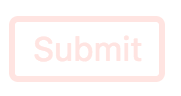
fontFace(code)
Loads the given font-face and returns the font family name
Example
const Fira = glamorous.fontFace(`
@font-face
  font-family FiraCode
  font-style normalize
  src url(./FiraCode-Retina.ttf)
`);

const Name = glamorous.stylus(`
h2
  font-family ${Fira}
`, { displayName: 'Name' });
keyframes(code)
loads the animation keyframes and returns an animation name
Example
const fadeIn = glamorous.keyframes(`
animation-name = fadeIn

@keyframes animation-name
  for i in 0..10
    {10% * i}
      opacity (i/10)
`);

const FadeInButton = glamorous.stylus(
  `
button
  animation ${fadeIn} 4s ease-out
`,
  { displayName: "FadeInButton" }
);

Documentation
Similar to stylus-in-react 😄
License
MIT