README.org
April 1, 2023 · View on GitHub
#+STARTUP: nofold #+HTML:
- Archival Notice As I stopped using Ferdi - and before it, Rambox - I've decided to archive this repository as I will not be developing it further. I hope it'll still be useful to anybody looking to theme their messaging services.
#+HTML: 
- dark Don't burn your eyes!
This repository is a collection of dark themes for Rambox, Franz or Ferdi that I use in some messaging services.
![https://discord.gg/w49c9Kq][https://img.shields.io/discord/694759343559540757.svg?longCache=true&colorB=7289da&logo=discord&style=flat](https://discord.gg/w49c9Kq%5D%5Bhttps://img.shields.io/discord/694759343559540757.svg?longCache=true&colorB=7289da&logo=discord&style=flat)
#+HTML:
** Applying the themes
*** Rambox
Disclaimer: I no longer use Rambox but I left this here for everyone who still uses it!
#+HTML:
#+HTML:
Click to expand!
First, find the service you wish to apply the theme to
#+HTML: 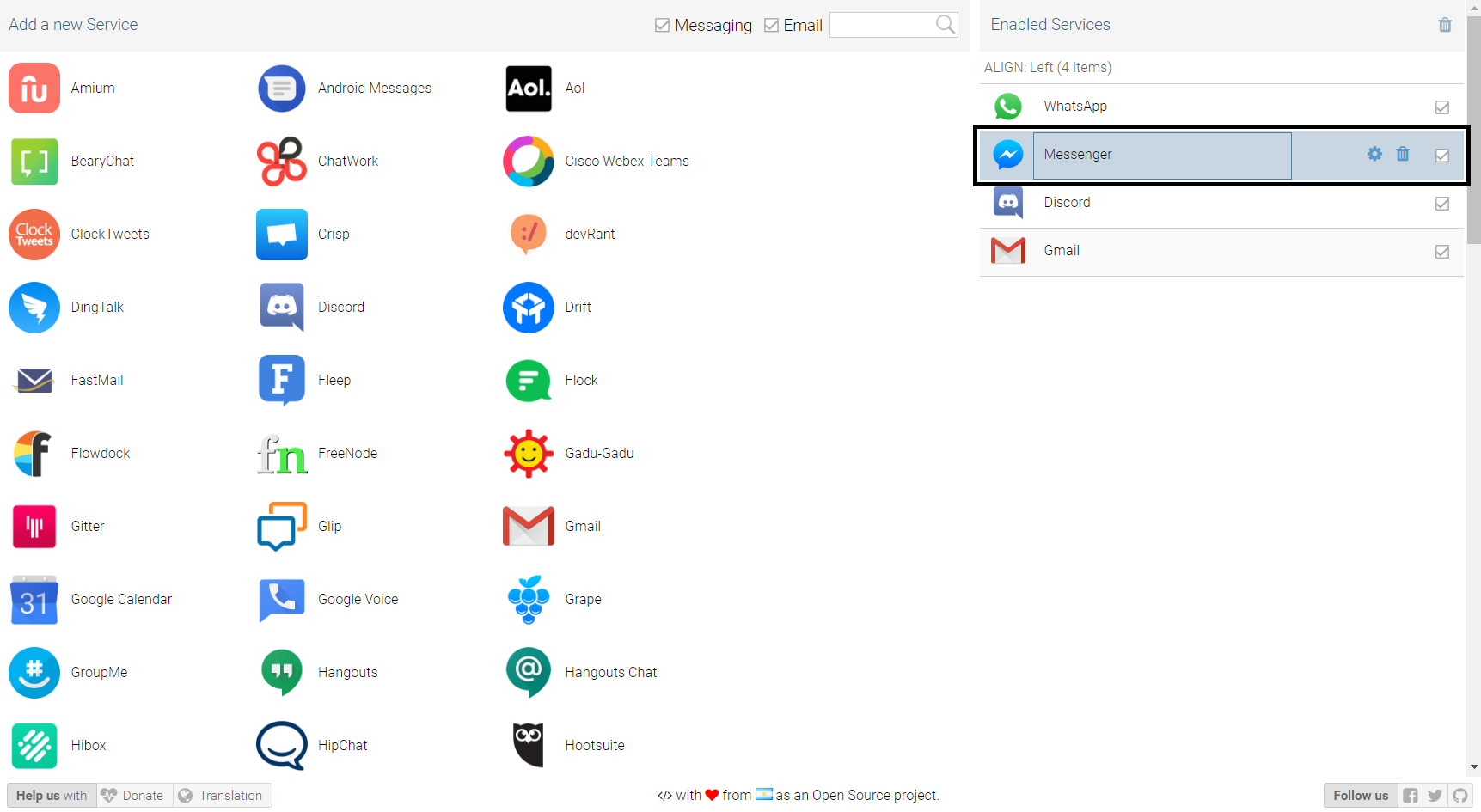
go into the settings for that service
#+HTML: 
once you're there, click on "Advanced".
#+HTML: 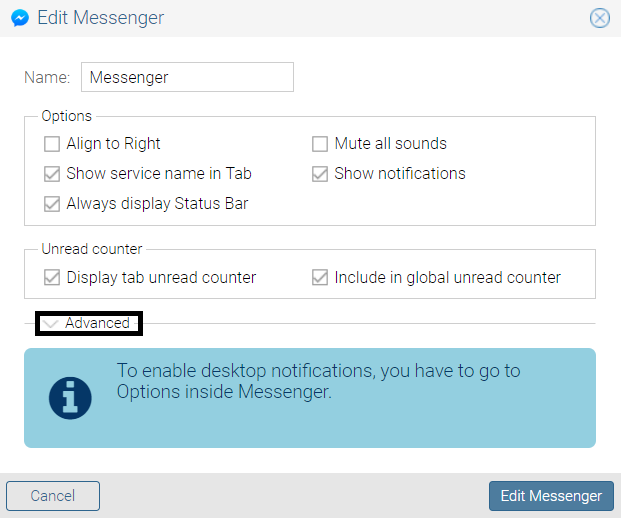
A text-box will appear, copy the JavaScript code from [[./rambox/function.js][function.js]] into it, then copy the CSS code for the service you want to theme into the [paste css here] area - don't remove the backticks - and save your changes!
#+HTML: 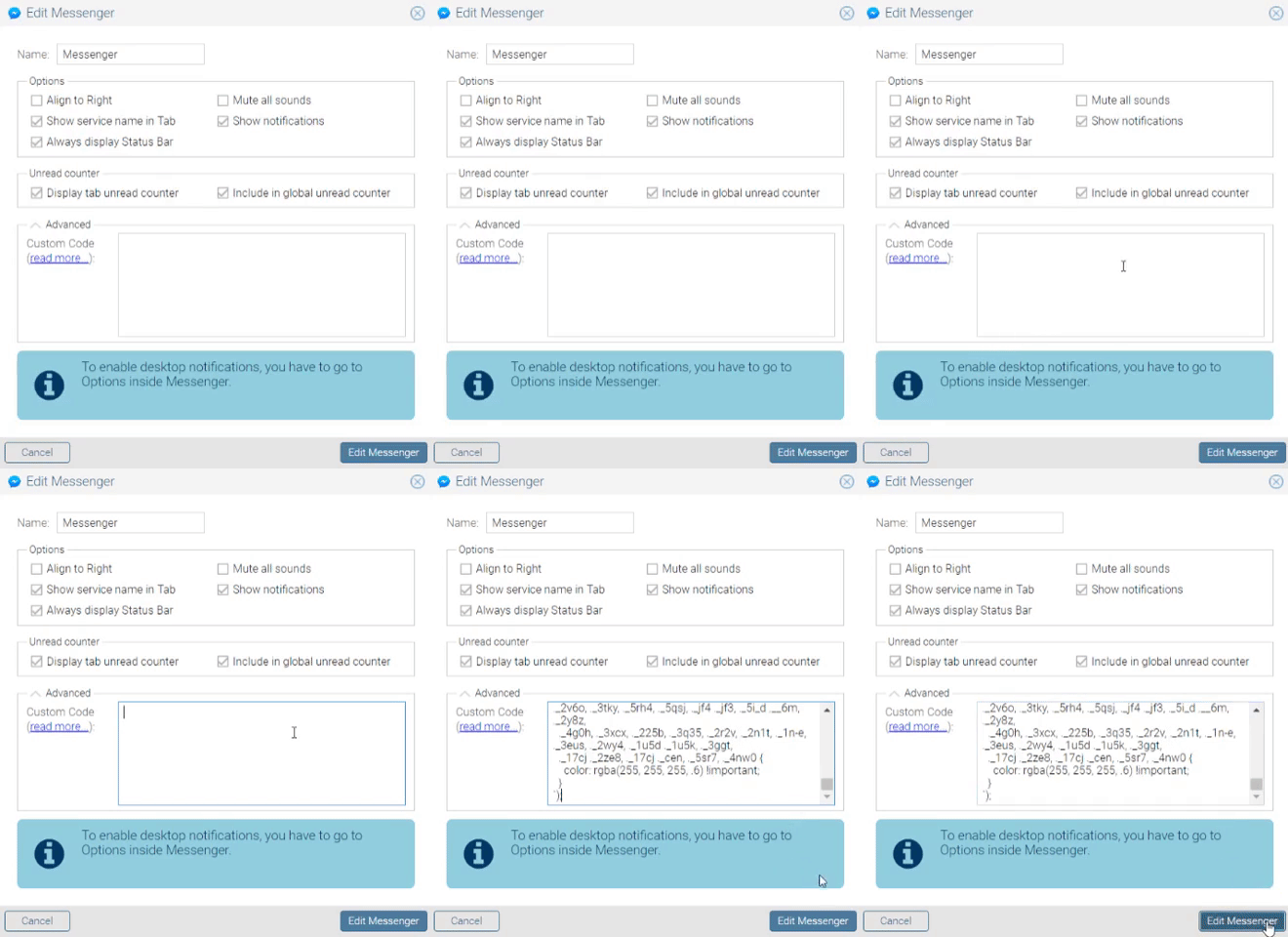
Then press "Yes" on the service restart popup
#+HTML: 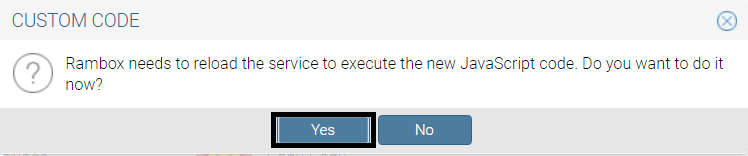
and that's it, all done and ready to use!
#+HTML:
*** Ferdi/Franz
#+HTML:
#+HTML:
If you have Git
Choose a folder where you want to store the themes and run the following commands:
#+HTML:
Linux/MacOS
#+BEGIN_SRC bash cd dark $ sh install.sh [app] [service] #+END_SRC
Replace [app] by the application you're using (either Franz or Ferdi) and [service] by the name of the service you want to theme or by all to install all of the dark themes.
#+HTML:
#+HTML:
#+HTML:
Windows
#+BEGIN_SRC cmd cd dark $ install.bat [app] [service] #+END_SRC
Replace [app] by the application you're using (either Franz or Ferdi) and [service] by the name of the service you want to theme or by all to install all of the dark themes.
#+HTML:
To apply the themes, just turn on dark mode inside the service settings.
#+HTML:
#+HTML:
#+HTML:
If you don't have Git
Just copy the [service]/darkmode.css file, with [service] being the name of the service you want to update, into the recipe folder of that service.
To apply the themes, just turn on dark mode inside the service settings.
#+HTML:
** Updating the themes
*** Rambox
Same steps you use for applying them in the first place.
*** Ferdi/Franz
#+HTML:
If you have Git
Just run git pull origin master in the repo folder you cloned and reload the services inside Ferdi, Franz or Rambox.
#+HTML:
#+HTML:
If you don't have Git
Just copy the [service]/darkmode.css file, with [service] being the name of the service you want to update, into the recipe folder of that service!
#+HTML:
** Themes
#+HTML:

Instagram - forked from [[https://github.com/vednoc/dark-instagram][vednoc/dark-instagram]]\ (Customized)
#+HTML:
Screenshot
#+HTML: 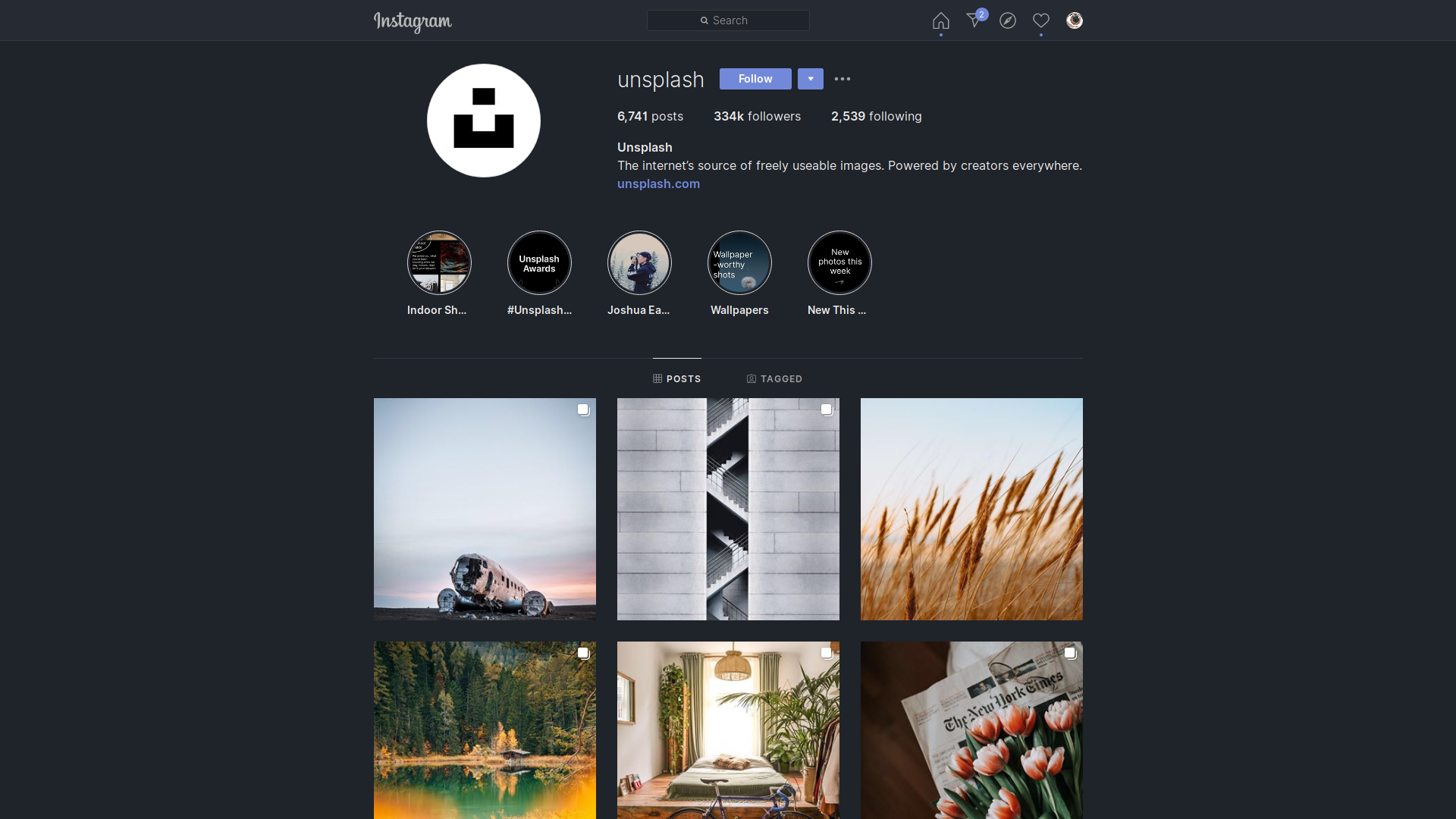
#+HTML:
#+HTML:

Messenger - forked from [[https://github.com/cicerakes/DarkNight-FBMessenger][cicerakes/DarkNight-FBMessenger]]\ (Bugfixed and improved)
#+HTML:
Screenshot
#+HTML: 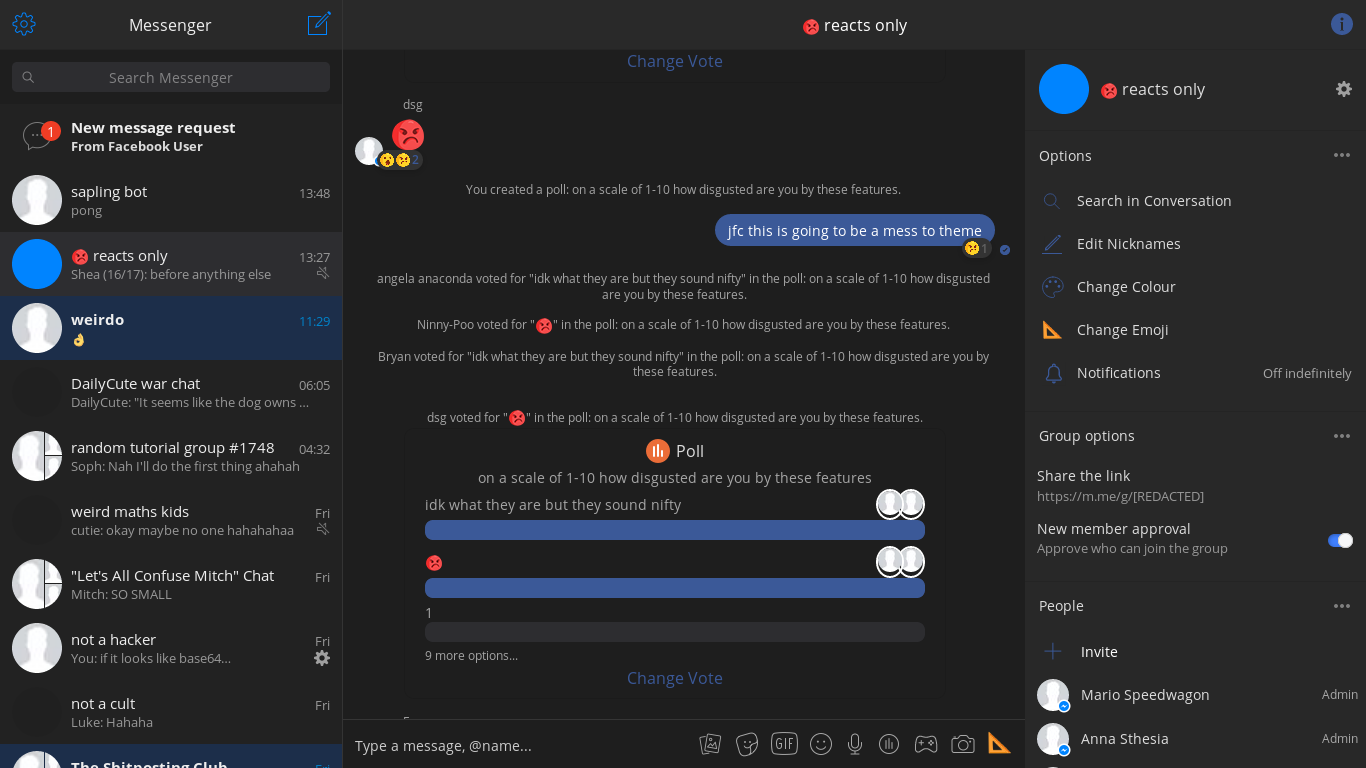
#+HTML:
#+HTML:

Telegram - forked from [[https://github.com/Barina/Dark-Telegram][Barina/Dark-Telegram]]\ (Customized, bugfixed and optimized performance)
#+HTML:
Screenshot
#+HTML: 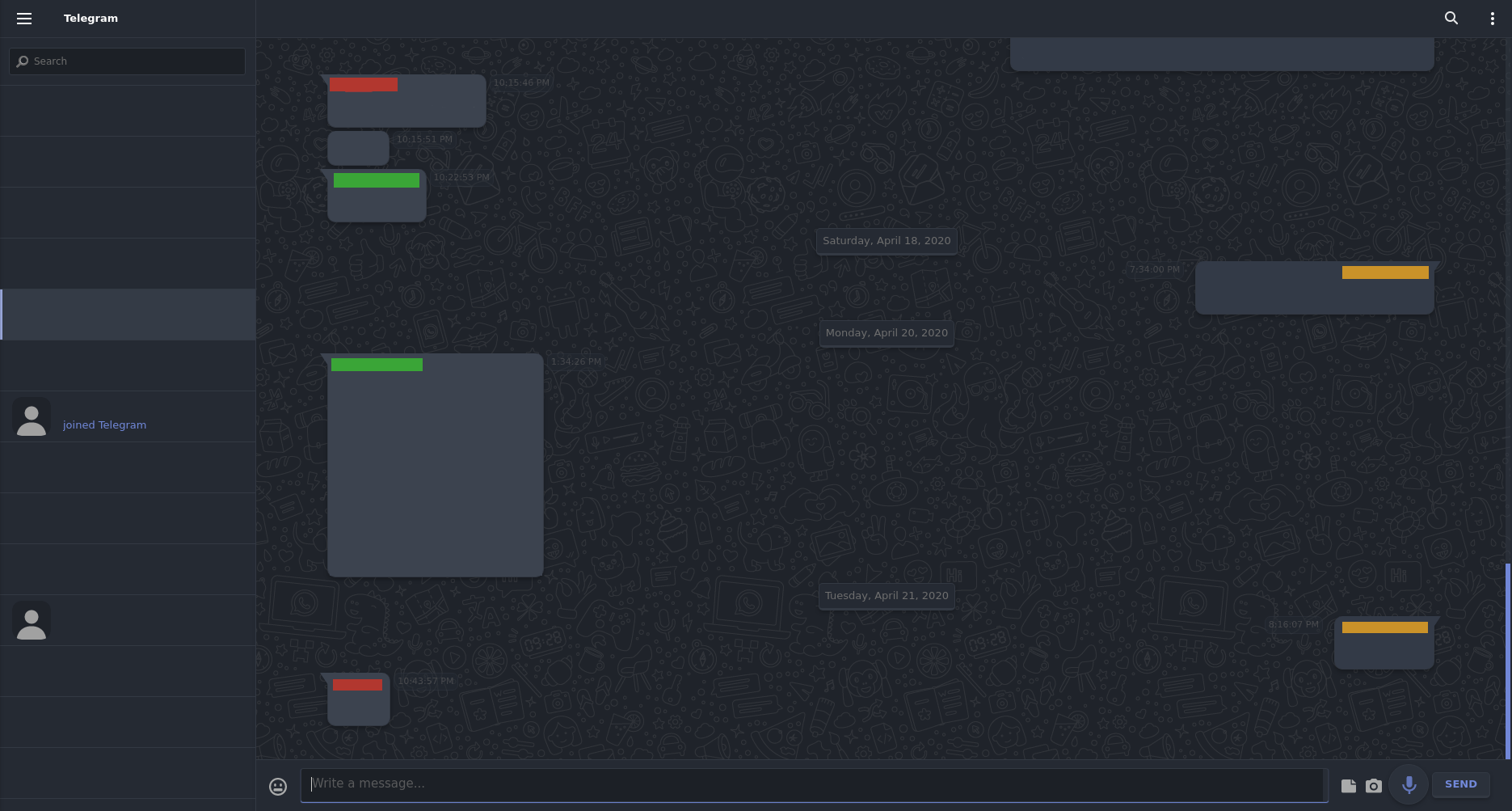
#+HTML:
#+HTML:

WhatsApp - forked from [[https://github.com/vednoc/dark-whatsapp][vednoc/dark-whatsapp]]\ (Customized and optimized performance)
#+HTML:
Screenshot
#+HTML: 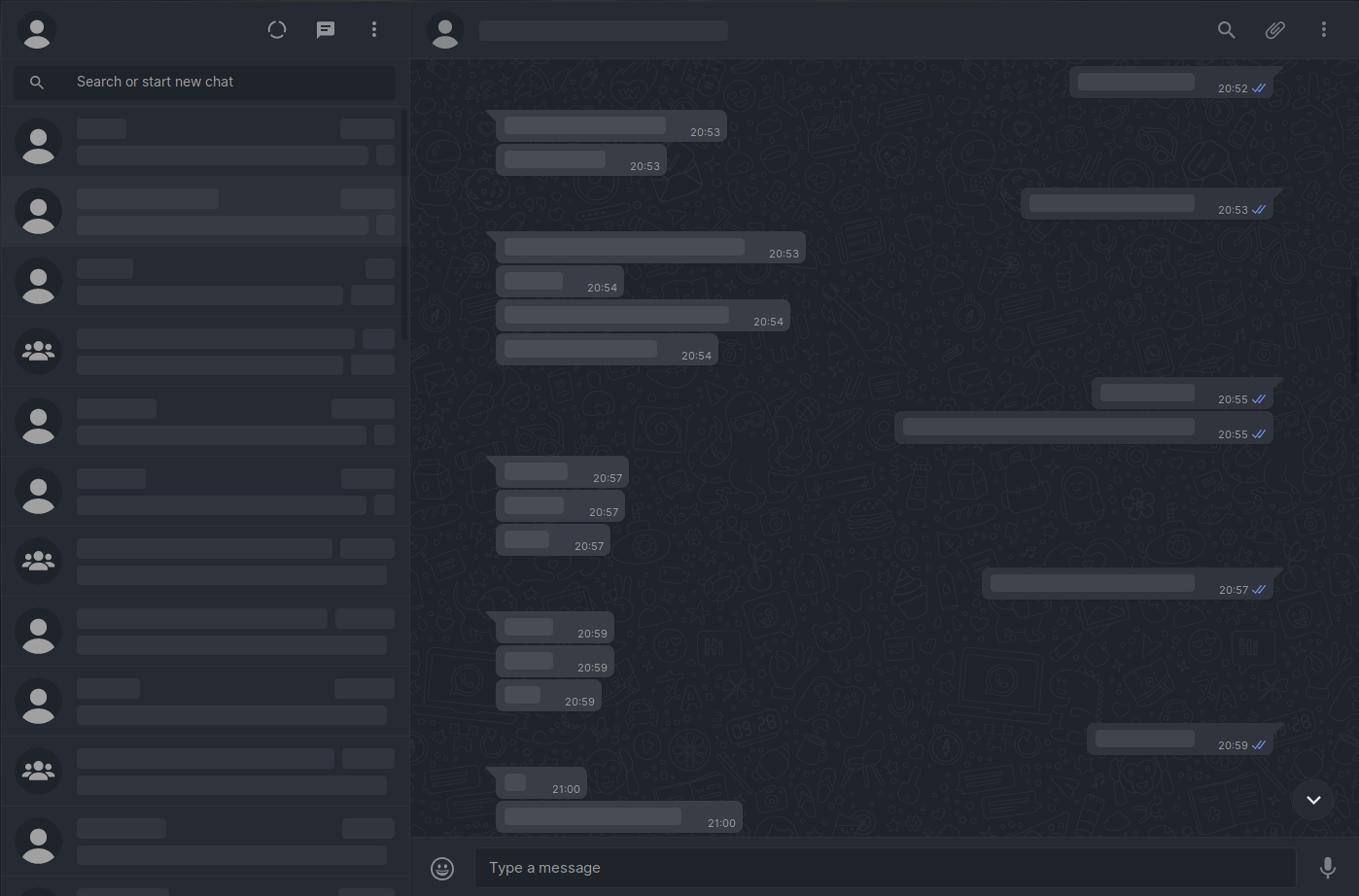
#+HTML:
** License Released under the [[https://github.com/obvionaoe/dark/blob/master/LICENSE][GPL-3.0]] license.