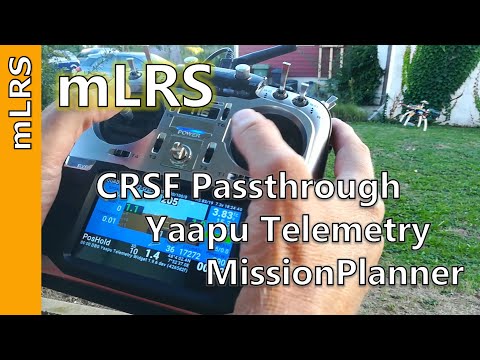
mLRS Documentation: CRSF Telemetry and Yaapu Telemetry App
April 9, 2026 · View on GitHub
This page describes how to set up a mLRS system for EdgeTX/OpenTX radios, so you get CRSF telemetry sensors and can use the Yaapu telemetry app.
Three steps need to be completed:
- The radio needs to be setup for the CRSF protocol.
- The mLRS Tx module needs to be put into "CRSF mode".
- The flight controller needs to be set up to send a MAVLink stream with the desired MAVLink messages.
Optional but recommended steps:
- Install the mLRS Lua script on the radio to configure parameters: Lua Script.
- Set the receiver into "MAVLink mode" (described below).
- Install the Yaapu app (described below).
It is recommended for the initial setup that the Tx module and receiver are left in their default configuration. Once your system is up and running then you can explore the options for further optimizing performance.
Tip
The mLRS default parameter settings follow the below recommendations. That is, with freshly flashed mLRS Tx modules and receivers all you need to do is to set up your radio and flight controller.
Note
- Any radio which supports the CRSF protocol should work, this should include many brands besides EdgeTX/OpenTX radios.
- An ArduPilot flight controller is assumed. PX4 needs to be tested and validated. For INAV see INAV/MSP Support.

Radio Setup
In EdgeTx/OpenTx, navigate to MDL->MODEL SETUP (or SYS->HARDWARE for internal modules) and configure the RF module for CRSF or mBridge protocol with 400K baud rate.
Important
mLRS only supports 400K baud rate.
mLRS Tx Module Setup
Set the following parameters using the Lua script, the CLI, or the OLED interface if available:
- "Tx Ch Source" = "crsf"
- "Tx Ser Baudrate" = "115200"
- "Tx Ser Dest" = "serial" or "serial2" (not "mbridge"!)
- "Tx Snd RadioStat" = "1 Hz"
Tip
The mLRS default settings are "Tx Ch Source" = "crsf", "Tx Ser Baudrate" = "115200", "Tx Ser Dest" = "serial", "Tx Snd RadioStat" = "1 Hz". Therefore, except of "Tx Ser Dest", adjustment of the parameters is usually not needed.
Note
- "Tx Ser Baudrate" should be larger than the link data rate in order to provide enough capacity (e.g., in the 50 Hz mode the link data rate is 4100 Bytes/sec and the baudrate should thus be larger than 41000), but otherwise the choice is not critical and largely determined by the user's need. The default value is 115200, which is a good choice for most cases.
- While not necessary, for the FLRC mode it can be beneficial to use 230400.
mLRS Receiver Setup
Set the following parameters using the Lua script, the CLI, or the OLED interface if available:
- "Rx Out Mode" = "crsf"
- "Rx Ser Baudrate" = must match the baudrate of the flight controller's serial port (see SERIALx_BAUD below)
- "Rx Ser Link Mode" = "mavlinkX" (this sets the receiver into "MAVLink mode")
- "Rx Snd RadioStat" = "ardu_1"
Tip
The mLRS default settings are "Rx Out Mode" = "crsf", "Rx Ser Baudrate" = "57600", "Rx Ser Link Mode" = "mavlinkX", "Rx Snd RadioStat" = "ardu_1". Therefore, adjustment of the parameters is usually not needed.
ArduPilot Setup
A basic setup of the ArduPilot parameters is described in this section which should get you started. Further ArduPilot information is available here: ArduPilot Systems.
MAVLink Serial Port
- SERIALx_BAUD: 57 (= 57600)
- SERIALx_PROTOCOL = 2 (important, do not use MAVLink v1!)
- SERIALx_OPTIONS = 4096 (ignore commands from GCS which change stream rates)
The baud rate setting in SERIALx_BAUD is not critical, as mLRS will gracefully work with them all. If minimal latency is important, it can be increased.
Note
'x' refers to the serial port of your flight controller used for connecting with the mLRS receiver's serial port.
For ArduPilot version 4.5 or lower, parameter download can be improved somewhat by "tuning" the baudrate. For instance, one can try:
- 50 Hz and FSK: 115 (= 115200)
- 31 Hz: 57 (= 57600)
- 19 Hz: 38 (= 38400)
- FLRC: 230 (= 230400)
Stream Rates
In order for mLRS to provide vehicle-related CRSF telemetry data, ArduPilot needs to be set up to stream MAVLink messages containing these data. The stream rates must be enabled by setting the SRy/MAVy parameters in ArduPilot. The exact stream rate values are not critical, as mLRS regulates the message flow when necessary.
Recommended settings are.
| 50 Hz | 31 Hz | 19 Hz | FLRC | |
|---|---|---|---|---|
| SRy_ADSB | 0 | 0 | 0 | 0 |
| SRy_EXT_STAT | 2 | 2 | 1 | 4 |
| SRy_EXTRA1 | 4 | 4 | 4 | 8 |
| SRy_EXTRA2 | 4 | 4 | 4 | 8 |
| SRy_EXTRA3 | 2 | 2 | 1 | 4 |
| SRy_PARAMS | 50 | 50 | 50 | 50 |
| SRy_POSITION | 2 | 2 | 2 | 4 |
| SRy_RAW_CTRL | 0 | 0 | 0 | 0 |
| SRy_RAW_SENS | 0 | 0 | 0 | 0 |
| SRy_RC_CHAN | 1 | 1 | 1 | 2 |
Note
- These parameters have been renamed in ArduPilot 4.7 to MAVy and now start at MAV1 (there is no MAV0).
- Some ArduPilot vehicles do not enable stream rates per default (e.g. Copter has them disabled, whereas Plane has them enabled).
- When configuring SRy/MAVy parameters, 'y' does usually not correspond to the number 'x' of the SERIALx port but to the count of serial ports using the MAVLink protocol. SERIAL0, and thus SR0, is nearly always reserved for the USB connection and set to use the MAVLink protocol (not possible in ArduPilot 4.7, has no MAV0). Therefore, as an example, in a setup where SERIAL1 and SERIAL2 are not set to MAVLink protocol and with the mLRS receiver connected to SERIAL3, then SR1/MAV1 configures the stream rates for the mLRS receiver.
CRSF Receiver Protocol
- RC_PROTOCOLS = 536 or 512
- RSSI_TYPE = 3 or 5
- SERIALx_BAUD = irrelevant (baud rate is determined by ArduPilot)
- SERIALx_OPTIONS = 0
- SERIALx_PROTOCOL = 23
The configuration of ArduPilot for RSSI and link quality data is somwhat involved; more information can be found here.
Note
'x' refers to the serial port of your flight controller used for CRSF. This port is different to the serial port used in the above for the MAVLink serial stream. Instead of using CRSF for communicating RC and link quality data to ArduPilot, it is also possible to use MAVLink, which avoids the extra connection for the CRSF wire. See ArduPilot Systems.
If these settings do not work, more details are available on the ArduPilot Systems page.
Airspeed vs Groundspeed
The Yaapu telemetry script shows a speed ticker by default on the left of the flight display. Depending on the configuration of ARSPD_USE, this can show either groundspeed or a combination of airspeed and groundspeed:
- ARSPD_USE = 0: Yaapu displays groundspeed only as a green number
- ARSPD_USE = 1: Yaapu displays airspeed as a green number and groundspeed below it as a white number
- ARSPD_USE = 2: Displays as = 1, but airspeed will only update when throttle is zero.
If you have no airspeed sensor and are therefore relying on synthetic airspeed, Yaapu will display groundspeed only.
Setting FRSKY_OPTIONS = 1, as mentioned in the Yaapu wiki, is not necessary for mLRS.
Yaapu Telemetry App Setup for EdgeTX/OpenTX
With an active connection to the receiver, in EdgeTX/OpenTX go to MDL->TELEMETRY and select "Discover new sensors". You should start to see sensors appearing; mLRS currently provides 28 sensors (CRSF Sensors).
Install the latest Yaapu app exactly as described in its wiki.
Note
You should always install the latest dev/master version; previous releases are not guaranteed to work.
Once installed, you need to enable CRSF support:
- Start the "Yaapu Config" script in SYS->TOOLS
- Set "enable CRSF support: yes"
- Reboot the radio
- You can check if all is working by running the "Yaapu Debug CRSF" script in SYS->TOOLS
Demo