Basics of Syne Tune: Setting up the Problem
March 8, 2023 · View on GitHub
Running Example
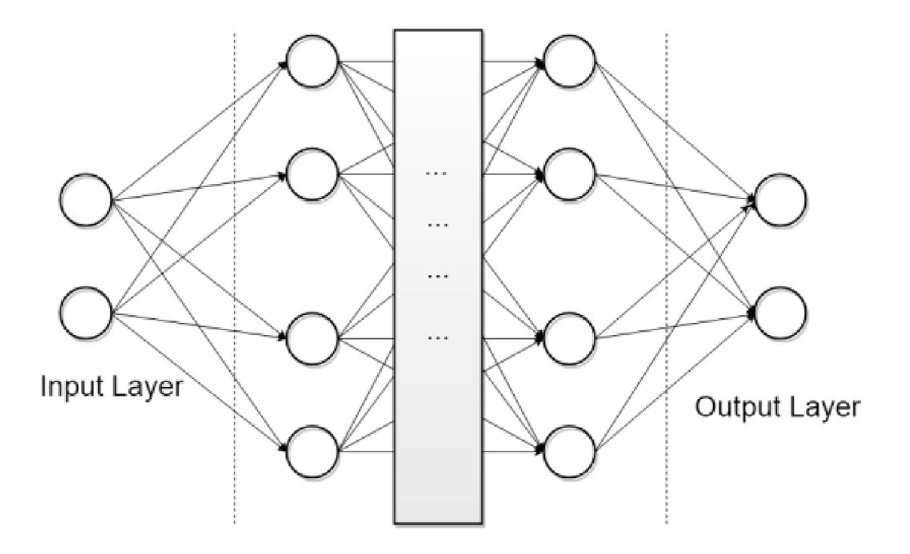
For most of this tutorial, we will be concerned with one running example: tuning some hyperparameters of a two-layer perceptron on the FashionMNIST dataset.
| FashionMNIST | Two-layer MLP |
|---|---|
 |  |
This is not a particularly difficult problem. Due to its limited size, and the type of model, you can run it on a CPU instance. It is not a toy problem either. Depending on model size, training for the full number of epochs can take more than 90 minutes. We will present results obtained by running HPO for 3 hours, using 4 workers. In order to get best possible results with model-based HPO, you would have to run for longer.
Step 1: Annotating the Training Script
You will normally start with some code to train a machine learning model, which comes with a number of free parameters you would like to tune. The goal is to obtain a trained (and tuned) model with low prediction error on future data from the same task. One way to do this is to split available data into disjoint training and validation sets, and to score a configuration (i.e., an instantiation of all hyperparameters) by first training on the training set, then computing the error on the validation set. This is what we will do here, while noting that there are other (more costly) scores we could have used instead (e.g., cross-validation).
For our example, please have a look at traincode_notune.py. If you used SageMaker before, this is pretty much how training scripts look like.
- [1]
objectiveis encoding the function we would like to optimize. It downloads the data, splits it into training and validation set, and constructs the model and optimizer. Next, the model is trained forconfig['epochs']epochs. An epoch constitutes a partitioning of the training set into mini-batches of sizeconfig['batch_size'], presented to the stochastic gradient descent optimizer in a random ordering. Finally, once training is done, we compute the accuracy of the model on the validation set and print it. - [2] Here, values in
configare parameters of the training script. As is customary in SageMaker, these parameters are command line arguments to the script. A subset of these parameters are hyperparameters, namely the parameters we would like to tune. Our example has 7 hyperparameters, 3 of type int and 4 of type float. Another notable parameter isconfig['epochs'], the number of epochs to train. This is not a parameter to be tuned, even though it plays an important role when we get to early stopping methods below. If your training problem is iterative in nature, we recommend you include the number of iterations (or epochs) among the parameters to your script. - [3] Most hyperparameters determine the model, optimizer or learning rate
scheduler. In
model_and_optimizer, we can see thatconfig['n_units_1'],config['n_units_2']are the number of units in first and second hidden layer of a multi-layer perceptron with ReLU activations and dropout (FashionMNIST inputs are 28-by-28 grey-scale images, and there are 10 classes). Also,config['learning_rate']andconfig['weight_decay]parameterize the Adam optimizer.
You need to add only two lines in order to get a training script ready in order to be tuned by Syne Tune: traincode_report_end.py.
- [1] Instead of printing the validation error at the end of
objective, you report it back to Syne Tune. This is done by creating aReportercallback object and to feed it with arguments you would like to report. In our case, we report the validation accuracy asreport(accuracy=accuracy).
Step 2: Defining the Configuration Space
Having defined the objective, we still need to specify the space we would like to search over. The most flexible way to run HPO experiments in Syne Tune is by writing a launcher script, and to define the configuration space in there. Please have a look at launch_configspace_only.py, the first part of a launcher script.
- [1] First, we make some basic choices, which will only become fully clear once we look at a complete launcher script.
- [2] The launcher script needs to know the (annotated) training script we just
looked at (in
entry_point), the name of themetricto optimize, and the mode of optimization (inmode). For our example, we maximize the metric'accuracy'. Here,metricneeds to be the parameter name used in thereportcall in our training script. - [3] Most importantly, we need to define the configuration space for our problem,
which we do with
config_space.
The configuration space is a dictionary with key names corresponding to command line
input parameters of our training script. For each parameter you would like to
tune, you need to specify a Domain, imported from syne_tune.config_space.
A domain consists of a type (float, int, categorical), a range (inclusive on
both ends), and an encoding (linear or logarithmic).
from syne_tune.config_space import randint, uniform, loguniform

config_space = {
    'n_units_1': randint(4, 1024),
    'n_units_2': randint(4, 1024),
    'batch_size': randint(8, 128),
    'dropout_1': uniform(0, 0.99),
    'dropout_2': uniform(0, 0.99),
    'learning_rate': loguniform(1e-6, 1),
    'weight_decay': loguniform(1e-8, 1),
}
In our example, n_units_1, n_units_2, batch_size are int with linear encoding
(randint), dropout_1, dropout_2 are float with linear encoding (uniform),
and learning_rate, weight_decay are float with logarithmic encoding (loguniform).
We also need to specify upper and lower bounds: n_units_1 lies between 4 and 1024,
the range includes both boundary values.
Choosing a good configuration space for a given problem may require some iterations. Parameters like learning rate or regularization constants are often log-encoded, as best values may vary over several orders of magnitude and may be close to 0. On the other hand, probabilities are linearly encoded. Search ranges need to be chosen wide enough not to discount potentially useful values up front, but setting them overly large risks a long tuning time. In general, the range definitions are more critical for methods based on random exploration than for model-based HPO methods.
More details on choosing the configuration space are provided here, where you will also learn about two more types: categorical and finite range.
Finally, you can also tune only a subset of the hyperparameters of your training script, providing fixed (default) values for the remaining ones. For example, the following configuration space fixes the model architecture:
from syne_tune.config_space import randint, uniform, loguniform

config_space = {
    'n_units_1': 512,
    'n_units_2': 128,
    'batch_size': randint(8, 128),
    'dropout_1': uniform(0, 0.99),
    'dropout_2': uniform(0, 0.99),
    'learning_rate': loguniform(1e-6, 1),
    'weight_decay': loguniform(1e-8, 1),
}
In the next section, we will explore a simple HPO baseline algorithm: random search.