Sorcer - OpenAV Productions
March 28, 2026 · View on GitHub
Official page: http://openavproductions.com/sorcer
This is the repository of a wavetable synthesizer called Sorcer.
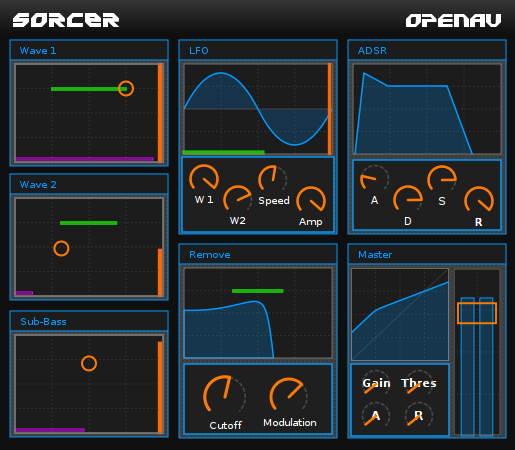
Install
Use CMake to compile and install Sorcer:
mkdir build
cd build

# here we set the pkg-config path to the repo, to pick up `ntk-static`.
# Statically linking NTK makes it simpler to distribute Fabla.
PKG_CONFIG_PATH=../ cmake ..

make
make install

# Verify that the plugin is identified by lv2 tooling
lv2ls | grep Sorcer
Note that Sorcer depends on Boost "circular_buffer.hpp", which is not usually pre-installed on desktop systems. You can install it using your package manager, for example on Ubuntu:
sudo apt-get install libboost-dev
If an error saying "package NTK not found" occurs, it means the development files for NTK are not present. The following will download the source for NTK and install it:
git clone https://github.com/linuxaudio/ntk
cd ntk
./waf configure --prefix=/usr
./waf
./waf install
Running
After the INSTALL step Ardour3, QTractor, and any other LV2 host should automatically find Sorcer, and add it to the list of loadable plugins.
If you have the JALV LV2 host installed, the "run.sh" script can be used to launch Sorcer as a standalone JACK client.
$ ./run.sh
Presets
Presets are included in this repo, and when installed normally they are copied to the
system wide installation directory: /usr/lib/lv2/. Each host can save presets in difference directories, so user-saved presets are likely in a different location.
Bug Reports
Please use the issue tracker on github to report bugs: https://github.com/harryhaaren/openAV-Sorcer/issues/new
Details
I've removed the dependency on FAUST to install: the generated CPP file is included in the repo now. To tweak the FAUST code, just edit faust/main.dsp.
Use FAUST with the following command to generate the next .cpp file:
faust main.dsp > main.cpp
See the CMakeLists.txt file in the top directory for instructions on how to
re-compile with the modified FAUST code.
Contact
If you have a particular question, email me!
harryhaaren@gmail.com
Cheers, -Harry
Quick Start (Beginner Friendly)
Follow these steps to quickly build and run Sorcer:
-
Clone the repository: git clone https://github.com/harryhaaren/openAV-Sorcer
-
Navigate into the project: cd openAV-Sorcer
-
Create a build directory: mkdir build && cd build
-
Run CMake: PKG_CONFIG_PATH=../ cmake ..
-
Compile: make
-
Install: sudo make install
-
Verify installation: lv2ls | grep Sorcer
If Sorcer appears in the list, installation was successful.
Common Errors
NTK not found
Ensure NTK is installed correctly: git clone https://github.com/linuxaudio/ntk cd ntk ./waf configure --prefix=/usr ./waf ./waf install
Boost missing
Install Boost library: sudo apt-get install libboost-dev