README.md
June 13, 2026 · View on GitHub



A game launcher built with React and Tauri, designed to make HQ(High Quota) challenge configuration faster and more convenient.
Features
- Steam Authentication: Secure login with Steam account
- Version Management: Install, select, and remove different game versions from the version menu
- Game Launch/Stop: One-click game execution and termination
- Mod Management: Search, enable/disable, and configure mods
- Config Editor: Built-in BepInEx configuration file editor with a docked, resizable side-by-side layout
- Game Overlay Modules: Editable in-game widgets with layout snapping and a small JS API
- Auto Updates: Automatic updates for both launcher and game versions
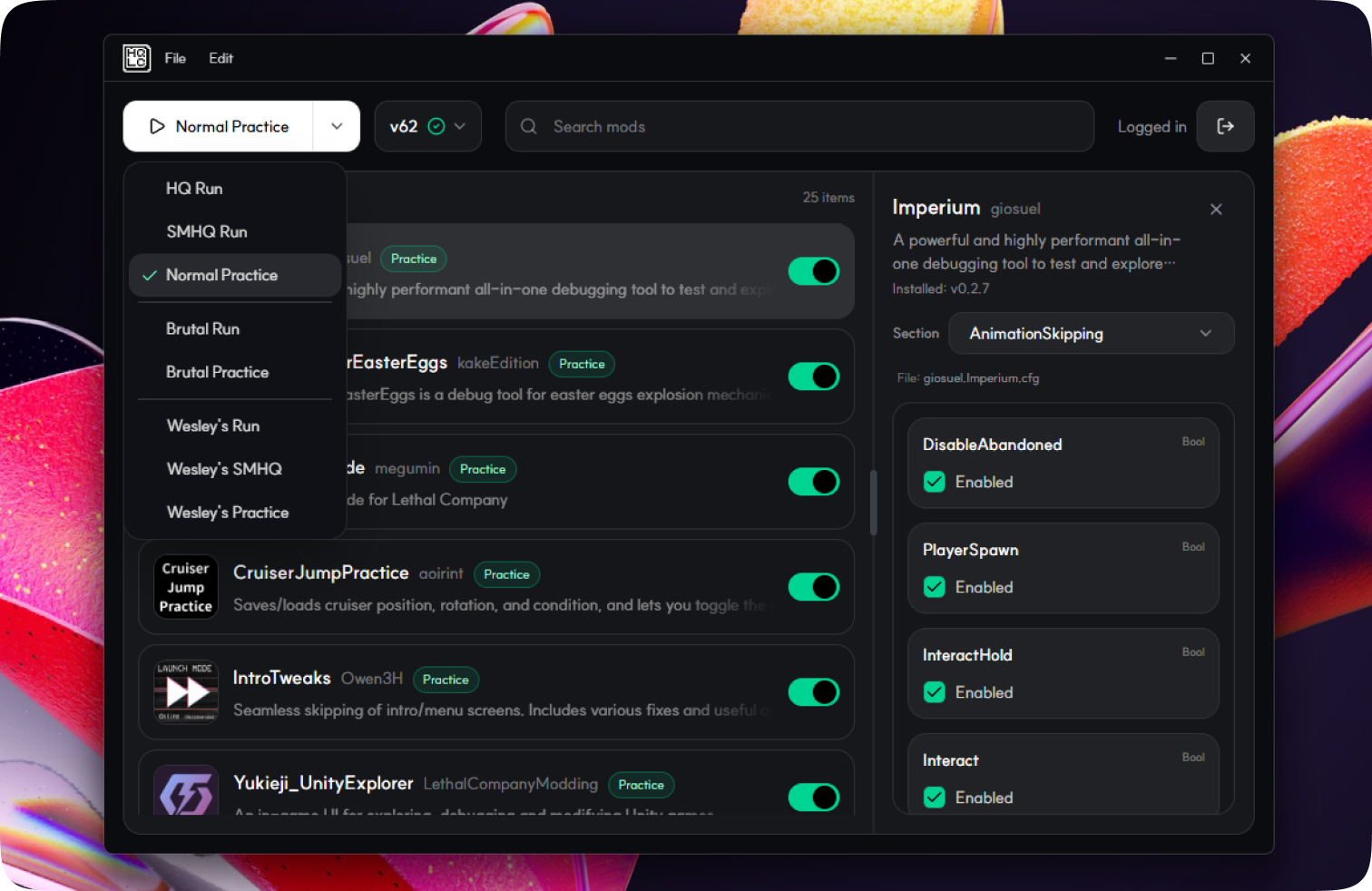
- Practice Modes: Launch HQ, Brutal, or Wesley presets in a practice-ready setup with version-compatible practice mods.
Practice Modes
Practice is no longer a single extra plugin toggle. The launcher now provides preset-specific practice runs:
Normal Practice: HQ preset + practice modsBrutal Practice: Brutal preset + practice mods (v49+)Wesley's Practice: Wesley preset + practice mods (v69+)Classic Moons Practice: Wesley preset + practice mods (v69+)
When a practice run is selected, HQ Launcher prepares the compatible practice setup for the selected game version and installs missing pieces automatically for that run.
Practice mod set
- LethalDevMode (
v45+) - Imperium (
v50+, version pinned per game version) - CoordinateForEasterEggs (
v50+) - CruiserJumpPractice (
v56+) - DanceTools (
v44 and below) - FreeCammer (
v49 and below) - IntroTweaks (
v50+) - Yukieji_UnityExplorer (all supported versions, pinned on newer versions)
Installation
Windows
From Github
- Go to Releases.
- Download the installer for your desired version (the latest is recommended).
- Run the downloaded file.
Note
You might get a prompt saying "Windows has protected your PC". In this case, click More Info and Run Anyway.
Tip
If you're unsure about the safety of this app, I would suggest running it through a service like VirusTotal.
Linux
AppImages and other package formats are available in Releases.
Want to build it yourself? See the Development section below.
Screenshots
Main Interface
contributer
Development
Prerequisites
- Node.js and yarn
- Rust (for Tauri)
Setup
# Install dependencies
yarn install

# Run development server
yarn dev

# Run Tauri in development mode
yarn tauri dev

# Build for production
yarn tauri build
Game overlay module development
See docs/GAME_OVERLAY_MODULES.md for the overlay module API and VS Code autocomplete setup.
Tech Stack
- Frontend: React 19, Tailwind CSS
- Backend: Tauri 2 (Rust)
- UI Components: Radix UI, Lucide React
- Build Tool: Vite