Bridge
August 21, 2022 · View on GitHub

Bridge is a sequencer with four rows of notes and three "bridges" that connect the rows.
Like every sequencer in the Rainbows set, Bridge is designed to sequence notes. Each step in the sequence can be set to a specific note by clicking the corresponding note. Bridge can also have two different expanders. One adds more play-heads the other one adds configurable randomizing triggers.
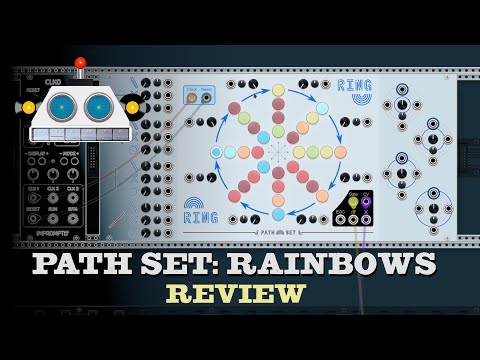
Video
Panel

- Clock input - Advances the sequencer to the next state depending on which ports are connected.
- Reset input - Resets the sequencer to the first state and resets all nodes to their last manually selected mode.
- Gate output - Gate signal to attach to a voice or envelope generator.
- CV output - The CV value here matches the knob of the current state.
- End of Cycle Gate output - Gate signal that is high on the first step of the sequence after each time the cycle ends.
- Ratchet Gate output - Gate signal that is high whenever the sequencer is ratcheting.
- Mute Gate output - Gate signal that is high whenever the sequencer is muted.
- Notes - Notes for each sequence. Right click for more options.
- Bridges - Bridge settings. Note bridges effects apply to both adjacent sequences. Right click to directly set the effect.
- Length Knob - Controls the length of the row. When above 8, the sequence will ping-pong, repeating each end node.
- Length CV - Modulates the Length Knob.
- Length Attenuverter - Modifies CV for Length Knob.
- Odds Knob - Controls the chance of the bridge effects applying.
- Odds CV - Modulates the Odds Knob.
- Odds Attenuverter - Modifies the CV for the Odds Knob.
- Start Row Knob - Controls which row the sequence starts at.
- Start Row CV - Modulates the Start Row Knob.
- Start Row Attenuverter - Modifies the CV for the Start Row Knob.
Features
Notes
Like every sequencer in the Rainbows set, the notes on Bridge can be set clicking the light. Left clicking will cycle through the notes from the currently selected scale and range. Right clicking will allow for more options. From the right click menu you can:
- Set Note - Lets you set the note from the current scale and range.
- Set Any Note - Lets you set the note, even if its not in the current scale.
- Randomize Notes - Options for randomizing notes.
- Randomize All Notes - Randomizes ALL notes on the module. Only selects from the current scale.
- +1 Octave To Some Notes - Shifts some notes up an octave.
- -1 Octave To Some Notes - Shifts some notes down an octave.
- Set Scale - Change the scale and randomizes all notes on the module.
- Root Note - Change the root note and shifts all entered notes up by the difference from the current root note to the new root note.
Bridge Effects
The space between the sequences on Bridge have several different effects that can be configured. These settings affect the two adjacent notes. Each row of bridge effects has a chance to apply that can be controlled by the Odds knobs on the right of the panel.
The different bridge effects are:

- None - No Effect
- Skip - The note is skipped. The note still counts against the sequence length, effectively shortening the sequence. Also the sequence cannot skip more than eight notes in a row.
- Mute - The note is silent. The normal
Gateis low, theCV outputholds its previous value, and theMute Gateis high. - Ratchet - Causes several notes to be played in quick succession. The module selects notes from the same column. The number of notes played can be configured from Ratchet Speed option the contextual menu.
- Borrow - Plays the note from the other sequence instead.
- Swap - Swaps the notes from the two adjacent sequences.
- Jump - Moves the playhead over to the other sequence.
Play Head Expander
Like every sequencer in the Rainbows set, Bridge has a play head expander. You can add the expander in the contextual menu. The expander creates four independent playheads. When the expander is attached you will see the selected note ring is now broken up into four quadrants, one for each of the four playheads.
The Clock and Reset inputs on the main module drive all four playheads, but you can also use independent clock and reset inputs on the expander to drive each playhead at a different rate.
On Bridge, the four playheads automatically start on different rows so that in its initial configuration, Bridge has four independent sequences. The Start Row Knob offsets all playheads.
Randomizer Expander
Like every sequencer in the Rainbows set, Bridge has randomizer expander. You can add the expander in the contextual menu. The expander gives you four button & trigger pairs that can be used to randomize notes on the module. You can also randomize each bridge on the module.
The randomized notes and bridges can be configured. Hold down a button for one second to enter configuration mode. In configuration mode clicking a note on the panel toggles it on and off. Hold down the button on the expander again to exit configuration mode.
Contextual Menu
- Randomize Notes - Options for randomizing notes.
- Randomize All Notes - Randomizes ALL notes on the module. Only selects from the current scale.
- +1 Octave To Some Notes - Shifts some notes up an octave.
- -1 Octave To Some Notes - Shifts some notes down an octave.
- Bridges
- Initialize - Resets all bridges to their default values.
- Randomize - Randomizes all bridges.
- Set Scale - Change the scale and randomizes all notes on the module.
- Root Note - Change the root note and shifts all entered notes up by the difference from the current root note to the new root note.
- Range - Sets the range of the current notes. Octave range is centered around the perfect 5th note above the root note.
- Ratchet Speed - Controls how fast the Ratchet mode plays. When set to
Whole Notesthe Ratchet speed is equal to the clock.Half Notesplays twice per clock etc. - Active Cursor Color - Controls what color ring is used to show which notes are active.
- Add Expander - Add various expanders.
- Play Head Expander - Gives the module 3 more playheads.
- Randomizer Expander - Gives buttons and triggers for randomizing notes on the module.
Bypass
When Bridge is bypassed the Gate output is connected to the Clock input.