Features
June 14, 2025 · View on GitHub
- The source file extension must be ".hs"
- Can not use STDIN handle while debugging.
- Creating tasks.json.
- Shortcut keys
- F5 : start / continue debugging
- F6 : show command menu
- Shift + F6 : stop watch
- F7 : clean & build
- F8 : start test
- F9 : put a breakpoint on the current line
- Shift + F9 : put a breakpoint on the current column
- F10 : step next
- F11 : step into
Install
Stack
Install haskell-dap, ghci-dap, haskell-debug-adapter at once.
$ stack update
$
$ stack install haskell-dap ghci-dap haskell-debug-adapter
$
$ ghci-dap --version
[DAP][INFO] start ghci-dap-0.0.XX.0.
The Glorious Glasgow Haskell Compilation System, version X.X.X
$
$ haskell-debug-adapter --version
VERSION: haskell-debug-adapter-0.0.XX.0
$
Cabal
Install ghci-dap, haskell-debug-adapter.
$ cabal update
$
$ cabal install ghci-dap haskell-debug-adapter
$
$ haskell-debug-adapter --version
VERSION: haskell-debug-adapter-0.0.XX.0
$
Run
1. Create a project
Stack project
$ mkdir project_stack
$ cd project_stack
$
$ stack new sample --bare
$ stack test
$
Cabal project
$ mkdir project_cabal
$ cd project_cabal
$
$ cabal init
$ cabal configure
$ cabal bulid
$
2. VSCode debug setting
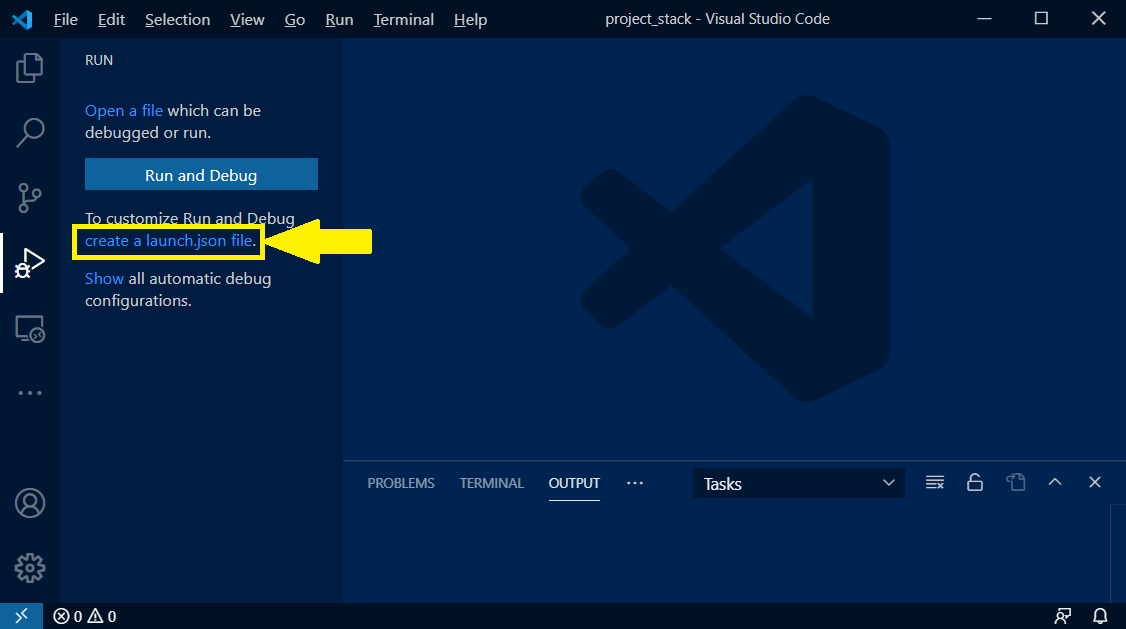
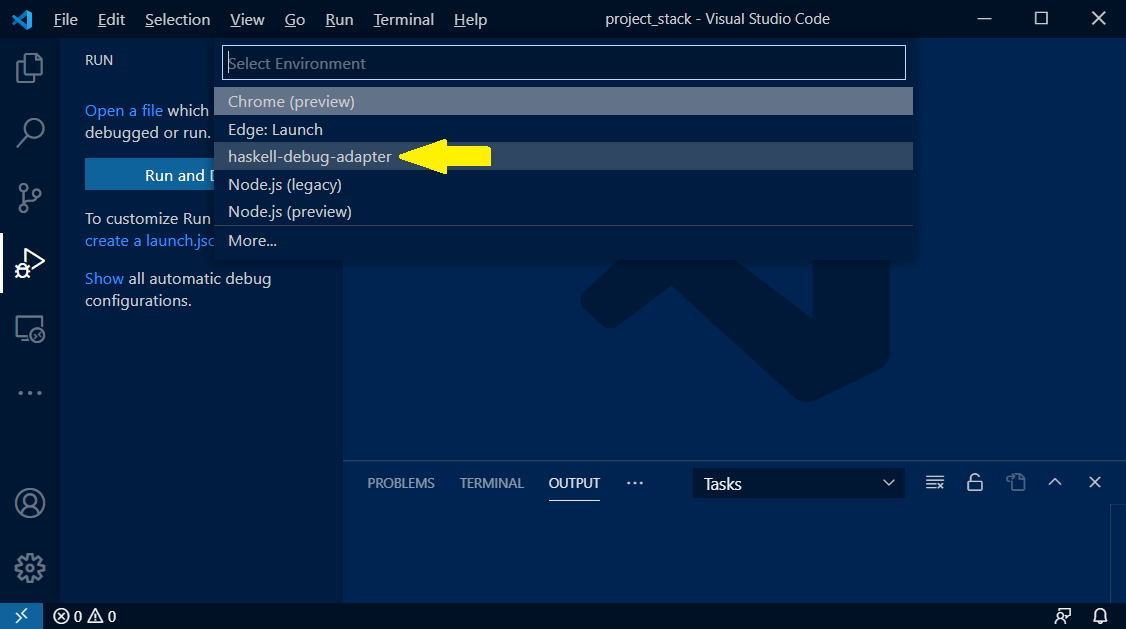
3. Select a debug configuration
Stack project
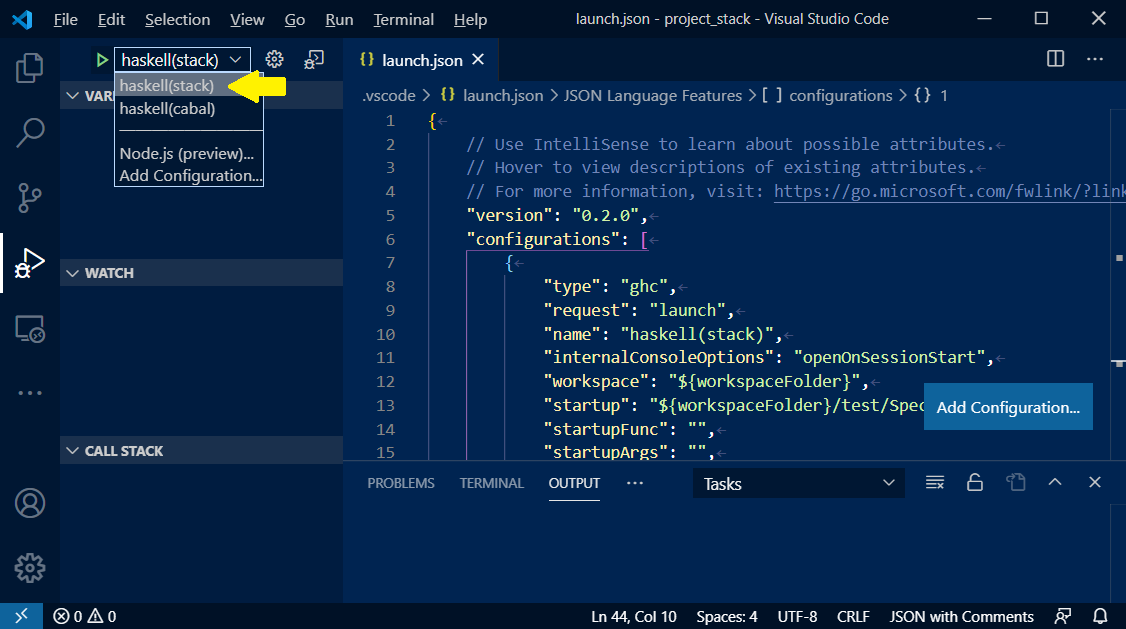
Cabal project
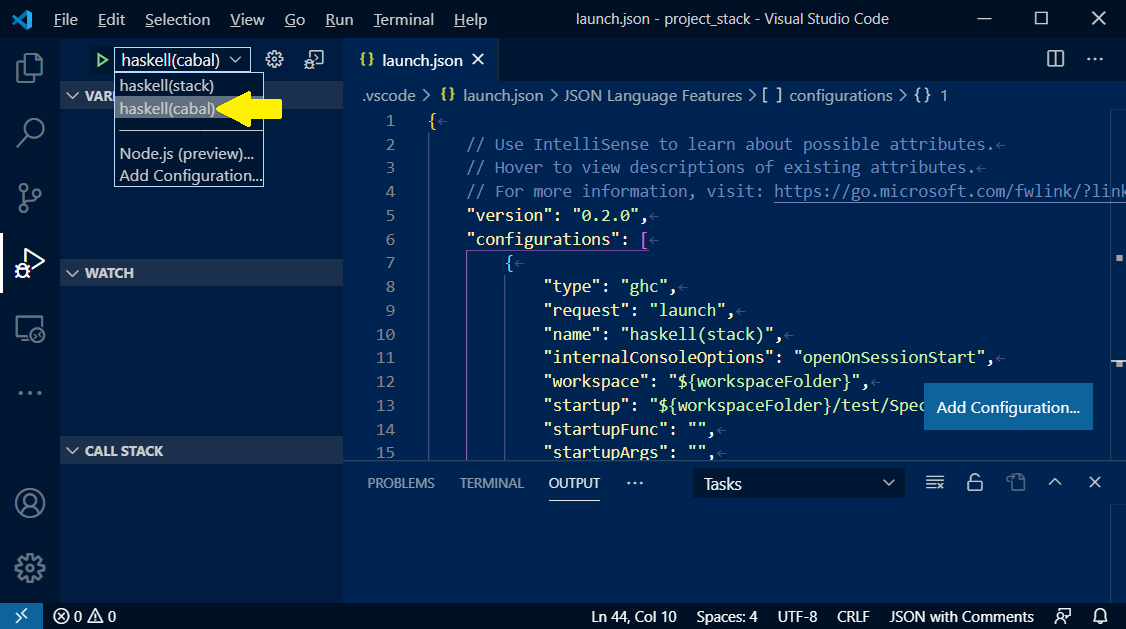
4. Put a breakpoint
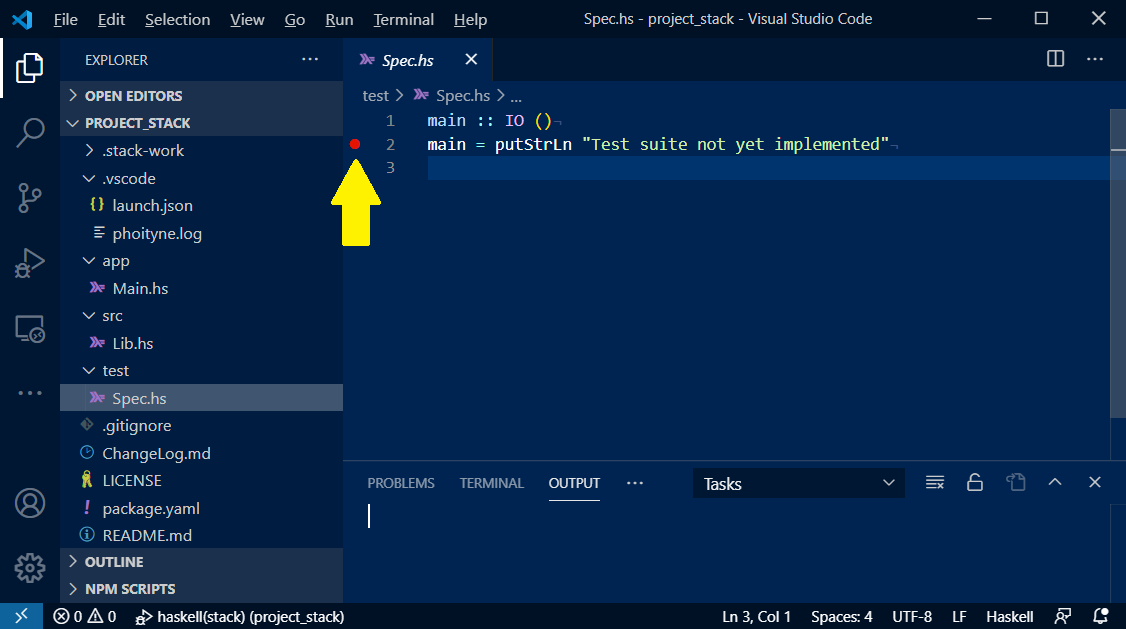
5. Start debugging
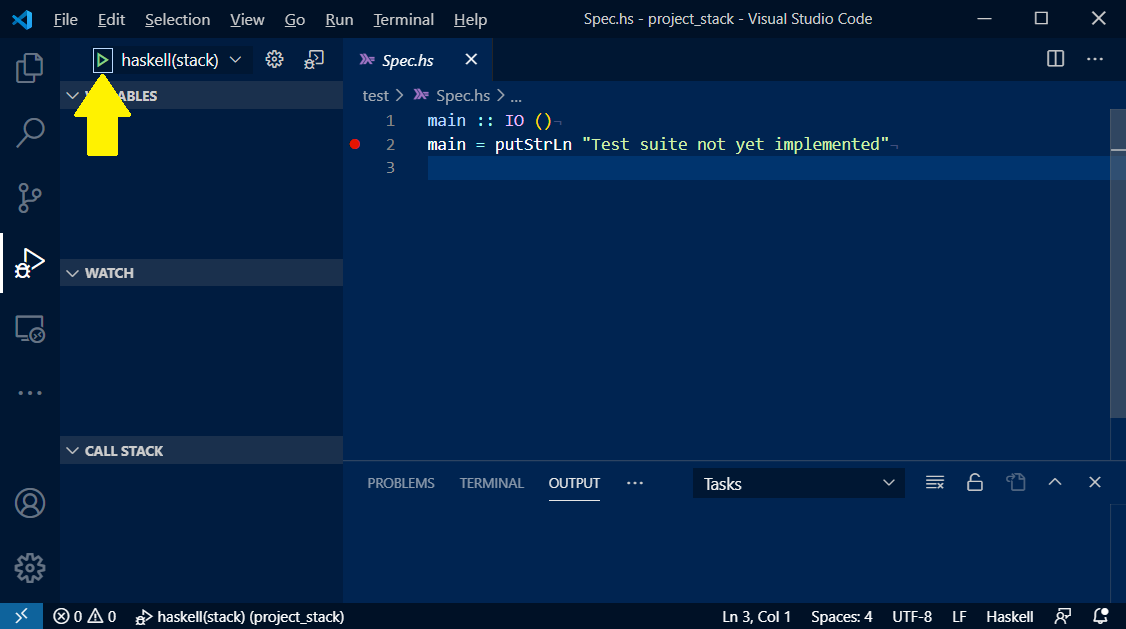
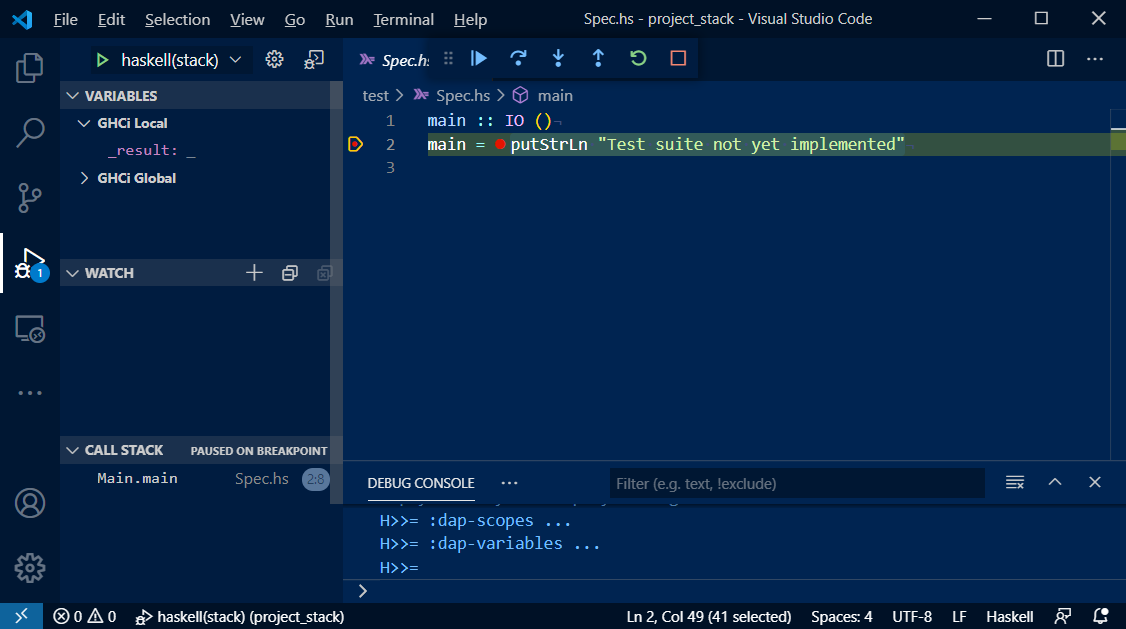
Configuration
see sample files.
.vscode/launch.json
| NAME | REQUIRED OR OPTIONAL | DEFAULT SETTING | DESCRIPTION |
|---|---|---|---|
| startup | required | ${workspaceRoot}/test/Spec.hs | debug startup file, will be loaded automatically. |
| startupFunc | optional | "" (empty string) | debug startup function, will be run instead of main function. |
| startupArgs | optional | "" (empty string) | arguments for startup function. set as string type. |
| stopOnEntry | required | false | stop or not after debugger launched. |
| mainArgs | optional | "" (empty string) | main arguments. |
| ghciPrompt | required | H>>= | ghci command prompt string. |
| ghciInitialPrompt | optional | "Prelude> " | initial pormpt of ghci. set it when using custom prompt. e.g. set in .ghci |
| ghciCmd | required | cabal repl -w ghci-dap --repl-no-load --builddir=${workspaceFolder/.vscode/dist-cabal-repl | launch ghci command (special value ghci-dap will use hie-bios to determine appropriate flags). |
| ghciEnv | required | {} | Environment variables for ghci exectution. |
| logFile | required | ${workspaceRoot}/.vscode/phoityne.log | internal log file. |
| logLevel | required | WARNING | internal log level. |
| forceInspect | required | false | Inspect scope variables force. |
Experimental: MCP Integration
We are currently experimenting with MCP (Model Context Protocol) support for haskell-debug-adapter.
As part of this effort, we are exploring integration with pty-mcp-server, a lightweight stdio-based MCP server that enables AI-assisted control over GHCi sessions.
We have also developed a dedicated VS Code extension named pms-vscode, which provides a frontend interface to pty-mcp-server within the editor.
Although haskell-debug-adapter and pms-vscode are implemented as independent extensions and operate separately, their collaboration may deepen in the future as part of broader efforts toward AI-driven and automated Haskell development tooling.
This integration aims to:
- Allow AI agents to issue debug commands over MCP to the adapter
- Provide scriptable, reproducible debugging workflows
- Support new development and learning experiences in interactive Haskell debugging
Demo: Haskell Debugging with cabal repl
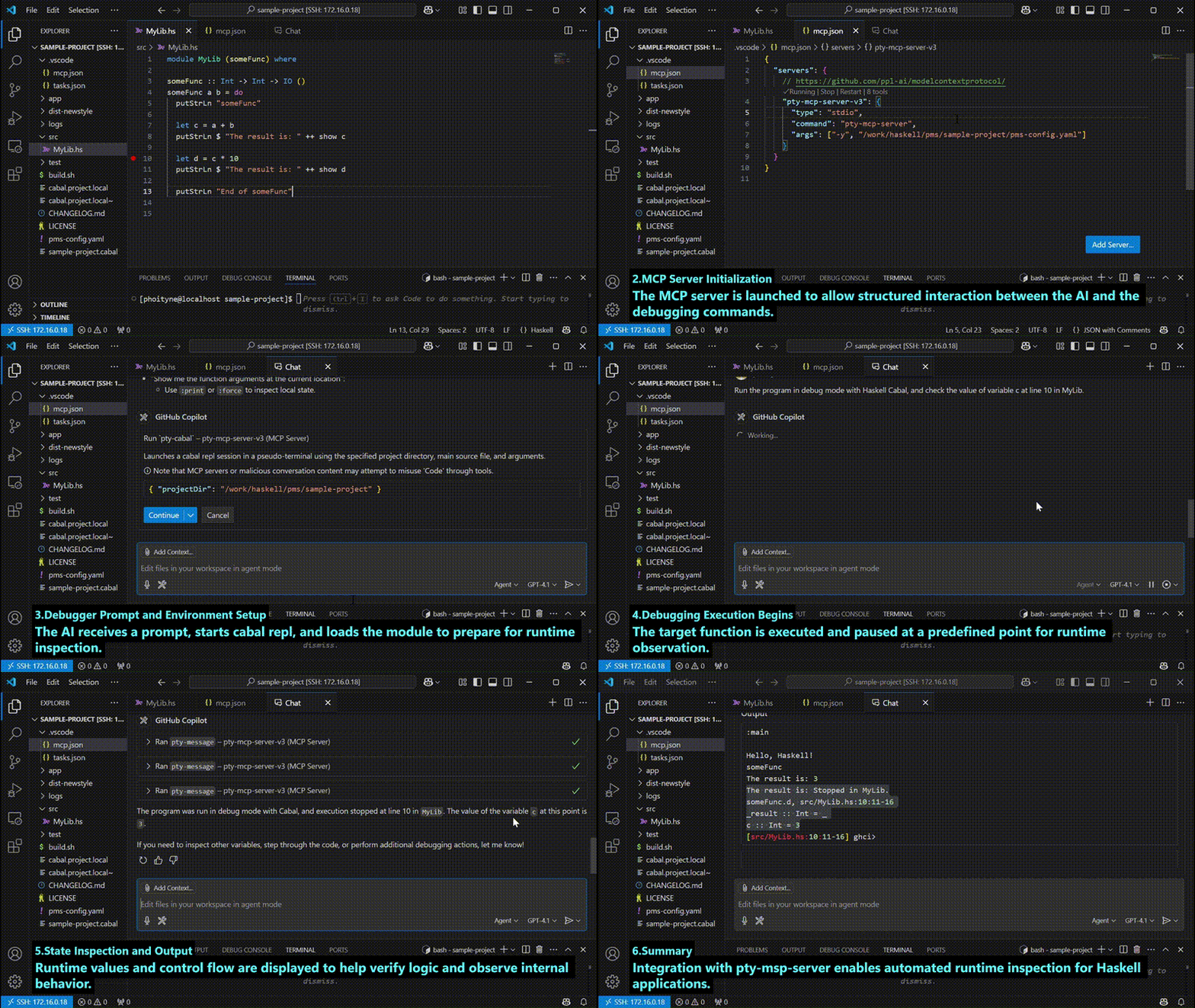
Ref : haskell cabal debug prompt
- Target Code Overview
A function in MyLib.hs is selected to inspect its runtime state using cabal repl and an AI-driven debug interface. - MCP Server Initialization
The MCP server is launched to allow structured interaction between the AI and the debugging commands. - Debugger Prompt and Environment Setup
The AI receives a prompt, starts cabal repl, and loads the module to prepare for runtime inspection. - Debugging Execution Begins
The target function is executed and paused at a predefined point for runtime observation. - State Inspection and Output
Runtime values and control flow are displayed to help verify logic and observe internal behavior. - Summary
Integration with pty-msp-server enables automated runtime inspection for Haskell applications.