Vector Search Example
April 22, 2026 · View on GitHub
This example demonstrates how to build a semantic search application using TiDB and local embedding models. It uses vector search to find similar items by meaning (not just keywords).
The application uses Ollama for local embedding generation, Streamlit for the web UI, and pytidb (the official Python SDK for TiDB) to build the RAG pipeline.
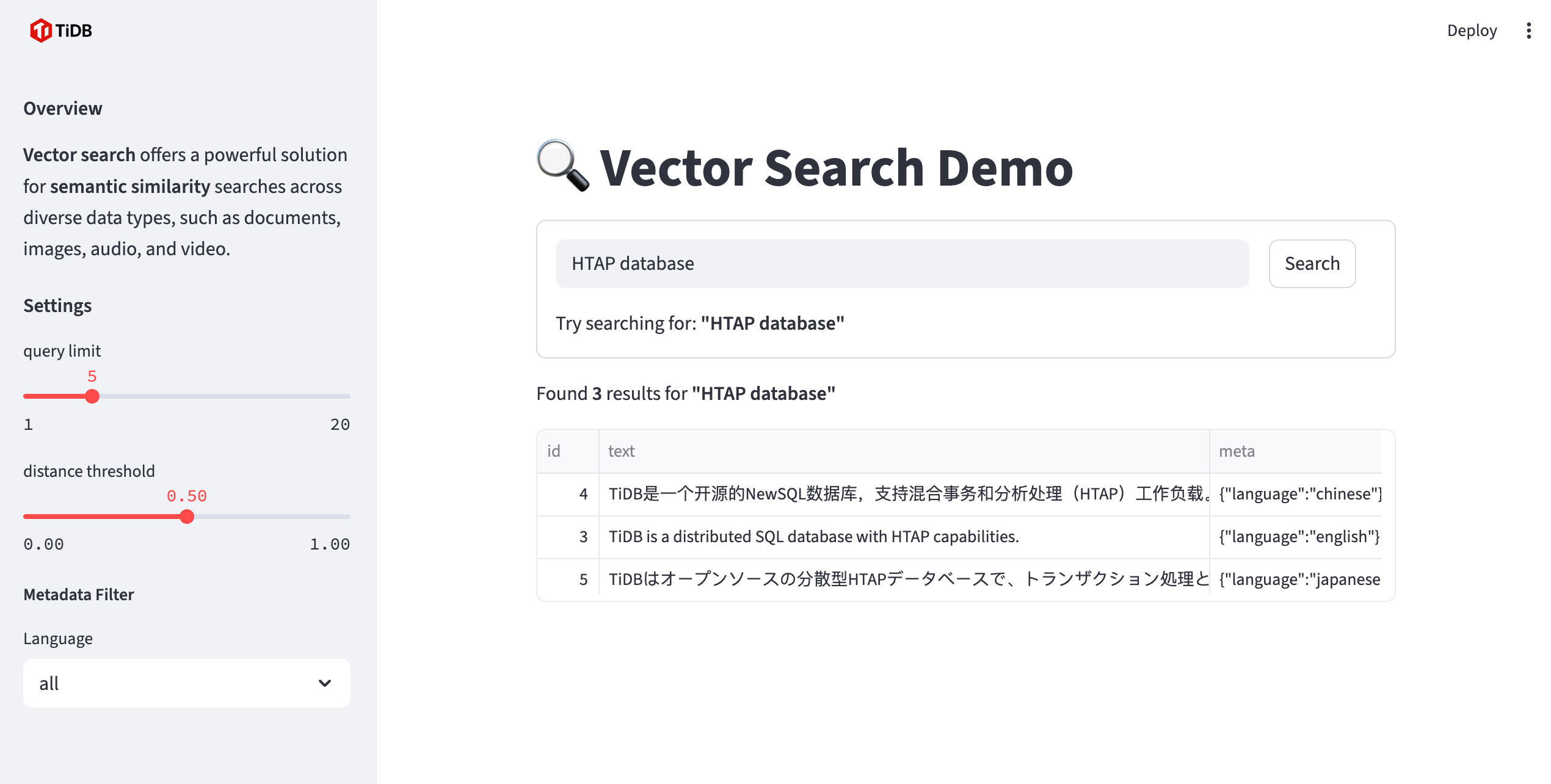
Semantic search with vector embeddings
Prerequisites
Before you begin, ensure you have the following:
- Python (>=3.10): Install Python 3.10 or a later version.
- A {{{ .starter }}} instance: You can create a free {{{ .starter }}} instance on TiDB Cloud.
- Ollama: Install from Ollama.
How to run
Step 1. Start the embedding service with Ollama
Pull the embedding model:
ollama pull mxbai-embed-large
Verify that the embedding service is running:
curl http://localhost:11434/api/embed -d '{
  "model": "mxbai-embed-large",
  "input": "Llamas are members of the camelid family"
}'
Step 2. Clone the repository
git clone https://github.com/pingcap/pytidb.git
cd pytidb/examples/vector_search/
Step 3. Install the required packages and set up the environment
python -m venv .venv
source .venv/bin/activate
pip install -r reqs.txt
Step 4. Set environment variables
-
In the TiDB Cloud console, navigate to the My TiDB page, and then click the name of your target {{{ .starter }}} instance to go to its overview page.
-
Click Connect in the upper-right corner. A connection dialog is displayed, with connection parameters listed.
-
Set environment variables according to the connection parameters as follows:
cat > .env <<EOF
TIDB_HOST={gateway-region}.prod.aws.tidbcloud.com
TIDB_PORT=4000
TIDB_USERNAME={prefix}.root
TIDB_PASSWORD={password}
TIDB_DATABASE=pytidb_vector_search
EOF
Step 5. Run the Streamlit app
streamlit run app.py
Open your browser and visit http://localhost:8501.
Related resources
- Source Code: View on GitHub