Adwaita theme for VS Code
March 7, 2023 · View on GitHub
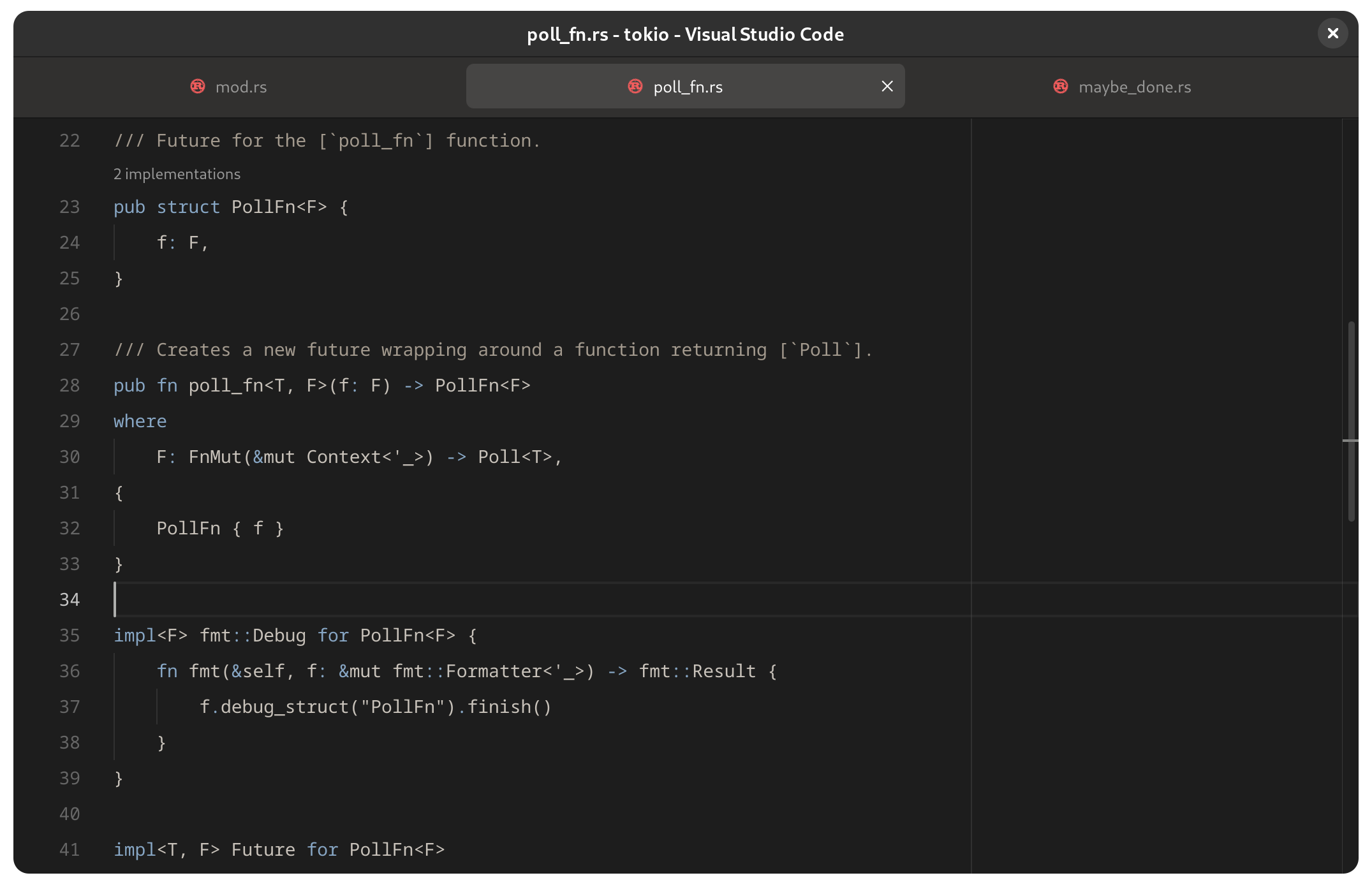
Dark and light themes based on GNOME's new Adwaita look and GNOME Builder's syntax highlighting.

Extra theme variants are included for those who prefer a colorful status bar and/or default syntax highlighting:

Installation
Get it on VS Marketplace or Open VSX.
Suggested settings
Open the Command Palette and find "Open Settings (JSON)". Here are the recommended settings:
"window.titleBarStyle": "custom",
"window.commandCenter": true,
"window.autoDetectColorScheme": true,
"workbench.preferredDarkColorTheme": "Adwaita Dark",
"workbench.preferredLightColorTheme": "Adwaita Light",
"workbench.productIconTheme": "adwaita",
"editor.renderLineHighlight": "none",
"workbench.iconTheme": null,
"workbench.tree.indent": 12,
Rounded Window Corners GNOME extension can be used to get rounded corners on all windows.
Related projects
- wroyca/vscode-libadwaita contains custom CSS that brings VS Code even closer to looking like a libadwaita app:
Contributing
See CONTRIBUTING.md.
This project is not affiliated with GNOME Foundation.
