Hello ImGui
April 24, 2026 · View on GitHub
OpenGL


Mobile and web


Alternate rendering backends


Misc


See the HelloImGui documentation website for API, usage and build instructions.
Hello ImGui

Dear ImGui apps made simple: desktop, mobile, and web from one codebase.
Minimal code. Maximally readable.
Hello ImGui is a library designed to make multiplatform app development as simple as writing a "Hello World" program, built on top of Dear ImGui.
Its flexibility makes it suited for complex applications, as well as for simple prototypes; allowing you to focus on the creative aspects of your projects.
Features
Multiplatform utilities
- Seamlessly multiplatform: supports Linux, Windows, macOS, iOS, Android, and Emscripten with minimal setup (1 line of CMake code)
- Asset embedding across all platforms (no code required)
- Effortless app customization, including app icons and names for mobile platforms (no code required)
- Universal application icon customization, extending to mobile and macOS (no code required)
Dear ImGui Tweaks
- Power Save mode: optimize performance by reducing FPS when idle
- High DPI support: automatically scales UI to match screen DPI on any platform.
- Enhanced layout handling: dockable windows and multiple layouts for complex UIs
- Window geometry utilities: autosize application window, restore app window position
- Theme tweaking: extensive list of additional themes
- Support for movable and resizable borderless windows
- Advanced font support: icons, emojis and colored fonts
- Integration with ImGui Test Engine: automate and test your apps
- Save user settings: window position, layout, opened windows, theme, user defined custom settings
- Easily add a custom 3D background to your app
Backends
- Available platform backends: SDL2, Glfw3
- Available rendering backends: OpenGL3, Metal, Vulkan, DirectX
Full manual (PDF)
View or download the full pdf for this manual. You may feed it into a LLM such as ChatGPT, so that it can help you when using Hello ImGui.
Demos & real world apps
Motto
The minimum code to start developing a GUI app should be... minimal. Here is a multiplatform Hello World in 7 lines.
6 lines of C++
#include "hello_imgui/hello_imgui.h"
int main(int , char *[]) {
    HelloImGui::Run(
        []{ ImGui::Text("Hello, world!"); }, // Gui code
        "Hello!", true);                     // Window title + Window size auto
}
1 line of CMake
hello_imgui_add_app(hello_world hello_world.cpp)
Advanced layout
The docking demo show how to handle complex layouts, use themes, store user settings, reduce FPS and CPU usage when idling, load fonts and icons, and much more
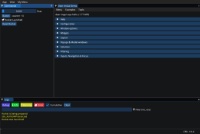
Online demo - Source - Video tutorial: how to handle multiple complex layouts
Custom 3D background
How to use a custom 3D background in your app
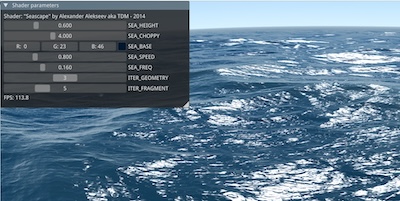
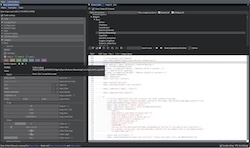
ImGui Manual
ImGui Manual is an interactive Manual for Dear ImGui, built with Hello ImGui.
RPN Calculator
RPN Calculator is a simple RPN calculator, built, built to demonstrate how easy a multiplatform app can be built with Hello ImGui.
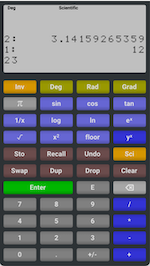
Online demo - Source - Video tutorial
Starter template
The starter template will get you started in 5 minutes, and shows how to embed assets, customize the app icon (etc.), on all platforms.
Dear ImGui Bundle
Dear ImGui Bundle, a full-fledged library, built on top of Hello ImGui, provides lots of additional widgets (imgui, implot, imgui-node-editor, ImFileDialog, ImGuiColorTextEdit, imgui_md), as well as complete python bindings.

online interactive demo - Source for C++ demos - Source for Python demos
Theme tweaking
How to use the theme tweaking utilities provided by Hello ImGui
About
Credits
Hello ImGui is based on Dear ImGui (MIT License), by Omar Cornut. Portions use ImGui Test Engine, which is governed by a specific license
Portions of this software use the FreeType Project, plutosvg (MIT License), GLFW (zlib/libpng license), SDL (zlib license).
License
Hello ImGui is licensed under the MIT License, see LICENSE
Contribute
Quality contributions are welcome!
Support the project
Hello ImGui is a free and open source project, and its development and maintenance require considerable efforts.
If you find it valuable for your work – especially in a commercial enterprise or a research setting – please consider supporting its development by making a donation. Thank you!
More info
See the HelloImGui documentation website for API, usage and build instructions.