README.md
March 17, 2026 · View on GitHub

VEKTRON
Personal dashboard for people who take their life seriously.
Kanban · Finance · AI Advisor · Canvas LMS · Telegram Mini App · Work Tracker · Freelance Tracker










Features
Dashboard
Bird's-eye view of everything at once — active tasks, today's and monthly spending, a quick expense form, and a recent transactions panel. Canvas LMS deadlines widget appears automatically when configured.
Kanban Board
Full-featured task management with multiple boards, custom columns, and drag-and-drop. Completed tasks can be archived in bulk and restored at any time.
Finance Tracker
Track both expenses and income with custom color-coded categories. Built-in charts cover daily, weekly, and monthly breakdowns. Supports setting an initial balance for accurate running totals. History view with period filters (day / week / month / year / all).
AI Financial Advisor
Powered by Claude, OpenAI, or Groq — your choice. Analyzes today's expenses on demand and holds a full chat with streaming responses. Maintains multiple conversations with persistent history.
AI Memory stores personal facts as vector embeddings (Jina AI + pgvector). The advisor automatically extracts facts from conversations using Groq, so it remembers your habits and context across sessions.
Supported models:
- Anthropic — Claude Sonnet 4.6, Haiku 4.5, Opus 4.6
- OpenAI — GPT-4o, GPT-4o Mini, GPT-3.5 Turbo
- Groq — Llama 3.3 70B, Llama 3.1 8B, Mixtral 8x7B, Gemma 2 9B
Canvas LMS Integration
Full integration with Canvas LMS (Instructure). Connect once with your API key and the dashboard syncs all your academic data automatically.
Deadlines — view upcoming assignments and quizzes filtered by period (tomorrow / this week / this month). Each item shows submission status (graded, submitted, missing, late), points, and a direct link to Canvas.
Courses — browse active courses with current grade/score. Each course has a dedicated page with three tabs:
- Timeline — chronological view of all assignments and calendar events
- Assignments — full assignment list with submission status and due dates
- Announcements — course announcements with mark-as-read support
Assignments — global assignments view across all courses, filterable by status (upcoming / past / all) and by course.
Calendar — monthly calendar grid with color-coded events from all courses. Navigate months, click events to see details, and browse the full event list below the grid.
Grades & GPA — current and final scores per course, displayed on the course card and course page.
Telegram notifications — get notified 24h, 3h, and 1h before each deadline (configurable in Settings).
Data is cached in PostgreSQL and refreshed on demand via a sync button.
Telegram Bot
Add expenses in seconds by texting the bot. Natural language input is parsed by AI — it extracts amount, category, and date automatically.
| Command | Description |
|---|---|
/add 500 coffee | Add an expense |
/today | Today's expenses |
/help | List of commands |
Telegram Mini App (TMA)
A full mobile-optimized interface embedded directly inside Telegram. Sections accessible via bottom navigation:
| Section | Description |
|---|---|
| Home | Stats summary, quick expense form, recent transactions |
| Tasks | Kanban boards with horizontal column scrolling |
| Finance | Expense list, period summary |
| Work | Check-in/out, shift history, weekly/monthly stats |
| AI Chat | Streaming AI advisor with conversation switcher |
| Settings | Language, currency, AI provider, categories, bot connection |
Includes haptic feedback, Telegram safe area support, and a dedicated tma-auth middleware.
Freelance Tracker
Time tracking built for freelancers who bill by the hour. Create client projects, run a server-side stopwatch (survives browser closes), and export clean reports.
Projects — each with a name, color label, and optional deadline. Projects display weekly and monthly hour totals at a glance.
Timer — start, pause, resume, and stop. The timer runs on the server, so closing the tab or reloading the page doesn't lose time. Only one active session at a time.
Manual entry — log past sessions retroactively with start/end times and an optional note.
History — session table filterable by period (week / month / all) and by project. Edit or delete any session inline.
Stats — weekly and monthly breakdowns with a color-coded bar chart per project.
CSV export — download a report (Date, Project, Start, End, Duration, Note) filtered by project and date range — ready to paste into Excel or Google Sheets.
Dashboard widget — if a timer is running, a live counter appears on the main dashboard with a one-click Stop button.
Web only — not available in the Telegram Mini App.
Work Time Tracker
Track work hours with one-tap check-in / check-out. Live timer for active shifts. History view grouped by week or month with per-session duration and totals.
Supports iOS Shortcuts integration — a webhook endpoint lets you automate check-in/out via location-triggered shortcuts.
Theme System
Two accent palettes switchable from Settings:
- Violet — Syne + DM Sans, deep purple tones
- Emerald — Cabinet Grotesk + Instrument Sans, green tones
Both support dark and light mode, stored in localStorage and applied instantly without page reload.
Localization (EN / RU)
Full English and Russian interface. Language is selected in Settings and saved to the backend — persists across devices. Lightweight custom useLocale composable, no external library.
Settings
- Language (EN / RU) and currency
- Theme accent (Violet / Emerald) and mode (Dark / Light)
- AI provider and model selection
- API keys: Anthropic, OpenAI, Groq, Jina
- Canvas LMS domain, API key, toggles
- Finance categories (CRUD with custom colors)
- Telegram bot token and webhook registration
- Work tracker iOS Shortcut webhook
- Password change
Deploy to Dokploy
Step 1 — Create PostgreSQL
Dokploy → New Service → Database → PostgreSQL
Note down the service name (will be DB_HOST), Database, Username, and Password.
Step 2 — Create Application Service
Dokploy → New Service → Application → source GitHub → select repo and branch main.
Dokploy will automatically find the Dockerfile in the root of the repository.
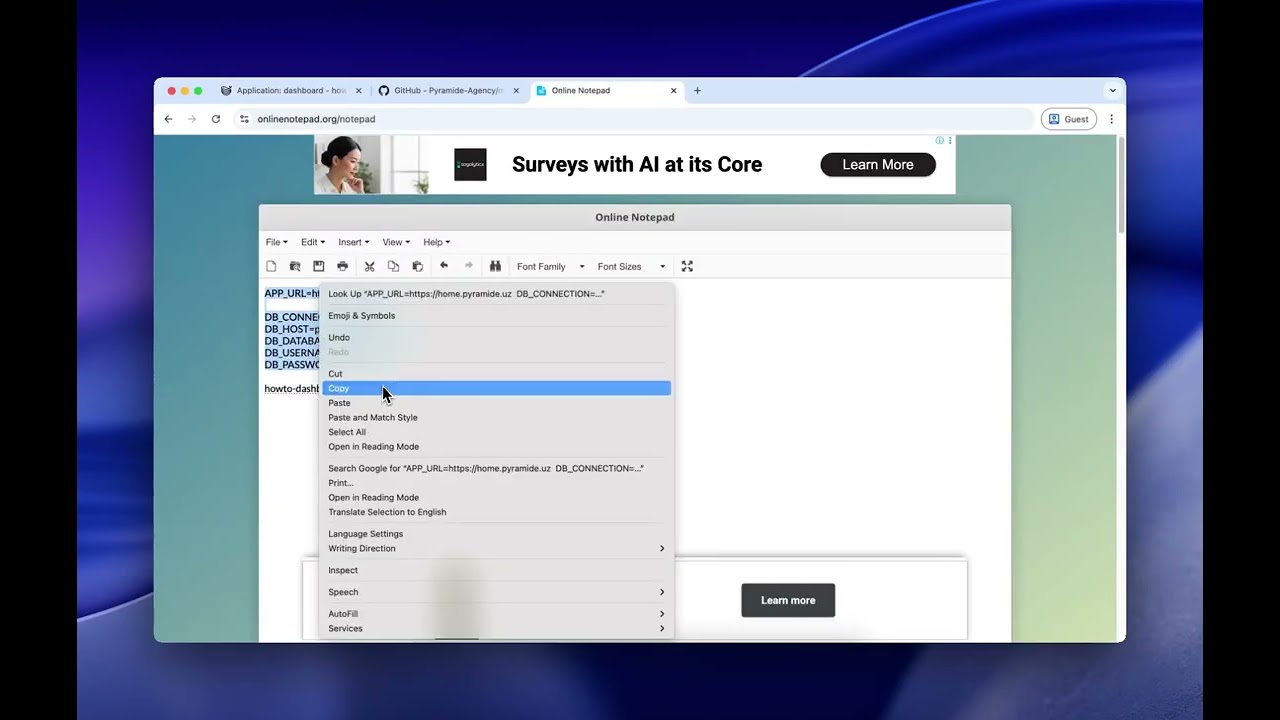
Step 3 — Set Environment Variables
# Required
APP_URL=https://your-domain.com

DB_CONNECTION=pgsql
DB_HOST=postgres           # service name from Step 1
DB_DATABASE=your_db_name
DB_USERNAME=your_db_user
DB_PASSWORD=your_db_password

# Optional
ANTHROPIC_API_KEY=sk-ant-...
OPENAI_API_KEY=sk-...
GROQ_API_KEY=...
JINA_API_KEY=...
TELEGRAM_BOT_TOKEN=...
APP_KEY=base64:...
Step 4 — Deploy
Click Deploy. Build takes 2–4 minutes. After startup, the container applies migrations and seeds default data automatically.
Default password:
secret— change it immediately in Settings.
Local Development
Requirements: PHP 8.4, Composer, Node 20, PostgreSQL
# 1. Clone
git clone <repo> && cd personal-dashboard

# 2. Set up backend
cd back
cp .env.example .env
# Edit .env: DB_*, APP_KEY
php artisan key:generate
php artisan migrate:fresh --seed
cd ..

# 3. Set up frontend
cd front && npm install && cd ..

# 4. Start both servers
./start.sh
- Frontend: http://localhost:3000
- Backend API: http://localhost:8000/api
Via Docker Compose:
cp .env.example .env
# Set: DB_PASSWORD, APP_KEY (php artisan key:generate --show)
docker compose up --build
Environment Variables
| Variable | Required | Description |
|---|---|---|
APP_URL | Yes | Public URL (https://your-domain.com) |
DB_HOST | Yes | PostgreSQL host |
DB_DATABASE | Yes | Database name |
DB_USERNAME | Yes | Database user |
DB_PASSWORD | Yes | Database password |
APP_KEY | No* | Encryption key — auto-generated on first start |
ANTHROPIC_API_KEY | No | Claude API key |
OPENAI_API_KEY | No | OpenAI API key |
GROQ_API_KEY | No | Groq API key (also used for memory fact extraction) |
JINA_API_KEY | No | Jina AI key for vector embeddings |
TELEGRAM_BOT_TOKEN | No | Telegram bot token |
*Recommended to set manually after first run.
Project Structure
├── back/               Laravel 11 API
│   ├── app/
│   │   ├── Http/Controllers/   LmsController, AiController, WorkController, ...
│   │   ├── Models/             LmsCourse, LmsAssignment, LmsGrade, ...
│   │   ├── Services/           CanvasService, MemoryService, ...
│   │   └── Console/Commands/   LmsDeadlineNotify, ...
│   └── database/
│       ├── migrations/         6 global migrations
│       └── ...
│   └── resources/tenant-migrations/   18 tenant migrations
├── front/              Nuxt 4 SPA (shadcn-vue, Tailwind v3)
│   └── app/
│       ├── assets/
│       │   ├── css/main.css    Theme system (CSS custom properties)
│       │   ├── fonts/          Self-hosted Cabinet Grotesk
│       │   └── logo/           Vektron SVG logo mark
│       ├── composables/        useApi, useAuth, useLocale, useTheme
│       ├── pages/
│       │   ├── lms/            index, assignments, calendar, course/[id]
│       │   ├── finance/
│       │   ├── tma/            Telegram Mini App pages
│       │   └── ...
│       └── i18n/               en.ts, ru.ts
├── configs/
│   └── themes/         vektron-violet.css, vektron-emerald.css
├── docker/
│   ├── entrypoint.sh
│   ├── nginx.conf
│   └── supervisord.conf
├── Dockerfile          Multi-stage: Nuxt build → Composer → PHP-FPM + Nginx
├── docker-compose.yml  For local development
└── start.sh            Dev server launcher
License
This project is licensed under CC BY-NC-SA 4.0 (Creative Commons Attribution-NonCommercial-ShareAlike 4.0 International).
| Use case | Allowed |
|---|---|
| Personal / non-commercial use | ✅ Free — attribution required |
| Forks & derivative works | ✅ Must be open-sourced under the same license |
| Commercial use | 💼 Requires a paid license — contact the author |
| Claiming as your own work | ❌ Prohibited |
| Removing attribution | ❌ Prohibited |
Attribution requirement: Any public deployment, fork, or publication must include a visible link to the original repository.
For commercial licensing inquiries: @odilovicc
Full terms: LICENSE · CODE_OF_CONDUCT.md