Repowise for VS Code
July 5, 2026 · View on GitHub
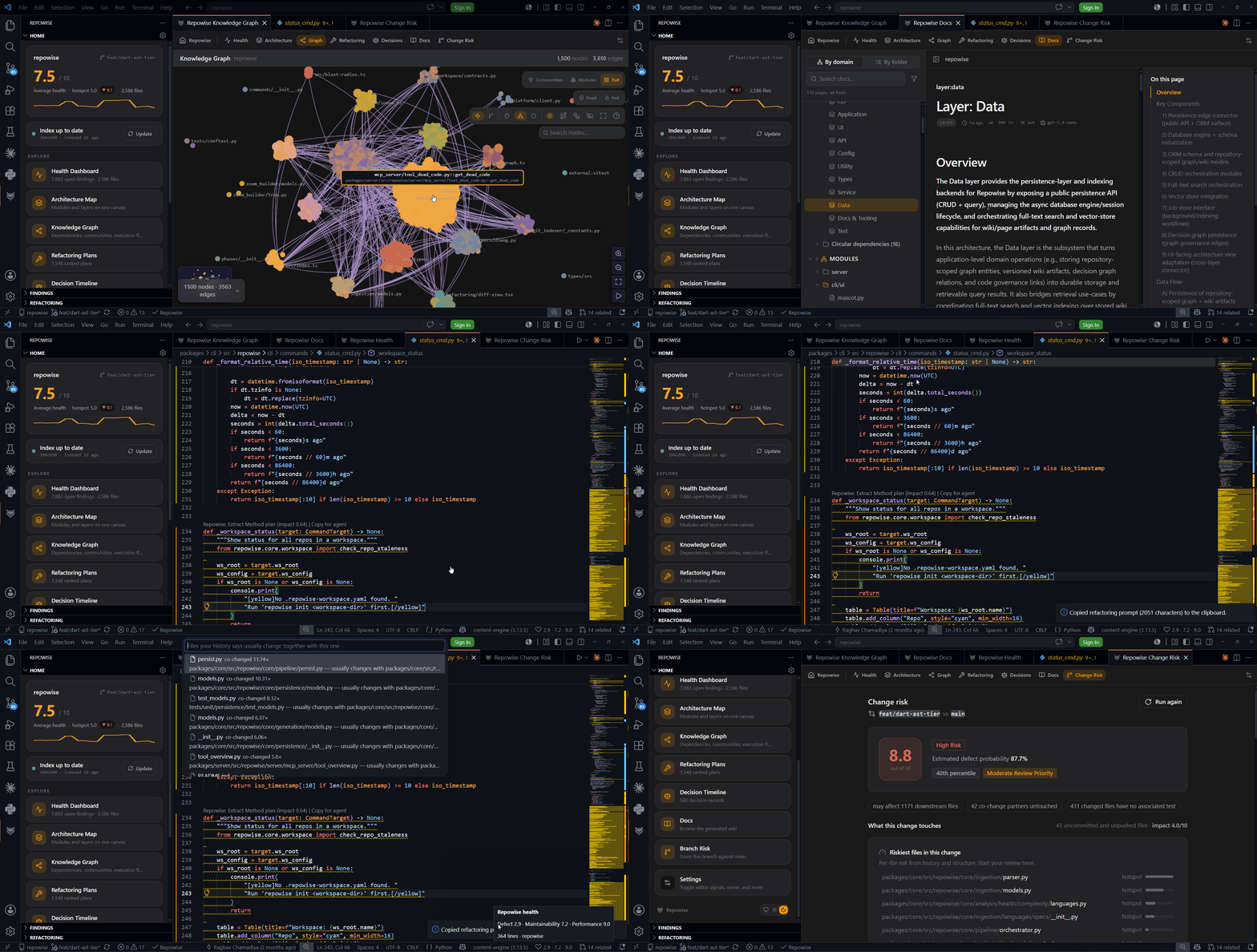
The Repowise extension puts your repository's structure, history, and health
inside the editor, and registers the Repowise MCP server with VS Code so the
same index serves both you and your AI coding agent. It is a thin client over
the local repowise CLI and server: everything is computed on your machine and
nothing about your code leaves it through the extension.
Install
- Install the CLI:
pip install repowise(oruv tool install repowise). - Install the extension from the Marketplace (search Repowise, publisher
repowise-dev) or from Open VSX for VS Code forks. - Open a repository and run Repowise: Set Up This Repository to build the index, or follow the Get Started with Repowise walkthrough.
The extension activates only in trusted workspaces and does no work at startup beyond registering its commands. It discovers a running server automatically, or offers to start one when you first need data.
Know before you push
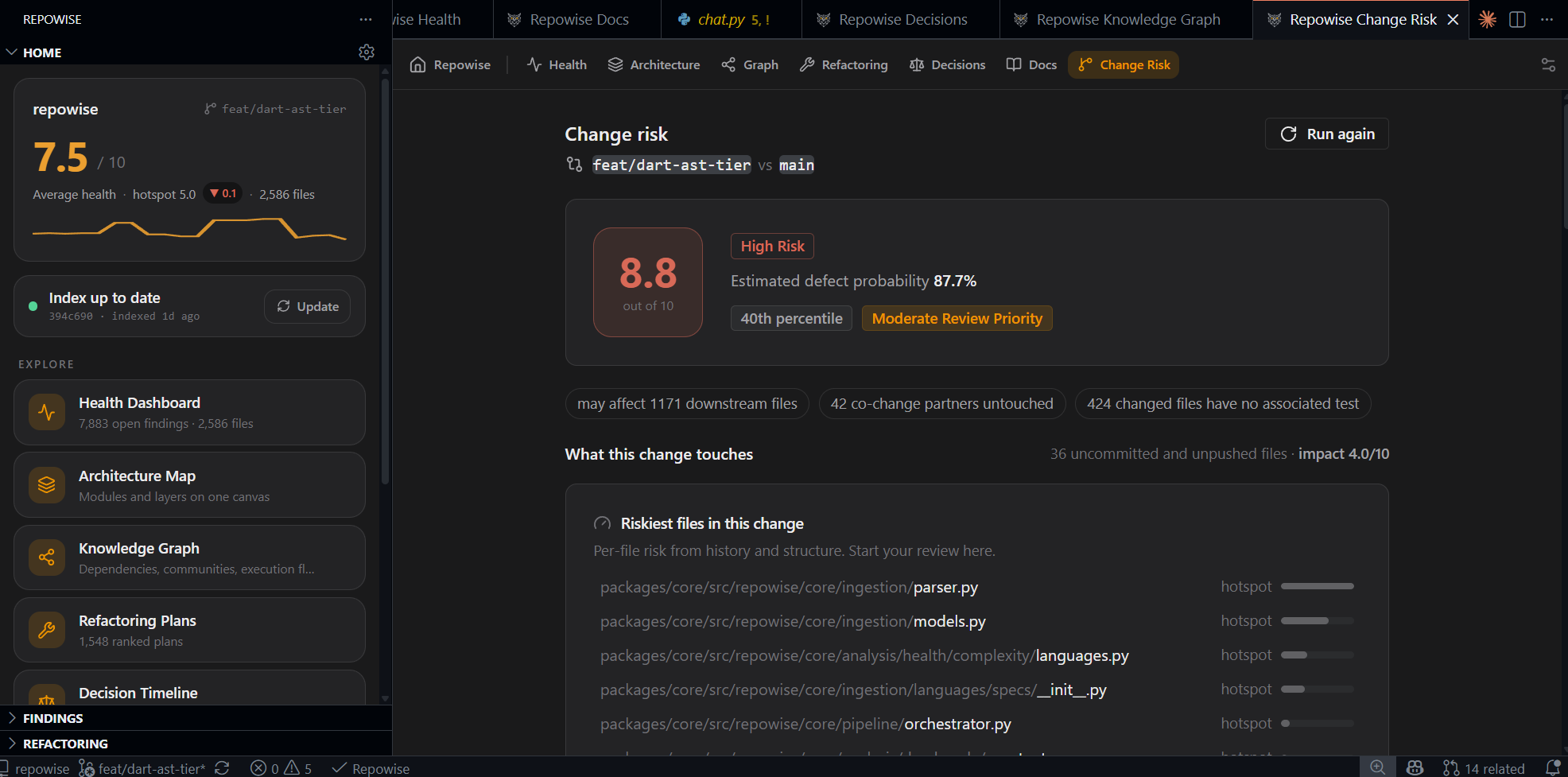
Analyze Change Risk (Source Control title bar or command palette) scores your uncommitted work against its base branch and opens a panel with the whole story of the change:
- A summary strip up top: how many files are affected downstream, how many usual companion files you have not touched, and how many changed files have no associated test. Each chip jumps to its section.
- Riskiest files in this change: your changed files ranked by how risky history and structure say they are, so you review in the right order. Files that change unusually often are marked as hotspots.
- Downstream of your changes: the files that depend on what you edited.
- Usually changes together: companion files your history says belong to this change but are untouched. Advisory, not a rule.
- Changed without a test, and suggested reviewers with one-click copy for the PR description.
While you edit, a quiet co-change hint can appear in the status bar when the
files you are touching have a strong history of changing together with a file
you have not opened. It is dismissible per change set, never a popup, and
tunable or off in settings (repowise.changeIntel.*). Plenty of edits
legitimately touch only part of a cluster, so it informs without nagging.
Editor-native signals
- Gutter heat: a severity-tiered strip next to lines with findings in the visible editor.
- File health in the status bar: defect, maintainability, and performance scores for the active file; click to open the health dashboard focused on it.
- File explorer badges on the worst-health files (threshold configurable).
- Refactoring CodeLens above symbols with a detected plan, including Copy plan for agent (the same payload the web Refactoring tab produces).
- Hovers: line 1 of a file shows its health scores, primary owner, and
governing decisions. Hovering a symbol shows what kind of symbol it is, how
many callers and callees it has, who owns the file, and the decisions that
govern it. Fetched only when you hover, then cached
(
repowise.hover.symbolDetail). - Diagnostics (off by default): opt in to publish high-severity findings to
the Problems panel (
repowise.diagnostics.enabled). The quieter surfaces above carry the full detail either way.
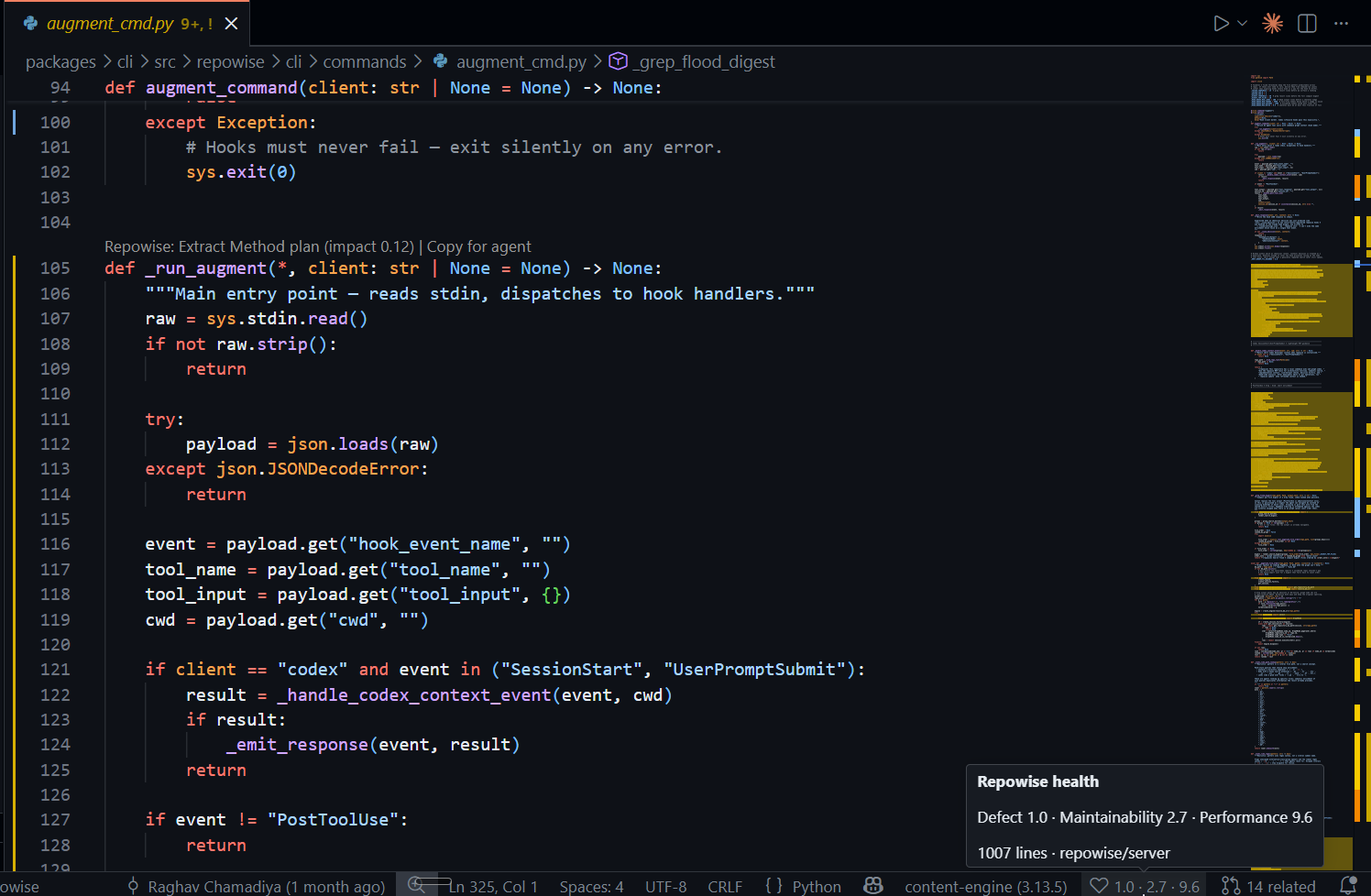 Gutter heat + status-bar score |
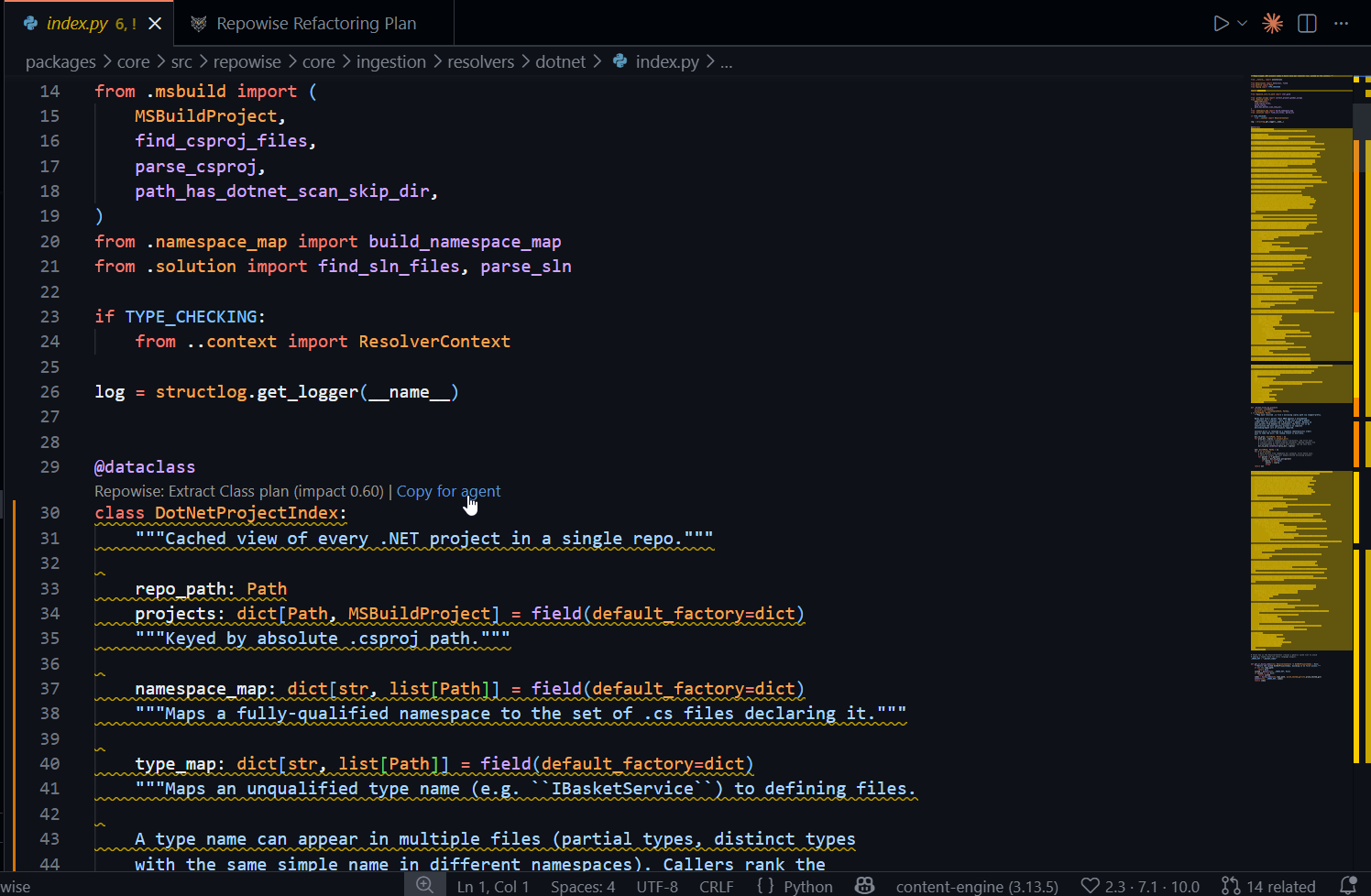 Refactoring plan as a CodeLens, copy-for-agent |
Tree views
A single Repowise activity-bar container with a Home overview, a Findings tree (health, hotspots, ownership, dead code), and a Refactoring tree. All lazy: data is fetched on first expand and refreshed only when the index moves.
Dashboards
Editor-tab webviews rendered from the same shared visualization library the web app uses (no duplicated components): health overview, architecture map, knowledge graph (with node search, path finder, and community detail), refactoring plans, decision timeline, and a docs browser. A theme switcher in the Home view keeps them matched to your editor or pinned light or dark.
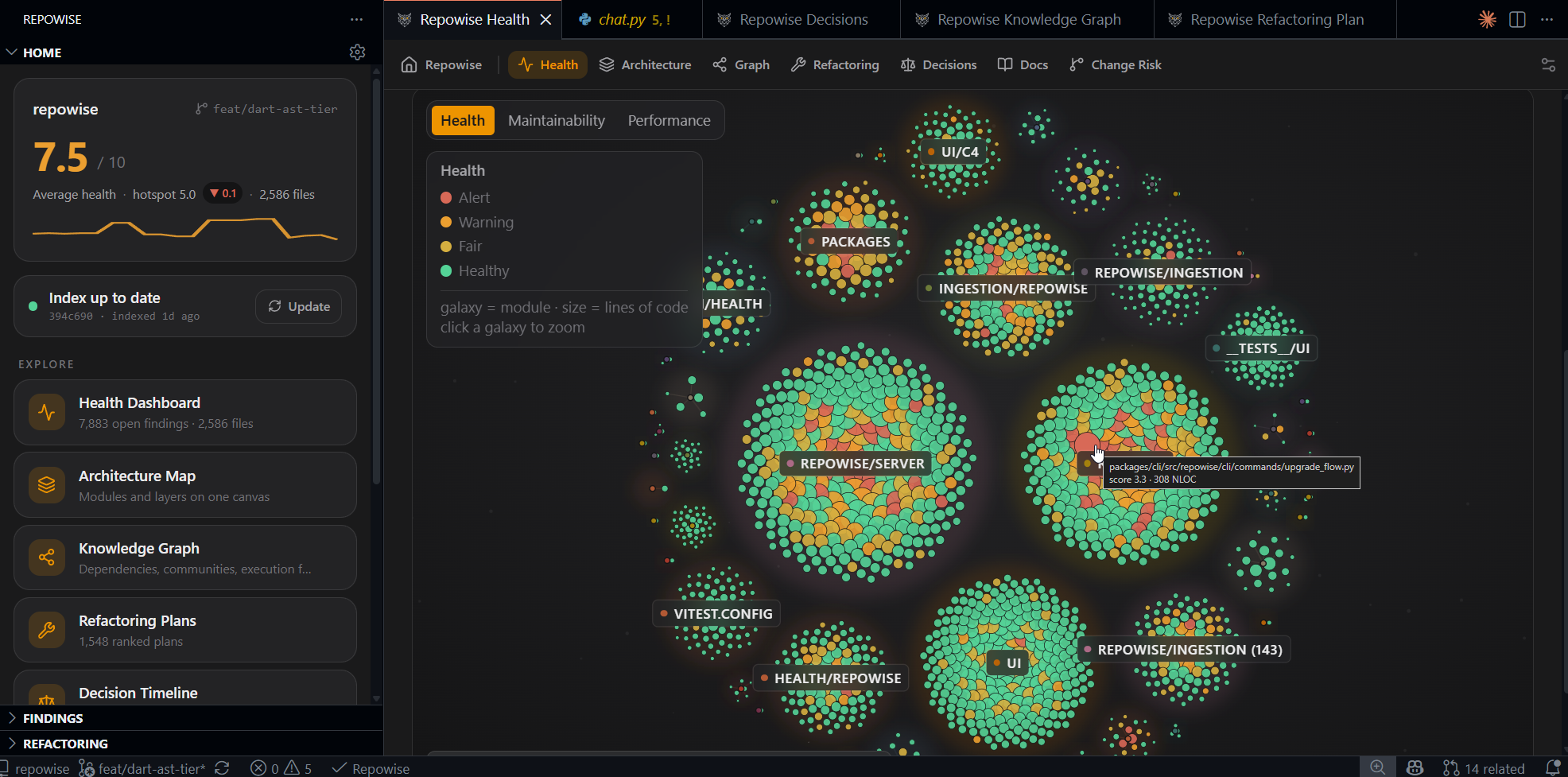 Health overview |
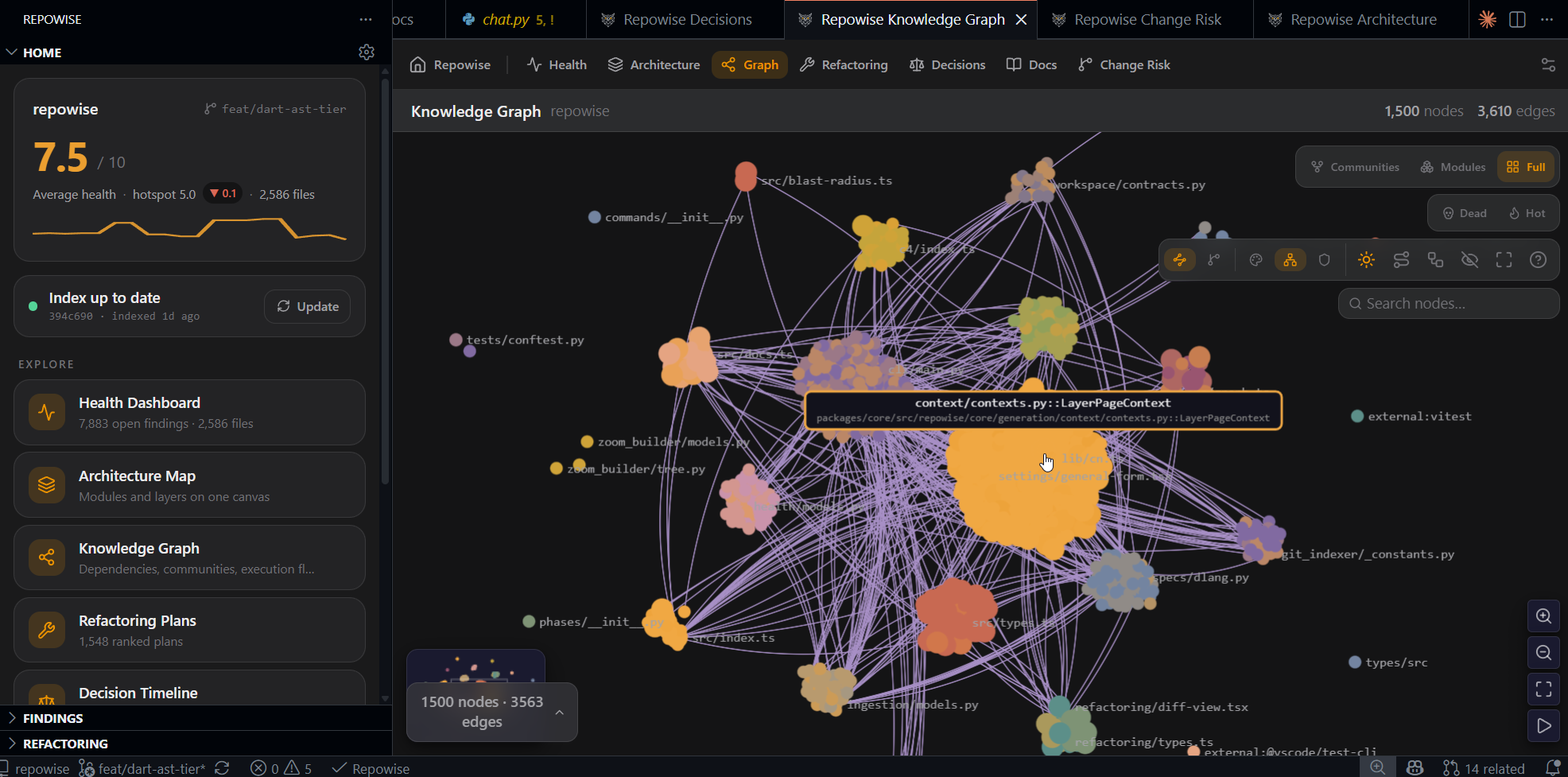 Knowledge graph |
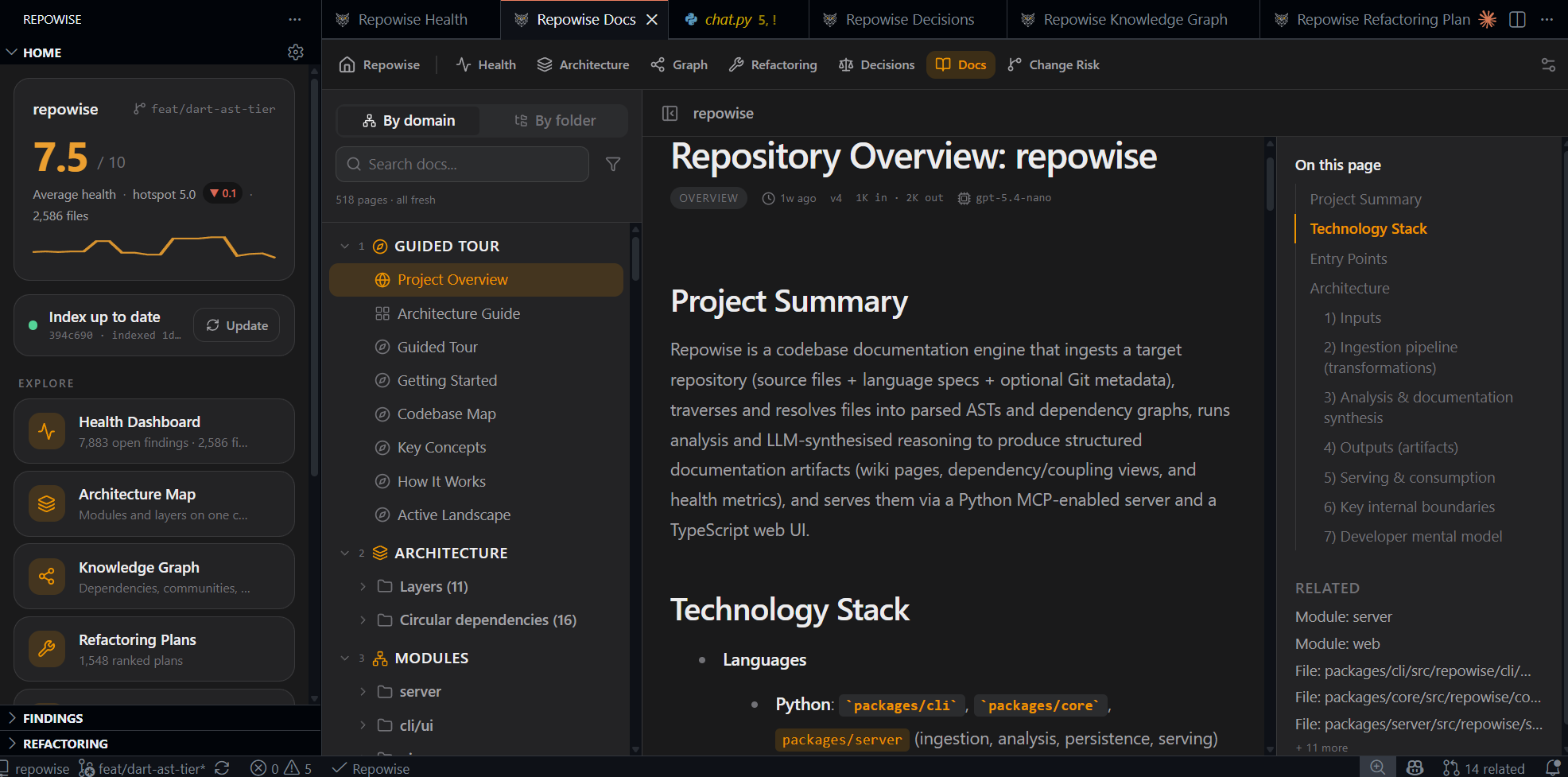 Docs browser |
MCP for your AI agent
One install registers the Repowise MCP server with VS Code, so agent-mode
assistants query the index through purpose-built tools instead of guessing from
open files. For editors that read a config file, run Repowise: Configure MCP
for this Workspace to write .vscode/mcp.json.
Settings
The fastest way to tune everything is Repowise: Open Settings, a panel covering every surface with plain-language descriptions. The full list:
| Setting | Default | Purpose |
|---|---|---|
repowise.server.autoStart | ask | Start the local server automatically, ask first, or never |
repowise.server.port | discover | Override the server port instead of automatic discovery |
repowise.cliPath | PATH | Absolute path to the repowise executable |
repowise.diagnostics.enabled | false | Publish health findings to the Problems panel |
repowise.diagnostics.minSeverity | high | Lowest severity surfaced in the Problems panel |
repowise.diagnostics.dimensions | all | Health dimensions included in the Problems panel |
repowise.gutterHeat.enabled | true | Shade the gutter next to findings |
repowise.fileDecorations.enabled | true | Badge the worst-health files in the explorer |
repowise.fileDecorations.maxScore | 4 | Health score at or below which a file is badged |
repowise.codeLens.enabled | true | Show refactoring plan lenses |
repowise.hover.enabled | true | Show health context on hover |
repowise.hover.symbolDetail | true | Callers, ownership, and decisions on symbol hover |
repowise.risk.baseBranch | default branch | Base branch change risk is scored against |
repowise.changeIntel.cochangeNudge | true | Show the quiet "usually change together" status-bar hint |
repowise.changeIntel.cochangeMinScore | 4 | Minimum historical co-change count before a related file is surfaced |
Privacy
The extension talks only to the local Repowise CLI and server on your machine
and reads the index under .repowise/. It sends no telemetry of its own. The
CLI's own telemetry opt-out is respected because the extension itself sends
nothing.
The extension source lives in packages/vscode.