Trice User Manual
August 21, 2026 · View on GitHub
+ Speed of Light `printf` Comfort Within Interrupts And Everywhere +
-   (TL;DR)   ->  Too Long; Don't Read - use it as reference only❗
Table of Contents
Show Hide
- 1. Abstract
- 2. A brief history of Trice
- 3. How it works - the main idea
- 4. Trice Features (Overview)
- 4.1. Open source
- 4.2. Easy-to-use
- 4.3. Small size - using Trice frees FLASH memory
- 4.4. Execution speed
- 4.5. Robustness
- 4.6. Minimal Transfer Bytes Amount
- 4.7. More comfort than printf-like functions but small differences
- 4.8. Tags, Color and Log Levels
- 4.9. Compile Time Enable/Disable Trice Macros on File or Project Level
- 4.10. Target and host timestamps
- 4.11. Target source code location
- 4.12. Several target devices in one log output
- 4.13. Any byte-capable 1-wire connection usable
- 4.14. Scalability
- 4.15. Portability and Modularity
- 4.16. Optional Trice messages encryption
- 4.17. Trice Protection
- 4.18. Trice Diagnostics
- 4.19. Trice Cache
- 4.20. Avoiding False-Positive Editor Warnings
- 4.21. Trice Generator
- 4.22. Versions and Variants Trice Stability
- 4.23. Legacy Project Code Integration
- 5. Start with Trice
- 6. Quickstarts
- 7. Trice Trouble Shooting Hints
- 8. Trice Cache for Compilation Speed
- 9. Embedded system code configuration
- 10. Trice tool in logging action
- 11. Optional XTEA Encryption
- 12. Trice Command Line Interface & Examples
- 12.1. Common information
- 12.2. Further examples
- 12.2.1. Automated pre-build insert command example
- 12.2.2. Some Log examples
- 12.2.3. Logging over a display server
- 12.2.4. Logfile output
- 12.2.5. Binary Logfile
- 12.2.6. TCP4 output
- 12.2.7. TCP4 input
- 12.2.8. UDP4 input
- 12.2.9. Stimulate target with a user command over UART
- 12.2.10. Explore and modify tags and their colors
- 12.2.11. Location Information
- 12.3. Visualization output with -vis
- 12.4. Setting up the LabPlot Demo
- 13. Limitations
- 14. Additional hints
- 14.1. Pre-built executables are available
- 14.2. Configuration file triceConfig.h
- 14.3. Setting up the very first connection
- 14.4. Avoid buffer overruns
- 14.5. Buffer Macros
- 14.6. Logfile viewing
- 14.7. Using the Trice tool with 3rd party tools
- 14.8. Several targets at the same time
- 14.9. Executing go test -race -count 100 ./...
- 14.10. TRICESTACKBUFFER could cause stack overflow with -o0 optimization
- 14.11. Cycle Counter
- 15. Switching Trice ON and OFF
- 16. Framing
- 17. Endianness
- 18. Trice (Time)Stamps
- 19. Binary Encoding
- 20. typeX0 User Packets
- 21. Trice Decoding
- 22. Trice ID Numbers
- 23. Trice ID management
- 24. Trice Bind
- 24.1. Overview
- 24.2. Requirements
- 24.3. Quick Start
- 24.4. Persistent and Generated Files
- 24.5. Hierarchical Metadata Reuse
- 24.6. File Key and Sidecar Name
- 24.7. Sidecar Contents
- 24.8. Why the Sidecar Include Is File-Local
- 24.9. Headers and static inline
- 24.10. Automatic Include Position
- 24.11. File Classification and Mixed Projects
- 24.12. Supported Trice Calls
- 24.13. ID and Stamp Forms
- 24.14. Command Line
- 24.15. Build Integration
- 24.16. TRICE_CLEAN
- 24.17. Re-Migration to trice insert
- 24.18. Automatic Local Counter Rebase
- 24.18.1. When the Normal Line Path Is Sufficient
- 24.18.2. When trice bind Rebases Locally
- 24.18.3. Concrete Wrapper Example
- 24.18.4. Preferred Form: Normal or static inline Function
- 24.18.5. Headers and Translation Units
- 24.18.6. Compact Source Boundaries and Generated Helper Headers
- 24.18.7. Missing __COUNTER__
- 24.18.8. Unchanged Interfaces
- 24.19. Supported Boundaries and Remaining Limitations
- 24.20. Diagnostics and Troubleshooting
- 24.21. Result
- 24.22. Appendix: Preprocessor Fundamentals
- 24.23. Appendix: Stable ID Assignment and Binding Background
- 24.24. Appendix: TRICE_CLEAN States at a Glance
- 24.25. Appendix: Retained Architecture Decision Against ELF Patching
- 24.26. Architecture Decision: trice bind Instead of an ELF-Patching Solution
- 25. Trice version 1.0 Log-level Control
- 26. ID reference list til.json
- 27. The Trice Insert Algorithm
- 28. Trice Speed
- 29. Trice memory needs
- 29.1. F030bare Size
- 29.2. F030inst Size with TRICEOFF=1
- 29.3. F030inst with ring buffer
- 29.4. F030inst with ring buffer
- 29.5. A developer setting, only enabling SEGGERRTT
- 29.6. A developer setting, only enabling SEGGERRTT and without deferred output gives after running ./build.sh TRICE_DIAGNOSTICS=0 TRICE_PROTECT=0:
- 29.7. Settings Conclusion
- 29.8. Legacy Trice Space Example (Old Version)
- 29.9. Memory Needs for Old Example 1
- 29.10. Memory Needs for Old Example 2
- 30. Trice Project Image Size Optimization
- 31. Trice Tags and Color
- 32. Trice without UART
- 33. Trice over RTT
- 33.1. For the impatient (2 possibilities)
- 33.2. Segger Real Time Transfer (RTT)
- 33.3. J-Link option
- 33.4. Segger RTT
- 33.5. Segger J-Link SDK (800 EUR) Option
- 33.6. Additional Notes (leftovers)
- 33.7. Further development
- 33.8. NUCLEO-F030R8 example
- 33.9. Possible issues
- 33.10. OpenOCD with Darwin (macOS)
- 33.11. SEGGER J-Link on Darwin (macOS)
- 33.12. Links
- 34. Writing the Trice logs into an SD-card (or a user specific output)
- 35. Trice Target Code Implementation
- 36. Trice Similarities and Differences to printf Usage
- 36.1. Printf-like functions
- 36.2. Trice IDs
- 36.3. Trice values bit width
- 36.4. Many value parameters
- 36.5. Floating Point Values
- 36.6. Runtime Generated 0-terminated Strings Transfer with triceS
- 36.7. Runtime Generated counted Strings Transfer with triceN
- 36.8. Runtime Generated Buffer Transfer with triceB
- 36.9. Extended format specifier possibilities
- 36.10. Unsupported printf format features
- 36.11. UTF-8 Support
- 36.12. Switch the language without changing a bit inside the target code
- 36.13. Format tags prototype specifier examples
- 37. Trice ABC - Asynchronous Broadcast Commands
- 37.1. Quick use
- 37.2. ABC macro families
- 37.3. Command names and handler names
- 37.4. Receiver selection and generated table
- 37.5. Receive runtime contract
- 37.6. Handler payload handling
- 37.7. Responses
- 37.8. What ABC is not
- 37.9. Example: examples/TriceAbc
- 37.10. Host tests
- 37.11. Building RPC-like protocols on top
- 37.12. Security boundary
- 37.13. Summary
- 38. Development Environment Setup
- 38.1. Common Information
- 38.2. Important to know
- 38.3. Animation
- 38.4. Setup Linux PC - Example with Debian12 - KDE Desktop
- 38.5. Setup Windows PC Example
- 38.6. Makefile with Clang too
- 38.7. Download Locations
- 38.8. Install Locations
- 38.9. Environment Variables
- 38.10. Build command
- 38.11. Run & Debug
- 38.12. Logging
- 38.13. Setting up a new project
- 39. Example Projects without and with Trice Instrumentation
- 40. Trice Generate
- 41. Testing the Trice Library C-Code for the Target
- 42. Test Issues
- 43. Add-On Hints
- 44. Trice And Legacy User Code
- 45. Future Development
- 45.1. Trice Log-level Control Specification Draft
- 45.2. Trice Structured Logging
- 45.2.1. Trice Structured Logging Compile-time Information
- 45.2.2. Trice Structured Logging Runtime Information
- 45.2.3. Trice Structured Logging Limitations and Special Cases
- 45.2.4. A Trice Structured Logging Example
- 45.2.5. Trice Structured Logging CLI Switches and Variables
- 45.2.6. Trice Structured Logging User Defined Values
- 45.2.7. Trice Structured Logging CLI Switches Usage Options
- 45.2.8. Trice Structured Logging Level Specific Configuration
- 45.2.9. Trice Structured Logging Assert Macros (TODO)
- 45.3. Improving the Trice Tool Internal Parser
- 45.4. Using Trice on Servers
- 46. Working with the Trice Git Repository
- 47. Trice Maintenance
- 47.1. Trice Project structure (Files and Folders)
- 47.2. 📁 The .github Folder — Purpose and Contents
- 47.2.1. 📁 .github Root
- 47.2.2. 📂 .github/workflows — GitHub Actions Workflows
- 47.2.3. GitHub Action clang-format.yml - Check C Code Formatting
- 47.2.4. GitHub Action codeql.yml - Static Code Analysis
- 47.2.5. GitHub Action coverage.yml - Test Coverage and Coveralls Integration
- 47.2.6. GitHub Action go.yml - Building and Testing Go Code
- 47.2.7. GitHub Action goreleaser.yml - Build & Pack Trice Distribution
- 47.2.8. GitHub Action label.yml - Automatic Labeling Rules
- 47.2.9. GitHub Action link-check.yml - Broken Links Check
- 47.2.10. GitHub Action manual.ym - To Be Triggered Manually
- 47.2.11. GitHub Action shellcheck.yml - Catching Common Bash Scripts Bugs
- 47.2.12. GitHub Action shfmt.yml - Ensure Consistent Shell Scripts Formatting
- 47.2.13. GitHub Action stale.yml - Automatic Stale Issue Handling
- 47.2.14. GitHub Action superlinter.yml - Ensure Consistent YAML and Markdown Formatting
- 47.2.15. GitHub Action pages.yml - Creates The Trice GitHub Pages
- 47.3. Trice User Manual Maintenance (or any *.md file)
- 47.4. Cleaning the Sources
- 48. Build and Release the Trice Tool
- 49. Ctrl-C robust use of trice insert and trice clean
- 49.1. Background: GitHub issue #658
- 49.2. What Bash scripts can and cannot protect against
- 49.3. Recommended build-script ownership rule
- 49.4. Recommended Bash pattern
- 49.5. Preserve the build exit code
- 49.6. Be careful with current working directory changes
- 49.7. Prefer Makefile clean targets when available
- 49.8. Example scripts
- 49.9. Summary
- 50. Scratch Pad

(Animated GIFs appear as still images in PDFs.)
1. Abstract
If you develop software for an embedded system, you need some kind of system feedback. Debuggers are awesome tools, but when it comes to analyzing dynamic behavior in the field, they are not usable.
Logging then, usually done with printf-like functions, quickly yields a result after having i.e. putchar() implemented. This turns out to be an expensive way in terms of processor clocks and needed FLASH memory, when you regard the library code and all the strings needing FLASH memory space. For small microcontrollers that's it.
Bigger microcontrollers are coming with embedded trace hardware. To use it, an expensive tool is needed. Useful for analyzing complex systems, but for in-field related issues at least unhandy.
Unhappy with this situation, the developer starts thinking of using digital pins or starts emitting some proprietary LED blinking codes or byte sequences, difficult to interpret.
The Trice technique tries to fill this gap, being minimal invasive for the target and as comfortable as possible. It is the result of a long-year dissatisfaction and several attempts to find a loophole to make embedded programming more fun and this way more effective.
Trice is an unusual software tracer-logger, using internally IDs instead of format strings to get maximum speed but provides the user with a printf-like comfort:
trice("Hello! 👋🙂");

int a = -4;
float x = 3.14159265;
trice("info:π/%d is %f with the bit pattern %032b\n", a, aFloat(x/a), x );

string s = "world";
triceS("msg:A runtime generated string: %s", s);
Replacing a printf library, the Trice target source code occupies 1-4 KB Flash memory and less than 1 KB RAM depending on the configuration which is done with a user file named triceConfig.h:
#define TRICE_DEFERRED_OUTPUT 1
#define TRICE_BUFFER TRICE_DOUBLE_BUFFER
#define TRICE_DEFERRED_UARTA 1
#define TRICE_UARTA USART2
The open-source Trice PC tool is executable on all Go platforms, at least:
- Linux
- macOS
- Windows
In the future other ports are possible:

2. A brief history of Trice
Developing firmware means to deal also with interrupts and often with timing. How do you check, if an interrupt occurred? OK, increment a counter and display it in a background loop with some printf-like function. What about time measurement? Set a digital output to 1 and 0 and connect a measurement device. Once, developing software for a real-time image processing device, I had no clue where in detail the processing time exploded when the image quality got bad. A spare analog output with a video interrupt synced oscilloscope gave me the needed information, after I changed the analog output on several points in my algorithm. But, hey guys, I want to deal with my programming tasks and do not like all this hassle connecting wires and steer into instruments.
A printf is so cool on a PC, developing software there. But an embedded device often cannot use it for performance reasons. My very first attempt was writing the format string .const offset together with its values in a FIFO during a log statement and to do the printf it in the background. But that is compiler specific. OK the full string address is better but needs buffer space. Zephyr for example does something like that calling it "deferred logging".
Then, one day I had the idea to compute short checksums for the format strings in a pre-compile step and to use them as ID in a list together with the format strings. That was a step forward but needed to write a supporting PC program. I did that in C++ in the assumption to get it better done that way. Finally, it worked, but I hated my PC code, as I dislike C++ now because of all its nuts and bolts to handle, accompanied by missing libraries on the next PC. The tool usability was also unhandy and therefore error prone and the need became clear for a full automated solution. Also, what is, if 2 different format strings accidentally generate the same short checksum? There was a way around, but an ID based message filtering will never be possible that way.
The need became clear for controllable IDs and management options. And there was Go now, an as-fast-as-C language, easy to learn, promising high programming efficiency and portability. It would be interesting to try it out on a real PC project.
Trying to add tags in form of partial Trice macro names was blowing up the header code amount and was a too rigid design. Which are the right tags? One lucky day I came to the conclusion to handle tags just as format string parts like "debug:Here we are!\n" and getting rid of them in the target code this way also giving the user freedom to invent any tags.
Another point in the design was the question how to re-sync after data stream interruption, because that happens often during firmware development. Several encodings were tried out and a proprietary escape sequence format and an alternative flexible data format with more ID bits were working reliably but with COBS things got satisfactory. A side result of that trials is the Trice tool option to add different decoders if needed. Now the default Trice message framing is TCOBSv1 which includes short message compression and this way allows very low transmit bandwidths and/or saves storage, when binary Trice data are stored in Flash memory.
There was a learning not to reduce the transmit byte count to an absolute minimum, but to focus more on Trice macro speed and universality. That led to a double buffer on the target side as an alternative to the ring buffer solution. The actual binary encoding, allowing alongside user protocols, is the result of the optional target timestamps and location info some users asked for, keeping the target code as light as possible. Float and double number support was implementable for free because this work is done mainly on the host side.
Trice grew, and as it got usable I decided to make it Open Source to say "Thank You" to the community this way.
Learning that Trice is also a baby girl name, our daughter Ida designed the little girl with the pen symbolizing the Trice macro for recording and the eyeglasses standing for the PC tool Trice visualizing the logs.

3. How it works - the main idea
Trice performs no costly printf-like functions on the target at all. The Trice macro, instead, just copies an ID together with the optional values to a buffer and is done. In the minimum case this can happen in 6(six!) processor clocks even with target timestamps included. When running on a 64 MHz clock, light can travel about 30 meters in that time.
To achieve that, a pre-compile step is needed, executing a trice insert command on the PC. This is fast enough not to disturb the build process. The Trice tool parses then the source tree for macros like trice( "msg: %d Kelvin\n", k ); and patches them to trice( iD(12345), "msg: %d Kelvin\n", k );, where 12345 is a generated 14-bit identifier (ID) copied into a Trice ID List. During compilation, the Trice macro is translated to the 12345 ID only, and the optional parameter values. The format string is ignored by the compiler.
The target code is project specific configurable. In direct mode the stack or a static buffer is used as Trice buffer and the Trice macro execution includes optionally the quick COBS encoding and the data transfer. This more straightforward and slower architecture can be interesting for many cases because it is anyway much faster than printf-like functions calls. Especially when using Trice over RTT a single Trice is executable within ~100 processor clocks. See TRICE_DIRECT_SEGGER_RTT_32BIT_WRITE inside triceDefaultConfig.h and look into the examples folder. In deferred mode a service swaps the Trice double buffer or reads the Trice ring buffer periodically, the configured encoding, default is TCOBS, takes part and with the filled buffer the background transfer is triggered. Out buffer and Trice buffer share the same memory for efficiency.
During runtime the PC Trice tool receives all what happened in the last ~100ms as a package from the UART port. The 0x30 0x39 is the ID 12345 and a map lookup delivers the format string "msg: %d Kelvin\n" and also the bit width information. Now the Trice tool can write target timestamp, set msg color and execute printf("%d Kelvin\n", 0x0000000e);

The Trice tool is a background helper giving the developer focus on its programming task. The once generated ID is not changed anymore without need. If for example the format string gets changed into "msg: %d Kelvin!\n", a new ID is inserted automatically and the reference list gets extended. Obsolete IDs are kept inside the Trice ID List for compatibility with older firmware versions. It could be possible, when merging code, an ID is used twice for different format strings. In that case, the ID inside the reference list wins and the additional source gets patched with a new ID. This maybe unwanted patching is avoidable with proper Trice ID management. The reference list should be kept under source code control.
Moreover, using trice i -cache && make && trice c -cache in a build script makes the IDs invisible to the developer reducing the data noise giving more space to focus on the development task. See build.sh as a working example and the Trice Cache chapter for details.
4. Trice Features (Overview)
4.1. Open source
Target code and PC tool are open source. The MIT license gives full usage freedom. Users are invited to support the further Trice development.
4.2. Easy-to-use
Making it facile for a user to use Trice was the driving point just to have
- one Trice tool
- one additional target code source folder
- a project specific simple to use triceConfig.h
- and to get away with the one macro
tricefor most situations.
Trice understands itself as a silent helper in the background to give the developer more focus on its real task. If, for example, trice log is running and you re-flash the target, there is no need to restart the Trice tool. When til.json was updated in a pre-build step, the Trice tool automatically reloads the new data during logging.
The Trice tool comes with many command line switches (trice help -all) for tailoring various needs, but mostly these are not needed. The generated file ref/trice-help-all.txt contains this information as well.
Normal Trice tool usage is:
- ./build.sh containing
trice insert -cache,makeandtrice clean -cache make logcontainingtrice l -p COMnfor logging with default baud rate.
In this example, the user code gets not polluted with Trice IDs - they exists only during the compilation step and the Trice cache makes this invisible for the user and the build system.
4.3. Small size - using Trice frees FLASH memory
Compared to a printf-library code which occupies 1 to over 20 KB FLASH memory, the Trice code is normally smaller but provides full support.
4.4. Execution speed
Can it get faster than 6 clocks only? Only 3 runtime Assembler instructions per Trice needed in the minimum case! Optional target timestamp, critical sections, cycle counter, diagnostics and overflow protection can consume a few more processor clocks, if enabled, but a Trice is still incomparable fast.
4.5. Robustness
When a Trice data stream is interrupted, the optional COBS or TCOBS encoding allows an immediate re-sync with the next COBS/TCOBS package delimiter byte and a default Trice cycle counter gives a high chance to detect lost Trice messages. See also Versions and Variants Trice Stability.
4.6. Minimal Transfer Bytes Amount
A Trice message is 4 bytes long (2 ID bytes and 2 count bytes) plus optional time stamps and/or values. In conjunction with the compressing TCOBS framing the Trice data stream is as small as possible. Use the -debug switch to see the compressed and framed packages alongside the decompressed ones together with the decoded messages.
To see the encoding for each single message #define TRICE_DEFERRED_TRANSFER_MODE TRICE_SINGLE_PACK_MODE inside the project specific triceConfig.h.
Without -debug CLI switch:
ms@MacBook-Pro G0B1_inst % trice log -p /dev/tty.usbmodem0007722641261 -prefix off -li off -hs off -ts off
...
This is a message without values and without stamp.
...
With -debug CLI switch:
ms@MacBook-Pro G0B1_inst % trice log -p /dev/tty.usbmodem0007722641261 -prefix off -li off -hs off -ts off -debug
...
TCOBSv1: c1 74 e2 23 00
->TRICE: c1 74 e2 00
This is a message without values and without stamp.
...
The TCOBS encoding cannot compress in the example above, because the data are too small, but here is a significant compression result shown:
ms@MacBook-Pro G0B1_inst % trice log -p /dev/tty.usbmodem0007722641261 -prefix off -hs off -debug
...
TCOBSv1: b8 76 7b 18 84 fe e1 fd e1 fc e1 fb e1 fa e1 00
->TRICE: b8 76 7b 18 ff ff ff ff fe ff ff ff fd ff ff ff fc ff ff ff fb ff ff ff fa ff ff ff
_test/testdata/triceCheck.c   805              value=-1, -2, -3, -4, -5, -6
...
- The
TRICE_SINGLE_PACK_MODEinserts after each Trice a package delimiter0. - The
TRICE_MULTI_PACK_MODEinserts after a group of Trice messages a package delimiter0, what minimizes the transmit data amount.
When encryption is active, a compression makes no sense, but the TRICE_MULTI_PACK_MODE can help to reduce the total amount of padding bytes, because each encrypted package must have a multiple of 8 as length.
ms@MacBook-Pro G0B1_inst % trice log -p /dev/tty.usbmodem0007722641261 -prefix off -hs off -pw MySecret -pf cobs -debug
...
cobs: 21 84 b7 60 8b 21 89 1e e3 07 6d dc d9 2d 6f 59 04 8e 50 8f 24 1c a2 63 2e 3d 4a 57 ef 39 63 01 cb 00
->TRICE: 84 b7 60 8b 21 89 1e e3 07 6d dc d9 2d 6f 59 04 8e 50 8f 24 1c a2 63 2e 3d 4a 57 ef 39 63 01 cb
-> DEC:  cc b6 63 01 71 02 ff fe cd 76 72 03 ff fe fd ce f6 64 81 00 00 73 04 ff fe fd fc 00 00 00 00 00
_test/testdata/triceCheck.c   827        0_355 value=-1, -2
_test/testdata/triceCheck.c   828              value=-1, -2, -3
_test/testdata/triceCheck.c   829    0,033_124 value=-1, -2, -3, -4
cobs: 19 50 70 79 d7 75 6f d7 99 dc d8 ec 06 e1 66 e7 a7 c1 0d 96 85 df 19 25 55 00
->TRICE: 50 70 79 d7 75 6f d7 99 dc d8 ec 06 e1 66 e7 a7 c1 0d 96 85 df 19 25 55
-> DEC:  cf b6 64 01 74 05 ff fe fd fc fb d0 76 75 06 ff fe fd fc fb fa 00 00 00
_test/testdata/triceCheck.c   830        0_356 value=-1, -2, -3, -4, -5
_test/testdata/triceCheck.c   831              value=-1, -2, -3, -4, -5, -6
...
4.7. More comfort than printf-like functions but small differences
Trice is usable also inside interrupts and extended format specifier possibilities give options like binary or bool output. Transmitting runtime generated strings could be a need, so a triceS macro exists supporting the %s format specifier for strings up to 32737 bytes long. It is possible to log float/double numbers using %f and its relatives, but the numbers need to be covered with the fast converter function aFloat(x) or aDouble(y). Also UTF-8 encoded strings are implicitly supported, if you use UTF-8 for the source code. See chapter Trice Similarities and differences to printf usage for more details.

4.8. Tags, Color and Log Levels
You can label each Trice with a tag specifier to colorize the output. This is free of any runtime costs because the tags are part of the Trice log format strings, which are not compiled into the target. The Trice tool will strip full lowercase tag descriptors from the format string after setting the appropriate color, making it possible to give each message its color.
Loggers use log levels and offer a setting like "log all above INFO" for example. The Trice tags can cover that but can do better: Inside package emitter.ColorChannels in a single file ./internal/emitter/lineTransformerANSI.go all common log levels defined as Trice tags alongside with user tags. The user can adjust this. The Trice tool has the -pick and -ban switches to control the display in detail. Also a -logLevel switch is usable to determine a display threshold as tag position inside ColorChannels.
If an inside-target log selection is needed (routing), the Trice tool can assign each log tag a separate ID range and a target side ID based log selector can control which IDs are transmitted over which output channel. See chapter Trice ID management or type trice help -insert and look for -IDRange.

4.9. Compile Time Enable/Disable Trice Macros on File or Project Level
After debugging code in a file, there is no need to remove or comment out Trice macros. Write a #define TRICE_OFF 1 just before the #include "trice.h" line and all Trice macros in this file are ignored completely by the compiler, but not by the Trice tool. In case of reconstructing the Trice ID List, these no code generating macros are regarded.
#define TRICE_OFF 1 // Disable trice code generation for this file object.
#include "trice.h"
When you wish to build a firmware without any Trice code, it is sufficient to add
C_DEFS += -DTRICE_OFF=1 // Define TRICE_OFF=1 for the whole project.
or similar to your Makefile.
4.10. Target and host timestamps
For each Trice you can have (time) stamps or not:
trice( "...", ...);orTRICE( id(0), ( "...", ...): no stamp:Trice( "...", ...);orTRICE( Id(0), ( "...", ...): 16-bit stamp:TRice( "...", ...);orTRICE( ID(0), ( "...", ...): 32-bit stamp:
The optional 16- or 32-bit value then carries the system clock, a millisecond counter, or another event counter configured in the project specific triceConfig.h. The Trice tool will automatically recognize and display the stamps in a mode you can control. If several Trice macros form a single line, the Trice tool only displays the target timestamp of the first Trice macro.
Embedded devices often lack a real-time clock and some scenarios can last for weeks. Therefore the Trice tool precedes each Trice line with a PC timestamp, if not disabled. This is the Trice reception time on the PC, which can be some milliseconds later than the target Trice event.
4.11. Target source code location
Some developers like to see the filename.c and line in front of each log line for quick source location. During trice i a file li.json is generated containing the location information. If trice log finds this file, filename and line number are displayed in front of each log line, otherwise not.
Because software is a matter of change it could happen you get obsolete information this way. Therefore the Trice tool log option -showID exists to display the Trice ID in front of each log line what gives a more reliable way for event localization in some cases. Also you can get it for free, because no target code is needed for that.
4.12. Several target devices in one log output
Several Trice tool instances can run in parallel on one or different PCs. Each Trice tool instance receives Trices from one embedded device. Instead of displaying the log lines, the Trice tool instances can transmit them over TCP/IP (trice l -p COMx -ds) to a Trice tool instance acting as display server (trice ds). The display server can fold these log lines in one output. For each embedded device a separate Trice line prefix and suffix is definable. This allows comparable time measurements in distributed systems.
4.13. Any byte-capable 1-wire connection usable
The usual Trice output device is an UART but also SEGGER-RTT is supported over J-Link or ST-Link devices. Many microcontroller boards can act as Trice bridge to a serial port from any port (Trice without UART).
4.14. Scalability
The various Trice ID management options allow the organization also of bigger software systems. 16383 possible different IDs should match also large projects. Just in case: 16-bit for the ID is a not too hard changeable value.
4.15. Portability and Modularity
The Trice tool is written in the open source language Go and is therefore usable on many platforms. That means the automatic code patching and ID handling side with trice insert.
All C-compilers should be usable to compile the target Trice code and there is no hardware dependency despite the byte transmission. MCUs with 8-bit to 64-bit, little or big endian are supported.
Any user program able to read a JSON file, can receive the documented Trice message format, look-up the ID and perform a printf-like action to translate into log strings. The Trice tool with its log switch is a working example.
Using no framing, COBS or TCOBS packages starting with a package descriptor allows alongside user protocols. The other way around is also implementable: In a user protocol embedded Trice messages.
The Trice tool is expandable with several decoders. So it is possible to implement a minimal Trice encoding, if bandwidth matters heavily and control that with switches.
When less RAM usage is more important the target double buffer is replaceable with a ring buffer. So the user will be able to decide at compile time about that. A ring buffer mode is selectable inside triceConfig.h avoiding any buffer by paying a time toll.
The Trice tool supports many command line switches.
4.16. Optional Trice messages encryption
The encryption opportunity makes it possible to test thoroughly a binary with log output and releasing it without the need to change any bit but to make the log output unreadable for a not authorized person. Implemented is the lightweight XTEA as option, what will be sufficient for many cases. It should be no big deal to add a different algorithm.
4.17. Trice Protection
When using Trice, data are written into buffers. A buffer overflow is impossible with the default configuration #define TRICE_PROTECT 1 by simply ignoring possible overflow causing Trice statements. Those cases are not detectable by the cycle counter evaluation because non-existing Trice data on the embedded system cannot cause cycle errors. Therefore overflow error counters exists, which the user can watch. In ./examples/exampleData/triceLogDiagData.c an option is shown. Of course this buffer overflow protection costs valuable execution time. If you prefer speed over protection, simply write into your project specific triceConfig.h #define TRICE_PROTECT 0.
4.18. Trice Diagnostics
A trice statement produces 4 bytes buffer data plus optional values data. When for example TRice16("Voltage=%u\n", x); is called inside the ms system-tick interrupt every 5th time, 10 bytes data are generated each 5 millisecond. This needs a transfer baudrate of at least 20.000 bit/s. A UART running at 115.200 baud can easily handle that.
Anyway after 100 ms, a 200 Bytes buffer is filled and the question arises what is the optimal Trice buffer size. A calculation is error prone, so measuring is better. So configure the buffer sizes bigger than estimated and watch the max depth of their usage. In ./examples/exampleData/triceLogDiagData.c an option is shown. After you optimized your buffer sizes, you can deactivate the Trice diagnostics in your project specific triceConfig.h with #define TRICE_DIAGNOSTICS 0.
4.19. Trice Cache
One may think, automatically cleaning the IDs in the target code with trice c after building and re-inserting them just for the compilation needs file modifications all the time and a permanent rebuild of all files containing Trices will slow down the re-build process. That is true, but by using the Trice cache this is avoidable.
Simply one-time create a .trice/cache folder in your home directory and use trice insert -cache and trice clean -cache in your build.sh script.
Find more details in chapter Trice Cache for Compilation Speed.
4.20. Avoiding False-Positive Editor Warnings
When the user writes
trice("msg: Hello! 👋🙂\n");
after trice insert this gets
trice(iD(123), "msg: Hello! 👋🙂\n");
and the compiler builds and then with trice clean, this gets again
trice("msg: Hello! 👋🙂\n");
Sophisticated editors may detect the missing ID and warn by underlining the trice command:

To avoid this you can add the following line to your project specific triceConfig.h file:
#define TRICE_CLEAN 1
The Trice tool, will change the value to 0 and change it back to 1, when performing the ID insertion and cleaning, when this line occurs inside the triceConfig.h file. This way these false-positive editor warnings are avoidable:


It is recommended to use the Trice cache in conjunction with this to avoid a permanent re-translation of files including Trice code.
TRICE_CLEAN==1 changes all Trice macros into empty ones. It is used only to silence sophisticated editors. In the cleaned state, when the IDs are removed from the files, the editor could underline the Trice macros indicating a false positive.
Do not use TRICE_CLEAN for disabling Trice macros. The triceConfig.h line #define TRICE_CLEAN 0 changes to 1 with every trice clean and to 0 with every trice insert. This line is optional and must not be in a different file. If you want to disable Trice macros use TRICE_OFF.
4.21. Trice Generator
The Trice tool is able to generate colors or code to support various tasks. One interesting option is the Asynchronous Broadcast Command support, allowing ABC usage in a network of embedded devices.
Read chapter Trice ABC - Asynchronous Broadcast Commands or type:
trice help -generate
4.22. Versions and Variants Trice Stability
When developing firmware, we get often different versions and variants in the developing process. When, for example, getting an older device back, it could be, we do not know the flashed firmware version at all. Because the Trice tool adds only IDs and their Trices to the project specific til.json file, the complete development history remains in that file. So connecting an old device to the Trice tool will deliver correct output. Of course the location information will be outdated. But when reading the Trice logs the compiled version should get visible and it is no big deal to get the corresponding li.json from the repository. If not, using the -showID "%6d" Trice log option displays the Trice IDs and you can easily grab the source code file and line.
4.23. Legacy Project Code Integration
When it comes to instrument legacy project with Trice or to integrate legacy project files into a Trice instrumented project different approaches are possible:
- Use for user specific log statements a different output channel. No special care has to be taken. This is maybe acceptable in some cases.
- Replace user specific log statements with Trice statements using a text processor and adapt the float, double or runtime strings handling manually. This is acceptable for small code amounts and when it is no problem to edit the legacy sources.
- Get the legacy output packages before transmitting them, add a 2-byte count in little-endian (0-16383) in front and frame them the same way the trice packages get framed (for example with COBS). This will set the 2 most significant bits to 00 and the Trice tool, can get informed via CLI switch to treat those packages accordingly. The user code containing specific logs will work unchanged together with Trice code over the same output channel.
- Take advantage of the new support for dynamic trice and triceS macro aliases (Legacy User Code Option Trice Aliases Adaptation).
5. Start with Trice
5.1. Get it
- Download latest release assets for your system: Compressed source code and binaries.
- OR Get the repo:

- Create a GitHub Account
- Create SSH key pair inside
~/.ssh/:ssh-keygen -t ed25519 - Add content of
~/.ssh/id_ed25519.pubas SSH key to GitHub. - Execute
git clone git@github.com:rokath/trice.gitto get the trice repository.
- OR use the
 button
5.2. Install It
- Place the extracted Trice binary somewhere in your PATH.
- Copy the src folder into your project and add all files.
- Copy a triceConfig.h from a subfolder in the examples or test folder and optionally adapt it. See file triceDefaultConfig.h for help.
- Inside the triceConfig.h file you can control, if Trice works in direct or deferred mode or both parallel.
5.3. Try it
- Create a file
tryTrice.cand write in it:
#include "trice.h"

int tryIt( void ){
    trice( "Hello! 👋🙂\a\n" ); // A message with sound and without target timestamp.
}
You can also edit any of your existing project files accordingly. Just replace any printf with trice. (Handle float or double numbers and runtime-generated strings, according to Trice Similarities and Differences to printf Usage. The file _test/testdata/triceCheck.c shows many usage examples.
The uppercase Trice macros are inlining the complete Trice code and the lowercase Trice macros are function calls, so most probably you want use trice to keep the overall code size smaller.
- Create 2 empty files
til.jsonandli.jsonin your project root. - Run
trice insertand the trice code line changes totrice( iD(1234), "Hello! 👋🙂\a\n" );. - The 2 JSON files are now filled with information.
- Run
trice cleanand the trice code line changes back totrice( "Hello! 👋🙂\a\n" );.
You can use trice insert as pre- and trice clean as post-compile step, to not spoil your source code with IDs.
The optional Trice cache technique avoids un-edited file changes at all, which means no Trice-related build speed disadvantages.
See Trice Cache for Compilation Speed for more details and examples/G1B1_inst/build.sh as example.
- Or, use
trice insertin a post-checkout andtrice cleanin a pre-check-in script to keep just the repository clean of Trice IDs. Using onlytrice insertas pre-compile step is possible too, especially when the code is used just in a single project and you wish to have it as compiled. - When using Trice in libraries for several projects, it may make sense to check-in the libraries with IDs and to use a dedicated ID space for them. See ../_test/testdata/triceCheck.c as an example - especially when building several projects parallel like shown in the examples folder.
A quick setup is possible when using RTT as output channel. Otherwise you need to setup a serial port for Trice data transmission. Other output paths possible too using the auxiliary interface.
5.4. Use It
- In a console, like git bash, type
trice help -all. You should see the complete Trice tool CLI documentation.- Do not worry, most of it you will never need.
- There are only 2 important commands:
trice insertandtrice log. Call them with the right CLI switches.-
trice help -insertandtrice help -logshow partial help. -
Examples:
CLI command Description touch ./til.jsonCreate an empty til.json file. This is needed only the very first time.trice i -src . -src ../myLibInsert IDs to the current and your ../myLibfolder. This will read|extend|modify./til.jsonand use & create the./li.jsonfile.... Compile your project trice c -src . -src ../myLibOptionally restore the current and your ../myLibfolder. This will read|extend|modify./til.jsonand use & create the./li.jsonfile.trice l -p com1 -baud 921600 -lf my/path/autoStart Logging over UART and create automatically a new log file in my/path/.cat filename.logView a recorded log file. trice l -p JLINK -args "..."Start Logging over RTT. Binary log files are collected in ./temp.trice l -p FILEBUFFER -args logfile.binPlay a recorded binary log file. -
It is recommended to add
trice insert ...as pre-compile step into the tool chain. -
Hint: It is possible to add
trice clean ...as a post-compile step, so that you can check in your project sources without IDs. That is supported in v0.61.0 and later. This allows to use library sources with trices in different projects and the source code is not spoiled with IDs. The-cacheCLI switch is recommended then. See Trice Cache for Compilation Speed.
-
- The command
tricedoes not make any assumptions about the target processor - 8-bit to 64-bit, supports little and big endianness. - The command
triceis compiler agnostic - it should work with any compiler. - The VS Code editor is free to download and use, like shown in the
examples/F030_instproject.- Even if you do not have such hardware, you can compile the
examples/F030_instproject just to get started. - When adding or modifying Trice macros inside examples/F030_inst/Core/Src/main.c and recompiling you should see automatically changed ID numbers inside the code.
- Even if you do not have such hardware, you can compile the
- The examples and test subfolders contain several VS Code Makefile projects and they are also usable as starting points for your configuration.
- You can use Trice calls also inside header files but when running
trice insertas pre- andtrice cleanas post-compile step, all files including these headers will be re-compiled every time, what may be too time consuming. Enable the Trice cache then. See Trice Cache for Compilation Speed for more information.
5.5. Fork It (get a contributor)
If you wish to get a contributor please fork the Trice repository.
5.5.1. ✅ What “forking” means
Forking creates your own copy of someone else’s repository under your account.
You can then:
- freely make changes,
- push commits to your fork,
- and later submit a pull request to propose changes back to the original repo.
5.5.2. 🧭 How to Fork (GitHub)
1. Go to the repository you want to fork
Example: https://github.com/rokath/trice
2. Click the “Fork” button (top-right)
You’ll be taken to a Create Fork page.
3. Choose options (usually leave defaults)
- Owner → your GitHub account
- Repository name → auto-filled
- Optional: copy only the default branch
Click Create Fork.
4. Clone your fork locally
git clone https://github.com/YOUR_USERNAME/trice.git && cd trice
5. (Optional but recommended) Add the original repo as upstream
This lets you pull updates later.
git remote add upstream https://github.com/rokath/trice.git
Check remotes:
git remote -v
6. Keep your fork updated
git fetch upstream git merge upstream/main
Or:
git pull upstream main
5.6. Clone It
1. Make sure Git is installed
Check with:
git --version
If not installed, download from https://git-scm.com
2. Clone the repository
Run this command in your terminal or command prompt:
git clone https://github.com/rokath/trice.git
This creates a local folder named trice with the full project history.
3. (Optional) Enter the project folder
cd trice
5.7. Build It
See Build Trice tool from Go sources.
5.8. Modify It
If for example you wish to change the logging capabilities, like changing/extending CLI switches, thanks to Go this is very easy also if you are not familiar with Go. See this example.
5.9. Port it
Trice should be usable on any MCU with any compiler. On ARM MCUs the easiest way is to use SEGGER J-Link with RTT as output. Setting up UART transmission as alternative or additionally is also no big deal.
Compare folders of one of these folder groups:
| Without Instrumentation | With Trice Instrumentation | Remarks |
|---|---|---|
./examples/F030_bare | ./examples/F030_inst | no RTOS |
./examples/G0B1_bare | ./examples/G0B1_inst | FreeRTOS |
./examples/L432_bare | ./examples/L432_inst | FreeRTOS |
This way you see in a quick way any needed adaptations for your target project to port trice to it.
The chapter Example Projects without and with Trice Instrumentation contains further helpful information.
5.9.1. Target Macros
The easiest and mostly sufficient way to use Trice on the target side is the Trice macro
trice("Hello world!"); // without     timestamp
Trice("Hello world!"); // with 16-bit timestamp
TRice("Hello world!"); // with 32-bit timestamp
which you can mostly use as a printf replacement in legacy code. See Trice Similarities and differences to printf usage for more details. Is uses the TRICE_DEFAULT_PARAMETER_BIT_WIDTH value (usually 32), which is equal for all values.
The additional macros
trice8,trice16,trice32,trice64Trice8,Trice16,Trice32,Trice64TRice8,TRice16,TRice32,TRice64
are always usable and the number 8, 16, 32, 64 specifies the parameter width, which is equal for all values within one macro. Trice macros are partially disabled, when the value TRICE_SINGLE_MAX_SIZE is defined to be smaller than 104. For example with TRICE_SINGLE_MAX_SIZE == 8, TRice32 can have no parameter value (4 byte Trice header, 4 byte stamp) and trice8 can have up to 4 parameter values (4 byte Trice header, 4 byte values) That's mainly to get compiler errors rather than runtime errors.
More examples:
| Trice | Header | Stamp | max. Values | Trice Size |
|---|---|---|---|---|
trice8 | 4 | 0 | 0 *1 byte | 4 |
| ... | ... | ... | ... | ... |
trice8 | 4 | 0 | 12 *1 byte | 16 |
Trice8 | 4 | 2 | 0 *1 byte | 6 |
| ... | ... | ... | ... | ... |
Trice8 | 4 | 2 | 12 *1 byte | 18 |
TRice8 | 4 | 4 | 0 *1 byte | 8 |
| ... | ... | ... | ... | ... |
TRice8 | 4 | 4 | 12 *1 byte | 20 |
trice16 | 4 | 0 | 2 *2 byte | 8 |
Trice16 | 4 | 2 | 1 *2 byte | 8 |
trice32 | 4 | 0 | 1 *4 byte | 8 |
Trice32 | 4 | 2 | 1 *4 byte | 10 |
TRice32 | 4 | 4 | 2 *4 byte | 16 |
trice64 | 4 | 0 | 1 *8 byte | 12 |
TRice64 | 4 | 4 | 1 *8 byte | 16 |
| ... | ... | ... | ... | ... |
TRice64 | 4 | 4 | 12 *8 byte | 104 |
The value TRICE_DEFAULT_PARAMETER_BIT_WIDTH is the parameter bit with for the macros trice, Trice, TRice (without number). It can make sense to set this value to 16 on smaller machines.
The full uppercase macro Trice is a Trice macro only using inline code. Because the main design aim was speed, this was the original design. Then it became clear, that several hundred of Trice macros increase the needed code amount too much and that it is better to have just a function call instead of having inline macros. If speed matters use TRICE(id(0), TRICE(Id(0), TRICE(ID(0) else use trice(iD(0), Trice(iD(0), TRice(iD(0) or mix usage as you like. The lower case macros internally use Trice like code but each is only a function call and therefore needs less space.
5.9.2. Target Trice Stamps
-
If you wish to have your Trice messages stamped, most probably time stamped, add the 2 hardware specific macros/functions to your project (example in ./examples/F030_inst/Core/Inc/triceConfig.h and ./examples/F030_inst/Core/Src/stm32f0xx_it.c ). The time base is in your hands and is allowed to be different for the 16-bit and 32-bit stamps. Example:
//! ms32 is a 32-bit millisecond counter, counting circularly in steps of 1 every ms. extern uint32_t ms32; #define TriceStamp16 (SysTick->VAL) // Counts from 31999 -> 0 in each ms. #define TriceStamp32 ms32 -
In the code snippet above the 32-bit timestamp is used for milliseconds and the 16.bit timestamp is used as clock counter what allows fine grained time measurements.
-
In the screenshot below, the 16-bit timestamp is a parallel counter running between 0-9999 milliseconds, which allows 16-bit timestamps all the time and only every 10 seconds is a full 32-bit timestamp needed.

-
The trice tool
-ts*CLI switches allow customization. With-hs offhost time stamps are suppressed. -
It is also possible to use the stamp option not for time stamps but for any values, like addresses or a voltage or a random number.
Hint: I usually have the 32-bit timestamp as millisecond counter and the 16-bit timestamp as systick counter to measure short execution times.
5.9.3. Trice Checks
- Optionally copy parts of ./_test/testdata/triceCheck.c to your project if you wish to perform some checks.
- Do not include this file directly, because it could get changed when
updateTestData.shis executed inside the./testfolder. - The only-uppercase
TRICE*macros include trice code sequences what can lead to a significant code amount if you use plenty of them, whereas the lowercase macrostrice,Trice,TRiceand their relatives are just function calls and better suited to be used normally.
- Do not include this file directly, because it could get changed when
- In your source files add line
#include "trice.h"at the top. - In a function write a trice message like:
TRice( "1/11 = %g\n", aFloat( 1.0/11 ) );. - In project root:
- Create empty file:
touch til.json. trice insertshould perform automatically the following things (The numbers are just examples.):- Patch source.c to
TRice( iD(12363), "1/11 = %g\n", aFloat( 1.0/11 ) );- C & H files containing Trice macros, are only modified if needed (missing IDs or changed format strings).
- Extend
til.json- If no
til.jsonis found nothing happens. At least an empty file is needed (Safety feature).
- If no
- Patch source.c to
- Create empty file:
- When the program runs later, it should output something similar to

- Look into Trice Similarities and differences to printf usage for options.
- Read chapter Trice Project Image Size Optimization if needed.
5.9.4. Communication Ports
- For RTT the SEGGER source is already included. See Trice over RTT for more info.
- If RTT is used, no hardware-specific adaptations needed and it is the fastest possible data transfer. But you cannot use it in the field usually.
- The direct trice mode is recommended for RTT. The single trice execution is a bit longer then, but the log is completely done in one shot. It takes about 100-150 processor clocks, aka 1-2 microseconds.
- Info: All deferred trice modes are faster in the runtime execution but the Trice logs appear slightly delayed. You can tune the Trices down to only 3 Assembler instructions executable within 6 processor clocks. See Trice Speed as example.
- For UART transfer add UART write functionality. The deferred mode is recommended for UART transfer.
- It is possible to log over several channels parallel and to select an ID range for each tag.
- An additional device, like local file, GPIO pin or SPI, is possible by providing an appropriate write functionality.
- See also Trice without UART.
5.9.5. Target Code Overview
./src: User Interface
| File | description |
|---|---|
| trice.h | trice runtime lib user interface, #include trice.h in project files, where to use Trice macros. Add ./src to your compiler include path. |
triceConfig.h | Create this file to overwrite triceDefaultConfig.h as needed. |
./src: Internal Components (only partially needed, add all to your project - the configuration selects automatically)
| File | description |
|---|---|
| cobs.h | message packaging, alternatively for tcobs |
| cobsEncode.c | message encoding, alternatively for tcobs |
| cobsDecode.c | message decoding, normally not needed |
| trice.c | trice core lib |
| trice8McuOrder.h | trice MCU endianness lib |
| trice8McuReverse.h | trice MCU reverse endianness lib |
| trice16McuOrder.h | trice MCU endianness lib |
| trice16McuReverse.h | trice MCU reverse endianness lib |
| trice32McuOrder.h | trice MCU endianness lib |
| trice32McuReverse.h | trice MCU reverse endianness lib |
| trice64McuOrder.h | trice MCU endianness lib |
| trice64McuReverse.h | trice MCU reverse endianness lib |
| SEGGER_RTT.h | Segger RTT code interface |
| SEGGER_RTT.c | Segger RTT code |
| tcobs.h | message compression and packaging interface |
| tcobsv1Encode.c | message encoding and packaging |
| tcobsv1Decode.c | message decoding and packaging, normally not needed |
| tcobsv1Internal.h | message decoding and packaging internal interface |
| trice8.h | 8-bit trice code interface |
| trice8.c | 8-bit trice code |
| trice16.h | 16-bit trice code interface |
| trice16.c | 16-bit trice code |
| trice32.h | 32-bit trice code interface |
| trice32.c | 32-bit trice code |
| trice64.h | 64-bit trice code interface |
| trice64.c | 64-bit trice code |
| triceAuxiliary.c | trice code for auxiliary interfaces |
| triceDefaultConfig.h | This file contains the most probably settings and serves also as a reference for tuning your project triceConfig.h |
| triceDoubleBuffer.c | trice runtime lib extension needed for fastest deferred mode |
| triceStackBuffer.c | trice runtime lib extension needed for direct mode |
| triceRingBuffer.c | trice runtime lib extension needed for recommended deferred mode |
| xtea.h | XTEA message encryption/decryption interface |
| xtea.c | XTEA message encryption/decryption code |
- The tcobs*.* files are copied from tcobs v1. They are maintained there and extensively tested and probably not a matter of significant change.
- The SEGGER files are copied and you could check for a newer version at https://www.segger.com/downloads/jlink/.
5.9.6. User Code Adaptation
-
Replace all strings
putswith the stringtrice, when the string follows immediately. For runtime generated strings seetriceS. -
Replace all strings
printfwith the stringtrice, when the format string follows immediately. -
Check for float and double format specifiers in the format strings. The appropriate parameters need to be covered with
aFloat()oraDouble(). Example:printf( "%d, %3.2f EUR, %g rate\n", i, price, change );trice64( "%d, %3.2f EUR, %g rate\n", i, aFloat(price), aDouble(change) );- Because double needs 8 bytes the trice macro in this case needs to be trice64 (see Trice Parameter Bit Widths).
-
Check for string format specifiers in the format strings. Put each in a separate trice message. Example:
printf( "name: %16s, surname: %32s, birthday: %4u-%02u-%02u\n", n, s, y, m, d);trice( "name: %16s, ", n); trice( "surname: %32s, ", s ); trice( "birthday: %4u-%02u-%02u\n", y, m, d);
The Trice macros are designed for maximal execution speed and therefore we have to pay the price for their limited capabilities.
-
Optionally add tags to get color. Example:
puts( "A message");trice( "msg:A message"); -
Add
#include trice.hto all user files using trice.
5.9.7. Limitations
-
The maximum parameter count per trice is 12, but buffer transfer allows up to 32764 bytes payload. See
triceBand its relatives. -
Each trice must fit into a single line in trice versions before v0.61.0.
-
Not ok before v0.61.0 but ok for later versions:
trice( "hello %u\n",
        year);
-
-
But several trices can be in one line.
-
OK:
trice( "hello %u\n", year); trice( "good time");
-
-
Strings directly as parameter are possible now.
-
OK from v0.61.0 with
trice insertandtrice clean:triceS( "hello %s\n", "world" ); -
OK always:
s = "world"; TRICE_S( "hello %s\n", s );
#define WORLD "world"
triceS( "hello %s\n", WORLD );
-
You should be aware that these parameter strings go into the target and slow down the execution. So, whenever a string is known at compile time it should be part of the Trice format string.
The Trice source code parser has very limited capabilities, so it cannot handle C-preprocessor string concatenation.
-
Excluded trices are seen by the trice insert process.
-
Example: The following code will be patched and get an ID as well:
// trice( "Hi!" );
-
-
All parameters inside one trice have the same bit width. If for example there are a single double and 10 bytes values, the needed trice macro is
trice64providing 8 bytes space for all parameter values, therefore increasing the transmit overhead. With the default TCOBS framing the overhead is marginal because of the compression. Also this can be handled by splitting into 2 trices:// 92 bytes: 4 bytes header plus 11 times 8 bytes trice64( "%g: %c%c%c%c%c%c%c%c%c%c", aDouble(3.14159), 61, 62, 63, 64, 65, 66, 67, 68, 69, 10 ); // 24 bytes: 4 bytes header plus 1 times 8 bytes plus 4 bytes header plus 8 times 1 byte trice64( "%g: ", aDouble(3.14159)); trice8( "%c%c%c%c%c%c%c%c%c%c", 61, 62, 63, 64, 65, 66, 67, 68, 69, 10 ); -
See also Avoid it.
5.9.8. Trice (Time) Stamps
- Trice messages can have no or 16-bit or 32-bit (time) stamps.
-
recommended (function calling) syntax:
trice( "hello %u\n", year); // no (time) stamp Trice( "hello %u\n", year); // 16-bit (time) stamp TRice( "hello %u\n", year); // 32-bit (time) stamp -
legacy (inlining) syntax (usable for fastest execution):
TRICE( id(0), "hello %u\n", year); // no (time) stamp
TRICE( Id(0), "hello %u\n", year); // 16-bit (time) stamp
TRICE( ID(0), "hello %u\n", year); // 32-bit (time) stamp
-
5.9.9. Trice Parameter Bit Widths
-
The macros
trice,Trice,TRiceandTRICEuse 32-bit parameter values per default. SeeTRICE_DEFAULT_PARAMETER_BIT_WIDTHinside src/triceDefaultConfig.h to change that. -
If for example the bit width of all trice parameters is 8-bit, it is writable as trice8 macro, reducing the transmitted byte count per parameter from 4 to 1:
char b[8] = {1,2,3,4,5,6,7,8};

// 36 bytes: 4 bytes plus 32 (8 times 4) bytes payload
trice( "%02x %02x %02x %02x %02x %02x %02x %02x\n", b[0], b[1], b[2], b[3], b[4], b[5], b[6], b[7]);`

// 12 bytes: 4 bytes plus 8 (8 times 1) bytes payload
trice8( " %02x %02x %02x %02x %02x %02x %02x %02x\n", b[0], b[1], b[2], b[3], b[4], b[5], b[6], b[7]);`

// 12 bytes: 4 bytes plus 8 (8 times 1) bytes payload in short notation.
triceB( "deb: %02x\n", &b, sizeof(b) );
Hint: With the default TCOBS framing 8-bit values as 32-bit parameters typically occupy only 2-bytes during transmission.
5.10. Avoid it
5.10.1. Parser Limitation
Because the implemented source code parser for trice insert and trice clean is only a simple one, there is one important limitation:
- Do not use an unescaped single double quote in source code comments. Example:
trice( "hi 0" );
// An "allowed" example comment.
trice( "hi 1");
// An \" allowed example comment.
trice( "hi 2");
// A " NOT allowed example comment. This disrupts the parsing.
trice( "hi 3");
// A " NOT allowed example comment. This enables the parsing after a disruption.
trice( "hi 4");
- The
trice insertandtrice cleanwill not see thetrice( "hi 3");line here, but the compiler will mark an error then. - See also issue #427, issue #465 and see also Limited Trice Parser Capabilities.
5.10.2. Trice macros in header files
- There is nothing wrong, when putting trice macros into header files.
- But: When you use
trice insertas pre-build command andtrice cleanas post build command, those header files get touched on each build and therefore all source code files including them will be re-translated every time. - For efficiency avoid that.
- With inventing the Trice Cache this is of no relevance.
5.10.3. Trice macros inside other macros
There is nothing wrong, when putting Trice macros into other macros. But: When running the self made macro, the location information of the inner trice macro will point to the self made macro definition and not to its execution location.
Example: When Functions fnA and fnB are executed, the MY_MESSAGE location information points to file.h and not into the appropriate lines inside file.c.
file.h:
#define MY_MESSAGE trice("msg:Hi\n"); // self made macro
file.c:
void fnA( void ){
  ...
  MY_MESSAGE
  ...
}

void fnB( void ){
  ...
  MY_MESSAGE
  ...
}
5.10.4. Upper case only TRICE macros should be written with id(0), Id(0) or ID(0)
The stamp size 0, 16 or 32 is usually controlled by writing trice, Trice or TRICE or for upper case only Trice macros by using id(0), Id(0) or ID(0). When writing TRICE("hi"); for example, the Trice CLI switch -defaultStampSize controls the ID insertion, but this is then equal for all new TRICE messages.
6. Quickstarts
6.1. Quickstart: Existing non-blocking byte writer, deferred auxiliary 8-bit
Use this path when your project already has a tested output function, for example:
- a non-blocking UART TX queue,
- a USB CDC/VCOM TX queue,
- a DMA-backed byte stream,
- a socket or pipe in a host-native test program,
- a file writer in a PC-side demo.
This is often the most universal first integration because Trice does not need to know your peripheral driver. It only needs a function that accepts a byte buffer and length.
6.1.1. Add Trice target sources
Add the complete src folder to your target project unchanged and add src to the compiler include path.
Create a project-specific triceConfig.h in your application include path.
6.1.2. Configure deferred auxiliary 8-bit output
Minimal triceConfig.h starting point:
#ifndef TRICE_CONFIG_H_
#define TRICE_CONFIG_H_

#define TRICE_DEFERRED_OUTPUT 1
#define TRICE_BUFFER TRICE_RING_BUFFER
#define TRICE_DEFERRED_AUXILIARY8 1

/* Adapt these to your target if Trice can run from interrupts or multiple contexts. */
#define TRICE_ENTER_CRITICAL_SECTION {
#define TRICE_LEAVE_CRITICAL_SECTION }

#endif /* TRICE_CONFIG_H_ */
Notes:
TRICE_RING_BUFFERis a balanced default.TRICE_DOUBLE_BUFFERcan be faster for the Trice call itself, at the cost of more RAM and different buffer behavior.- Keep the writer non-blocking or at least tightly bounded. A blocking writer moves the latency problem into
TriceTransfer().
6.1.3. Assign your writer function
Example:
#include "trice.h"

static void MyNonBlockingByteWrite(const uint8_t* data, size_t len) {
    /* Replace this with your project's existing writer. */
    ExistingTxQueueWrite(data, len);
}

void AppInit(void) {
    BoardInit();
    TriceInit(); // normally only needed when SEGGER_RTT is used. Otherwise it is an empty function.

    UserNonBlockingDeferredWrite8AuxiliaryFn = MyNonBlockingByteWrite;

    trice("boot\n");
}

void AppMainLoop(void) {
    for (;;) {
        AppRun();
        TriceTransfer();
    }
}
TriceTransfer() moves accumulated Trice records from the deferred buffer to your writer. Call it cyclically from the main loop, a low-priority task, or another context that is safe for your output driver.
6.1.4. Insert IDs before compiling
From your project root:
touch til.json li.json
trice insert -src ./ -i ./til.json -li ./li.json
Then build and flash your target.
6.1.5. Decode on the PC
For a serial or USB virtual COM port:
trice log -p COM15 -baud 921600 -i ./til.json -li ./li.json
On Linux/macOS, adapt the port:
trice log -p /dev/ttyACM0 -baud 921600 -i ./til.json -li ./li.json
If your writer produces a file, pipe, TCP stream, or another source, use the matching trice log -p ... input port.
6.1.6. Common first checks
- If you see no output, first confirm that your writer is called from
TriceTransfer(). - If raw data appears but does not decode, check framing settings on target and host.
- If output stops under burst load, increase
TRICE_DEFERRED_BUFFER_SIZE, callTriceTransfer()more often, or improve the non-blocking writer queue. - If interrupts or multiple tasks can call Trice, provide real critical-section macros.
6.1.7. Why this quickstart matters
The old README led many first-time readers toward SEGGER RTT because it is convenient and fast. That path is still valuable, but it also implies J-Link hardware and SEGGER tooling. The auxiliary writer path is more portable: many projects already have a byte-stream output, and Trice can reuse it.
6.2. Quickstart: SEGGER RTT direct mode with J-Link
Use this path when you have a SEGGER J-Link and want the smallest amount of target-specific transport code. See Convert Evaluation Board onboard ST-Link to J-Link for a cheap option.
6.2.1. Install tools
- Install the
tricehost tool. - Install the SEGGER J-Link software package so that
JLinkRTTLoggeror the relevant J-Link tools are inPATH.
6.2.2. Add target sources
Add the complete src folder to your target project unchanged and add src to the compiler include path.
6.2.3. Configure direct RTT
Minimal triceConfig.h:
#ifndef TRICE_CONFIG_H_
#define TRICE_CONFIG_H_

#define TRICE_DIRECT_OUTPUT 1
#define TRICE_BUFFER TRICE_STACK_BUFFER
#define TRICE_DIRECT_SEGGER_RTT_32BIT_WRITE 1

#endif /* TRICE_CONFIG_H_ */
6.2.4. Add a first Trice call
#include "trice.h"

int main(void) {
    BoardInit();
    TriceInit(); // normally only needed when SEGGER_RTT is used. Otherwise it is an empty function.

    trice("Hello RTT\n");

    for (;;) {
        AppRun();
    }
}
Direct RTT does not require TriceTransfer() for the normal direct output path.
6.2.5. Insert, build, flash
touch til.json li.json
trice insert -src ./ -i ./til.json -li ./li.json
Build and flash the target.
6.2.6. Log through J-Link RTT
Example command; adapt the device name and speed:
trice log -p JLINK \
  -args "-Device STM32G0B1RE -if SWD -Speed 4000 -RTTChannel 0" \
  -pf none -prefix off -hs off -d16 \
  -i ./til.json -li ./li.json
Alternative file-based workflow:
rm -f ./temp/trice.bin
mkdir -p ./temp
touch ./temp/trice.bin
JLinkRTTLogger -Device STM32G0B1RE -If SWD -Speed 4000 -RTTChannel 0 ./temp/trice.bin
In a second terminal:
trice log -p FILE -args ./temp/trice.bin \
  -pf none -prefix off -hs off -d16 \
  -i ./til.json -li ./li.json
6.2.7. When this path is ideal
Direct RTT is excellent for lab development because the target writes to RTT memory and the probe drains it. It avoids UART setup and usually feels close to printf debugging.
6.2.8. When this path is not ideal
It depends on J-Link/RTT infrastructure. If that hardware or closed host tooling is a blocker, start with the Quickstart: Existing non-blocking byte writer, deferred auxiliary 8-bit or a UART/VCOM deferred path.
6.3. Quickstart: UART or USB-VCOM deferred output
See also Communication Ports, the example projects, and the UART-related configuration examples. This section is intentionally short because UART setup is MCU/vendor-specific.
Use this path when the target has a UART, USB CDC/VCOM, or board-specific serial path and you want Trice to use the built-in UART backend rather than an auxiliary writer.
Minimal shape of triceConfig.h:
#ifndef TRICE_CONFIG_H_
#define TRICE_CONFIG_H_

#include "main.h" /* or your MCU/vendor header */

#define TRICE_DEFERRED_OUTPUT 1
#define TRICE_BUFFER TRICE_RING_BUFFER
#define TRICE_DEFERRED_UARTA 1
#define TRICE_UARTA USART2 /* adapt to your project */

#endif /* TRICE_CONFIG_H_ */
Application shape:
#include "trice.h"

int main(void) {
    BoardInit();
    UartInit();
    TriceInit(); // normally only needed when SEGGER_RTT is used. Otherwise it is an empty function.

    trice("boot\n");

    for (;;) {
        AppRun();
        TriceTransfer();
    }
}
Host side:
trice log -p COM15 -baud 921600 -i ./til.json -li ./li.json
On Linux/macOS:
trice log -p /dev/ttyACM0 -baud 921600 -i ./til.json -li ./li.json
For a quick first success, the Quickstart: Existing non-blocking byte writer, deferred auxiliary 8-bit may be easier if your project already has a working serial or USB write function.
7. Trice Trouble Shooting Hints
7.1. Initial Data Transfer Setup Hints
If you do not succeed initially, you can try this:
triceConfig.h:
#define TriceStamp32 0x44434241 // a fixed value

#define TRICE_DIRECT_OUT_FRAMING TRICE_FRAMING_NONE   // default
#define TRICE_DEFERRED_OUT_FRAMING TRICE_FRAMING_NONE // no framing to interpret the byte stream manually
main.c:
int main( void) {
    // system init...
    TriceInit();
    TRice(iD(170), "Fun %x!\n", 0xadded ); // with "fixed" iD(170), 32-bit stamp, and with `\n`
    TriceTransfer(); // call cyclically for deferred mode
    // system run ...
}
- Command line with expected output (
-sis):
trice log -s -port com1 -v -ts32="att:%08x fix" # enter this (adapted)
#       /-------------------------------------- ID low byte (170)
#       |  /----------------------------------- ID high byte (6 bits=0) with 2 most significant bits set (32-bit stamp follows)
#       |  |       /--------------------------- 32-bit (time) stamp
#       |  |       |      /-------------------- initial cycle counter: 192
#       |  |       |      |  /----------------- payload size
#       |  |       |      |  |       /--------- payload (0x00added)
#       |  |       |      |  |       |      / - 0-delimiter or next Trice
#       |  |       |      |  |       |      |
#       v  v  vvvvvvvvvvv v  v  vvvvvvvvvvv v
# Input(aa c0 41 42 43 44 c0 04 ed dd 0a 00 ... ) # expected byte stream
# ...
#              main.c    84 44434241 fix   170 Fun added!
# ...
- If you receive something different, you have to debug your system.
- To interpret the bytes see Trice Binary encoding chapter.
33 ffID as 16-bit little endian33low part of ID 0x3333ffhigh part if ID 0x3333 - the 6 least significant bits ored with 0b11000000 to signal a 32-bit timestamp
41 42 43 4432-bit timestamp, usually as little endianc0cycle counter, initial value is 19204parameter size22 22 22 224 parameter bytes
7.2. Short Trouble Shooting Hints
| Problem | Hint |
|---|---|
Missing objcopy in macOS | brew install binutils |
| Small GUI Editor for macOS | brew install cotedit Usage: cot (not as root) |
| Small In-Terminal Editor Linux | https://cte.e10labs.com/, tilde, micro, joe, https://craigbarnes.gitlab.io/dte/ (also as root) |
Nothing shown with trice -s | Check that format strings end with \n and/or use -addNL |
8. Trice Cache for Compilation Speed
The trice insert and trice clean commands are parsing and modifying the source code files. Even this is a reasonable fast procedure, this could get time consuming on large projects, especially when using these commands as permanent pre-compile and post-compile steps. It is assumed, that usually between 2 compile steps not all project files are changed. The project files majority will stay unchanged despite the ID insertion and removal. This repeated parsing and modifying of unchanged source code is avoidable with the Trice cache technique. Also it could get annoying to recompile files all the time only because they got Trice IDs removed and inserted. With the Trice cache we get also a solution not to re-compile un-edited files as well.
8.1. Trice Cache Idea
Lets talk about just one source file $HOME/my/src/foo.c and imagine we process many in one shot.
- On
trice insert foo.c, get full path offoo.c, then: If.trice/cache/cleaned/home/my/src/foo.cexists and has the same modification time as/home/my/src/foo.c, copy.trice/cache/inserted/home/my/src/foo.c(if existing) to/home/my/src/foo.c. Otherwise insert IDs into/home/my/src/foo.cand afterwards copy it to.trice/cache/inserted/home/my/src/foo.c. - On
trice clean foo.c, get full path offoo.c, then: If.trice/cache/inserted/home/my/src/foo.cexists and has the same modification time as/home/my/src/foo.c, copy.trice/cache/cleaned/home/my/src/foo.c(if existing) to/home/my/src/foo.c. Otherwise remove IDs from/home/my/src/foo.cand copy it to.trice/cache/cleaned/home/my/src/foo.c. - On any repeated or alternate
trice insertandtrice clean, we are done. - When a file in cleaned or inserted ID state was edited somehow, its IDs are inserted/cleaned and the cache is updated accordingly on
trice cleanortrice insertbecause the file modification time has changed.
8.2. Trice Cache Logic
When id.TriceCacheEnabled is true (applied -cache CLI switch) and the folder ~/.trice/cache exists, we have
- optionally a cleaned cache file
~/.trice/cache/cleaned/fullpath/filewith mtime of IDs cleaned - optionally an inserted cache file
~/.trice/cache/inserted/fullpath/filewith mtime of IDs inserted fullpath/filewith mtime of IDs cleaned OR IDs inserted OR last edit. When mtime ofpath/fileis:- IDs cleaned:
- On command
trice c, nothing to do - On command
trice i, copy, if existing, inserted cache file intofullpath/file. Otherwise processtrice iand copy result into inserted cache file.
- On command
- IDs inserted:
- On command
trice c, copy, if existing, cleaned cache file intofullpath/file. Otherwise processtrice cand copy result into cleaned cache file. - On command
trice i, nothing to do
- On command
- last edit:
- On command
trice c, invalidate cache, processtrice cand update cleaned cache file, file gets a new mtime, the mtime of IDs cleaned. On a following commandtrice i, file mtime is IDs cleaned, BUT the cache is invalid, so processtrice iand update cache/inserted. - On command
trice i, invalidate cache, processtrice iand update inserted cache file, file gets a new mtime, the mtime of IDs inserted. On a following commandtrice c, file mtime is IDs inserted, BUT the cache is invalid, so processtrice cand update cache/cleaned.
- On command
- IDs cleaned:
8.3. Trice Cache Remarks
fullpath/filemeans/home/me/proj3/filefor example. When copied to the cache, the real "fullpath" is there/home/me/.trice/cache/cleaned/home/me/proj3/file.
Should the
.trice/cachebe better located inside the project folder? What, if the user has several projects and several users on the same machine working on projects together? What about libraries containing trice code?
- The
~/.trice/cachefolder should the Trice tool not create automatically in the users home folder$HOME. The existence of this folder is user controlled. The folder must exist. If several users work on the same project and some use the cache and some not - it is possible this way, even build scripts are shared. - The
~/.trice/cachefolder should not go under revision control. - A CLI switch
-cachedoes enable/disable the Trice cache. Default is off. - The user should consider what happens, if other pre-compile or post-compile steps are modifying files as well, before enabling the Trice cache.
8.4. Trice Cache Tests
| Nr | Action | cCache | iCache | ID state | Edited state | Test function |
|---|---|---|---|---|---|---|
| 0,1 | 0:clean | 0:inval | 0:inval | 0:cleaned | X:any | Test_0_1_0000X_clean_on_invalid_cCache_invalid_iCache_cleaned_file |
| 2,3 | 0:clean | 0:inval | 0:inval | 1:inserted | X:any | Test_2_3_00011_clean_on_inalid_cCache_invalid_iCache_inserted_edited_file |
| 4,5 | 0:clean | 0:inval | 1:valid | 0:cleaned | X:any | Test_4_5_0010X_clean_on_invalid_cCache_valid_iCache_cleaned_file |
| 6 | 0:clean | 0:inval | 1:valid | 1:inserted | 0:not | Test_6_00110_clean_on_invalid_cCache_valid_iCache_inserted_not_edited_file |
| 7 | 0:clean | 0:inval | 1:valid | 1:inserted | 1:yes | Test_7_00111_clean_on_invalid_cCache_valid_iCache_inserted_edited_file |
| 8 | 0:clean | 1:valid | 0:inval | 0:cleaned | 0:not | Test_8_01000_clean_on_valid_cCache_invalid_iCache_cleaned_not_edited_file |
| 9 | 0:clean | 1:valid | 0:inval | 0:cleaned | 1:yes | Test_9_01001_clean_on_valid_cCache_invalid_iCache_cleaned_edited_file |
| 10 | 0:clean | 1:valid | 0:inval | 1:inserted | 0:not | Test_10_01011_clean_on_valid_cCache_invalid_iCache_inserted_not_edited_file |
| 11 | 0:clean | 1:valid | 0:inval | 1:inserted | 1:yes | Test_11_01011_clean_on_valid_cCache_invalid_iCache_inserted_edited_file |
| 12 | 0:clean | 1:valid | 1:valid | 0:cleaned | 0:not | Test_12_01100_clean_on_valid_iCache_valid_cCache_clean_file_not_edited |
| 13 | 0:clean | 1:valid | 1:valid | 0:cleaned | 1:yes | Test_13_01101_clean_on_valid_iCache_valid_cCache_clean_file_edited |
| 14 | 0:clean | 1:valid | 1:valid | 1:inserted | 0:not | Test_14_01110_clean_on_valid_iCache_valid_cCache_inserted_file_not_edited |
| 15 | 0:clean | 1:valid | 1:valid | 1:inserted | 1:yes | Test_15_01111_clean_on_valid_iCache_valid_cCache_inserted_file_edited |
| 16,17 | 1:insert | 0:inval | 0:inval | 0:cleaned | X:any | Test_16_17_1000X_insert_on_invalid_cCache_invalid_iCache_cleaned_file |
| 18,19 | 1:insert | 0:inval | 0:inval | 1:inserted | X:any | Test_18_19_1001X_insert_on_invalid_cCache_invalid_iCache_inserted_edited_file |
| 20,21 | 1:insert | 0:inval | 1:valid | 0:cleaned | X:any | Test_20_21_1010X_insert_on_invalid_cCache_valid_iCache_cleaned_file |
| 22 | 1:insert | 0:inval | 1:valid | 1:inserted | 0:not | Test_22_10100_insert_on_invalid_cCache_valid_iCache_inserted_not_edited_file |
| 23 | 1:insert | 0:inval | 1:valid | 1:inserted | 1:yes | Test_23_10101_insert_on_invalid_cCache_valid_iCache_inserted_edited_file |
| 24 | 1:insert | 1:valid | 0:inval | 0:cleaned | 0:not | Test_24_11000_insert_on_valid_cCache_invalid_iCache_cleaned_not_edited_file |
| 25 | 1:insert | 1:valid | 0:inval | 0:cleaned | 1:yes | Test_25_11001_insert_on_valid_cCache_invalid_iCache_cleaned_edited_file |
| 26,27 | 1:insert | 1:valid | 0:inval | 1:inserted | X:any | Test_26_27_1010X_insert_on_invalid_cCache_valid_iCache_cleaned_file |
| 28 | 1:insert | 1:valid | 1:valid | 0:cleaned | 0:not | Test_28_11100_insert_on_valid_cCache_valid_iCache_cleaned_not_edited_file |
| 29 | 1:insert | 1:valid | 1:valid | 0:cleaned | 1:yes | Test_29_11100_insert_on_valid_cCache_valid_iCache_cleaned_edited_file |
| 30 | 1:insert | 1:valid | 1:valid | 1:inserted | 0:not | Test_30_11110_insert_on_valid_cCache_valid_iCache_inserted_not_edited_file |
| 31 | 1:insert | 1:valid | 1:valid | 1:inserted | 1:yes | Test_31_11111_insert_on_valid_cCache_valid_iCache_inserted_edited_file |
8.5. Possible Trice Cache Editor-Issues And How To Get Around
- When a
trice i -cache && make && trice c -cachesequence is executed, it could happen that the editor-view is not refreshed for opened and unedited files containing Trice statements.- It looks like the Trice IDs were not cleaned.
- Closing and opening the file again shows, that the Trice IDs are indeed cleaned.
- If the file is edited then without refreshing the view, that means with the shown Trice IDs, this is no problem, because after saving the edited file, it gets processed anyway, so no data loss is possible.
- An automatic view refresh (close & open) for the editor could help here. But how to do that in an universal way?
- A workaround is, at least for VS Code, to first run
trice cleanin the build script.- See examples/G1B1_inst/build.sh for an implementation.
8.6. Activating the Trice Cache
- Create Trice cache folder:
mkdir -p ~/.trice/cache
-
Apply
-cacheCLI switch ontrice insertandtrice clean. See ../scripts/_230_legacy_insert_ids.sh and ../scripts/_240_legacy_clean_ids.sh, which both call ../scripts/_120_setup_trice_environment.sh and are used for example in ../examples/G0B1_inst/build.sh. -
Do NOT add the Trice cache to the version control.
-
It is safe to
rm -rf ~/.trice/cacheand not to use the-cacheCLI switch anymore.
9. Embedded system code configuration
Check comments inside triceDefaultConfig.h and adapt your project configuration like shown in triceConfig.h as example.
A Trice macro is avoiding all the printf() internal overhead (space and time) but is nearly as easy to use. For example instead of writing
printf("time is %d:%d:%d\n", hour, min, sec);
you can write
trice8("time is %d:%d:%d\n", hour, min, sec);
into a source file of your project. The 8 stands here for 8 bit values (16, 32 and 64 also possible). Values of mixed size up to 32-bit size are allowed in one trice macro, so you can use Trice consequently to match most cases for the prize of little data overhead.
10. Trice tool in logging action
With trice log -port COM12 you can visualize the trices on the PC, if for example COM12 is receiving the data from the embedded device at the 115200 default baudrate.
The following capture output comes from an (old) example project inside ../examples.

See ../_test/testdata/triceCheck.c for reference. The Trices can come mixed from inside interrupts (light blue ISR:...) or from normal code. For usage with a RTOS, Trices are protected against breaks (TRICE_ENTER_CRITICAL_SECTION, TRICE_LEAVE_CRITICAL_SECTION). Regard the differences in the read SysTick values inside the GIF above These differences are the MCU clocks needed for one trice (~0,25µs@48MHz).
Use the -color off switch for piping output in a file. More convenient is the -lf auto switch.
11. Optional XTEA Encryption
- You can deliver your device with encrypted trices. This way only the service [wo]men is able to read the Trices.
- Implemented is XTEA but this is exchangeable.
- The to 8 byte padded blocks can get encrypted by enabling
#define ENCRYPT...inside triceConfig.h. You need to add-password MySecretastrice logswitch and you're done. - Any password is usable instead of
MySecret. Simply add once the-showswitch and copy the displayed passphrase into the triceConfig.h file. - The encryption takes part before the COBS encoding.
- TCOBS is usable but not recommended after encryption, because it cannot compress effective arbitrary data.
- If XTEA is used, the encrypted packages have a multiple-of-8 byte length containing 1-7 padding bytes.
- The optional decryption is the next step after unpacking a data frame.
- Enabling XTEA, automatically switches to COBS framing. There is no need to use the Trice tool
-packageFramingswitch in that case because the Trice tool, when getting the CLI switch-password "phrase"automatically assumes COBS encoded data, overwriting the default value for-packageFraming.
12. Trice Command Line Interface & Examples
The trice tool is very easy to use even it has a plenty of options. Most of them normally not needed. The trice tool can be started in several modes (sub-commands), each with several mandatory or optional switches. Switches can have a single parameter string or not.
trice sub-command -switch1 -switch2 parameter -switch3 ...
Which sub-command switches are usable for each sub-command is shown with trice help -all. This gives also information about their default values.
Info for a special sub-command is shown with trice help -log for example.
- The command history is usable for example inside the bash, simply enter CTRL-R and start typing
trice...and you can select from the history. - The most convenient way is to use trice inside scripts like in this example.
12.1. Common information
-
trice h -allshows all options of the current version. -
trice verprints version information. -
trice sshows you all found serial ports for your convenience. -
trice l -p COM17could fail if something is wrong. Additional switches are for help tracking the issue:- Use log witch
-s[howInputBytes]to check if any bytes are received at all.
- With
-debugyou can see the [T]COBS packages and decoded Trice packages.
- Use log witch
-
trice iin the root of your project parses all source files for Trice macros, adds automatically ID´s if needed and updates a file named til.json containing all ID´s with their format string information. To start simply generate an empty file named til.json in your project root. You can addtrice ito your build process and need no further manual execution. -
trice dsstarts a display server listening on default ip address 127.0.0.1:61487 or any specified value. This is possible also on a remote device, lets say with ip address 192.168.1.200. -
trice l -p COM18 -dssends the log strings to a display server with default ip address 127.0.0.1:61487 or any specified value, if for example-ipa 192.168.1.200the trice logs go to the remote device. You can start several trice log instances, all transmitting to the same display server.
12.2. Further examples
12.2.1. Automated pre-build insert command example
- Scan directories
../src,../lib/srcand./to insert the IDs there and extend list file../../../til.json
trice i -v -i ../../../til.json -src ../src -src ../lib/src -src ./
This is a typical line you can add to your project as an automatic pre-compile step.
12.2.2. Some Log examples
- Log trice messages on COM3 8N1 115200 baud
trice log -i ./myProject/til.json -p=COM3
- Log trice messages on COM3 8N1 9600 baud and use default til.json
trice l -s COM3 -baud=9600
12.2.3. Logging over a display server
- Start displayserver on ip 127.0.0.1 (localhost) and port 61497
trice ds
- Log trice messages on COM3 and display on display server
trice l -ds -p COM3
- Shutdown remote display server on IP 192.168.1.23 port 45678
trice sd -r 192.168.1.23:45678
The IP address and port are free selectable. Using a display server, allows to watch the logs of one or many MCUs on a local or remote machine with the same or different display servers.
A local Trice instance sends Trice messages to a display server only, when a log line is complete (if consisting of several Trices). By using the CLI switches -prefix and -suffix you can decorate the loglines target specific to distinguish them in the output window(s).
12.2.4. Logfile output
trice l -p COM3 -logfile auto
This creates a new logfile 2022-05-16_2216-40_trice.log with the actual timestamp on each Trice start.
trice l -p COM3 -logfile trice.log
This creates a new logfile trice.log on first start and appends to it on each next Trice start.
Logfiles are text files one can see with 3rd party tools. Example: cat trice.log. They contain also the PC reception timestamps if where enabled.
12.2.5. Binary Logfile
trice l -p COM3 -binaryLogfile auto
This creates a new binary logfile 2022-05-16_2216-40_trice.bin with the actual timestamp on each Trice start.
trice l -p COM3 -binaryLogfile trice.bin
This creates a new binary logfile trice.bin on first start and appends to it on each next Trice start.
Binary logfiles store the Trice messages as they come out of the target in binary form. They are much smaller than normal logfiles, but the Trice tool with the til.json is needed for displaying them and the PC timestamps are the displaying time: trice l -p FILEBUFFER -args trice.log.
Binary logfiles are handy in the field for long data recordings.
When using RTT, the data are exchanged over a file interface. These binary logfiles are stored in the project [./temp] folder and accessible for later view: trice l -p FILEBUFFER -args ./temp/logfileName.bin. Of course the host timestamps are the playing time then.
12.2.6. TCP4 output
trice l -p COM3 -tcp 127.0.0.1:23
This additionally sends Trice output to a 3rd party TCP listener, for example like Putty:


12.2.7. TCP4 input
trice l -p TCP4 -args "192.168.2.3:45678"
This expects a TCP4 server at IP address 192.168.2.3 with port number 45678 to read binary Trice data from.
12.2.8. UDP4 input
The pull request #529 introduces key enhancement:
    IPv4 UDP Receiver
    Adds support for receiving data over IPv4 using UDP. This enables integration with systems that broadcast or transmit telemetry, logs, or other messages over the network.
-port UDP4 Example
To receive Trice logs over IPv4 UDP, use the -port UDP4 option. By default, it listens on 0.0.0.0:17005, which accepts packets on all network interfaces. You can specify a different address or multicast group via -args.
trice log -p UDP4
12.2.9. Stimulate target with a user command over UART
Sometimes it is handy to stimulate the target during development. For that a 2nd screen is helpful what is possible using the display server option:

12.2.10. Explore and modify tags and their colors
See chapter Trice Tags and Color.
12.2.11. Location Information
The add, insert, and clean commands generate the file selected by -li|locationInformation. Each entry stores one canonical source path and its line number:
{
  "1234": {
    "File": "examples/TriceABC/src/main.c",
    "Line": 42
  }
}
File is relative to -liRoot and always uses / separators. The default root is the directory containing the selected li.json. An explicit relative -liRoot is resolved from the current working directory. If a relative path cannot be represented, for example across Windows volumes, Trice stores a normalized absolute path without resolving symbolic links.
For example, when build/demoLI.json and examples/TriceABC/src/main.c are below the project directory, the default stores ../examples/TriceABC/src/main.c. To store a project-relative path instead, run:
trice insert -li build/demoLI.json -liRoot . -src examples/TriceABC
During logging, -liMaxDirs controls how much of the stored path is shown. Its default 0 shows only the filename. For examples/TriceABC/src/main.c, values 1, 2, and 3 show src/main.c, TriceABC/src/main.c, and the complete stored path respectively. Leading .. components describe the relation to -liRoot and are not displayed or counted. -liFmt continues to control the surrounding filename and line-number format.
Location information must match the exact firmware version. In field deployments, keeping li.json private and showing the numeric ID with -showID can be preferable. When trice clean is used, consider versioning the matching li.json so later insert operations can reuse locations consistently.
12.3. Visualization output with -vis
tlog and trice log support the same repeatable -vis option for sending selected numeric measurements to external visualization tools. Consumers can, for example, be LabPlot, Serial Studio, PlotJuggler, uPlot, Grafana, or a custom program; these names do not imply a tool-specific protocol. Trice itself does not draw a graph. It transforms one typed Trice message into one user-defined text record and writes that record to a file or UDP destination.
The MVP syntax is:
-vis='<tag>:printf("<go-fmt>",<expression-list>)@<file-path-or-udp-sink>[;log=keep|drop]'
For example, this target message keeps its visualization details independent of the host tool:
TRice("imu:ax=%f,ay=%f,az=%f\n", aFloat(ax), aFloat(ay), aFloat(az));
It can be written as CSV:
tlog ... \
  -vis='imu:printf("%d,%0.3f,%0.3f,%0.3f\n",ts32,v0,v1,v2)@imu.csv'
or sent as one UDP datagram per record:
tlog ... \
  -vis='imu:printf("%0.3f,%0.3f,%0.3f\n",v0*0.5,v1*0.5,v2*0.5)@udp://127.0.0.1:7010;log=drop'
The selector matches the original Trice format prefix <tag>:. -pick and -ban run first. A message removed by either existing filter is therefore invisible both to normal output and to -vis.
The supported fields are:
id                unsigned Trice ID
ts                raw 16- or 32-bit Target-Stamp, with one width latched per rule
ts16              raw 16-bit Target-Stamp
ts32              raw 32-bit Target-Stamp
v0 ... v11        typed positional Trice values
The value fields are positional and can be reordered in the expression list. The MVP does not extract names such as ax or rpm from the human-readable target format and does not accept those names as identifiers. For example, printf("%g,%g\n",v2,v0) deliberately emits the third value before the first.
A Target-Stamp is an unscaled number. -vis does not assume that it represents time and does not perform unit conversion, wrap extension, or mixed-width reconstruction. Scaling is explicit in an expression, for example ts32*0.001. A rule may use ts16 or ts32, but not both. A generic ts rule is disabled with a warning if an otherwise eligible message later changes between 16 and 32 bits.
Separate rules make the expected stamp width explicit:
tlog ... \
  -vis='fast:printf("%d,%g\n",ts16,v0)@fast.csv' \
  -vis='slow:printf("%d,%g\n",ts32,v0)@slow.csv'
Expressions support decimal, floating-point, and hexadecimal literals, parentheses, unary minus, and +, -, *, /. A direct field retains its signed, unsigned, floating-point, or Boolean type. Arithmetic is evaluated as float64. A floating result used with an integer verb must be finite and inside the int64 range; it is then truncated toward zero.
The printf encoder supports:
integer:       %d %b %o %x %X
floating:      %f %e %E %g %G
generic:       %v
Boolean:       %t with a direct Boolean field
literal:       %%
formatting:    literal width and precision, such as %08x or %0.3f
%u, dynamic * width or precision, explicit argument indexes, string conversions, and other Go formatting verbs are not supported. The expression count must equal the number of consuming verbs. The encoder adds no implicit newline; include \n in the format when the receiving tool expects one. A one-line JSON record is possible as well:
tlog ... \
  -vis='imu:printf("{\"stamp\":%d,\"x\":%g,\"y\":%g,\"z\":%g}\n",ts32,v0,v1,v2)@udp://127.0.0.1:7011'
A bare path and file:<path> both select an append-only file:
@out.csv
@logs/imu.csv
@file:out.csv
Missing files are created. Rules using the same normalized file path share one open file. file://out.csv is rejected because standard URI parsing treats out.csv as a host, not as a relative path. Full file-URI semantics are not part of this implementation.
UDP destinations use:
@udp://127.0.0.1:7010
@udp://localhost:7010
The address is resolved and opened before decoding starts. File and UDP writes are synchronous. There is no queue, retry, reconnect, acknowledgement, TCP, WebSocket, or named-pipe support in this first implementation.
log=keep is the default and leaves the decoded message in normal output. log=drop removes it from normal output only after that rule has encoded and written the visualization record successfully. All overlapping rules are still attempted; one successful log=drop rule wins. An ignored record or a failed encoder or sink write does not drop the normal log.
Only fixed-width numeric Trice messages are eligible. The first twelve values are addressable as v0 through v11; additional values do not prevent a rule from using that addressable prefix and remain available to normal logging. Trice string, buffer, function-display, character, typeX0, CHAR, and DUMP inputs are not supported. Named values, specialized JSON or binary encoders, TCP, WebSocket, named pipes, and process pipes are deferred behind the same selector/encoder/sink separation. One eligible Trice must also form one complete log line by itself. Partial, multi-line, and multi-Trice lines continue through normal logging but are ignored by -vis; verbose mode reports every such occurrence.
At startup, each rule checks all matching historical til.json entries. Incompatible old entries are excluded independently, so one stale ID does not block another compatible ID. A rule with no compatible entry is disabled with a prominent warning. Rules are also disabled, never silently, after a generic Target-Stamp width conflict, an unsafe runtime expression conversion, or a sink failure. Normal logging continues.
12.4. Setting up the LabPlot Demo

This section uses LabPlot, a cross-platform interactive
plotting application. The finished, ready-to-run example is in
./examples/LabPlotDemo/; the guided learning path is in
./examples/LabPlotUser/. The project uses a UDP socket so that it can
display an endless stream without repeatedly importing files.
12.4.1. The common live-data format
Both producers describe the same three signals: x, y, and z. LabPlot
receives normalized numeric CSV records with this column layout:
time_s,x,y,z
The finished project predeclares the four numeric columns and performs one initial read while loading. This prepares LabPlot's UDP socket before the first live record arrives. The UDP stream therefore needs no header row.
The LabPlot demo rate is 50 samples per second. The project retains 500 rows.
The time plot is configured for the last 500 values, so its horizontal
resolution stays constant and it always displays approximately the most
recent ten seconds. The Lissajous plot uses only the last 150 values, which
creates a moving three-second trace instead of an increasingly dense full
history. A slow phase modulation of y makes the figure change continuously.
The CSV producer sends this format directly. The Trice producer sends binary
Trice records to tlog; tlog decodes them and sends the same CSV format
onward. This separation means that one LabPlot project works for both
examples.
12.4.2. ./examples/DemoData_CSV
After running build.sh inside ./examples/DemoData_CSV/, the executable is
installed in the local bin/ folder. You can run it there:
th@Thomass-MacBook-Pro-7 bin % ./DemoData_CSV --header -o log.csv
^C
th@Thomass-MacBook-Pro-7 bin % head log.csv
time_s,x,y,z
0.000000,0.000000,1.000000,0.000000
0.020000,0.087851,0.992854,0.027246
0.040000,0.175023,0.971519,0.053608
0.060000,0.260842,0.936300,0.078239
0.080000,0.344643,0.887701,0.100367
0.100000,0.425779,0.826415,0.119328
0.120000,0.503623,0.753319,0.134594
0.140000,0.577573,0.669459,0.145795
0.160000,0.647056,0.576032,0.152736
th@Thomass-MacBook-Pro-7 bin %
12.4.3. ./examples/DemoData_Trice
After running build.sh inside ./examples/DemoData_Trice/, the executable is
installed in the local bin/ folder. You can run it there:
- Create binary log file:
th@Thomass-MacBook-Pro-7 bin % ./DemoData_Trice -o log.bin
Writing log.bin
^C
- Show logs in binary log file:
th@Thomass-MacBook-Pro-7 bin % tlog -p FILEBUFFER -args log.bin -til ../../../demoTIL.json -ulabel vis_demo | head
Jul 25 15:38:55.411676  FILEBUFFER:    0,000_000 0.000000,1.000000,0.000000
Jul 25 15:38:55.411691  FILEBUFFER:    0,000_002 0.087851,0.992854,0.027246
Jul 25 15:38:55.411705  FILEBUFFER:    0,000_004 0.175023,0.971519,0.053608
Jul 25 15:38:55.411714  FILEBUFFER:    0,000_006 0.260842,0.936300,0.078239
Jul 25 15:38:55.411725  FILEBUFFER:    0,000_008 0.344643,0.887701,0.100367
Jul 25 15:38:55.411737  FILEBUFFER:    0,000_010 0.425779,0.826415,0.119328
Jul 25 15:38:55.411752  FILEBUFFER:    0,000_012 0.503623,0.753319,0.134594
Jul 25 15:38:55.411765  FILEBUFFER:    0,000_014 0.577573,0.669459,0.145795
Jul 25 15:38:55.411776  FILEBUFFER:    0,000_016 0.647056,0.576032,0.152736
th@Thomass-MacBook-Pro-7 bin %
- Get CSV log file:
th@Thomass-MacBook-Pro-7 bin % tlog -p FILEBUFFER -args log.bin -til ../../../demoTIL.json -ulabel vis_demo -vis='vis_demo:printf("%0.3f,%0.3f,%0.3f,%0.3f\n",ts/100,v0,v1,v2)@log.csv;header="time_s,X,Y,Z\n";log=drop'
th@Thomass-MacBook-Pro-7 bin % head log.csv
time_s,X,Y,Z
0.000,0.000,1.000,0.000
0.020,0.088,0.993,0.027
0.040,0.175,0.972,0.054
0.060,0.261,0.936,0.078
0.080,0.345,0.888,0.100
0.100,0.426,0.826,0.119
0.120,0.504,0.753,0.135
0.140,0.578,0.669,0.146
0.160,0.647,0.576,0.153
th@Thomass-MacBook-Pro-7 bin %
12.4.4. Quick LabPlot demonstration
Install LabPlot 2.12 or newer. From the repository root, run one of these commands in a POSIX shell:
./examples/LabPlotDemo/run_csv.sh
./examples/LabPlotDemo/run_trice.sh
The script opens LabPlotDemo.lml and starts the selected producer. The first
script sends CSV directly to UDP port 9000. The second uses UDP port 9001
for binary Trice input and runs tlog as the decoder/forwarder to port 9000.
The script first waits until LabPlot has opened port 9000, then starts
tlog and waits until its input port 9001 is ready. Only then does it start
the Trice producer. The project opens one worksheet containing two plots side
by side:
Time series:x,y, andzversustime_s, always showing the last 500 values (ten seconds).Lissajous:yversusx, showing the last 150 values (three seconds) on fixed axes. The producer's slow phase drift keeps the figure in motion.
Press Ctrl-C in the shell to stop the producer and decoder. If LabPlot is
not found automatically, set LABPLOT to its executable. On Windows, Git
Bash is a suitable shell; for example, use
LABPLOT=/c/Program\ Files/LabPlot/bin/labplot.exe.
12.4.5. Recreate the project in LabPlot
The following steps explain the project without requiring prior LabPlot
knowledge. Start run_csv.sh first and leave it running.
- Create a new LabPlot project and choose Add New > Live Data Source.
- Select Network UDP Socket, enter host
127.0.0.1and port9000. - Select the ASCII filter, comma as separator, and disable header detection.
Set all four data types to
Doubleand enter the namestime_s,x,y, andz. - Select Update on new data and retain
500values. This is the moving ten-second window at the demo's 50 Hz rate. - Add a worksheet with a Cartesian plot. Add three XY curves. For every
curve choose
time_sas the X column and choosex,y, orzas the Y column. Enable the legend and automatic range scaling. In the plot's range settings select Last values and enter500; otherwise the time axis keeps growing and the curves become increasingly compressed. - Add a second Cartesian plot to the same worksheet and select a horizontal
two-column worksheet layout. Add one XY curve with
xas its X column andyas its Y column. Select Last values and enter150. Fixed X and Y ranges from-1.1to1.1keep the scale stable while the three-second trace and the signal's slow phase drift make the movement visible. - Save the project as
LabPlotUser.lml.
The finished project in ./examples/LabPlotDemo/LabPlotDemo.lml contains
exactly these settings. Open it to inspect the result, or use the detailed
notes in ./examples/LabPlotUser/README.md while building it manually.
12.4.6. Troubleshooting and adaptations
- If the plots remain empty, verify that the producer is running and that no
other process owns UDP port
9000. - If
tlogreports that a-visrule was disabled because writing to port9000was refused, LabPlot was not listening when the decoder started. Restartrun_trice.sh; its readiness check normally prevents this race. Once a visualization rule is disabled, normal logging intentionally resumes, and itslog=dropoption is no longer applied. - For the Trice path, verify that
tlogis onPATHand thatdemoTIL.jsonis present at the repository root. SetTLOGorTRICE_TILwhen using non-default locations. - Keep the complete
-visexpression inside one pair of quotes. The semicolon separatesheaderandlogoptions inside that expression; it must not be interpreted by the shell. - To show another history length, change the retained-value count to
50 * seconds. For example,1000values show approximately 20 seconds. - The Trice path still uses UDP port
9001internally between the demo andtlog. If that port is busy, stop the other receiver or change it inrun_trice.shand its-argsvalue together.
13. Limitations
13.1. Permanent Limitations
13.1.1. Limitation TRICE in TRICE not possible
- No-Good Example:
int f0( void ){ TRICE( "msg:f0\n"); return 0; }
void f1( void ){ TRICE( "No; %d", f0() ); }
- This will compile normally but corrupt TRICE output.
The reason is: When f1() gets active, the "No" Trice header is created, than the f0() Trice is executed and afterwards the "No" Trice tail is written. This works well during compile time but causes a mismatch during runtime.
- Workaround:
int f0( void ){ TRICE( "msg:f0\n"); return 0; }
void f1( void ){ int x = f0(); TRICE( "Yes: %d", x ); }
13.2. Current Limitations
13.2.1. String Concatenation Within TRICE Macros Not Possible
String concatenation within TRICE macros does not work. The reason lays inside the way the trice tool parser works:
void f0( void ){ TRICE( "msg:" ## "Hello\n" ); } // ERROR!
To implement this would need to build a trice preprocessor or to run the C preprocessor first and to modify the preprocessor output with the trice tool. That would make things unneccessary complicate and fragile for now.
13.2.2. Limited Trice Parser Capabilities
The Trice tool internal parser has only limited capabilities. In works well in most cases, but could lead to problems in some cases. The compiler run will for sure end up with some error messages in the following examples, so the developer can fix the code.
An example, provided by @KammutierSpule, is this:
- started from a empty li.json/til.json
void trice0_test() {
    Trice0( "OK");
    Trice( InvalidUse );
    Trice( "%u", Variable );
}
- run
trice insert
void trice0_test() {
    Trice0( iD(2740), "OK"); // ok, iD is added
    Trice( InvalidUse ); // no warning or error
    Trice( "%u", Variable ); // id is not added / inserted
}
As said, the compiler will complain about that in any case.
13.2.3. Special Care Demands
More than 12 printf parameters
- use several printf-calls
- Use triceB and its relatives
Float Numbers
- surround each with
aFloat()
Double numbers
- surround each with
aDouble()and use thetrice64macro and relatives
Runtime Generated Strings
- Each needs its own
triceSmacro, example:-
Legacy code:
printf( "Entered name is %20s %30s, favorite numbers %d, %f\n", "Paul", "Luap", 42, 3.14159 ); -
Trice code:
name = "Paul"; triceS( "Entered name is %20s", name );`
surname = "Luap";  triceS( " %30s, ", surname );`
trice( "favorite numbers %d, %f\n", 42, aFloat(3.14159) );`
-
The triceS macro is ment to be used with strings not known at compile time.
Usage intention and recommendation: (given by @escherstair)
char runtime_string[50];
fillRuntimeStringFromSomewhere(runtime_string); // the content of runtime_string is filled at run time
triceS( "msg:This part of the string is known at compile time. This part is dynamic: %s\n", runtime_string);
All the string literals (i.e. compile-time known strings) should be put inside the format string. Only the runtime strings should be used as variables in triceS macro for best performance.
14. Additional hints
14.1. Pre-built executables are available
See https://github.com/rokath/trice/releases.
14.2. Configuration file triceConfig.h
- When setting up your first project you need a
triceConfig.hfile. - You should not use the
./_test/cgo.../triceConfig.hdirectly, because these are customized for internal tests with CGO. But you can use their settings as helper for a starting point. - Please choose one of these files as starting point:
- Comparing them and understandig the differences helps quick starting.
- The file triceDefaultConfig.h contains all possible config keys with descriptions.
14.3. Setting up the very first connection
If you see nothing in the beginning, what is normal ;-), add the -s (-showInputBytes) switch to see if any data arrive. There is also a switch -debug showing you the received packages, if you are interested in.
14.4. Avoid buffer overruns
It is your responsibility to produce less data than transmittable. If this is not guarantied, a data loss is not avoidable or you have to slow down the user application. The buffers have an optional overflow protection (TRICE_PROTECT), which is enabled by default. Recommendation: Make the buffer big and emit the maxDepth cyclically, every 10 or 1000 seconds. Then you know the needed size. It is influenced by the max Trice data burst and the buffer switch interval. See ./examples/exampleData/triceLogDiagData.c for help.
If the target application produces more Trice data than transmittable, a buffer overrun can let the target crash, because for performance reasons no overflow check is implemented in versions before v0.65.0. Such a check is added now per default using TRICE_PROTECT, but the Trice code can only throw data away in such case. Of course you can disable this protection to get more speed.
Configuring the ring buffer option with TRICE_PROTECT == 0 makes buffer overruns not completely impossible, because due to partial Trice log overwrites, false data are not excluded anymore and overwriting the buffer boundaries is possible, because of wrong length information. Also losses will occur when producing more data than transmittable. This is detectable with the cycle counter. The internal 8-bit cycle counter is usually enabled. If Trice data are lost, the receiver side will detect that because the cycle counter is not as expected. There is a chance of 1/256 that the detection does not work for a single case. You can check the detection by unplugging the trice UART cable for a time. Also resetting the target during transmission should display a cycle error.
Gennerally it is recommended to enable TRICE_PROTECT during development and to disable it for performance, if you are 100% sure, that not more data are producable than transmittable.
Important to know: If the TRICE_PROTECT code inhibits the writing into a buffer, there will be later no cycle error because a non existing Trice cannot cause a cycle error. Therefore the TriceDirectOverflowCount and TriceDeferredOverflowCount values exist, which could be monitored.
14.5. Buffer Macros
(Examples in ../_test/testdata/triceCheck.c)
| Macro Name | Description |
|---|---|
triceS |TriceS |TRiceS |TRICE_S | Output of runtime generated 0-terminated strings. |
triceN |TriceN |TRiceN |TRICE_N | Is for byte buffer output as string until the specified size. It allows limiting the string size to a specific value and does not rely on a terminating 0. If for example len = 7 is given and "Hello\0World\n" is in the buffer, the byte sequence "Hello\0W" is transmitted but the trice tool probably shows only "Hello". |
triceB |TriceB |TRiceB |TRICE_B | Is buffer output according to the given format specifier for a default unit according to configuration (8|16|32|64-bit value) - default is #define TRICE_B TRICE8_B. |
trice8B |Trice8B |TRice8B |TRICE8_B | Is for byte buffer output according to the given format specifier for a single byte. |
trice16B|Trice16B|TRice16B|TRICE16_B | Is for 16-bit buffer output according to the given format specifier for a 16-bit value. |
trice32B|Trice32B|TRice32B|TRICE32_B | Is for 32-bit buffer output according to the given format specifier for a 32-bit value. |
| See chapter Trice ABC - Asynchronous Broadcast Commands for the following lines. | |
triceC |TriceC |TRiceC |TRICE_C | Is for ABC buffer output according to the given function handler for a default unit according to configuration (8|16|32|64-bit value) - default is #define TRICE_C TRICE8_C. |
trice8C |Trice8C |TRice8C |TRICE8_C | Is for ABC byte buffer output according to the given function handler. |
trice16C|Trice16C|TRice16C|TRICE16_C | Is for ABC 16-bit buffer output according to the given function handler for a 16-bit wide buffer. |
trice32C|Trice32C|TRice32C|TRICE32_C | Is for ABC 32-bit buffer output according to the given function handler for a 32-bit wide buffer. |
14.6. Logfile viewing
Logfiles, Trice tool generated with sub-command switch -color off, are normal ASCII files. If they are with color codes, these are ANSI escape sequences.
- Simply
cat trice.log. One view option is alsoless -R trice.log. The Linux commandlessis also available inside the windows git bash. - Under Windows one could also download and use ansifilter for logfile viewing. A monospaced font is recommended.
- See also Color issues under Windows
14.7. Using the Trice tool with 3rd party tools
Parallel output as logfile, TCP or binary logfile is possible. See examples above.
14.8. Several targets at the same time
You can connect each target over its transmit channel with an own Trice instance and integrate all transmissions line by line in an additional Trice instance acting as display server. See https://github.com/rokath/trice#display-server-option.
14.9. Executing go test -race -count 100 ./...
The C-code is executed during some tests. Prerequisite is an installed GCC.
14.10. TRICE_STACK_BUFFER could cause stack overflow with -o0 optimization
As discussed in issue #294 it can happen, that several TRICE macros within one function call increase the stack usage more than expected, when compiler optimization is totally switched off.
14.11. Cycle Counter
- The trice tool expects the first cycle counter to start with 0xC0 (=192). If the target is already running and you connect the trice tool then, the first message is marked with "CYCLE: ? not equal expected value 192 - adjusting. Now 1 CycleEvents".
- If the target is resetted asynchronous, the trice tool receives a cycle counter 192. Most probably the last cycle counter was not 191, so this triggers also a message with "CYCLE: 192 not equal expected value ?- adjusting. Now n CycleEvents".
- In the Trice tool is some heuristics to suppress such obvious false positives.
15. Switching Trice ON and OFF
15.1. Target side compile-time Trice On-Off
- If your code works well after checking, you can add
#define TRICE_OFF 1just before the#include "trice.h"line and no Trice code is generated anymore for that file, so no need to delete or comment out Trice macros:
#define TRICE_OFF 1
#include "trice.h"
void fn(void) {
    trice( iD(123), "Hi"); // Will generate code only, when TRICE_OFF == 0.
    trice( "Lo");          // Will generate code only, when TRICE_OFF == 0.
}
With #define TRICE_OFF 1, macros in this file are ignored completely by the compiler, but not by the Trice tool. In case of reconstructing the Trice ID List these no code generating macros are regarded and go into (or stay inside) the ID reference list.
- Hint from @escherstair: With
-D TRICE_OFF=1as compiler option, the trice code diappears completely from the binary. - No runtime On-Off switch is implemented for several reasons:
- Would need a control channel to the target.
- Would add little performance and code overhead.
- Would sligtly change target timing (testing).
- User can add its own switches anywhere.
- The short Trice macro code is negligible.
- The trice output is encryptable, if needed.
- Because of the low Trice bandwidth needs and to keep the target code as clear as possible the runtime On-Off decision should be done by the Trice tool.
15.2. Host side Trice On-Off
- The PC Trice tool offers command line switches to
-pickor-banfor Trice tags and will be extended with display switches. - A Trice tool
-logLevelswitch is usable too.
16. Framing
- Trice messages are framed binary data, if framing is not disabled.
- Framing is important for data disruption cases and is done with TCOBS (has included data compression) but the user can force to use COBS, what makes it easier to write an own decoder in some cases or disable framing at all.
- Change the setting
TRICE_FRAMINGinsidetriceConfig.hand use the Trice tool-packageFramingswitch accordingly.
- Change the setting
- For robustness each Trice can get its own (T)COBS package (
TRICE_DEFERRED_TRANSFER_MODE == TRICE_SINGLE_PACK_MODE). That is configurable for transfer data reduction. Use#define TRICE_DEFERRED_TRANSFER_MODE TRICE_MULTI_PACK_MODEinsidetriceConfig.h(is now default). This allows to reduce the data size a bit by avoiding many 0-delimiter bytes but results in some more data loss in case of data disruptions.
17. Endianness
- To interpret a decoded package, it´s endianness needs to be known.
- For efficiency, binary trice data are normally stored and transmitted in MCU endianness and the Trice tool expects binary data in little endian format as most MCUs are little endian.
- On big endian MCUs the compiler switch
TRICE_MCU_IS_BIG_ENDIANneeds to be defined as 1 andTRICE_TRANSFER_ORDER_IS_BIG_ENDIANshould have the same value. The Trice tool has a CLI switch "triceEndianness" which needs to be set to "bigEndian" then. - If trice transmit data are needed to be not in MCU order for some reason, that increases the critical trice storage time and target code amount.
- De facto different values for
TRICE_MCU_IS_BIG_ENDIANandTRICE_TRANSFER_ORDER_IS_BIG_ENDIANare mainly used to test the Trice CLI switch-triceEndianness bigEndianautomatically.
18. Trice (Time)Stamps
-
Each Trice message can carry stamp bits, which are free usable like for time, addressing or filtering.
-
By selecting the letter case (trice, Trice, TRice) you decide for each single Trice macro about the stamp size.
-
Default notation (function call):
notation stamp size remark trice( iD(n), "...", ...);0-bit no stamp at all, shortest footprint Trice( iD(n), "...", ...);16-bit calls internally uint16_t TriceStamp16( void )for trice message stampingTRice( iD(n), "...", ...);32-bit calls internally uint32_t TriceStamp32( void )for trice message stamping -
No upper case macro, like
TRICE_Sworks with the internaliD(n)macro. They needid(n),Id(n)orID(n). See next table. -
Legacy notation (code inlining):
notation stamp size remark TRICE( id(n), "...", ...)0-bit no stamp at all, shortest footprint TRICE( Id(n), "...", ...)16-bit calls internally uint16_t TriceStamp16( void )for trice message stampingTRICE( ID(n), "...", ...)32-bit calls internally uint32_t TriceStamp32( void )for trice message stamping
It is up to the user to provide the functions TriceStamp16 and/or TriceStamp32. Normally they return a µs or ms tick count but any values are allowed.
18.1. Target (Time)Stamps Formatting
To get a short overview run trice help -log and read about the CLI switches ts, ts0, ts16, ts32, ts0delta, ts16delta, ts32delta in the generated CLI help file. The ts32 switch supports also "epoch" now as format. That is useful for example, if the binary logs are stored internally in the device flash and read out later. Such usage assumes 1 second as ts32 unit in uint32_t format and the Trice tool displays the UTC time. It is also possible to adapt the displayed format like this for example: trice log -ts32='epoch"06-01-02_15:04:05"'. The additional passed string must match the Go time package capabilities. A few examples:
trice log -port FILEBUFFER -args myLogs.bin -ts32='"Mon Jan _2 15:04:05 2006"'             # ANSIC
trice log -port FILEBUFFER -args myLogs.bin -ts32='"Mon Jan _2 15:04:05 MST 2006"'         # UnixDate
trice log -port FILEBUFFER -args myLogs.bin -ts32='"Mon Jan 02 15:04:05 -0700 2006"'       # RubyDate
trice log -port FILEBUFFER -args myLogs.bin -ts32='"02 Jan 06 15:04 MST"'                  # RFC822
trice log -port FILEBUFFER -args myLogs.bin -ts32='"02 Jan 06 15:04 -0700"'                # RFC822Z     (RFC822 with numeric zone)
trice log -port FILEBUFFER -args myLogs.bin -ts32='"Monday, 02-Jan-06 15:04:05 MST"'       # RFC850
trice log -port FILEBUFFER -args myLogs.bin -ts32='"Mon, 02 Jan 2006 15:04:05 MST"'        # RFC1123
trice log -port FILEBUFFER -args myLogs.bin -ts32='"Mon, 02 Jan 2006 15:04:05 -0700"'      # RFC1123Z    (RFC1123 with numeric zone)
trice log -port FILEBUFFER -args myLogs.bin -ts32='"2006-01-02T15:04:05Z07:00"'            # RFC3339
trice log -port FILEBUFFER -args myLogs.bin -ts32='"2006-01-02T15:04:05.999999999Z07:00"'  # RFC3339Nano
trice log -port FILEBUFFER -args myLogs.bin -ts32='"3:04PM"'                               # Kitchen
After the year 2106 the Trice tool needs a small modification to correctly compute the epoch time then. Probably I will not be alive anymore to do that then, but, hey, Trice is Open Source!
18.2. Target (Time)Stamp Delta Columns
trice can display target timestamps not only as absolute values, but also as deltas to the previous target timestamp of the same size. For that purpose the CLI provides three additional switches:
-ts0delta-ts16delta-ts32delta
These switches are delta variants of -ts0, -ts16, and -ts32. All three default to "", which means disabled.
18.2.1. Purpose
The delta switches add a second, independent timestamp column. This makes it possible to show:
- only absolute timestamps
- only delta timestamps
- both absolute and delta timestamps side by side
- differently formatted absolute and delta columns
This is useful when absolute time is needed for long-term orientation, while delta time is needed for short-term timing analysis.
18.2.2. General Behavior
-ts16delta and -ts32delta behave like the corresponding absolute timestamp switches, except that they print the difference to the previous timestamp of the same type:
-ts16deltaprintscurrent ts16 - previous ts16-ts32deltaprintscurrent ts32 - previous ts32
Wraparound is handled naturally:
- 16-bit deltas wrap modulo
2^16 - 32-bit deltas wrap modulo
2^32
If no previous timestamp of that type exists yet, the delta column shows an aligned placeholder:
- for simple numeric formats like
dt:%6d, the placeholder is- - for built-in delta formats like
"us"or"ms", the placeholder is blank space with the same display width as later delta values
-ts0delta does not calculate a delta value. It exists only to generate a matching placeholder column for trices without target timestamps, so absolute and delta columns can stay aligned independently.
An explicitly passed empty delta switch is treated as a hard disable for that stamp size:
-ts16delta ""means no delta output and no auto-placeholder on 16-bit stamp lines-ts32delta ""means no delta output and no auto-placeholder on 32-bit stamp lines-ts0delta ""means no delta placeholder on no-stamp lines
18.2.3. Column Order
When both absolute and delta timestamps are enabled, the output order is:
- absolute timestamp column
- delta timestamp column
- message text
This applies independently for ts0, ts16, and ts32.
18.2.4. Independence from -ts
The general switch -ts still sets defaults only for:
-ts0-ts16-ts32
It does not set defaults for:
-ts0delta-ts16delta-ts32delta
Delta columns are therefore always explicit and opt-in.
18.2.5. Formatting Rules
The delta switches use the same general formatting logic as the corresponding absolute timestamp switches, but independently from them. Examples:
-ts16delta="ms"-ts32delta="time:%8d"-ts16delta="dt:%6d"
This means the absolute column and the delta column can use different formats and widths.
For the first delta value, trice prints the same aligned placeholder behavior described above: - for simple numeric directives, blank space for the built-in "us"/"ms" delta formats.
18.2.6. Special Case: -ts32 epoch
-ts32 supports epoch-based formatting for absolute 32-bit timestamps, for example:
-ts32=epoch
-ts32=epoch2006-01-02 15:04:05 UTC
This is intended only for absolute timestamps.
For -ts32delta, the input values are still treated as plain numeric 32-bit values, and the delta is computed from those raw values before any epoch formatting would apply. Therefore -ts32delta accepts numeric formats, not epoch formats.
Typical usage with epoch-based absolute timestamps is:
trice log -ts32=epoch -ts32delta="dt:%8d"
Here the absolute column shows human-readable UTC time, while the delta column shows the difference in seconds between consecutive 32-bit timestamps.
18.2.7. Automatic -ts0delta Placeholder
If -ts0delta is not passed explicitly at all, trice can derive it automatically from the active delta formats.
The generated placeholder is blank space with the width of the widest active -ts16delta or -ts32delta column.
For that width derivation:
- a lowercase-only tag prefix ending with
:such astime:ordt:is treated as cosmetic and ignored - a mixed-case or uppercase tag prefix such as
Time:ortimeStamp:remains part of the width, because that tag text is rendered later too
This mechanism keeps the delta column aligned for messages without target timestamps even when the active delta columns use different widths.
If -ts0delta "" is passed explicitly, this automatic placeholder generation is disabled.
18.2.8. Typical Use Cases
Show only delta values instead of absolute 16-bit timestamps:
trice log -ts16="" -ts16delta="dt:%6d"
This suppresses absolute ts16 output and shows only the delta to the previous 16-bit timestamp.
Show both absolute and delta 16-bit timestamps in separate columns:
trice log -ts16="t:%6d " -ts16delta="dt:%6d "
Show absolute 32-bit timestamps as UTC epoch time and the delta in seconds:
trice log -ts32=epoch -ts32delta="dt:%8d "
Show absolute timestamps for all messages, but add a delta column only for 32-bit timestamps:
trice log -ts0="time: " -ts16="time:%6d " -ts32=epoch -ts32delta="dt:%8d "
If alignment for messages without target timestamps should follow the delta column too, add -ts0delta explicitly:
trice log -ts0="time: " -ts0delta=" " -ts16="time:%6d " -ts32=epoch -ts32delta="dt:%8d "
Use only a delta column and keep no-stamp lines aligned:
trice log -ts0="" -ts16="" -ts32="" -ts16delta="dt:%6d "
If -ts0delta is omitted, trice derives it automatically from the widest active delta column.
18.2.9. Example Screenshots
- Add a column to show just the ts16 delta values (microseconds).
trice log -p jlink -args "-Device STM32G0B1RE" -pf none -prefix off -hs off -d16 -i ../../demoTIL.json -li ../../demoLI.json -ts16delta "uS:%6d"

- Same as 1) but with continuously colored row.
trice log -p jlink -args "-Device STM32G0B1RE" -pf none -prefix off -hs off -d16 -i ../../demoTIL.json -li ../../demoLI.json -ts16delta "uS:%6d" -ts0delta "time: "

- Add a column to show just the ts32 delta values (microseconds).
trice log -p jlink -args "-Device STM32G0B1RE" -pf none -prefix off -hs off -d16 -i ../../demoTIL.json -li ../../demoLI.json -ts32delta "att:%4d"

- Show only ts16 absolute values in microseconds together with ts32delta values. Because
-ts16delta ""is passed explicitly, ts16 lines get no delta placeholder. Lines without timestamps are decorated explicitly to show formatting options.
trice log -p jlink -args "-Device STM32G0B1RE" -pf none -prefix off -hs off -d16 -i ../../demoTIL.json -li ../../demoLI.json -ts32 "" -ts32delta "deb:%12d" -ts16 us -ts16delta "" -ts0 "rd:~~~~~~" -ts0delta "att:_____"

- Show ts16 absolute values together with ts32delta values and explicit no-stamp separators. Again,
-ts16delta ""suppresses any automatic placeholder on ts16 lines.
trice log -p jlink -args "-Device STM32G0B1RE" -pf none -prefix off -hs off -d16 -i ../../demoTIL.json -li ../../demoLI.json -ts32 "" -ts32delta "att:%12d" -ts16 us -ts16delta "" -ts0 "| " -ts0delta " |"

- Show ts32 as epoch followed by ts32delta in seconds. (Hint: In translator.go inside function formatTargetStamp32 the call of
correctWrappedTimestamp(uint32(timestamp))was temporarily deactivated for this check)
trice log -p jlink -args "-Device STM32G0B1RE" -pf none -prefix off -hs off -d16 -i ../../demoTIL.json -li ../../demoLI.json -ts32 "epoch2006-01-02_15:04:05" -ts32delta "note:%4d" -ts0delta " "

- Like 6 but additionally show ts16delta in microseconds
trice log -p jlink -args "-Device STM32G0B1RE" -pf none -prefix off -hs off -d16 -i ../../demoTIL.json -li ../../demoLI.json -ts32 "epoch2006-01-02_15:04:05" -ts32delta "note:%5d" -ts16delta us -ts0delta " "

18.2.10. Summary
The tsdelta switches make timestamp display more flexible by separating:
- absolute time representation
- delta time representation
- alignment of messages without target timestamps
This allows trice output to be tailored for debugging, profiling, timing analysis, and mixed absolute/delta log views without changing the target-side encoding.
19. Binary Encoding
19.1. Symbols
| Symbol | Meaning |
|---|---|
i | ID bit |
I | iiiiiiii = ID byte |
n | number bit |
z | count selector bit |
s | stamp selector bit |
N | znnnnnnnn = count selector bit plus 7-bit number byte |
c | cycle counter bit |
C | z==0 ? cccccccc : nnnnnnnn = cycle counter byte or number byte extension |
t | (time)stamp bit |
T | tttttttt = (time)stamp byte |
d | data bit |
D | dddddddd = data byte |
... | 0 to 32767 data bytes |
"..." | format string |
W | bit width 8, 16, 32 or 64 (uW stands for u8, u16, or u64) |
x | unspecified bit |
X | =xxxxxxxx unspecified byte |
19.2. Package Format
-
Because of TCOBS or COBS package framing, package sizes are detectable by the Trice tool without additional length information from the payload itself.
-
A decoded frame of 0 bytes is ignored. A 1-byte frame is unsupported. Frames with 2 or 3 bytes are selector-0 candidates when their selector bits are
00; valid countedtypeX0handling then still depends on the embedded count. Otherwise they are unsupported short user data.bytes Comment This is an empty package, which can have also a meaning. It is detectable by 2 consecutive 0-delimiter bytes. X1-byte message, unsupported and reserved for extensions or user data XX2-byte message, counted typeX0if selector00, otherwise unsupported and reservedXXX3-byte message, counted typeX0if selector00, otherwise unsupported and reserved -
In decoded frames with at least 2 bytes, the first 2 bytes contain 2 selector bits at the most significant position in the known endianness.
-
The
0selector is usable for any user encoding. The Trice tool handles such packages according to the CLI switch-typeX0. -
The
1,2and3selector bits are followed by the 14-bit ID.16-bit groups Selector (2 msb) Comment Endianness sizes _________ 00xxxxxxX ...0 typeX0 record, >= 2-byte message, reserved for extensions or user data ___ u16 ?...?_________ 01iiiiiiI NC ...1 >= 4-byte message, Trice format without stamp ___ u16 u16 [uW] ... [uW]_________ 10iiiiiiI TT NC ...2 >= 4-byte message, Trice format with 16-bit stamp ___ u16 u16 u16 [uW] ... [uW]10iiiiiiI 10iiiiiiI TT NC ...2 First 16bit are doubled. Info over -d16trice switch.u16 u16 u16 u16 [uW] ... [uW]_________ 11iiiiiiI TT TT NC ...3 >= 4-byte message, Trice format with 32-bit stamp ___ u16 u32 u16 [uW] ... [uW] -
The selector
2encoding has 2 possibilities. When usingTRICE_DIRECT_SEGGER_RTT_32BIT_WRITEor encryption, for alignment reasons the first 16bit ID field is doubled. The Trice tool discards these 2 doubled bytes when the CLI switch-d16is given or encryption is active. -
Default endianness is little endian as most MCUs use little endianness. Otherwise the
-triceEndianness=bigEndianCLI switch is needed. -
The receiving tool first evaluates the 2 selector bits and follows these rules:
- 0: handle it according to
-typeX0or report an error and ignore the whole package when no X0 handling is selected. - 1: next 14 bits are the ID followed by 2 bytes u16=NC and optional parameter values. Package size is >= 4 bytes.
- 2 and
-d16CLI switch not provided: next 14 bits are the ID and convert then u16=TT=stamp16 followed by 2 bytes u16=NC and optional parameter values. Package size is >= 6 bytes. - 2 and
-d16CLI switch provided: next 14 bits are the ID, discard 2 following bytes and convert then u16=TT=stamp16 followed by 2 bytes u16=NC and optional parameter values. Package size is >= 8 bytes. - 3: next 14 bits are the ID and convert then u32=TTTT=stamp32 followed by 2 bytes u16=NC and optional parameter values. Package size is >= 8 bytes.
- 0: handle it according to
-
Use the ID to get parameter width
W=8,16,32,64 and parameter count from file til.json, then convert the payload accordingly.- Within one trice message the parameter bit width
Wdoes not change.
- Within one trice message the parameter bit width
Example for Trices without timestamps
- The ([T]COBS decoded) binary Trice data normally starts with a little endian u16 Trice ID value.
- All following values are encoded in the known endianness.
| value | byte offset | type | comment |
|---|---|---|---|
| IdLo | 0 | byte | The first byte is always the Trice ID lower 8 bits. |
| IdHi | 1 | byte | The second byte 2 most significant bits are 01 and the 6 least significant bits are the Trice ID upper 6 bits. |
| NC | 2 | u16 | The most significant bit is the count selector bit z and usually 0, telling, that the following 7 bits are the payload byte count and that the 8 least significant bits are the cycle counter. If z is 1, the current Trice contains no cycle counter and has a 15-bit payload count instead (for payloads > 127). |
| payload | 4 | u8|u16|u32|u64 | The payload contains a number of equal size values. |
19.2.1. typeX0 Records
The user can insert any data with a well-defined structure into the Trice data stream. When interpreting the Trice binary data, the Trice tool handles selector-0/typeX0 records according to the CLI switch -typeX0.
One possible use case is to have user printi statements parallel to Trices (see Legacy User Code Option Print Buffer Wrapping and Framing). For the counted typeX0 variant, the user prepends a generated printi buffer with its payload size as a 16-bit count smaller than 16384. See ./_test/userprint_dblB_de_tcobs_ua/TargetActivity.c for an implementation option. See chapter 20. typeX0 User Packets for further details.
19.2.2. Framing - NONE or with COBS or TCOBS encoding
Summary Information for Trice Data Parsing
-
With COBS or TCOBS framing (TCOBS includes compression):
- 1-3 package delimiter zeroes possible between 2 packages.
- One or more Trices packed together and only at the package end are 0-3(7) padding zero bytes possible.
- Counted
typeX0records can occur together with normal Trices in one package because their length is checkable. X0 formats without length information need their own package framing.
-
With NONE framing:
- With XTEA encryption and
-pf=noneor-pf=none6464-bit alignment: 0-7 zero bytes after a single Trice. - Without encryption the stream is compact or 32-bit aligned. That does not change for one session and is detectable.
-pf=none-> detect stream (deprecated, only for backward compatibility)-pf=none8-> stream is compact-pf=none32-> stream is 32-bit aligned
- A stream with alignment is allowed to have only a single Trice between two alignments. An alignment is just a multiple of 4(8)-bytes distance.
- These combinations are forbidden, because we cannot safely know the actual padding count:
|TriceATriceB0|TriceC00|<- Is the0afterTriceBa padding zero or part ofTriceC?- Framing NONE && TRICE_MULTI_PACK_MODE && 32-bit write
- Framing NONE && TRICE_MULTI_PACK_MODE && XTEA encryption
- With XTEA encryption and
Details
- For maximum storage speed each Trice message starts at a 32-bit boundary and has 1-3 padding bytes inside the target device RAM.
- The macro
TRICE_LEAVEand/or functionTriceTransfer(Trice Target Code Implementation) are the Trice data output.- In direct mode each single message gets its own transfer buffer.
- In deferred mode any count of Trice messages is in the transfer buffer.
- Additional counted typeX0 records can share a transfer buffer with normal Trices. Non-counted selector-0 user data needs a separate transfer buffer because its length is not checkable.
Framing NONE Overview Table:
| mode | packed | -pf= | encr | wr | use | pad | stream | remark |
|---|---|---|---|---|---|---|---|---|
| di | single | none32 | NONE | 32 | 32 | 0-3 | aligned | done |
| de | single | none8 | NONE | 8 | 8 | 0 | compact | done |
| de | single | none32 | NONE | 8 | 32 | 0 | aligned | plan |
| de | multi | none8 | NONE | 8 | 8 | 0 | compact | done |
| de | multi | none32 | NONE | 8 | 32 | 0 | unknown | forbid |
| de | multi | none | NONE | 8 | 32 | 0 | unknown | forbid |
| di | single | none64 | XTEA | 32 | 32 | 0-7 | aligned | done |
| de | single | none64 | XTEA | 8 | 8 | 0-7 | aligned | done |
| de | single | none64 | XTEA | 8 | 32 | 0-7 | aligned | plan |
| de | multi | none | XTEA | 8 | 8 | 0-7 | unknown | forbid |
| de | multi | none | XTEA | 8 | 32 | 0-7 | unknown | forbid |
- wr: The internal write function bit width.
- use: The possible user write function bit width (auxiliary write)
20. typeX0 User Packets
Trice already has buffer macros for transferring runtime data buffers. triceN transfers a byte buffer as a counted string, and trice8B, trice16B, trice32B, trice64B and triceB transfer buffers as sequences of equally sized values formatted on the host side. These macros are the preferred choice when the data belongs to a normal Trice message and should use the usual Trice ID, til.json entry and format string handling.
typeX0 is an additional, more decoupled way to move user data through the same Trice transport path. It uses selector bits 00 in the first 16-bit word, interpreted in the configured Trice byte order (default little endian), and therefore carries no 14-bit Trice ID. The host-side meaning is selected by the Trice tool option -typeX0=.... This makes it useful for user payloads that should share the same UART/RTT/file/framing interface as Trice messages, but should not require an ID, a til.json entry or a fixed Trice format string.
Important: The typeX0 packages do not influence the cycle counter and do not carry a cycle counter value (or you implement your own). They also do not carry a Trice ID, target timestamp or location information normally. If log metadata columns such as -showID, -li or target timestamps are enabled, X0 output keeps the column alignment but blanks the actual values.
The current implementation supports -typeX0=counted:<formatstring>. This is intentionally just one example implementation of the selector-0 extension space. Other interpretations, for example forwarding, extended counted buffers or application-specific binary formats, can be added later without changing regular Trice messages. The counted implementation is expected to cover most use cases.
20.1. Packet Classification
For each decoded record or package, the receiver first checks the available length:
len == 0:
    invalid or ignored transport artifact

len == 1:
    error: unsupported short packet

len >= 2:
    read first uint16 using the configured Trice byte order
    selector = firstWord >> 14

    if selector == 0:
        handle as typeX0 packet

    else if len < 4:
        error: unsupported short packet

    else:
        handle as regular Trice packet
Summary:
| Packet length | Selector | Packet Type | Trice Tool Action |
|---|---|---|---|
0 | - | user0B | ignored (reserved) |
1 | - | user1B | error (reserved) |
2..3 | != 0 | user2B, user3B | error (reserved) |
>= 2 | 0 | typeX0 | according -typeX0 CLI |
>= 4 | != 0 | regular Trice | default |
Packet length 0 is possible when framing like COBS is used and 2 delimiter bytes (usually 0) occur without a package in between.
Short user packets such as user0B, ..., user3B are intentionally not supported. They can be added later if a concrete requirement appears. They do not carry length information and therefore cannot safely share a framed group with following records.
Short non-X0 user packets are not supported initially. They should be reported as errors and can be specified later if a real requirement appears.
20.2. The typeX0 Counted Format
A counted typeX0 record starts with one 16-bit word:
bits 15..14 = 00
bits 13..0  = count
The lower 14 bits contain the payload byte count:
firstWord = count
count     = firstWord & 0x3fff
payload   = record[2 : 2+count]
The logical payload length is exactly count bytes. Counts 0 and 1 are valid. Little endian examples without alignment padding are:
00 00                         count 0, empty payload
01 00 xx                      count 1, one payload byte, little endian example
02 00 xx yy                   count 2, two payload bytes, little endian example
The optional target helper src/triceX0.c writes into the normal Trice target buffer and keeps the next record 32-bit aligned. Therefore its physical buffer use is:
physicalRecordLen = align4(2 + count)
The zero padding bytes are not part of the payload. A host decoder shall use the count field to determine the payload and shall skip alignment padding where required by the decoded Trice buffer stream. Padding bytes written by the target helper are zero. The decoder consumes alignment padding only when the expected bytes are present and zero; otherwise following bytes can be the next record in a mixed package. Zero-only padding after a regular framed Trice message is removed before selector-0/typeX0 handling.
Malformed counted X0 examples are:
available bytes < 2 + count
alignment padding is consumed but not zero
Configuration errors such as an unsupported -typeX0 mode are reported separately.
20.3. CLI Option -typeX0
The Trice tool option is:
-typeX0=[mode:]<format>
Supported values:
-typeX0=error
Treat every typeX0 packet as an error after normal Trice padding has been removed. This is also the default when -typeX0 is not specified.
-typeX0=counted:ignore
-typeX0=ignore
Silently discard valid counted typeX0 packets. Malformed X0 packets are still errors.
The second form is a shorthand for counted:ignore.
-typeX0=all:ignore
Silently discard the complete decoded selector-0 package without checking an X0 length. This is only valid for non-mixed X0 packages. If normal Trices or other counted X0 records are behind the first selector-0 word in the same decoded package, they are discarded too.
-typeX0=counted:<format>
-typeX0=<format>
Interpret typeX0 packets as counted payloads and print the payload with Go fmt. The second form is a shorthand for counted:<format>.
The shorthand form is valid only when <format> contains no colon. If the format string contains a colon, use the explicit counted: prefix.
A future mode:argument prefix is a possible extension.
The format receives exactly one Go argument:
payload []byte
Conceptually:
fmt.Fprintf(out, format, payload)
Go fmt consumes arguments, not bytes. Therefore a normal format should contain one non-indexed formatting verb. To print the same payload more than once, use Go's explicit argument index syntax.
Examples:
-typeX0="%s"
Print payload bytes as a string.
-typeX0="% x\n"
Print payload bytes as lower-case hex with spaces.
-typeX0="counted:X0: %q\n"
Print the payload quoted.
-typeX0="%[1]s %[1] x\n"
Print the same payload twice, once as string and once as spaced hex.
20.4. typeX0 Target Code
typeX0 is a free format selector-0 space the user can define. The only protocol requirement is that the 2 most significant bits in the very first uint16_t word, in the configured endianness, are zero. If the encoding carries length information, as the counted example does, multiple X0 records and normal Trice messages can be interleaved in one framed package. If no length information is encoded in the X0 record, each X0 record needs individual framing with COBS, TCOBS or another application-defined framing method.
triceX0.c contains the counted buffer reference implementation. The Trice tool then needs the CLI switch -typeX0=[mode:]<format>, where counted is the default mode for values without a colon. Examples:
CLI switch trice log ... | Meaning |
|---|---|
-typeX0=all:ignore | ignore the complete non-mixed X0 package without length checking |
-typeX0=counted:ignore | just check for valid length and ignore |
-typeX0=ignore | just check for valid length and ignore (short for counted:ignore) |
-typeX0=counted:"sig:%60s\n" | print a right-aligned string with tag sig: |
-typeX0="%60s\n" | print a right-aligned string without a tag (short form, no colon) |
-typeX0="sig:%60s\n" | invalid sig: mode because shorthand cannot contain a colon |
-typeX0=sig:"%60s\n" | invalid sig: mode |
-typeX0=forward:<ADDRESS> | send X0 package to ADDRESS (not implemented) |
Hint: Depending on shell quoting, these forms can all pass the same raw option value counted:sig:%60s\n to the CLI parser:
-typeX0=counted:"sig:%60s\n"-typeX0="counted:sig:%60s\n"-typeX0=counted:sig:%60s\n
The typeX0 CLI parser takes the string in front of the first colon as typeX0 mode. Therefore format strings containing a colon cannot be given in the short form.
Known modes are:
error: The Trice tool reportstypeX0as an error by default when no-typeX0CLI switch is given.counted: explicit mode for counted X0 records and default mode for-typeX0=values without a colon.all: exactall:ignoremode for discarding a complete non-mixed X0 package.forward: possible extension fortrice logfunctionality, not specified or implemented yet.
This can be extended in many ways. typeX0 is just a way to mix application-defined binary data with Trice messages over the same output channel. Many cases are probably already covered by using Trice macros such as trice8B, trice16B, trice32B, trice64B, triceS, triceN, ...
20.4.1. Target-side counted helper
The counted helper is optional target code and lives in:
src/triceX0.h
src/triceX0.c
The public function is intentionally small:
void triceX0(const void* buf, uint16_t len);
In the counted mode (default) it writes selector 00, stores the resulting payload length in the lower 14 bits and appends that many payload bytes. If len exceeds the supported range, the helper truncates to the smaller limit of TRICE_SINGLE_MAX_SIZE - 5 and 0x3fff, increments the dynamic buffer truncation diagnostic counter, and sends the truncated payload. It uses the normal Trice critical-section model with TRICE_ENTER / TRICE_LEAVE and the normal Trice output path. It does not use TRICE_PUT_BUFFER() after TRICE_PUT16(), because X0 has only a 2-byte header and the physical record size must be aligned as align4(2 + len).
For projects or tests that want this helper, define in triceConfig.h:
#define TRICE_TX_X0_COUNTED_BUFFER_SUPPORT 1
A project can also provide its own selector-0 writer. The counted helper is only the reference implementation for the -typeX0=counted:<format> use case.
20.4.2. typeX0 Build Switches
The counted typeX0 helper is controlled independently from the normal Trice macro switch:
#define TRICE_TX_X0_COUNTED_BUFFER_SUPPORT 1
When TRICE_TX_X0_COUNTED_BUFFER_SUPPORT == 1, the target-side function
void triceX0(const void* buf, uint16_t len);
is a real function and writes counted selector-0 records into the configured Trice output backend. The project must then compile src/triceX0.c together with the other Trice target sources. When TRICE_TX_X0_COUNTED_BUFFER_SUPPORT == 0, triceX0() is an inline no-op helper and no X0 backend code is needed.
This switch is intentionally independent from TRICE_OFF:
TRICE_OFF | TRICE_TX_X0_COUNTED_BUFFER_SUPPORT | Setting |
|---|---|---|
== 0 | == 0 | normal Trice macros are active, triceX0() is a no-op |
== 0 | == 1 | normal Trice macros are active, triceX0() emits counted X0 records |
== 1 | == 0 | normal Trice macros are off, triceX0() is a no-op |
== 1 | == 1 | normal Trice macros are off, triceX0() still emits counted X0 records |
The 4th combination is useful for applications that want to use only selector-0 user packets while keeping all normal Trice statements compiled out. The Trice tool can still scan normal Trice statements in the source code for ID maintenance, but the compiler receives no normal Trice output code from them.
TRICE_CLEAN is a tool-managed source state and should not be used as an application switch. trice clean may set it to 1 to make cleaned source files compile without inserted IDs and without editor warnings; trice insert sets it back to 0. With TRICE_TX_X0_COUNTED_BUFFER_SUPPORT == 1, the counted X0 helper is intended to compile in both states. Normal Trice macros remain disabled while TRICE_CLEAN == 1, but triceX0() stays available as a real function.
In short:
TRICE_OFFcontrols normal Trice macro code generation.TRICE_CLEANreflects the insert/clean source state.TRICE_TX_X0_COUNTED_BUFFER_SUPPORTcontrols whethertriceX0()is a real counted X0 writer.
A project configuration that wants counted X0 support and still allows command-line overrides can use:
#ifndef TRICE_TX_X0_COUNTED_BUFFER_SUPPORT
#define TRICE_TX_X0_COUNTED_BUFFER_SUPPORT 1
#endif
Then builds can explicitly test or select the behavior with compiler defines such as:
-DTRICE_OFF=1 -DTRICE_TX_X0_COUNTED_BUFFER_SUPPORT=1
-DTRICE_OFF=1 -DTRICE_TX_X0_COUNTED_BUFFER_SUPPORT=0
20.4.3. typeX0 Usage in ./examples/G0B1_inst

The point here is that with CLI switch -typeX0=ignore the counted X0 packages are invisible after their length has been checked. A future -typeX0=forward:<ADDRESS> option could be implemented as a trice log extension.
20.5. Go implementation layout
Keep the typeX0 mode parsing and handling centralized so later modes can be added without spreading switch logic through the decoder.
Code layout:
internal/args/...
    define CLI flag -typeX0 and help text

internal/decoder/typeX0.go
    hold the configured TypeX0 value
    parse error, ignore, all:ignore, counted:<format>, <format>
    format counted payloads with Go fmt
    reject unsupported mode prefixes clearly

internal/trexDecoder/trexDecoder.go
    detect selector == 0
    pass the remaining record buffer to the typeX0 helper
    append returned output to the decoder result
    consume the logical X0 record and zero alignment padding when present
Unsupported future modes shall fail with a clear diagnostic, for example:
unsupported typeX0 mode "forward"
This structure keeps future extensions local. For example:
-typeX0=forward:<ADDRESS>
could later forward valid X0 payload bytes to another sink instead of formatting them.
20.6. Tests
The counted X0 path is tested through the existing _test/testdata/triceCheck.c mechanism, because these test lines are processed by many Trice configurations.
The shared test configurations that build triceCheck.c define:
#define TRICE_TX_X0_COUNTED_BUFFER_SUPPORT 1
src/triceX0.c is compiled into the CGO test target through the master file _test/testdata/cgoPackage.go. Generated generated_cgoPackage.go copies are refreshed from that master file by scripts/_330_renew_ids_and_refresh_tests.sh.
The X0 block in _test/testdata/triceCheck.c is guarded by TRICE_TX_X0_COUNTED_BUFFER_SUPPORT == 1 and intentionally mixes different counted X0 lengths with normal Trices:
#if TRICE_TX_X0_COUNTED_BUFFER_SUPPORT == 1
        break; case __LINE__: triceX0(x0Payload, 0);
        break; case __LINE__: triceX0(x0Payload, 5); trice8B("wr:X0-B: %02x\n", x0Payload, 5);
        break; case __LINE__: triceX0(x0Payload, 2); triceX0(x0Payload + 2, 4); trice("wr:X0 tail\n");
#endif
The current shared CGO test option formats the X0 payload with the sig: prefix:
counted:sig:% x\n
For maintenance, keep these parts aligned:
- The master CGO file includes
../../src/triceX0.c. triceCheck.cusesTRICE_TX_X0_COUNTED_BUFFER_SUPPORT == 1as guard.- The X0 test block uses different lengths and mixed packages with
trice,triceS,TriceS,trice8B,Trice8BandTRice8B. _test/.../triceConfig.hfiles that buildtriceCheck.cenableTRICE_TX_X0_COUNTED_BUFFER_SUPPORT._testCGO checks setdecoder.TypeX0tocounted:sig:% x\n.- The full
_test/matrix remains the final coverage check.
Additional focused Go unit tests cover:
no -typeX0        -> X0 packet is an error
-typeX0=error     -> X0 packet is an error
-typeX0=ignore    -> valid X0 packet produces no output
-typeX0=all:ignore -> complete selector-0 package is consumed without counted parsing
-typeX0="%s"      -> payload is printed as string
-typeX0="[%s]"    -> payload is printed with formatting
-typeX0="% x"     -> payload is printed as spaced hex
-typeX0=counted:sig:%s -> explicit counted mode is needed when the format contains a colon
-typeX0=sig:%s   -> unsupported mode "sig"
malformed X0      -> error, also with -typeX0=ignore
unsupported mode  -> clear error
mixed package     -> counted X0 can be followed by a regular Trice in framed data
NONE framing      -> counted X0 consumes zero alignment padding when present
20.7. Initial scope
The initial implementation includes only:
selector-0 detection for records with len >= 2
counted X0 payloads
-typeX0=error as default
-typeX0=counted:ignore
-typeX0=ignore as counted shorthand
-typeX0=all:ignore
-typeX0=counted:<format>
-typeX0=<format> as counted shorthand only when <format> contains no colon
errors for unsupported short non-X0 packets
clear errors for malformed X0 packets and unsupported modes
No counted32, forward, JSON descriptor, plugin interface or user1B / user2B / user3B handling is part of the initial scope.
21. Trice Decoding
The 14-bit IDs are used to display the log strings. These IDs are pointing in two reference files.
21.1. Trice ID list til.json
- This file integrates all firmware variants and versions and is the key to display the message strings. With the latest version of this file all previous deployed firmware images are usable without the need to know the actual firmware version.
- The files
til.handtil.care generated to help writing an own trice decoder tool in your preferred language. Usetrice generate -tilH -tilCfor creation. That can be interesting in environments, where Go compiled binaries not executable, like PCs running QNX OS. See also chapter Trice Generate.
21.2. Trice location information file li.json
- If the generated
li.jsonis available, the Trice tool automatically displays file name and line number. But that is accurate only with the exact matching firmware version. That usually is the case right after compiling and of most interest at the developers table. - The Trice tool will silently not display location information, if the
li.jsonfile is not found. For in-field logging, the option-showID "inf:%5d"could be used. This allows later an easy location of the relevant source code. - Another option is to record the binary trice messages (
trice log -p com1 -blf aFileName) and to play them later with the Trice tool using the correctli.json(trice log -p FILEBUFFER -args aFileName). - Each entry contains only
FileandLine.Fileretains the normalized source path relative to-liRoot; the default root is the directory containingli.json. - Use an explicit project root when
li.jsonlives in a build directory but stable project-relative paths are wanted:trice insert -li build/demoLI.json -liRoot .. Fileuses/separators on every platform. Required leading..components are preserved. If Windows cannot make a source path relative across volumes, the normalized absolute path is stored.trice logandtlogshow only the filename by default.-liMaxDirs=Nadds at mostNimmediately preceding parent directories. Leading..components are never displayed or counted.- The former
Pathfield and-liPathoption are intentionally removed. Regenerating an old location file with a current ID-management command removes obsoletePathfields. - The Trice repository uses
-liRoot .while generating the shareddemoLI.json, so all stored paths remain relative to the repository root across supported platforms.
22. Trice ID Numbers
22.1. ID number selection
- The default encoding TREX supports 14-bit IDs, so over 16000 IDs possible. Other encodings can work with other ID sizes.
trice("Hi!\n");➡trice i➡trice( iD(12345), "Hi!\n");➡trice c➡trice("Hi!\n");- The ID
12345is a number assigned totrice( "Hi!\n");in the above example.- It is a so far unused number, according to rules you can control:
- The
-IDMethodswitch allows a selection method for new IDs.- Per default new IDs determined randomly to keep the chance low, that several developers grab the same ID.
- Example:
trice insert -IDMin 1000 -IDMethod upwardwill choose the smallest free ID >= 1000.- This allows to use the ID space without wholes.
- The
-IDMinand-IDMaxswitches are usable to control the ID range, a new ID is selected from, making it possible to divide the ID space. Each developer can gets it region.- Example:
trice insert -IDMin 6000 -IDMax 6999will choose new randomly IDs only between 6000 and 6999.
- Example:
- The
- It is a so far unused number, according to rules you can control:
- It is possible to give each Trice tag an ID range making it possible to implement Trice tag specific runtime on/off on the target side if that is needed. This could be interesting for routing purposes also. Please run
trice help -insertand read about the-IDRangeswitch for more details.
22.1.1. Trice tool internal Method to get fast a random ID
- Create Slice with numbers 1...16383
- Remove all used ID numbers from this slice
- Get random number between 0 and len(slice)
- remove this ID from slice and use it as new ID
22.2. ID number usage and stability
- If you write
trice( "msg:%d", 1);again on a 2nd location, the copy gets a different ID, because each Trice gets its own ID. - If you change
trice( "msg:%d", 1);totrice8( "msg:%d", 1);, to reduce the needed parameter space, a new ID is assigned. That is because the parameter bit width is implicit a part of the now changed Trice. If you change that back, the previous ID is assigned again. - If you change
trice( "msg:%d", 1);toTRice8( "msg:%d", 1);, to get a 32-bit stamp, the associated ID remains unchanged. That is because the optional stamp is not a part of the Trice itself. - IDs stay constant and get only changed to solve conflicts.
- To make sure, a single ID will not be changed, you could change it manually to a hexadecimal syntax.
- This lets the
trice insertcommand ignore such Trice macros and therefore a full til.json rebuild will not add them anymore. Generally this should not be done, because this could cause future bugs. - It is possible to assign an ID manually as decimal number. It will be added to the ID list automatically during the next
trice i|cif no conflicts occur.
- This lets the
- If a Trice was deleted inside the source tree (or file removal) the appropriate ID stays inside the ID list.
- If the same string appears again in the same file this ID is active again.
- If a trice occurs more than one time, each occurrence gets a different ID. If then 2 of them disappear, their ID numbers stay in
til.json. If then one of them comes back, it gets its ID back.
22.3. Trice ID 0
- The trice ID 0 is a placeholder for "no ID", which is replaced automatically during the next
trice insertaccording to the used trice switches-IDMethod,-IDMinandIDMax.- It is sufficient to write the
TRICEmacros just without theid(0),Id(0),ID(0),. It will be inserted automatically according the-defaultStampSizeswitch. Withtrice cleanthese stay with 0-values in the source code to encode the intended stamp size. - It is recommended to use the
trice,TriceandTRicemacros instead ofTRICE. They encode the stamp size in their names already. There may be cases, where the user prefers to use the code inserting macrosTRICEto get maximum performnce.
- It is sufficient to write the
23. Trice ID management
23.1. Trice inside source code
23.1.1. Trice in source code comments
- Trice macros commented out, are visible for the
trice insertcommand and therefore regarded.- Example:
// trice("Hi!\n");is still regarded by thetrice i.
- Example:
- During
trice insertcommented out Trice macros, are treated in the same way as active Trice macros. Even after deletion their content stays inside til.json. This is intensionally to get best stability across several firmware versions or variants. - The trice tool does treat trice statements inside comments or excluded by compiler switches also.
23.1.2. Trice parser exclusion markers
Use TRICE_INSERT_OFF and TRICE_INSERT_ON markers to exclude a source section from trice insert, trice clean, trice add and ID refresh parsing.
// TRICE_INSERT_OFF
TRice("This text is ignored by the trice tool.");
// TRICE_INSERT_ON
The markers are case-sensitive, must be written as comments, and affect only the Trice tool parser. TRICE_INSERT_OFF without a following TRICE_INSERT_ON disables Trice parsing until the end of the file. The marker state is local to the scanned file and does not affect source files including that file. This is useful for Trice target sources or other source sections containing Trice-like comments or helper macros that should not create or change IDs.
23.1.3. Different IDs for same Trices
- When the same Trice is used several times with identical IDs, after copying, and
trice insertis called, only one ID survives in the source code. The other Trices get assigned new IDs. Otherwise the location information would not be correct everywhere.
23.1.4. Same IDs for different Trices
- If duplicate ID's with different format strings found inside the source tree (case several developers or source code merging) one ID is replaced by a new ID. The probability for such case is low, because of the default random ID generation.
- Also you can simply copy a Trice statement and modify it without dealing with the ID.
- The Trice tool will detect the 2nd (or 3rd) usage of this ID and assign a new one, also extending the ID list.
- That is done silently for you during the next
trice insert. - When you use the Trice Cache, the IDs are invisible and all happens in the background automatically.
23.1.5. ID Routing
With the Trice insert CLI switch -IDRange each Trice tag can get a specific ID range assigned and inside the project specific triceConfig.h the user can control, which ID range is routed to specific output channels. Search for _MIN_ID inside triceDefaultConfig.h and extend your search than for example TRICE_UARTA_MIN_ID to explore how to use.
23.1.6. Possibility to create new tags without modifying trice tool source
According to the demand in 541 a CLI switch -ulabel exists now.
Use -ulabel for additional user labels. Try this example in an empty folder:
- File main.c:
#include "trice.h"

int main(void){
    trice("msg:hi\n");
    trice("man:hi\n");
    trice("wife:hi\n");
    trice("any:hi\n");
}
- Bash:
touch til.json li.json
trice i -IDMin 1004 -IDMax 6999 -IDRange wife:16000,16009 -IDRange man:1000,1003 -ulabel man -ulabel wife
- File main.c:
#include "trice.h"

int main(void){
    trice(iD(5778), "msg:hi\n");
    trice(iD(1002), "man:hi\n");
    trice(iD(16004), "wife:hi\n");
    trice(iD(2184), "any:hi\n");
}
24. Trice Bind
Status: User manual for MVP and MVP2 with local counter rebasing
Authoritative technical specification: Trice_bind_10_MVP_Spezifikation.md
MVP test requirements: Trice_bind_30_MVP_Test_Spezifikation.md
Technical background for MVP2: Trice_bind_60_MVP2_Implementation_Strategies.md and 60_MVP2_Local_Counter_Rebase
24.1. Overview
trice bind assigns and manages stable Trice IDs without writing numeric IDs into bind-managed user Trice calls.
For example, the user code remains:
trice("msg:module initialized\n");
trice bind scans the project sources, uses the existing ID management with til.json and li.json, and generates one temporary sidecar header for each bind-managed source or header file. The compiler still compiles the original sources directly.
The normal workflow is:
trice bind
Build
A subsequent trice clean is not required in a stable bind project.
trice bind must be run after every change to a scanned source or header file and before the build. An outdated sidecar may still compile in some cases but contain an ID that no longer matches.
24.2. Requirements
A bind project requires:
- the normal Trice library under
./src, til.json,li.json,- the PC tool with the
trice bindsubcommand, - a build step before C/C++ compilation,
- the sidecar directory on the include path.
The default directory is:
./build/triceIDs
trice bind creates the directory when needed. It is normally not version-controlled.
24.3. Quick Start
24.3.1. New ID-Free Project
-
Write Trice calls without numeric IDs:
trice("msg:start\n"); -
Run
trice bind:trice bind [shared insert options] -
Add the sidecar directory to the compiler include path:
-I./build/triceIDs -
Build the project.
trice bind adds a file-local include to bind-managed files, for example:
#include "trice_module_c_K73A915E9C4021B8.h" // trice-bind: keep as last include before this file's Trice calls
24.3.2. Migration from trice insert
For a project previously managed entirely with insert:
trice clean
trice bind
Build
trice clean removes inserted IDs. trice bind then generates file keys, sidecar includes, and sidecars.
24.4. Persistent and Generated Files
The following files and lines are persistent and normally version-controlled:
- user sources,
til.json,li.json,- the sidecar include lines added by
trice bind, - for counter-dependent constructs, one clearly marked begin and one end include line in each affected source or header file.
The following are generated and normally not version-controlled:
- owner sidecars under
./build/triceIDs, - rebase helper headers in the same directory with the suffixes
_begin.hand_end.h, - other normal build artifacts.
The owner include line stores the stable file key. The sidecar and rebase helper headers can be regenerated by trice bind at any time. Rebase include pairs are validated and logically removed during every bind run, then regenerated from the current source analysis. Formatter-owned horizontal whitespace is retained when the regenerated boundary has the same identity. The lines must not be moved, renamed, or partially edited manually.
24.5. Hierarchical Metadata Reuse
Each trice bind invocation has one writable primary TIL, LI, and bindDir. Files selected by -src may be individual files or directories. Existing valid File Keys remain unchanged; a bind-owned file without a File Key receives one when needed.
For each source, bind performs a bounded search from its directory up to its -src anchor, optionally one level higher, and around the configured TIL and LI paths. Hidden directories such as .git and .trice are ignored. Immediate *.json files are recognized as TIL or LI data by their contents, so custom names such as demoIDs.json work without another option.
Discovered JSON and historical build/triceIDs sidecars are read-only evidence. Sidecars are parsed to recover earlier assignments but are never copied because their line descriptors may be stale. Current sidecars are always regenerated from the current source into the selected bindDir.
The primary TIL always wins a numeric-ID conflict. A conflicting subproject ID quietly yields to another matching or newly allocated primary ID; -verbose explains such decisions. A conflict-free historical ID is retained and only its actively used mapping is added to the primary TIL. Secondary TILs, LIs, and build artifacts are never modified.
All discovery and conflict resolution completes before regular output is written. A fatal ambiguity therefore leaves sources, JSON files, and generated outputs unchanged. The complete normative implementation strategy and fallback order are documented in internal/id/bindIDs_doc.go.
24.6. File Key and Sidecar Name
Every bind-managed file receives a randomly generated 64-bit key once:
K73A915E9C4021B8
Example:
module.c
→ trice_module_c_K73A915E9C4021B8.h
The base name improves readability. The key also distinguishes files with identical names in different directories.
If a source is copied together with its sidecar include line, both files initially have the same key. trice bind detects this as a conflict; one of the files must receive a new key.
Including the same header in multiple translation units is expected and supported.
24.7. Sidecar Contents
A sidecar may look like this:
/// \file trice_module_c_K73A915E9C4021B8.h
/// \brief Generated by trice bind. Do not edit.

#undef TRICE_BIND_FILE_KEY
#define TRICE_BIND_FILE_KEY K73A915E9C4021B8
#define TRICE_BIND_ROUTE_K73A915E9C4021B8 BIND

// -defaultStampSize 16
#define TRICE_BIND_SITE_K73A915E9C4021B8_L9 TRICE_BIND_AUTO, Id(12345u) // TRICE("Hello");
#define TRICE_BIND_SITE_K73A915E9C4021B8_L10 TRICE_BIND_REPLACE, id(12346u) // TRICE(id(0), "world");
#define TRICE_BIND_SITE_K73A915E9C4021B8_L11 TRICE_BIND_AUTO, iD(12347u) // trice("!\n");
Meaning:
TRICE_BIND_AUTO: The TID expression is inserted as the missing first argument.TRICE_BIND_REPLACE: An existing zero placeholder is replaced with the stable ID.iD,id,Id, andIDretain the existing Trice stamp semantics.- The comments support diagnostics.
- Each site definition occupies one physical line.
During preprocessing, the ID becomes a normal compile-time constant. The target needs neither a string lookup nor an additional runtime mapping table.
24.8. Why the Sidecar Include Is File-Local
The include does more than provide ID definitions. It activates the bind context of the physical file for the following Trice calls.
Within one translation unit, sidecars for several headers and the .c file can become active in sequence. Therefore, each file must activate its own file key before its own Trice calls.
Typical .c file:
#include "trice.h"
#include "module.h"
#include "driver.h"
#include "trice_module_c_K73A915E9C4021B8.h" // trice-bind: keep as last include before this file's Trice calls

void moduleInit(void)
{
    trice("msg:module initialized\n");
}
A central include of all sidecars in triceConfig.h cannot replace this local selection.
24.9. Headers and static inline
Headers containing direct Trice calls receive their own sidecar:
#ifndef MODULE_H
#define MODULE_H

#include "trice.h"
#include "dependency.h"
#include "trice_module_h_K1111111111111111.h" // trice-bind: keep as last include before this file's Trice calls

static inline void moduleCheck(int value)
{
    trice("msg:value=%d\n", value);
}

#endif
All translation units use the same stable ID for this textual header site.
For reusable logging helpers with multiple Trice sites, a static inline function is normally preferable to a preprocessor macro. Its Trice sites can use the normal file-and-line path and therefore need no rebase includes at each call site. Preferred Form: Normal or static inline Function shows the recommended implementation and the semantic differences.
After the header include, the .c file activates its own file key again through its own sidecar.
The same owner sidecar may be included several times within a file if a later header switches the active file key.
24.10. Automatic Include Position
If the sidecar include is missing, trice bind uses a conservative heuristic:
- It finds the last include before the first bindable Trice site.
- It inserts the sidecar immediately after that include.
- If there is no preceding include, it inserts the sidecar directly before the first bindable Trice site.
- If a bindable Trice site appears before a later include, no unsafe automatic change is made; the user receives a diagnostic.
An existing valid include is not moved unnecessarily.
The // trice-bind: ... comment is a developer aid. Technical detection uses the include directive, sidecar name, and file key; removing only the comment is allowed.
24.11. File Classification and Mixed Projects
trice bind classifies every physical file.
24.11.1. Insert-Owned
All managed Trice calls have explicit IDs greater than zero:
trice(iD(123), "msg:legacy\n");
trice bind validates the file but does not modify it or generate a sidecar.
24.11.2. Bind-Owned
The file contains only ID-free calls and/or zero placeholders:
trice("msg:bound\n");
TRICE(ID(0), "msg:bound with stamp\n");
trice bind manages the file key, include, and sidecar.
24.11.3. Mixed
A file contains both forms:
trice(iD(123), "msg:legacy\n");
trice("msg:new\n");
This state is not allowed in the MVP. The file must be managed entirely by either insert or bind.
24.11.4. Insert-Owned File After a Bind Header
A bind-owned header can be included by an insert-owned file. Before its own explicitly instrumented Trice calls, the file must remove the bind context:
#include "bound_header.h"

#undef TRICE_BIND_FILE_KEY

trice(iD(123), "msg:insert-owned source\n");
This hybrid case is possible but is not the preferred normal workflow.
24.12. Supported Trice Calls
The MVP and MVP2 use the same parser and user-level macro detection as trice insert.
In particular, the following are supported:
- the public lowercase, mixed-case, and uppercase families,
- 8-, 16-, 32-, and existing 64-bit forms,
- arity-encoded forms,
- string, count, buffer, float, RPC/ABC, and assertion families,
- special macros such as
triceAssertOrReturnValue, where they are part of the public interface, - the
-aliasand-saliasnames supported byinsert, - direct calls in C, C++, and header files,
- normal,
inline, andstatic inlinefunctions, - multiple ID-free calls on the same physical line,
- the ordinary statement wrappers described under Automatic Local Counter Rebase.
TRICE_INSERT_OFF and TRICE_INSERT_ON behave as they do with trice insert.
24.13. ID and Stamp Forms
24.13.1. ID-Free
trice("msg:hello\n");
TRICE8_3("msg:%d %d %d\n", a, b, c);
For macro names containing at least one lowercase letter, the sidecar uses iD(...).
For all-uppercase user-level macros, -defaultStampSize determines the form:
0→id(...),16→Id(...),32→ID(...).
24.13.2. Zero Placeholders
TRICE8_3(id(0), "msg:%d %d %d\n", a, b, c);
TRICE8_3(Id(0), "msg:%d %d %d\n", a, b, c);
TRICE8_3(ID(0), "msg:%d %d %d\n", a, b, c);
The wrapper form is retained; semantically, the sidecar replaces only the zero with the stable ID.
24.14. Command Line
Basic form:
trice bind [options]
Short form:
trice b [options]
In general, bind accepts the insert options relevant to source search, parsing, ID assignment, alias handling, til.json, and li.json.
The principal bind-specific option is:
-bindDir string
    Output directory for sidecar headers.
    Default: ./build/triceIDs
With:
trice bind -dry-run
planned changes are calculated and displayed, but no user, JSON, or sidecar files are written.
24.15. Build Integration
trice bind is a required generator step before compilation:
Source change
→ trice bind
→ C/C++ build
The build system should:
- run
trice bindbefore dependent compilations, - add
./build/triceIDsto the include path, - track sidecars as normal header dependencies,
- not replace the generator with a mere compiler failure.
The generator replaces a sidecar file only if its contents change. This keeps incremental builds limited to the translation units that are actually affected.
24.16. TRICE_CLEAN
TRICE_CLEAN remains optional. trice bind does not introduce a new global TRICE_MODE.
If TRICE_CLEAN exists in triceConfig.h:
trice bindkeeps its value at0,trice binddoes not add the definition,trice binddoes not remove it automatically.
24.16.1. trice clean After trice bind
Bind-owned Trice calls already contain no IDs greater than zero. Therefore, trice clean does not remove IDs from them and deletes neither sidecar includes nor sidecars.
With an existing definition:
#define TRICE_CLEAN 0
trice clean changes it as before to:
#define TRICE_CLEAN 1
The library then uses the clean/off path. Existing sidecars remain as artifacts but do not produce normal logging code.
Without TRICE_CLEAN, running trice clean after a bind run has practically no effect:
- user Trice calls remain ID-free,
- sidecar includes remain,
- sidecars remain,
- the bind context remains available for the next build.
Running trice bind again resets an existing definition to 0 and updates the sidecars.
24.17. Re-Migration to trice insert
A public re-migration subcommand is still not part of the normal user workflow. However, the repository helper script for returning to the clean state uses the same validated bind re-migration as the tests. It removes complete rebase include pairs, their helper headers, sidecar includes, and owner sidecars together, and corrects the affected lines in li.json.
Anyone performing the return manually must remove all related artifacts and must not leave behind an individual begin or end include line. The previous workflow then follows:
trice insert
Build
24.18. Automatic Local Counter Rebase
MVP2 does not add another command to the normal workflow:
trice bind
Build
The user neither sees nor maintains counter values or local ordinals. __COUNTER__ is used only as a local compile-time selector; its value is never a Trice ID.
24.18.1. When the Normal Line Path Is Sufficient
Unambiguous sites continue to use only the file key and __LINE__. These include:
- one direct Trice call per physical line,
- Trice calls in normal,
inline, andstatic inlinefunctions, - a statement wrapper with exactly one inner Trice site when its calls are unambiguous by line.
Such source and header files receive no counter guard, rebase boundaries, or rebase helper headers. A compiler without __COUNTER__ can build them as before.
24.18.2. When trice bind Rebases Locally
A local rebase is generated automatically only where file and line cannot distinguish an expansion unambiguously:
trice("msg:first\n"); trice("msg:second\n"); trice("msg:third\n");
This also applies to wrappers with several inner Trice sites, multiple wrapper calls on the same physical line, and a wrapper call written across several lines. Before the smallest safely enclosing region, the generated code captures a local counter base value. Immediately afterwards, it restores the normal bind path. Earlier counter consumption in the same translation unit is therefore irrelevant.
The smallest region is normally exactly one physical source line. Two independent adjacent lines are deliberately not combined into a common rebase. A larger region could save include lines, but it could also contain unrelated macro expansions, conditional compilation, or an additional indirect use of __COUNTER__. A local change would then unnecessarily affect several log sites.
One necessary exception is a single, syntactically connected wrapper call whose argument list spans several physical lines:
LOG_ERROR(
    determineErrorCode(
        fileHandle,
        operation
    )
);
A preprocessor directive such as #include must occupy its own physical line and cannot be inserted into an open argument list. Therefore, the minimal rebase in this case covers the complete call from the macro name through the terminating semicolon. This does not combine independent statements; it is the smallest syntactically possible enclosure of a single call.
24.18.3. Concrete Wrapper Example
An ordinary statement macro can be defined and used as follows:
#define LOG_ERROR(value)                                      \
    do {                                                      \
        switch (value) {                                      \
        case 0:                                               \
            break;                                            \
        case 7:                                               \
            trice("cannot open file\n");                     \
            break;                                            \
        default:                                              \
            trice("error=%d", 8);                             \
            break;                                            \
        }                                                     \
    } while (0)

void report(int status)
{
    LOG_ERROR(status);
    LOG_ERROR(7); LOG_ERROR(8);
}
The two Trice sites in LOG_ERROR receive a total of two stable IDs. The first ID permanently belongs to cannot open file, and the second to error=%d. Every wrapper call uses these two definition IDs in definition order; it does not create additional IDs. The fact that only one switch branch executes at runtime does not change the preprocessor order.
For both IDs, li.json points to the respective inner definition site in the macro. The call sites contain only generated selection descriptors.
24.18.4. Preferred Form: Normal or static inline Function
If a logging helper does not need genuine preprocessor functionality, it should preferably be written as a normal or static inline function. The recommended form of the previous example is:
static inline void logError(int value)
{
    switch (value) {
    case 0:
        break;
    case 7:
        trice("cannot open file\n");
        break;
    default:
        trice("error=%d", 8);
        break;
    }
}

void report(int status)
{
    logError(status);
    logError(7);
    logError(8);
}
The two Trice calls now occupy two unambiguous physical lines inside the function. They use the normal file-key-plus-__LINE__ path. The three logError call sites require neither local counter scopes nor additional begin/end includes. This minimizes the source insertions made by trice bind and the number of generated rebase helper headers. A target compiler without __COUNTER__ can also compile this construct.
static inline does not imply that a runtime function call must be generated. Depending on optimization, size, and target architecture, common C and C++ compilers can insert the function directly at the call site. Whether they actually inline it remains a compiler decision; the stable Trice ID does not depend on that decision.
For a definition in a header file, the sidecar belongs to the header. All translation units use the same two textual Trice sites and therefore the same stable IDs. For a definition in a .c file, the sites belong to that .c file accordingly.
When converting a macro to a function, observe the normal C/C++ differences:
- Function arguments are evaluated exactly once and are type-checked.
- A macro may intentionally process tokens, type names, or compile-time configuration; a function cannot always replace that behavior.
return,break, or local declarations intended to affect the caller's context must not be moved blindly from a macro into a function.- If the call site itself is required as log metadata, a function moves the Trice site by definition into its own function body.
For ordinary helpers such as LOG_ERROR(value), which merely select among several fixed Trice messages based on a value, static inline is the most robust and simplest form. A logging macro with several inner Trices should be used only when its preprocessor semantics are actually required.
24.18.5. Headers and Translation Units
If LOG_ERROR is defined in logging.h and called from several .c files, its definition IDs remain identical in all translation units. The rebase for a call resides in the respective calling file.
If the wrapper call or a line with several direct Trices is itself located in a header, the rebase is also located in that header. Every translation unit that processes this exact header region then requires __COUNTER__. Unrelated files and ordinary headers do not become counter-dependent. The local base value makes the number of counter values consumed before the header irrelevant.
24.18.6. Compact Source Boundaries and Generated Helper Headers
An affected single-line statement is enclosed by exactly two clearly marked include lines:
#include "trice_module_c_K73A915E9C4021B8_R0_begin.h" // trice-bind: generated rebase begin K73A915E9C4021B8_R0
trice("first"); trice("second");
#include "trice_module_c_K73A915E9C4021B8_R0_end.h" // trice-bind: generated rebase end K73A915E9C4021B8_R0
One affected user line therefore becomes three source lines. Scope definitions, phase macros, and cleanup directives that older generator versions exposed directly in the source are now located entirely in the two generated helper headers under ./build/triceIDs. The begin file captures the local counter base and activates the appropriate selection descriptor. The end file checks the consumed counter count and restores the normal bind path.
Two independent lines remain two independent regions:
#include "trice_module_c_K73A915E9C4021B8_R0_begin.h" // trice-bind: generated rebase begin K73A915E9C4021B8_R0
trice("first"); trice("second");
#include "trice_module_c_K73A915E9C4021B8_R0_end.h" // trice-bind: generated rebase end K73A915E9C4021B8_R0
#include "trice_module_c_K73A915E9C4021B8_R1_begin.h" // trice-bind: generated rebase begin K73A915E9C4021B8_R1
trice("third"); trice("fourth");
#include "trice_module_c_K73A915E9C4021B8_R1_end.h" // trice-bind: generated rebase end K73A915E9C4021B8_R1
trice bind does not combine these lines even when they are adjacent. Saving two include lines does not justify increasing the region affected by the counter. In particular, an unrelated macro between two log lines must never endanger the mapping of both lines together.
A single multiline wrapper call, however, is enclosed as one syntactic unit:
#include "trice_module_c_K73A915E9C4021B8_R2_begin.h" // trice-bind: generated rebase begin K73A915E9C4021B8_R2
LOG_ERROR(
    determineErrorCode(
        fileHandle,
        operation
    )
);
#include "trice_module_c_K73A915E9C4021B8_R2_end.h" // trice-bind: generated rebase end K73A915E9C4021B8_R2
The boundary appears before the call's first line and after the line containing its semicolon. No directive is inserted into the open argument list. If this minimal region itself contains a preprocessor directive, another unassignable Trice site on a boundary line, or a __COUNTER__ expansion that cannot be safely bounded, trice bind rejects the site and changes no regular output files.
A rebase over an entire function, several independent statements, or the whole file is deliberately not generated. Technically, such a region could work as long as exactly the expected Trice macros—and no other expansion—consume __COUNTER__. In practice, every included line increases the dependency on unrelated macros, build configurations, and conditional compilation. Minimal enclosure limits a possible error to exactly one source site, and the final check turns a discrepancy into a compiler error instead of a silently incorrect ID.
The include lines and helper headers are related generator artifacts. They must not be moved, renamed, split, or deleted individually. After relevant source changes, trice bind must run again; the generator validates existing artifacts and transactionally updates source boundaries, helper headers, descriptors, IDs, and location information. Another bind run can restore missing helper headers. Modified helper headers are rejected with a diagnostic instead of being silently overwritten. Helper headers that are no longer needed are removed.
Older multiline rebase blocks from a previous generator version are still recognized. A successful new bind run replaces them with the compact include boundaries.
24.18.7. Missing __COUNTER__
Only the affected rebase region contains a capability guard. If __COUNTER__ is unavailable, the target compiler stops with a message explicitly stating that normal bind sites are unaffected.
The available alternatives are:
- preferably express an ordinary logging helper as a normal or
static inlinefunction, - place multiple direct Trice calls on separate physical lines,
- if the macro form is indispensable, use a target compiler with
__COUNTER__or thetrice insert/trice cleanworkflow.
The static inline form is especially advisable for frequently called LOG_ERROR-style helpers: one function definition replaces rebase includes and helper headers at every individual call site.
Compile-time checks also detect additional counter consumption within the region, an incorrect expansion count, and missing generated descriptors. Such discrepancies stop the build instead of silently selecting a different ID.
24.18.8. Unchanged Interfaces
The rebase introduces no mutable runtime state, dynamic allocation, or runtime ID table. til.json, li.json, the Trice wire format, decoders, and public CLI options remain unchanged.
TRICE_CLEAN=1 and TRICE_OFF=1 still disable the Trice macros completely. Generated rebase helper headers are processed without a counter check in these build modes, so a disabled build does not require __COUNTER__, even for a file that would otherwise depend on it.
24.19. Supported Boundaries and Remaining Limitations
ID-free Trice calls with a statically and directly recognizable format string are supported, as are ordinary function-like statement macros with one or more direct Trice calls. A single wrapper call may span several physical lines if its complete region through the semicolon can be enclosed unambiguously and safely.
Within a counter-selected region, the following are still rejected with a precise diagnostic:
id(0),Id(0), orID(0), and explicit IDs greater than zero,- nested or recursive logging wrappers,
- token pasting in the wrapper,
- stringification that generates or changes the format string,
- dynamically composed format strings,
- indirect redefinitions of Trice macros,
- explicit or unbounded additional
__COUNTER__consumption, - preprocessor directives within a multiline wrapper call,
- additional Trice or wrapper sites on a physical boundary line of a multiline call,
- expression contexts and control-flow continuations across physical line boundaries that cannot be enclosed safely,
- conflicting wrapper definitions for which no unambiguous common semantics can be determined.
Zero placeholders on ordinary bind sites that are unambiguous by line remain supported as in the MVP. Format strings must still be statically recognizable within the scope of the shared insert/bind parser.
For an unsupported site, trice bind does not silently fall back to insert and does not write a numeric ID into the user Trice call.
24.20. Diagnostics and Troubleshooting
24.20.1. Sidecar Not Found
Check:
- whether
trice bindwas run after the last source change, - whether
./build/triceIDsexists, - whether the directory is on the compiler include path,
- whether the sidecar name in the include line is correct.
24.20.2. File-Key Conflict
Typical cause: A source was copied together with its sidecar include line.
Solution: Remove the copied sidecar include from one copy and run trice bind again so that a new key is generated.
24.20.3. File Is mixed
Either:
- run
trice cleanfor this file or managed scope and bind afterwards, - or keep all Trice calls in this file in the inserted workflow.
24.20.4. Bind Include Is in the Wrong Place
The sidecar must be active when the direct Trice calls of the physical file are expanded. In particular, headers included later can activate a different file key.
24.20.5. Unexpected Message After a Source Change
Run trice bind again. The line number is part of the build-local site name.
24.20.6. Advanced Construct Requires __COUNTER__
The compiler is processing a generated rebase region but does not provide __COUNTER__. Only this source construct is affected. Use one of the alternatives described under Missing __COUNTER__ or a target compiler with local counter support.
24.20.7. Counter Count or Rebase Descriptor Does Not Match
The build is using outdated or manually modified generator artifacts, or an additional counter is expanded inside the region. Do not repair generated include boundaries and helper headers manually. Inspect the source construct and run trice bind again.
24.21. Result
With trice bind, bind-managed user Trice calls remain free of numeric IDs. The stable ID truth remains in til.json and li.json; a reproducible sidecar passes the ID as a compile-time constant to the existing Trice transport path. Unambiguous sites continue to use the existing line path, while only ambiguous regions are locally rebased and checked at compile time.
24.22. Appendix: Preprocessor Fundamentals
24.22.1. Local Insert/Bind Dispatch
A simple #ifdef TRICE_BIND_FILE_KEY while reading trice.h is insufficient because the sidecar is normally included later.
Instead, the selection is expanded at the actual call site:
#define TRICE_BIND_ROUTE_TRICE_BIND_FILE_KEY INSERT
#define TRICE_BIND_ROUTE_I(key) TRICE_BIND_ROUTE_##key
#define TRICE_BIND_ROUTE(key) TRICE_BIND_ROUTE_I(key)

#define TRICE_DISPATCH_I(route, ...) TRICE_ROUTE_##route(__VA_ARGS__)
#define TRICE_DISPATCH(route, ...) TRICE_DISPATCH_I(route, __VA_ARGS__)

#define trice(...) TRICE_DISPATCH(TRICE_BIND_ROUTE(TRICE_BIND_FILE_KEY), __VA_ARGS__)
Without an active sidecar, TRICE_BIND_FILE_KEY remains as a token:
TRICE_BIND_ROUTE(TRICE_BIND_FILE_KEY)
→ TRICE_BIND_ROUTE_TRICE_BIND_FILE_KEY
→ INSERT
With an active sidecar:
#define TRICE_BIND_FILE_KEY K73A915E9C4021B8
#define TRICE_BIND_ROUTE_K73A915E9C4021B8 BIND
it expands to:
TRICE_BIND_ROUTE(TRICE_BIND_FILE_KEY)
→ TRICE_BIND_ROUTE(K73A915E9C4021B8)
→ TRICE_BIND_ROUTE_K73A915E9C4021B8
→ BIND
24.22.2. Site Descriptor
The site name is formed from the file key and __LINE__:
#define TRICE_BIND_SITE_I(key, line) TRICE_BIND_SITE_##key##_L##line
#define TRICE_BIND_SITE(key, line) TRICE_BIND_SITE_I(key, line)
#define TRICE_BIND_SITE_HERE() TRICE_BIND_SITE(TRICE_BIND_FILE_KEY, __LINE__)
A descriptor:
#define TRICE_BIND_SITE_K73A915E9C4021B8_L10 TRICE_BIND_REPLACE, id(12346u)
provides both the operation and the complete TID expression.
TRICE_BIND_AUTO inserts the TID. TRICE_BIND_REPLACE discards an existing id(0), Id(0), or ID(0) and uses the bound TID.
The mechanisms were verified in independent PoCs under the following repository path:
experiments/TriceBind/30_Preprocessor_Verification
24.23. Appendix: Stable ID Assignment and Binding Background
The development of trice bind is based on separating two tasks.
24.23.1. Stable ID Assignment
The first task is:
logical Trice site → stable numeric ID
It includes:
- recognizing known sites again,
- assigning new IDs,
- ID ranges and policy,
- maintaining
til.jsonandli.json, - long-term decodability.
This persistent mapping does not have to reside in the source code.
24.23.2. Transfer into the Target Code
The second task is:
stable numeric ID → target code
trice insert solves it with a numeric ID in the user Trice call. trice bind solves it with a generated sidecar and standardized preprocessor facilities.
After preprocessing, the compiler likewise sees a normal constant. Therefore, there is:
- no runtime lookup,
- no target-side string search,
- no additional mapping table,
- no change to the wire format.
24.23.3. Why the Source Scan Remains Authoritative
trice bind scans the project sources before preprocessing. This allows sites in currently inactive #if branches to retain a stable ID as well.
That is beneficial for ID stability: changing the build configuration does not remove the persistent identity of a log site.
A future analysis of the active configuration or the final image would be an additional reporting function. It is not required for binding.
24.23.4. Requirements Met by the Sidecar Approach
The chosen approach combines:
- ID-free bind-managed user sources,
- stable IDs and the existing ID policy,
- cumulative
til.jsonandli.json, - immediate compile-time constants,
- portable C/C++ preprocessor mechanisms,
- direct compilation of the original sources,
- no build-specific ELF requirement for later decoding.
The former standalone architecture paper “Trice IDs Without Source-Code Patching” has been superseded by the generator specification and this user manual. Its conclusions that remain valid are summarized in this appendix.
24.24. Appendix: TRICE_CLEAN States at a Glance
| State | TRICE_CLEAN | Own sidecar active | Effect |
|---|---|---|---|
| Inserted | undefined or 0 | no | Explicit TIDs from the source |
| Bound | undefined or 0 | yes | TIDs from the sidecar |
| Clean/Off | 1 | irrelevant | Existing clean/off path |
Tool effect when the definition exists:
| Tool | Effect on TRICE_CLEAN |
|---|---|
trice insert | sets it to 0 |
trice clean | sets it to 1 |
trice bind | sets it to 0 |
If the definition is absent, trice bind does not add it.
24.25. Appendix: Retained Architecture Decision Against ELF Patching
The following text is an English translation of the content retained unchanged from Trice_bind_vs_ELF_Patch.md. It documents the architecture decision. Some example names reflect the design stage at the time; the main body of this user manual and Trice_bind_10_MVP_Spezifikation.md define the current normative behavior.
24.26. Architecture Decision: trice bind Instead of an ELF-Patching Solution
24.26.1. Purpose of This Document
This document explains the decision to use trice bind and generated sidecar headers to bring stable Trice IDs into the target code. An ELF-based patching or linking solution was investigated as an alternative.
The decision concerns only the mechanism by which an already determined Trice ID reaches the compiler or final target code. The existing persistent ID management with til.json and li.json remains unchanged.
24.26.2. Requirements
The binding mechanism should:
- use stable IDs from
til.jsonandli.json, - require no numeric IDs in user Trice calls,
- compile the original sources directly,
- require no additional runtime lookup on the target,
- leave the existing Trice wire format unchanged,
- keep historical logs decodable without the ELF belonging to the build,
- work with different C and C++ toolchains,
- avoid unnecessarily expanding incremental builds,
- generate understandable and reproducible build artifacts.
24.26.3. MVP of trice bind
Basic Principle
The user writes an ID-free Trice log site:
trice("msg:module initialized\n");
trice bind scans the source files before preprocessing, maps every supported log site to a stable ID from til.json and li.json, and generates one sidecar header per file.
For a source file module.c, the include line stored persistently in the user code may look like this:
#include "trice_module_c_F73A915E9C4021B8.h" // trice-bind
F73A915E9C4021B8 is a randomly generated 64-bit file key created once and represented as a preprocessor token beginning with F. It identifies the file independently of its path and safely distinguishes files with identical names. The file key is not a Trice ID, is not transferred to the target, and occupies no target memory.
The generated header contains, for example:
#undef TRICE_FILE_KEY
#define TRICE_FILE_KEY F73A915E9C4021B8

#define TRICE_ID_F73A915E9C4021B8_L9 12345u // trice("msg:module initialized\n")
The Trice macros combine the current TRICE_FILE_KEY with the standardized __LINE__ preprocessor macro. The compiler ultimately sees an ordinary integer constant.
Why a File-Local Include Is Required
All sidecars processed in a translation unit share the same macro namespace. The 64-bit file key prevents collisions between their ID definitions. In addition, every direct Trice call must be associated with the file to which its line number belongs.
Including all sidecars centrally, for example in triceConfig.h, provides all ID macros but does not select the file key belonging to a particular log site. The C preprocessor cannot derive a matching macro name from the __FILE__ string literal.
Therefore, each file's sidecar sets the current TRICE_FILE_KEY immediately before the file's own Trice log sites. The file-local include is not just a storage location for definitions; it is part of the unambiguous file + line selection.
Sidecar Directory and File Names
All sidecars can reside in a single build directory, for example:
build/triceIDs/
The build then needs only one additional include path. The base name in the sidecar name improves readability, while the file key provides uniqueness:
trice_module_c_F73A915E9C4021B8.h
trice_module_c_F88217D4AC101E62.h
trice_module_h_F1111111111111111.h
The complete source directory structure does not need to be replicated under build/.
File-Key Persistence and Validation
The file key is stored in the version-controlled include line of the user file. It therefore survives deletion of the build directory or movement of the file.
64 bits are sufficient for this purpose. In addition, trice bind verifies that no key is assigned to multiple different files within a project. This detects both an extremely unlikely random collision and a duplicated key caused by copying a source file.
One-Time Include Insertion
If the sidecar include is absent, trice bind adds it once using a heuristic to choose a likely suitable position. It prefers a position:
- after the normal includes effective for the file,
- before the file's first direct Trice log site,
- inside an existing include guard for header files.
Without fully evaluating all preprocessor conditions, the position cannot be determined safely in every C or C++ program. Conditional includes can prevent unambiguous automatic placement. Therefore:
- An existing correct include is not moved.
- An automatically inserted line is clearly marked with
// trice-bind. trice bindchecks structural plausibility.- For an uncertain or contradictory structure, the user receives a specific diagnostic and moves the marked line if necessary.
The one-time include addition is not recurring instrumentation. During normal builds, user sources are not modified.
Header Files and static inline
Header files with direct Trice calls receive their own file key and sidecar. This also applies to Trice calls inside static inline functions.
Example:
#ifndef MODULE_H
#define MODULE_H

#include "dependency.h"
#include "trice_module_h_F1111111111111111.h" // trice-bind

static inline void moduleCheck(int value)
{
    trice("msg:value=%d\n", value);
}

#endif
After processing this header, the sidecar of the including .c file sets that file's own TRICE_FILE_KEY. This keeps log sites from the header and source file collision-free.
MVP Limitations
The MVP supports direct Trice calls in .c, .cc, .cpp, and header files, as well as in normal and static inline functions.
Initially unsupported are:
- multiple Trice calls on the same physical source line,
- Trice calls inside a preprocessor macro definition, for example:
#define LOG_ERROR(x) trice("error=%d\n", x)
For a Trice call in a macro definition, __LINE__ and the current file key are evaluated only during the later macro expansion. They therefore describe the call site and not reliably the definition site. Simple binding by file + line is insufficient.
trice bind reports such constructs as an error in the MVP. Existing projects that depend on them continue to use trice insert.
24.26.4. Investigated ELF-Patching Solution
With an ELF-based solution, Trice macros would generate additional metadata and bindable ID placeholders in object files during compilation. A later tool would have to evaluate this information and insert the final IDs through relocations, additional link objects, or direct patching of the object or image code.
Such a solution requires at least:
- a defined metadata format in object sections,
- an unambiguously identifiable placeholder for every log site,
- support for the relevant ELF and relocation variants,
- knowledge of the target architecture and ABI,
- coordinated behavior with the linker, section garbage collection, and LTO,
- handling of object archives and archive members that are only partially selected,
- separate solutions for toolchains that do not use ELF or use it differently.
An ELF solution also requires prepared Trice macros or prepared libraries. Neither complete Trice metadata nor safely patchable ID sites can be reconstructed from an arbitrary, already compiled .a file.
24.26.5. Comparison of the Two Approaches
| Criterion | trice bind MVP | ELF-patching solution |
|---|---|---|
| Numeric IDs in the Trice call | no | no |
| Original sources are compiled | yes | yes |
| Stable IDs in target code | directly as C constants | through an additional patch/link step |
| Runtime lookup on the target | no | not required, but design-specific |
| Wire-format change | no | no, if implemented accordingly |
| Build-specific ELF required for log decoding | no | avoidable only if final stable IDs are bound cleanly |
| Dependency on ELF and relocations | no | yes |
| Dependency on target architecture and ABI | no | yes |
| Dependency on linker and LTO behavior | no | yes |
| Language mechanisms used | standardized C/C++ preprocessor rules, __LINE__, ## | compiler, object-format, and linker mechanisms |
| Understandability of intermediate artifacts | simple generated headers | object sections, symbols, and relocations |
| Incremental build | affected translation unit through its sidecar | depends on patch and link workflow |
| Additional include in user code | yes | no |
For a normal source project, the remaining general advantage of the ELF solution is therefore essentially that it would avoid the file-local sidecar include. This convenience comes at the cost of substantially greater toolchain and implementation complexity.
24.26.6. Examination of the Apparent ELF Advantages
Precompiled Static Libraries
A prepared .a library can be supported later without replacing the normal sidecar mechanism. During its own build, the library would have to generate metadata and a bindable ID placeholder for every Trice site. During the product build, trice bind could read this information, determine free or new IDs, extend til.json and li.json, and generate an additional binding artifact for the final link.
The benefit would be subsequent integration of prepared libraries into the stable ID space of the final product.
This feature can use ELF internally, but it is an additive library extension. It does not require ELF-based handling of normal user sources and is therefore not an independent advantage of a general ELF-patching architecture.
Discovery of Inactive Log Sites
The MVP scans sources before preprocessing. As a result, it also discovers log sites in currently inactive #if branches. This is desirable for stable IDs: a log site does not lose its mapping merely because a specific build configuration temporarily disables it.
An ELF file, by contrast, contains only code that reached at least the object or link stage. It is therefore not the appropriate source for a complete, configuration-independent ID inventory.
Active Log Sites in a Build Configuration
If the log sites active in a specific configuration also need to be determined, the actual preprocessor can later be run with the defines and include paths of that build.
This requires:
- the actual preprocessor options of every translation unit,
- include paths and defines,
- optionally a
compile_commands.jsonor comparable build description, - a mapping from preprocessed sites to stable IDs.
The benefit is a report of the active subset. ID assignment and sidecar binding do not change.
Log Sites Actually Present in the Final Image
An active log site can disappear from the final image through optimization, LTO, section garbage collection, or because an archive member is not selected. If an exact image inventory is required, the final ELF or a link map can be analyzed later.
This requires:
- an identifiable relationship between final code and Trice ID,
- toolchain-specific ELF or map analysis,
- consideration of LTO and linker optimizations.
The benefit is an exact report of the subset remaining in the specific image. This analysis also changes neither the ID mapping nor the sidecar binding.
The three sets are therefore clearly distinct:
all textually present log sites
        ⊇ log sites active in one configuration
        ⊇ log sites present in the final image
Only the first set is required for stable ID assignment in the MVP.
Macro Expansion and String Generation
Trice requires static, directly recognizable format strings. Generating different format strings through preprocessor concatenation is not intended. Variable content is transferred as parameters, for example with a Trice string variant.
Consequently, individual expanded format-string variants do not have to be distinguished in object code. This does not create a relevant ELF advantage either.
24.26.7. Future Additive Extensions
The following functions are explicitly not part of the MVP. They can be added later without changing the basic sidecar model.
Active-Configuration Analysis
Required: Run the actual preprocessor with the build options of every translation unit.
Benefit: Report which of the already bound log sites are active in a specific configuration.
Post-Link Image Inventory
Required: Analyze ELF or the link map and map the result to Trice IDs in a toolchain-specific way.
Benefit: Exact list of log sites present in the final image.
Prepared .a Libraries
Required: Library-side metadata and bindable ID placeholders, plus an additional binding artifact for the final link.
Benefit: Subsequent assignment of stable IDs from the final product's ID space without rebinding the library from its sources.
Multiple Trice Calls per Source Line
Required: An additional stable occurrence index or a suitable, sufficiently portable counter mechanism.
Benefit: Support for a syntactically possible but currently unnecessary coding style.
Trice Calls in Macro Definitions
Required: Defined semantics for definition-site or call-site IDs and an additional mechanism, such as selective trice insert, explicit wrapper identifiers, or preprocessor analysis.
Benefit: Migration of existing wrapper macros to a mixed workflow.
These extensions supplement the MVP. None of them requires switching normal user sources to a general ELF-patching solution.
24.26.8. Decision
For normal C and C++ sources, trice bind with file-local sidecar headers will be pursued. A general ELF-patching solution will not be pursued further.
The decision is based on the following technical points:
- The MVP binds stable IDs as compile-time constants using standardized C/C++ preprocessor facilities.
- It requires no ELF knowledge or architecture, ABI, relocation, or linker logic.
til.jsonandli.jsonremain the persistent ID truth across builds.- Historical logs remain decodable without the corresponding ELF.
- Stable 64-bit file keys distinguish files with identical names and log sites in headers unambiguously.
- The original sources are built directly; only a sidecar include added once remains in the user code.
- The apparent functional advantages of the ELF solution can be implemented, if needed, as additive analyses or specialized extensions.
- These extensions do not change the MVP binding mechanism.
- The main general ELF advantage that remains is avoiding a file-local include. That advantage does not justify the additional toolchain complexity.
The architecture therefore remains simple: source scanning and persistent databases determine the IDs, generated headers provide them to the standards-conforming preprocessor, and the existing compiler generates the target code.
25. Trice version 1.0 Log-level Control
25.1. Trice version 1.0 Compile-time Log-level Control
In Trice version 1.0 is no compile-time log-level control. You can only disable all Trice logs
- on file level by adding a
#define TRICE_OFFline before#include "trice.h" - or project level by using
-DTRICE_OFFas compiler switch.
25.2. Trice version 1.0 Run-time Log-level Control
Because the target Trice code is so fast and generates only a few bytes per log, in Trice version 1.0 is no direct run-time log-level control inside the target code. The user has the Trice CLI switches -ban, -pick and -logLevel, to control, which Trice messages are displayed by the Trice tool.
25.3. Trice Version 1.0 Compile-time - Run-time Log-level Control
During compilation the developer can control which Trice tags, like info in trice( "info:...\n"); get which ID range. Look for -IDRange in trice h -i output. By defining values like TRICE_UARTA_MIN_ID in the project specific triceConfig.h during compile-time is controllable, which Trice tags get routed to an output device or not.
26. ID reference list til.json
- The
trice insertcommand demands a til.json file - it will not work without it. That is a safety feature to avoid unwanted file generations. If you are sure to create a new til.json file, create an empty one:touch til.json. - The name til.json is a default one. With the command line parameter
-iyou can use any filename. - It is possible to use several til.json files - for example one for each target project but it is easier to maintain only one til.json file for all projects.
- The ID reference list keeps all obsolete IDs with their format strings allowing compatibility to former firmware versions.
- One can delete the ID reference list when IDs inside the code. It will be reconstructed automatically from the source tree with the next
trice cleancommand, but history is lost then. - Keeping obsolete IDs makes it more comfortable during development to deal with different firmware variants at the same time.
26.1. til.json Version control
- The ID list should go into the version control repository of your project.
- To keep it clean from the daily development garbage one could
git restore til.json, and re-build just before check-in.
--> Deleting til.json should not not be done when the sources are without IDs.
--> That would result in a loss of the complete ID history and a assignment of a complete new set of IDs.
You could write a small bash script similar to this (untested):
trice insert -cache # Insert the IDs into the source code.
git restore til.json # Forget the todays garbage.

# Add the todays IDs to the restored til.json and clean the code.
# We have to deactivate the cache to force the file processing to get the new IDs into til.json.
trice clean # Remove the IDs from the source code with deactivated cache.
26.2. Long Time Availability
- You could place a download link for the Trice tool and the used til.json list.
- Optionally add the (compressed/encrypted) ID reference list as resource into the target FLASH memory to be sure not to loose it in the next 200 years.
27. The Trice Insert Algorithm
27.1. Starting Conditions
@@ To understand this chapter you should look into the Trice tool source code. @@
- Before
trice iis executed on a source tree, the starting conditions are partially undefined:- A trice ID list file
til.jsonfile must exist, but it is allowed to be empty.- The
til.jsonis a serialized key-value map, where- the keys are the IDs i and
- the values are Trice format string structs (bit width plus format string) named f.
- When de-serializing, it is not impossible, that an ID is used more than one times. This can only happen, when til.json was edited manually, what normally is not done. But could be the result of a
git merge.- The trice tool will report that as error and stop. The user then has to correct the error manually, for example by deleting one of the doubled keys.
- This ID look-up is the key-value map
idToFmt TriceIDLookUpasmap[TriceID]TriceFmt.- Each ID i as key, points to one and only one f.
- The TriceFmt structs contains the parameter width and the format string.
- The idToFmt is reverted then into
fmtToId triceFmtLookUpas map[TriceFmt]TriceIDs.TriceIDsis a triceID slice because the identical f can have several ids (no shared IDs).- The format struct f look-up map fmtToId is used internally for faster access and always in sync with idToFmt.
- idToFmt and fmtToId together are named lu.
- The
- A location information file
li.jsonmay exist or not.- The
li.jsonis a serialized key-value mapidToLocRef TriceIDLookUpLI, amap[TriceID]TriceLI, where- the keys are the IDs i and
- the values are the location information (filename, line and position in line) structs.
- Each ID as key points to one and only one location information.
- The
- A trice ID list file
- The
til.jsonIDs may occur in the source tree not at all, once or several times. Also it is not guarantied, that the source tree Trices match thetil.jsonvalue.- That is possible after code edit, for example or code copied or modified.
- One and only one position is used and relevant, all others are ignored. If no
til.jsonexists on the expected location the user must provide one, at least an empty file.
- The
li.jsonIDs may occur in the source tree not at all, once or several times. Also it is not guarantied, that the source tree Trices match theli.jsonvalue.- One and only one position is used and relevant, all others are ignored. If no
li.jsonexists on the expected location trice insert creates one there.
- One and only one position is used and relevant, all others are ignored. If no
- The src tree can contain IDs not present inside
til.json. This state is seldom, for example after adding sources containing IDs.
27.2. Aims
- The
trice insertmain aim is to have a consistent state betweentil.json,li.jsonand the source tree with no ID used twice. - Also the changes should be minimal.
- As a general rule lu is only extendable.
- li is rebuild from scratch.
- For faster operation files will be processed parallel.
- To keep the Trice ID management simple, the
insertoperation acts "per file". That means, that in case a file is renamed or code containing trice statements is copied to another file, new IDs are generated for the affectes trices.- File name changes occur are not that often, so that should be acceptable.
27.3. Method
27.3.1. Trice Insert Initialization
// insertIDsData holds the insert run specific data.
type insertIDsData struct {
    idToFmt    TriceIDLookUp     // idToFmt is a trice ID lookup map and is generated from existing til.json file at the begin of SubCmdIdInsert. This map is only extended during SubCmdIdInsert and goes back into til.json afterwards.
    fmtToId    triceFmtLookUp    // fmtToId is a trice fmt lookup map (reversed idToFmt for faster operation) and kept in sync with idToFmt. Each fmt can have several trice IDs (slice).
    idToLocRef TriceIDLookUpLI   // idToLocInf is the trice ID location information as reference generated from li.json (if exists) at the begin of SubCmdIdInsert and is not modified at all. At the end of SubCmdIdInsert a new li.json is generated from itemToId.
    itemToId   TriceItemLookUpID // itemToId is a trice item lookup ID map, extended from source tree during SubCmdIdInsert after each found and maybe modified trice item.
    idToItem   TriceIDLookupItem // idToItem is a trice ID lookup item map (reversed itemToId for faster operation) and kept in sync with itemToId.
}
- Create an
insertIDsDatainstance. - De-serialize
til.jsonintoidToFmtandfmtToId. On error abort and report for manual correction. One result is a slice with used IDs. - De-serialize
li.jsonintoidToLocRef. On error abort and report for manual correction. As result the slice with used IDs is extended.- If
li.jsoncontains IDs not already insidetil.json, these are reported as warning. idToLocRefstays untouched and is used only in cases when identical f are found.
- If
- Create a slice
IDSpacewith numbers IDMin ... IDMax (1 ... 16383, or 1000 ... 1999 if specified in the command line that way) - Remove all used IDs from
IDSpace.- If used IDs outside IDMin and IDmax, for example IDMin=1000, IDmax=1999 and some used IDs are bigger or smaller these are not removable from IDroom what is ok.
- Create empty
itemToIdandidToItem. - Walk the src and create a source tree map STM with
- key=
Trice+LIand - value=ID.
- key=
- During STM creation use these rules:
- If the next found f src ID == n != 0:
- If ID n already inside STM set ID = 0 (that is brutal but ok)
- Otherwise extend STM with ID n and remove n from ID space
- It is possible, f is used n times with different IDs, so that is no problem.
- It is possible, f is used n times with the same ID, so the first occurrence is the winner.
- If the next found f src ID == 0 (normal case after trice z):
- Look in flu
- If not there, create new id and extend STM.
- The new ID is "new", so forbidden to be inside ilu.
- If it is accidentally somewhere in the so far unparsed src, we do not know that and therefore do not care about.
- That is a seldom case and not worth to parse the source tree twice all the time.
- Patch id into source and extend STM.
- If the ID slice has len 1 (usually the case), take that n, extend STM and remove f from flu.
- That is important because f could be copied before.
- If the ID slice has a len > 1 (several IDs on the same string) check li
- If li is empty, just remove the first id from the slice and extend STM
- Loop over slice IDs
- If a file matches, take the first occurrence, extend STM and remove id from the ID slice
- If no file matches do the same as when li is empty.
- That means, after file renaming or code copying between files during trice z state, new IDs are generated for that parts.
- That is only for same f with several IDs cases
- File changes during trice i state are ok, because STM is generated with the IDs inside the sources.
- If not there, create new id and extend STM.
- Look in flu
- If the next found f src ID == n != 0:
Until here the algorithm seem to be ok.
-
STM is not needed but maybe helpful during debugging.
-
STM than is usable to regenerate li.json and to extend til.json
-
If after
trice iatrice cand atrice iagain is executed, all IDs are expected to be at the same place again. If in betweentrice i, an optionaltrice cand atrice isrc was edited, most IDs are expected to be at the same place again.
27.4. User Code Patching (trice insert)
-
A Trice ID is inserted by
trice insertas shown in the table:Unpatched User Code After trice insertRemark trice( "Hi!\n");trice( iD(12345), "Hi!\n");no stamps Trice( "Hi!\n");Trice( iD(12345), "Hi!\n");16-bit stamps TRice( "Hi!\n");TRice( iD(12345), "Hi!\n");32-bit stamps -
trice insertpreserves existing whitespace directly after the opening Trice parenthesis. For example,trice("Hi!\n");becomestrice(iD(12345), "Hi!\n");, whiletrice( "Hi!\n");becomestrice( iD(12345), "Hi!\n");. This keepstrice insertandtrice cleanformatting-preserving for common formatter styles. -
The
-wor-spaceInsideParenthesisswitch still requests wide generated ID formatting, for exampletrice( iD( 12345 ), "Hi!\n");. If whitespace after(already exists, it is preserved instead of being normalized. -
Legacy code is handled this way:
Unpatched User Code After trice insertRemark TRICE( "Hi!\n");TRICE( id(12345), "Hi!\n");no stamps after trice i -defaultStampSize 0TRICE( "Hi!\n");TRICE( Id(12345), "Hi!\n");16-bit stamps after trice i -defaultStampSize 16TRICE( "Hi!\n");TRICE( ID(12345), "Hi!\n");32-bit stamps after trice i -defaultStampSize 32TRICE( id(0), "Hi!\n");TRICE( id(12345), "Hi!\n");no stamps TRICE( Id(0), "Hi!\n");TRICE( Id(12345), "Hi!\n");16-bit stamps TRICE( ID(0), "Hi!\n");TRICE( ID(12345), "Hi!\n");32-bit stamps -
A pre-build step
trice insertgenerates theId(12345)part. Examples:trice iin your project root expects a til.json file there and checks sources and til.json for changes to insert.trice i -v -i ../../../til.json -src ../src -src ../lib/src -src ./is a typical case as automated pre-build step in your project settings telling Trice to scan the project dir and two external directories. Eventrice iis fast, it is generally quicker to search only relevant places.
27.5. User Code Patching Examples
-
A Trice ID is modified as shown in these cases:
-
Previously inserted (patched) user code copied to a different location:
trice(iD(12345), "Hi!\n"); // copied trice(iD(12345), "Hi!\n"); // original trice(iD(12345), "Hi!\n"); // copied -
After updating (patching) again:
trice(iD(12345), "Hi!\n"); trice(iD( 1233), "Hi!\n"); // re-patched trice(iD( 1234), "Hi!\n"); // re-patched- If the code is copied inside the same file, the first occurrence after the copy stays unchanged and the following are modified.
- If the code is copied to other files only, the copies get new IDs.
-
Previously inserted (patched) user code copied and modified:
trice(iD(12345), "Ha!\n"); // copied and modified trice(iD(12345), "Hi!\n"); // original trice(iD(12345), "Ha!\n"); // copied and modified -
After updating (patching) again:
trice(iD( 2333), "Ha!\n"); // re-patched trice(iD(12345), "Hi!\n"); // unchanged trice(iD( 1234), "Ha!\n"); // re-patched -
If the code is copied to other files, it is re-patched.
-
-
A Trice ID is stays the same if the stamp size is changed. Example:
trice( iD(12345), "Hi!" ); // originalTRice( iD(12345), "Hi!" ); // manually changed stamp size and then "trice i" performed.
27.6. Exclude folders & files from being parsed (pull request 529)
The pull request #529 introduces key enhancement:
    -exclude Flag
    Introduces a command-line flag -exclude that allows users to specify one or more source addresses to be omitted from scanning or processing. This improves flexibility in environments with known noisy or irrelevant sources.
-exclude Flag Example
The -exclude flag can be used multiple times to omit specific files or directories from scanning. Wildcards are not supported.
trice insert -v -src ./_test/ -exclude _test/src/trice.h -exclude _test/generated/
27.7. ID Usage Options
- Per default the
trice insertcommand chooses randomly a so far unused ID for new format strings and extendstil.json. - After
trice call src IDs are removed or 0. In this state the src should go into the version management system.
27.8. General ID Management Information
- Each format string gets its unique trice ID. If the same format string is used on different source code locations it gets different trice IDs this way allowing a reliable location information.
- The trice ID-instead-of-String idea lives from pre-compile patching of the user code.
- The user has full control how to deal with that.
- There are the 3 following options and the user has to decide which fits best for him. The Trice Cache is probably the best fitting setup for many users.
27.8.1. Option Cleaning in a Post-build process
- The code is visually free of IDs all the time.
27.8.2. Option Let the inserted Trice ID be a Part of the User Code
- This is the legacy method. It allows unchanged src translation into code without using the trice tool.
- It is very robust and maybe needed in nasty debugging situations.
- It allows to reconstruct lost til.json information.
- Recommendet for small projects.
27.8.3. Option Cleaning on Repository Check-In
- The code is visually free of IDs only inside the repository.
28. Trice Speed
A Trice macro execution can be as cheap like 3 Assembler instructions or 6 processor clocks:
- Disassembly:

- Measurement: The blue SYSTICK clock counts backwards 6 clocks for each Trice macro (on an ARM M0+), what is less than 100 ns @64 MHz MCU clock:

A more realistic (typical) timing with target location and µs timestamps, critical section and parameters is shown here with the STM32F030 M0 core:

The MCU is clocked with 48 MHz and a Trice duration is about 2 µs, where alone the internal ReadUs() call is already nearly 1 µs long:

28.1. Target Implementation Options
All trice macros use internally this sub-macro:
#define TRICE_PUT(x) do{ *TriceBufferWritePosition++ = TRICE_HTOTL(x); }while(0); //! PUT copies a 32 bit x into the TRICE buffer.
The usual case is #define TRICE_HTOTL(x) (x). The uint32_t* TriceBufferWritePosition points to a buffer, which is codified and used with the Trice framing sub-macros TRICE_ENTER and TRICE_LEAVE depending on the use case.
28.1.1. Trice Use Cases TRICE_STATIC_BUFFER and TRICE_STACK_BUFFER - direct mode only
- Each single Trice is build inside a common buffer and finally copied inside the sub-macro
TRICE_LEAVE. - Disabled relevant interrupts between
TRICE_ENTERandTRICE_LEAVEare mantadory forTRICE_STATIC_BUFFER. - Usable for multiple non-blocking physical Trice channels but not recommended for some time blocking channels.
- A copy call is executed inside
TRICE_LEAVE.
- With appropriate mapping a direct write to physical output(s) is possible:
- RTT0 without extra copy.
- With
TRICE_DIRECT_SEGGER_RTT_32BIT_WRITEabout 100 MCU clocks do the whole work, what is within 1.5 us @ 64 MHz.
- With
- AUX without extra copy.
- Not (yet) supported UART transfer loop with polling. With 1MBit baud rate, 4-12 bytes would last 40-120 µs.
- RTT0 without extra copy.
28.1.2. Trice Use Case TRICE_DOUBLE_BUFFER - deferred mode, fastest Trice execution, more RAM needed
- Several trices are build in a half buffer.
- No stack used.
- Disabled interrupts between
TRICE_ENTERandTRICE_LEAVE. - Usable for multiple blocking and non-blocking physical Trice channels.
- No copy call inside
TRICE_LEAVEbut optionally an additional direct mode is supported.
28.1.3. Trice Use Case TRICE_RING_BUFFER - deferred mode, balanced Trice execution time and needed RAM
- Each single trices is build in a ring buffer segment.
- No stack used.
- Disabled interrupts between
TRICE_ENTERandTRICE_LEAVE. - Usable for multiple blocking and non-blocking physical Trice channels.
- No copy call inside
TRICE_LEAVEbut optionally an additional direct mode is supported. - Allocation call inside
TRICE_ENTER
28.2. A configuration for maximum Trice execution speed with the L432_inst example
-
To not loose any clocks, the function
SomeExampleTricesin triceExamples.c uses the upper case macroTRICEfor the first "🐁 Speedy Gonzales" Trices. -
The
triceConfig.hsettings are
#define TriceStamp16 (*DWT_CYCCNT) // @64MHz wraps after a bit more than 1ms (MCU clocks)
#define TriceStamp32 (*DWT_CYCCNT) // @64MHz -> 1 µs, wraps after $2^{32}$ µs ~= 1.2 hours

#define TRICE_DEFERRED_UARTA 1
#define TRICE_UARTA USART2

#define TRICE_DEFERRED_OUTPUT 1
#define TRICE_BUFFER TRICE_DOUBLE_BUFFER

#define TRICE_PROTECT 0
#define TRICE_DIAGNOSTICS 0
#define TRICE_CYCLE_COUNTER 0
- Both time stamps use the debug watchdog counter running with the 64 MHz MCU clock.
- No direct output to not loose time during the Trice macro execution.
- Critical sections are disabled (default), so be careful where Trices are used.
- The Trice double buffer allows the Trice macros to write without checks.
- The Trice protection, diagnostics and cycle counter are disabled to not perform unneeded clocks.
- Additionally in file flags.mak the optimization is set to
C_FLAGS += -Ofast.
After running ./build.sh, executing arm-none-eabi-objdump.exe -D -S -l out.clang/triceExamples.o shows:
out.clang/triceExamples.o:     file format elf32-littlearm


Disassembly of section .text.TriceHeadLine:

00000000 <TriceHeadLine>:
TriceHeadLine():
C:\Users\ms\repos\trice_wt_devel\examples\L432_inst/../exampleData/triceExamples.c:10
#include "trice.h"

//! TriceHeadLine emits a decorated name. The name length should be 18 characters.
void TriceHeadLine(char * name) {
	//! This is usable as the very first trice sequence after restart. Adapt it. Use a UTF-8 capable editor like VS-Code or use pure ASCII.
	TriceS("w: Hello! 👋🙂\n\n        ✨✨✨✨✨✨✨✨✨✨✨✨✨✨✨✨✨        \n        🎈🎈🎈🎈%s🎈🎈🎈🎈\n        🍃🍃🍃🍃🍃🍃🍃🍃🍃🍃🍃🍃🍃🍃🍃🍃🍃        \n\n\n", name);
   0:	f240 0100 	movw	r1, #0
   4:	4602      	mov	r2, r0
   6:	f2c0 0100 	movt	r1, #0
   a:	f643 70f1 	movw	r0, #16369	@ 0x3ff1
   e:	f7ff bffe 	b.w	0 <TriceS>

Disassembly of section .ARM.exidx.text.TriceHeadLine:

00000000 <.ARM.exidx.text.TriceHeadLine>:
   0:	00000000 	andeq	r0, r0, r0
   4:	00000001 	andeq	r0, r0, r1

Disassembly of section .text.SomeExampleTrices:

00000000 <SomeExampleTrices>:
SomeExampleTrices():
C:\Users\ms\repos\trice_wt_devel\examples\L432_inst/../exampleData/triceExamples.c:14
}

//! SomeExampleTrices generates a few Trice example logs and a burst of Trices.
void SomeExampleTrices(int burstCount) {
   0:	b5f0      	push	{r4, r5, r6, r7, lr}
   2:	af03      	add	r7, sp, #12
   4:	e92d 0700 	stmdb	sp!, {r8, r9, sl}
C:\Users\ms\repos\trice_wt_devel\examples\L432_inst/../exampleData/triceExamples.c:15
	TRICE(ID(0), "att:🐁 Speedy Gonzales A  32-bit timestamp\n");
   8:	f240 0100 	movw	r1, #0
   c:	f2c0 0100 	movt	r1, #0
  10:	680d      	ldr	r5, [r1, #0]
  12:	f240 0800 	movw	r8, #0
  16:	f2c0 0800 	movt	r8, #0
  1a:	4604      	mov	r4, r0
  1c:	6829      	ldr	r1, [r5, #0]
  1e:	f8d8 0000 	ldr.w	r0, [r8]
  22:	f06f 0212 	mvn.w	r2, #18
  26:	8041      	strh	r1, [r0, #2]
  28:	0c09      	lsrs	r1, r1, #16
  2a:	1cd3      	adds	r3, r2, #3
  2c:	8081      	strh	r1, [r0, #4]
  2e:	21c0      	movs	r1, #192	@ 0xc0
  30:	8003      	strh	r3, [r0, #0]
  32:	80c1      	strh	r1, [r0, #6]
C:\Users\ms\repos\trice_wt_devel\examples\L432_inst/../exampleData/triceExamples.c:16
	TRICE(ID(0), "att:🐁 Speedy Gonzales B  32-bit timestamp\n");
  34:	682b      	ldr	r3, [r5, #0]
  36:	1c96      	adds	r6, r2, #2
  38:	8143      	strh	r3, [r0, #10]
  3a:	0c1b      	lsrs	r3, r3, #16
  3c:	8106      	strh	r6, [r0, #8]
  3e:	8183      	strh	r3, [r0, #12]
  40:	81c1      	strh	r1, [r0, #14]
C:\Users\ms\repos\trice_wt_devel\examples\L432_inst/../exampleData/triceExamples.c:17
	TRICE(ID(0), "att:🐁 Speedy Gonzales C  32-bit timestamp\n");
  42:	682b      	ldr	r3, [r5, #0]
  44:	1c56      	adds	r6, r2, #1
  46:	8243      	strh	r3, [r0, #18]
  48:	0c1b      	lsrs	r3, r3, #16
  4a:	8206      	strh	r6, [r0, #16]
  4c:	8283      	strh	r3, [r0, #20]
  4e:	82c1      	strh	r1, [r0, #22]
C:\Users\ms\repos\trice_wt_devel\examples\L432_inst/../exampleData/triceExamples.c:18
	TRICE(ID(0), "att:🐁 Speedy Gonzales D  32-bit timestamp\n");
  50:	682b      	ldr	r3, [r5, #0]
  52:	8302      	strh	r2, [r0, #24]
  54:	0c1a      	lsrs	r2, r3, #16
  56:	8343      	strh	r3, [r0, #26]
  58:	8382      	strh	r2, [r0, #28]
  5a:	83c1      	strh	r1, [r0, #30]
  5c:	f64b 7ad4 	movw	sl, #49108	@ 0xbfd4
C:\Users\ms\repos\trice_wt_devel\examples\L432_inst/../exampleData/triceExamples.c:19
	TRICE(Id(0), "att:🐁 Speedy Gonzales E  16-bit timestamp\n");
  60:	682a      	ldr	r2, [r5, #0]
  62:	f6cb 7ad4 	movt	sl, #49108	@ 0xbfd4
  66:	f10a 1318 	add.w	r3, sl, #1572888	@ 0x180018
  6a:	6203      	str	r3, [r0, #32]
  6c:	8482      	strh	r2, [r0, #36]	@ 0x24
  6e:	84c1      	strh	r1, [r0, #38]	@ 0x26
C:\Users\ms\repos\trice_wt_devel\examples\L432_inst/../exampleData/triceExamples.c:20
	TRICE(Id(0), "att:🐁 Speedy Gonzales F  16-bit timestamp\n");
  70:	682a      	ldr	r2, [r5, #0]
  72:	f10a 1317 	add.w	r3, sl, #1507351	@ 0x170017
  76:	6283      	str	r3, [r0, #40]	@ 0x28
  78:	8582      	strh	r2, [r0, #44]	@ 0x2c
  7a:	85c1      	strh	r1, [r0, #46]	@ 0x2e
C:\Users\ms\repos\trice_wt_devel\examples\L432_inst/../exampleData/triceExamples.c:21
	TRICE(Id(0), "att:🐁 Speedy Gonzales G  16-bit timestamp\n");
  7c:	682a      	ldr	r2, [r5, #0]
  7e:	f10a 1316 	add.w	r3, sl, #1441814	@ 0x160016
  82:	6303      	str	r3, [r0, #48]	@ 0x30
  84:	8682      	strh	r2, [r0, #52]	@ 0x34
  86:	86c1      	strh	r1, [r0, #54]	@ 0x36
C:\Users\ms\repos\trice_wt_devel\examples\L432_inst/../exampleData/triceExamples.c:22
	TRICE(Id(0), "att:🐁 Speedy Gonzales H  16-bit timestamp\n");
  88:	682a      	ldr	r2, [r5, #0]
  8a:	f10a 1315 	add.w	r3, sl, #1376277	@ 0x150015
  8e:	8782      	strh	r2, [r0, #60]	@ 0x3c
  90:	f647 72e8 	movw	r2, #32744	@ 0x7fe8
C:\Users\ms\repos\trice_wt_devel\examples\L432_inst/../exampleData/triceExamples.c:23
	TRICE(id(0), "att:🐁 Speedy Gonzales I without timestamp\n");
  94:	f8a0 2040 	strh.w	r2, [r0, #64]	@ 0x40
  98:	f647 72e7 	movw	r2, #32743	@ 0x7fe7
C:\Users\ms\repos\trice_wt_devel\examples\L432_inst/../exampleData/triceExamples.c:24
	TRICE(id(0), "att:🐁 Speedy Gonzales J without timestamp\n");
  9c:	f8a0 2044 	strh.w	r2, [r0, #68]	@ 0x44
  a0:	f647 72e6 	movw	r2, #32742	@ 0x7fe6
C:\Users\ms\repos\trice_wt_devel\examples\L432_inst/../exampleData/triceExamples.c:25
	TRICE(id(0), "att:🐁 Speedy Gonzales K without timestamp\n");
  a4:	f8a0 2048 	strh.w	r2, [r0, #72]	@ 0x48
  a8:	f647 72e5 	movw	r2, #32741	@ 0x7fe5
C:\Users\ms\repos\trice_wt_devel\examples\L432_inst/../exampleData/triceExamples.c:22
	TRICE(Id(0), "att:🐁 Speedy Gonzales H  16-bit timestamp\n");
  ac:	6383      	str	r3, [r0, #56]	@ 0x38
  ae:	87c1      	strh	r1, [r0, #62]	@ 0x3e
C:\Users\ms\repos\trice_wt_devel\examples\L432_inst/../exampleData/triceExamples.c:23
	TRICE(id(0), "att:🐁 Speedy Gonzales I without timestamp\n");
  b0:	f8a0 1042 	strh.w	r1, [r0, #66]	@ 0x42
C:\Users\ms\repos\trice_wt_devel\examples\L432_inst/../exampleData/triceExamples.c:24
	TRICE(id(0), "att:🐁 Speedy Gonzales J without timestamp\n");
  b4:	f8a0 1046 	strh.w	r1, [r0, #70]	@ 0x46
C:\Users\ms\repos\trice_wt_devel\examples\L432_inst/../exampleData/triceExamples.c:25
	TRICE(id(0), "att:🐁 Speedy Gonzales K without timestamp\n");
  b8:	f8a0 104a 	strh.w	r1, [r0, #74]	@ 0x4a
C:\Users\ms\repos\trice_wt_devel\examples\L432_inst/../exampleData/triceExamples.c:26
	TRICE(id(0), "att:🐁 Speedy Gonzales L without timestamp\n");
  bc:	f8a0 204c 	strh.w	r2, [r0, #76]	@ 0x4c
  c0:	f8a0 104e 	strh.w	r1, [r0, #78]	@ 0x4e
TRice0():
C:\Users\ms\repos\trice_wt_devel\examples\L432_inst/../../src/trice.h:741
	Trice32m_0(tid);
	TRICE_UNUSED(pFmt)
}

...
- There are only 7 assembler instructions between two
TRICEmacros(around line 17). - The log output is:

As you can see in the highlighted blue timestamp bar, typical 8-10 clocks are needed for one Trice macro. One clock duration @64MHz is 15.625 ns, so we need about 150 ns for a Trice. Light can travel about 50 meter in that time.
28.3. A configuration for normal Trice execution speed with the G0B1_inst example
- The
triceConfig.hsettings are
// hardware specific trice lib settings
#include "main.h"
#define TriceStamp16 TIM17->CNT     // 0...999 us
#define TriceStamp32 HAL_GetTick()  // 0...$2^{32}$-1 ms (wraps after 49.7 days)

#define TRICE_BUFFER TRICE_RING_BUFFER

// trice l -p JLINK -args="-Device STM32G0B1RE -if SWD -Speed 4000 -RTTChannel 0" -pf none  -d16 -ts ms
//#define TRICE_DIRECT_OUTPUT 1
//#define TRICE_DIRECT_SEGGER_RTT_32BIT_WRITE 1

// trice log -p com7 -pw MySecret -pf COBS
#define TRICE_DEFERRED_OUTPUT 1
#define TRICE_DEFERRED_XTEA_ENCRYPT 1
#define TRICE_DEFERRED_OUT_FRAMING TRICE_FRAMING_COBS
#define TRICE_DEFERRED_UARTA 1
#define TRICE_UARTA USART2

#include "cmsis_gcc.h"
#define TRICE_ENTER_CRITICAL_SECTION { uint32_t primaskstate = __get_PRIMASK(); __disable_irq(); {
#define TRICE_LEAVE_CRITICAL_SECTION } __set_PRIMASK(primaskstate); }
- The 16-bit timestamp counts the microseconds within 1 millisecond.
- The 32-bit timestamp counts the milliseconds.
- The ring buffer uses the RAM more effectively for the price of a bit speed.
- The encryption and framing has no influence on the Trice execution speed becuse this is done in the background.
- The critical section protects Trices in different tasks from each-other interruption and allows Trices inside interrupts parallel to normal usage.
- Per default are Trice protection, diagnostics and cycle counter active.

- A typical Trice duration is here 4 microseconds (with
-Ospeed) - Switcing the optimization to
-Ozcan result in typical 4-5 µs Trice execution time. - Additionally enabling the Trice direct out over Segger RTT has this impact:

🛑 The Trice execution time is now over 20 microseconds❗
Still fast enough for many cases but you hopefully have a good knowledge now how to tune Trice best for your application.
29. Trice memory needs
Depending on your target configuration the needed space can differ:
29.1. F030_bare Size
./build.sh:
arm-none-eabi-size build/F030_bare.elf
   text    data     bss     dec     hex filename
   2428      12    1564    4004     fa4 build/F030_bare.elf
That is the basic size of an empty generated project just containing some drivers.
29.2. F030_inst Size with TRICE_OFF=1
./build.sh TRICE_OFF=1:
arm-none-eabi-size build/F030_inst.elf
   text    data     bss     dec     hex filename
   2428      12    1564    4004     fa4 build/F030_inst.elf
This is exactly the same result, proofing that TRICE_OFF 1 is working correctly.
29.3. F030_inst with ring buffer
./build.sh:
arm-none-eabi-size out/F030_inst.elf
   text    data     bss     dec     hex filename
   9416      28    2692   12136    2f68 out/F030_inst.elf
This is about 7 KB Flash and 1.2 KB RAM size for the Trice library and we see:
ms@DESKTOP-7POEGPB MINGW64 ~/repos/trice_wt_devel/examples/F030_inst (devel)
$ trice l -p com5 -ts16 "time:     #%6d" -hs off
com5:       triceExamples.c    12      # 65535  Hello! 👋🙂
com5:
com5:         ✨✨✨✨✨✨✨✨✨✨✨✨✨✨✨✨✨
com5:         🎈🎈🎈🎈  𝕹𝖀𝕮𝕷𝕰𝕺-F030R8   🎈🎈🎈🎈
com5:         🍃🍃🍃🍃🍃🍃🍃🍃🍃🍃🍃🍃🍃🍃🍃🍃🍃
com5:
com5:
com5:       triceExamples.c    61              TRICE_DIRECT_OUTPUT == 0, TRICE_DEFERRED_OUTPUT == 1
com5:       triceExamples.c    67              TRICE_DOUBLE_BUFFER, TRICE_MULTI_PACK_MODE
com5:       triceExamples.c    76              _CYCLE == 1, _PROTECT == 1, _DIAG == 1, XTEA == 0
com5:       triceExamples.c    77              _SINGLE_MAX_SIZE=104, _BUFFER_SIZE=172, _DEFERRED_BUFFER_SIZE=1024
com5:       triceExamples.c    29    0,031_804 🐁 Speedy Gonzales a  32-bit timestamp
com5:       triceExamples.c    30    0,031_646 🐁 Speedy Gonzales b  32-bit timestamp
com5:       triceExamples.c    31    0,031_488 🐁 Speedy Gonzales c  32-bit timestamp
com5:       triceExamples.c    32    0,031_330 🐁 Speedy Gonzales d  32-bit timestamp
com5:       triceExamples.c    33      # 31172 🐁 Speedy Gonzales e  16-bit timestamp
com5:       triceExamples.c    34      # 31012 🐁 Speedy Gonzales f  16-bit timestamp
com5:       triceExamples.c    35      # 30852 🐁 Speedy Gonzales g  16-bit timestamp
com5:       triceExamples.c    36      # 30692 🐁 Speedy Gonzales h  16-bit timestamp
com5:       triceExamples.c    42      # 30224 2.71828182845904523536 <- float number as string
com5:       triceExamples.c    43      # 29517 2.71828182845904509080 (double with more ciphers than precision)
com5:       triceExamples.c    44      # 29322 2.71828174591064453125 (float  with more ciphers than precision)
com5:       triceExamples.c    45      # 29145 2.718282 (default rounded float)
com5:       triceExamples.c    46      # 28969 A Buffer:
com5:       triceExamples.c    47      # 28790 32 2e 37 31 38 32 38 31 38 32 38 34 35 39 30 34 35 32 33 35 33 36
com5:       triceExamples.c    48      # 28076 31372e32  31383238  34383238  34303935  35333235
com5:       triceExamples.c    49      # 27430 ARemoteFunctionName(2e32)(3137)(3238)(3138)(3238)(3438)(3935)(3430)(3235)(3533)(3633)
com5:       triceExamples.c    50              5 times a 16 byte long Trice messages, which may not be written all if the buffer is too small:
com5:       triceExamples.c    52      # 26554 i=44444400 aaaaaa00
com5:       triceExamples.c    52      # 26342 i=44444401 aaaaaa01
com5:       triceExamples.c    52      # 26130 i=44444402 aaaaaa02
com5:       triceExamples.c    52      # 25918 i=44444403 aaaaaa03
com5:       triceExamples.c    52      # 25706 i=44444404 aaaaaa04
com5:       triceExamples.c    29    0,031_790 🐁 Speedy Gonzales a  32-bit timestamp
com5:       triceExamples.c    30    0,031_632 🐁 Speedy Gonzales b  32-bit timestamp
com5:       triceExamples.c    31    0,031_474 🐁 Speedy Gonzales c  32-bit timestamp
com5:       triceExamples.c    32    0,031_316 🐁 Speedy Gonzales d  32-bit timestamp
com5:       triceExamples.c    33      # 31158 🐁 Speedy Gonzales e  16-bit timestamp
com5:       triceExamples.c    34      # 30998 🐁 Speedy Gonzales f  16-bit timestamp
com5:       triceExamples.c    35      # 30838 🐁 Speedy Gonzales g  16-bit timestamp
com5:       triceExamples.c    36      # 30678 🐁 Speedy Gonzales h  16-bit timestamp
com5:       triceExamples.c    42      # 30210 2.71828182845904523536 <- float number as string
com5:       triceExamples.c    43      # 29503 2.71828182845904509080 (double with more ciphers than precision)
com5:       triceExamples.c    44      # 29308 2.71828174591064453125 (float  with more ciphers than precision)
com5:       triceExamples.c    45      # 29131 2.718282 (default rounded float)
com5:       triceExamples.c    46      # 28955 A Buffer:
com5:       triceExamples.c    47      # 28776 32 2e 37 31 38 32 38 31 38 32 38 34 35 39 30 34 35 32 33 35 33 36
com5:       triceExamples.c    48      # 28062 31372e32  31383238  34383238  34303935  35333235
com5:       triceExamples.c    49      # 27416 ARemoteFunctionName(2e32)(3137)(3238)(3138)(3238)(3438)(3935)(3430)(3235)(3533)(3633)
com5:       triceExamples.c    50              5 times a 16 byte long Trice messages, which may not be written all if the buffer is too small:
com5:       triceExamples.c    52      # 26540 i=44444400 aaaaaa00
com5:       triceExamples.c    52      # 26328 i=44444401 aaaaaa01
com5:       triceExamples.c    52      # 26116 i=44444402 aaaaaa02
com5:       triceExamples.c    52      # 25904 i=44444403 aaaaaa03
com5:       triceExamples.c    52      # 25692 i=44444404 aaaaaa04
com5:    triceLogDiagData.c    44              triceSingleDepthMax = 108 of 172 (TRICE_BUFFER_SIZE)
com5:    triceLogDiagData.c    67              TriceHalfBufferDepthMax = 388 of  512
com5:       triceExamples.c    29    0,031_344 🐁 Speedy Gonzales a  32-bit timestamp
com5:       triceExamples.c    30    0,031_186 🐁 Speedy Gonzales b  32-bit timestamp
29.4. F030_inst with ring buffer
./build.sh:
We need 600 bytes more Flash but could have less RAM used:
   text    data     bss     dec     hex filename
  10060      24    2688   12772    31e4 out/F030_inst.elf
ms@DESKTOP-7POEGPB MINGW64 ~/repos/trice_wt_devel/examples/F030_inst (devel)
$ trice l -p com5 -ts16 "time:     #%6d" -hs off
com5:       triceExamples.c    12      # 65535  Hello! 👋🙂
com5:
com5:         ✨✨✨✨✨✨✨✨✨✨✨✨✨✨✨✨✨
com5:         🎈🎈🎈🎈  𝕹𝖀𝕮𝕷𝕰𝕺-F030R8   🎈🎈🎈🎈
com5:         🍃🍃🍃🍃🍃🍃🍃🍃🍃🍃🍃🍃🍃🍃🍃🍃🍃
com5:
com5:
com5:       triceExamples.c    61              TRICE_DIRECT_OUTPUT == 0, TRICE_DEFERRED_OUTPUT == 1
com5:       triceExamples.c    69              TRICE_RING_BUFFER, TRICE_MULTI_PACK_MODE
com5:       triceExamples.c    76              _CYCLE == 1, _PROTECT == 1, _DIAG == 1, XTEA == 0
com5:       triceExamples.c    77              _SINGLE_MAX_SIZE=104, _BUFFER_SIZE=172, _DEFERRED_BUFFER_SIZE=1024
com5:       triceExamples.c    29    0,031_732 🐁 Speedy Gonzales a  32-bit timestamp
com5:       triceExamples.c    30    0,031_531 🐁 Speedy Gonzales b  32-bit timestamp
com5:       triceExamples.c    31    0,031_330 🐁 Speedy Gonzales c  32-bit timestamp
com5:       triceExamples.c    32    0,031_129 🐁 Speedy Gonzales d  32-bit timestamp
com5:       triceExamples.c    33      # 30928 🐁 Speedy Gonzales e  16-bit timestamp
com5:       triceExamples.c    34      # 30725 🐁 Speedy Gonzales f  16-bit timestamp
com5:       triceExamples.c    35      # 30522 🐁 Speedy Gonzales g  16-bit timestamp
com5:       triceExamples.c    36      # 30319 🐁 Speedy Gonzales h  16-bit timestamp
com5:       triceExamples.c    42      # 29808 2.71828182845904523536 <- float number as string
com5:       triceExamples.c    43      # 29058 2.71828182845904509080 (double with more ciphers than precision)
com5:       triceExamples.c    44      # 28821 2.71828174591064453125 (float  with more ciphers than precision)
com5:       triceExamples.c    45      # 28602 2.718282 (default rounded float)
com5:       triceExamples.c    46      # 28383 A Buffer:
com5:       triceExamples.c    47      # 28162 32 2e 37 31 38 32 38 31 38 32 38 34 35 39 30 34 35 32 33 35 33 36
com5:       triceExamples.c    48      # 27406 31372e32  31383238  34383238  34303935  35333235
com5:       triceExamples.c    49      # 26718 ARemoteFunctionName(2e32)(3137)(3238)(3138)(3238)(3438)(3935)(3430)(3235)(3533)(3633)
com5:       triceExamples.c    50              5 times a 16 byte long Trice messages, which may not be written all if the buffer is too small:
com5:       triceExamples.c    52      # 25757 i=44444400 aaaaaa00
com5:       triceExamples.c    52      # 25502 i=44444401 aaaaaa01
com5:       triceExamples.c    52      # 25247 i=44444402 aaaaaa02
com5:       triceExamples.c    52      # 24992 i=44444403 aaaaaa03
com5:       triceExamples.c    52      # 24737 i=44444404 aaaaaa04
com5:       triceExamples.c    29    0,031_746 🐁 Speedy Gonzales a  32-bit timestamp
com5:       triceExamples.c    30    0,031_545 🐁 Speedy Gonzales b  32-bit timestamp
com5:       triceExamples.c    31    0,031_344 🐁 Speedy Gonzales c  32-bit timestamp
com5:       triceExamples.c    32    0,031_143 🐁 Speedy Gonzales d  32-bit timestamp
com5:       triceExamples.c    33      # 30942 🐁 Speedy Gonzales e  16-bit timestamp
com5:       triceExamples.c    34      # 30739 🐁 Speedy Gonzales f  16-bit timestamp
com5:       triceExamples.c    35      # 30536 🐁 Speedy Gonzales g  16-bit timestamp
com5:       triceExamples.c    36      # 30333 🐁 Speedy Gonzales h  16-bit timestamp
com5:       triceExamples.c    42      # 29822 2.71828182845904523536 <- float number as string
com5:       triceExamples.c    43      # 29072 2.71828182845904509080 (double with more ciphers than precision)
com5:       triceExamples.c    44      # 28835 2.71828174591064453125 (float  with more ciphers than precision)
com5:       triceExamples.c    45      # 28616 2.718282 (default rounded float)
com5:       triceExamples.c    46      # 28397 A Buffer:
com5:       triceExamples.c    47      # 28176 32 2e 37 31 38 32 38 31 38 32 38 34 35 39 30 34 35 32 33 35 33 36
com5:       triceExamples.c    48      # 27420 31372e32  31383238  34383238  34303935  35333235
com5:       triceExamples.c    49      # 26732 ARemoteFunctionName(2e32)(3137)(3238)(3138)(3238)(3438)(3935)(3430)(3235)(3533)(3633)
com5:       triceExamples.c    50              5 times a 16 byte long Trice messages, which may not be written all if the buffer is too small:
com5:       triceExamples.c    52      # 25771 i=44444400 aaaaaa00
com5:       triceExamples.c    52      # 25516 i=44444401 aaaaaa01
com5:       triceExamples.c    52      # 25261 i=44444402 aaaaaa02
com5:       triceExamples.c    52      # 25006 i=44444403 aaaaaa03
com5:       triceExamples.c    52      # 24751 i=44444404 aaaaaa04
com5:    triceLogDiagData.c    44              triceSingleDepthMax = 108 of 172 (TRICE_BUFFER_SIZE)
com5:    triceLogDiagData.c    75              triceRingBufferDepthMax = 324 of 1024
com5:       triceExamples.c    29    0,031_188 🐁 Speedy Gonzales a  32-bit timestamp
com5:       triceExamples.c    30    0,030_987 🐁 Speedy Gonzales b  32-bit timestamp
29.5. A developer setting, only enabling SEGGER_RTT
./build.sh:
arm-none-eabi-size out/F030_inst.elf
   text    data     bss     dec     hex filename
   6656      16    2768    9440    24e0 out/F030_inst.elf
About 4 KB Flash needed and we see:
ms@DESKTOP-7POEGPB MINGW64 ~/repos/trice_wt_devel/examples/F030_inst (devel)
$ trice l -p jlink -args "-Device STM32F030R8 -if SWD -Speed 4000 -RTTChannel 0" -pf none -d16 -showID "deb:%5d"
Dec  6 16:14:38.276356  jlink:       triceExamples.c    12       65_535 16369  Hello! 👋🙂
Dec  6 16:14:38.276356  jlink:
Dec  6 16:14:38.276356  jlink:         ✨✨✨✨✨✨✨✨✨✨✨✨✨✨✨✨✨
Dec  6 16:14:38.276356  jlink:         🎈🎈🎈🎈  𝕹𝖀𝕮𝕷𝕰𝕺-F030R8   🎈🎈🎈🎈
Dec  6 16:14:38.276356  jlink:         🍃🍃🍃🍃🍃🍃🍃🍃🍃🍃🍃🍃🍃🍃🍃🍃🍃
Dec  6 16:14:38.276356  jlink:
Dec  6 16:14:38.276356  jlink:
Dec  6 16:14:38.276356  jlink:       triceExamples.c    61              16334 TRICE_DIRECT_OUTPUT == 1, TRICE_DEFERRED_OUTPUT == 0
Dec  6 16:14:38.276356  jlink:       triceExamples.c    63              16333 TRICE_STACK_BUFFER, TRICE_MULTI_PACK_MODE
Dec  6 16:14:38.276920  jlink:       triceExamples.c    76              16327 _CYCLE == 1, _PROTECT == 1, _DIAG == 1, XTEA == 0
Dec  6 16:14:38.277424  jlink:       triceExamples.c    77              16326 _SINGLE_MAX_SIZE=104, _BUFFER_SIZE=172, _DEFERRED_BUFFER_SIZE=1024
Dec  6 16:14:39.181228  jlink:       triceExamples.c    29    0,031_848 16356 🐁 Speedy Gonzales a  32-bit timestamp
Dec  6 16:14:39.181228  jlink:       triceExamples.c    30    0,031_292 16355 🐁 Speedy Gonzales b  32-bit timestamp
Dec  6 16:14:39.181228  jlink:       triceExamples.c    31    0,030_736 16354 🐁 Speedy Gonzales c  32-bit timestamp
Dec  6 16:14:39.181228  jlink:       triceExamples.c    32    0,030_180 16353 🐁 Speedy Gonzales d  32-bit timestamp
Dec  6 16:14:39.181228  jlink:       triceExamples.c    33       29_624 16352 🐁 Speedy Gonzales e  16-bit timestamp
Dec  6 16:14:39.181228  jlink:       triceExamples.c    34       29_066 16351 🐁 Speedy Gonzales f  16-bit timestamp
Dec  6 16:14:39.181228  jlink:       triceExamples.c    35       28_508 16350 🐁 Speedy Gonzales g  16-bit timestamp
Dec  6 16:14:39.181228  jlink:       triceExamples.c    36       27_950 16349 🐁 Speedy Gonzales h  16-bit timestamp
Dec  6 16:14:39.181228  jlink:       triceExamples.c    42       27_086 16344 2.71828182845904523536 <- float number as string
Dec  6 16:14:39.181228  jlink:       triceExamples.c    43       25_906 16343 2.71828182845904509080 (double with more ciphers than precision)
Dec  6 16:14:39.181798  jlink:       triceExamples.c    44       25_305 16342 2.71828174591064453125 (float  with more ciphers than precision)
Dec  6 16:14:39.181798  jlink:       triceExamples.c    45       24_727 16341 2.718282 (default rounded float)
Dec  6 16:14:39.181798  jlink:       triceExamples.c    46       24_148 16340 A Buffer:
Dec  6 16:14:39.181798  jlink:       triceExamples.c    47       23_578 16339 32 2e 37 31 38 32 38 31 38 32 38 34 35 39 30 34 35 32 33 35 33 36
Dec  6 16:14:39.181798  jlink:       triceExamples.c    48       22_394 16338 31372e32  31383238  34383238  34303935  35333235
Dec  6 16:14:39.181798  jlink:       triceExamples.c    49       21_295 16337 ARemoteFunctionName(2e32)(3137)(3238)(3138)(3238)(3438)(3935)(3430)(3235)(3533)(3633)
Dec  6 16:14:39.181798  jlink:       triceExamples.c    50              16200 5 times a 16 byte long Trice messages, which may not be written all if the buffer is too small:
Dec  6 16:14:39.182303  jlink:       triceExamples.c    52       19_555 16335 i=44444400 aaaaaa00
Dec  6 16:14:39.182303  jlink:       triceExamples.c    52       18_941 16335 i=44444401 aaaaaa01
Dec  6 16:14:39.182303  jlink:       triceExamples.c    52       18_327 16335 i=44444402 aaaaaa02
Dec  6 16:14:39.182834  jlink:       triceExamples.c    52       17_713 16335 i=44444403 aaaaaa03
Dec  6 16:14:39.182834  jlink:       triceExamples.c    52       17_099 16335 i=44444404 aaaaaa04
Dec  6 16:14:40.187121  jlink:       triceExamples.c    29    0,031_855 16356 🐁 Speedy Gonzales a  32-bit timestamp
Dec  6 16:14:40.187121  jlink:       triceExamples.c    30    0,031_299 16355 🐁 Speedy Gonzales b  32-bit timestamp
Dec  6 16:14:40.187121  jlink:       triceExamples.c    31    0,030_743 16354 🐁 Speedy Gonzales c  32-bit timestamp
Dec  6 16:14:40.187121  jlink:       triceExamples.c    32    0,030_187 16353 🐁 Speedy Gonzales d  32-bit timestamp
Dec  6 16:14:40.187121  jlink:       triceExamples.c    33       29_631 16352 🐁 Speedy Gonzales e  16-bit timestamp
Dec  6 16:14:40.187121  jlink:       triceExamples.c    34       29_073 16351 🐁 Speedy Gonzales f  16-bit timestamp
Dec  6 16:14:40.187121  jlink:       triceExamples.c    35       28_515 16350 🐁 Speedy Gonzales g  16-bit timestamp
Dec  6 16:14:40.187121  jlink:       triceExamples.c    36       27_957 16349 🐁 Speedy Gonzales h  16-bit timestamp
Dec  6 16:14:40.187121  jlink:       triceExamples.c    42       27_093 16344 2.71828182845904523536 <- float number as string
Dec  6 16:14:40.187121  jlink:       triceExamples.c    43       25_913 16343 2.71828182845904509080 (double with more ciphers than precision)
Dec  6 16:14:40.187121  jlink:       triceExamples.c    44       25_310 16342 2.71828174591064453125 (float  with more ciphers than precision)
Dec  6 16:14:40.187121  jlink:       triceExamples.c    45       24_730 16341 2.718282 (default rounded float)
Dec  6 16:14:40.187121  jlink:       triceExamples.c    46       24_149 16340 A Buffer:
Dec  6 16:14:40.187121  jlink:       triceExamples.c    47       23_577 16339 32 2e 37 31 38 32 38 31 38 32 38 34 35 39 30 34 35 32 33 35 33 36
Dec  6 16:14:40.187630  jlink:       triceExamples.c    48       22_391 16338 31372e32  31383238  34383238  34303935  35333235
Dec  6 16:14:40.187690  jlink:       triceExamples.c    49       21_290 16337 ARemoteFunctionName(2e32)(3137)(3238)(3138)(3238)(3438)(3935)(3430)(3235)(3533)(3633)
Dec  6 16:14:40.187690  jlink:       triceExamples.c    50              16200 5 times a 16 byte long Trice messages, which may not be written all if the buffer is too small:
Dec  6 16:14:40.187690  jlink:       triceExamples.c    52       19_546 16335 i=44444400 aaaaaa00
Dec  6 16:14:40.188195  jlink:       triceExamples.c    52       18_930 16335 i=44444401 aaaaaa01
Dec  6 16:14:40.188195  jlink:       triceExamples.c    52       18_314 16335 i=44444402 aaaaaa02
Dec  6 16:14:40.188195  jlink:       triceExamples.c    52       17_698 16335 i=44444403 aaaaaa03
Dec  6 16:14:40.188195  jlink:       triceExamples.c    52       17_082 16335 i=44444404 aaaaaa04
Dec  6 16:14:41.191648  jlink:    triceLogDiagData.c    21              16382 RTT0_writeDepthMax=325 (BUFFER_SIZE_UP=1024)
Dec  6 16:14:41.191648  jlink:    triceLogDiagData.c    44              16378 triceSingleDepthMax = 108 of 172 (TRICE_BUFFER_SIZE)
Dec  6 16:14:41.191648  jlink:       triceExamples.c    29    0,030_628 16356 🐁 Speedy Gonzales a  32-bit timestamp
Dec  6 16:14:41.191648  jlink:       triceExamples.c    30    0,030_072 16355 🐁 Speedy Gonzales b  32-bit timestamp
"🐁 Speedy Gonzales" needs about 500 MCU clocks.
29.6. A developer setting, only enabling SEGGER_RTT and without deferred output gives after running ./build.sh TRICE_DIAGNOSTICS=0 TRICE_PROTECT=0:
arm-none-eabi-size out/F030_inst.elf
   text    data     bss     dec     hex filename
   5796      16    2736    8548    2164 out/F030_inst.elf
That is nearly 1 KB less Flash needs.
The output:
ms@DESKTOP-7POEGPB MINGW64 ~/repos/trice_wt_devel/examples/F030_inst (devel)
$ trice l -p jlink -args "-Device STM32F030R8 -if SWD -Speed 4000 -RTTChannel 0" -pf none -d16 -showID "deb:%5d"
Dec  6 16:20:10.545274  jlink:       triceExamples.c    12       65_535 16369  Hello! 👋🙂
Dec  6 16:20:10.545274  jlink:
Dec  6 16:20:10.545274  jlink:         ✨✨✨✨✨✨✨✨✨✨✨✨✨✨✨✨✨
Dec  6 16:20:10.545274  jlink:         🎈🎈🎈🎈  𝕹𝖀𝕮𝕷𝕰𝕺-F030R8   🎈🎈🎈🎈
Dec  6 16:20:10.545274  jlink:         🍃🍃🍃🍃🍃🍃🍃🍃🍃🍃🍃🍃🍃🍃🍃🍃🍃
Dec  6 16:20:10.545274  jlink:
Dec  6 16:20:10.545274  jlink:
Dec  6 16:20:10.545274  jlink:       triceExamples.c    61              16334 TRICE_DIRECT_OUTPUT == 1, TRICE_DEFERRED_OUTPUT == 0
Dec  6 16:20:10.545274  jlink:       triceExamples.c    63              16333 TRICE_STACK_BUFFER, TRICE_MULTI_PACK_MODE
Dec  6 16:20:10.545890  jlink:       triceExamples.c    76              16327 _CYCLE == 1, _PROTECT == 0, _DIAG == 0, XTEA == 0
Dec  6 16:20:10.546396  jlink:       triceExamples.c    77              16326 _SINGLE_MAX_SIZE=104, _BUFFER_SIZE=172, _DEFERRED_BUFFER_SIZE=1024
Dec  6 16:20:11.448885  jlink:       triceExamples.c    29    0,031_859 16356 🐁 Speedy Gonzales a  32-bit timestamp
Dec  6 16:20:11.448885  jlink:       triceExamples.c    30    0,031_661 16355 🐁 Speedy Gonzales b  32-bit timestamp
Dec  6 16:20:11.448885  jlink:       triceExamples.c    31    0,031_463 16354 🐁 Speedy Gonzales c  32-bit timestamp
Dec  6 16:20:11.448885  jlink:       triceExamples.c    32    0,031_265 16353 🐁 Speedy Gonzales d  32-bit timestamp
Dec  6 16:20:11.448885  jlink:       triceExamples.c    33       31_067 16352 🐁 Speedy Gonzales e  16-bit timestamp
Dec  6 16:20:11.448885  jlink:       triceExamples.c    34       30_867 16351 🐁 Speedy Gonzales f  16-bit timestamp
Dec  6 16:20:11.448885  jlink:       triceExamples.c    35       30_667 16350 🐁 Speedy Gonzales g  16-bit timestamp
Dec  6 16:20:11.448885  jlink:       triceExamples.c    36       30_467 16349 🐁 Speedy Gonzales h  16-bit timestamp
Dec  6 16:20:11.549660  jlink:       triceExamples.c    42       29_961 16344 2.71828182845904523536 <- float number as string
Dec  6 16:20:11.549660  jlink:       triceExamples.c    43       29_141 16343 2.71828182845904509080 (double with more ciphers than precision)
Dec  6 16:20:11.549660  jlink:       triceExamples.c    44       28_897 16342 2.71828174591064453125 (float  with more ciphers than precision)
Dec  6 16:20:11.549660  jlink:       triceExamples.c    45       28_675 16341 2.718282 (default rounded float)
Dec  6 16:20:11.549660  jlink:       triceExamples.c    46       28_452 16340 A Buffer:
Dec  6 16:20:11.550166  jlink:       triceExamples.c    47       28_238 16339 32 2e 37 31 38 32 38 31 38 32 38 34 35 39 30 34 35 32 33 35 33 36
Dec  6 16:20:11.550247  jlink:       triceExamples.c    48       27_412 16338 31372e32  31383238  34383238  34303935  35333235
Dec  6 16:20:11.550247  jlink:       triceExamples.c    49       26_671 16337 ARemoteFunctionName(2e32)(3137)(3238)(3138)(3238)(3438)(3935)(3430)(3235)(3533)(3633)
Dec  6 16:20:11.550247  jlink:       triceExamples.c    50              16200 5 times a 16 byte long Trice messages, which may not be written all if the buffer is too small:
Dec  6 16:20:11.550754  jlink:       triceExamples.c    52       25_646 16335 i=44444400 aaaaaa00
Dec  6 16:20:11.550754  jlink:       triceExamples.c    52       25_389 16335 i=44444401 aaaaaa01
Dec  6 16:20:11.550754  jlink:       triceExamples.c    52       25_132 16335 i=44444402 aaaaaa02
Dec  6 16:20:11.551285  jlink:       triceExamples.c    52       24_875 16335 i=44444403 aaaaaa03
Dec  6 16:20:11.551285  jlink:       triceExamples.c    52       24_618 16335 i=44444404 aaaaaa04
Dec  6 16:20:12.453968  jlink:       triceExamples.c    29    0,031_859 16356 🐁 Speedy Gonzales a  32-bit timestamp
Dec  6 16:20:12.453968  jlink:       triceExamples.c    30    0,031_661 16355 🐁 Speedy Gonzales b  32-bit timestamp
"🐁 Speedy Gonzales" direct outout needs about 200 MCU clocks and not 500 as before.
29.7. Settings Conclusion
- 4-8 KB Flash and 1.2 KB RAM needed for the Trice library.
- The RAM size is mainly influenced by the configured buffer sizes.
- Switching off diagnostics and/or protection is ok for less memory needs and faster Trice execution after getting some experience with the project.
29.8. Legacy Trice Space Example (Old Version)
- STM32CubeMX generated empty default project:
Program Size: Code=2208 RO-data=236 RW-data=4 ZI-data=1636 - Same project with default
Triceinstrumentation:Program Size: Code=2828 RO-data=236 RW-data=44 ZI-data=1836 - Needed FLASH memory: 620 Bytes
- Needed RAM: 40 Bytes plus 200 Bytes for the 2 times 100 Bytes double buffer
- With increased/decreased buffers also more/less RAM is needed.
- With each additional Trice macro a few additional FLASH memory bytes, like 10 assembler instructions, are needed.
- No printf-like library code is used anymore.
- No format strings go into the target code anymore.
- In general Trice instrumentation reduces the needed memory compared to a printf-like implementation.
29.9. Memory Needs for Old Example 1
The following numbers are measured with a legacy encoding, showing that the instrumentation code can be even smaller.
| Program Size (STM32-F030R8 demo project) | trice instrumentation | buffer size | compiler optimize for time | comment |
|---|---|---|---|---|
| Code=1592 RO-data=236 RW-data= 4 ZI-data=1028 | none | 0 | off | CubeMX generated, no trice |
| Code=1712 RO-data=240 RW-data=24 ZI-data=1088 | core | 64 | off | core added without trices |
| Code=3208 RO-data=240 RW-data=36 ZI-data=1540 | TriceCheckSet() | 512 | off | TRICE_SHORT_MEMORY is 1 (small) |
| Code=3808 RO-data=240 RW-data=36 ZI-data=1540 | TriceCheckSet() | 512 | on | TRICE_SHORT_MEMORY is 0 (fast) |
- The core instrumentation needs less 150 bytes FLASH and about 100 bytes RAM when buffer size is 64 bytes.
- The about 50 trices in TriceCheckSet() allocate roughly 2100 (fast mode) or 1500 (small mode) bytes.
- trices are removable without code changes with
#define TRICE_OFF 1beforeincude "trice.h"on file level or generally on project level.
29.10. Memory Needs for Old Example 2
| Project | Compiler | Optimization | Link-Time-Optimization | Result | Remark |
|---|---|---|---|---|---|
| MDK-ARM_STM32F030_bareerated | CLANG v6.19 | -Oz | yes | Code=1020 RO-data=196 RW-data=0 ZI-data=1024 | This is the plain generated project without trice instrumentation. |
| MDK-ARM_STM32F030_instrumented | CLANG v6.19 | -Oz | yes | Code=4726 RO-data=238 RW-data=16 ZI-data=4608 | This is with full trice instrumentation with example messages. |
- The size need is less than 4 KB. See also Trice Project Image Size Optimization.
30. Trice Project Image Size Optimization
Modern compilers are optimizing out unused code automatically, but you can help to reduce trice code size if your compiler is not perfect.
30.1. Code Optimization -o3 or -oz (if supported)
For debugging it could be helpful to switch off code optimization what increases the code size. A good choice is -o1. See also
TRICE_STACK_BUFFER could cause stack overflow with -o0 optimization.
30.2. Compiler Independent Setting (a bit outdated)
Maybe the following is a bit unhandy but it decreases the code amount, build time and the image size.
- For X=8|16|32|64 and N=0...12 selectively set
#define ENABLE_triceXfn_N1to0for unused functions in project specific filetriceConfig.h. - For X=8|16|32|64 and N=0...12 selectively set
#define ENABLE_TriceXfn_N1to0for unused functions in project specific filetriceConfig.h. - For X=8|16|32|64 and N=0...12 selectively set
#define ENABLE_TRiceXfn_N1to0for unused functions in project specific filetriceConfig.h.
When having lots of program memory simply let all values be 1. With specific linker optimization unused functions can get stripped out automatically.
It is possible to #define TRICE_SINGLE_MAX_SIZE 12 for example in triceConfig.h. This automaticaly disables all Trice messages with payloads > 8 bytes (Trice size is 4 bytes).
30.3. Linker Option --split-sections (if supported)
In ARM-MDK uVision Project -> Options -> C/C++ -> "One EFL section for each function" allows good optimization and getting rid of unused code without additional linker optimization. This leads to a faster build process and is fine for most cases. It allows excluding unused functions.
30.4. Linker Optimization -flto (if supported)
- To get the smallest possible image, do not use option
--split sections. - Use linker optimization alone.
- This increases the build time but reduces the image size significantly.
30.4.1. ARMCC Compiler v5 Linker Feedback
- In ARM-MDK uVision, when using ARMCC compiler v5, there is a check box
Project -> Options -> Target -> "Cross Module Optimization". - In ARMCC this works also with the lite version.
30.4.2. ARMCLANG Compiler v6 Link-Time Optimization
- In ARM-MDK uVision, when using ARMCLANG compiler v6, the check box
Project -> Options -> C/C++(AC6) -> "Link-Time Optimization"is usable to set the CLI-fltoswitch. - LTO is not possible with ARMCLANG6 lite: https://developer.arm.com/documentation/ka004054/latest.
30.4.3. GCC
With GCC use the -flto CLI switch directly.
30.4.4. LLVM ARM Clang
This compiler is much faster and creates the smallest images. Right now it uses the GCC libs and linker.
30.4.5. Other IDE´s and compilers
Please check the manuals and create a pull request or simply let me know.
30.5. Legacy STM32F030 Example Project - Different Build Sizes
30.5.1. ARMCC compiler v5
| Compiler | Linker | Result | Comment |
|---|---|---|---|
| o0 | Code=46942 RO-data=266 RW-data=176 ZI-data=4896 | very big | |
| o1 | Code=22582 RO-data=258 RW-data=168 ZI-data=4896 | ||
| o3 | Code=21646 RO-data=258 RW-data=168 ZI-data=4896 | ||
| o0 | split sections | Code= 7880 RO-data=268 RW-data=156 ZI-data=4892 | for debugging |
| o1 | split sections | Code= 5404 RO-data=260 RW-data=148 ZI-data=4892 | for debugging |
| o3 | split sections | Code= 4996 RO-data=260 RW-data=148 ZI-data=4892 | good balance |
| o0 | flto | Code= 8150 RO-data=266 RW-data=176 ZI-data=4896 | builds slower |
| o1 | flto | Code= 5210 RO-data=258 RW-data=148 ZI-data=4892 | builds slower |
| o3 | flto | Code= 4818 RO-data=258 RW-data=148 ZI-data=4892 | builds slower, smallest image |
31. Trice Tags and Color
31.1. How to get
- Add a tag name as color descriptor in front of each Trice format string like
"wrn:Peng!". - In file ../internal/emitter/lineTransformerANSI.go the colors are changeable and additional color tags definable.
- It is possible to concatenate single colorized letters to get output like this:
-
../_test/testdata/triceCheck.c contains the code for this example.
-
The Trice tool, if knowing
wrn:as pattern, prepends the appropriate color code. It removes the sequencewrn:, if it is known and completely lower case.-
The Trice tool will strip full lowercase tag descriptors from the format string after setting the appropriate color, making it possible to give even each letter in a message its color.
"wrn:fox"will display colored "fox""Wrn:fox"will display colored "Wrn:fox"
-
-
The user can define any pattern with any color code to create colored output with the Trice tool.
-
There is no tag enable switch inside the target code. It would need a back channel and add overhead.
-
An option using tag specific ID ranges with optional routing exists.
-
The Trice tool offers the 2 command line switches
-pickand-banto control tag visualization during runtime.
31.1.1. Output options

31.1.2. Check Alternatives
There are over 1000 possibilities:

To see them all run trice generate -color. Only file ../internal/emitter/lineTransformerANSI.go needs to be changed and the Trice tool needs to be rebuild afterwards: go install ./.... If you design a good looking flavour, feel free to propose it.
31.2. Color issues under Windows
Currently console colors are not enabled by default in Win10, so if you see no color but escape sequences on your powershell or cmd window, please refer to Windows console with ANSI colors handling or simply use a Linux like terminal under windows, like git-bash. One option is also to install Microsoft Windows Terminal (Preview) from inside the Microsoft store and to start the Trice tool inside there. Unfortunately this can not be done automatically right now because of missing command line switches. Alacritty is one of other alternatives.
32. Trice without UART
A very performant output path is RTT, if your MCU supports background memory access like the ARM-M ones.
Because the Trice tool needs only to receive, a single target UART-TX pin will do. But it is also possible to use a GPIO-Pin for Trice messages without occupying a UART resource.
-
This slow path is usable because a Trice needs only few bytes for transmission.
-
You can transmit each basic trice (4 or 8 bytes) as bare message over one pin:


-
The 2 images are taken from https://circuitcellar.com/cc-blog/a-trace-tool-for-embedded-systems/. See there for more information.
-
As Trice dongle you can use any spare MCU board with an UART together with an FTDI USB converter.
-
RTT is also a possible path to use - see Trice over RTT for options.
33. Trice over RTT
Allows Trice over the debug probe without using a pin or UART.
-
RTT works good with a SEGGER J-Link debug probe but needs some closed source software components.
-
Also ST-Link is usable for Trice logs, but maybe not parallel with debugging.
-
Most investigations where done with a NUCLEO64-STM32F030R8 evaluation board which contains an on-board debug probe reflashed with a SEGGER J-Link OB software (see below).
- When using very high Trice loads over RTT for a long time, sometimes an on-board J-Link (re-flashed ST-Link) could get internally into an inconsistent state (probably internal buffer overrun), what needs a power cycle then.
-
You could consider RTT over open-OCD as an alternative.
-
The default SEGGER up-buffer size is 1024 bytes, good for most cases. If not, adapt it in your triceConfig.h file AND in the SEGGER_RTT_Conf.h file: You need only one up-channel for Trice:
#define BUFFER_SIZE_UP (128) // "TRICE_DIRECT_BUFFER_SIZE" -
Inside the triceDefaultConfig.h you can find some other settings recommended for the SEGGER_RTT_Conf.h file. You have to set them manually in the SEGGER_RTT_Conf.h because the SEGGER target sources do not include trice.h (and implicit triceDefaultConfig.h and triceConfig.h).
-
Possible: Parallel usage of RTT direct mode with UART deferred mode. You can define
TRICE_UARTA_MIN_IDandTRICE_UARTA_MAX_IDinside triceConfig.h to log only a specific ID range over UARTA in deferred mode for example. (#446)
33.1. For the impatient (2 possibilities)
The default SEGGER tools only suport RTT channel 0.
33.1.1. Start JLink commander and connect over TCP
- JLink.exe →
connect ⏎ ⏎ S ⏎and keep it active.- You can control the target with
r[eset], g[o], h[alt]and use other commands too. 
- You can control the target with
- Start in Git-Bash or something similar:
trice l -p TCP4 -args localhost:19021 - You may need a Trice tool restart after firmware reload.
Setup TCP4 server providing the trace data
This is just the SEGGER J-Link server here for demonstration, but if your target device has an TCP4 interface, you can replace this with your target server.
ms@DESKTOP-7POEGPB MINGW64 ~/repos/trice (main)
$ jlink
SEGGER J-Link Commander V7.92g (Compiled Sep 27 2023 15:36:46)
DLL version V7.92g, compiled Sep 27 2023 15:35:10

Connecting to J-Link via USB...O.K.
Firmware: J-Link STLink V21 compiled Aug 12 2019 10:29:20
Hardware version: V1.00
J-Link uptime (since boot): N/A (Not supported by this model)
S/N: 770806762
VTref=3.300V


Type "connect" to establish a target connection, '?' for help
J-Link>connect
Please specify device / core. <Default>: STM32G0B1RE
Type '?' for selection dialog
Device>
Please specify target interface:
  J) JTAG (Default)
  S) SWD
  T) cJTAG
TIF>s
Specify target interface speed [kHz]. <Default>: 4000 kHz
Speed>
Device "STM32G0B1RE" selected.


Connecting to target via SWD
InitTarget() start
SWD selected. Executing JTAG -> SWD switching sequence.
DAP initialized successfully.
InitTarget() end - Took 36.3ms
Found SW-DP with ID 0x0BC11477
DPv0 detected
CoreSight SoC-400 or earlier
Scanning AP map to find all available APs
AP[1]: Stopped AP scan as end of AP map has been reached
AP[0]: AHB-AP (IDR: 0x04770031)
Iterating through AP map to find AHB-AP to use
AP[0]: Core found
AP[0]: AHB-AP ROM base: 0xF0000000
CPUID register: 0x410CC601. Implementer code: 0x41 (ARM)
Found Cortex-M0 r0p1, Little endian.
FPUnit: 4 code (BP) slots and 0 literal slots
CoreSight components:
ROMTbl[0] @ F0000000
[0][0]: E00FF000 CID B105100D PID 000BB4C0 ROM Table
ROMTbl[1] @ E00FF000
[1][0]: E000E000 CID B105E00D PID 000BB008 SCS
[1][1]: E0001000 CID B105E00D PID 000BB00A DWT
[1][2]: E0002000 CID B105E00D PID 000BB00B FPB
Memory zones:
  Zone: "Default" Description: Default access mode
Cortex-M0 identified.
J-Link>
Now the TCP4 server is running and you can start the Trice tool as TCP4 client, which connects to the TCP4 server to receive the binary log data:
$ trice l -p TCP4 -args="127.0.0.1:19021" -til ../examples/G0B1_inst/til.json -li ../examples/G0B1_inst/li.json -d16 -pf none
In this G0B1_inst example we use the additional -d16 and -pf none switches to decode the RTT data correctly.
This is a demonstration and test for the -port TCP4 usage possibility. Using RTT with J-Link is more easy possible as shown in the next point.
33.1.2. Start using JLinkRTTLogger
- Start inside Git-Bash or something similar:
trice l -p JLINK -args "-Device STM32F030R8 -if SWD -Speed 4000 -RTTChannel 0"- Replace CLI details with your settings.
- For G0B1_inst:
trice l -p JLINK -args "-Device STM32G0B1RE -if SWD -Speed 4000 -RTTChannel 0" -d16 -pf none - You can add the
-verboseCLI switch for more details.
- You may not need a Trice tool restart after firmware reload.
33.1.3. JLinkRTTLogger Issue
-
For some reason the RTT technique does not work well with Darwin (macOS) and also Linux right now. The problem seems to be that the JLinkRTTLogger app cannot work correctly in the background. But there is a workaround:
- Example 1:
- In one terminal run
JLinkRTTLogger -Device STM32G0B1RE -if SWD -Speed 4000 -RTTChannel 0 myLogFile.bin - and in another terminal execute
trice l -p FILE -args myLogFile.bin -pf none -d16.
- In one terminal run
- Example 2:
-
Flash, start debugger and run to main()
-
Terminal 1:
rm ./temp/trice.bin && JLinkRTTLogger -Device STM32G0B1RE -If SWD -Speed 4000 -RTTChannel 0 ./temp/trice.bin -
Terminal 2:
touch ./temp/trice.bin && trice log -p FILE -args ./temp/trice.bin -prefix off -hs off -d16 -ts ms -i ../../demoTIL.json -li ../../demoLI.json -pf none -
Continue to run in debugger
-
Terminal 1:
th@P51-DebianKDE:~/repos/trice/examples/G0B1_inst$ rm ./temp/trice.bin && JLinkRTTLogger -Device STM32G0B1RE -If SWD -Speed 4000 -RTTChannel 0 ./temp/trice.bin SEGGER J-Link RTT Logger Compiled Dec 18 2024 15:48:21 (c) 2016-2017 SEGGER Microcontroller GmbH, www.segger.com Solutions for real time microcontroller applications Default logfile path: /home/th/.config/SEGGER ------------------------------------------------------------ ------------------------------------------------------------ Connected to: SEGGER J-Link ST-LINK S/N: 779220206 Searching for RTT Control Block...OK. 1 up-channels found: 0: Terminal Selected RTT Channel description: Index: 0 Name: Terminal Size: 1024 bytes. Output file: ./temp/trice.bin Getting RTT data from target. Press any key to quit. ------------------------------------------------------------ Transfer rate: 0 Bytes/s Data written: 15.71 KB -
Terminal 2:
th@P51-DebianKDE:~/repos/trice/examples/G0B1_inst$ touch ./temp/trice.bin && trice log -p FILE -args ./temp/trice.bin -prefix off -hs off -d16 -ts ms -i ../../demoTIL.json -li ../../demoLI.json -pf none triceExamples.c 12 0,000 Hello! 👋🙂 ✨✨✨✨✨✨✨✨✨✨✨✨✨✨✨✨✨ 🎈🎈🎈🎈 NUCLEO-G0B1RE 🎈🎈🎈🎈 🍃🍃🍃🍃🍃🍃🍃🍃🍃🍃🍃🍃🍃🍃🍃🍃🍃 triceExamples.c 61 TRICE_DIRECT_OUTPUT == 1, TRICE_DEFERRED_OUTPUT == 1 triceExamples.c 69 TRICE_RING_BUFFER, TRICE_MULTI_PACK_MODE triceExamples.c 76 _CYCLE == 1, _PROTECT == 1, _DIAG == 1, XTEA == 1 triceExamples.c 77 _SINGLE_MAX_SIZE=104, _BUFFER_SIZE=172, _DEFERRED_BUFFER_SIZE=2000 triceExamples.c 29 0:00:00,003 🐁 Speedy Gonzales a 32-bit timestamp triceExamples.c 30 0:00:00,003 🐁 Speedy Gonzales b 32-bit timestamp triceExamples.c 31 0:00:00,003 🐁 Speedy Gonzales c 32-bit timestamp triceExamples.c 32 0:00:00,003 🐁 Speedy Gonzales d 32-bit timestamp triceExamples.c 33 0,310 🐁 Speedy Gonzales e 16-bit timestamp triceExamples.c 34 0,328 🐁 Speedy Gonzales f 16-bit timestamp triceExamples.c 35 0,347 🐁 Speedy Gonzales g 16-bit timestamp triceExamples.c 36 0,365 🐁 Speedy Gonzales h 16-bit timestamp triceExamples.c 42 0,394 2.71828182845904523536 <- float number as string triceExamples.c 43 0,436 2.71828182845904509080 (double with more ciphers than precision) triceExamples.c 44 0,458 2.71828174591064453125 (float with more ciphers than precision) triceExamples.c 45 0,479 2.718282 (default rounded float) triceExamples.c 46 0,500 A Buffer: triceExamples.c 47 0,520 32 2e 37 31 38 32 38 31 38 32 38 34 35 39 30 34 35 32 33 35 33 36 triceExamples.c 48 0,562 31372e32 31383238 34383238 34303935 35333235 triceExamples.c 49 0,601 ARemoteFunctionName(2e32)(3137)(3238)(3138)(3238)(3438)(3935)(3430)(3235)(3533)(3633) triceExamples.c 50 3 times a 16 byte long Trice messages, which may not be written all if the buffer is too small: triceExamples.c 52 0,664 i=44444400 aaaaaa00 triceExamples.c 52 0,687 i=44444401 aaaaaa01 triceExamples.c 52 0,709 i=44444402 aaaaaa02 main.c 312 0:00:00,003 StartDefaultTask main.c 339 0:00:00,003 StartTask02:Diagnostics and TriceTransfer triceLogDiagData.c 21 RTT0_writeDepthMax=365 (BUFFER_SIZE_UP=1024) triceLogDiagData.c 44 triceSingleDepthMax = 96 of 172 (TRICE_BUFFER_SIZE) triceLogDiagData.c 75 triceRingBufferDepthMax = 0 of 2000 triceCheck.c 57 line 57 triceCheck.c 59 0:00:02,325 Hello World! triceCheck.c 61 0:00:02,405 This is a message without values and a 32-bit stamp. triceCheck.c 62 0,306 This is a message without values and a 16-bit stamp. triceCheck.c 63 This is a message without values and without stamp.- See also the configuration in ./examples/G0B1_inst/Core/Inc/triceConfig.h
-
- Example 1:
-
If you install the
tmuxcommand your life gets esier by using a shell script like ./examples/G0B1_inst/RTTLogTmux.sh:
mkdir -p ./temp
rm -f ./temp/trice.bin
touch ./temp/trice.bin
tmux new -s "tricerttlog" -d "JLinkRTTLogger -Device STM32G0B1RE -If SWD -Speed 4000 -RTTChannel 0 ./temp/trice.bin"
trice log -p FILE -args ./temp/trice.bin -pf none -prefix off -hs off -d16 -ts16 "time:offs:%4d µs" -showID "deb:%5d" -i ../../demoTIL.json -li ../../demoLI.json -stat
tmux kill-session -t "tricerttlog"
-
Usage:
th@PaulPCdeb128KDE:~/repos/trice/examples/G0B1_inst$ ./RTTLogUnix.sh triceExamples.c 12 0,000 Hello! 👋🙂 ✨✨✨✨✨✨✨✨✨✨✨✨✨✨✨✨✨ 🎈🎈🎈🎈 NUCLEO-G0B1RE 🎈🎈🎈🎈 🍃🍃🍃🍃🍃🍃🍃🍃🍃🍃🍃🍃🍃🍃🍃🍃🍃 triceExamples.c 61 TRICE_DIRECT_OUTPUT == 1, TRICE_DEFERRED_OUTPUT == 1 triceExamples.c 69 TRICE_RING_BUFFER, TRICE_MULTI_PACK_MODE triceExamples.c 76 _CYCLE == 1, _PROTECT == 1, _DIAG == 1, XTEA == 1 triceExamples.c 77 _SINGLE_MAX_SIZE=104, _BUFFER_SIZE=172, _DEFERRED_BUFFER_SIZE=2000 triceExamples.c 29 0:00:00,002 🐁 Speedy Gonzales a 32-bit timestamp -
Hint: If you use RTTLogTmux.sh with Darwin (macOS), the "control-C" key combination seems not to work immediately. That is simply because the keyboard focus switches away after script start. Simply click into the terminal window again and then use "control-C" to terminate the Trice logging.
33.2. Segger Real Time Transfer (RTT)
- Prerequisite is a processor with memory background access support like ARM Cortex-M cores.
- If you can use a Segger J-Link or an STM ST-Link debug probe (ST Microelectronics eval boards have it) this is an easy and fast way to use Trice without any UART or other port.
- Detailed description can be found in document UM08001_JLink.pdf in chapter 16 which is part of https://www.segger.com/downloads/jlink/#J-LinkSoftwareAndDocumentationPack.
- Following examples are for Windows, but should work similar also on Linux and Darwin (macOS).
- Trice can use the Segger RTT protocol in different ways.
- Hardware paths:
- Use J-Link or J-Link OB (on-board). J-Link OB can be flashed to many ST Microelectronics evaluation boards (v2.0 link hardware) and for example is also usable with NXP and Atmel. For that you can also use a spare STM32 evaluation board (10 EUR) with jumper changes and breakout wires.
- Use ST-Link with gostlink. It uses only one USB endpoint so debugging and Trice output in parallel is not possible.
- Use some other Debug-Probe with target memory access (support welcome)
- RTT channel selection (on target and on host)
- RECOMMENDED:
trice l -p JLINKor shortertrice lfor STM32F030R8 (default port is JLINK) starts in background aJLinkRTTLogger.exewhich connects to J-Link and writes to a logfile which in turn is read by the Trice tool. On exit theJLinkRTTLogger.exeis killed automatically.- It expects a target sending messages over RTT channel 0 (zero). Chapter 16.3.3 in UM08001_JLink.pdf refers to "Up-Channel 1" but this maybe is a typo and probably a 0 is mend. The
JLinkRTTLogger.exemain advantage against other free available SEGGER tools is, that all bytes are transferred. Other SEGGER tools assume ASCII characters and useFF 00toFF 0Fas a terminal switch command and filter that out causing Trice data disturbances. - It should be possible to start several instances on on different targets using
-SelectEmuBySN <SN>inside the-argsTrice CLI switch. JLinkRTTLoggerbinaries for Linux & Darwin (macOS) can be found at https://www.segger.com/downloads/jlink/.
- It expects a target sending messages over RTT channel 0 (zero). Chapter 16.3.3 in UM08001_JLink.pdf refers to "Up-Channel 1" but this maybe is a typo and probably a 0 is mend. The
trice l -p STLINKstarts in background atrice/third_party/goST/stRttLogger.exewhich connects to ST-Link and writes to a logfile which in turn is read by the Trice tool. On exit thestRttLogger.exeis killed automatically. It expects a target sending messages over RTT channel 0 (other channels supported too but may not work).
It is possible to start several instances on different channels as well as on different targets. The source code is in https://github.com/bbnote/gostlink and should work also at least under Linux.
- If you have the choice, prefer J-Link. It allows parallel debugging and Trice output.
- The full
-argsstring is normally required and depends on the used device. Example:trice l -args="-Device STM32F070RB -if SWD -Speed 4000 -RTTChannel 0 -RTTSearchRanges 0x20000000_0x1000". The-RTTSearchRangespart is mostly optional. - Enter
trice h -logand read info for-argsswitch:
- RECOMMENDED:
- Hardware paths:
        -args string
        Use to pass port specific parameters. The "default" value depends on the used port:
        port "COMn": default="", use "TARM" for a different driver. (For baud rate settings see -baud.)
        port "J-LINK": default="-Device STM32F030R8 -if SWD -Speed 4000 -RTTChannel 0 -RTTSearchRanges 0x20000000_0x1000",
                The -RTTSearchRanges "..." need to be written without extra "" and with _ instead of space.
                For args options see JLinkRTTLogger in SEGGER UM08001_JLink.pdf.
        port "ST-LINK": default="-Device STM32F030R8 -if SWD -Speed 4000 -RTTChannel 0 -RTTSearchRanges 0x20000000_0x1000",
                The -RTTSearchRanges "..." need to be written without extra "" and with _ instead of space.
                For args options see JLinkRTTLogger in SEGGER UM08001_JLink.pdf.
        port "BUFFER": default="0 0 0 0", Option for args is any byte sequence.
         (default "default")
33.3. J-Link option
- Prerequisite is a SEGGER J-Link debug probe or a development board with an on-board J-Link option.
33.3.1. Convert Evaluation Board onboard ST-Link to J-Link
- Following steps describe the needed action for a ST Microelectronics evaluation board and windows - adapt them to your environment.
- It is always possible to turn back to the ST-Link OB firmware with the SEGGER
STLinkReflash.exetool but afterwards the ST-Link Upgrade tool should be used again to get the latest version.
First step (to do if some issues occur - otherwise you can skip it)
See also https://github.com/stlink-org/stlink
- Get & install STM32 ST-LINK utility
- Run from default install location
"C:\Program Files (x86)\STMicroelectronics\STM32 ST-LINKUtility\ST-LINK Utility\ST-LinkUpgrade.exe") - Enable checkbox
Change Typeand select radio buttonSTM32 Debug+Mass storage + VCP. TheSTM32Debug+ VCPwon´t be detected by Segger reflash utility.
Second step
- Check Converting ST-LINK On-Board Into a J-Link
- Use
STLinkReflash.exeto convert NUCLEO from ST-Link on-board to J-Link on-board.STM32 Debug+ VCPwon´t be detected by Segger reflash utility.
33.3.2. Some SEGGER tools in short
- Download J-Link Software and Documentation Pack and install.
- You may need to add
C:\Program Files\SEGGER\JLinkto the %PATH% variable.
- You may need to add
- Tested with NUCLEO64-STM32F030R8 evaluation board.
- For example: Compile and flash
../examples/F030_instproject.- Check in ../examples/F030_inst/Core/Inc/triceConfig.h if
#define TRICE_RTT_CHANNEL 0is set as output option.
- Check in ../examples/F030_inst/Core/Inc/triceConfig.h if
JLink.exe
JLink.exeis the SEGGER J-Link commander. It starts the J-Link driver/server and one can connect to it- Info found here:
- J-Link Commander can be started with different command line options for test and automation
- purposes. In the following, the command line options which are available for J-Link
- Commander are explained. All command line options are case insensitive.
- Command Explanation
- -AutoConnect Automatically start the target connect sequence
- -CommanderScript Passes a CommandFile to J-Link
- -CommandFile Passes a CommandFile to J-Link
- -Device Pre-selects the device J-Link Commander shall connect to
- -ExitOnError Commander exits after error.
- -If Pre-selects the target interface
- -IP Selects IP as host interface
- -JLinkScriptFile Passes a JLinkScriptFile to J-Link
- -JTAGConf Sets IRPre and DRPre
- -Log Sets logfile path
- -RTTTelnetPort Sets the RTT Telnetport
- -SelectEmuBySN Connects to a J-Link with a specific S/N over USB
- -SettingsFile Passes a SettingsFile to J-Link
- -Speed Starts J-Link Commander with a given initial speed
- Documentation: https://kb.segger.com/J-Link_Commander
- If you run successful
jlink -device STM32F030R8 -if SWD -speed 4000 -autoconnect 1the target is stopped.- To let in run you need manually execute
goas command in the open jlink window. - To automate that create a text file named for example
jlink.gocontaining thegocommand:echo go > jlink.goand do ajlink -device STM32F030R8 -if SWD -speed 4000 -autoconnect 1 -CommandFile jlink.go
- To let in run you need manually execute
- It is possible to see some output with Firefox (but not with Chrome?) for example:
 .
. - After closing the Firefox the Trice tool can connect to it too:
- Open a commandline and run:
trice log -port TCP4 -args localhost:19021- Trice output is visible
- With
halt andgo inside the Jlink window the MCU can get haltes and released - It is possible in parallel to debug-step with a debugger (tested with ARM-MDK)
- Open a commandline and run:

- PLUS:
- Works reliable.
- No file interface needed.
- Trice can connect over TCP localhost:19021 and display logs over RTT channel 0.
- The open
jlinkCLI can be handy to control the target:[r]eset, [g]o. [h]alt - No need to restart the Trice tool after changed firmware download.
- MINUS:
- Uses RTT up-channel 0 and therefore RTT up-channel 0 is not usable differently.
- No down-channel usable.
- Needs a separate manual start of the
jlinkbinary with CLI parameters.- I would not recommend to automate that too, because this step is needed only once after PC power on.
JLinkRTTLogger.exe
JLinkRTTLogger.exeis a CLI tool and connects via the SEGGER API to the target. It is usable for writing RTT channel 0 data from target into a file.- PLUS:
- Works reliable.
- Is automatable.
- Create file with raw log data:
JLinkRTTLogger.exe -Device STM32F030R8 -if SWD -Speed 4000 -RTTChannel 0 triceRaw.log- It is possible to evaluate this file offline:
trice l -p FILE -args triceRaw.log 
- It is possible to evaluate this file offline:
- No need to restart the Trice tool after changed firmware download.
- MINUS:
- Logs in a file, so the Trice tool needs to read from that file.
- Maybe cannot write in a file as background process on Darwin (macOS).
- The Trice tool can watch the output file and display the Trices: `trice log -port JLINK -args "-Device STM32F030R8 -if SWD -Speed 4000 -RTTChannel 0"

33.3.3. JLinkRTTClient.exe
JLinkRTTClient.execan be used for simple text transmitting to the target, it also displays strings from target coming over channel 0. It is not used by the Trice tool.- PLUS:
- Target stimulation with proprietary protocol over RTT down-channel 0 possible.
- MINUS:
- Unfortunately it cannot run separately parallel to stimulate the target with any proprietary protocol because it connects to localhost:19021 and therefore blockades the only one possible connection.
- PLUS:
33.3.4. JLinkRTTViewer.exe
JLinkRTTViewer.exeis a GUI tool and connects via the SEGGER API to the target. It expects ASCII codes and is not used by the Trice tool. The switching between the 16 possible terminals is done viaFF 00...FF 0F. These byte pairs can occur inside the Trice data.
33.4. Segger RTT
-
The main advantages are:
- Speed
- No
TriceTransfer()nor any interrupt is needed in the background - No UART or other output is needed
-
This is, because automatically done by SeggerRTT. This way one can debug code as comfortable as with
printf()but with all the TRICE advantages. Have a look here:
-
Avoid Trice buffering inside target and write with TRICE macro directly into the RTT buffer (direct Trice mode =
#define TRICE_MODE 0inside triceConfig.h). -
Write the bytes per Trice directly (little time & some space overhead on target, but no changes on host side)

33.5. Segger J-Link SDK (~800 EUR) Option
- Segger offers a SeggerRTT SDK which allows to use more than just channel 0 and you can develop your own tooling with it.
- The
trice -port JLINKis ok for usage as is right now. However if you wish more comfort check here: - Question: How-to-access-multiple-RTT-channels
- "Developer pack used to write your own program for the J-Link. Please be sure you agree to the terms of the associated license found on the Licensing Information tab before purchasing this SDK. You will benefit from six months of free email support from the time that this product is ordered."
- The main Segger J-Link SDK disadvantage beside closed source and payment is: One is not allowed to distribute binaries written with the SDK. That makes it only interesting for company internal automatization.
33.6. Additional Notes (leftovers)
Downloading RTT target packagefrom https://www.segger.com/products/debug-probes/j-link/technology/about-real-time-transfer/.- Read the manual UM08001_JLink.pdf.
- Extract
../third_party/segger.com/SEGGER_RTT_V760g.zipto../third_party/segger.com/SEGGER_RTT. Check for an update @ SEGGER. - Add
SEGGER_RTTI.cto target project
33.7. Further development
-
Check OpenOCD!
- Use OpenOCD and its built-in RTT feature. OpenOCD then starts a server on localhost:17001 where it dumps all RTT messages.
-
The GoST project offers a way bypassing JLINK. Used -port STLINK instead.
-
Maybe
libusbtogether withlibjaylinkoffer some options too. -
Checkout https://github.com/deadsy/jaylink.
-
"C:\Program Files (x86)\SEGGER\JLink\JMem.exe"shows a memory dump. -
Go to https://libusb.info/
- -> Downloads -> Latest Windows Binaries
- extract
libusb-1.0.23(or later version)
libusb-1.0.23\examples\bin64> .\listdevs.exe
2109:2811 (bus 2, device 8) path: 6
1022:145f (bus 1, device 0)
1022:43d5 (bus 2, device 0)
0a12:0001 (bus 2, device 1) path: 13
1366:0105 (bus 2, device 10) path: 5
- Repeat without connected Segger JLink
libusb-1.0.23\examples\bin64> .\listdevs.exe
2109:2811 (bus 2, device 8) path: 6
1022:145f (bus 1, device 0)
1022:43d5 (bus 2, device 0)
0a12:0001 (bus 2, device 1) path: 13
- In this case
1366:0105 (bus 2, device 10) path: 5is missing, sovid=1366,did=0105as example - On Windows install WSL2. The real Linux kernel is needed for full USB access.
33.8. NUCLEO-F030R8 example
Info: https://www.st.com/en/evaluation-tools/nucleo-F030r8.html
33.8.1. RTT with original on-board ST-LINK firmware
#define TRICE_RTT_CHANNEL 0:- If you use a NUCLEO-F030R8 with the original ST-Link on board after firmware download enter:
trice l -p ST-LINK -args "-Device STM32F030R8 -if SWD -Speed 4000 -RTTChannel 0 -RTTSearchRanges 0x20000000_0x2000". After pressing the reset button output becomes visible:
- It works with both ST-Link variants (with or without mass storage device.)
33.8.2. Change to J-LINK onboard firmware

33.8.3. RTT with J-LINK firmware on-board

- Observations:
- When pressing the black reset button, you need to restart the Trice tool.
- When restarting the Trice tool, a target reset occurs.
- Other channel numbers than
0seam not to work for some reason.
33.9. Possible issues
- These boards seem not to work reliable with RTT over J-Link on-board firmware.
- NUCLEO-G071RB
- NUCLEO_G031K8
- After flashing back the ST-LINK OB firmware with the SEGGER tool, it is recommended to use the ST tool to update the ST-LINK OB firmware. Otherwise issues could occur.
33.10. OpenOCD with Darwin (macOS)
- OpenOCD on macOS works out of the box after installing it.
- When using VS code with Cortex-Debug you cannot use OpenOCD at the same time.
- The
openocd.cfgfile is taylored to the flashed on-board J-Link adapter.
Terminal 1:
brew install open-ocd
...
cd ./trice/examples/G0B1_inst
openocd -f openocd.cfg
Open On-Chip Debugger 0.12.0
Licensed under GNU GPL v2
For bug reports, read
    http://openocd.org/doc/doxygen/bugs.html
srst_only separate srst_nogate srst_open_drain connect_deassert_srst

Info : Listening on port 6666 for tcl connections
Info : Listening on port 4444 for telnet connections
Info : J-Link STLink V21 compiled Aug 12 2019 10:29:20
Info : Hardware version: 1.00
Info : VTarget = 3.300 V
Info : clock speed 2000 kHz
Info : SWD DPIDR 0x0bc11477
Info : [stm32g0x.cpu] Cortex-M0+ r0p1 processor detected
Info : [stm32g0x.cpu] target has 4 breakpoints, 2 watchpoints
Info : starting gdb server for stm32g0x.cpu on 3333
Info : Listening on port 3333 for gdb connections
Info : rtt: Searching for control block 'SEGGER RTT'
Info : rtt: Control block found at 0x20001238
Info : Listening on port 9090 for rtt connections
Channels: up=1, down=0
Up-channels:
0: Terminal 1024 0
Down-channels:

Info : Listening on port 6666 for tcl connections
Info : Listening on port 4444 for telnet connections
Terminal 2:
ms@MacBook-Pro G0B1_inst % trice l -p TCP4 -args localhost:9090  -pf none -d16
Nov 14 17:32:33.319451  TCP4:       triceExamples.c    10        0_000  Hello! 👋🙂
Nov 14 17:32:33.319463  TCP4:
Nov 14 17:32:33.319463  TCP4:         ✨✨✨✨✨✨✨✨✨✨✨✨✨✨✨✨✨
Nov 14 17:32:33.319463  TCP4:         🎈🎈🎈🎈  NUCLEO-G0B1RE   🎈🎈🎈🎈
Nov 14 17:32:33.319463  TCP4:         🍃🍃🍃🍃🍃🍃🍃🍃🍃🍃🍃🍃🍃🍃🍃🍃🍃
Nov 14 17:32:33.319463  TCP4:
Nov 14 17:32:33.319463  TCP4:
Nov 14 17:32:33.406455  TCP4:       triceExamples.c    16        0_037 2.71828182845904523536 <- float number as string
Nov 14 17:32:33.505116  TCP4:       triceExamples.c    17        0_087 2.71828182845904509080 (double with more ciphers than precision)
Nov 14 17:32:33.607518  TCP4:       triceExamples.c    18        0_117 2.71828174591064453125 (float  with more ciphers than precision)
Nov 14 17:32:33.707851  TCP4:       triceExamples.c    19        0_146 2.718282 (default rounded float)
Nov 14 17:32:33.807685  TCP4:       triceExamples.c    20        0_175 A Buffer:
Nov 14 17:32:33.908202  TCP4:       triceExamples.c    21        0_204 32 2e 37 31 38 32 38 31 38 32 38 34 35 39 30 34 35 32 33 35 33 36
Nov 14 17:32:34.007148  TCP4:       triceExamples.c    22        0_254 31372e32  31383238  34383238  34303935  35333235
Nov 14 17:32:35.007949  TCP4:       triceExamples.c    23        0_301 ARemoteFunctionName(2e32)(3137)(3238)(3138)(3238)(3438)(3935)(3430)(3235)(3533)(3633)
Nov 14 17:32:35.112304  TCP4:       triceExamples.c    24              100 times a 16 byte long Trice messages, which not all will be written because of the TRICE_PROTECT:
Nov 14 17:32:35.307567  TCP4:       triceExamples.c    26        0_379 i=44444400 aaaaaa00
Nov 14 17:32:35.408257  TCP4:       triceExamples.c    27    0,000_002 i=44444400 aaaaaa00
Nov 14 17:32:35.509022  TCP4:       triceExamples.c    26        0_441 i=44444401 aaaaaa01
Nov 14 17:32:35.609439  TCP4:       triceExamples.c    27    0,000_002 i=44444401 aaaaaa01
Nov 14 17:32:35.710201  TCP4:       triceExamples.c    26        0_504 i=44444402 aaaaaa02
...
33.11. SEGGER J-Link on Darwin (macOS)
TODO: Working example with SEGGER_RTT J-Link and Open OCD
33.12. Links
- USB over WSL2? (Maybe intersting for OpenOCD)
- https://kickstartembedded.com/2024/03/26/openocd-one-software-to-rule-debug-them-all/?amp=1
- https://mcuoneclipse.com/2021/10/03/visual-studio-code-for-c-c-with-arm-cortex-m-part-9-rtt/
34. Writing the Trice logs into an SD-card (or a user specific output)
-
Enable
TRICE_DEFERRED_AUXILIARY8in your project specific triceConfig.h file. -
Enabling
TRICE_DEFERRED_AUXILIARY8is possible parallel to any direct and/or deferred output. -
The
TRICE_DEFERRED_OUT_FRAMINGvalue is used also for the deferred auxiliary writes. -
Consider the value for
TRICE_DEFERRED_TRANSFER_MODE. TheTRICE_SINGLE_PACK_MODEwould trigger a file write function on each single Trice message. -
Provide a self-made function like this:
/// mySDcardWrite performs SD-card writing by appending to file myTriceLogs.bin. mySDcardWrite(const uint8_t* buf, size_t bufLen){ ... } /// Assign this function pointer accordingly. UserNonBlockingDeferredWrite8AuxiliaryFn = mySDcardWrite; -
If the SD-card write is more effective using 32-bits chunks, consider
TRICE_DEFERRED_AUXILIARY32, what is recommended also if you use the encryption option.TRICE_DEFERRED_AUXILIARY32writes whole 32-bit words and pads the last word with zero bytes when needed.
-
There maybe use cases for
TRICE_DIRECT_AUXILIARY8orTRICE_DIRECT_AUXILIARY32, but consider the max write time. -
Placing the files til.json and li.json anto the SD-card as well might be meaninjful.
-
To decode myTriceLogs.bin later
trice log -port FILEBUFFER -args myTriceLogs.bin -hs off
Related issues/discussions: #253 #405 #425 #447 #537
35. Trice Target Code Implementation
35.1. TRICE Macro structure
35.1.1. TRICE_ENTER
- Optionally disable interrupts.
- Prepare
TriceBufferWritePositionand keep its initial value.
35.1.2. TRICE_PUT
- Use and increment
TriceBufferWritePosition.
35.1.3. TRICE_LEAVE
- Use
TriceBufferWritePositionand its initial value for data transfer - Optionally restore interrupt state.
35.2. TRICE_STACK_BUFFER
TRICE_ENTER: Allocate stackTRICE_LEAVE: Call TriceDirectOut()
35.3. TRICE_STATIC_BUFFER
- This is like
TRICE_STACK_BUFFERbut avoids stack allocation, what is better for many stacks. TRICE_ENTER: Set TriceBufferWritePosition to buffer start.TRICE_LEAVE: Call TriceDirectOut().
35.4. TRICE_DOUBLE_BUFFER
TRICE_ENTER: Keep TriceBufferWritePosition.TRICE_LEAVE: Optionally call TriceDirectOut().
35.5. TRICE_RING_BUFFER
TRICE_ENTER: Keep or wrap TriceBufferWritePosition and add offset.TRICE_LEAVE: Optionally call TriceDirectOut().
The TRICE_RING_BUFFER allocates incremental ring buffer space and each trice location is read by a deferred task.
35.6. Deferred Out
35.6.1. Double Buffer
- TriceTransfer
- TriceOut
- TriceNonBlockingWrite( triceID, enc, encLen );
35.6.2. Ring Buffer
- TriceTransfer
- lastWordCount = TriceSingleDeferredOut(addr);
- int triceID = TriceIDAndBuffer( pData, &wordCount, &pStart, &Length );
- TriceNonBlockingWrite( triceID, pEnc, encLen );
- lastWordCount = TriceSingleDeferredOut(addr);
35.7. Direct Transfer
- TRICE_LEAVE
- TriceDirectWrite(triceSingleBufferStartWritePosition, wordCount);
- optional RTT32 with optional XTEAwithCOBS
- optional RTT8 with optional XTEAwithCOBS
- optional
- triceIDAndLen
- triceDirectEncode
- triceNonBlockingDirectWrite
- TriceDirectWrite(triceSingleBufferStartWritePosition, wordCount);
35.8. Possible Target Code Improvements
There have been 3 similar implementations for trice encode
static size_t triceDirectEncode(   uint8_t* enc, const uint8_t * buf, size_t len );
       size_t TriceDeferredEncode( uint8_t* enc, const uint8_t * buf, size_t len );

unsigned TriceEncryptAndCobsFraming32( uint32_t * const triceStart, unsigned wordCount ){
Now:
size_t TriceEncode( unsigned encrypt, unsigned framing, uint8_t* dst, const uint8_t * buf, size_t len ){
unsigned TriceEncryptAndCobsFraming32( uint32_t * const triceStart, unsigned wordCount ){
Currently there are 3 similar implementations for trice buffer reads
static size_t triceIDAndLen(    uint32_t* pBuf,               uint8_t** ppStart, int*      triceID );
static int    TriceNext(        uint8_t** buf,                size_t* pSize,     uint8_t** pStart,    size_t* pLen );
static int    TriceIDAndBuffer( uint32_t const * const pData, int* pWordCount,   uint8_t** ppStart,   size_t* pLength );
- The TriceID is only needed for routing and can go in a global variable just for speed.
- The source buffer should be
uint32_t const * const. - The destination should be given with
uint32_t * constand the return value is the trice netto size. For efficiency the result should be ready encoded.
//! \param pTriceID is filled with ID for routing
//! \param pCount is used for double or ring buffer to advance inside the buffer
//! \param dest provides space for the encoded trice
//! \param src is the location of the trice message we want encode
//! \retval is the netto size of the encoded trice data
size_t TriceEncode(int* pTriceID, unsigned int pCount, uint32_t * const dest, uint32_t const * const src );
- This function interface is used for all cases.
- First we use the existing code for implementation and then we clean the code.
36. Trice Similarities and Differences to printf Usage
36.1. Printf-like functions
...have a lot of things to do: Copy format string from FLASH memory into a RAM buffer and parse it for format specifiers. Also parse the variadic parameter list and convert each parameter according to its format specifier into a character sequences, what includes several divisions - costly function calls. Concatenate the parts to a new string and deliver it to the output, what often means copying again. A full-featured printf library consumes plenty space and processing time and several open source projects try to make it better in this or that way. Never ever call a printf-like function in time critical code, like an interrupt - it would crash your target in most cases.
The trice calls are usable inside interrupts, because they only need a few MCU clocks for execution. Porting legacy code to use it with the Trice library, means mainly to replace Printf-like function calls with trice function calls. See also chapter Legacy User Code Option Print Buffer Wrapping and Framing.
36.2. Trice IDs
- Each Trice caries a 14-bit nuber ID as replacement for the format string.
- This ID is automatically generated (controllable) and in the source code it is the first parameter inside the Trice macro followed by the format string and optional values.
- The user can decide not to spoil the code by having the IDs permanently in its source code, by just inserting them as a pre-compile step with
trice insertand removing them as a post-compile step withtrice clean.- The Trice cache makes this invisible to the build system, allowing full translation speed.
- The format string is not compiled into the target code. It goes together with the ID into a project specific reference list file til.json (example).
36.3. Trice values bit width
- No need to explicit express the value bit width.
- The default parameter width for the Trice macro is 32 bit. It is changeable to 8, 16 or 64-bit:
- Adapt
TRICE_DEFAULT_PARAMETER_BIT_WIDTHinsidetriceConfig.h. It influences
- Use
-defaultTRICEBitwidthswitch during logging when changing this value.
- Adapt
- The macros
trice8,trice16,trice32,trice64are usable too, to define the bit width explicit.- This leads for the smaller bit widths to less needed space and bandwidth. But when using the default package framing TCOBS, the influence is marginal because of the implicit compression.
- The fastest Trice macro execution is, when MCU bit width matches the macro bit width.
- The implicit TCOBS compression compacts the binary Trice data during the framing.
36.4. Many value parameters
- No need to explicit express the values count.
- Up to 12 values are supported directly. Example:
trice( "%p | %04x %04x %04x %04x %04x %04x %04x %04x %04x | %f\n", p, p[0], p[1], p[2], p[3], p[4], p[5], p[6], p[7], p[8], p[9], aFloat(x));- To support more than 12 values for each Trice macro, the Trice code on target and host is straightforward extendable up to a total payload of 32764 bytes.
- Each macro can be prolonged with the used parameter count, for example
TRICE8_3orTRICE_2to intense compile time checks.- This length code extension can be done automatically using
trice u -addParamCount. This is not needed anymore:
- This length code extension can be done automatically using
- The Trice tool compares the number of given format specifiers with the written parameters in a precimpile step to minimize the risk of runtime errors.
- There is no variadic values scanning during runtime. The C preprocessor does the work.
36.5. Floating Point Values
These types are mixable with integer types but need to be covered by converter function.
-
float types use the
aFloat()function and need a minimal value bit width of 32, to secure correct data transfer.- Example:
float x = 7.2; trice( "%f", aFloat(x)); -
double types use the
aDouble()function and need a value bit width of 64, to secure correct data transfer.- Example:
double y = 7.2; trice64( "float %f and double %f", aFloat(x), aDouble(y)); -
Both functions are simple and fast:
// aFloat returns passed float value x as bit pattern in a uint32_t type.
static inline uint32_t aFloat( float x ){
    union {
        float f;
        uint32_t u;
    } t;
    t.f = x;
    return t.u;
}

// aDouble returns passed double value x as bit pattern in a uint64_t type.
static inline uint64_t aDouble( double x ){
    union {
        double d;
        uint64_t u;
    } t;
    t.d = x;
    return t.u;
}
36.6. Runtime Generated 0-terminated Strings Transfer with triceS
-
The
%sformat specifier is supported by the Trice macro too but needs specific treatment. -
Strings, known at compile time should be a part of a format string to reduce runtime overhead.
-
Strings created at runtime, need a special
TRICE_S(ortriceS,TriceS,TRiceS) macro, which accepts exactly one type%sformat specifier. Generated strings are allowed to a size of 32764 bytes each, if the configured Trice buffer size is sufficient.- Example:
 char s[] = "Hello again!";
 triceS("A runtime string %20s\n", s);
Trice was designed mainly for speed. An universal trice like printf would cost too much runtime and destroy this main Trice advantage.
If you need several %s, like in
char* n = "Ann";
char* f = "Fox";
uint8_t dd = 22;
uint8_t mm = 11;
uint16_t yyyy = 1988;
// ...
print( "Name: %12s, Family: %s, Birthday %2u-%02u-%4u\n",  n, f, dd, mm, yyyy );
you can do:
// ...
triceS( "Name: %12s, ",  n );
triceS( "Family: %s, ", f );
trice( "Birthday %2u-%02u-%4u\n", dd, mm, yyyy );
or also
// ...
triceS( "Name: %12s, ",  n ); triceS( "Family: %s, ", f ); trice( "Birthday %2u-%02u-%4u\n", dd, mm, yyyy );
36.7. Runtime Generated counted Strings Transfer with triceN
- It is also possible to transfer a buffer with length n using the
TRICE_N(ortriceN,TriceN,TRiceN) macro. - This becomes handy for example, when a possibly not 0-terminated string in FLASH memory needs transmission:
triceN( "msg: FLASH string is %s", addr, 16 ); - There are also specific macros like
trice32Bortrice16F. Please look into triceCheck.c for usage or see the following.
36.8. Runtime Generated Buffer Transfer with triceB
- A buffer is transmittable with
TRICE_B(ortriceB,TriceB,TRiceB) and specifying just one format specifier, which is then repeated. Example:
  s = "abcde 12345"; // assume this as runtime generated string
  triceS( "msg:Show s with triceS: %s\n", s );
  len = strlen(s);
  triceN( "sig:Show s with triceN:%s\n", s, len );
  triceB( "dbg: %02x\n", s, len ); // Show s as colored code sequence in hex code.
  triceB( "msg: %4d\n", s, len ); // Show s as colored code sequence in decimal code.
This gives output similar to: 
Channel specifier within the TRICE_B format string are supported in Trice versions >= v0.66.0.
If the buffer is not 8 but 16, 32 or 32 bits wide, the macros TRICE8_B, TRICE16_B, TRICE32_B and TRICE64_B, are usable in the same manner.
36.9. Extended format specifier possibilities
- Because the format string is interpreted by the Trice tool written in Go, the Go capabilities partial usable.
36.9.1. Trice format specifier
- The Trice macros are used in C code.
- The format strings are interpreted by the Trice tool, which is written in Go.
- The C and Go format specifier are not equal but similar.
- Therefore, a Trice adaptation is internally performed.
36.9.2. Length modifier support
- Trice now accepts the common C length modifiers
hh,h,l,ll,j,z,t, andLtogether with the corresponding supported conversion specifiers. - This is useful for ordinary Trice macros as well as for buffer macros such as
TRICE8_B,TRICE16_B,TRICE32_B, andTRICE64_B. - The original C format string stays unchanged in the lookup data. Internally, the Trice tool normalizes only a temporary working copy so that the host side can format the values with Go.
- Therefore, these examples are accepted and decoded as expected:
%4ldbehaves like%4d%zubehaves like%u%02zxbehaves like%02x%02llxbehaves like%02x%04Lfbehaves like%04f
- The normalization keeps flags, field width, and precision. Only the C length modifier itself is removed from the host side working copy.
- Invalid combinations are not legalized by Trice. For example,
%LXis not treated as a valid integer format becauseLbelongs to floating-point conversions such as%Lf, not to%X.
36.9.3. Overview Table
| Format Specifier Type | C | Go | T | (T =Trice) | remark |
|---|---|---|---|---|
| signed decimal integer | d | d | d | Supported. |
| unsigned decimal integer | u | - | u | The Trice tool changes %u into %d and treats value as unsigned. |
| signed decimal integer | i | d | i | The Trice tool changes %i into %d and treats value as signed. |
| signed octal integer | - | o | o | With trice log -unsigned=false value is treated as signed. |
| unsigned octal integer | o | - | o | With trice log value is treated as unsigned. |
| signed octal integer with 0o prefix | - | O | O | With trice log -unsigned=false value is treated as signed. |
| unsigned octal integer with 0o prefix | - | - | O | With trice log value is treated as unsigned. |
| signed hexadecimal integer lowercase | - | x | x | With trice log -unsigned=false value is treated as signed. |
| unsigned hexadecimal integer lowercase | x | - | x | With trice log value is treated as unsigned. |
| signed hexadecimal integer uppercase | - | X | X | With trice log -unsigned=false value is treated as signed. |
| unsigned hexadecimal integer uppercase | X | - | X | With trice log value is treated as unsigned. |
| signed binary integer | - | b | b | With trice log -unsigned=false value is treated as signed. |
| unsigned binary integer | - | - | b | With trice log value is treated as unsigned. |
| decimal floating point, lowercase | f | f | f | aFloat(value)|aDouble(value) |
| decimal floating point, uppercase | - | F | F | aFloat(value)|aDouble(value) |
| scientific notation (mantissa/exponent), lowercase | e | e | e | aFloat(value)|aDouble(value) |
| scientific notation (mantissa/exponent), uppercase | E | E | E | aFloat(value)|aDouble(value) |
| the shortest representation of %e or %f | g | g | g | aFloat(value)|aDouble(value) |
| the shortest representation of %E or %F | G | G | G | aFloat(value)|aDouble(value) |
| a character as byte | c | - | c | Value can contain ASCII character. |
| a character represented by the corresponding Unicode code point | c | c | c | Value can contain UTF-8 characters if the C-File is edited in UTF-8 format. |
| a quoted character | - | q | q | Supported. |
| the word true or false | - | t | t | Supported. |
| a string | s | s | s | Use triceS macro with one and only one runtime generated string. |
| pointer address | p | p | p | Supported. |
| a double %% prints a single % | % | % | % | Supported. |
| Unicode escape sequence | - | U | - | Not supported. |
| value in default format | - | v | - | Not supported. |
| Go-syntax representation of the value | - | #v | - | Not supported. |
| a Go-syntax representation of the type of the value | - | T | - | Not supported. |
| nothing printed | n | - | - | Not supported. |
- Long story short: Use the
-unsigned=falseswitch when you like to see hex numbers and the like as signed values. - Look in triceCheck.c for exampe code producing this:
36.10. Unsupported printf format features
Trice supports the common printf-style format specifiers used for embedded logging. Some less common printf features are intentionally not supported yet, because they do not fit well into the current lightweight Trice argument handling model or because they introduce side effects that are unsuitable for logging.
This mainly concerns:
- dynamic field width with
*, for example%*d - dynamic precision with
*, for example%.*sor%*.*f - wide character and wide string formats such as
%lcand%ls - the
%nconversion specifier
36.10.1. Dynamic field width with *
In standard printf, a field width can either be fixed inside the format string or supplied dynamically.
Example with fixed width:
printf("%10d", value);
Example with dynamic width:
printf("%*d", width, value);
The * is not the value to be printed. It tells printf to consume an additional int argument from the argument list and to use that value as the field width. Therefore:
printf("%*d", 10, value);
behaves like:
printf("%10d", value);
A negative dynamic width has a special meaning and implies left-aligned output, similar to the - flag.
36.10.2. Dynamic precision with *
The same principle exists for precision.
Example with fixed precision:
printf("%.3f", value);
Example with dynamic precision:
printf("%.*f", precision, value);
Again, the * consumes an additional int argument. For strings this is often used to limit the maximum number of emitted characters:
printf("%.*s", maxLen, text);
36.10.3. Dynamic width and precision together
Both dynamic field width and dynamic precision can be used in the same conversion:
printf("%*.*f", width, precision, value);
This consumes three arguments:
int width;
int precision;
double value;
The important point is that each * consumes an additional int argument before the actual value argument. This means that %*.*f does not correspond to one runtime value only. It corresponds to int, int, double.
Trice is designed so that a format string usually maps to a compact and predictable sequence of transmitted values. Dynamic width and dynamic precision break that simple mapping because the * tokens are not visible output conversions, but they still consume additional arguments.
For that reason, Trice currently does not support these forms. Supporting them correctly would require the Trice format analysis to count and encode the hidden width and precision arguments in addition to the visible value arguments.
36.10.4. Wide character and wide string formats: %lc and %ls
The %lc and %ls conversions are valid C printf forms for wide character and wide string data.
They are not equivalent to %c and %s:
%cand%soperate on narrow character data%lcand%lsoperate on wide character data such aswchar_t
For Trice this matters because triceS and related string handling transport runtime buffers, but the Trice tool does not automatically know how a target represents wide characters internally.
Without additional target-specific metadata, the host side would not know:
- whether
wchar_ton the target is 16 bit or 32 bit - which byte order is used
- which encoding semantics should be assumed for the transported code units
Therefore, simply removing the l and treating %lc like %c or %ls like %s would not be correct. That would silently change the meaning of the original C format string and could decode the payload differently from what the target-side C code actually describes.
For that reason, Trice currently does not support %lc and %ls. Proper support would require extra target-side type or encoding information so that the host can decode the transported data in an unambiguous and portable way.
36.10.5. The special %n conversion specifier
The %n specifier is fundamentally different from ordinary printf conversions.
Most conversions produce output:
printf("%d", value);
printf("%s", text);
printf("%f", number);
The %n specifier prints nothing. Instead, it writes the number of characters printed so far into the object pointed to by the corresponding argument.
Example:
int count = 0;

printf("abc%nxyz", &count);
The visible output is:
abcxyz
After the call, count contains 3, because three characters were printed before %n was reached.
Depending on the length modifier, %n expects different pointer types:
printf("%n",   &i);   // int *
printf("%hn",  &s);   // short *
printf("%hhn", &c);   // signed char *
printf("%ln",  &l);   // long *
printf("%lln", &ll);  // long long *
This means %n is not a pure logging conversion. It has a side effect because it writes to memory.
36.10.6. Security implications of %n
The %n specifier is also relevant for format-string security.
This is unsafe when userInput is not trusted:
printf(userInput);
If userInput contains format specifiers, printf interprets them. If it contains %n, printf expects a pointer argument and writes through it. If no valid pointer was actually passed, this can cause undefined behavior, memory corruption, or a crash. In more serious cases, uncontrolled format strings can become a security vulnerability.
The correct way to print uncontrolled text is:
printf("%s", userInput);
Because %n writes to memory and is strongly associated with format-string vulnerabilities, many coding standards and safety-oriented code bases discourage or forbid it.
36.10.7. Why Trice does not support %n
Trice is a logging and tracing system. Its purpose is to transfer compact log information from the target to the host, where it is decoded into readable text.
The %n specifier does not fit this model for several reasons:
%nproduces no log output.%nwrites to target memory through a pointer argument.- The written value depends on the number of characters formatted so far.
- Trice intentionally avoids full target-side formatting in order to remain small and fast.
- Supporting
%nwould introduce a side effect into what should be a side-effect-free logging operation. %nhas known security implications when format strings are not fully controlled.
For these reasons, Trice currently does not support %n.
This is intentional. Trice log statements should describe data to be logged, not modify application memory as a side effect of formatting.
36.11. UTF-8 Support
This is gratis, if you edit your source files containing the format strings in UTF-8:
The target does not even "know" about that, because it gets only the Trice IDs.
36.12. Switch the language without changing a bit inside the target code
Once the til.json list is done the user can translate it in any language and exchanging the list switches to another language. This is nowadays a simple AI agent task.
36.13. Format tags prototype specifier examples
This syntax is supported: %[flags][width][.precision][length]
- Because the interpretation is done inside the Trice tool written in Go these all should work:
%-d%064b%+9.3f%+#012.12g%+'#012.12E%e%9.f
37. Trice ABC - Asynchronous Broadcast Commands
Trice ABC adds command-style communication to normal Trice records. The API is intentionally small and meant as a building block.
ABC means:
- Asynchronous: the sender emits a record and continues.
- Broadcast: zero, one, or several receivers may observe the same record.
- Commands: selected receivers may execute locally compiled handlers.
The key idea is the generated ID/function-pointer list on the receiver:
sender source
  trice8C("cmd:setLeds", &mask, 1)
        |
        | trice insert
        v
til.json
  ID <-> "cmd:setLeds"
        |
        | trice generate -i til.json -abc device_abc
        v
device_abc.c
  { ID, 8, setLeds }
        |
        | receive runtime
        v
TriceParseRecord() -> TriceResolveAbc() -> TriceDispatchAbc() -> setLeds(&rx)
Only the Trice ID, optional ABC stamp, and optional payload are transferred. The command string stays in the TIL data and is used during receiver-code generation.
37.1. Quick use

- Enable sending and/or receiving in
triceConfig.h:
#define TRICE_TX_ABC_SUPPORT 1 // needed for ABC send macros
#define TRICE_RX_ABC_SUPPORT 1 // needed for ABC receive/dispatch
Sending and receiving are independent. A device may be send-only, receive-only, or both.
- Send a command with an ABC macro:
#include "trice.h"

void SetLeds(uint8_t mask) {
    trice8C("cmd:setLeds", &mask, 1);
}
- Insert IDs into the sources and TIL file:
trice insert -til til.json -li li.json -src ./project_src
- Generate the receiver selection/header pair and table:
trice generate -i til.json -abc ./device_abc
This creates:
device_abc.h   generated once, then user-owned receiver selection header
device_abc.c   generated table, regenerated from til.json and device_abc.h
- Edit
device_abc.hand keep only the commands this target shall receive:
#ifndef DEVICE_ABC_H_
#define DEVICE_ABC_H_

#include "triceRx.h"

#ifdef __cplusplus
extern "C" {
#endif

void setLeds(const triceRx_t* rx);

#ifdef __cplusplus
}
#endif

#endif /* DEVICE_ABC_H_ */
- Implement the selected handlers:
#include <stdint.h>
#include "device_abc.h"

static uint8_t boardLeds;

void setLeds(const triceRx_t* rx) {
    if (rx == 0 || rx->payloadBytes != 1u) {
        return;
    }
    boardLeds = rx->payload[0];
}
- Feed decoded Trice records to the receive runtime:
triceRx_t rx;
int used = TriceParseRecord(&rx, record, recordLen);

if (used > 0 && TriceResolveAbc(&rx, triceAbc, triceAbcElements) == TRICE_RX_RESULT_OK) {
    (void)TriceDispatchAbc(&rx);
}
triceRx parses already deframed and decrypted Trice records. UART, RTT, file, socket, COBS, TCOBS, and encryption handling stay outside this small receive core.

37.2. ABC macro families
The suffix C means command. The optional number in the macro name is the payload element width.
| no stamp | 16-bit stamp | 32-bit stamp | payload element width |
|---|---|---|---|
triceC | TriceC | TRiceC | no payload |
trice8C | Trice8C | TRice8C | 8-bit |
trice16C | Trice16C | TRice16C | 16-bit |
trice32C | Trice32C | TRice32C | 32-bit |
trice64C | Trice64C | TRice64C | 64-bit |
Examples:
triceC("cmd:motorStop"); // no stamp, no value

uint16_t seq16 = NextSeq16();
TriceC("cmd:getLeds", seq16); // 16-bit stamp, no value

uint32_t unixTime = BoardTime();
trice32C("cmd:setTime", &unixTime, 1); // no stamp, one 32-bit value

int16_t step[] = { -50, 0, 300, 0 };
TRice16C("cmd:motorStep", 0x12345678, step, 4); // 32-bit stamp, 4 16-bit values
For stamped ABC macros, the explicit ABC stamp follows the command string and precedes the payload arguments.
ABC stamps are application-defined correlation values. They are not automatically generated Trice timestamps. Pass TriceStamp16 or TriceStamp32 explicitly if a real timestamp is desired.
TriceC("cmd:sample", TriceStamp16);
TRiceC("cmd:sample", TriceStamp32);
37.3. Command names and handler names
The ABC command name is written where a normal Trice format string would stand. Treat it as a command name, not as a printf format string.
triceC("cmd:motorStop");
trice32C("cmd:setTime", &unixTime, 1);
Everything before the last colon is tag/grouping text. The generator uses the part after the last colon as C handler name:
cmd:motorStop       -> motorStop
cmd:deviceA:sample  -> sample
abc:LedsState       -> LedsState
The prefixes are not ABC addresses. They are useful for readable TIL data, filtering, grouping, and examples.
The final command part must be a valid C identifier. Do not add a trailing newline to ABC command strings.
37.4. Receiver selection and generated table
trice generate -abc creates a user-owned selection header once. Afterwards the user edits this header to select the commands compiled into that target.
The generator regenerates the C table from the intersection of:
- ABC entries found in
til.json, and - active handler declarations found in
device_abc.h.
A command present in til.json but not declared in device_abc.h is ignored by this receiver. A declaration without a matching TIL entry is a build/configuration issue.
Generated device_abc.c has the essential shape:
#include "device_abc.h"

const triceAbc_t triceAbc[] = {
    /* id, bitWidth, function pointer */
    { 5150u, 8u, setLeds },
    { 4818u, 0u, getLeds },
};

const unsigned triceAbcElements = sizeof(triceAbc) / sizeof(triceAbc[0]);
Do not edit device_abc.c. Implement the selected handlers in normal application code. Missing handler implementations fail as normal linker errors.
37.5. Receive runtime contract
The common receive API is in src/triceRx.h and src/triceRx.c.
Use TriceParseRecord() to parse one decoded Trice record. It fills a triceRx_t:
uint16_t id;              // Trice ID
uint8_t  bitWidth;        // payload element width after resolution
uint8_t  stampBits;       // 0, 16, or 32
uint32_t stamp;           // application-defined ABC stamp
const uint8_t* payload;   // points into caller-owned input buffer
uint16_t payloadBytes;    // payload byte count
The payload is not copied. Do not store rx->payload beyond the lifetime of the input buffer unless the handler copies the data.
TriceResolveAbc() looks up the parsed ID in the generated triceAbc[] table and attaches the resolved bit width and function pointer to rx.
TriceDispatchAbc() validates the payload size against the resolved bit width and calls the selected handler. Unknown IDs are normal in mixed streams and can be ignored.
For simple one-record receive paths, TriceAbcOnReceive(pBuf, len) is available as a convenience wrapper. Stream receivers should usually parse records explicitly, advance by the positive consumed byte count, and decide per record whether it is ABC, normal log traffic, counted typeX0 traffic, or unknown traffic.
37.6. Handler payload handling
Handlers get only const triceRx_t*. Application state must come from normal program context.
Use rx->bitWidth, rx->payloadBytes, and rx->payload to interpret the payload. For multi-byte values, prefer copying from the byte buffer instead of casting the pointer (alignment).
#include <string.h>

void setTime(const triceRx_t* rx) {
    uint32_t t;

    if (rx == 0 || rx->bitWidth != 32u || rx->payloadBytes != sizeof(t)) {
        return;
    }

    memcpy(&t, rx->payload, sizeof(t));
    BoardSetTime(t);
}
Use the configured Trice transfer order consistently if payload values are exchanged between different endian architectures.
37.7. Responses
ABC has no built-in response model. A handler may send no response, one response, or several responses.
A common pattern is:
// request
TriceC("cmd:getLeds", seq16);

// response from interested receiver
TRice8C("abc:LedsState", responseStamp32, &leds, 1);
The response is just another Trice message. It may be a normal log message or another ABC command. Use stamps to correlate responses with requests.
37.8. What ABC is not
ABC is not RPC by itself.
ABC does not define:
- addressed delivery,
- exactly-one receiver semantics,
- acknowledgements,
- retries,
- timeouts,
- authorization,
- discovery,
- routing,
- quorum logic,
- waiting for a return value.
Build these policies above ABC when needed.
ABC is also not remote code execution. A receiver can execute only handlers already compiled into the firmware and selected by its generated ABC table.
37.9. Example: examples/TriceAbc
The host-native demo shows ABC without embedded hardware.
Run it from the example directory:
cd examples/TriceAbc
./build.sh
./demo.sh

The demo uses BcSim as a small byte bus. It transports bytes only; the Trice-specific logic is in NodeLib and the node programs.
The build script demonstrates the full workflow:
trice insert ...
trice generate -i ../../demoTIL.json -abc NodeLib/nodeAbc
trice generate -i ../../demoTIL.json -tilC
It produces:
NodeLib/nodeAbc.h   shared user-owned ABC selection header
NodeLib/nodeAbc.c   shared generated ABC table
NodeLib/til.c       compact generated log metadata for normal-log resolving
The demo nodes have different roles:
N1_tx,N2_tx: send ABC commands.N3_bi,N7_bi,N8_bi,N9_bi: send and receive.N4_rx,N5_rx,N6_rx: receive only.N6_rxandN7_bi: additionally resolve normal Trice log traffic.
The demo commands include:
cmd:setLedscmd:getLedscmd:setKeycmd:logStatecmd:divideabc:LedsStateabc:DivideResult
cmd:getLeds and cmd:divide show request/response behavior built above ABC. The stamped requests use low stamp bits as a small responder bitmap in the demo. That is application policy, not ABC core behavior.
The shared runtime flow is:
normal Trice macro / ABC macro
  -> TriceWriteDevice()
  -> BcSim byte bus
  -> COBS frame collector
  -> TriceParseRecord()
  -> TriceResolveAbc() / TriceResolveLog()
  -> node handler or demo log printer
The example intentionally parses once and then decides whether the record is ABC, normal log traffic, counted typeX0 traffic, or unknown traffic. This is the recommended style for mixed receive streams.
An example log snippet:
...
N3_tx: ABC-> cmd:setLeds(0c)
N6_rx: log:tick=203
N6_rx: log:from=3 phase=3
N6_rx: log:text=N3 bidirectional
N6_rx: x0 3 bytes: 33 34 35
N6_rx: leds=[  **    ]
N7_bi: log:tick=203
N7_bi: log:from=3 phase=3
N7_bi: log:text=N3 bidirectional
N7_bi: x0 3 bytes: 33 34 35
N7_bi: leds=[  **    ]
N5_rx: x0 3 bytes: 33 34 35
N5_rx: leds=[  **    ]
...
The broadcast simulation abc.bus log starts with:
# BcSim traffic log
# bc.bus is a pure binary byte stream. This text log is diagnostic only.
# offset and len are decimal values. Bytes are hexadecimal %02x values.
#   offset  len device       dir status               bytes
# -------- ---- ------------ --- -------------------- --------------------------------
         0   10 N3_bi        TX  trice                06 d2 53 c0 04 c8 01 01 01 00
        10   14 N3_bi        TX  trice                06 54 55 c0 08 03 01 01 01 01 01 01 01 00
        24   22 N3_bi        TX  trice                15 99 53 c0 10 4e 33 20 62 69 64 69 72 65 63 74 69 6f 6e 61 6c 00
        46    6 N3_bi        TX  trice                02 02 03 30 31 00
         0   52 N8_bi        RX  poll                 06 d2 53 c0 04 c8 01 01 01 00 06 54 55 c0 08 03 01 01 01 01 01 01 01 00 15 99 53 c0 10 4e 33 20 62 69 64 69 72 65 63 74 69 6f 6e 61 6c 00 02 02 03 30 31 00
         0   52 N6_rx        RX  poll                 06 d2 53 c0 04 c8 01 01 01 00 06 54 55 c0 08 03 01 01 01 01 01 01 01 00 15 99 53 c0 10 4e 33 20 62 69 64 69 72 65 63 74 69 6f 6e 61 6c 00 02 02 03 30 31 00
...
With tlog.sh one can see the Trice logs as well:
th@Thomass-MacBook-Pro-7 TriceAbc % ./tlog.sh
Jul 27 22:26:51.574387  FILEBUFFER:          N3_bi/main.c    14              log:(from node=N3_bi) tick=200
Jul 27 22:26:51.574475  FILEBUFFER:          N3_bi/main.c    18              log:(from node=N3_bi) from=3 phase=0
Jul 27 22:26:51.574491  FILEBUFFER:          N3_bi/main.c    22              log:(from node=N3_bi) text=N3 bidirectional
Jul 27 22:26:51.574503  FILEBUFFER:                                          typeX0 buffer: [48 49]
Jul 27 22:26:51.574729  FILEBUFFER:          N3_bi/main.c    14              log:(from node=N3_bi) tick=201
Jul 27 22:26:51.574773  FILEBUFFER:          N3_bi/main.c    18              log:(from node=N3_bi) from=3 phase=1
Jul 27 22:26:51.574921  FILEBUFFER:          N3_bi/main.c    22              log:(from node=N3_bi) text=N3 bidirectional
Jul 27 22:26:51.574942  FILEBUFFER:                                          typeX0 buffer: [49 50 51]
Jul 27 22:26:51.574952  FILEBUFFER:          N3_bi/main.c    50        0_103 cmd:getLeds
Jul 27 22:26:51.574964  FILEBUFFER:        NodeLib/node.c   654        0_103 abc:LedsState(00)
...
Jul 27 22:26:51.576238  FILEBUFFER:          N3_bi/main.c    22              log:(from node=N3_bi) text=N3 bidirectional
Jul 27 22:26:51.576246  FILEBUFFER:                                          typeX0 buffer: [59 60 61]
Jul 27 22:26:51.576254  FILEBUFFER:          N3_bi/main.c   102    0,000_103 cmd:getLeds
Jul 27 22:26:51.576262  FILEBUFFER:        NodeLib/node.c   656    0,000_103 abc:LedsState(80)
Jul 27 22:26:51.576271  FILEBUFFER:        NodeLib/node.c   656    0,000_103 abc:LedsState(80)
Jul 27 22:26:51.576279  FILEBUFFER:        NodeLib/node.c   656    0,000_103 abc:LedsState(80)
Jul 27 22:26:51.576287  FILEBUFFER:          N2_tx/main.c    14              log:(from node=N2_tx) tick=107
Jul 27 22:26:51.576296  FILEBUFFER:          N2_tx/main.c    18              log:(from node=N2_tx) from=2 phase=0
Jul 27 22:26:51.576304  FILEBUFFER:          N2_tx/main.c    22              log:(from node=N2_tx) text=N2 sends data
Jul 27 22:26:51.576312  FILEBUFFER:                                          typeX0 buffer: [39 41 43 45 47]
Jul 27 22:26:51.576320  FILEBUFFER:          N2_tx/main.c    62        0_102 cmd:getLeds
Jul 27 22:26:51.576328  FILEBUFFER:        NodeLib/node.c   654        0_102 abc:LedsState(80)
Jul 27 22:26:51.576337  FILEBUFFER:        NodeLib/node.c   654        0_102 abc:LedsState(80)
th@Thomass-MacBook-Pro-7 TriceAbc %

37.10. Host tests
_test/abc_tx_host checks the transmit side. It compiles a small C fixture with ABC TX support, emits selected triceC, TriceC, TRiceC, trice8C, trice16C, and trice32C calls, and compares the produced bytes with fixed fixtures. It verifies wire format generation only; it does not use a receiver table.
_test/abc_rx_host checks the receive side against the production src/triceRx.c runtime and a generated device_abc pair. The tests cover selected IDs, unknown IDs, no-payload records, 8/16/32/64-bit payloads, 16/32-bit stamps, malformed payload lengths, truncated records, nested dispatch, long-count payload encoding, log-resolution coexistence, and one-record-at-a-time stream consumption.
Together, these tests document the current ABC boundary: transmit macros create normal Trice records, the generated table maps selected IDs to handlers, and the receive runtime parses/resolves/dispatches one decoded record at a time.
37.11. Building RPC-like protocols on top
Use ABC as the transport primitive and define the RPC policy in the application.
A minimal RPC-like pattern is:
- Define request commands, for example
rpc:getValue. (requester) - Define response commands, for example
rpc:getValueResult. (a receiver acting as "requester" in a response) - Put a correlation value into the 16-bit or 32-bit ABC stamp.
- Encode arguments in the payload.
- Let the receiver validate the payload, execute local code, and send a response (
rpc:getValueResult) with the same or derived stamp. - Let the requester also be an ABC receiver and keep a pending-request table.
- Implement timeout, retry, duplicate handling, authorization, and addressing at application level.
For addressed RPC over a broadcast bus, put the destination into the stamp or payload and let non-matching receivers ignore the command. ABC itself still broadcasts the record.
37.12. Security boundary
ABC receiving allows incoming Trice records to trigger selected local application handlers. Do not enable ABC receive processing on untrusted inputs without an application-level trust model.
Typical protections are:
- enable ABC receive only on trusted transports,
- filter by time to avoid burst attacks,
- validate every payload,
- add authentication or encryption around the transport,
- compile out
TRICE_RX_ABC_SUPPORTwhere it is not needed.
37.13. Summary
ABC turns selected Trice IDs into asynchronous broadcast commands.
The small core is:
ABC send macro
  -> Trice ID in til.json
  -> generated *_abc.h selection
  -> generated *_abc.c ID/function-pointer table
  -> user handler(const triceRx_t* rx)
Everything else, including addressing, responses, reliability, retries, authorization, and RPC semantics, belongs to the application layer above ABC.
Using Trice ABC for the same (remote) handler from different devices assigns different IDs to the same handler. This way one can consider a Trice ABC ID as senders address and the activated handler has access over the passed triceRx_t pointer to it.
38. Development Environment Setup
- Trice is usable with any C-compiler for any processor type, bit width and endianness. The example projects here are STM32 ones but illustrate how to setup Trice.
- The examples folder contains some instrumented example projects together with bare counterparts. Comparing a bare project with its intrumented counterpart gives a quick overview what needs to be done to get started.
38.1. Common Information
- All used tools are Open Source (despite the ARM-Keil µVision IDE, for new projects VS Code is a better choice).
- All provided information is just as example and needs adaptation to your needs.
- There is no need to setup the environment in the given order.
38.2. Important to know
The ARM-Keil µVision IDE does sometimes not recognize external file modifications. That means for example: After editing main.c by adding a trice( "Hi!\n" ) and executing trice insert as pre-compile step it could happen, that an updated trice( iD(12345), "Hi!\n" ) was inserted and correct compiled but the update in main.c is not shown. Simply close and reopen main.c before editing again. This seems to be a ARM-Keil µVision IDE "feature" or be caused Windows not signaling a file change.
38.3. Animation
(The trice IDs occur just during the compilation.)

38.4. Setup Linux PC - Example with Debian12 - KDE Desktop
38.4.1. Basic setup
- Add yourself to the sudo group:
su
apt install sudo
adduser <your_user_name> sudo
exit
- Logout and login.
- Install and verify:
groups
sudo apt update
sudo apt upgrade
sudo apt install build-essential
make --version
gcc --version
git --version
git config --global user.email "you@example.com"
git config --global user.name "Your Name"
38.4.2. GitHub
-
Create github account.
-
Create ssh pair:
ssh-keygen -t ed25519 -
Add ssh key to your github account.
-
Clone Trice repository:
cd ~
mkdir repos
cd repos
git clone git@github.com:rokath/trice.git
38.4.3. VS Code
-
Download VS Code from https://code.visualstudio.com/.
-
Install VS Code (adapt to downloaded version) and start it inside the Trice folder:
sudo apt update
sudo apt upgrade
sudo apt install ~/Downloads/code_1.96.2-1734607745_amd64.deb
code .
38.4.4. Go
-
Download the Go language from https://go.dev/doc/install and install:
cd ~/Downloads
sudo rm -rf /usr/local/go && sudo tar -C /usr/local -xzf go1.23.4.linux-amd64.tar.gz
Extend PATH variable with
/usr/local/go/bin:~/go/binfor example by by adding a file like/etc/profile.d/gopath.sh:su sudo echo export PATH='$PATH':/usr/local/go/bin:/home/<your_user_name>/go/bin > /etc/profile.d/gopath.sh exit -
Logout, login and compile Trice:
th@P51-DebianKDE:~/repos$ go version
go version go1.23.4 linux/amd64
th@P51-DebianKDE:~/repos$ cd trice
th@P51-DebianKDE:~/repos/trice$ go install ./cmd/...
go: downloading github.com/spf13/afero v1.9.5
go: downloading github.com/kr/pretty v0.1.0
go: downloading go.bug.st/serial v1.6.0
go: downloading github.com/mgutz/ansi v0.0.0-20200706080929-d51e80ef957d
go: downloading github.com/rokath/cobs v0.0.0-20230425030040-4ebbe9b903b9
go: downloading github.com/rokath/tcobs v0.9.1
go: downloading golang.org/x/crypto v0.31.0
go: downloading github.com/fsnotify/fsnotify v1.6.0
go: downloading github.com/pkg/errors v0.9.1
go: downloading golang.org/x/sys v0.28.0
go: downloading golang.org/x/text v0.21.0
go: downloading github.com/kr/text v0.1.0
go: downloading github.com/mattn/go-colorable v0.1.13
go: downloading github.com/creack/goselect v0.1.2
go: downloading github.com/mattn/go-isatty v0.0.19
th@P51-DebianKDE:~/repos/trice$ trice version
version=devel, built 2025-01-04 16:29:30.51921408 +0100 CET
th@P51-DebianKDE:~/repos/trice$ go test ./...
go: downloading github.com/tj/assert v0.0.3
go: downloading github.com/stretchr/testify v1.8.4
go: downloading github.com/udhos/equalfile v0.3.0
go: downloading github.com/pmezard/go-difflib v1.0.0
go: downloading gopkg.in/yaml.v3 v3.0.1
go: downloading github.com/davecgh/go-spew v1.1.1
?       github.com/rokath/trice/internal/do     [no test files]
?       github.com/rokath/trice/internal/translator     [no test files]
?       github.com/rokath/trice/pkg/ant [no test files]
ok      github.com/rokath/trice/cmd/trice       1.014s
ok      github.com/rokath/trice/internal/args   0.009s
ok      github.com/rokath/trice/internal/charDecoder    0.005s
ok      github.com/rokath/trice/internal/com    0.005s
ok      github.com/rokath/trice/internal/decoder        0.005s
ok      github.com/rokath/trice/internal/dumpDecoder    0.006s
ok      github.com/rokath/trice/internal/emitter        0.006s
ok      github.com/rokath/trice/internal/id     2.744s
ok      github.com/rokath/trice/internal/keybcmd        0.006s
ok      github.com/rokath/trice/internal/link   0.006s
ok      github.com/rokath/trice/internal/receiver       0.007s
ok      github.com/rokath/trice/internal/trexDecoder    0.008s
ok      github.com/rokath/trice/pkg/cipher      0.006s
ok      github.com/rokath/trice/pkg/endian      0.002s
ok      github.com/rokath/trice/pkg/msg 0.005s
ok      github.com/rokath/trice/pkg/tst 0.003s
th@P51-DebianKDE:~/repos/trice$
th@P51-DebianKDE:~/repos/trice$ gcc --version
gcc (Debian 12.2.0-14) 12.2.0
Copyright (C) 2022 Free Software Foundation, Inc.
This is free software; see the source for copying conditions.  There is NO
warranty; not even for MERCHANTABILITY or FITNESS FOR A PARTICULAR PURPOSE.

th@P51-DebianKDE:~/repos/trice$ ./scripts/testAll.sh
Sa 4. Jan 16:33:57 CET 2025
This can take several minutes ...
?       github.com/rokath/trice/internal/do     [no test files]
ok      github.com/rokath/trice/cmd/trice       1.013s
ok      github.com/rokath/trice/internal/args   0.007s
ok      github.com/rokath/trice/internal/charDecoder    0.004s
ok      github.com/rokath/trice/internal/com    0.004s
ok      github.com/rokath/trice/internal/decoder        0.003s
ok      github.com/rokath/trice/internal/dumpDecoder    0.004s
ok      github.com/rokath/trice/internal/emitter        0.003s
?       github.com/rokath/trice/internal/translator     [no test files]
?       github.com/rokath/trice/pkg/ant [no test files]
ok      github.com/rokath/trice/internal/id     2.742s
ok      github.com/rokath/trice/internal/keybcmd        0.004s
ok      github.com/rokath/trice/internal/link   0.004s
ok      github.com/rokath/trice/internal/receiver       0.005s
ok      github.com/rokath/trice/internal/trexDecoder    0.005s
ok      github.com/rokath/trice/pkg/cipher      0.004s
ok      github.com/rokath/trice/pkg/endian      0.002s
ok      github.com/rokath/trice/pkg/msg 0.004s
ok      github.com/rokath/trice/pkg/tst 0.004s
ok      github.com/rokath/trice/_test/be_dblB_de_tcobs_ua       144.000s
ok      github.com/rokath/trice/_test/be_staticB_di_xtea_cobs_rtt32     143.927s
ok      github.com/rokath/trice/_test/dblB_de_cobs_ua   144.006s
ok      github.com/rokath/trice/_test/dblB_de_multi_cobs_ua     143.824s
ok      github.com/rokath/trice/_test/dblB_de_multi_nopf_ua     144.087s
ok      github.com/rokath/trice/_test/dblB_de_multi_tcobs_ua    144.100s
ok      github.com/rokath/trice/_test/dblB_de_multi_xtea_cobs_ua        143.928s
ok      github.com/rokath/trice/_test/dblB_de_multi_xtea_tcobs_ua       144.034s
ok      github.com/rokath/trice/_test/dblB_de_nopf_ua   142.399s
ok      github.com/rokath/trice/_test/dblB_de_tcobs_ua  142.520s
ok      github.com/rokath/trice/_test/dblB_de_xtea_cobs_ua      142.526s
ok      github.com/rokath/trice/_test/dblB_de_xtea_tcobs_ua     142.246s
ok      github.com/rokath/trice/_test/dblB_di_nopf_rtt32__de_cobs_ua    281.643s
ok      github.com/rokath/trice/_test/dblB_di_nopf_rtt32__de_multi_cobs_ua      281.201s
ok      github.com/rokath/trice/_test/dblB_di_nopf_rtt32__de_multi_tcobs_ua     281.518s
ok      github.com/rokath/trice/_test/dblB_di_nopf_rtt32__de_tcobs_ua   281.536s
ok      github.com/rokath/trice/_test/dblB_di_nopf_rtt32__de_xtea_cobs_ua       279.814s
ok      github.com/rokath/trice/_test/dblB_di_nopf_rtt8__de_cobs_ua     280.173s
ok      github.com/rokath/trice/_test/dblB_di_nopf_rtt8__de_multi_cobs_ua       280.095s
ok      github.com/rokath/trice/_test/dblB_di_nopf_rtt8__de_multi_tcobs_ua      279.693s
ok      github.com/rokath/trice/_test/dblB_di_nopf_rtt8__de_tcobs_ua    291.037s
ok      github.com/rokath/trice/_test/ringB_de_cobs_ua  140.861s
ok      github.com/rokath/trice/_test/ringB_de_multi_tcobs_ua   140.802s
ok      github.com/rokath/trice/_test/ringB_de_multi_xtea_cobs_ua       141.037s
ok      github.com/rokath/trice/_test/ringB_de_multi_xtea_tcobs_ua      149.046s
ok      github.com/rokath/trice/_test/ringB_de_nopf_ua  149.114s
ok      github.com/rokath/trice/_test/ringB_de_tcobs_ua 149.121s
ok      github.com/rokath/trice/_test/ringB_de_xtea_cobs_ua     149.089s
ok      github.com/rokath/trice/_test/ringB_de_xtea_tcobs_ua    149.164s
ok      github.com/rokath/trice/_test/ringB_di_cobs_rtt32__de_tcobs_ua  288.603s
ok      github.com/rokath/trice/_test/ringB_di_cobs_rtt8__de_tcobs_ua   288.569s
ok      github.com/rokath/trice/_test/ringB_di_nopf_rtt32__de_tcobs_ua  278.409s
ok      github.com/rokath/trice/_test/ringB_di_nopf_rtt32__de_xtea_cobs_ua      278.493s
ok      github.com/rokath/trice/_test/ringB_di_nopf_rtt8__de_tcobs_ua   278.301s
ok      github.com/rokath/trice/_test/ringB_di_tcobs_rtt32__de_tcobs_ua 278.462s
ok      github.com/rokath/trice/_test/ringB_di_xtea_cobs_rtt32__de_xtea_cobs_ua 278.590s
ok      github.com/rokath/trice/_test/special_for_debug 0.129s
ok      github.com/rokath/trice/_test/special_protect_dblB_de_tcobs_ua  0.130s
ok      github.com/rokath/trice/_test/stackB_di_nopf_aux32      139.984s
ok      github.com/rokath/trice/_test/stackB_di_nopf_aux8       139.358s
ok      github.com/rokath/trice/_test/stackB_di_nopf_rtt32      139.366s
ok      github.com/rokath/trice/_test/stackB_di_nopf_rtt8       143.107s
ok      github.com/rokath/trice/_test/stackB_di_xtea_cobs_rtt8  141.896s
ok      github.com/rokath/trice/_test/staticB_di_nopf_aux32     141.398s
ok      github.com/rokath/trice/_test/staticB_di_nopf_aux8      141.677s
ok      github.com/rokath/trice/_test/staticB_di_nopf_rtt32     141.779s
ok      github.com/rokath/trice/_test/staticB_di_nopf_rtt8      141.609s
ok      github.com/rokath/trice/_test/staticB_di_tcobs_rtt32    141.487s
ok      github.com/rokath/trice/_test/staticB_di_tcobs_rtt8     141.559s
ok      github.com/rokath/trice/_test/staticB_di_xtea_cobs_rtt32        139.048s
Script run 1300 seconds.
th@P51-DebianKDE:~/repos/trice$
38.4.5. Gitkraken (or other GUI for git)
-
Gitkraken download from https://www.gitkraken.com/download and Install:
mv ./gitkraken-amd64.deb /tmp; sudo apt install /tmp/gitkraken-amd64.deb
38.4.6. arm-none-eabi toolchain (or other target system compiler)
sudo apt install gcc-arm-none-eabi
sudo apt install binutils-arm-none-eabi
sudo apt install gdb-arm-none-eabi
sudo apt install openocd
arm-none-eabi-gcc --version
arm-none-eabi-gcc (15:12.2.rel1-1) 12.2.1 20221205
Copyright (C) 2022 Free Software Foundation, Inc.
This is free software; see the source for copying conditions.  There is NO
warranty; not even for MERCHANTABILITY or FITNESS FOR A PARTICULAR PURPOSE.
- See installed toolchain:
ls -l /usr/bin/ | grep arm-none-eabi
-rwxr-xr-x 1 root root     1033504 Feb 28  2023 arm-none-eabi-addr2line
-rwxr-xr-x 2 root root     1066088 Feb 28  2023 arm-none-eabi-ar
-rwxr-xr-x 2 root root     2095024 Feb 28  2023 arm-none-eabi-as
-rwxr-xr-x 2 root root     1514496 Dec 22  2022 arm-none-eabi-c++
-rwxr-xr-x 1 root root     1032992 Feb 28  2023 arm-none-eabi-c++filt
-rwxr-xr-x 1 root root     1514496 Dec 22  2022 arm-none-eabi-cpp
-rwxr-xr-x 1 root root       43640 Feb 28  2023 arm-none-eabi-elfedit
-rwxr-xr-x 2 root root     1514496 Dec 22  2022 arm-none-eabi-g++
-rwxr-xr-x 2 root root     1514496 Dec 22  2022 arm-none-eabi-gcc
-rwxr-xr-x 2 root root     1514496 Dec 22  2022 arm-none-eabi-gcc-12.2.1
-rwxr-xr-x 1 root root       35376 Dec 22  2022 arm-none-eabi-gcc-ar
-rwxr-xr-x 1 root root       35376 Dec 22  2022 arm-none-eabi-gcc-nm
-rwxr-xr-x 1 root root       35376 Dec 22  2022 arm-none-eabi-gcc-ranlib
-rwxr-xr-x 1 root root      749664 Dec 22  2022 arm-none-eabi-gcov
-rwxr-xr-x 1 root root      585688 Dec 22  2022 arm-none-eabi-gcov-dump
-rwxr-xr-x 1 root root      610328 Dec 22  2022 arm-none-eabi-gcov-tool
-rwxr-xr-x 1 root root     1104256 Feb 28  2023 arm-none-eabi-gprof
-rwxr-xr-x 4 root root     1709968 Feb 28  2023 arm-none-eabi-ld
-rwxr-xr-x 4 root root     1709968 Feb 28  2023 arm-none-eabi-ld.bfd
-rwxr-xr-x 1 root root    24982344 Dec 22  2022 arm-none-eabi-lto-dump
-rwxr-xr-x 2 root root     1054720 Feb 28  2023 arm-none-eabi-nm
-rwxr-xr-x 2 root root     1180744 Feb 28  2023 arm-none-eabi-objcopy
-rwxr-xr-x 2 root root     1867744 Feb 28  2023 arm-none-eabi-objdump
-rwxr-xr-x 2 root root     1066120 Feb 28  2023 arm-none-eabi-ranlib
-rwxr-xr-x 2 root root      973400 Feb 28  2023 arm-none-eabi-readelf
-rwxr-xr-x 1 root root     1033280 Feb 28  2023 arm-none-eabi-size
-rwxr-xr-x 1 root root     1037504 Feb 28  2023 arm-none-eabi-strings
-rwxr-xr-x 2 root root     1180744 Feb 28  2023 arm-none-eabi-strip
- For some reason
sudo apt install gdb-arm-none-eabigives the messageNote, selecting 'gdb-multiarch' instead of 'gdb-arm-none-eabi'and arm-none-eabi-gdb is not installed afterwards.
Recommended complete Arm GNU Toolchain
For the Trice bare-metal examples, use a complete, internally consistent toolchain containing GCC, GNU Binutils, Newlib, and Newlib-Nano. The official Arm GNU Toolchain installation guide covers matching packages for Linux, macOS, and Windows. Select the package for the host platform whose target name ends in arm-none-eabi, and verify its accompanying SHA-256 file before installing it.
Arm GNU Toolchain 15.3.Rel1 is the currently tested version for the Trice GCC example builds. It reports:
arm-none-eabi-gcc (Arm GNU Toolchain 15.3.Rel1 (Build arm-15.149)) 15.3.1 20260627
GNU assembler (Arm GNU Toolchain 15.3.Rel1 (Build arm-15.149)) 2.45.1.20260126
Install new releases side by side instead of replacing a working toolchain immediately. Prepend the selected installation's bin directory to PATH for the current shell or configure it permanently using the host operating system's normal environment-variable settings. On Linux and macOS, an unpacked archive can be selected temporarily as follows:
toolchain_dir="$HOME/opt/arm-gnu-toolchain-15.3.rel1"
export PATH="$toolchain_dir/bin:$PATH"
On Windows, keep versioned installations side by side and prepend the selected
bin directory for the current terminal. See
Inventory, select, and remove compiler versions.
Make the selection persistent only after it passes the tests. Do not combine
GCC, as, libraries, or specifications from different toolchain installations.
Check which installation is active and whether the required runtime files are present:
command -v arm-none-eabi-gcc
command -v arm-none-eabi-as
arm-none-eabi-gcc --version
arm-none-eabi-as --version
arm-none-eabi-gcc -print-file-name=nano.specs
arm-none-eabi-gcc -print-file-name=libnosys.a
Use where.exe instead of command -v in a Windows command prompt. The last two commands must print resolved paths. Output containing only nano.specs or libnosys.a means that the active installation is incomplete.
On macOS, brew install --cask gcc-arm-embedded installs an official complete Arm package, but the cask can lag behind the newest Arm release. In contrast, the Homebrew formula installed by brew install arm-none-eabi-gcc builds GCC with --without-headers and installs GCC plus libgcc, but not Newlib/Newlib-Nano. A newer GCC version number from that formula therefore does not make it a complete replacement for the official package used by these examples.
GNU assembler unable to rebuffer file warning
The G0B1 build requests assembler listings with -Wa,-a,.... While generating such a listing, GNU as reopens and rereads source text associated with the temporary compiler-generated assembly file. A diagnostic such as
ccXXXX.s: Warning: unable to rebuffer file: path/to/source.c
means that this second source-file read returned fewer bytes than expected. It is an assembler-listing diagnostic, not a C-language warning. The object and executable may still have been generated correctly, but the Trice full test intentionally treats every warning as a failure.
The warning was observed once with Arm GNU Toolchain 15.2.Rel1 on macOS and did not recur when the identical G0B1 build was repeated. The complete test with 15.3.Rel1, including the G0B1 X0 matrix and listing generation, completed without warnings. This establishes the warning as intermittent; it does not prove that 15.3.Rel1 contains a specific fix for it.
If the warning occurs:
- Keep listing generation and strict warning checks enabled.
- Confirm the active GCC and assembler paths and versions with the commands above.
- Ensure that no editor, generator, formatter, synchronization tool, or parallel build step rewrites the named source file while
asis running. - Repeat the affected build once with the complete 15.3.Rel1 package.
- If it is reproducible, retain the complete compiler command, tool versions, source file, and generated listing and report the case as a GNU Binutils or Arm GNU Toolchain issue.
38.4.7. J-Link (if needed)
- Download and install from https://www.segger.com/downloads/jlink/#J-LinkSoftwareAndDocumentationPack
sudo apt install ~/Downloads/JLink_Linux_V812_x86_64.deb
- Logout & login & check:
th@P51-DebianKDE:~/Downloads$ JLinkRTTLogger -?
SEGGER J-Link RTT Logger
Compiled Dec 18 2024 15:48:21
(c) 2016-2017 SEGGER Microcontroller GmbH, www.segger.com
         Solutions for real time microcontroller applications

Default logfile path: /home/th/.config/SEGGER

------------------------------------------------------------

Available options:
-Device <devicename>
-If <ifname>
-Speed <speed>
-USB <SN>
-IP <SN>
-RTTAddress <RTTAddress>
-RTTSearchRanges "<Rangestart> <RangeSize>[, <Range1Start> <Range1Size>, ...]
"-RTTChannel <RTTChannel>
-JLinkScriptFile <PathToScript>
<OutFilename>

Shutting down... Done.th@P51-DebianKDE:~/Downloads$
38.4.8. Beyond Compare (if no other diff tool)
- Download and install from https://www.scootersoftware.com
38.5. Setup Windows PC Example
Setting up a PC is for Linux mostly straightforward but Windows PCs are more problematic. The steps shown here are just one example.
- Create folder
reposin your home directory.- Clone all repositories here.
- Create
C:\binfolder.- When installing toolchains, put them here then and avoid spaces in created paths.
- Add
C:\binto PATH variable at the beginning.- This allows to copy tools like
trice.exesimply intoC:\bin.
- This allows to copy tools like
- Install "Git for windows" from https://git-scm.com/downloads/ to get the neat git bash.
- Select the Standalone Installer. This gives you useful context menu entries in the Windows explorer.
- BTW: For managing git repositories I like https://www.gitkraken.com/. Its free of charge for open source programs.
- Install VS-Code
- This is my favorite editor with many optional Add-Ons. It is used for debugging as well.
- Install Go if you wish to compile Go programs.
go test ./...should succeed in a terminal window.- Some Go tests use CGO and therefore additionally need a Windows host C compiler. This is not the ARM compiler used for the embedded examples. See Choose the right Windows compiler.
- Setup J-Link if you use this debug probe as hardware or software (see below).
- Install SEGGER J-Link Software and Documentation Pack
- Install Make for Windows and add its installation bin folder location to the PATH variable.
38.5.1. Choose the right Windows compiler
Three different compiler roles occur in this repository. A higher GCC version number does not make one role a replacement for another:
| Role | Command or target | Used for | Recommended source |
|---|---|---|---|
| ARM bare-metal GCC cross-toolchain | arm-none-eabi-gcc; target arm-none-eabi | Firmware and scripts/_210_gcc_example_builds_all_workflows.sh | Official Arm GNU Toolchain installation guide; choose a Windows package ending in arm-none-eabi |
| Windows host GCC | gcc; target such as x86_64-w64-mingw32 or i686-w64-mingw32 | CGO and native Windows C tests | Optional MinGW-w64 distribution, for example WinLibs |
| Clang frontend | clang; use --target=arm-none-eabi for firmware | Optional ARM firmware builds and, when correctly configured, native host tests | Official LLVM releases |
WinLibs is a third-party distribution of upstream GCC and MinGW-w64 for
Windows. Its GCC 16.1 packages are Windows host compilers, not
arm-none-eabi-gcc. They cannot build the ARM examples or replace the Arm GNU
Toolchain. WinLibs is useful only when a Windows host GCC is needed. Normally
choose its Win64 x86_64 build for a 64-bit Go installation; a Win32 package
reports i686-w64-mingw32. Use go env GOARCH to check the Go architecture;
amd64 normally needs the Win64 host compiler.
Do not infer the compiler target from the download page, folder name, or
--version alone. Check it explicitly:
arm-none-eabi-gcc -dumpmachine # must print: arm-none-eabi
gcc -dumpmachine               # host GCC normally prints: x86_64-w64-mingw32
clang --target=arm-none-eabi -dumpmachine
For example, a C:\bin\mingw32\bin\gcc.exe reporting GCC 16.1 and
i686-w64-mingw32 is an optional 32-bit Windows host compiler. The executable
needed by Step 12 is named arm-none-eabi-gcc.exe and comes from a separate
Arm GNU Toolchain installation.
At the time of writing, GCC 16.1 is the newest upstream GCC major release and WinLibs offers it as its current Windows host build. The current official Arm GNU Toolchain version can differ because Arm publishes an integrated cross-toolchain on its own release schedule. Use the version identified as tested in Recommended complete Arm GNU Toolchain for the ARM examples; do not select a host GCC merely because its GCC number is higher.
38.5.2. Setup Trice
- from inside folder
reposclone trice repo withgit clone https://github.com/rokath/trice.git. - Run
go install ./cmd/trice/...from folderrepos/trice.
OR
- Download the latest release archive and extract.
- Put trice binary into C:\bin.
- Put trice/src into
reposif you want access the trice library code from several projects and have it only once.- Alternatively copy it into your project.
38.5.3. Setup ARM Environment Example
Install make
-
Fast lane: Go to https://sourceforge.net/projects/ezwinports/files/, download ans extract make-4.4.1-without-guile-w32-bin.zip. Put the make.exe file somewhere in you $PATH.
-
OR open the Windows Powershell and:
ms@PaulPCWin11 MINGW64 ~/repos/trice/examples (devel)
$ winget install ezwinports.make
The `msstore` source requires that you view the following agreements before using.
Terms of Transaction: https://aka.ms/microsoft-store-terms-of-transaction
The source requires the current machine's 2-letter geographic region to be sent to the backend service to function properly (ex. "US").

Do you agree to all the source agreements terms?
[Y] Yes  [N] No: Y
Found ezwinports: make [ezwinports.make] Version 4.4.1
This application is licensed to you by its owner.
Microsoft is not responsible for, nor does it grant any licenses to, third-party packages.
Downloading https://downloads.sourceforge.net/project/ezwinports/make-4.4.1-without-guile-w32-bin.zip
  ██████████████████████████████   383 KB /  383 KB
Successfully verified installer hash
Extracting archive...
Successfully extracted archive
Starting package install...
Path environment variable modified; restart your shell to use the new value.
Command line alias added: "make"
Successfully installed

ms@PaulPCWin11 MINGW64 ~/repos/trice/examples (devel)
- Check:
$ make --version
GNU Make 4.4.1
Built for Windows32
Copyright (C) 1988-2023 Free Software Foundation, Inc.
License GPLv3+: GNU GPL version 3 or later <https://gnu.org/licenses/gpl.html>
This is free software: you are free to change and redistribute it.
There is NO WARRANTY, to the extent permitted by law.
Install ARM GCC
-
Use the official Arm GNU Toolchain installation guide to select a Windows package whose name ends in
arm-none-eabi. -
Prefer a ZIP package for testing versions side by side. Verify the published checksum and extract each version to its own directory, for example:
C:\bin\ArmGNUToolchain-13.2.Rel1 C:\bin\ArmGNUToolchain-15.3.Rel1 -
Do not merge or copy files between toolchain directories. Compiler, assembler, linker, Newlib, specifications, and DLLs must stay from the same package.
-
Do not uninstall the previous working version before the new version passes the tests. Select one version for the current terminal as described in Inventory, select, and remove compiler versions.
-
Keep
C_INCLUDE_PATHunset globally. The repository setup derives the ARM headers needed by Clang from the selectedarm-none-eabi-gcc; a global ARM include path can break CGO and other host builds. -
Verify the complete selected toolchain in Git Bash:
type -a arm-none-eabi-gcc
type -a arm-none-eabi-as
arm-none-eabi-gcc -dumpmachine
arm-none-eabi-gcc --version
arm-none-eabi-as --version
arm-none-eabi-gcc -print-file-name=nano.specs
arm-none-eabi-gcc -print-file-name=libnosys.a
The target must be
arm-none-eabi. The last two commands must print absolute paths inside the selected installation, not onlynano.specsorlibnosys.a.
macOS
-
In terminal
brew install arm-none-eabi-gcc -
Restart terminal
-
In teminal
arm-non-eabi-gcc --versiondeliversarm-none-eabi-gcc (GCC) 14.2.0 -
In terminal
brew install arm-none-eabi-clang -
Restart terminal
-
In teminal
clang -target arm-none-eabi --versiondelivers:Apple clang version 15.0.0 (clang-1500.3.9.4) Target: arm-none-unknown-eabi Thread model: posix InstalledDir: /Library/Developer/CommandLineTools/usr/bin -
In terminal
brew install arm-none-eabi-gdb -
In terminal
brew install --cask gcc-arm-embedded -
In terminal to get objcopy:
brew install binutils
echo 'export PATH="/usr/local/opt/binutils/bin:$PATH"' >> ~/.zshrc
source ~/.zshrc
Install ARM Clang (optional)
With the ARM Clang you get quicker compilation runs and smaller images.
- You need to install ARM GCC as well to use ARM Clang for the embedded examples.
- Clang supplies the compiler frontend, but it does not supply the ARM C library, target headers, linker, or debugger.
- The repository setup script derives the required ARM header locations from
arm-none-eabi-gccand exports them throughCLANG_SYS_INCLUDES. - Keep
C_INCLUDE_PATHunset globally. A global value can leak ARM headers into host builds and CGO tests.
- Download a Windows x64 package from the official
LLVM releases.
Install versions side by side, for example
C:\bin\LLVM-22.1.6. - Select the intended version temporarily in
PATH; do not uninstall other Clang installations merely to hide them. - Verify the ARM frontend explicitly with
clang --target=arm-none-eabi --versionandclang --target=arm-none-eabi -dumpmachine.- The reported target must be
arm-none-unknown-eabi. - A plain
clang --versionreports the default host target and therefore does not verify the ARM build configuration.
- The reported target must be
On Windows, a globally visible clang is also detected by some Go regression tests as a host C compiler. LLVM does not include a Windows C runtime or its standard headers. Therefore, a host Clang installation must use one of these runtime setups:
-
MSVC target: Install the Visual Studio C++ Build Tools and a Windows SDK. This is the native Microsoft setup, but it is a comparatively large installation.
-
GNU target: Install a matching 64-bit MinGW-w64 distribution, such as TDM-GCC, and make its
bindirectory available inPATH. If Clang otherwise defaults to the MSVC target, createclang.cfgnext toclang.execontaining:--target=x86_64-w64-windows-gnuExplicit embedded options such as
--target=arm-none-eabistill override this host default.
Check the host installation before running the Go test suite:
printf '#include <string.h>\n' | clang -std=c99 -fsyntax-only -x c -
The command must finish without diagnostics. An error such as fatal error: 'string.h' file not found means that the compiler executable exists, but its matching host C runtime headers are not configured. Do not add ARM include directories globally to work around that host error.
Check Project Makefile (if it already exists)
- Do not hard-code a global
C_INCLUDE_PATHor mix paths from different ARM toolchain versions in the Makefile. - Select the intended ARM GCC and Clang
bindirectories in the terminal before invokingmake. The repository setup script then computesCLANG_SYS_INCLUDESfrom the active complete ARM GCC installation. make versionshould give output like this:
$ make version
/c/bin/ArmGNUToolchain/bin/arm-none-eabi-gcc
arm-none-eabi-gcc (Arm GNU Toolchain 12.3.Rel1 (Build arm-12.35)) 12.3.1 20230626
Copyright (C) 2022 Free Software Foundation, Inc.
This is free software; see the source for copying conditions.  There is NO
warranty; not even for MERCHANTABILITY or FITNESS FOR A PARTICULAR PURPOSE.

/c/bin/ArmClang/bin/clang --target=arm-none-eabi
clang version 17.0.0
Target: arm-none-unknown-eabi
Thread model: posix
InstalledDir: C:\bin\ArmClang\bin
The paths and versions must match the installations selected in the current terminal.
38.5.4. Inventory, select, and remove compiler versions
An extracted ZIP toolchain is usually not registered as an installed Windows application. Therefore no single Windows dialog lists every compiler. Inspect both command resolution and likely installation directories before changing anything.
In PowerShell, list every matching executable visible through Path:
Get-Command arm-none-eabi-gcc,gcc,clang -All -ErrorAction SilentlyContinue |
    Format-Table Name,Source
where.exe arm-none-eabi-gcc
where.exe gcc
where.exe clang

arm-none-eabi-gcc -dumpmachine
gcc -dumpmachine
clang --version

[Environment]::GetEnvironmentVariable('Path', 'User') -split ';'
[Environment]::GetEnvironmentVariable('Path', 'Machine') -split ';'
Get-ChildItem C:\bin -Directory
In Git Bash, use:
type -a arm-none-eabi-gcc
type -a gcc
type -a clang
arm-none-eabi-gcc -dumpmachine
gcc -dumpmachine
clang --version
printf '%s\n' "$PATH" | tr : '\n'
where.exe and type -a show all visible duplicates in search order. The first
entry is executed. winget list and Windows Installed apps provide an
additional list of registered installers, but they do not include manually
extracted archives.
Install compiler versions side by side and test a selection in a fresh terminal
before modifying the persistent user Path. For example, select Arm GNU
Toolchain 15.3.Rel1 for only the current PowerShell session:
$savedPath = $env:Path
$env:Path = 'C:\bin\ArmGNUToolchain-15.3.Rel1\bin;' + $savedPath

where.exe arm-none-eabi-gcc
arm-none-eabi-gcc -dumpmachine
arm-none-eabi-gcc --version

# Restore the session when the test is complete.
$env:Path = $savedPath
The equivalent Git Bash commands are:
saved_path=$PATH
export PATH="/c/bin/ArmGNUToolchain-15.3.Rel1/bin:$saved_path"
hash -r
type -a arm-none-eabi-gcc
arm-none-eabi-gcc -dumpmachine
arm-none-eabi-gcc --version
# Restore the session when the test is complete.
export PATH="$saved_path"
hash -r
Use the same pattern for Clang or host GCC by prepending that version's bin
directory. Start from a fresh terminal for each comparison so that a path from
the previous test cannot leak into the next one. Shell command caches are
cleared by hash -r in Git Bash. Do not put several directories containing the
same compiler command permanently in Path; their order otherwise becomes an
implicit and easily missed version switch.
After selecting ARM GCC, test the known serial baseline and then the desired parallelism from the repository root:
MAKE_JOBS=-j1 ./scripts/_210_gcc_example_builds_all_workflows.sh
MAKE_JOBS=-j4 ./scripts/_210_gcc_example_builds_all_workflows.sh
Record type -a arm-none-eabi-gcc, both tool versions, MAKE_JOBS, and the
temp/log/_5*_test_gcc_*.log files with every comparison. Windows exit
code -1073741819 is 0xC0000005 (STATUS_ACCESS_VIOLATION): a compiler
process crashed; it is not a normal C diagnostic. If -j1 succeeds but a
bounded parallel build crashes, preserve the evidence and compare another
complete official Arm GNU Toolchain before concluding that source code or job
count is the root cause.
Remove an old compiler only after all of the following are true:
- A new terminal resolves every command to the intended replacement.
- The relevant ARM, CGO, and Clang tests pass with that replacement.
- Neither the user nor machine
Path, a Makefile,clang.cfg, IDE setting, or debugger configuration refers to the old directory. - The old package name, version, source URL, and checksum have been recorded so that the setup can be reproduced.
Use Installed apps or the package manager that installed a registered
toolchain. For a manually extracted archive, first remove its Path entry,
open a new terminal, repeat the inventory commands, and only then delete that
one version directory. Keep at least one complete arm-none-eabi toolchain;
ARM Clang needs its target headers and libraries. Keep one Windows host compiler
when CGO tests require it. A 32-bit i686-w64-mingw32 WinLibs installation is
normally unnecessary when Go and the required host builds are all 64-bit, but
verify that no project depends on 32-bit output before removing it.
38.5.5. Setup STM32
Generate Base Project
- Install and start STM32CubeMX code generator.
- Board-Selector -> STM32G0B1KE
orSTM32L432KC` or ... - (Auto-)Initialize with default values.
- Clock-Generation -> Change PLL *N from "X 16" to "X 32" to get 64 MHz clocks.
- Running at max clock speed and using
WFEinstructions in wait loops is slightly more energy efficient.
- Running at max clock speed and using
- Project Manager
- Project
- Set Project Name
- Select Project Location
- Toolchain / IDE -> Select Makefile
- Code Generator
- Select "Copy only the necessary library files".
- Advanced Settings
- Switch from HAL to LL at least for UART
- Project
- Generate Code as Makefile project
Update NUCLEO Onboard Debugger (other ST evaluation boards too)
(https://www.st.com/en/development-tools/stsw-link007.html)
This step is recommended before re-flashing with the J-Link onboard debugger software.
- Connect STM evaluation board over USB
- Start ST-Link Upgrade (trice\third_party\st.com or look for a newer version at STM.).
- Device Connect
- Upgrade Firmware (select version with mass storage option)
- Selecting the other option, would not allow to update with the SEGGER STLinkReflash tool.
- Close
38.5.6. Setup Onboard J-Link on NUCLEO (other ST evaluation boards too)
(https://www.segger.com/products/debug-probes/j-link/models/other-j-links/st-link-on-board/)
Using the J-Link onboard debugger software allows parallel debugging and RTT usage.
Unfortunately this is not possible with v3 onboard debugger hardware! But you can use a J-Link hardware instead. Also it is possible to use a v2 onboard debugger from a different evaluation board or a "Bluepill" Development Board Module with ARM Cortex M3 processor".
- Start STLinkReflash (trice\third_party\segger.com)
- Accept and Accept
- 1: Upgrade to J-Link
- 0: Quit
- Download, extract & start https://raw.githubusercontent.com/rokath/trice/main/third_party/segger.com/STLinkReflash_190812.zip
- Re-Flash onboard debugger.
- You can undo this step anytime.
- Re-Flash onboard debugger.
38.5.7. Setup VS-Code
- Start VS Code
- Install Go rich language support if you want to use Go as well (not needed for ARM debugging).
- Install "Cortex Debug" extension.
- Open the generated project directory.
- Click on Run and Debug.
- Click Generate launch.json and select "Cortex Debug"
- Open and edit .vscode/launch.json
- change "executable" value into: "./build/STM32G0B1KE_generated.elf" (example)
- add lines:
"device": "STM32G0B1KE",or"STM32L432KC"or ..."svdFile": "./STM32G0B1KE.svd",or"./STM32L4x2.svd"or ..."runToMain": true
- Set the commas right.
- Latest SVD Files can be found here: https://www.st.com/content/st_com/en/search.html#q=svd-t=resources-page=1
- Download file
STM32G0B1.svdfrom https://www.st.com/resource/en/svd/stm32G0_svd.zip (example)- Alternatively copy it from
"C:\ST\STM32CubeIDE_1.13.1\STM32CubeIDE\plugins\com.st.stm32cube.ide.mcu.productdb.debug_2.1.0.202306151215\resources\cmsis\STMicroelectronics_CMSIS_SVD\STM32G0B1.svd"if you have the STM32CubeIDE installed. - Download file
STM32L4x2.svdfrom https://www.st.com/resource/en/svd/stm32l4_svd.zip (example)
- Alternatively copy it from
- Installing the Cortex Debug extension allow you to debug the target code.
38.6. Makefile with Clang too
- After STM32 CubeMX code generation the Makefile was edited and spitted.
- STM32 CubeMX code generation accepts the edited Makefile, so re-generation is no issue.
- It modifies the settings according to the changes.
38.7. Download Locations
38.7.1. Clang
https://releases.llvm.org/download.html -> https://github.com/llvm/llvm-project/releases/ (example)
The LLVM download supplies Clang and its builtin headers. It does not supply the target C runtime:
- ARM builds additionally need the ARM GNU toolchain headers and libraries.
- Windows host builds need either an MSVC/Windows SDK installation or a matching MinGW-w64 runtime.
38.7.2. GCC
- ARM firmware: official
Arm GNU Toolchain installation guide;
select a Windows package ending in
arm-none-eabi. - Windows host and CGO tests only: a MinGW-w64 host distribution such as WinLibs.
These downloads are not interchangeable. Confirm the target with
-dumpmachine after selecting the compiler.
38.8. Install Locations
Do not use locations containing spaces, like C:\Program Files. Take C:\bin
for example. This avoids trouble caused by spaces inside path names.
Keep roles and versions distinguishable. For example, use
C:\bin\ArmGNUToolchain-15.3.Rel1 for arm-none-eabi-gcc,
C:\bin\LLVM-22.1.6 for Clang, and C:\bin\WinLibs-GCC-16.1-x86_64
for a MinGW-w64 host compiler. A compiler executable in Path is not sufficient
by itself; its matching standard headers, libraries, support programs, and DLLs
must also remain in the same installation.
38.9. Environment Variables
Prepend only the currently selected compiler's bin directory to Path.
Prefer a temporary terminal selection while comparing versions. If the
selection is made persistent, place it before other directories containing the
same command and verify it from a new terminal with where.exe or type -a.
See
Inventory, select, and remove compiler versions.
The debugger path can be added independently, for example
C:\Program Files\SEGGER\JLink or a versioned JLink_V... directory.
38.10. Build command
- Clang:
makeor to get it fastermake -j. - GCC:
make GCC.
38.11. Run & Debug
- In terminal after
makeclick Run&Debug & click green triangle.
38.12. Logging
- In terminal type
make log. This executes the command in project folder:
trice l -p JLINK -args="-Device STM32G0B1RE -if SWD -Speed 4000 -RTTChannel 0" -pf none -ts ms -d16 (example)
38.13. Setting up a new project
- Copy this project folder under a new name like
myAwesomeNewProjector name it as you like. - Make a temporary folder
myTempand generate with STM CubeMX the base project. - Copy the *.ioc file from
myTemptomyAwesomeNewProjectand name it to the project name. - Compare
myTemp\MakefilewithmyAwesomeNewProject\Makefileand overwrite/extend inmyAwesomeNewProject\Makefilethe relevant settings, mainly the filenames, include path settings and DEFINES. - Replace all generated files in
myAwesomeNewProjectwith the ones inmyTemp - Replace the *.svd file if the MCU is different. You can find it in the internet.
- Run
make -j8insidemyAwesomeNewProjectto check if all is ok. - Open the copied *ioc file inside
myAwesomeNewProjectand re-generate and re-build to check. - Compare the relevant files like
main.cwith the starting project and edit accordingly. - Adapt
.vscode/launch.jsonto the used MCU. - Than the awesome new project should be ready to go for development.
39. Example Projects without and with Trice Instrumentation
| Project Name | Description |
|---|---|
| F030_bare | This is a minimal STM32CubeMX generated Makefile project adapted to Clang and GCC. It serves as a reference for diff to F030_inst so see quickly the needed instrumentation steps you need for your own project. |
| F030_inst | This is a minimal STM32CubeMX generated Makefile project adapted to Clang and GCC and afterward instrumented with the Trice library. Compare it with F030_bare to see quickly how to instrument your project. |
| G0B1_bare | This is a minimal FreeRTOS STM32CubeMX generated Makefile project adapted to Clang and GCC. |
| G0B1_inst | This is a minimal FreeRTOS STM32CubeMX generated Makefile project adapted to Clang and GCC and afterward instrumented with the Trice library. |
| L432_bare | This is a minimal FreeRTOS STM32CubeMX generated Makefile project extended to compile also with Clang trying to perform minimal changes. It produces some warnings, because it is not finetuned. The L432_inst project is then a next step performable. |
| L432_inst | This is a minimal FreeRTOS STM32CubeMX generated Makefile project adapted to Clang and GCC and afterward instrumented with the Trice library. |
39.1. Nucleo-F030R8 Examples
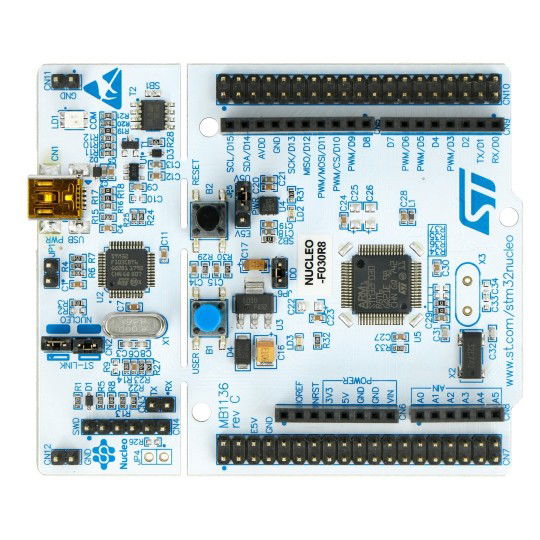
39.1.1. F030_bare
Folder: ../examples/F030_bare/
This is a STMCubeMX generated project without Trice instrumentation for easy compare with F030_inst to figure out the needed changes to set up trice.
Steps performed as potential guide:
- Install STM32CubeMX to
C:\SMT32SubeMX. - Select NUCLEO-F030R8 board.
- Initialize with default values.
- Optionally set system clock to 32MHz for faster target timestamps.
- Optionally set UART baud rate to 115200.
- Mantadory set UART data bits including parity to 9.
- Enable USART2 global interrupt.
- In Project Manager Project:
- Set toolchain folder location to
E:\repos\trice\examples\F030_bare\. - Set project name to
F030_bare. - Set toolchain / IDE to
Makefile.
- Set toolchain folder location to
- In Project Manager Code Generator:
- Select "Copy only the necessary library files".
- In Project Manager Advanced Settings:
- In Driver Selector change all to LL.
- Generate Code
- Start VS Code and open folder F030_bare with it.
- Start a terminal and type
make. The output should be similar to:
PS E:\repos\trice\examples\F030_bare> make -j
mkdir build
arm-none-eabi-gcc -c -mcpu=cortex-m0 -mthumb -DUSE_FULL_LL_DRIVER -DHSE_VALUE=8000000 -DHSE_STARTUP_TIMEOUT=100 -DLSE_STARTUP_TIMEOUT=5000 -DLSE_VALUE=32768 -DHSI_VALUE=8000000 -DLSI_VALUE=40000 -DVDD_VALUE=3300 -DPREFETCH_ENABLE=1 -DINSTRUCTION_CACHE_ENABLE=0 -DDATA_CACHE_ENABLE=0 -DSTM32F030x8 -ICore/Inc -IDrivers/STM32F0xx_HAL_Driver/Inc -IDrivers/CMSIS/Device/ST/STM32F0xx/Include -IDrivers/CMSIS/Include -Og -Wall -fdata-sections -ffunction-sections -g -gdwarf-2 -MMD -MP -MF"build/main.d" -Wa,-a,-ad,-alms=build/main.lst Core/Src/main.c -o build/main.o
...
arm-none-eabi-gcc -x assembler-with-cpp -c -mcpu=cortex-m0 -mthumb -DUSE_FULL_LL_DRIVER -DHSE_VALUE=8000000 -DHSE_STARTUP_TIMEOUT=100 -DLSE_STARTUP_TIMEOUT=5000 -DLSE_VALUE=32768 -DHSI_VALUE=8000000 -DLSI_VALUE=40000 -DVDD_VALUE=3300 -DPREFETCH_ENABLE=1 -DINSTRUCTION_CACHE_ENABLE=0 -DDATA_CACHE_ENABLE=0 -DSTM32F030x8 -ICore/Inc -IDrivers/STM32F0xx_HAL_Driver/Inc -IDrivers/CMSIS/Device/ST/STM32F0xx/Include -IDrivers/CMSIS/Include -Og -Wall -fdata-sections -ffunction-sections -g -gdwarf-2 -MMD -MP -MF"build/startup_stm32F030x8.d" startup_stm32F030x8.s -o build/startup_stm32F030x8.o
arm-none-eabi-gcc build/main.o build/stm32f0xx_it.o build/stm32f0xx_ll_gpio.o build/stm32f0xx_ll_pwr.o build/stm32f0xx_ll_exti.o build/stm32f0xx_ll_usart.o build/stm32f0xx_ll_rcc.o build/stm32f0xx_ll_dma.o build/stm32f0xx_ll_utils.o build/system_stm32f0xx.o build/sysmem.o build/syscalls.o build/startup_stm32F030x8.o -mcpu=cortex-m0 -mthumb -specs=nano.specs -TSTM32F030R8Tx_FLASH.ld -lc -lm -lnosys -Wl,-Map=build/F030_bare.map,--cref -Wl,--gc-sections -o build/F030_bare.elf
C:/bin/ArmGNUToolchain/bin/../lib/gcc/arm-none-eabi/13.2.1/../../../../arm-none-eabi/bin/ld.exe: warning: build/F030_bare.elf has a LOAD segment with RWX permissions
arm-none-eabi-size build/F030_bare.elf
text data bss dec hex filename
2428 12 1564 4004 fa4 build/F030_bare.elf
arm-none-eabi-objcopy -O ihex build/F030_bare.elf build/F030_bare.hex
arm-none-eabi-objcopy -O binary -S build/F030_bare.elf build/F030_bare.bin
PS E:\repos\trice\examples\F030_bare>
- Install VS Code Cortex-Debug extension.
- Create a launch.json file inside the .vscode subfolder and edit it to get
{
// Use IntelliSense to learn about possible attributes.
// Hover to view descriptions of existing attributes.
// For more information, visit: https://go.microsoft.com/fwlink/?linkid=830387
"version": "0.2.0",
"configurations": [
{
"name": "Cortex Debug",
"cwd": "${workspaceFolder}",
"executable": "./build/F030_bare.elf",
"request": "launch",
"type": "cortex-debug",
"runToEntryPoint": "main",
"servertype": "jlink",
"device": "STM32F030R8",
"svdFile": "./STM32F030R8.svd",
"runToMain": true
}
]
}
- Download STM32G030.svd or get it from the STMCubeIDE installation folder if you want to install this Eclipse IDE as well, but IMHO you do not need it.
- You may need to extract and install the STM32 USB drivers. You can find them also in
./third_party/st.com/en.stsw-link009_v2.0.2.zip. - It is assumed, that you converted the OB ST-Link to an OB J-Link already. See Convert Evaluation Board onboard ST-Link to J-Link for details.
- Press the Debug-Button or "CTRL+SHIFT+D" and start debugging.
Hint
- During the code generation, the CubeMX tool did not copy
syscalls.candsysmem.cbut added them to the Makefile. This seems to be a STM32CubeMX "feature".- You do not need these files for the example project, but you can add them manually to avoid some warnings or extend the code with:
__weak int _close(void) { return -1; } __weak int _lseek(void) { return -1; } __weak int _read (void) { return -1; } __weak int _write(void) { return -1; }
39.1.2. F030_inst
Folder: ../examples/F030_inst/
This is a working example with deferred encrypted out over UART. By uncommenting 2 lines in triceConfig.h, you get also parallel direct out over RTT. For setup see Trice over RTT and adapt steps from F030_bare.
Intrumenting:
-
Extend the Makefile with the information you get from comparing the Makefile here and in ../F030_bare/.
-
Add build.sh and clean.sh.
-
Copy file SEGGER_RTT_Conf.h from trice/third_party/segger.com/SEGGER_RTT_V760g.zip to ./Core/Inc/. Yu could also look for a newer version.
-
Copy and adapt a file triceConfig.h to ./Core/Inc/. You can choose from another example project or one of the test folders.
-
Create 2 empty files:
touch til.json li.jsoninside ./ -
Run
build.sh. This should build all. -
Add
#include "trice.h"to main.c and to stm32f0xx_it.c and edit these files according to diff. -
Add to
int main( void )someTrice( "..." );messages. -
Run
trice sto determine the relevant comport. -
You can have this output:

-
The Trices with 16-bit timestamps are about 150 clocks away from each other. @32MHz this is a time of less 5 µs.
39.2. Nucleo-G0B1 Examples
39.2.1. G0B1_bare
Folder: ../examples/G0B1_bare/
G0B1_bare Description
- This is a working example with CLang and also GCC.
- This is a STMCubeMX generated project. It was then manually adapted to Clang.
- It is without TRICE instrumentation for easy compare with ../G0B1_inst to figure out the needed changes to set up trice.
Setting Up G0B1_bare
- See and adapt steps from F030_bare.
- Then add/modify the files to reach this folder layot.
39.2.2. G0B1_inst
Folder: ../examples/G0B1_inst/
This is an example with direct out without framing over RTT and deferred out in TCOBS framing over UART.
Setting Up
- See and adapt steps from G0B1_bare.
Instrumenting
- The steps are similar to the steps in F030_bare.
- See comments in triceConfig.h and commandlines in screenshot.

39.3. Nucleo-L432KC Examples

39.3.1. L432_bare
Folder: ../examples/L432_bare/
- This example is without Trice istrumentation and serves for comparing with L432_inst to see the needed instrumentation steps quickly.
- This is a STMCubeMX generated project.
- See and adapt steps from F030_bare example.
- It was then manually adapted additionally to Clang.
- It was additionally configured for FreeRTOS.
39.3.2. L432_inst
Folder: ../examples/L432_inst/
- This is the with Trice instrumented example project L432_bare.
- It is for easy compare to figure out the needed setup changes.
- See and adapt steps in F030_bare.
- Then add/modify the files to reach this folder layout.
Build:
Run ./build.sh for configuration 0 or ./build.sh CONFIGURATION=34 for example.
Deferred Mode for max Speed
The stamps are MCU clocks here, so 🐁 Speedy Gonzales lasts 9 processor clocks here.
ms@DESKTOP-7POEGPB MINGW64 ~/repos/trice_wt_devel/examples/L432_inst (devel)
$ trice l -p com8 -hs off -prefix off
triceExamples.c 10 0_272 Hello! 👋🙂
✨✨✨✨✨✨✨✨✨✨✨✨✨✨✨✨✨
🎈🎈🎈🎈 𝕹𝖀𝕮𝕷𝕰𝕺-L432KC 🎈🎈🎈🎈
🍃🍃🍃🍃🍃🍃🍃🍃🍃🍃🍃🍃🍃🍃🍃🍃🍃
triceConfig.h 369 CONFIGURATION == 34 - UART, no cycle counter, no critical sections.
triceExamples.c 45 TRICE_DIRECT_OUTPUT == 0, TRICE_DEFERRED_OUTPUT == 1
triceExamples.c 51 TRICE_DOUBLE_BUFFER, TRICE_MULTI_PACK_MODE
triceExamples.c 60 _CYCLE == 0, _PROTECT == 0, _DIAG == 0, XTEA == 0
triceExamples.c 61 _SINGLE_MAX_SIZE=512, _BUFFER_SIZE=580, _DEFERRED_BUFFER_SIZE=4096
triceExamples.c 15 0,000_731 🐁 Speedy Gonzales
triceExamples.c 16 0,000_745 🐁 Speedy Gonzales
triceExamples.c 17 0,000_754 🐁 Speedy Gonzales
triceExamples.c 18 0,000_763 🐁 Speedy Gonzales
triceExamples.c 19 0,000_772 🐁 Speedy Gonzales
triceExamples.c 20 0,000_781 🐁 Speedy Gonzales
triceExamples.c 21 0,000_790 🐁 Speedy Gonzales
triceExamples.c 22 0,000_799 🐁 Speedy Gonzales
triceExamples.c 24 0_981 2.71828182845904523536 <- float number as string
triceExamples.c 25 1_230 2.71828182845904509080 (double with more ciphers than precision)
triceExamples.c 26 1_268 2.71828174591064453125 (float with more ciphers than precision)
triceExamples.c 27 1_296 2.718282 (default rounded float)
triceExamples.c 28 1_310 A Buffer:
triceExamples.c 29 1_348 32 2e 37 31 38 32 38 31 38 32 38 34 35 39 30 34 35 32 33 35 33 36
triceExamples.c 30 1_603 31372e32 31383238 34383238 34303935 35333235
triceExamples.c 31 1_799 ARemoteFunctionName(2e32)(3137)(3238)(3138)(3238)(3438)(3935)(3430)(3235)(3533)(3633)
triceExamples.c 32 10 times a 16 byte long Trice messages, which not all will be written because of the TRICE_PROTECT:
triceExamples.c 34 2_072 i=44444400 aaaaaa00
triceExamples.c 34 2_119 i=44444401 aaaaaa01
triceExamples.c 34 2_166 i=44444402 aaaaaa02
"Hardware" Changes
- The used evaluation board is delivered with an on-board ST-Link software for debugging.
- This was changed to an on-board J-Link software for better debugging and RTT support.
- See Trice over RTT about that.
Using RTT with on-board J-Link and JLinkRTTLogger
- You need to install the "J-Link Software and Documentation pack" for yout OS.
- ./Core/Inc/triceConfig.h contains example Trice log commands.
Using RTT with on-board J-Link and OpenOCD
With Windows not possible
- OpenOCD does not support the installed JLink driver.

- Changing to the WinUSB buld device driver is here not supported :-(
Darwin (macOS)
- See OpenOCD with Darwin in Trice over RTT
Using RTT with on-board ST-Link and OpenOCD
Terminal 1:
ms@LenovoP51Win11 MINGW64 /e/repos/trice/examples/L432_inst (devel)
$ openocd -f STLinkOpenOCD.cfg
Open On-Chip Debugger 0.12.0 (2024-09-16) [https://github.com/sysprogs/openocd]
Licensed under GNU GPL v2
libusb1 d52e355daa09f17ce64819122cb067b8a2ee0d4b
For bug reports, read
http://openocd.org/doc/doxygen/bugs.html
Info : The selected transport took over low-level target control. The results might differ compared to plain JTAG/SWD
Info : clock speed 100 kHz
Info : STLINK V2J24M11 (API v2) VID:PID 0483:374B
Info : Target voltage: 72.811768
Info : [stm32l4x.cpu] Cortex-M4 r0p1 processor detected
Info : [stm32l4x.cpu] target has 6 breakpoints, 4 watchpoints
Info : [stm32l4x.cpu] Examination succeed
Info : [stm32l4x.cpu] starting gdb server on 3333
Info : Listening on port 3333 for gdb connections
Info : rtt: Searching for control block 'SEGGER RTT'
Info : rtt: Control block found at 0x2000145c
Info : Listening on port 9090 for rtt connections
Channels: up=1, down=3
Up-channels:
0: Terminal 1024 0
Down-channels:
0: Terminal 16 0
Info : Listening on port 6666 for tcl connections
Info : Listening on port 4444 for telnet connections
Terminal2:
ms@LenovoP51Win11 MINGW64 /e/repos/trice/examples/L432_inst (devel)
$ trice l -p TCP4 -args localhost:9090 -pf none -d16
Nov 16 20:38:12.376056 TCP4: triceExamples.c 10 1_595 Hello! 👋🙂
Nov 16 20:38:12.376056 TCP4:
Nov 16 20:38:12.376056 TCP4: ✨✨✨✨✨✨✨✨✨✨✨✨✨✨✨✨✨
Nov 16 20:38:12.376056 TCP4: 🎈🎈🎈🎈 𝕹𝖀𝕮𝕷𝕰𝕺-L432KC 🎈🎈🎈🎈
Nov 16 20:38:12.376056 TCP4: 🍃🍃🍃🍃🍃🍃🍃🍃🍃🍃🍃🍃🍃🍃🍃🍃🍃
Nov 16 20:38:12.376056 TCP4:
Nov 16 20:38:12.376056 TCP4:
Nov 16 20:38:13.891033 TCP4: triceExamples.c 16 43_439 2.71828182845904523536 <- float number as string
Nov 16 20:38:14.874024 TCP4: triceExamples.c 17 44_949 2.71828182845904509080 (double with more ciphers than precision)
Nov 16 20:38:15.692614 TCP4: triceExamples.c 18 45_802 2.71828174591064453125 (float with more ciphers than precision)
Nov 16 20:38:16.323665 TCP4: triceExamples.c 19 46_536 2.718282 (default rounded float)
Using On-board ST-Link and VS-Code Cortex-Debug Extension
Fail
- https://www.st.com/resource/en/user_manual/um2576-stm32cubeide-stlink-gdb-server-stmicroelectronics.pdf
- Downloaded and installed
en.stm32cubeprg-win64-v2-17-0.zipen.st-link-server-v2-1-1.zip- PATH variable extended with
C:\Program Files (x86)\STMicroelectronics\stlink_server - Copied
- From: "C:\Program Files (x86)\STMicroelectronics\stlink_server\stlinkserver.exe"
- To: "C:\Program Files (x86)\STMicroelectronics\stlink_server\ST-LINK_gdbserver.exe"
- PATH variable extended with
OK
- Download st-util from github.com
- Unpack to
C:\bin\stlink-1.8.0-win32and addC:\bin\stlink-1.8.0-win32\binto path - Copy
C:\bin\stlink-1.8.0-win32\Program Files (x86)\stlinktoC:\Program Files (x86)\stlink - Get
C:\bin\libusb-1.0.27 - Copy
C:\bin\libusb-1.0.27\MinGW64\dll\libusb-1.0.dlltoC:\bin\stlink-1.8.0-win32\bin\libusb-1.0.dll
ms@LenovoP51Win11 MINGW64 /e/repos/trice/examples/L432_inst (devel)
$ st-util.exe
st-util 1.8.0
libusb: info [get_guid] no DeviceInterfaceGUID registered for 'USB\VID_056A&PID_5105\5&1140C04&0&10'
libusb: info [get_guid] no DeviceInterfaceGUID registered for 'USB\VID_056A&PID_5105&MI_01\6&13339912&0&0001'
libusb: info [get_guid] no DeviceInterfaceGUID registered for 'USB\VID_058F&PID_9540\5&1140C04&0&11'
libusb: info [get_guid] no DeviceInterfaceGUID registered for 'USB\VID_8087&PID_0A2B\5&1140C04&0&14'
libusb: info [get_guid] no DeviceInterfaceGUID registered for 'USB\ROOT_HUB30\4&20F1DF2E&0&0'
libusb: info [get_guid] no DeviceInterfaceGUID registered for 'USB\VID_0765&PID_5010\5&1140C04&0&13'
libusb: info [get_guid] no DeviceInterfaceGUID registered for 'USB\VID_0483&PID_374B&MI_01\6&224DEA1D&0&0001'
libusb: info [get_guid] no DeviceInterfaceGUID registered for 'USB\VID_5986&PID_111C&MI_00\6&104790C2&0&0000'
libusb: info [get_guid] no DeviceInterfaceGUID registered for 'USB\VID_046D&PID_C534\5&1140C04&0&6'
libusb: info [get_guid] no DeviceInterfaceGUID registered for 'USB\VID_0483&PID_374B&MI_02\6&224DEA1D&0&0002'
libusb: info [get_guid] no DeviceInterfaceGUID registered for 'USB\VID_0483&PID_374B\066CFF515570514867145144'
libusb: info [get_guid] no DeviceInterfaceGUID registered for 'USB\VID_138A&PID_0097\72FA8C531499'
libusb: info [get_guid] no DeviceInterfaceGUID registered for 'USB\VID_056A&PID_5105&MI_00\6&13339912&0&0000'
libusb: info [get_guid] no DeviceInterfaceGUID registered for 'USB\VID_046D&PID_C534&MI_01\6&C944391&0&0001'
libusb: info [get_guid] no DeviceInterfaceGUID registered for 'USB\VID_046D&PID_C534&MI_00\6&C944391&0&0000'
libusb: info [get_guid] no DeviceInterfaceGUID registered for 'USB\VID_5986&PID_111C\200901010001'
2024-11-17T22:20:05 INFO common.c: STM32L41x_L42x: 48 KiB SRAM, 256 KiB flash in at least 2 KiB pages.
2024-11-17T22:20:05 INFO gdb-server.c: Listening at *:4242...
Receive signal 0. Exiting...
(Last line after CTRL-C)
40. Trice Generate
40.1. Colors
Support for finding a color style:

See Check Alternatives chapter.
40.2. C-Code
If you intend to get the trice log functionality full or partially as a tlog C-Source and do not wish to parse the til.json file, you can run trice generate -tilH --tilC to create a C-file with header as starting point. That could be interesting for compiling the log functionality into a small separate microcontroller board.
//! \file til.c
//! ///////////////////////////////////////////////////////////////////////////
//! Trice generated code - do not edit!
#include "til.h"
//! triceFormatStringList contains all trice format strings together with id and parameter information.
//!
//! The bitWidth value is not transmitted in the binary data stream and needed for its decoding.
//! The paramCount is de-facto not needed. It is derivable from the received data, see docs/TriceUserManual.md#binary-encoding.
//! It is recommended to check if both values are matching. A negative paramCount indicates, that its value is unknown at compile time.
const triceFormatStringList_t triceFormatStringList[] = {
/* Trice type ( extended ) */ // id, bitWidth, paramCount, format-string
/* trice ( trice32_9 ) */ { 14016, 32, 9, "rd:trice %d, %d, %d, %d, %d, %d, %d, %d, %d\n" },
/* trice ( trice0 ) */ { 14224, 32, 0, "\n" },
/* trice32 ( trice32_1 ) */ { 14337, 32, 1, "msg:%u (%%u)\n" },
/* TRICE8 ( TRICE8_10 ) */ { 15063, 8, 10, "rd:TRICE8 %d, %d, %d, %d, %d, %d, %d, %d, %d, %d\n" },
/* Trice8 ( Trice8_9 ) */ { 15124, 8, 9, "rd:Trice8 %d, %d, %d, %d, %d, %d, %d, %d, %d\n" },
/* TRICE8 ( TRICE8_5 ) */ { 15058, 8, 5, "rd:TRICE8 %d, %d, %d, %d, %d\n" },
/* TRice ( TRice0 ) */ { 14885, 32, 0, "TEST:yellow+h:black\n" },
/* Trice64 ( Trice64_1 ) */ { 15560, 64, 1, "rd:Trice64 %d\n" },
/* trice ( trice32_1 ) */ { 15860, 32, 1, "rd:TRICE float %9.f (%%9.f)\n" },
...
/* TRICE64_0 ( TRICE64_0 ) */ { 16157, 64, 0, "w: Hello! 👋🙂 \a\n" },
/* TRICE ( TRICE0 ) */ { 14658, 32, 0, "interrupt:magenta+i:default+h\n" },
};
//! triceFormatStringListElements holds the compile time computed count of list elements.
const unsigned triceFormatStringListElements = sizeof(triceFormatStringList) / sizeof(triceFormatStringList_t);
40.3. C#-Code
With trice generate -tilCS a starting point for a C-Sharp application is generated:
//! \file til.cs
// Trice generated code - do not edit!
// There is still a need to exchange the format specifier from C to C# !!!!!!!!!!!!!!!!!!!!!!!!!!!!!!!
// See https://stackoverflow.com/questions/33432341/how-to-use-c-language-format-specifiers-in-c-sharp
// and https://www.codeproject.com/Articles/19274/A-printf-implementation-in-C for possible help.
namespace TriceIDList;
public class TilItem
{
public TilItem(int bitWidth, int paramCount, string strg)
{
BitWidth = bitWidth;
ParamCount = paramCount;
Strg = strg;
}
public int BitWidth { get; init; }
public int ParamCount { get; init; }
public string Strg { get; init; }
}
//! Til contains all trice format strings together with id and parameter information.
//!
//! The bitWidth value is not transmitted in the binary data stream and needed for its decoding.
//! The paramCount is de-facto not needed. It is derivable from the received data, see docs/TriceUserManual.md#binary-encoding.
//! It is recommended to check if both values are matching. A negative paramCount indicates, that its value is unknown at compile time.
public static class Til
{
public static readonly Dictionary<int, TilItem> TilList= new Dictionary<int, TilItem>
{ /* triceType ( extended ) */ // id, TilItem( bitWidth, paramCount, Strg )
/* TRICE_12 ( TRICE32_12 )*/ { 14991, new TilItem( 32, 12, "rd:TRICE_12 %d, %d, %d, %d, %d, %d, %d, %d, %d, %d, %d, %d\n" ) },
/* TRICE ( TRICE32_1 )*/ { 15636, new TilItem( 32, 1, "WR:write message, SysTick is %6u\n" ) },
/* TRICE_S ( TRICE_S )*/ { 14178, new TilItem( 32, -1, "msg:With TRICE_S:%s\n" ) },
...
/* TRICE16 ( TRICE16_2 )*/ { 16056, new TilItem( 16, 2, "rd:TRICE16 %p, %p\n" ) },
};
}
40.4. Generating a Trice ABC Function Pointer List
Use -abc=<target> to generate the target-specific ABC receive selection and table files:
trice generate -i til.json -abc=deviceX
This creates deviceX_abc.h if it does not exist, otherwise uses it as the user-edited selection input. It always regenerates deviceX_abc.c from til.json and the active declarations in deviceX_abc.h. For the workflow and examples see Trice ABC - Asynchronous Broadcast Commands.
41. Testing the Trice Library C-Code for the Target
41.1. General info
This folder is per default named to _test to avoid VS Code slow down. Also, when running go test ./..., the tests in the _test folder are excluded, because they take a long time. Run ./scripts/testAll.sh to include them.
The main aim of these tests is to automatic compile and run the target code in different compiler switch variants avoiding manual testing this way.
scripts/testAll.sh quick performs the standard Bind-only selection. scripts/testAll.sh full also runs the legacy Insert/Clean and extended compiler matrices and can take many hours, depending strongly on the host. The runner orders short checks before long matrices and shows a hardware-independent percentage of expected relative test work. On an interactive terminal, a spinner changes in place every few seconds during a long step; it does not add repeated log lines or claim a time-based ETA.
- Partial tests:
- In
./examplesyou can translate all examples with./buildAllTargets.sh. - In
./examples/L432_instthe scriptall_configs_build.shtranslates many different configurations.
- In
For the user it could be helpful to start with a triceConfig.hfile from here and to adapt the Trice tool command line from the matching cgo_test.go if no close match in the examples folder was found.
41.2. How to run the tests
- Host compiler prerequisites:
- CGO and host-side target-code tests need a working host C compiler, not only a compiler executable in
PATH. - On Windows, TDM-GCC or another matching MinGW-w64 GCC installation can provide the host compiler and C runtime.
- Some Go regression tests execute every supported compiler found in
PATH, includingclang. If Clang is visible, verify it first withprintf '#include <string.h>\n' | clang -std=c99 -fsyntax-only -x c -. - Keep
C_INCLUDE_PATHunset globally so ARM cross-compiler headers do not leak into host and CGO builds.
- CGO and host-side target-code tests need a working host C compiler, not only a compiler executable in
- In
_tricefolder first executego clean -cacheafter editing C-files. Cleaning the Go cache is recommended, because the CGO tests keep pre-compiled files and when editing C-files, this can lead to confusing results. - Execute
./scripts/_330_renew_ids_and_refresh_tests.shafter you edited files in the./examplesor_testfolder. - To run direct Go tests from the repository root, use a repo-local Go cache if needed:
GOCACHE="$PWD/.gocache" go test ./...on POSIX shells, or$env:GOCACHE = "$PWD/.gocache"; go test ./...in PowerShell. The.gocache/folder is ignored by Git. - To run the tests manually
cdinto_testand executetrice insert -i ../demoTIL.json -li ../demoLI.jsonand thengo test ./...from there. It is more convenient to runscripts/_230_legacy_insert_ids.shfrom the Trice root folder. - It is convenient to run
scripts/testAll.shfrom the Trice root folder to perform this. scripts/testAll.shcreates its local helper artifacts inside the ignored./temp/logfolder. The versioneddemoTIL.jsonanddemoLI.jsonfiles in the repository root stay available as example reference files. WhenGOCACHEis unset,scripts/testAll.shalso uses the ignored repo-local cache folder./.gocache.- A script name beginning with
_marks an internal helper or an individually runnable test step. Its three-digit prefix groups the flatscriptsfolder:100--250are shared workflow helpers,260--330are maintenance helpers, and400--640are tests ordered broadly from short checks to long compiler matrices. - It is possible to start the tests individually, but for some the default
-timeout 30smaybe too short.
41.3. Tests Details
All folders despite testdata are test folders and the name tf is used as a place holder for them in this document.
To exclude a specific folder temporary, simply rename it to start with an underscore _tf.
The tf are serving for target code testing in different configuration variants on the host machine. The file ./testdata/triceCheck.c is the main file for most tests and serves also as example usage.
_test/testdata/cgoPackage.go is the common main for the generated_cgoPackage.go files and contains the common test code.
The folders tf are Go packages just for tests. They all have the same package name cgot and are not included into the trice tool. The different cgot packages are independent and could have any names. They do not see each other and are used for target code testing independently. When the tests are executed for each package, a separate test binary is build and these run parallel.
The tf/triceConfig.h files differ and correspondent to the tf/cgo_test.go files in the same folder. On test execution, the ./testdata/*.c files are compiled into the trice test executable together with the trice sources ../src using the tf/triceConfig.h file.
The individual tests collect the expected results (//exp: result) together with the line numbers into a slice to execute the test loop on it. The triceLogTest function gets the triceLog function as parameter.
triceLogTest iterates over the results slice and calls for each line the C-function triceCheck. Then the line specific binary data buffer is passed to the triceLog parameter function which "logs" the passed buffer into an actual result string which in turn is compared with the expected result.
The whole process is relatively slow because of the often passed Go - C barrier, but allows automated tests in different configuration variants in one shot.
The testdata\cgoPackage.go file contains a variable testLines = n, which limits the amount of performed trices for each test case to n. Changing this value will heavily influence the test duration. The value -1 is reserved for testing all test lines.
41.4. How to add new test cases
- Choose a test folder similar to the intended test and copy it under a new descriptive name like
newTest. - Extend file
./renewIDs_in_examples_and_test_folder.shaccordingly. - Edit files
newTest/triceConfig.handnewTest/cgo_test.goin a matching way. - Run command
go test test/newTest/...
41.5. Test Internals
The ./trice/_test/testdata/*.c and ./trice/src/*.c are compiled together with the actual cgot package into one single Trice test binary, resulting in as many test binaries as there are test folders. Calling its TestFunction(s) causes the activation of the Trice statement(s) inside triceCheck.c. The ususally into an embedded device compiled Trice code generates a few bytes according to the configuration into a buffer. These bytes are transmitted usually in real life over a (serial) port or RTT. In the tests here, this buffer is then read out by the Trice tool handler function according to the used CLI switches and processed to a log string using the til.json file. This string is then compared to the expected string for the activated line.
Each tf is a Go package, which is not part of any Go application. They all named cgot and are only used independently for testing different configurations. The tf/generated_cgoPackage.go file is identical in all tf. Its master is testdata/cgoPackage.go. After editing the master, running the command ./renewIDs_in_examples_and_test_folder.sh copies the master to all tf and renames it to generated_cgoPackage.go.
The test specific target code configuration is inside tf/trice.Config.h and the appropriate Trice tool CLI switches are in tf/cgo_test.go.
When running go test ./tf, a Trice tool test executable is build, using the Trice tool packages and the tf package cgot, and the function TestLogs is executed. Its internal closure triceLog contains the Trice tool CLI switches and is passed to the ccgot package function triceLogTest together with the number of testLines and the trice mode (directTransfer or deferrerdTransfer).
During the test, the file triceCheck.c is scanned for lines like
break; case __LINE__: TRice( iD(3537), "info:This is a message without values and a 32-bit stamp.\n" ); //exp: time: 842,150_450default: info:This is a message without values and a 32-bit stamp.
Some C-code lines contain Trice statements and comments starting with //exp: followed by the expected Trice tool output for that specific line. The Go testfunction collects these outputs in a slice together with the line numbers. Then for each found line number the execution of the Go function func triceCheck(n int) takes part, which in turn calls the CGO compiled C-function TriceCheck(n). The now activated Trice C-code writes the generated trice bytes in a between C and Go shared buffer using the C-function TriceWriteDeviceCgo. After returning from the Go function func triceCheck(n int) and optionally calling TriceTransfer in deferred mode the Trice tool triceLog() function converts the Trice buffer bytes to the log string and compares the result with the expected data. The between Go and C shared buffer limits the executed Trices per line to one, because they use the same buffer from the beginning. This could be done better with an increment to allow several trices in one single line.
Because each test runs a different configuration, all possible combinations are testable.
41.6. Test Results
ms@DESKTOP-7POEGPB MINGW64 ~/repos/trice (main)
$ ./scripts/testAll.sh
Thu, Dec 12, 2024 4:51:26 PM
This can take several minutes ...
? github.com/rokath/trice/internal/decoder [no test files]
? github.com/rokath/trice/internal/do [no test files]
? github.com/rokath/trice/internal/translator [no test files]
? github.com/rokath/trice/pkg/ant [no test files]
ok github.com/rokath/trice/cmd/trice 1.392s
ok github.com/rokath/trice/internal/args 0.415s
ok github.com/rokath/trice/internal/charDecoder 0.298s
ok github.com/rokath/trice/internal/com 15.845s
ok github.com/rokath/trice/internal/dumpDecoder 0.339s
ok github.com/rokath/trice/internal/emitter 0.326s
ok github.com/rokath/trice/internal/id 3.088s
ok github.com/rokath/trice/internal/keybcmd 0.233s
ok github.com/rokath/trice/internal/link 0.196s
ok github.com/rokath/trice/internal/receiver 0.246s
? github.com/rokath/trice/internal/translator [no test files]
? github.com/rokath/trice/pkg/ant [no test files]
ok github.com/rokath/trice/cmd/trice 1.392s
ok github.com/rokath/trice/internal/args 0.415s
ok github.com/rokath/trice/internal/charDecoder 0.298s
ok github.com/rokath/trice/internal/com 15.845s
ok github.com/rokath/trice/internal/dumpDecoder 0.339s
ok github.com/rokath/trice/internal/emitter 0.326s
ok github.com/rokath/trice/internal/id 3.088s
ok github.com/rokath/trice/internal/keybcmd 0.233s
ok github.com/rokath/trice/internal/link 0.196s
ok github.com/rokath/trice/internal/receiver 0.246s
ok github.com/rokath/trice/internal/trexDecoder 0.264s
ok github.com/rokath/trice/pkg/cipher 0.230s
ok github.com/rokath/trice/pkg/endian 0.161s
ok github.com/rokath/trice/internal/args 0.415s
ok github.com/rokath/trice/internal/charDecoder 0.298s
ok github.com/rokath/trice/internal/com 15.845s
ok github.com/rokath/trice/internal/dumpDecoder 0.339s
ok github.com/rokath/trice/internal/emitter 0.326s
ok github.com/rokath/trice/internal/id 3.088s
ok github.com/rokath/trice/internal/keybcmd 0.233s
ok github.com/rokath/trice/internal/link 0.196s
ok github.com/rokath/trice/internal/receiver 0.246s
ok github.com/rokath/trice/internal/trexDecoder 0.264s
ok github.com/rokath/trice/pkg/cipher 0.230s
ok github.com/rokath/trice/pkg/endian 0.161s
ok github.com/rokath/trice/internal/id 3.088s
ok github.com/rokath/trice/internal/keybcmd 0.233s
ok github.com/rokath/trice/internal/link 0.196s
ok github.com/rokath/trice/internal/receiver 0.246s
ok github.com/rokath/trice/internal/trexDecoder 0.264s
ok github.com/rokath/trice/pkg/cipher 0.230s
ok github.com/rokath/trice/pkg/endian 0.161s
ok github.com/rokath/trice/pkg/msg 0.157s
ok github.com/rokath/trice/pkg/tst 0.261s
ok github.com/rokath/trice/_test/be_dblB_de_tcobs_ua 123.142s
ok github.com/rokath/trice/_test/be_staticB_di_xtea_cobs_rtt32 123.159s
ok github.com/rokath/trice/internal/trexDecoder 0.264s
ok github.com/rokath/trice/pkg/cipher 0.230s
ok github.com/rokath/trice/pkg/endian 0.161s
ok github.com/rokath/trice/pkg/msg 0.157s
ok github.com/rokath/trice/pkg/tst 0.261s
ok github.com/rokath/trice/_test/be_dblB_de_tcobs_ua 123.142s
ok github.com/rokath/trice/_test/be_staticB_di_xtea_cobs_rtt32 123.159s
ok github.com/rokath/trice/pkg/msg 0.157s
ok github.com/rokath/trice/pkg/tst 0.261s
ok github.com/rokath/trice/_test/be_dblB_de_tcobs_ua 123.142s
ok github.com/rokath/trice/_test/be_staticB_di_xtea_cobs_rtt32 123.159s
ok github.com/rokath/trice/_test/dblB_de_cobs_ua 122.964s
ok github.com/rokath/trice/_test/dblB_de_multi_cobs_ua 123.308s
ok github.com/rokath/trice/_test/be_dblB_de_tcobs_ua 123.142s
ok github.com/rokath/trice/_test/be_staticB_di_xtea_cobs_rtt32 123.159s
ok github.com/rokath/trice/_test/dblB_de_cobs_ua 122.964s
ok github.com/rokath/trice/_test/dblB_de_multi_cobs_ua 123.308s
ok github.com/rokath/trice/_test/dblB_de_cobs_ua 122.964s
ok github.com/rokath/trice/_test/dblB_de_multi_cobs_ua 123.308s
ok github.com/rokath/trice/_test/dblB_de_multi_cobs_ua 123.308s
ok github.com/rokath/trice/_test/dblB_de_multi_nopf_ua 123.244s
ok github.com/rokath/trice/_test/dblB_de_multi_nopf_ua 123.244s
ok github.com/rokath/trice/_test/dblB_de_multi_tcobs_ua 123.109s
ok github.com/rokath/trice/_test/dblB_de_multi_tcobs_ua 123.109s
ok github.com/rokath/trice/_test/dblB_de_multi_xtea_cobs_ua 123.213s
ok github.com/rokath/trice/_test/dblB_de_multi_xtea_tcobs_ua 123.001s
ok github.com/rokath/trice/_test/dblB_de_multi_xtea_cobs_ua 123.213s
ok github.com/rokath/trice/_test/dblB_de_multi_xtea_tcobs_ua 123.001s
ok github.com/rokath/trice/_test/dblB_de_nopf_ua 123.092s
ok github.com/rokath/trice/_test/dblB_de_multi_xtea_tcobs_ua 123.001s
ok github.com/rokath/trice/_test/dblB_de_nopf_ua 123.092s
ok github.com/rokath/trice/_test/dblB_de_tcobs_ua 122.324s
ok github.com/rokath/trice/_test/dblB_de_nopf_ua 123.092s
ok github.com/rokath/trice/_test/dblB_de_tcobs_ua 122.324s
ok github.com/rokath/trice/_test/dblB_de_tcobs_ua 122.324s
ok github.com/rokath/trice/_test/dblB_de_xtea_cobs_ua 123.149s
ok github.com/rokath/trice/_test/dblB_de_xtea_tcobs_ua 122.883s
ok github.com/rokath/trice/_test/dblB_de_xtea_cobs_ua 123.149s
ok github.com/rokath/trice/_test/dblB_de_xtea_tcobs_ua 122.883s
ok github.com/rokath/trice/_test/dblB_di_nopf_rtt32__de_cobs_ua 246.703s
ok github.com/rokath/trice/_test/dblB_de_xtea_tcobs_ua 122.883s
ok github.com/rokath/trice/_test/dblB_di_nopf_rtt32__de_cobs_ua 246.703s
ok github.com/rokath/trice/_test/dblB_di_nopf_rtt32__de_cobs_ua 246.703s
ok github.com/rokath/trice/_test/dblB_di_nopf_rtt32__de_multi_cobs_ua 247.125s
ok github.com/rokath/trice/_test/dblB_di_nopf_rtt32__de_multi_tcobs_ua 246.862s
ok github.com/rokath/trice/_test/dblB_di_nopf_rtt32__de_tcobs_ua 246.531s
ok github.com/rokath/trice/_test/dblB_di_nopf_rtt32__de_xtea_cobs_ua 247.072s
ok github.com/rokath/trice/_test/dblB_di_nopf_rtt8__de_cobs_ua 246.639s
ok github.com/rokath/trice/_test/dblB_di_nopf_rtt8__de_multi_cobs_ua 246.599s
ok github.com/rokath/trice/_test/dblB_di_nopf_rtt8__de_multi_tcobs_ua 247.114s
ok github.com/rokath/trice/_test/dblB_di_nopf_rtt8__de_tcobs_ua 246.851s
ok github.com/rokath/trice/_test/ringB_de_cobs_ua 123.578s
ok github.com/rokath/trice/_test/ringB_de_multi_tcobs_ua 123.517s
ok github.com/rokath/trice/_test/ringB_de_multi_xtea_cobs_ua 123.497s
ok github.com/rokath/trice/_test/ringB_de_multi_xtea_tcobs_ua 123.379s
ok github.com/rokath/trice/_test/ringB_de_nopf_ua 123.555s
ok github.com/rokath/trice/_test/ringB_de_tcobs_ua 123.300s
ok github.com/rokath/trice/_test/ringB_de_xtea_cobs_ua 123.487s
ok github.com/rokath/trice/_test/ringB_de_xtea_tcobs_ua 123.846s
ok github.com/rokath/trice/_test/ringB_di_cobs_rtt32__de_tcobs_ua 247.400s
ok github.com/rokath/trice/_test/ringB_di_cobs_rtt8__de_tcobs_ua 247.202s
ok github.com/rokath/trice/_test/ringB_di_nopf_rtt32__de_tcobs_ua 247.204s
ok github.com/rokath/trice/_test/ringB_di_nopf_rtt32__de_xtea_cobs_ua 246.818s
ok github.com/rokath/trice/_test/ringB_di_nopf_rtt8__de_tcobs_ua 247.006s
ok github.com/rokath/trice/_test/ringB_di_tcobs_rtt32__de_tcobs_ua 247.000s
ok github.com/rokath/trice/_test/ringB_di_xtea_cobs_rtt32__de_xtea_cobs_ua 246.872s
ok github.com/rokath/trice/_test/special_protect_dblB_de_tcobs_ua 0.444s
ok github.com/rokath/trice/_test/stackB_di_nopf_aux32 123.819s
ok github.com/rokath/trice/_test/stackB_di_nopf_aux8 123.830s
ok github.com/rokath/trice/_test/stackB_di_nopf_rtt32 123.912s
ok github.com/rokath/trice/_test/stackB_di_nopf_rtt8 123.976s
ok github.com/rokath/trice/_test/stackB_di_xtea_cobs_rtt8 123.719s
ok github.com/rokath/trice/_test/staticB_di_nopf_aux32 123.553s
ok github.com/rokath/trice/_test/staticB_di_nopf_aux8 123.551s
ok github.com/rokath/trice/_test/staticB_di_nopf_rtt32 123.596s
ok github.com/rokath/trice/_test/staticB_di_nopf_rtt8 123.618s
ok github.com/rokath/trice/_test/staticB_di_tcobs_rtt32 123.177s
ok github.com/rokath/trice/_test/staticB_di_tcobs_rtt8 123.353s
ok github.com/rokath/trice/_test/staticB_di_xtea_cobs_rtt32 123.126s
real 10m31.130s
user 0m0.000s
sys 0m0.015s
ms@DESKTOP-7POEGPB MINGW64 ~/repos/trice (main)
$
41.7. Special tests
41.8. Test Cases
41.8.1. Folder Naming Convention
| Folder Name Part | Meaning |
|---|---|
testdata | This is no test folder. It contains data common to all tests. |
_... | Folder starting with an undescore _ are excluded when go test ./... is executed. |
_di_ | direct mode |
_de_ | deferred mode |
special_ | a test, not using ./testdata/triceCheck.c |
staticB_ | static buffer, direct mode only possible |
stackB_ | stack buffer, direct mode only possible |
ringB_ | ring buffer, deferred mode and optional parallel direct mode |
dblB_ | double buffer, deferred mode and optional parallel direct mode |
_rtt8_ | (simulated) SEGGER_RTT byte transfer |
_rtt32_ | (simulated) SEGGER_RTT word transfer |
__ | direct and deferred mode together |
_xtea_ | with encryption, otherwise without encryption |
_tcobs | TCOBS package framing |
_cobs | COBS package framing |
_nopf | no package framing |
_multi_ | Usually each Trice is handled separately. In multi mode, groups of available Trices are framed together. |
_ua | simulated UART A output (for deferred modes) |
42. Test Issues
Test folders starting with ERROR_ have issues. These cases are usable on the target. These tests fail for an unknown reason. Probably it is a test implementation issue. Especially when XTEA is used in one output but not in the other, the tests fail.
43. Add-On Hints
43.1. Trice on LibOpenCM3
- This is a OpenCM3_STM32F411_Nucleo Contribution from kraiskil.
- See also pull request #269.
- It is here because the code need some re-work to be compatible with Trice version 1.0.
LibOpenCM3 is a hardware abstraction library for many microcontrollers.
This is an exampe using STM's STM32F411 Nucleo board.
--> This code uses a legacy Trice version and needs adaptation!
43.1.1. Prerequisites
- Suitable ARM GCC cross compiler (
arm-none-eabi-gcc) found in your system's PATH - GNU Make, or compatible
- Environment variable
OPENCM3_DIRpoints to the base install of libopencm3. This is e.g. the libopencm3 source directory, if you also built it in the source directory. - OpenOCD
43.1.2. triceConfig.h
/*! \file triceConfig.h
\author Thomas.Hoehenleitner [at] seerose.net
LibOpenCM3 adapatation by Kalle Raiskila.
*******************************************************************************/
#ifndef TRICE_CONFIG_H_
#define TRICE_CONFIG_H_
#ifdef __cplusplus
extern "C" {
#endif
#include <stdint.h>
#include <libopencm3/cm3/cortex.h>
#include <libopencm3/stm32/gpio.h>
#include <libopencm3/stm32/usart.h>
// Local (to this demo) time keeping functions
#include "time.h"
#define TRICE_UART USART2 //!< Enable and set UART for serial output.
// The alternative, TRICE_RTT_CHANNEL is not available with OpenCM3
// #define TRICE_RTT_CHANNEL 0
// Timestamping function to be provided by user. In this demo from time.h
#define TRICE_TIMESTAMP wallclock_ms() // todo: replace with TRICE_TREX_ENCODING stuff
// Enabling next 2 lines results in XTEA TriceEncryption with the key.
// #define TRICE_ENCRYPT XTEA_KEY( ea, bb, ec, 6f, 31, 80, 4e, b9, 68, e2, fa, ea, ae, f1, 50, 54 ); //!< -password MySecret
// #define TRICE_DECRYPT //!< TRICE_DECRYPT is usually not needed. Enable for checks.
// #define TRICE_BIG_ENDIANNESS //!< TRICE_BIG_ENDIANNESS needs to be defined for TRICE64 macros on big endian devices. (Untested!)
//
///////////////////////////////////////////////////////////////////////////////
///////////////////////////////////////////////////////////////////////////////
// Predefined trice modes: Adapt or creeate your own trice mode.
//
#ifndef TRICE_MODE
#error Define TRICE_MODE to 0, 200 or 201
#endif
//! Direct output to UART or RTT with cycle counter. Trices inside interrupts forbidden. Direct TRICE macro execution.
//! This mode is mainly for a quick tryout start or if no timing constrains for the TRICE macros exist.
//! Only a putchar() function is required - look for triceBlockingPutChar().
//! UART Command line similar to: `trice log -p COM1 -baud 115200`
//! RTT needs additional tools installed - see RTT documentation.
//! J-LINK Command line similar to: `trice log -args="-Device STM32G071RB -if SWD -Speed 4000 -RTTChannel 0 -RTTSearchRanges 0x20000000_0x1000"`
//! ST-LINK Command line similar to: `trice log -p ST-LINK -args="-Device STM32G071RB -if SWD -Speed 4000 -RTTChannel 0 -RTTSearchRanges 0x20000000_0x1000"`
#if TRICE_MODE == 0 // must not use TRICE_ENCRYPT!
#define TRICE_STACK_BUFFER_MAX_SIZE 128 //!< This minus TRICE_DATA_OFFSET the max allowed single trice size. Usually ~40 is enough.
#ifndef TRICE_ENTER
#define TRICE_ENTER \
{ /*! Start of TRICE macro */ \
uint32_t co[TRICE_STACK_BUFFER_MAX_SIZE >> 2]; /* Check TriceDepthMax at runtime. */ \
uint32_t* TriceBufferWritePosition = co + (TRICE_DATA_OFFSET >> 2);
#endif
#ifndef TRICE_LEAVE
#define TRICE_LEAVE \
{ /*! End of TRICE macro */ \
unsigned tLen = ((TriceBufferWritePosition - co) << 2) - TRICE_DATA_OFFSET; \
TriceOut(co, tLen); \
} \
}
#endif
#endif // #if TRICE_MODE == 0
//! Double Buffering output to RTT or UART with cycle counter. Trices inside interrupts allowed. Fast TRICE macro execution.
//! UART Command line similar to: `trice log -p COM1 -baud 115200`
//! RTT Command line similar to: `trice l -args="-Device STM32F030R8 -if SWD -Speed 4000 -RTTChannel 0 -RTTSearchRanges 0x20000000_0x1000"`
#if TRICE_MODE == 200
#ifndef TRICE_ENTER
#define TRICE_ENTER TRICE_ENTER_CRITICAL_SECTION //! TRICE_ENTER is the start of TRICE macro. The TRICE macros are a bit slower. Inside interrupts TRICE macros allowed.
#endif
#ifndef TRICE_LEAVE
#define TRICE_LEAVE TRICE_LEAVE_CRITICAL_SECTION //! TRICE_LEAVE is the end of TRICE macro.
#endif
#define TRICE_HALF_BUFFER_SIZE 1000 //!< This is the size of each of both buffers. Must be able to hold the max TRICE burst count within TRICE_TRANSFER_INTERVAL_MS or even more, if the write out speed is small. Must not exceed SEGGER BUFFER_SIZE_UP
#define TRICE_SINGLE_MAX_SIZE 100 //!< must not exeed TRICE_HALF_BUFFER_SIZE!
#endif // #if TRICE_MODE == 200
//! Double Buffering output to UART without cycle counter. No trices inside interrupts allowed. Fastest TRICE macro execution.
//! Command line similar to: `trice log -p COM1 -baud 115200`
#if TRICE_MODE == 201
#define TRICE_CYCLE_COUNTER 0 //! Do not add cycle counter, The TRICE macros are a bit faster. Lost TRICEs are not detectable by the trice tool.
#define TRICE_ENTER //! TRICE_ENTER is the start of TRICE macro. The TRICE macros are a bit faster. Inside interrupts TRICE macros forbidden.
#define TRICE_LEAVE //! TRICE_LEAVE is the end of TRICE macro.
#define TRICE_HALF_BUFFER_SIZE 2000 //!< This is the size of each of both buffers. Must be able to hold the max TRICE burst count within TRICE_TRANSFER_INTERVAL_MS or even more, if the write out speed is small. Must not exceed SEGGER BUFFER_SIZE_UP
#define TRICE_SINGLE_MAX_SIZE 800 //!< must not exeed TRICE_HALF_BUFFER_SIZE!
#endif // #if TRICE_MODE == 201
//
///////////////////////////////////////////////////////////////////////////////
///////////////////////////////////////////////////////////////////////////////
// Headline info
//
#ifdef TRICE_HALF_BUFFER_SIZE
#define TRICE_BUFFER_INFO \
do { \
TRICE32(Id(0), "att: Trice 2x half buffer size:%4u ", TRICE_HALF_BUFFER_SIZE); \
} while (0)
#else
#define TRICE_BUFFER_INFO \
do { \
TRICE32(Id(0), "att:Single Trice Stack buf size:%4u", TRICE_SINGLE_MAX_SIZE + TRICE_DATA_OFFSET); \
} while (0)
#endif
//! This is usable as the very first trice sequence after restart. Adapt and use it or ignore it.
#define TRICE_HEADLINE \
TRICE0(Id(0), "s: \n"); \
TRICE8(Id(0), "s: NUCLEO-F411RE TRICE_MODE %3u \n", TRICE_MODE); \
TRICE0(Id(0), "s: \n"); \
TRICE0(Id(0), "s: "); \
TRICE_BUFFER_INFO; \
TRICE0(Id(0), "s: \n"); \
TRICE0(Id(0), "s: \n");
//
///////////////////////////////////////////////////////////////////////////////
///////////////////////////////////////////////////////////////////////////////
// Compiler Adaptation
//
#if defined(__GNUC__) /* gnu compiler ###################################### */
#define TRICE_INLINE static inline //! used for trice code
#define ALIGN4 //!< align to 4 byte boundary preamble
#define ALIGN4_END __attribute__((aligned(4))) //!< align to 4 byte boundary post declaration
//! TRICE_ENTER_CRITICAL_SECTION saves interrupt state and disables Interrupts.
#define TRICE_ENTER_CRITICAL_SECTION \
{ \
uint32_t old_mask = cm_mask_interrupts(1); \
{
//! TRICE_LEAVE_CRITICAL_SECTION restores interrupt state.
#define TRICE_LEAVE_CRITICAL_SECTION \
} \
cm_mask_interrupts(old_mask); \
}
#else
#error unknown compliler
#endif // compiler adaptations ##################################################
//
///////////////////////////////////////////////////////////////////////////////
///////////////////////////////////////////////////////////////////////////////
// Optical feedback: Adapt to your device.
//
TRICE_INLINE void ToggleOpticalFeedbackLED(void) {
// The only user controllable LED available on the
// Nucleo is LD2, on port A5. This is set up in main.c
gpio_toggle(GPIOA, GPIO5);
}
//
///////////////////////////////////////////////////////////////////////////////
///////////////////////////////////////////////////////////////////////////////
// UART interface: Adapt to your device.
//
#ifdef TRICE_UART
//! Check if a new byte can be written into trice transmit register.
//! \retval 0 == not empty
//! \retval !0 == empty
//! User must provide this function.
TRICE_INLINE uint32_t triceTxDataRegisterEmpty(void) {
uint32_t reg = USART_SR(TRICE_UART);
return (reg & USART_SR_TXE);
}
//! Write value v into trice transmit register.
//! \param v byte to transmit
//! User must provide this function.
TRICE_INLINE void triceTransmitData8(uint8_t v) {
usart_send_blocking(TRICE_UART, v);
ToggleOpticalFeedbackLED();
}
//! Allow interrupt for empty trice data transmit register.
//! User must provide this function.
TRICE_INLINE void triceEnableTxEmptyInterrupt(void) {
usart_enable_tx_interrupt(TRICE_UART);
}
//! Disallow interrupt for empty trice data transmit register.
//! User must provide this function.
TRICE_INLINE void triceDisableTxEmptyInterrupt(void) {
usart_disable_tx_interrupt(TRICE_UART);
}
#endif // #ifdef TRICE_UART
///////////////////////////////////////////////////////////////////////////////
// Default TRICE macro bitwidth: 32 (optionally adapt to MCU bit width)
//
#define TRICE_1 TRICE32_1 //!< Default parameter bit width for 1 parameter count TRICE is 32, change for a different value.
#define TRICE_2 TRICE32_2 //!< Default parameter bit width for 2 parameter count TRICE is 32, change for a different value.
#define TRICE_3 TRICE32_3 //!< Default parameter bit width for 3 parameter count TRICE is 32, change for a different value.
#define TRICE_4 TRICE32_4 //!< Default parameter bit width for 4 parameter count TRICE is 32, change for a different value.
#define TRICE_5 TRICE32_5 //!< Default parameter bit width for 5 parameter count TRICE is 32, change for a different value.
#define TRICE_6 TRICE32_6 //!< Default parameter bit width for 6 parameter count TRICE is 32, change for a different value.
#define TRICE_7 TRICE32_7 //!< Default parameter bit width for 7 parameter count TRICE is 32, change for a different value.
#define TRICE_8 TRICE32_8 //!< Default parameter bit width for 8 parameter count TRICE is 32, change for a different value.
#define TRICE_9 TRICE32_9 //!< Default parameter bit width for 9 parameter count TRICE is 32, change for a different value.
#define TRICE_10 TRICE32_10 //!< Default parameter bit width for 10 parameter count TRICE is 32, change for a different value.
#define TRICE_11 TRICE32_11 //!< Default parameter bit width for 11 parameter count TRICE is 32, change for a different value.
#define TRICE_12 TRICE32_12 //!< Default parameter bit width for 12 parameter count TRICE is 32, change for a different value.
//
///////////////////////////////////////////////////////////////////////////////
#ifdef __cplusplus
}
#endif
#endif /* TRICE_CONFIG_H_ */
43.1.3. main.c
/*
* Demo to test/show TRICE usage in a libopencm3
* environment.
*/
#include <libopencm3/cm3/systick.h>
#include <libopencm3/stm32/gpio.h>
#include <libopencm3/stm32/exti.h>
#include <libopencm3/stm32/usart.h>
#include <libopencm3/stm32/rcc.h>
#include <libopencm3/cm3/nvic.h>
#include <stdint.h>
void msleep(uint32_t delay);
uint32_t wallclock_ms(void);
#include "trice.h"
static void hardware_setup(void)
{
/* Set device clocks from opencm3 provided preset.*/
const struct rcc_clock_scale *clocks = &rcc_hsi_configs[RCC_CLOCK_3V3_84MHZ];
rcc_clock_setup_pll( clocks );
/* Set up driving the LED connected to port A, pin 5. */
rcc_periph_clock_enable(RCC_GPIOA);
gpio_mode_setup(GPIOA, GPIO_MODE_OUTPUT, GPIO_PUPD_NONE, GPIO5);
/* User-button is connected to port C, pin 13. Set up button push
* to cause an interrupt. */
gpio_mode_setup(GPIOC, GPIO_MODE_INPUT, GPIO_PUPD_NONE, GPIO13);
rcc_periph_clock_enable(RCC_SYSCFG); // clock for the EXTI handler
nvic_enable_irq(NVIC_EXTI15_10_IRQ);
exti_select_source(EXTI13, GPIOC);
exti_set_trigger(EXTI13, EXTI_TRIGGER_FALLING);
exti_enable_request(EXTI13);
/* USART2 is connected to the nucleo's onboard ST-Link, which forwards
* it as a serial terminal over the ST-Link USB connection.
* This UART is given to the Trice data. */
rcc_periph_clock_enable(RCC_USART2);
usart_set_baudrate(USART2, 115200);
usart_set_databits(USART2, 8);
usart_set_stopbits(USART2, USART_STOPBITS_1);
usart_set_mode(USART2, USART_MODE_TX);
usart_set_parity(USART2, USART_PARITY_NONE);
usart_set_flow_control(USART2, USART_FLOWCONTROL_NONE);
// Enable UART2 interrupts in the system's interrupt controller
// but do NOT enable generating interrupts in the UART at this
// time. Let Trice enable them with triceEnableTxEmptyInterrupt()
nvic_enable_irq(NVIC_USART2_IRQ);
//usart_enable_tx_interrupt(USART2);
usart_enable(USART2);
/* Configure USART TX pin only. We don't get any input via the TRICE
* channel, so the RX pin can be left unconnected to the USART2 */
gpio_mode_setup(GPIOA, GPIO_MODE_AF, GPIO_PUPD_NONE, GPIO2);
gpio_set_af(GPIOA, GPIO_AF7, GPIO2);
/* Enable systick at a 1mS interrupt rate */
systick_set_reload(84000);
systick_set_clocksource(STK_CSR_CLKSOURCE_AHB);
systick_counter_enable();
systick_interrupt_enable();
}
//////////////////////////
// Time handling utilities
static volatile uint32_t system_millis;
/* "sleep" for delay milliseconds */
void msleep(uint32_t delay)
{
uint32_t wake = system_millis + delay;
while (wake > system_millis);
}
uint32_t wallclock_ms(void)
{
return system_millis;
}
//////////////////////////
// Interupt handlers
// These are weak symbols in libopencm3
// that get overridden here.
// Trice USART
void usart2_isr(void)
{
#if TRICE_MODE == 200
triceServeTransmit();
#endif
}
// External interrupts on pins 10-15, all ports.
// Only PC13 (User button on Nucleo) is enabled in this program.
void exti15_10_isr(void)
{
exti_reset_request(EXTI13);
#if TRICE_MODE == 200
TRICE(Id(0), "Button press at, %d\n", system_millis);
#endif
}
// Systick timer set to 1ms
void sys_tick_handler(void)
{
system_millis++;
#if TRICE_MODE == 200
// Start sending what is currently in the Trice transmit buffer
triceTriggerTransmit();
#endif
}
int main(void)
{
hardware_setup();
TRICE_HEADLINE;
while (1) {
msleep(1000);
// Depending on mode, either print this string to
// UART (mode 0), or the Trice write buffer (mode 200).
TRICE(Id(0), "Hello, TRICE, %d\n", 42);
// TRICE("") with a string parameter only is problematic.
// See discussion on https://github.com/rokath/trice/issues/279
// TRICE0("") works in either case
#ifdef __STRICT_ANSI__
// if compiled with e.g. --std=c99
TRICE0(Id(0), "Hello, TRICE\n");
#else
TRICE(Id(0), "Hello, TRICE\n");
TRICE0(Id(0), "Hello, TRICE0()\n");
#endif
#if TRICE_MODE == 200
// Swap Trice transmit/write ping-pong buffers.
// Stuff printed with TRICE() since the last
// call to TriceTransfer() will be sent once
// triceTriggerTransmit() is called.
TriceTransfer();
#endif
}
return 0;
}
43.1.4. nucleo-f411re.ld
/* Use the LibOpenCM3-provided defaults for the linker details.
*/
MEMORY
{
rom (rx) : ORIGIN = 0x08000000, LENGTH = 512K
ram (rwx) : ORIGIN = 0x20000000, LENGTH = 128K
}
INCLUDE cortex-m-generic.ld
43.1.5. Makefile
# Makefile for compiling the Trice demo on LibOpenCM3
# for STM32F411-Nucleo boards
CC=arm-none-eabi-gcc
C_FLAGS=-O0 -std=c99 -ggdb3
C_FLAGS+=-mthumb -mcpu=cortex-m4 -mfloat-abi=hard -mfpu=fpv4-sp-d16
C_FLAGS+=-Wextra -Wshadow -Wimplicit-function-declaration -Wredundant-decls -Wmissing-prototypes -Wstrict-prototypes
C_FLAGS+=-fno-common -ffunction-sections -fdata-sections -MD -Wall -Wundef
C_FLAGS+=-DSTM32F4 -I/home/kraiskil/stuff/libopencm3/include
# These two are for trice.h and triceConfig.h
C_FLAGS+=-I../../pkg/src/ -I.
LFLAGS=-L${OPENCM3_DIR}/lib -lopencm3_stm32f4 -lm -Wl,--start-group -lc -lgcc -lnosys -Wl,--end-group
LFLAGS+=-T nucleo-f411re.ld
LFLAGS+=--static -nostartfiles
LFLAGS+=-Wl,-Map=memorymap.txt
all: direct_mode.elf irq_mode.elf
.PHONY: flash clean
# Annotate Trice-enabled code.
# trice does this annotation in-place, so here we take
# a copy before running trice.
# I.e. write TRICE macros in foo.c, and this will generate
# the TRICE( Id(1234) .. ) macros into foo.trice.c
%.trice.c: %.c til.json
cp -f $< $<.bak
trice update
cp -f $< $@
cp -f $<.bak $<
# trice expects this file to exist, can be empty.
til.json:
touch til.json
direct_mode.elf: main.trice.c ../../pkg/src/trice.c
${CC} ${C_FLAGS} $^ -o $@ ${LFLAGS} -DTRICE_MODE=0
flash_direct_mode: direct_mode.elf
openocd -f interface/stlink-v2.cfg -f target/stm32f4x.cfg -c "program direct_mode.elf verify reset exit"
irq_mode.elf: main.trice.c ../../pkg/src/trice.c
${CC} ${C_FLAGS} $^ -o $@ ${LFLAGS} -DTRICE_MODE=200
flash_irq_mode: irq_mode.elf
openocd -f interface/stlink-v2.cfg -f target/stm32f4x.cfg -c "program irq_mode.elf verify reset exit"
clean:
@rm -f *.elf til.json main.trice.c
43.1.6. Usage
- Run
make direct_mode.elfto compile with Trice mode 0. - Run
make flash_direct_modeto program the board. - Run trice:
trice l -p /dev/ttyACM0.
43.2. Get all project files containing Trice messages
We check the location information file. Every Trice is registered here.
cat demoLI.json | grep '"File":' | sort | uniq
"File": "_test/_ringB_protect_de_tcobs_ua/TargetActivity.c",
"File": "_test/special_dblB_de_tcobs_ua/TargetActivity.c",
"File": "_test/special_for_debug/TargetActivity.c",
"File": "_test/special_protect_dblB_de_tcobs_ua/TargetActivity.c",
"File": "_test/testdata/triceCheck.c",
"File": "examples/F030_inst/Core/Src/stm32f0xx_it.c",
"File": "examples/G0B1_inst/Core/Src/main.c",
"File": "examples/G0B1_inst/Core/Src/stm32g0xx_it.c",
"File": "examples/L432_inst/Core/Inc/triceConfig.h",
"File": "examples/L432_inst/Core/Src/main.c",
"File": "examples/L432_inst/Core/Src/stm32l4xx_it.c",
"File": "examples/exampleData/triceExamples.c",
"File": "examples/exampleData/triceLogDiagData.c",
43.3. Building a trice library?
The triceConfig.h is mandatory for the trice code. It controls which parts of the trice code are included. There is no big advantage having a trice library, because it would work only with unchanged settings in the project specific triceConfig.h. Once the trice source files are translated, their objects are rebuilt automatically and only when the triceConfig.h is changed. So only the linker has a bit less to do when it finds a trice library compared to a bunch of trice objects. But does that influence the build time heavily?
The triceConfig.h is the only part of the trice sources which should be modified by the users. It is ment to be a individual part of the user projects. The examples folder shows the usage.
43.4. Possible Compiler Issue when using Trice macros without parameters on old compiler or with strict-C settings
If you encounter a compilation error on trice( "hi"); for example, but not on trice( "%u stars", 5 );, this is probably caused by the way your compiler interprets variadic macros. Simply change to trice0( "hi"); or change your compiler settings. See issue #279 for more details. If your project needs to be translated with strict-C settings for some reason, you have to use the trice0 macros when no values exist for the Trice macros.
44. Trice And Legacy User Code
When it comes to use legacy sources together with Trice, there are several ways doing so, which do not exclude each other:
- Legacy User Code Option Separate Physical Output Channel
- Legacy User Code Option Trice Adaptation Edits
- Legacy User Code Option Print Buffer Wrapping and Framing
- Legacy User Code Option Trice Aliases Adaptation
44.1. Legacy User Code Option Separate Physical Output Channel
Advantages:
- No user code adaptation at all needed.
- Code can mix user prints and Trices.
Disadvantages:
- A 2nd physical output is needed.
- The log output goes to one or the other app, what may result in a partial sequence information loss.
- Suboptimal result for target image size and speed, because the legacy user code still prints and transmits strings.
Details:
- The legacy user code output drives a terminal app and the Trice output feeds the Trice binary data into the Trice tool.
44.2. Legacy User Code Option Trice Adaptation Edits
Advantages:
- This is the most straight forward method.
- Optimal result for target image size and speed.
Disadvantages:
- No mixed user prints and Trices.
- Legacy code gets changed, needs new testing and is not usable parallel in other existing projects anymore.
- Error prone, even when done KI supported.
- Max 12 integers/floats OR a single runtime generated string in one Trice possible, otherwise splitting into several Trices is needed.
float xvalues need wrapping withaFloat(x).double xneeds wrapping withaDouble(x).int64anddoubleneedtrice64instead oftriceor generally use 64-bit widthtrice.
- Not applicable for a large legacy code basis.
- It is (probably) already tested code.
- It is maybe used "as is" in other projects.
- It needs a lot of manual editing work. -> This nowadays is expected to be easier with AI.
Details:
- All exising user prints are replaced with appropriate Trice macros according chapter Trice Similarities and Differences to printf Usage.
- When using 64-bit as default Trice bit width, more RAM is used compared to 32-bit, but in combination with the default TCOBS compressing framing the transmitted Trice packets do not increase much compared to 32-bit width.
44.3. Legacy User Code Option Print Buffer Wrapping and Framing
Trice >= v1.1 feature, see also issue #550
Advantages:
- Code can mix user prints and Trices.
- Legacy code stays unchanged and is usable parallel in other existing projects.
Disadvantages:
- Suboptimal result for target image size and speed, because the legacy user code still prints and transmits strings.
- The reserved case, both Binary Encoding stamp selector bits are 0, is not available anymore for additional use cases.
- The log output may have a partial sequence information loss.
Details:
The Trice binary encoding uses states 1, 2, 3 of the 4 states, the 2 Binary Encoding stamp selector bits can have. They located in the starting uint16_t ID value to encode the Trice (time) stamp size. If both bits are zero (state 0), the Trice tool can interpret the incoming data buffer according to a passed CLI switch; in this special case just printing it as string.
If the Trice library and the user print both write to the same output, an easy modification would be, to prepend the user print output with a 2-byte count as long its size is < 16383, so that the 2 most significant bits are zero. Additionally, the this way counted buffer needs the same buffer framing as the Trice binary data.
44.4. Legacy User Code Option Trice Aliases Adaptation
Trice >= v1.1 feature, see also accepted pull requests #533 and #536
Advantages:
- Code can mix user prints and Trices.
- Legacy code stays unchanged or mainly unchanged and is usable parallel in other existing projects.
- Nearly optimal result for target image size and speed.
- No special wrapping and need to use the Binary Encoding stamp selector bits state 0 for this.
- Especially, when adapting user specific ASSERT macros with
-salias(see below), even their strings are compiled into the Target image, only in error cases the strings are printed and transmitted.
Disadvantages:
- The legacy user code could partially still print and transmit strings, especially when
floatordoubleare used.
Details:
This cool functionality was contributed by @srgg in pull requests (PR) #533 and #536 (to be considered as one PR only). It allows code integration containing user specific log statements into Trice instrumented projects without the need to rename the user specific log statements.
In the assumption, most user printi statements having only up to 12 integers, those user prints could get covered by adding -alias printi to the trice insert and trice clean commands.
The user printi statements containing floats, doubles, strings could get simply renamed into user prints and then -salias prints will cover them too. That, of course, is a legacy user code change, but it allows to use this slightly modified legacy user code parallel in other projects.
Yes, user printi and user prints need to be defined too. See ./_test/alias_dblB_de_tcobs_ua/triceConfig.h/triceConfig as a simple example and its usage in ./_test/alias_dblB_de_tcobs_ua/TargetActivity.c
This technique allows also to cover legacy user code specific ASSERT macros, as shown in ./_test/aliasassert_dblB_de_tcobs_ua/triceConfig.h and used in the tests ./_test/aliasassert_dblB_de_tcobs_ua/TargetActivity.c.
Despite of these 2 CGO tests the real-world example ./examples/G0B1_inst shows the usage too.
The following sub-chapters are mainly written by @srgg as accompanying documentation to its pull requests.
44.4.1. PR533 Doc
44.4.2. PR533 Summary
This PR introduces support for treating user-defined macros as aliases to trice and triceS within the Trice CLI toolchain. The goal is to enable project-specific logging macros to be processed just like built-in Trice macros — including ID generation, decoding, and binary format support — without requiring projects to directly call trice() or triceS() in their source code.
PR leverages the -exclude source feature added in #529.
44.4.3. PR533 Motivation
Trice uses a source-scanning and ID generation approach, where the toolchain scans for trice(...) and triceS(...) calls, injects numeric trace IDs, and builds a mapping database. However, it currently only supports built-in(hardcoded) macros and allows only global on/off control via compile-time flags.
This makes it difficult to:
- Adopt custom naming conventions (
DBG(),APP_LOG(),MON(), etc.). - Redirect trace/logging behavior to other backends (e.g., MicroSD, raw printf, no-op).
- Change behavior per module or configuration without losing Trice tooling support.
44.4.4. What This PR533 Adds
CLI-level aliasing: Developers can now declare custom macros to be treated as trice or triceS equivalents. These user-defined macros will be recognized during scanning, ID injection, and decoding.
44.4.5. PR533 Example
print_macro.h:
#ifndef TRICE_OFF
#define DEBUG_PRINT(...) trice(__VA_ARGS__)
#define DEBUG_PRINT_S(...) triceS(__VA_ARGS__)
#else
#define DEBUG_PRINT(...) Serial.println(__VA_ARGS__)
#define DEBUG_PRINT_S(...) Serial.printf(__VA_ARGS__)
#endif
example.c:
#include "trice.h"
#include "print_macro.h"
void setup() {
Serial.begin(115200);
while (!Serial) {
delay(10);
}
// Add code here to initialize whatever Trice sender TCP/UDP/UART, etc.
// No argument
DEBUG_PRINT("DEBUG_PRINT test: no args\n");
char* str = "Test string";
DEBUG_PRINT_S("DEBUG_PRINT_S test: %s\n", str);
}
PR533 Check with Trice
Insert trice IDs:
trice insert -alias DEBUG_PRINT -salias DEBUG_PRINT_S -exclude ./print_macro.h -v
Flash the MCU and run the trice receiver on your host machine to receive probes (cli command is config and receiver dependent), for UDP4, it can be:
trice log -p UDP4 -v -pf none
PR533 Check without Trice:
Clean trice IDs, if any:
trice clean -alias DEBUG_PRINT -salias DEBUG_PRINT_S -exclude ./print_macro.h -v
Flash with -DTRICE_OFF.
44.4.6. PR536 Doc
What This PR536 Adds
This is a follow-up to #533. It enforces the consistent use of the "%s" format in all triceS aliases and fixes that behavior in the newly added test case.
The following simplified example reflects a real use case where custom macros wrap formatting logic:
#define CUSTOM_PRINT_S(id, fmt, ....) triceS(id, "%s", format_message(fmt, ##__VA_ARGS__))
PR536 - The Problem Statement
Determining the Strg argument reliably is challenging due to:
- The unrestricted flexibility of macros (which I would like to preserve and utilize).
- Trice core’s limited parsing, which relies on regular expressions.
For instance, custom macros like these show the variability:
CUSTOM_ASSERT(false, "Message: %s", msg);
CUSTOM_ASSERT(false, "Message without args");
CUSTOM_ASSERT(false);
Improving this would likely require Clang integration—adding complexity (e.g., full build flags, complete source context)—whereas Trice’s current regex-based approach remains lightweight and simple to use.
PR536 Implementation Details:
matchTrice() was re-implemented to improve robustness. It now:
- Locates the macro or alias name followed by (.
- Finds the matching closing parenthesis, correctly handling nested structures.
- Parses the arguments within.
This approach simplifies the logic and allows the parser to skip invalid or partial matches without aborting, enabling continued scanning of the file for valid constructs.
44.4.7. Alias Example Project
To use the Alias technique with examples/G0B1_inst the following adaptations were made:
-
Copied file ./examples/G0B1_inst/Core/Inc/nanoprintf.h from https://github.com/charlesnicholson/nanoprintf
-
Created file ./examples/G0B1_inst/Core/Inc/triceCustomAliases.h to cover the user code specific
CUSTUM_PRINTandCUSTUM_ASSERT. -
Core/Src/main.c:
/* Private includes ----------------------------------------------------------*/ /* USER CODE BEGIN Includes */ - #include "trice.h" + #include "triceCustomAliases.h" #include <limits.h> // INT_MAX /* USER CODE END Includes */ ... /* USER CODE BEGIN 2 */ #if !TRICE_OFF LogTriceConfiguration(); SomeExampleTrices(3); - #endif + /* Some Custom Trice Alias Examples */ + const int theRightAnswer = 42; + const int theFastFoundAnswer = 24; + const char* theQuestion = "What could be the answer to the Ultimate Question of + Life, the Universe, and Everything?"; + + // Some Trice custom alias examples + CUSTOM_PRINT("CUSTOM_PRINT example: the right answer is: %d\n", theRightAnswer); + + // Assert with condition + CUSTOM_ASSERT(theFastFoundAnswer == theRightAnswer); + + // Assert with condition and a message: This works too, but triggers a clang + compiler warning, we cannot suppress. + CUSTOM_ASSERT(theFastFoundAnswer == theRightAnswer, (char*)theQuestion ); // + https://stackoverflow.com/questions/52692564/+ how-can-i-disable-format-security-error-with-clang + + // Assert with condition and a message and some extra message arguments + CUSTOM_ASSERT(theFastFoundAnswer == theRightAnswer, (char*)"'%s' Am, it is %d", + (char*)theQuestion, theRightAnswer); + #endif /* USER CODE END 2 */ -
After flashing:

45. Future Development
45.1. Trice Log-level Control Specification Draft
Specification Draft
--> IMPORTANT: No breaking changes!
45.1.1. What log levels exist in general, including exotic ones, and what is their exact weighting relative to each other?
🧭 Basic principle
- Lower level → more noise / diagnostic detail
- Higher level → more severe / critical condition
🔢 Common standardized levels (by severity)
| Level | Name | Weight | Meaning |
|---|---|---|---|
| 0 | TRACE | lowest | Finest-grained details — e.g., every function call or variable change. Used for deep debugging only. |
| 1 | DEBUG | low | Developer-level details about execution flow. No failure. |
| 2 | INFO | medium | Normal operational messages — startup, config loaded, connection established. |
| 3 | NOTICE | slightly higher | Significant but expected events (e.g., user login). Exists in syslog. |
| 4 | WARN / WARNING | rather high | Something unexpected but not yet a failure. System continues running. |
| 5 | ERROR | high | A problem occurred — operation failed, but program still runs. |
| 6 | CRITICAL | very high | A subsystem failure. Urgent attention required. |
| 7 | ALERT | extremely high | Immediate human intervention needed. |
| 8 | EMERGENCY / FATAL / PANIC | highest | System unusable. Shutdown or restart required. |
🧩 Rare or exotic variants
| Name | Origin / Context | Severity | Description |
|---|---|---|---|
| VERBOSE | Windows, Android, C/C++ loggers | Between TRACE and DEBUG | Very detailed, but not quite as deep as TRACE. |
| SUCCESS / OK / PASS | Test frameworks | Between INFO and NOTICE | Indicates successful operations. |
| FAIL | Test frameworks | ERROR | Failed test but not system error. |
| SECURITY / AUDIT | Compliance systems | Variable | Logs security or compliance events separately. |
| CONFIG / INIT | Embedded / frameworks | INFO | Configuration or initialization messages. |
| DEPRECATION | Compilers, frameworks | WARN | Deprecated feature warnings. |
| ASSERT | Debuggers, C/C++ | CRITICAL | Assertion failure, usually aborts program. |
| NOTICE / IMPORTANT / EVENT | Various | Between INFO and WARN | Events worth attention but not errors. |
| OFF | Logging frameworks | none | Turns off all logging. |
| ALL | Logging frameworks | lowest | Enables every log level. |
🧮 Example comparison across systems
| Severity | Syslog | Log4J / Java | Python | .NET | Meaning |
|---|---|---|---|---|---|
| 0 | debug | TRACE | NOTSET | Trace | Internal details |
| 1 | info | DEBUG | DEBUG | Debug | Developer info |
| 2 | notice | INFO | INFO | Information | Normal ops |
| 3 | warning | WARN | WARNING | Warning | Unexpected |
| 4 | err | ERROR | ERROR | Error | Operation failed |
| 5 | crit | FATAL | CRITICAL | Critical | Severe |
| 6 | alert | — | — | — | Immediate action |
| 7 | emerg | — | — | — | System crash |
🧠 Suggested numeric scale
| Level | Weight | Meaning |
|---|---|---|
| TRACE | 10 | Ultra-detailed |
| VERBOSE | 20 | Very detailed |
| DEBUG | 30 | Developer info |
| INFO | 40 | Normal operation |
| NOTICE | 50 | Significant event |
| WARN | 60 | Warning |
| ERROR | 70 | Error |
| CRITICAL | 80 | Serious problem |
| ALERT | 90 | Urgent |
| EMERGENCY / FATAL / PANIC | 100 | Total failure |
For The Trice project (an embedded logging tool), logging must be:
- lightweight,
- memory-efficient (Flash/RAM),
- but still expressive enough for both developers and customers.
Here’s a 7-level scheme, embedded-friendly yet compatible with syslog/log4j conventions:
🔧 Recommended Trice Log Level Scale
| Macro/Level | Name | Weight | Meaning | Typical Use |
|---|---|---|---|---|
| 0 – trice_SILENT | OFF / NONE | 0 | No output at all. | Disable logging in release builds. |
| 1 – trice_FATAL | FATAL / PANIC | 100 | System unusable, restart required. | Watchdog reset, hard fault, stack overflow. |
| 2 – trice_ERROR | ERROR | 80 | Recoverable error. | CRC failure, timeout, file missing. |
| 3 – trice_WARN | WARN | 60 | Unexpected but tolerable. | Retry, threshold exceeded. |
| 4 – trice_INFO | INFO | 40 | Regular operation messages. | Init complete, connection established. |
| 5 – trice_DEBUG | DEBUG | 30 | Developer-level diagnostics. | Variable states, state transitions. |
| 6 – trice_VERBOSE | VERBOSE / TRACE | 10 | Deepest trace level. | Function calls, ISR entry, timings. |
🎯 Advantages
- Compatible with Syslog conventions
- Filtered by one threshold (if(level <= currentLevel))
- Backward-compatible (old log constants still valid)
- Easily extendable (e.g., add NOTICE or ASSERT later)
45.1.2. Compile-time Log-level Control
In Trice Structured Logging Compile-time Information we see, how trice insert ... could modify (temporarily) the source code. With an additional insert switch like -loglevel the shown example could get changed in this way:
User may have written inside val.c:
void doStuff( void ){
// ...
trice("info:The answer is %d.\n", 42);
// ...
}
and a trice insert -loglevel command could change that into (revertable with trice clean):
void doStuff( void ){
// ...
trice_INFO(iD(123), "info:The answer is %d.\n", 42);
// ...
}
The idea here is to modify also the trice macro name into trice_INFO, when a Trice tag "info" or "inf" was found. We could define this way:
#define TRICE_LOG_LEVEL TRICE_LEVEL_INFO
#if TRICE_LOG_LEVEL >= TRICE_LEVEL_INFO
#define trice_INFO(...) trice( __VA_ARGS__)
#else
#define trice_INFO(...) ((void)0)
#endif
#if TRICE_LOG_LEVEL >= TRICE_LEVEL_DEBUG
#define trice_DEBUG(...) trice(__VA_ARGS__)
#else
#define trice_DEBUG(...) ((void)0)
#endif
That results in no code generation for trice("info:The answer is %d.\n", 42); for TRICE_LOG_LEVEL < TRICE_LEVEL_INFO. What we get this way is:
- A fine-granular compile-time log-level control.
- The user is free to add its own log-levels.
- No run-time costs at all.
45.1.3. Run-time Log-level Control
Trice logs are very light-weight and usually is no need for their run-time control. Nevertheless there could be a need for that. The very first we need, is a control channel to tell the target device about a changing log-level. See for example chapter Stimulate target with a user command over UART.
When we are able to set a value LogLevel in the target device, we can use this value as an ID threshold in combination with the -IDRange switch. More in detail as an example:
trice insert -loglevel -IDRange debug:1,999 -IDRange info:2000,2999 -IDMin 4000 -IDMax 9999 -IDRange err:10000,10999
It is important to understand, that all other Trice messages get IDs in the range -IDMin and -IDMax and that no range overlapping is allowed.
| LogLevel | Result |
|---|---|
| 16384 | no output |
| 10000 | only error messages |
| 4000 | normal messages and error messages |
| 2000 | all output except info and debug messages |
| 1000 | all output except debug messages |
| 0 | all output |
That implies a small Trice library extension, which gets active only with a LOGLEVELS switch. In that case we get a small additional run-time overhead. What we cannot achieve this way is a tag specific target-side selection, but that would be no big deal to add as well.
45.2. Trice Structured Logging
Specification Draft
Structured logging, in contrast to unformatted logging, automatically adds compile time and runtime data to logs as well as log level information. The user should be able to configure, which data get added and also should have control about the data formatting. The generic data insertion allows later an automatic log file analysis and frees the developer from manually typing defaults, what is also error-prone.
Trice is considerable already a bit as a (very limited) structured logger, if we look at the file and line insertion capability and the timestamp options. The following is about how Trice could get full structured logging capability without making a breaking change.
45.2.1. Trice Structured Logging Compile-time Information
file, line, function, compiler version, module, build time, firmware version, machine name, user name, locale, host OS version, log level, an (unstructured) format string, compiler flags, (locally) defined values...
These data can be strings or numbers.
45.2.2. Trice Structured Logging Runtime Information
uptime, timestamp, hw serial, task ID, stack depth, event count, core ID, position, variables values, parameter values ...
In an initial approach we assume, these data do not contain runtime generated strings. If really needed, a derived hash is usable instead for now. Despite of this, runtime generated strings are an important feature and therefore Trice supports triceS, capable to transmit a single string up to 32KB long, and triceS relatives like triceB. We could add compile-time data (as inserted fixed strings) but runtime information can only get as an additional part of the runtime generated string into the structured log. This should be acceptable and we will deal with this later.
45.2.3. Trice Structured Logging Limitations and Special Cases
For performance reasons, Trice was designed to only transmit 0-12 (straight forward extendable) numbers of equal bit-width OR a single runtime generated string. Firstly we look at only "normal" Trice macros trice, Trice, TRice and exclude the special cases triceS, TriceS, TRiceS. Also we consider just trices without specified bit-width, assume 32-bit and exlude cases like trice32_4 firstly.
45.2.4. A Trice Structured Logging Example
User may have written inside val.c:
void doStuff( void ){
// ...
trice("info:The answer is %d.\n", 42);
// ...
}
and (as we know) a trice insert command would change that into (revertable with trice clean):
void doStuff( void ){
// ...
trice(iD(123), "info:The answer is %d.\n", 42);
// ...
}
But a trice insert command with context option will, for example, change that line into (revertable with trice clean):
void doStuff( void ){
// ...
trice(iD(456), "[level=info][file=\"val.c\"][line=321][func=doStuff][taskID=%x][fmt=\"The answer is %d.\"][uptime=%08us][temperature=%3.1f°C]\n", getTaskID(), 42, uptime(), aFloat(sensorValue));
// ...
}
45.2.5. Trice Structured Logging CLI Switches and Variables
To achieve that, 2 structured logging CLI switches -stf and -stv on trice insert and trice clean are usable:
| CLI switch | meaning |
|---|---|
-stf | structured logging format |
-stv | structured logging values |
Additionally the Trice tool uses these internal variables (no bash variables!) as replacements during trice insert and trice clean:
| Variable | Example | Comment |
|---|---|---|
$level | info | The bare trice format string part until the first colon (:), if known as channel/tag value. |
$file | val.c | The file name, where the Trice log occures. |
$line | 321 | The file line, where the Trice log occures. |
$func | doStuff | The function name, where the Trice log occures. |
$fmt | The asnwer is %d. | The bare Trice format string stripped from the channel/tag specifier including the colon (:) according to the Trice rule (lowercase-only ones) |
$values | 42 | The bare Trice statement values. |
$usr0 | abc | | xyz | A predefined string value with location dependent values (see below). |
45.2.6. Trice Structured Logging User Defined Values
This use case is not expected for most cases, but mentioned here to show the possibilities. Adding user specific values like $usr0 can be done in this way:
- File main.c:
88 | ...
89 | #define XSTR(x) STR(x)
90 | #define STR(x) #x
91 |
92 | trice("info:hi");
93 |
94 | #define TRICE_ETC "xyz"
95 | #pragma message "$usr0=" XSTR(TRICE_ETC)
96 | trice("info:hi");
97 |
98 | #undef TRICE_ETC
99 | #pragma message "$usr0=" XSTR(TRICE_ETC)
100 | trice("info:hi");
101 |
102 | #define TRICE_ETC "abc"
103 | #pragma message "$usr0=" XSTR(TRICE_ETC)
104 | trice("info:hi");
105 | ...
This is just a demonstration. The #pragma message "$usr0=" XSTR(TRICE_ETC) line probably is needed only on a few lines in the project. A pre-compile output
$ ./build.sh 2>&1 | grep "pragma message:"
Core/Src/main.c:95:9: note: '#pragma message: $usr0="xyz"'
Core/Src/main.c:99:9: note: '#pragma message: $usr0=""'
Core/Src/main.c:103:9: note: '#pragma message: $usr0="abc"'
could get transferred automatically to the Trice tool, with a user generator script to tell, that normally $usr0="", but $usr0="xyz" for Trices in file main.c from line 95 to 99, that $usr0="abc" is valid for main.c after line 103.
Those things are compiler and user specific and not part of the Trice tool design. But on demand a CLI multi switch -stu can get invented, to inject such information into the trice insert process automatically. With
STF='{"level":"%s","loc":"%s:%d","fmt":"$fmt","etc":"%s"}'
STV='$level, $file, $line, $values, $usr0'
# user script generated begin ################################################
ST0='usr0="xyz":main.c:95' # user script generated line
ST1='usr0="":main.c:99' # user script generated line
ST2='usr0="abc":main.c:103' # user script generated line
STU="-stu $ST0 -stu $ST1 -stu $ST2" # user script generated line
# user script generated end ##################################################
trice insert $STU -stf $STF -stv $STV
The structured log output would be:
{...}
{"level":"info","loc":"main.c:92","fmt":"hi","etc":""}
{"level":"info","loc":"main.c:96","fmt":"hi","etc":"xyz"}
{"level":"info","loc":"main.c:100","fmt":"hi","etc":""}
{"level":"info","loc":"main.c:104","fmt":"hi","etc":"abc"}
{...}
45.2.7. Trice Structured Logging CLI Switches Usage Options
The in A Trice Structured Logging Example shown trice insert result is possible with
trice insert \
-stf='[level=$level][file=$file][line=$line][func=$func][taskID=%x][fmt=$fmt][uptime=%08us][temperature=%3.1f°C]' \
-stv='getTaskID(), $values, uptime(), aFloat(sensorValue)'
The raw string syntax is mandatory here, to pass the internal Trice tool variables names.
Adding variable values like $line as strings has performance advantages, but on each such value change a new Trice ID is generated then. Those variables are better inserted as values, if the code is under development. A $line value insertion looks like this:
trice insert \
-stf='[level=$level][file=$file][line=%5d][func=$func][taskID=%04x][fmt=$fmt][uptime=%08us][temperature=%3.1f°C]' \
-stv='$line, getTaskID(), $values, uptime(), aFloat(sensorValue)'
It is also possible to use string format specifiers to allow somehow aligned values. For example:
trice insert \
-stf='[level=%-6s][file=%24s][line=%5d][func=%-16s][taskID=%04x][fmt=$fmt][uptime=%08us][temperature=%3.1f°C]' \
-stv='$level, $file, $line, $func, getTaskID(), $values, uptime(), aFloat(sensorValue)'
Or, if you like alignment after the format string, even:
trice insert \
-stf='[level=%-6s][file=%24s][line=%5d][func=%-16s][taskID=%04x][fmt=%64s][uptime=%08us][temperature=%3.1f°C]' \
-stv='$level, $file, $line, $func, getTaskID(), $fmt, $values, uptime(), aFloat(sensorValue)'
The user has full control and could also use any other syntax like a JSON format. Only the format specifiers are requested to match the passed values after the Trice tool internal variables replacement during trice insert, so that the Trice tool can perform a printf during logging.
To achieve a log output in compact JSON with line as string we can use:
trice insert \
-stf='{"level":"$level","file":"$file","line:"$line","taskID":"%04x","fmt":$fmt,"uptime":%08u us"}' \
-stv='getTaskID(), $values, uptime()'
To put things together: Any structured format string design is possible and the user can insert the $line (example) value:
- directly as string (fastest execution, straight forward)
- indirectly as formatted string (fastest execution alignment option)
- indirectly as formatted number (recommended when often changing)
After trice insert we get this (compact JSON) log line according to -stf and -stv:
void doStuff( void ){
// ...
trice(iD(789), "{\"level\":\"info\",\"file\":\"val.c\",\"line\":\"321\",\"taskID\":\"%04x\",\"fmt\":\"The answer is %d.\",\"uptime\":\"%08u us\"}\n', getTaskID(), 42, uptime());
// ...
}
All compile time strings are part of the Trice format string now, which is registered inside the til.json file. The needed Trice byte count stays 4 bytes only plus the 3 times 4 bytes for the runtime parameter values taskID, 42, uptime. The default TCOBS compression will afterwards reduce these 16 bytes to 12 or 13 or so.
A trice clean command will remove the context information completely including the ID. Please keep in mind, that with trice insert as a pre-compile and trice clean as post-compile step, the user all the time sees only the original written code:
void doStuff( void ){
// ...
trice("info:The answer is %d.\n", 42);
// ...
}
The optional -cache switch makes things blazing fast.
The appropriate Trice tool log line output would be similar to
{...}
{"level":"info","file":"val.c","line":"321","taskID":"0123","fmt":"The answer is 42.","uptime":"12345678 us"}
{...}
When stf and stv are empty strings (default), trice insert and trice clean commands will work the ususal way. If they are not empty, the trice insert command will on each Trice statement use a heuristic to check if the context information was inserted already and update it or otherwise insert it. ATTENTION: That will work only, if stf and stv where not changed by the user inbetween. In the same way trice clean would remove the context information only, if stf and stv kept unchanged. If the user wants to change stf and stv during development, first a trice clean is needed. Use a build.sh script like this:
#!/bin/bash
# Run "rm -rf ~/.trice/cache/*" automatically after changing this file !!!
STF='{"level":"$level","file":"$file","line:"$line","taskID":"%04x","fmt":$fmt,"uptime":%08u us"}'
STV='getTaskID(), $values, uptime()'
trice insert -cache -stf="$STF" -stv="$STV"
# make
trice clean -cache -stf="$STF" -stv="$STV"
The -cache switch is still experimental - to stay safe, use (here again with $line as string):
#!/bin/bash
STF='{"level":"$level","file":"$file","line:"$line","taskID":"%04x","fmt":$fmt,"uptime":%08u us"}'
STV='getTaskID(), $values, uptime()'
trice insert -stf="$STF" -stv="$STV"
# make
trice clean -stf="$STF" -stv="$STV"
45.2.8. Trice Structured Logging Level Specific Configuration
Configure the Trice Structured Logging selectively in a way, to provide as much helpful diagnostic info as possible on ERROR level for example. Example script:
#!/bin/bash
# Specify `-stf` and `-stv` differently for different channels/tags.
STL="" # Trice Structured Logging configuration
# Trices with an `ERROR:` tag `trice("err:...", ...);`:
STF_ERROR='ERROR:{"log level":"%-6s","file":"%24s","line:"%5d","func":"%-16s","taskID":"%x","fmt":"$fmt","uptime":"%08u us"}'` # (with location)
STV_ERROR='ERROR:$level, $file, $line, $func, getTaskID(), $values, uptime()'`
STL+=" -stf $STF_ERROR -stv $STV_ERROR "
# Trices with an underscore tag, like `trice("_DEBUG:...", ...);` or `trice("_info:...", ...);`:
STF_underscoreTagStart='_*:{"log level":"%-6s","file":"%24s","line:"%5d","func":"%-16s","fmt":"$fmt","uptime":"%08u us"}'` # (no task ID)
STV_underscoreTagStart='_*:$level, $file, $line, $func, $values, uptime()'`
STL+=" -stf $STF_underscoreTagStart -stv $STV_underscoreTagStart "
# Tices with any other tag:
STF_anyTag='*:{"log level":"%-6s","file":"%24s","line:"%5d","func":"%-16s","fmt":"$fmt"}'` # (no task ID, no uptime)
STV_anyTag='*:$level, $file, $line, $func, $values'`
STL+=" -stf $STF_anyTag -stv $STV_anyTag "
# Trices with no tag at all:
STF_noTag='{"file":"%24s","line:"%5d","fmt":"$fmt"}'` # (only location information)
STV_noTag='$file, $line, $values'`
STL+=" -stf $STF_noTag -stv $STV_noTag "
trice insert $STL ...
source make.sh # build process
trice clean $STL ...
45.2.9. Trice Structured Logging Assert Macros (TODO)
Configure TriceAssert like macros and this works also with the -salias switch.
45.3. Improving the Trice Tool Internal Parser
45.3.1. Trice Internal Log Code Short Description
Trice v1.0 Code
Hint: To follow this explanation with the debugger, you can open in VSCode the trice folder, klick the Run & Debug Button or press CTRL-SHIFT-D, select
trice l -p DUMPand set a breakpoint atfunc main()in ./cmd/trice/main.go or directly intranslator.Translate./internal/translator/translator.go.
- In file ./internal/args/handler.go function
logLoopcallsreceiver.NewReadWriteCloserand passes the createdrwcobject totranslator.Translate. - There
rwcis used to create an appropriate decode objectdecpassed todecodeAndComposeLoop, which usesfunc (p *trexDec) Read(b []byte) (n int, err error)then, doing the byte interpretation.- Finally
n += p.sprintTrice(b[n:]) // use param infois called doing the conversion.
- Finally
- Read returns a single Trice conversion result or a single error message in b[:n] or 0 and is called again and again.
- The returned Trice conversion result is the Trice format string with inserted values, but no timestamp, color or location information. The target timestamp, for this single Trice is hold in
decoder.TargetTimestamp. It is used only when a new log line begins, what is the normal case. If a Trice format string ends not with a newline, the following Trice gets part of the same log line and therefore its target timestamp is discarded. Also additional data like the location information only displayed for the first Trice in a log line containing several Trices. Because the color is inherent to the Trice tag and needs no display space it is attached to the following Trices in a log line as well. - The after
Readfollowingemitter.BanOrPickFiltercould remove the Read result. - If something is to write, the location information is generated if a new line starts and passed to the
with
sw := emitter.New(w)created objectsw.WriteStringmethod which internally keeps a slice of type[]stringcollecting all parts of an output line. - The line
p.Line = append(p.Line, ts, p.prefix, sx)adds host timestampts, the buildp.prefixand the "printed Trice" (sxis here just the location information) to the line slice. - In the next step the stored target timestamp
decoder.TargetTimestampis printed into a string and added to the Trice line. - Optionally the Trice ID follows, if desired.
- The in a string printed Trice follows now and if the
sw.WriteStringmethod detects a\nat its end, the configured line suffix (usually"") follows andp.completeLine()is called then. It passes the line (slice of strings) top.lw.WriteLine(p.Line), which adds color, prints to the output device and clears the sw.Line slice for the next line.
Disadvantages of Trice v1.0 Implementation
- The Reader can only return a single Trice, because its byte interface cannot distinguish between Trices anymore.
- The field order (prefix, host stamp, location information, target stamp optional ID, format string, suffix) is hardcoded.
- Trices with several newlines inside the format string cannot deal with tags after an (internal) line break (newline)
- Binary parser needs to hold internal location after one Trice was decoded.
- Only one target timestamp value in a global variable.
- Line writing is not straight forward understandable.
Aims for a better implementation
- Read should parse the binary data only and return a Trice struct slice.
- Cycle errors?
- Each Trice struct gets printed in a string.
- The printed string then is split into several strings, which all get the same stamp information or space fields.
- Finally we have a slice of such structs: hs, ts, loc, idString, format string.
- The format string has no newline inside anymore, but has one at the end (usually) or not.
- The struct slice is cyclically passed to a line writer, which writes one line if it can find a format string ending with a newline.
45.4. Using Trice on Servers
- The internet traffic causes many megabytes logfiles, which need storage and are also often transferred by themselves.
- Of course it is possibe to compress them to save space and traffic.
- But if a server generates binary Trice log data directly:
- The log generation is much faster and demands less energy.
- An additional compression is not needed, because the Trice internal TCOBS already does it in a reasonable way.
- Less log data are to be transferred.
- To read the (binary) log data, the matching Trice-Id-List til.json is needed. Because this has a size of only a few kilobytes, the server can transmit it on request.
- The ~16000 usable IDs may be not enough for big systems. Options:
- Change the TREX binary format to
- use 32- or 48- or 64-bit IDs. The many zeroes are efficiently compressed internally with TCOBS.
- use the full 16-bit IDs for ~65000 IDs
- Use up to or different til.json files and transmit their index in the optional Trice stamp field. This requests minimal code adaptations.
46. Working with the Trice Git Repository
| Action | Command |
|---|---|
| Get a local repository copy. | git clone github.com/rokath/trice.git trice |
| Show current folder | pwd |
| Show repository status. | git status |
| Clean the repo, if needed. | git stash push |
| Show all branches. | git branch -a |
| Switch to main. | git switch main |
| Fetch a pull request as new branch PRIDa. | git fetch origin pull/ID/head:PRIDa |
| List worktree. | git worktree list |
| Add to worktree. | git worktree add ../trice_wt_PRIDa PRIDa |
| Add branch dev to worktree | git worktree add ../trice-dev dev |
| Rstore the repo if needed. | git stash pop |
| Change to new folder. | cd ../trice_wt_PRIDa |
| Show repository status. | git status |
| Test pull request. | ./scripts/testAll.sh full |
| Show repository status. | git status |
| Clean pull request. | git restore . |
| Change to previous folder. | cd - |
| Delete worktree branch. | git worktree remove ../trice_wt_PRIDa |
| Delete git branch. | git branch -d PRIDa |
| Log last 3 commits in branch maste | git log -3 main |
| Checkout by hash | git checkout <hash> |
| One Liner Log until shortly before v1.0.0 | git log --graph --decorate --all --pretty=format:'%C(bold yellow)%h%Creset %C(bold green)%ad%Creset %C(bold cyan)%d%Creset %C(white)%s%Creset' --date=format:'%Y-%m-%d %H:%M' --since 2025-04-01 |
One Liner Log for branch devel | git log --graph --decorate devel --pretty=format:'%C(bold yellow)%h%Creset %C(bold green)%ad%Creset %C(bold cyan)%d%Creset %C(white)%s%Creset' --date=format:'%Y-%m-%d %H:%M' |
| One Liner Log with author | git log --graph --decorate --all --pretty=format:'%C(bold yellow)%h%Creset %C(bold green)%ad%Creset %C(bold blue)%an%Creset %C(bold cyan)%d%Creset %C(white)%s%Creset' --date=format:'%Y-%m-%d %H:%M' |
| New worktree detached branch for compare | git worktree add --detach ../trice_9995fdc4b 9995fdc4b |
| Add a special commit worktree | ./AddWorktreeFromGitLogLineData.sh <commit-hash> <YYYY-MM-DD> <HH:MM> |
| Create a bunch of worktrees | ./AddWorktreesBetween.sh "<since-date>" "<until-date>" or ./AddWorktreesBetween.sh <older-hash> <newer-hash> |
Delete all trice_* worktrees | cd ~/repos && rm trice_* && cd trice && git worktree prune && git worktree list |
Delete all trice_* branches | git branch -D `git branch | grep -E 'trice_'` |
| Show all opencommit parameter | oco config describe |
| Show some config settings | oco config get OCO_MODEL && oco config get OCO_PROMPT_MODULE && oco config get OCO_EMOJI |
46.1. Install opencommit on macOS
🧰 Prerequisites
Before you begin, make sure you have:
- Install Homebrew first if you don’t have it.
- Git: Check if Git is installed:
git --versionIf not, install the Xcode Command Line Tools:xcode-select --install
- Node.js and npm
OpenCommit runs on Node.js. Check with:node -vandnpm -vIf not installed:brew install node - An OpenAI API key (or compatible provider like OpenRouter, see below).
🔑 Step 1 — Get Your OpenAI API Key
- Go to https://platform.openai.com
- Log in (or sign up) using your email, Google, Microsoft, or Apple account.
- Navigate to your API Keys page: 👉 https://platform.openai.com/account/api-keys
- Click “Create new secret key”.
- Give it a name (e.g.,
opencommit-mac) and copy it immediately.
It will look like this:sk-proj-1a2b3c4d5e6f...⚠️ You’ll only see it once — store it securely (e.g., 1Password, Bitwarden).
⚙️ Step 2 — Install OpenCommit
- Run the following in your Terminal:
npm install -g opencommitYou may see warnings about deprecated dependencies — those are safe to ignore. - Once installed, check:
opencommit --version
🔧 Step 3 — Set Up Your API Key on macOS
- Add your key as an environment variable:
export OPENAI_API_KEY="sk-proj-your-key-here" - To make it permanent, add it to your shell configuration file (
~/.zshrc):echo 'export OPENAI_API_KEY="sk-proj-your-key-here"' >> ~/.zshrc source ~/.zshrc - Verify that it’s active:
echo $OPENAI_API_KEYIf it prints your key (or the beginning of it), you’re good.
⚙️ Step 4 — Optional Configuration
- You can customize OpenCommit’s behavior by setting additional environment variables, for example:
export OCO_LANG="en" # or "de", "fr", etc.
export OCO_MODEL="gpt-5" # or another model like "gpt-4-turbo"
export OCO_PROMPT_MODULE="conventional"
export OCO_EMOJI=true
Add these to your ~/.zshrc for persistence.
🚀 Step 5 — Use OpenCommit
- Go to a Git repository:
cd /path/to/your/repo - Stage your changes:
git add . - Run OpenCommit:
opencommit - It will analyze your staged changes and automatically generate a commit message.
Example:🔍 Analyzing changes... ✅ Commit message generated: feat(api): add endpoint for user authentication
🔁 Step 6 — (Optional) Install Git Hook
- To have OpenCommit run automatically every time you commit:
npx opencommit install-hook - Now every time you run
git commit, OpenCommit will propose a commit message for you.
🧩 Step 7 — Troubleshooting
If OpenCommit says:
- “Missing API key” → Check that
$OPENAI_API_KEYis set (echo $OPENAI_API_KEY). - “Unauthorized” → Verify your key is valid or not expired.
- “Cannot find opencommit command” → Reinstall globally with
npm install -g opencommit.
46.2. Install opencommit on Windows
🧭 Overview
OpenCommit is a tool that uses AI (like GPT models) to automatically generate meaningful Git commit messages based on your code changes.
This guide explains how to install and configure OpenCommit on Windows step by step.
⚙️ Prerequisites
-
Before installing OpenCommit, make sure you have:
- Git installed 👉 Download and install from https://git-scm.com/download/win
-
Verify installation by running in PowerShell or CMD:
git --version -
Node.js and npm (Node Package Manager) installed 👉 Download from https://nodejs.org/en (LTS version recommended).
- Verify:
node -v npm -v -
An OpenAI API key (for GPT access) 👉 Get it from https://platform.openai.com/account/api-keys
🪄 Installation Steps
1. Install OpenCommit Globally
- Open a terminal (PowerShell or CMD) and run:
npm install -g opencommit - Verify installation:
opencommit --versionIf you get an error like “opencommit not recognized”, restart your terminal or ensure your npm global path is in your system PATH environment variable.
2. Configure the API Key
- Set your OpenAI API key as an environment variable permanently:
-
Press Win + R, type SystemPropertiesAdvanced, and press Enter.
-
Click Environment Variables...
-
Under User variables, click New, and add:
- Variable name: OPENAI_API_KEY
- Variable value: your_api_key_here
- You can also customize OpenCommit’s behavior by setting additional environment variables, for example:
OCO_LANG="en" # or "de", "fr", etc. OCO_MODEL="gpt-4o" # or another model like "gpt-4-turbo" OCO_PROMPT_MODULE="conventional" OCO_EMOJI=true- Click OK on all windows.
-
- Then restart PowerShell.
3. (Optional) Configure Defaults
- You can set up default parameters in your Git repository or globally:
opencommit config- Follow the interactive prompts to define:
- Default model (e.g., gpt-3.5-turbo)
- Commit style
- Language
- Follow the interactive prompts to define:
🚀 Usage
- Once installed, simply run:
opencommit. This will:- Analyze your staged changes (git diff --cached)
- Generate an AI-powered commit message
- Ask for confirmation before committing
- You can also use:
opencommit --no-verifyto skip confirmation and commit directly.
🔧 Troubleshooting
- Issue Solution
- opencommit: command not found Ensure npm global bin path is added to your Windows PATH (e.g., C:\Users<YourUser>\AppData\Roaming\npm).
- Error: Missing OPENAI_API_KEY Set your OpenAI API key as shown above.
- Model too slow / API errors Try setting a smaller model: opencommit config --model gpt-3.5-turbo.
✅ Example
git add .
oco
Output:
Generated commit message:
...
47. Trice Maintenance
47.1. Trice Project structure (Files and Folders)
47.2. 📁 The .github Folder — Purpose and Contents
GitHub automatically recognizes and uses everything contained inside the .github/ directory. This folder defines how the project behaves on GitHub: issue templates, automated workflows, labels, code scanning, greetings, and release automation. Details:
47.2.1. 📁 .github Root
It contains issue templates, labels, workflow automation, code scanning, linting, and the CI/CD release pipeline.
- ISSUE_TEMPLATE/ Used to create structured bug reports and feature requests.
- FUNDING.yml Enables the GitHub “Sponsor” button.
- labeler.yml configuration file consumed by actions/labeler. It defines the labeling rules.
- Because labeler.yml is configuration and not an executable workflow, it is placed directly under .github/, not under .github/workflows/.
- The actions/labeler action expects .github/labeler.yml as the default configuration path, which is why this layout is standard and correct.
- This is intentional and follows GitHub Actions conventions.
- .github/workflows/label.yml is a workflow. It defines when and how the GitHub Action runs (triggers, permissions, runner, action reference).
- .github/labeler.yml is not a workflow. It is a configuration file consumed by actions/labeler. It defines the labeling rules.
- .github/workflows/ Contains GitHub Actions automation
47.2.2. 📂 .github/workflows — GitHub Actions Workflows
The .github/workflows/ folder contains YAML descriptions for various actions, which will be triggered automatically on certain events or are started manually. Every yml file in this directory defines an automated process. These processes run on GitHub’s servers (CI/CD).
- README.md: Documentation specifically for the /workflows folder.
- Can be useful for contributors who want to understand or modify CI behaviors.
- Additional Subdirectories
- icons/: Stores custom icons used inside workflows (e.g., for badges or reporting).
- Example: go.svg — used in the Go workflow or README badges.
- properties/: Contains metadata files used by GitHub for configuration purposes such as:
- enabling/disabling features
- controlling workflow permissions
- defining workflow categories for the Actions UI
- icons/: Stores custom icons used inside workflows (e.g., for badges or reporting).
These workflows run automatically on pushes and pull requests to main, and can also be triggered manually via the GitHub Actions UI. These files are not executed; they simply inform GitHub how certain workflows behave or should be displayed.
47.2.3. GitHub Action clang-format.yml - Check C Code Formatting
- Local Action (developer machine): ./scripts/_280_format_c_code.sh - adjust all C files excluding .clang-format-ignore according rule set in .clang-format.
The file ./scripts/_280_format_c_code.sh is used to auto-format the Trice code.
File .clang-format
Contributor: @Sazerac4
Sazerac4 commented Aug 29, 2024: I have a code formatter when I make changes to my application but I would like to keep the style of the library when modifying. I couldn't find a code formatter, is there a tool used? If not, I propose this to provide one as an example by using clang-format.
## I have created a default style : clang-format -style=llvm -dump-config > .clang-format ## Then format the code: find ./src -name '*.c' -o -name '*.h'| xargs clang-format-18 -style=file -iThe style of the example does not correspond to the original one. Configurations are necessary for this to be the case. Tags can be placed to prevent certain macros from being formatted
int formatted_code; // clang-format off void unformatted_code ; // clang-format on void formatted_code_again;I have tuned some settings for clang-format :
* IndentWidth: 4 // original code size indentation * ColumnLimit: 0 // avoid breaking long line (like macros) * PointerAlignment: Left // like original files (mostly)With preprocessor indentation, the result is a bit strange in some cases. It's possible with the option IndentPPDirectives (doc).
Staying as close as possible to a default version (LLVM in this case) makes it easier to regenerate the style if necessary.
See also: https://github.com/rokath/trice/pull/487#issuecomment-2318003072
File .clang-format-ignore:
Contributor: @Sazerac4
Sazerac4 commented Aug 30, 2024: I have added .clang-format-ignore to ignore formatting for specific files
File .editorconfig:
Contributor: @Sazerac4
The
.editorconfigfile allows to better identify the basic style for every files. (endline, charset, ...). It is a file accepted by a wide list of IDEs and editors : link This addition is motivated by forgetting the end of line in the .gitattributes file.File .gitattributes
Contributor: @Sazerac4
With the
.gitattributesfile avoid problems with "diff" and end of lines. Here is an article that presents the problem.To fill the
.gitattributes, I used the command below to view all the extensions currently used.git ls-tree -r HEAD --name-only | perl -ne 'print \$1 if m/\.([^.\/]+)$/' | sort -u - GitHub Action (Continuous Integration): .github/workflows/clang-format.yml does not format, it only checks.
47.2.4. GitHub Action codeql.yml - Static Code Analysis
- This workflow runs CodeQL, GitHub’s static code analysis tool. Purpose:
- scan the codebase for potential security vulnerabilities
- detect unsafe code patterns
- provide security alerts in the “Security” tab
- Runs automatically on pushes and pull requests.
- GitHub Action (Continuous Integration): .github/workflows/codeql.yml
- This workflow configures GitHub CodeQL code scanning for the repository.
- This workflow continuously scans the codebase for security and quality problems using CodeQL.
- It performs static code analysis on source code.
- It looks for:
- Security vulnerabilities (e.g. injection flaws, unsafe API usage)
- Common programming errors
- Code quality issues
- It runs automatically:
- On pushes to
main - On pull requests targeting
main - Manually via the GitHub Actions UI
- The results are uploaded to GitHub and appear under Security → Code scanning alerts.
- The “QL” is the same concept as SQL, but specialized for code analysis.
47.2.5. GitHub Action coverage.yml - Test Coverage and Coveralls Integration
Trice uses Go’s built-in coverage tooling to measure how much of the Go codebase is exercised by automated tests.
- Local Action (developer machine):
| Action | Command |
|---|---|
| Generate a coverage profile locally | go test ./... -covermode=atomic -coverprofile=./temp/log/coverage.out |
| Show results as list in terminal | go tool cover -func=./temp/log/coverage.out |
| Show results colored file specific in browser | go tool cover -html=./temp/log/coverage.out |
- GitHub Action (Continuous Integration):
On GitHub, the workflow.github/workflows/coverage.ymlruns automatically for every pull request and also on a monthly schedule. The workflow:- executes
go testwith coverage enabled, - prints a coverage summary in the CI logs,
- uploads the raw
coverage.outfile as a workflow artifact, and - publishes the coverage results to Coveralls (if configured).
- executes
Coverage badge:
The README displays the current coverage status for the default branch using the Coveralls badge:
[](https://coveralls.io/github/rokath/trice?branch=master)
This badge is updated whenever the CI workflow successfully uploads a new coverage report for the master branch.
47.2.6. GitHub Action go.yml - Building and Testing Go Code
- A workflow for building and testing Go code. It runs GitHub CodeQL for Go and C (cpp language pack), detecting security vulnerabilities and code issues.
- Typically includes steps such as:
- setting up the Go toolchain
- checking out the repository
- compiling the project
- running unit tests
- Local Action (developer machine):
go test ./...or better./scripts/testAll.sh full(takes long) - GitHub Action (Continuous Integration): .github/workflows/go.yml
47.2.7. GitHub Action goreleaser.yml - Build & Pack Trice Distribution
This workflow runs GoReleaser, the tool that builds and packages Trice for distribution.
- Purpose:
- create release binaries for all supported platforms
- generate archives (ZIP, tar.gz, etc.)
- compute checksums
- create a GitHub Release with all artifacts
- Triggers:
- manually from the GitHub UI (“Run workflow”)
- automatically when pushing a tag matching v* (e.g., v0.44.0)
- This is the workflow responsible for generating official Trice releases.
- Local Action (developer machine):
goreleaser - GitHub Action (Continuous Integration): .github/workflows/goreleaser.yml
See also Trigger a real Trice release via CI (with git tag)
47.2.8. GitHub Action label.yml - Automatic Labeling Rules
- Defines automatic labeling rules for issues and PRs.
- For example, files in certain directories may automatically get category labels.
- This helps maintainers classify submissions more easily.
- GitHub Action (Continuous Integration): .github/workflows/label.yml
47.2.9. GitHub Action link-check.yml - Broken Links Check
- Local Action (developer machine): (deprechiated)
markdown-link-check ./docs/TriceUserManual.md- Ignore patterns: .markdownlinkcheck.json
- Info:
[/] #%F0%9F%93%82-%60.github/workflows%60-%E2%80%94-github-actions-workflows= skipped check
- Local Action (developer machine):
lychee .- Uses .lychee.toml as configuration
- For GitHub URLs, set
GITHUB_TOKENorGH_TOKENlocally as well to reduce API throttling and timeouts during checks
- GitHub Action (Continuous Integration): .github/workflows/link-check.yml
- The workflow already provides
GITHUB_TOKENto the Lychee action for GitHub-hosted links
- The workflow already provides
47.2.10. GitHub Action manual.ym - To Be Triggered Manually
A workflow that is designed to be triggered manually (similar to workflow_dispatch workflows). Common use cases:
- executing maintenance tasks
- running scripts on demand
- testing workflow behavior without making a commit
- This workflow does not run automatically.
47.2.11. GitHub Action shellcheck.yml - Catching Common Bash Scripts Bugs
Runs ShellCheck on all *.sh files, catching common bugs in Bash scripts.
- GitHub Action (Continuous Integration): .github/workflows/shellcheck.yml
47.2.12. GitHub Action shfmt.yml - Ensure Consistent Shell Scripts Formatting
Runs shfmt in diff mode on pull requests to ensure consistent formatting of shell scripts.
- Local Action (developer machine):
go test ./...or better./scripts/testAll.sh full(takes long) - GitHub Action (Continuous Integration): .github/workflows/shfmt.yml
47.2.13. GitHub Action stale.yml - Automatic Stale Issue Handling
Automates stale issue handling. Function:
- marks inactive issues or PRs as “stale”
- closes them after a configurable time period if there is no further activity
- eps the issue tracker manageable.
Mark stale issues and pull requests
- GitHub Action (Continuous Integration): .github/workflows/stale.yml
47.2.14. GitHub Action superlinter.yml - Ensure Consistent YAML and Markdown Formatting
- Local Action (developer machine):
markdownlint . - Runs GitHub Super Linter, a powerful linting suite. Purpose:
- ensure consistent code formatting
- detect stylistic issues
- catch potential errors in supported languages
- Helps maintain code quality across the entire repository.
- GitHub Action (Continuous Integration): .github/workflows/superlinter.yml
- Checks YAML and Markdown files
47.2.15. GitHub Action pages.yml - Creates The Trice GitHub Pages
This workflow creates the Trice github pages avaliable under rokath.github.io/trice/.
- GitHub Action (Continuous Integration): .github/workflows/pages.yml
47.3. Trice User Manual Maintenance (or any *.md file)
- Recommended Tool: VS Code with some extensions:
- Markdown All in One (Yu Zhang)
- Markdown Table Prettifier (Kristin Daroczi)
- Click in mouse context menu the entry "Format Document" to adjust Markdown tables.
- Markdown Preview Enhanced
- Click the preview button in the top right.
mdtoc- The checked-in manual already contains the managed TOC container and persisted config. Keep these markers in place where the table of contents should be generated.
<!-- mdtoc --> <!-- mdtoc-config container-version=v2 numbering=true min-level=2 max-level=4 anchor=github toc=true bullets=auto state=stripped --> <!-- /mdtoc -->- Run
./scripts/_310_refresh_trice_user_manual.sh format docs/TriceUserManual.mdto regenerate the TOC, numbering, and anchors withmdtoc. - Run
./scripts/_310_refresh_trice_user_manual.sh check docs/TriceUserManual.mdto verify that the checked-in manual matches the persistedmdtocstate. - The repository no longer uses a VS Code TOC extension for manual maintenance.
- Markdown Paste (telesoho)
- Helpful to get web site content preformatted as Markdown. Use mouse context menu.
- markdownlint (David Anson)
- Uses .markdownlint.yaml as rule set and .markdownlintignore to ignore files.
- You can also run
markdownlint .in a terminal after installing the CLI tool. It uses the same control files. - The GitHub action superlinter.yml uses .markdownlint.yaml and the same config files.
- Markdown PDF (yzane)
- Use Shift-Command-P "markdown PDF:export" to generate a PDF
- page break for PDF generation:
<div style="page-break-before: always;"></div>
47.4. Cleaning the Sources
In GitHub are some Actions defined. Some of them get triggered on a git push and perform some checks. To get no fail, some scripts should run before committing:
npx markdownlint *.md(or justmarkdownlint) - uses .markdownlint.yaml to allow exceptions.npx markdownlint ./docs/TriceUserManual.md 2>&1 | awk '!seen[\$2]++'for example to reduce message count in case of errors.
- ./scripts/_300_clean_dsstore.sh - remove macOS maintenance data.
- ./scripts/_240_legacy_clean_ids.sh removes all IDs in the legacy workflow.
48. Build and Release the Trice Tool
48.1. Build Trice tool from Go sources
-
Install Go.
-
Run:
ms@DESKTOP-7POEGPB MINGW64 /c/repos/trice (main) $ bash ./scripts/buildTriceTool.sh # internally runs go install ./cmd/trice/... -
Afterwards you should find executables
triceandtloginside~/go/bin. -
Extend PATH variable with
~/go/binOR copy the Trice binaries from there into a folder of your path. -
Check:
ms@PaulPCWin11 MINGW64 ~/repos/trice (main) $ ./scripts/buildTriceTool.sh ---------------------------------------- Building trice with embedded Git metadata: origin: git@github.com:rokath/trice.git branch: main version: branch dirty commit: f7edcc51 date: 2025-11-27T13:59:50+01:00 git_state: dirty git_status: M .vscode/launch.json M docs/TriceUserManual.md M internal/emitter/lineComposer.go ---------------------------------------- Build complete. ms@PaulPCWin11 MINGW64 ~/repos/trice (main) $ trice version no version, branch=git@github.com:rokath/trice.git - main (local modifications at build time), commit=f7edcc51, built at 2025-11-27T13:59:50+01:00 ms@PaulPCWin11 MINGW64 ~/repos/trice (main) -
Hints
- Use only the main branch. Other branches may be inconsistent.
- When using ./scripts/buildTriceTool.sh, the generated Trice image is significant smaller (about 30%), because the build script removes debugging information from the Trice binary. The Trice release images contain this additionally information for a more verbose error reporting, just in case.
tlogis a separate binary for thetrice logruntime path. It accepts the log flags directly, for exampletlog -port HEX ..., and release archives/packages ship it next totrice.- Give each Trice binary its own name when using different images. Otherwise you always get what is found first in the $PATH.
- Use GoReleaser if you wish to create releases on your forked Trice repository.
- On Windows, install TDM-GCC or another compatible MinGW-w64 GCC distribution if you wish to execute the CGO and host C-code tests.
- Match the compiler architecture to Go, normally 64-bit Go with a 64-bit host compiler.
- The minimal TDM-GCC online installation is sufficient for these host tests.
- Put the selected host compiler first in
PATHwhen several GCC variants are installed. - If
clangis also inPATH, the regression tests can execute it in addition to GCC. Clang must therefore have a usable host C runtime configuration; merely findingclang.exeis not enough. - A Windows Clang using the GNU target can reuse the installed MinGW-w64 runtime. A Clang using the MSVC target instead requires the Visual Studio C++ Build Tools and a Windows SDK.
- Verify each visible host compiler can include
string.hbefore runninggo test ./....
- Open a console inside the Trice directory, recommended is the git-bash, when using Windows.
- Tests:
ms@DESKTOP-7POEGPB MINGW64 /c/repos/trice (main) $ go clean -cache ms@DESKTOP-7POEGPB MINGW64 /c/repos/trice (main) $ go vet ./... ms@DESKTOP-7POEGPB MINGW64 /c/repos/trice (main) $ go test ./... ? github.com/rokath/trice/cmd/cui [no test files] ok github.com/rokath/trice/cmd/stim 0.227s ok github.com/rokath/trice/cmd/trice 0.577s ok github.com/rokath/trice/internal/args 0.232s ok github.com/rokath/trice/internal/charDecoder 0.407s ok github.com/rokath/trice/internal/com 1.148s ok github.com/rokath/trice/internal/decoder 0.412s [no tests to run] ? github.com/rokath/trice/internal/do [no test files] ok github.com/rokath/trice/internal/dumpDecoder 0.388s ok github.com/rokath/trice/internal/emitter 0.431s ok github.com/rokath/trice/internal/id 0.421s ok github.com/rokath/trice/internal/keybcmd 0.431s ok github.com/rokath/trice/internal/link 0.404s ok github.com/rokath/trice/internal/receiver 0.409s ok github.com/rokath/trice/internal/tleDecoder 0.398s ? github.com/rokath/trice/internal/translator [no test files] ok github.com/rokath/trice/internal/trexDecoder 0.391s ok github.com/rokath/trice/pkg/cipher 0.377s ok github.com/rokath/trice/pkg/endian 0.302s ok github.com/rokath/trice/pkg/msg 0.299s ok github.com/rokath/trice/pkg/tst 0.406s
To execute the target code tests, you can run scripts/testAll.sh or cd into _test and run go test ./... from there. ATTENTION: These tests run a significant long time (many minutes depending on your machine), because the Go - C border is crossed very often.
The last tests can last quite a while, depending on your machine.
ms@DESKTOP-7POEGPB MINGW64 /c/repos/trice (main)
$ go install ./cmd/trice/
Afterwards you should find an executable trice inside $GOPATH/bin/ and you can modify its source code.
After installing Go, in your home folder should exist a folder ./go/bin. Please add it to your path variable. OR: Copy the Trice binaries from there into a folder of your path after creating them with go install ./cmd/trice/... ./cmd/tlog/.... There is now a remommended script ./scripts/buildTriceTool.sh. Using it, depending on your system you may need to enter bash ./scripts/buildTriceTool.sh, includes the actual Trice repository state into the Trice binaries, which is shown with trice version and tlog --version then - useful in case of issues.
48.2. Prepare A Release
Prerequisite: Installed goreleaser.
48.2.1. Check a GoReleaser Release before Publishing
By cloning the Trice repo into an empty folder, you make sure no other files exist in the Trice folder.
mkdir ./tmp
cd /tmp
git clone https://github.com/rokath/trice.git
cd trice
goreleaser release --clean --snapshot --skip=publish
This just generates the artifacts locally in /tmp/trice/dist using the ./trice/.goreleaser.yaml copy in ./temp/trice.
Alternatively you can do in your local Trice clone directly, by removing everything not a part of the Trice repo, if you are sure not to loose any data:
git status
git clean -xfd
goreleaser release --clean --snapshot --skip=publish
Explanation:
release– run the normal release pipeline (builds, archives, checksums, changelog, etc.).--clean– delete thedist/folder first so no old artefacts are reused.--snapshot– build as a “snapshot” version, not a real tagged release.--skip=publish– do not upload anything (no GitHub Releases, no Homebrew, no Docker, etc.).
What you should see:
- GoReleaser building all your
builds:targets from.goreleaser.yaml, including thetriceandtloghost binaries. - Creating archives in
dist/. - Generating checksums.
- No attempts to call the GitHub API for a real release.
If this succeeds, you’ve already tested 90% of what CI will do for a real release. If it fails, fix the problem locally first (missing files, bad paths, etc.) – it would fail the same way in CI.
48.3. Trigger a real Trice release via CI (with git tag)
Letting CI build and publish an official release.
48.3.1. Make sure your workflow reacts to tags
In .github/workflows/goreleaser.yml, you need on: workflow_dispatch: push: tags: - 'v*'.
workflow_dispatch= you can still run it manually from the Actions tab.push -> tags: 'v*'= whenever you push a tag likev0.44.0, this workflow will start automatically.
Commit & push this change (if you haven’t already):
git add .github/workflows/goreleaser.yml git commit -m "Configure GoReleaser workflow to run on tags" git push origin main
48.3.2. Final checks before tagging
In your local trice repo:
- Update to latest main:
git checkout main git pull origin main- Run your tests:
go test ./...or better./scripts/testAll.sh full- Optional but recommended: run the snapshot dry run again, just to be safe:
goreleaser release --clean --snapshot --skip=publish
If all of that is green, you’re ready to “bless” a version.
48.3.3. Choose a version and create a git tag
Decide on a version, for example:
v0.44.0v1.0.0
(Important: GoReleaser expects SemVer-style tags likevX.Y.Z.)
Create an annotated tag:
git tag -a v0.44.0 -m "Trice v0.44.0"
Check your tags:
git tag
You should see v0.44.0 in the list.
💡 The tag is what GoReleaser uses as the release version (
.Tag,.Version, etc.) in your.goreleaser.yaml.
Yourldflagslike-X main.version={{ .Version }}will use this.
48.3.4. Push the tag to GitHub (this triggers CI)
Now push the tag:
git push origin v0.44.0
This does not push all tags, only v0.44.0.
Because of your workflow’s on: push: tags: 'v*', this automatically starts the GoReleaser workflow in GitHub Actions.
48.3.5. Watch the CI release run on GitHub
-
Open your browser and go to your repo:
https://github.com/rokath/trice -
Click the “Actions” tab at the top.
-
In the list of workflows, click on “goreleaser”.
-
You should see a new run with something like:
- Event:
push - Ref:
refs/tags/v0.44.0 - Status: in progress → green (hopefully)
- Click on that run, then on the job (e.g.
goreleaser):
- Step “Check out repository”
- Step “Set up Go”
- Step “Run GoReleaser”
If “Run GoReleaser” is green ✔, the CI release has succeeded.
48.3.6. Check the GitHub Release
Finally, verify the published release:
-
In your repo, click the “Releases” section (right side or under “Code”).
-
You should see a new release
v0.44.0created by GoReleaser. -
Inside it you’ll find:
- the generated archives (tar.gz/zip),
- checksums,
- etc., as defined in your
.goreleaser.yaml.
This is now your official Trice release built by CI.
49. Ctrl-C robust use of trice insert and trice clean
trice insert and trice clean can modify many source files. This is useful for build workflows where IDs are inserted before compilation and removed afterwards, but it also means that interruption handling matters.
This chapter summarizes practical recommendations for robust build scripts and explains the background of GitHub issue #658.
49.1. Background: GitHub issue #658
GitHub issue #658 discusses the risk that trice insert or trice clean may be interrupted while source files are being modified.
There are two different kinds of interruption effects:
1. Repository-level mixed state
Some files are already processed, while others are not.
2. Single-file write-back risk
A file could be left partially written if it is overwritten directly and
the process is interrupted at the wrong time.
The first case is inconvenient but usually recoverable.
The second case is more serious, because a source file could become empty or incomplete.
The robust tool-side solution is that Trice should write changed files atomically:
1. Write the new content to a temporary file next to the target file.
2. Flush and close the temporary file.
3. Atomically rename it over the target file.
The temporary file should be created in the same directory as the target file, for example:
target: src/foo.c
temp: src/.foo.c.trice-tmp-<pid>-<random>
This avoids cross-filesystem rename problems and ensures that the replacement is local to the target file.
The -cache mechanism can still be useful for recovery metadata, hashes, transaction manifests, and diagnostics, but it should not be required for the atomic replacement of source files.
49.2. What Bash scripts can and cannot protect against
A shell script can improve the workflow by making sure that trice clean is called after a successful trice insert, even when a build fails or the user presses Ctrl-C.
However, a shell script cannot fully protect against interruption exactly inside the Trice process while Trice is writing one file. That must be solved inside Trice itself with atomic write-back.
Therefore, shell-script robustness and Trice-internal atomic writes solve different parts of the problem:
Bash script:
- Can run cleanup after build failure.
- Can run cleanup after Ctrl-C during make.
- Can avoid leaving the repository intentionally inserted.
Trice implementation:
- Must prevent partially written files.
- Must handle interruption during file write-back safely.
- Can provide transaction/recovery diagnostics.
49.3. Recommended build-script ownership rule
Only one script level should own the full sequence:
trice clean -> trice insert -> build -> trice clean
If an outer script calls many inner build scripts, and each inner build script already performs its own trice insert and trice clean, then the outer script should not also perform one global insert/clean around the whole sequence.
Otherwise both levels modify the same source tree, which can cause confusing behavior such as cleanup happening while another build step still expects inserted IDs.
Recommended ownership models:
Model A: Outer script owns Trice state
------------------------------------
outer script:
trice clean
trice insert
run all builds
trice clean
inner build scripts:
do not call trice insert/clean
Model B: Inner scripts own Trice state
-------------------------------------
outer script:
run child build scripts
optionally run final safety clean
inner build script:
trice clean
trice insert
build
trice clean
Do not mix both models unintentionally.
49.4. Recommended Bash pattern
The following pattern is a simplified example. It keeps cleanup in one place and makes the normal success path use the same cleanup logic as error and interruption paths.
#!/usr/bin/env bash
set -euo pipefail
SCRIPT_DIR="$(cd -- "$(dirname -- "${BASH_SOURCE[0]}")" && pwd)"
ROOT="$(cd -- "${SCRIPT_DIR}/../.." && pwd)"
ids_inserted=0
run_trice_clean_if_needed() {
if [ "${ids_inserted}" -eq 1 ]; then
echo "cleanup: running trice clean"
(
cd "${ROOT}" || exit 1
bash "${ROOT}/scripts/_240_legacy_clean_ids.sh"
)
ids_inserted=0
fi
}
cleanup_and_exit() {
local status="${1:-$?}"
trap - INT TERM EXIT
if ! run_trice_clean_if_needed; then
if [ "${status}" -eq 0 ]; then
status=1
fi
fi
exit "${status}"
}
trap 'cleanup_and_exit $?' EXIT
trap 'cleanup_and_exit 130' INT
trap 'cleanup_and_exit 143' TERM
(
cd "${ROOT}" || exit 1
bash "${ROOT}/scripts/_240_legacy_clean_ids.sh"
bash "${ROOT}/scripts/_230_legacy_insert_ids.sh"
)
ids_inserted=1
cd "${SCRIPT_DIR}"
make
run_trice_clean_if_needed
trap - INT TERM EXIT
exit 0
Important points in this pattern:
- ids_inserted becomes 1 only after insert completed successfully.
- cleanup runs clean only if insert completed successfully.
- cleanup disables traps first to avoid recursive cleanup.
- helper scripts run from a controlled directory.
- directory changes for helper calls are done inside subshells where possible.
- the normal success path and abnormal paths use the same cleanup helper.
49.5. Preserve the build exit code
If the build command may fail and the script still needs to run cleanup afterwards, do not let set -e abort before the exit code is captured.
For example:
set +e
make ${MAKE_JOBS} TRICE_FLAGS="${flags}" gcc
make_status=$?
set -e
if ! run_trice_clean_if_needed; then
if [ "${make_status}" -eq 0 ]; then
make_status=1
fi
fi
exit "${make_status}"
This keeps the original build result unless cleanup itself fails after an otherwise successful build.
49.6. Be careful with current working directory changes
A subtle problem can occur when a cleanup helper changes the current working directory and does not change it back.
For example:
run_trice_clean_if_needed() {
cd "${ROOT}" || exit 1
bash "${ROOT}/scripts/_240_legacy_clean_ids.sh"
}
After this function returns, the caller is still in ${ROOT}.
If the script later runs:
make clean
it may accidentally run in the repository root instead of the example directory.
Prefer one of these forms:
(
cd "${ROOT}" || exit 1
bash "${ROOT}/scripts/_240_legacy_clean_ids.sh"
)
or explicitly return to the build directory:
cd "${SCRIPT_DIR}"
make clean
49.7. Prefer Makefile clean targets when available
If an example Makefile provides a clean target, prefer:
make clean
over hard-coded shell cleanup such as:
rm -rf out out.gcc
The Makefile knows the actual build output directories, for example:
.PHONY: clean
clean:
@rm -rf "$(GCC_BUILD)" "$(CLANG_BUILD)"
A direct rm -rf out out.gcc can be used as a fallback, but it is less precise.
49.8. Example scripts
The following scripts are useful examples for Ctrl-C robust wrapping of trice insert and trice clean.
They illustrate slightly different situations:
scripts/_160_pc_target_test_worker.sh
PC/CGO test wrapper.
Shows how an outer test script can run cleanup after insert and restore
temporary environment changes such as C_INCLUDE_PATH.
scripts/_200_gcc_example_build_worker.sh
First Step-12 variant.
Shows a global outer-script cleanup owner.
scripts/_210_gcc_example_builds_all_workflows.sh
Improved Step-12 orchestrator variant.
Shows the case where child example build scripts own insert/clean, while the
outer script only runs a final safety clean.
build_trice_safe_cleanup.sh
Generic example build script.
Shows pre-clean, insert, build, and final cleanup in one script.
build_with_clang_trice_safe_cleanup.sh
Clang build script.
Shows the same cleanup pattern for a clang build target.
build_pattern_preserving_trice_safe_cleanup.sh
Pattern-preserving GCC build script with TRICE_OFF handling.
Shows conditional insert behavior.
build_gcc_preserve_make_exit_trice_safe_cleanup.sh
GCC build script that preserves the make exit code.
Shows how to temporarily disable set -e around make and still run cleanup.
G0B1_inst_build_fixed_cwd_cleanup.sh
Corrected G0B1_inst build script.
Shows how to avoid current-working-directory bugs by running helper commands
in subshells and returning to the example directory before make clean.
These scripts are examples for build-wrapper robustness. They do not replace the need for atomic file write-back inside Trice itself.
49.9. Summary
Recommended practical rules:
1. Let exactly one script level own each insert/build/clean sequence.
2. Set a state flag only after trice insert completed successfully.
3. Run trice clean on every exit path after successful insert.
4. Disable traps at the beginning of cleanup to avoid recursion.
5. Preserve the original build exit code where needed.
6. Use subshells for cleanup helper calls that change directories.
7. Prefer Makefile clean targets over hard-coded rm -rf.
8. Treat Bash cleanup as a workflow aid, not as a substitute for atomic writes.
For the core safety issue, the Trice implementation should still ensure:
A source file is never left partially written after Ctrl-C, SIGTERM, crash, or write error.
50. Scratch Pad
*) The TriceABC examples uses COBS framing and acts without encryption and it is not simple configurable because its main aim is to show just the TriceABC technique in action.
*) Noch nicht machen - nur mit mir diskutieren.