Documentation
July 5, 2026 · View on GitHub
Note: GTK and Adwaita are companion libraries: GTK is the base layer, and Adwaita is a set of widgets and theming that is built on top of GTK.
Table of contents
Importing
To import the native libraries, always run your app with node --import node-gtk/register.
It lets you import a namespace with the gi: scheme:
import Gtk from 'gi:Gtk-4.0'
import Adw from 'gi:Adw-1'
To see your installed libraries and versions, run node-gtk list.
See importing for details and CJS support.
Using libraries
The GTK ecosystem uses the GObject type system, which shows through classes, inheritance, properties, signals, enums/flags, and more.
Read the GObject type system guide to understand how it maps to JavaScript — read it once and GTK's C docs become easy to follow. You don't need a full understanding to start building, but a quick overview is preferable to start integrating its concepts.
Once you have an overview of the type system, you'll be able to use each library's documentation. The most useful are:
node-gtk will eventually publish its own documentation, but in case of need, GJS and PyGObject examples and docs also translate well.
Widgets and styling
For a list of available widgets, see GTK Widgets and Adwaita widgets.
GTK CSS and classes are used for styling. It does not match completely standard CSS,
but is a close enough. node-gtk provides a small CSS helper for developement hot-reload,
see styles.md.
Be sure to read the Adwaita style-classes and CSS variablaes docs.
Devtools
For debugging, you can start node with --inspect or --inspect-brk and use the Chromium devtools via chrome://inspect.
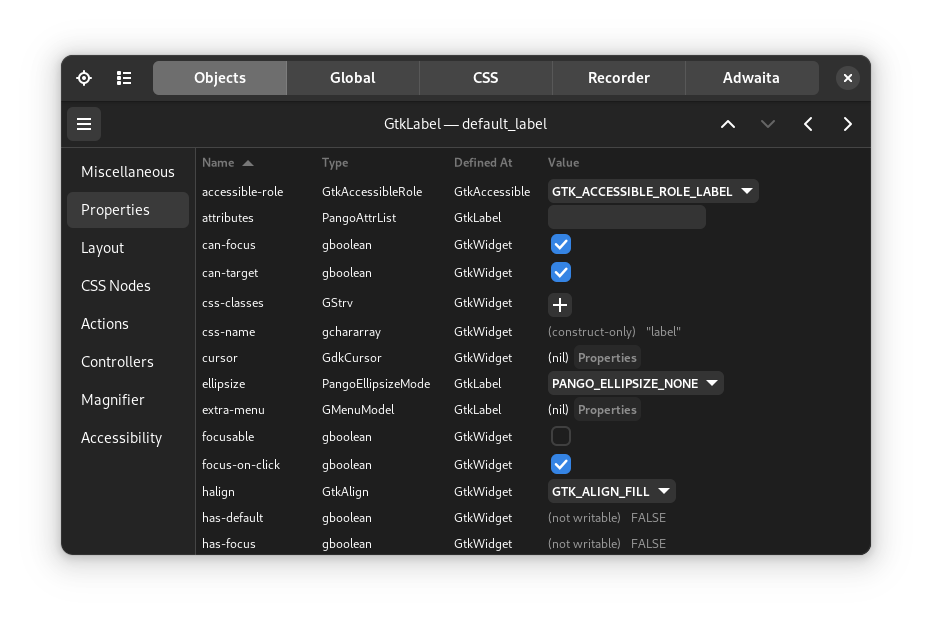
The GTK Inspector is also available to inspect the widget tree and styles.
Typescript
For Typescript integration, you need to generate typings:
npx node-gtk generate-types Gtk-4.0 Pango-1.0 [etc]
See typescript.md
Shipping your app
node-gtk flatpak packages your app as a Flatpak — the format real users
install through GNOME Software, Flathub-ready. node-gtk bundle produces a
self-contained portable directory (and .tar.gz) that runs on machines with
nothing installed. See bundling.md.
node-gtk low-level API
See api.md for the low-level node-gtk API.