README.md
May 7, 2026 · View on GitHub


An occult color scheme for (n)vim. Perform your dark magick using clearly defined contrasting colors with a pinch of earthly tint for that lived-in feel.
Introduction
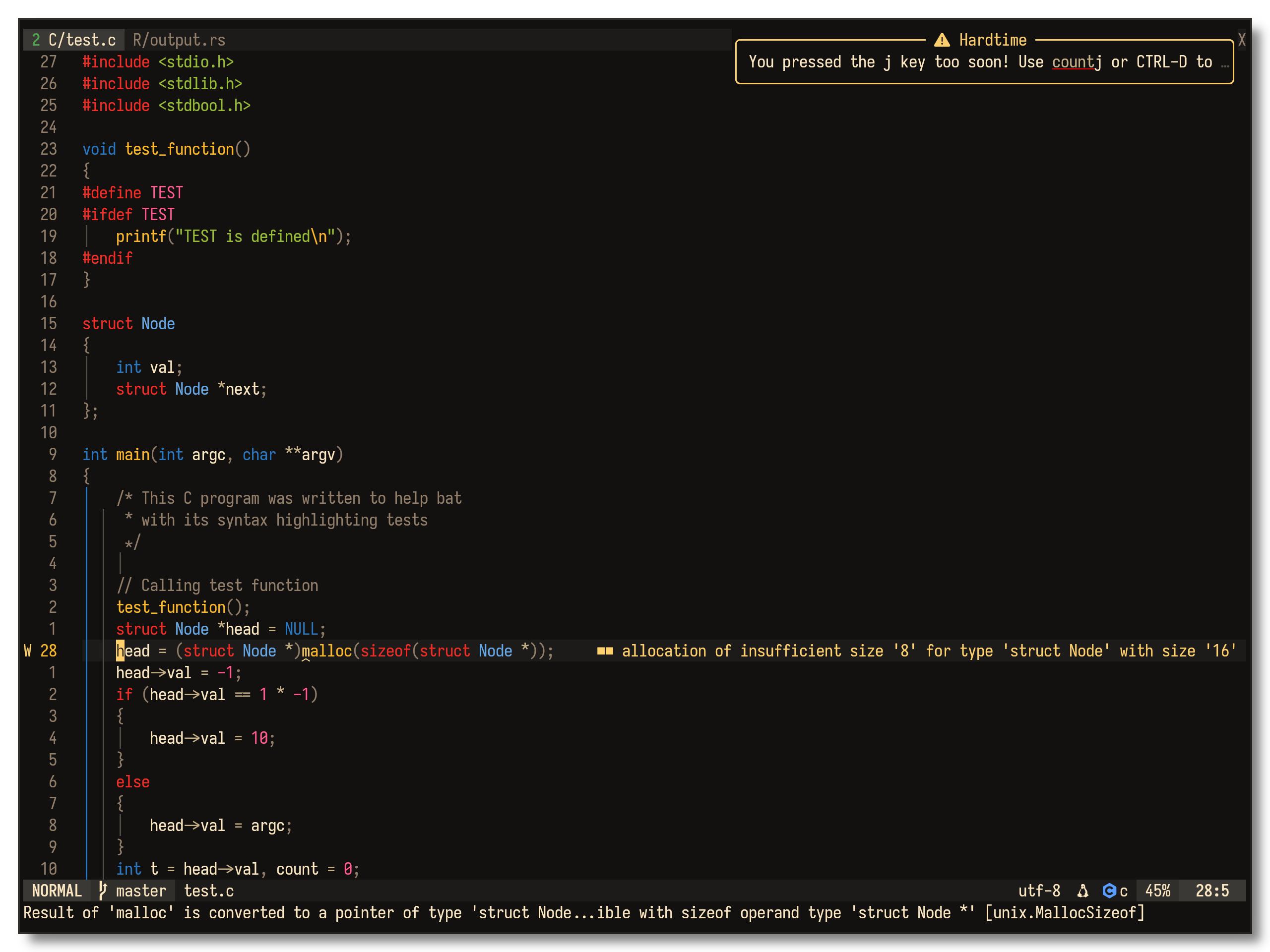
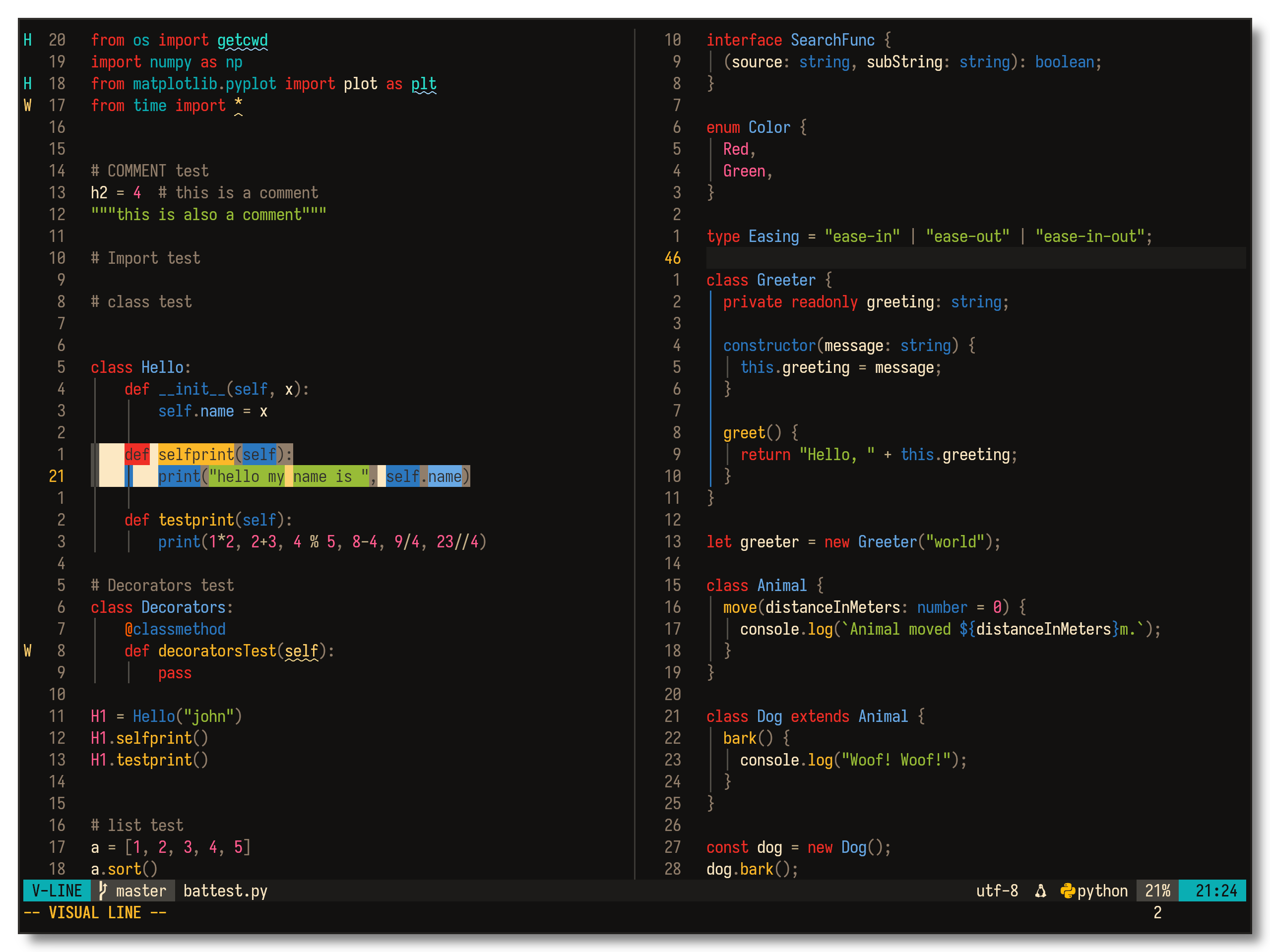
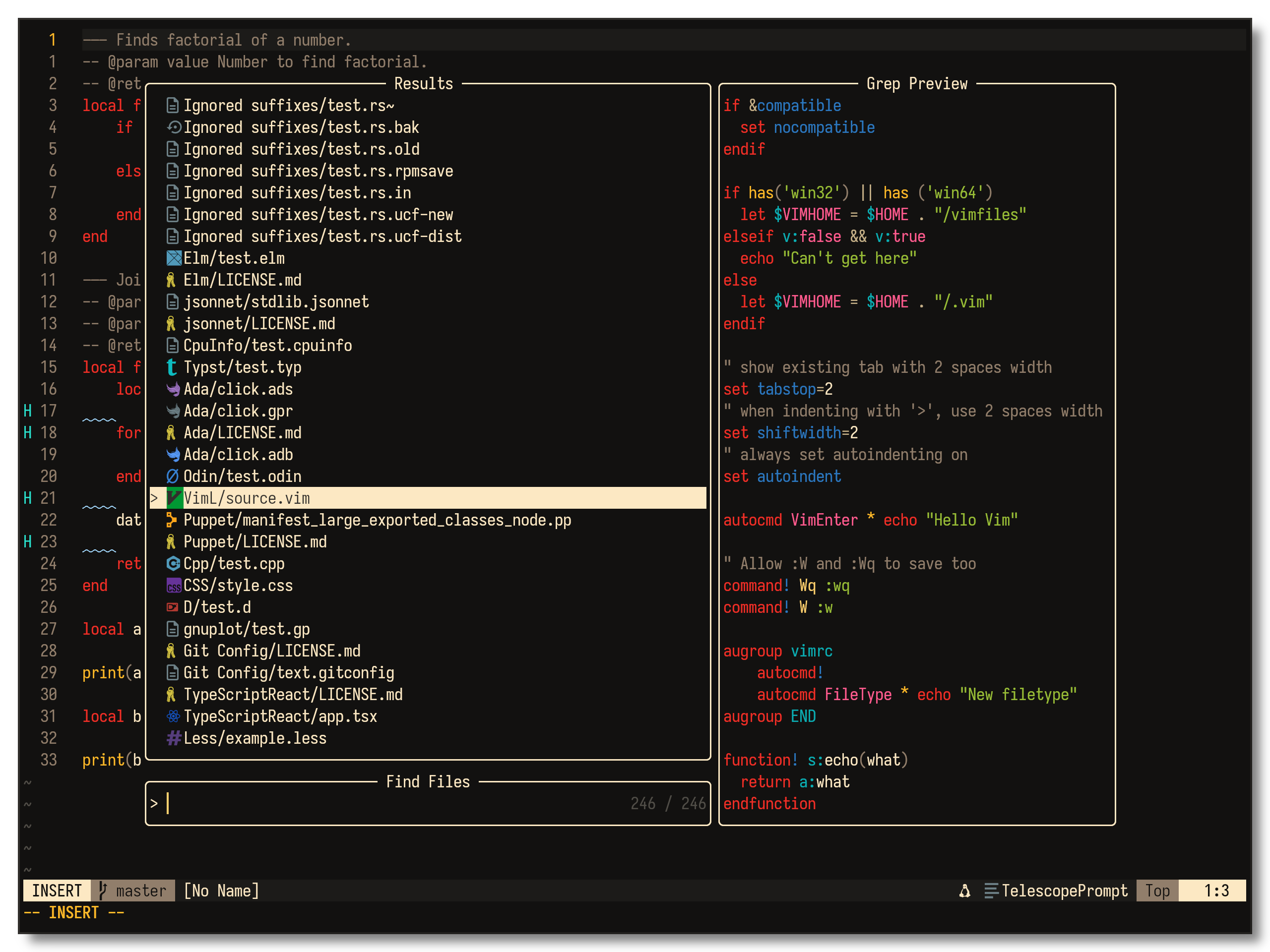
Created using colors that logically adheres to the 16 color base palette of a given terminal, while trying to retain its own identity. The colors are designed to be easy on the eyes yet contrast well with the background for long sessions using an editor or terminal emulator.
Screenshots
 |  |  |
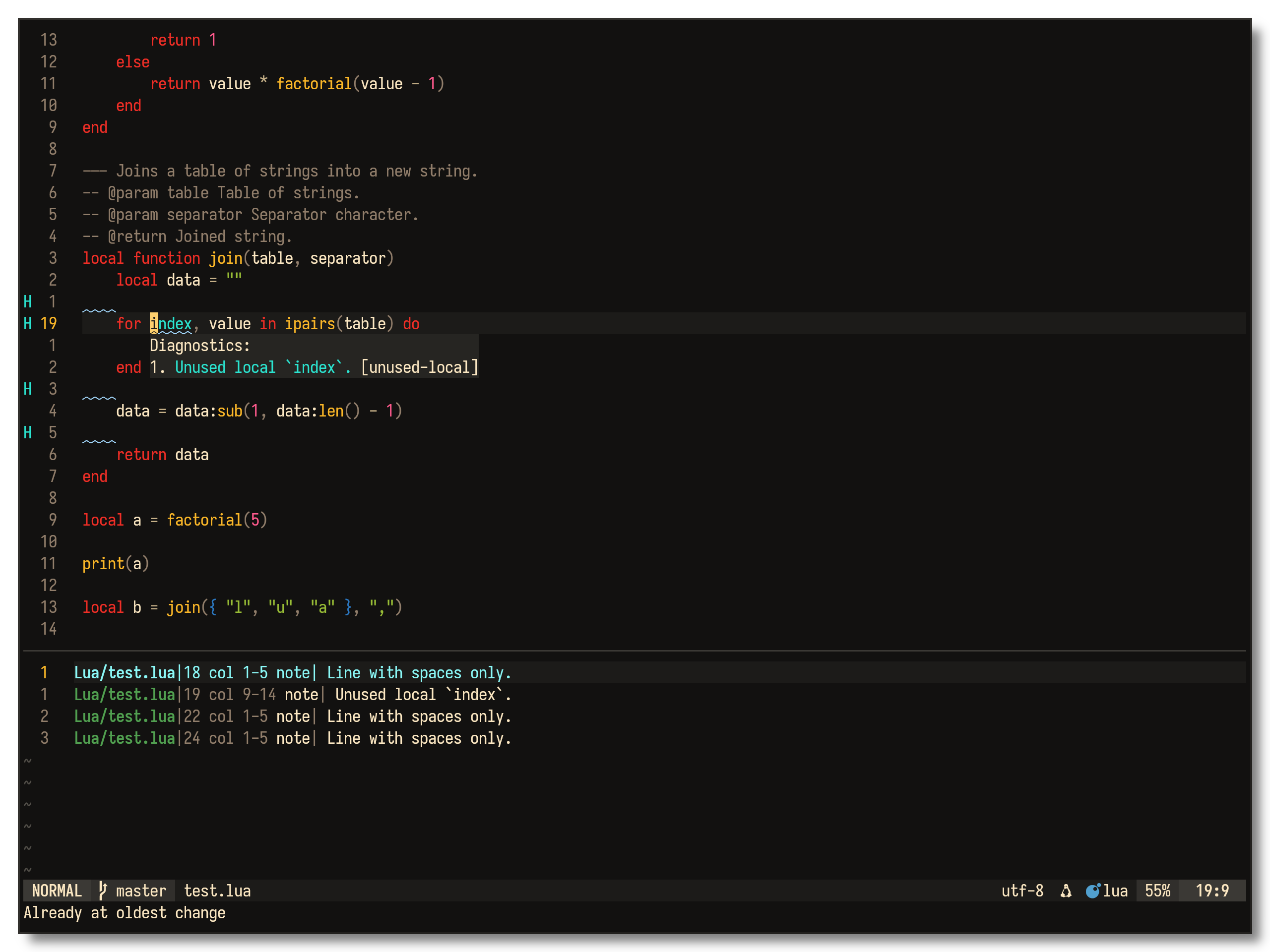 | 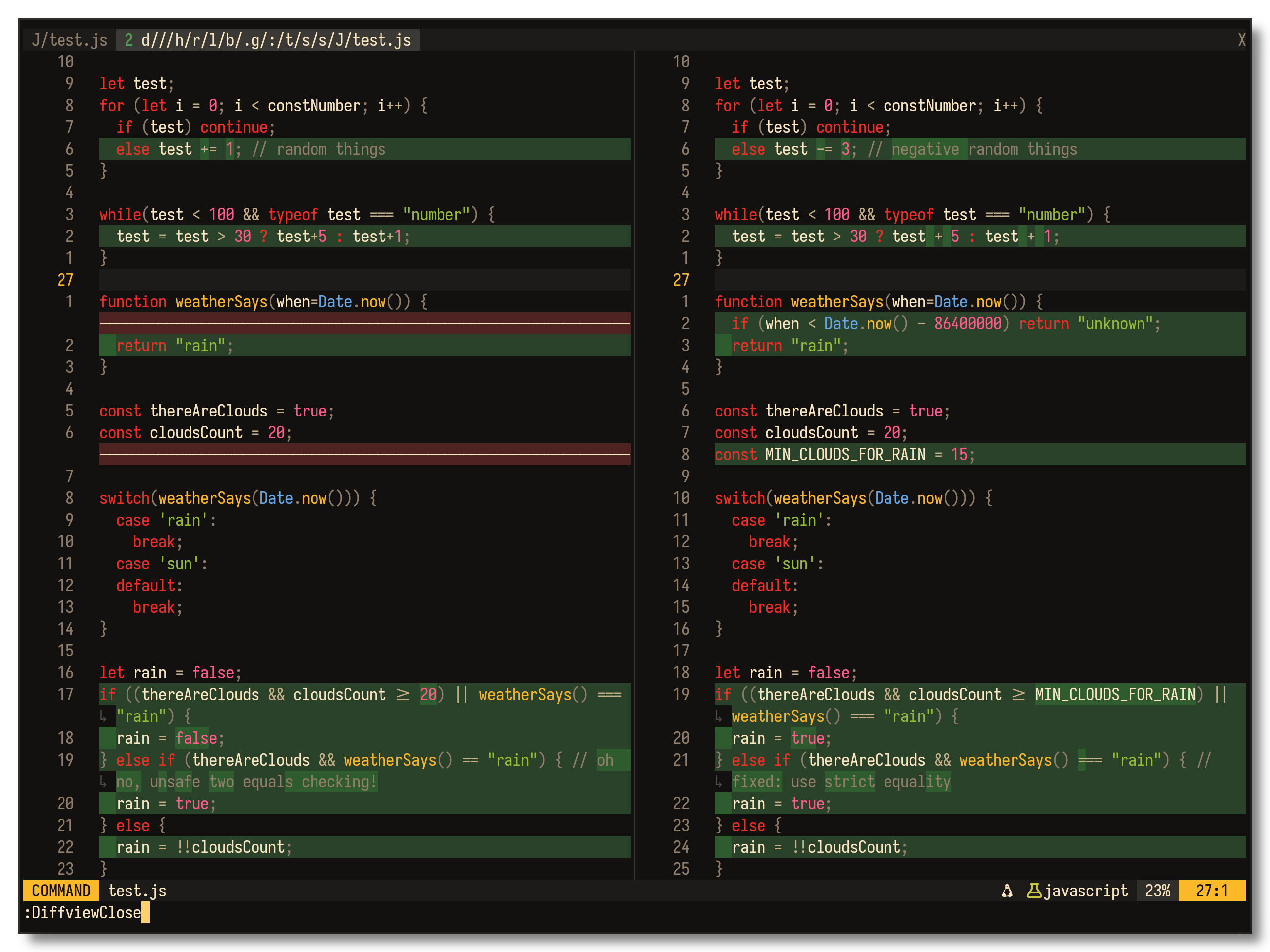 | 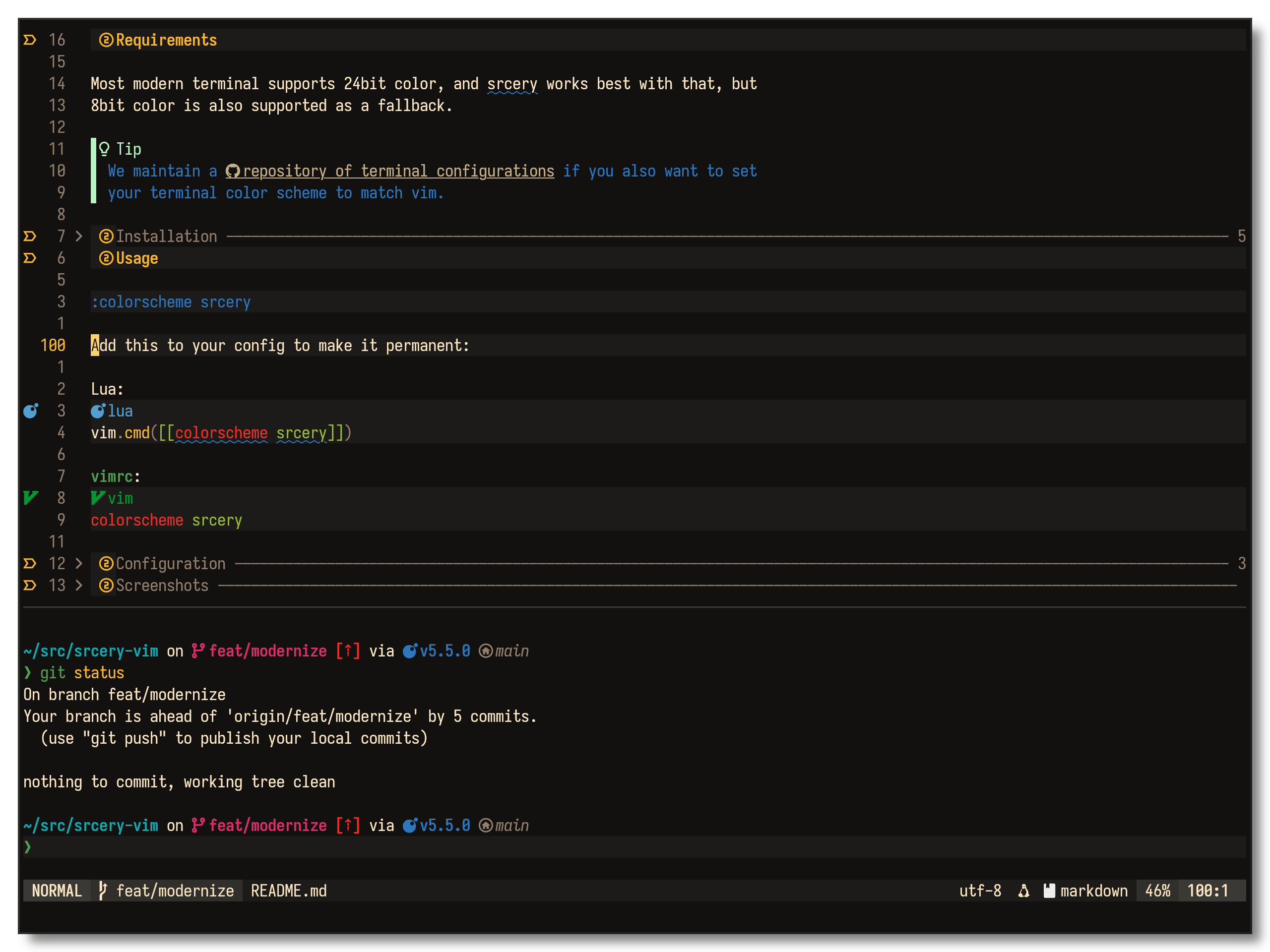 |
Requirements
Most modern terminal supports 24bit color, and srcery works best with that, but 8bit color is also supported as a fallback.
Tip
We maintain a repository of terminal configurations if you also want to set your terminal color scheme to match vim.
Installation
Manually
Use colors/srcery.vim however you want, or use your
favorite plugin manager to install. For some plugin themes to work you need to
clone the entire project, and put it on your runtimepath.
Vim 8
Vim 8 has native support for loading plugins by using packages. All you need
to do to, is to clone this repository into ~/.vim/pack/themes/opt.
git clone https://github.com/srcery-colors/srcery-vim ~/.vim/pack/themes/opt/srcery-vim
And then set your .vimrc accordingly.
packadd! srcery-vim
colorscheme srcery
The same works for Neovim, but you have to clone it into a path where Neovim can find it.
git clone https://github.com/srcery-colors/srcery-vim $XDG_CONFIG_HOME/nvim/pack/themes/opt
vim-pathogen
cd ~/.vim/bundle
git clone https://github.com/srcery-colors/srcery-vim
vim.pack
vim.pack.add({
  { src = 'https://github.com/srcery-colors/srcery-vim' },
})
Usage
:colorscheme srcery
Add this to your config to make it permanent:
Lua:
vim.cmd.colorscheme('srcery')
vimrc:
colorscheme srcery
Configuration
Srcery includes a few configuration options to customize your experience. To
change any of these you’d put something like this in your .vimrc or
init.lua:
" vimrc:
let g:srcery_normal_float = 1
-- init.lua:
vim.g.srcery_normal_float = 1
Make sure that you set these variables before assigning colorscheme.
Options
| var | description | default |
|---|---|---|
g:srcery_bold | Enables bold text | 1 (enabled) |
g:srcery_italic | Enables italic text | 1 (enabled) |
g:srcery_underline | Enables underlined text | 1 (enabled) |
g:srcery_undercurl | Enables undercurled text | 1 (enabled) |
g:srcery_strikethrough | Enables | 1 (enabled) |
g:srcery_inverse | Enables inverse highlighting for visual selection, search, etc | 1 (enabled) |
g:srcery_guisp_fallback | Use alternate highlighting where colored underline/undercurl is unsupported. Set to either 'fg' or 'bg' | 'NONE' (Disabled) |
g:srcery_normal_float | Use srcery colors for floating window background and border | 0 (disabled) |
Colors
You can customize each of Srcery's colors, to customize say the red color:
vimrc:
let g:srcery_red = '#FF0000'
lua:
vim.g.srcery_red = '#FF0000'
You can also separately set a different background color g:srcery_background,
instead of the default g:srcery_black
Tip
Setting this variable to 'NONE' will make the background inside vim transparent
Expand for a list of all color variables
| Variable | Default | Swatch |
|---|---|---|
g:srcery_black | #121110 |  |
g:srcery_red | #EF2F27 |  |
g:srcery_green | #519F50 |  |
g:srcery_yellow | #FBB829 |  |
g:srcery_blue | #2C78BF |  |
g:srcery_magenta | #E02C6D |  |
g:srcery_cyan | #0AAEB3 |  |
g:srcery_white | #C5B088 |  |
g:srcery_bright_black | #917E6B |  |
g:srcery_bright_red | #F75341 |  |
g:srcery_bright_green | #98BC37 |  |
g:srcery_bright_yellow | #FED06E |  |
g:srcery_bright_blue | #68A8E4 |  |
g:srcery_bright_magenta | #FF5C8F |  |
g:srcery_bright_cyan | #2BE4D0 |  |
g:srcery_bright_white | #FCE8C3 |  |
g:srcery_dark_green | #294229 |  |
g:srcery_dark_red | #4F2321 |  |
g:srcery_dark_blue | #1E5181 |  |
g:srcery_dim_green | #2E5C2E |  |
g:srcery_orange | #FF5F00 |  |
g:srcery_bright_orange | #FF8700 |  |
g:srcery_teal | #008080 |  |
g:srcery_gray1 | #1C1B19 |  |
g:srcery_gray2 | #262522 |  |
g:srcery_gray3 | #312F2C |  |
g:srcery_gray4 | #3B3935 |  |
g:srcery_gray5 | #45433E |  |
g:srcery_gray6 | #504D47 |  |
Statusline
Srcery supports several statuslines, they all follow the same coloring scheme with some minor differences.
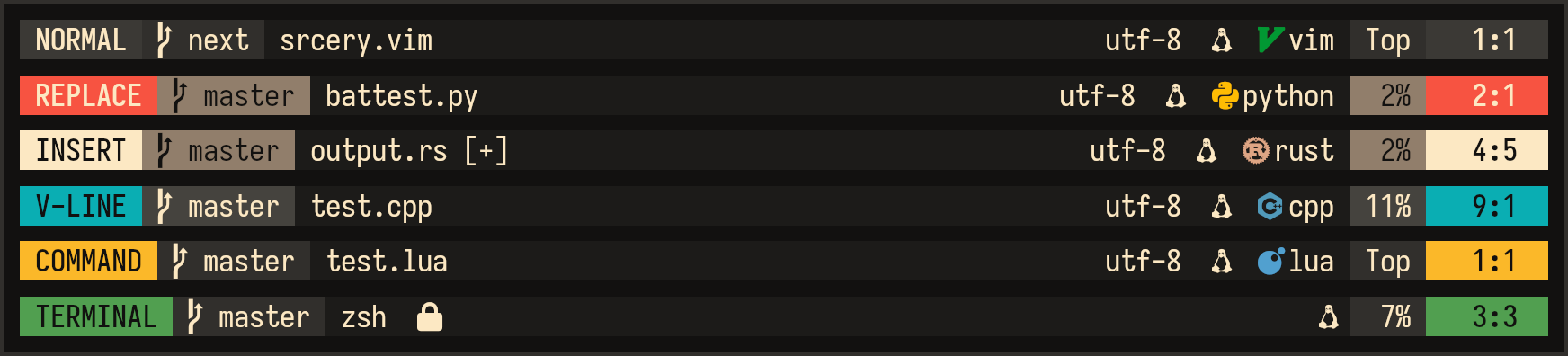
- Lualine loads automatically.
- Airline loads automatically.
- Lightline. To use it, include
srceryvalue in yourlightlineconfiguration:let g:lightline = { 'colorscheme': 'srcery' }vim.g.lightline = { colorscheme = 'srcery' }
Attribution
This project started as essentially a palette swap of Gruvbox. Srcery has since taken a life of its own, but the DNA of Gruvbox is still present. Big thank you to morhetz and other contributors.
Aside from Gruvbox, these themes have also been an inspiration, and often been an example on how to write (n)vim color schemes.
- nordtheme/vim: An arctic, north-bluish clean and elegant Vim theme.
- bluz71/vim-moonfly-colors: A dark charcoal theme for modern Neovim & classic Vim
- sjl/badwolf: A Vim color scheme.
- nanotech/jellybeans.vim: A colorful, dark color scheme for Vim.
- tomasr/molokai: Molokai color scheme for Vim
- romainl/flattened: Solarized, without the bullshit.
- romainl/Apprentice: A dark, low-contrast, Vim colorscheme.
License
Copyright (c) 2018 for portions of Srcery are held by morhetz as part of Gruvbox.
All other Copyright (c) 2021 for Srcery are held by Daniel Berg and contributors of Srcery.