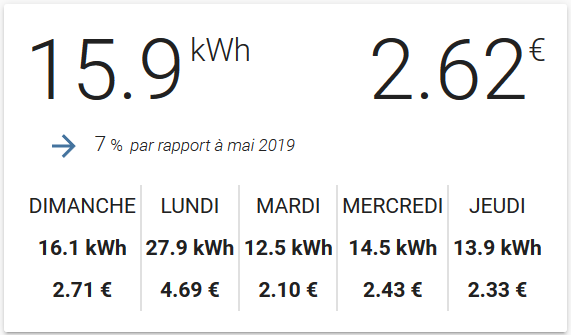
Linky card
June 11, 2020 · View on GitHub
A custom Lovelace component for displaying linky info for Home Assistant.
Warning: this card use a custom integration of Linky and not the default version of Home Assistant.
The card is initially based on the work of @Imbuzi. I convert it to Lit Element and add some configuration option.
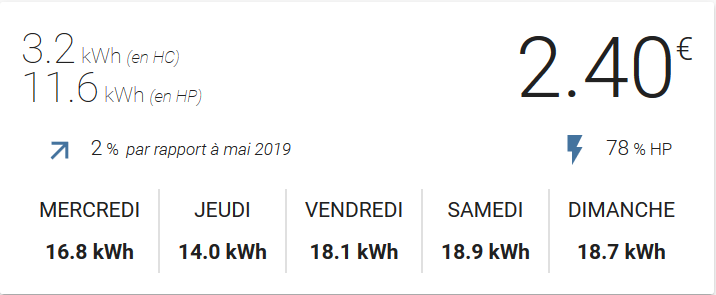

Installation
HACS
This card is not yet available in HACS (Home Assistant Community Store) but can be added as custom repository in the settings tab.
Manual
Download the linky-card.js from the latest release and store it in your configuration/www folder. Configure Lovelace to load the card:
resources:
  - url: /local/linky-card.js?v=1
    type: module
Using the card
Options
Card options
| Name | Type | Required | Since | Default | Description |
|---|---|---|---|---|---|
| type | string | required | v0.1 | custom:linky-card | |
| entity | string | required | v0.1 | The linky sensor entity_id. | |
| showHistory | bool | optional | v0.1 | true | Display History |
| showPeakOffPeak | bool | optional | v0.1 | true | Activate Peak(heure pleine) and OffPeak mode (heures creuses) |
| kWhPrice | number | optional | v0.2 | undefined | Calculate Price (only available if showPeakOffPeak is false) |
Example usage
Default config
type: "custom:linky-card"
entity: sensor.linky
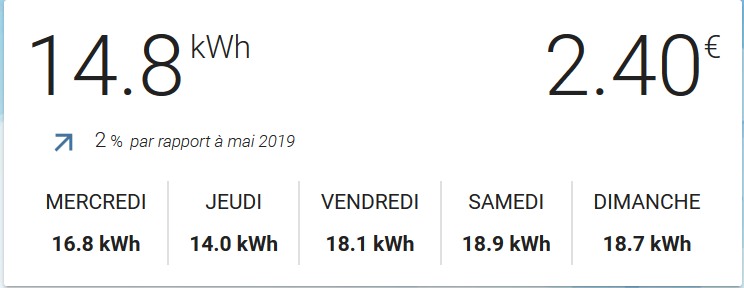
Example with Peak OffPeak hour disabled
type: "custom:linky-card"
entity: sensor.linky
showPeakOffPeak: false
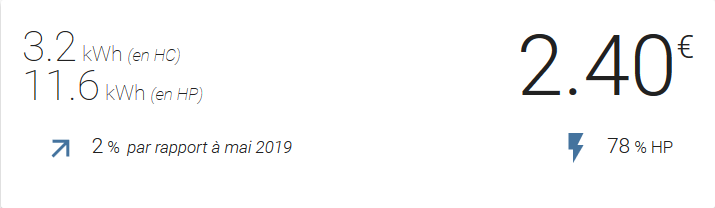
Example with no history
type: "custom:linky-card"
entity: sensor.linky
showHistory: false
Example with Price
entity: sensor.linky
showHistory: true
showPeakOffPeak: false
type: 'custom:linky-card'
kWhPrice: 0.128