deepface
August 14, 2026 · View on GitHub







DeepFace is a lightweight face recognition and facial attribute analysis (age, gender, emotion and race) framework for python. It is a hybrid face recognition framework wrapping state-of-the-art models: VGG-Face, FaceNet, OpenFace, DeepFace, DeepID, ArcFace, Dlib, SFace, GhostFaceNet, Buffalo_L.
A modern face recognition pipeline consists of 5 common stages: detect, align, normalize, represent and verify. While DeepFace handles all these common stages in the background, you don’t need to acquire in-depth knowledge about all the processes behind it. You can just call its verification, find or analysis function with a single line of code.
Experiments show that human beings have 97.53% accuracy on facial recognition tasks whereas those models already reached and passed that accuracy level.
Installation 
The easiest way to install deepface is to download it from PyPI. It's going to install the library itself and its prerequisites as well.
$ pip install deepface
Alternatively, you can also install deepface from its source code. Source code may have new features not published in pip release yet.
$ git clone https://github.com/serengil/deepface.git
$ cd deepface
$ pip install -e .
Once you installed the library, then you will be able to import it and use its functionalities.
from deepface import DeepFace
💡 Prefer not to install or manage infrastructure? You can use a managed API via deepface.dev.
Face Verification - Demo
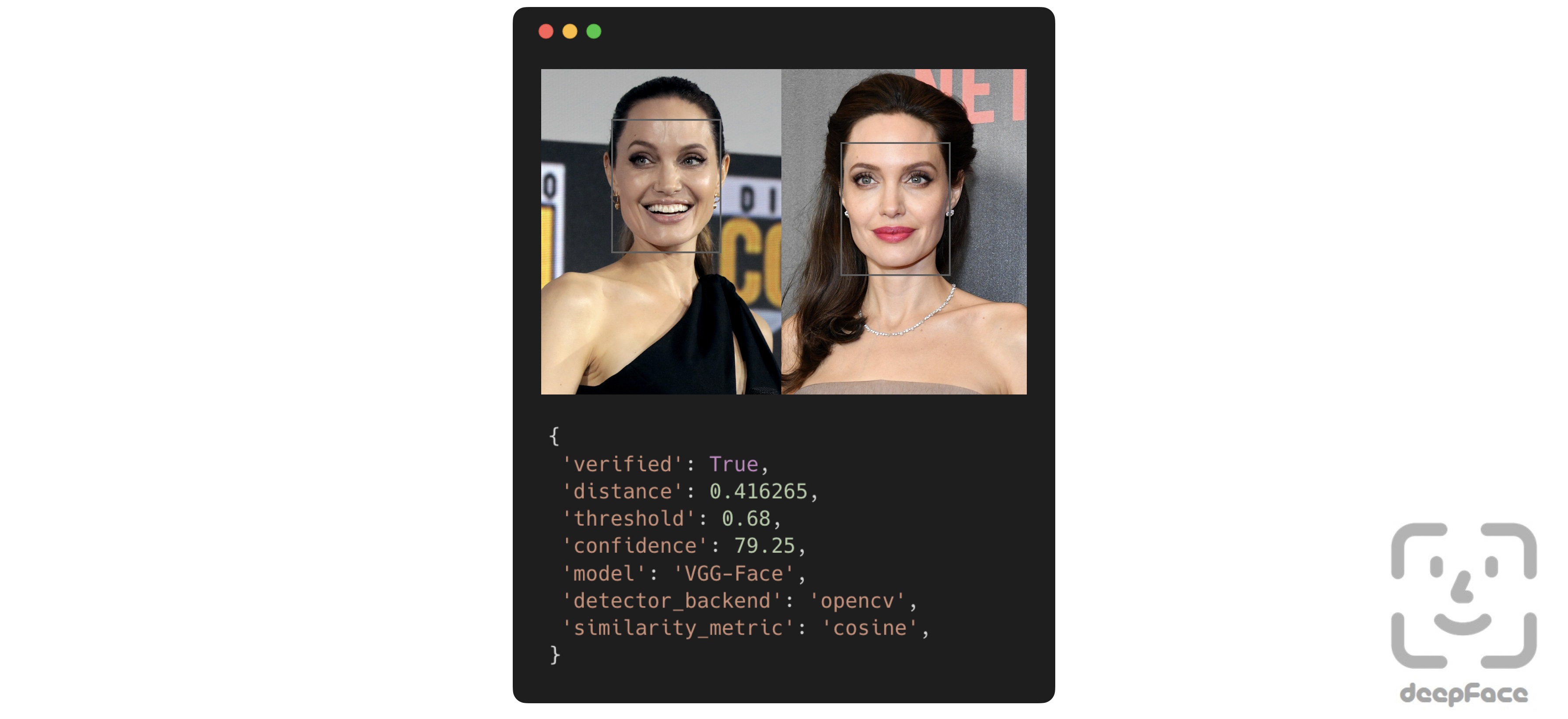
This function determines whether two facial images belong to the same person or to different individuals. The function returns a dictionary, where the key of interest is verified: True indicates the images are of the same person, while False means they are of different people.
result: dict = DeepFace.verify(img1_path = "img1.jpg", img2_path = "img2.jpg")
Face recognition - Tutorial, Demo
Face recognition requires applying face verification many times. DeepFace provides an out-of-the-box find function that searches for the identity of an input image within a specified database path.
dfs: List[pd.DataFrame] = DeepFace.find(img_path = "img1.jpg", db_path = "C:/my_db")
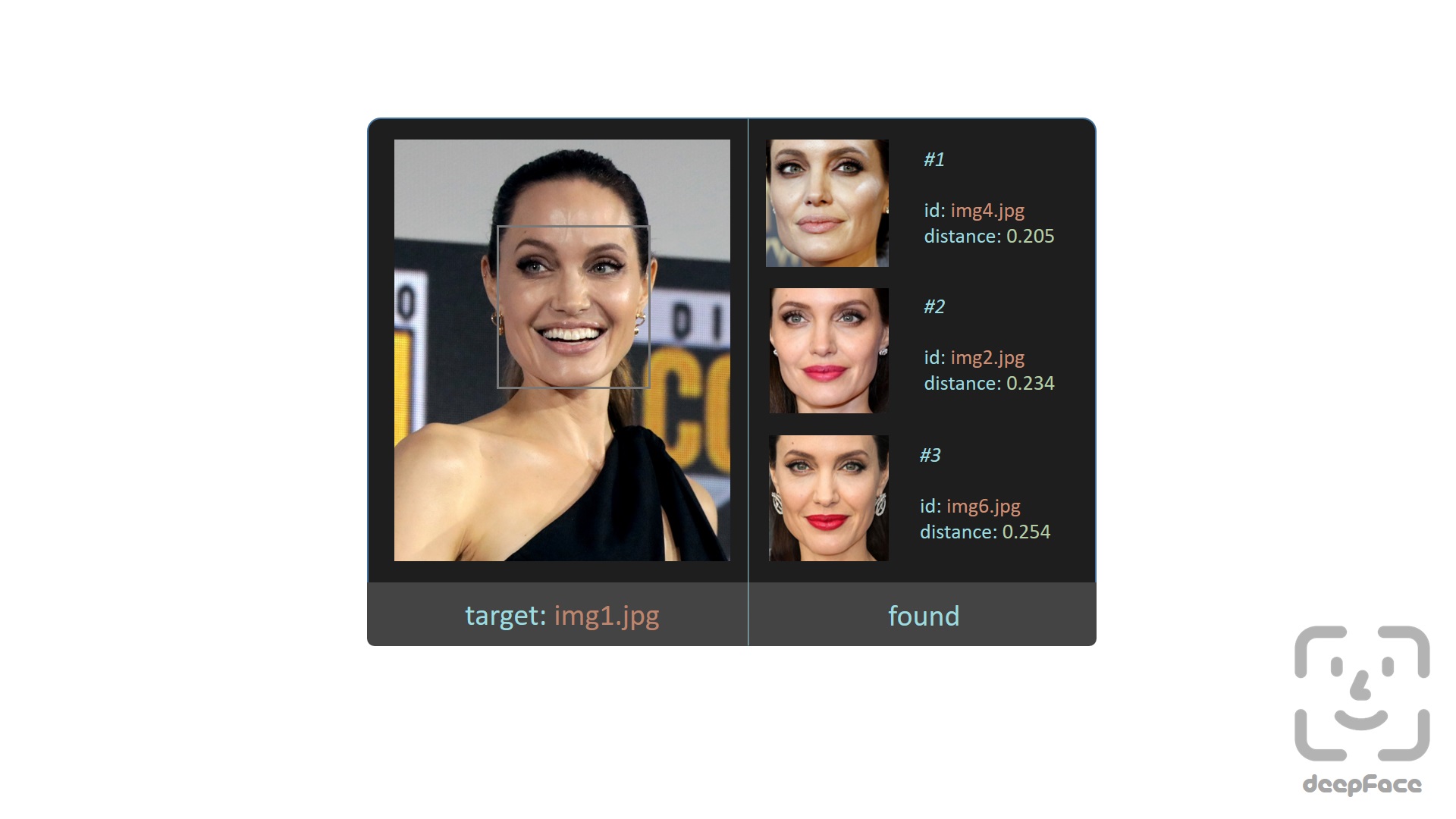
Here, the find function relies on a directory-based face datastore and stores embeddings on disk. Alternatively, DeepFace provides a database-backed search functionality where embeddings are explicitly registered and queried with approximate nearest neighbor support. Currently, postgres, mongo, neo4j, pgvector, pinecone, milvus, qdrant and weaviate are supported as backend databases.
# register an image into the database
DeepFace.register(img = "img1.jpg")

# perform exact search
dfs: List[pd.DataFrame] = DeepFace.search(img = "target.jpg")

# perform approximate nearest neighbor search
dfs: List[pd.DataFrame] = DeepFace.search(img = "target.jpg", search_method = "ann")
Facial Attribute Analysis - Demo
DeepFace also comes with a strong facial attribute analysis module including age, gender, facial expression (including angry, fear, neutral, sad, disgust, happy and surprise) and race (including asian, white, middle eastern, indian, latino and black) predictions.
objs: List[dict] = DeepFace.analyze(
  img_path = "img4.jpg", actions = ['age', 'gender', 'race', 'emotion']
)
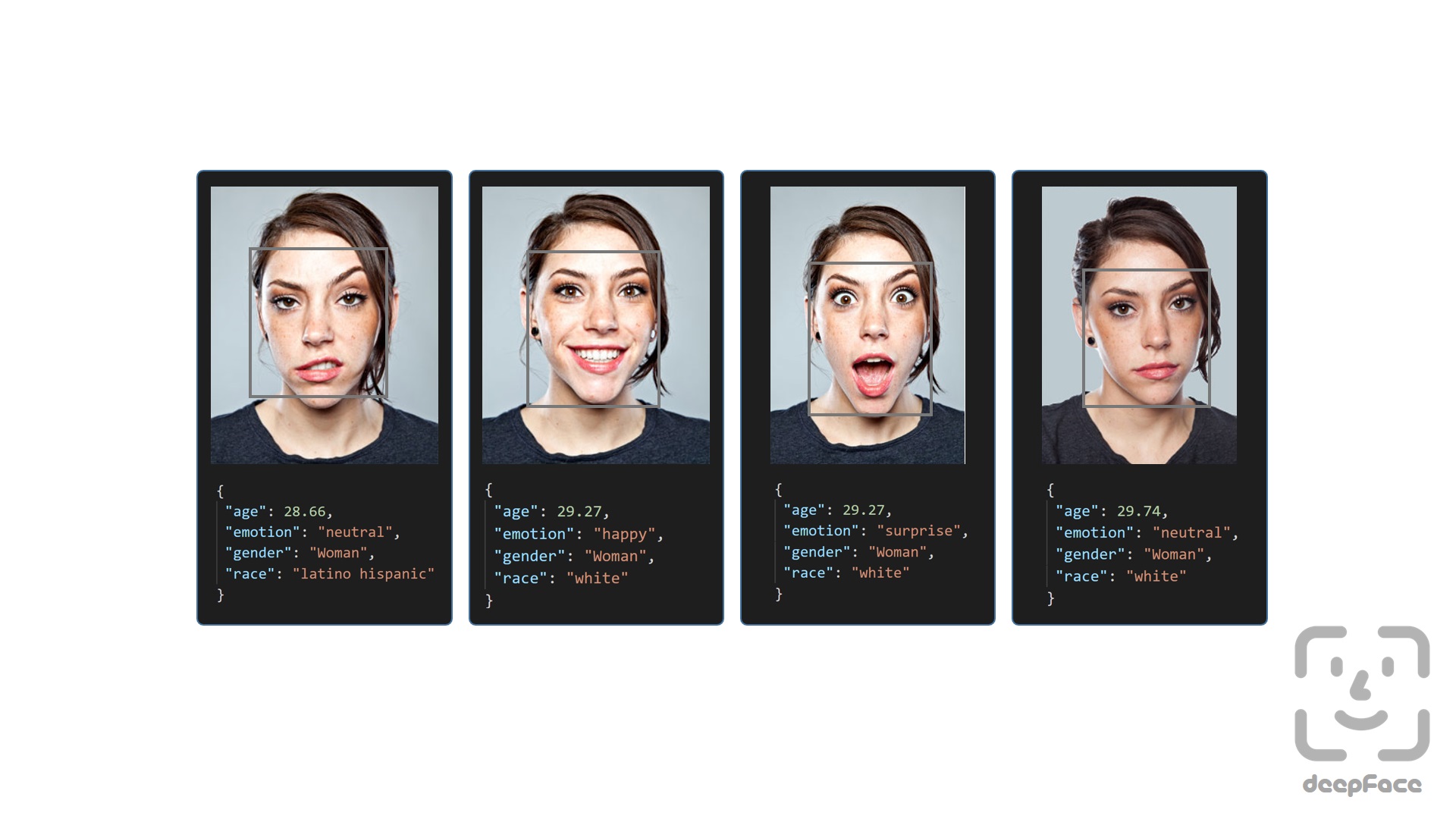
Age model got ± 4.65 MAE; gender model got 97.44% accuracy, 96.29% precision and 95.05% recall as mentioned in its tutorial.
Real Time Analysis - Demo, React Demo part-i, React Demo part-ii
You can run deepface for real time videos as well. Stream function will access your webcam and apply both face recognition and facial attribute analysis. The function starts to analyze a frame if it can focus a face sequentially 5 frames. Then, it shows results 5 seconds.
DeepFace.stream(db_path = "C:/database")
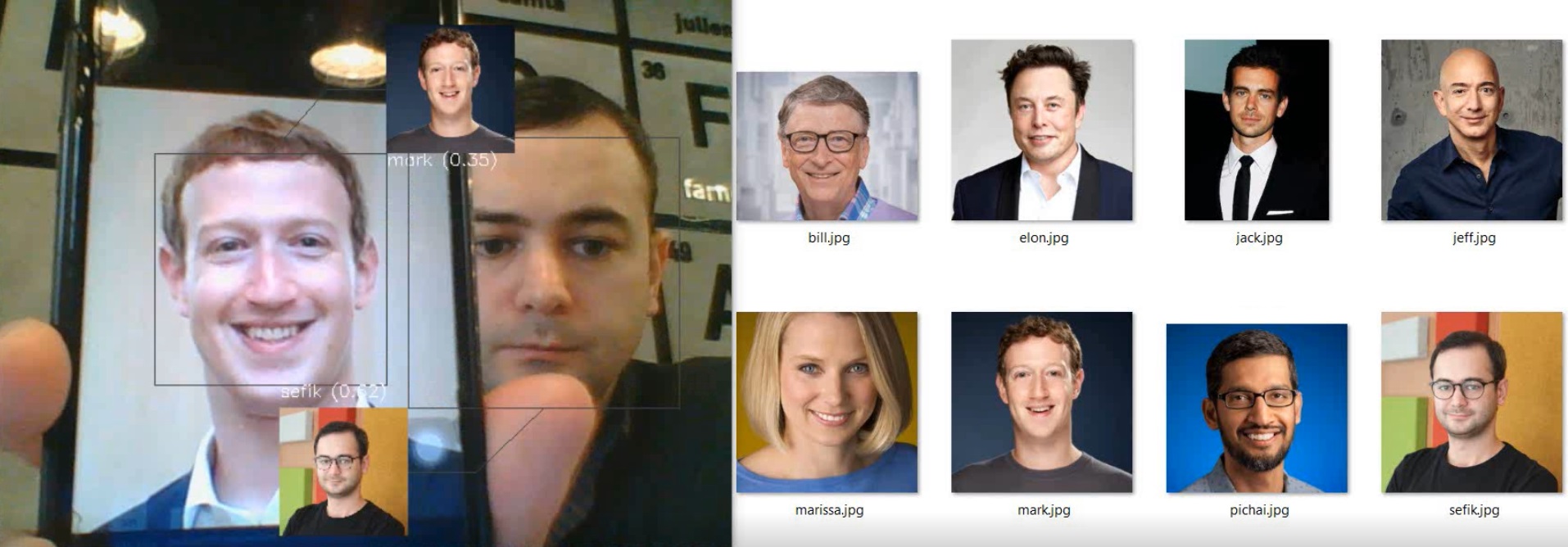
Even though face recognition is based on one-shot learning, you can use multiple face pictures of a person as well. You should rearrange your directory structure as illustrated below.
user
├── database
│   ├── Alice
│   │   ├── Alice1.jpg
│   │   ├── Alice2.jpg
│   ├── Bob1.jpg
Here, you can also find some real time demos for various models:
| Task | Model | Demo |
|---|---|---|
| Facial Recognition | DeepFace | Video |
| Facial Recognition | FaceNet | Video |
| Facial Recognition | VGG-Face | Video |
| Facial Recognition | OpenFace | Video |
| Age & Gender | Default | Video |
| Race & Ethnicity | Default | Video |
| Emotion | Default | Video |
| Celebrity Look-Alike | Default | Video |
If you intend to perform face verification or analysis tasks directly from your browser, deepface-react-ui is a separate repository built using ReactJS depending on deepface api.
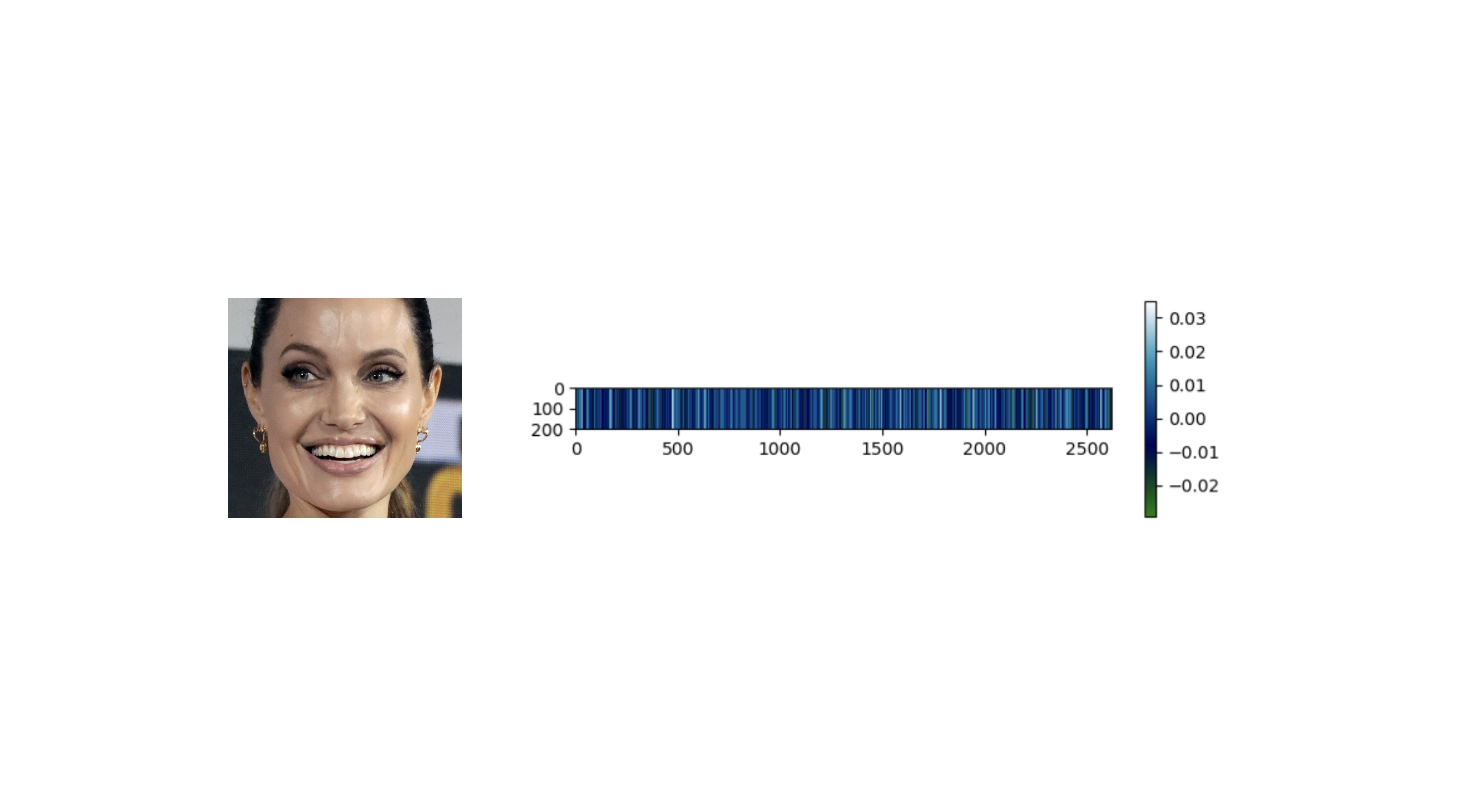
Face recognition models basically represent facial images as multi-dimensional vectors. Sometimes, you need those embedding vectors directly. DeepFace comes with a dedicated representation function.
embedding_objs: List[dict] = DeepFace.represent(img_path = "img.jpg")
Face recognition models - Demo
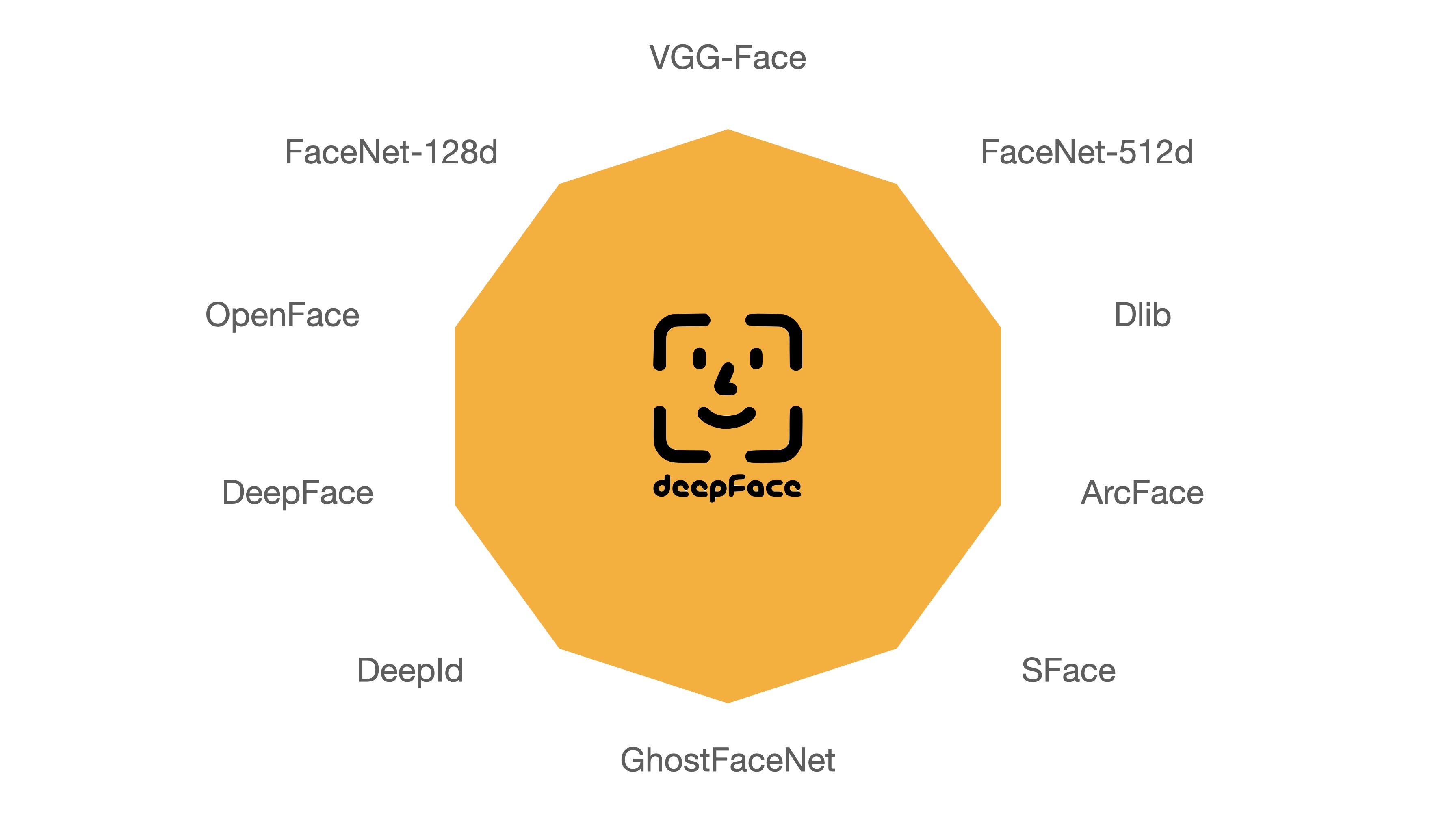
DeepFace is a hybrid face recognition package. It currently wraps many state-of-the-art face recognition models: VGG-Face , FaceNet, OpenFace, DeepFace, DeepID, ArcFace, Dlib, SFace, GhostFaceNet and Buffalo_L. The default configuration uses VGG-Face model.
models = [
    "VGG-Face", "Facenet", "Facenet512", "OpenFace", "DeepFace",
    "DeepID", "ArcFace", "Dlib", "SFace", "GhostFaceNet",
    "Buffalo_L",
]

result = DeepFace.verify(
  img1_path = "img1.jpg", img2_path = "img2.jpg", model_name = models[0]
)

dfs = DeepFace.find(
  img_path = "img1.jpg", db_path = "C:/my_db", model_name = models[1]
)

embeddings = DeepFace.represent(
  img_path = "img.jpg", model_name = models[2]
)
See BENCHMARKS for their accuracies.
Face Detection and Alignment - Demo
Face detection and alignment are important early stages of a modern face recognition pipeline. Experiments show that detection increases the face recognition accuracy up to 42%, while alignment increases it up to 6%. OpenCV, Ssd, Dlib, MtCnn, Faster MtCnn, RetinaFace, MediaPipe, Yolo, YuNet and CenterFace detectors are wrapped in deepface.

All deepface functions accept optional detector backend and align input arguments. You can switch among those detectors and alignment modes with these arguments. OpenCV is the default detector and alignment is on by default.
backends = [
    'opencv', 'ssd', 'dlib', 'mtcnn', 'fastmtcnn',
    'retinaface', 'mediapipe', 'yolov8n', 'yolov8m',
    'yolov8l', 'yolov11n', 'yolov11s', 'yolov11m',
    'yolov11l', 'yolov12n', 'yolov12s', 'yolov12m',
    'yolov12l', 'yunet', 'centerface',
]
detector = backends[3]
align = True

obj = DeepFace.verify(
  img1_path = "img1.jpg", img2_path = "img2.jpg", detector_backend = detector, align = align
)

dfs = DeepFace.find(
  img_path = "img.jpg", db_path = "my_db", detector_backend = detector, align = align
)

embedding_objs = DeepFace.represent(
  img_path = "img.jpg", detector_backend = detector, align = align
)

demographies = DeepFace.analyze(
  img_path = "img4.jpg", detector_backend = detector, align = align
)

face_objs = DeepFace.extract_faces(
  img_path = "img.jpg", detector_backend = detector, align = align
)
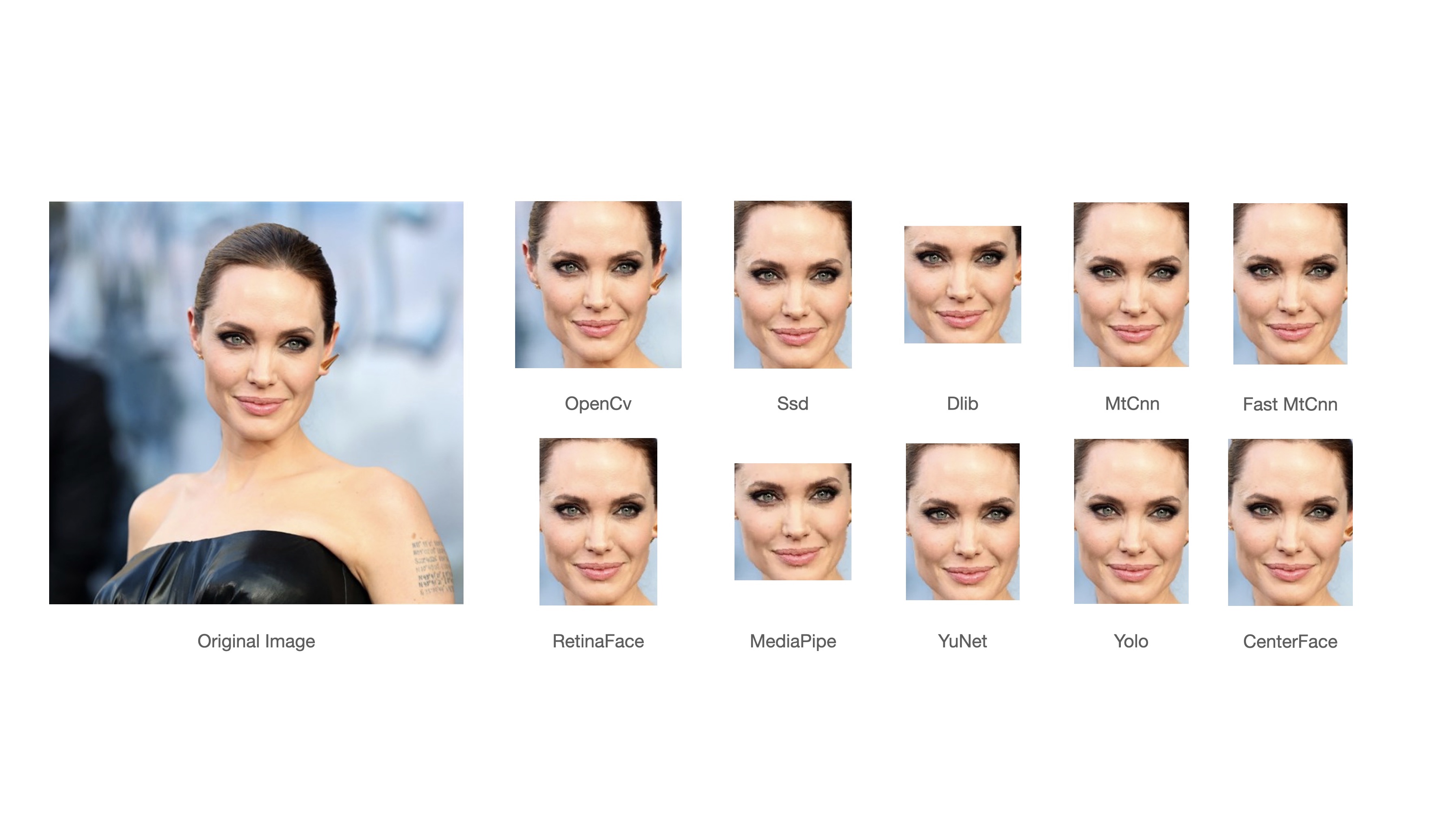
RetinaFace overperforms among all face detection models in the portfolio.

Running RetinaFace On The Yellow Angels - Fenerbahce Women's Volleyball Team
See BENCHMARKS for their accuracies.
Face Anti Spoofing - Demo
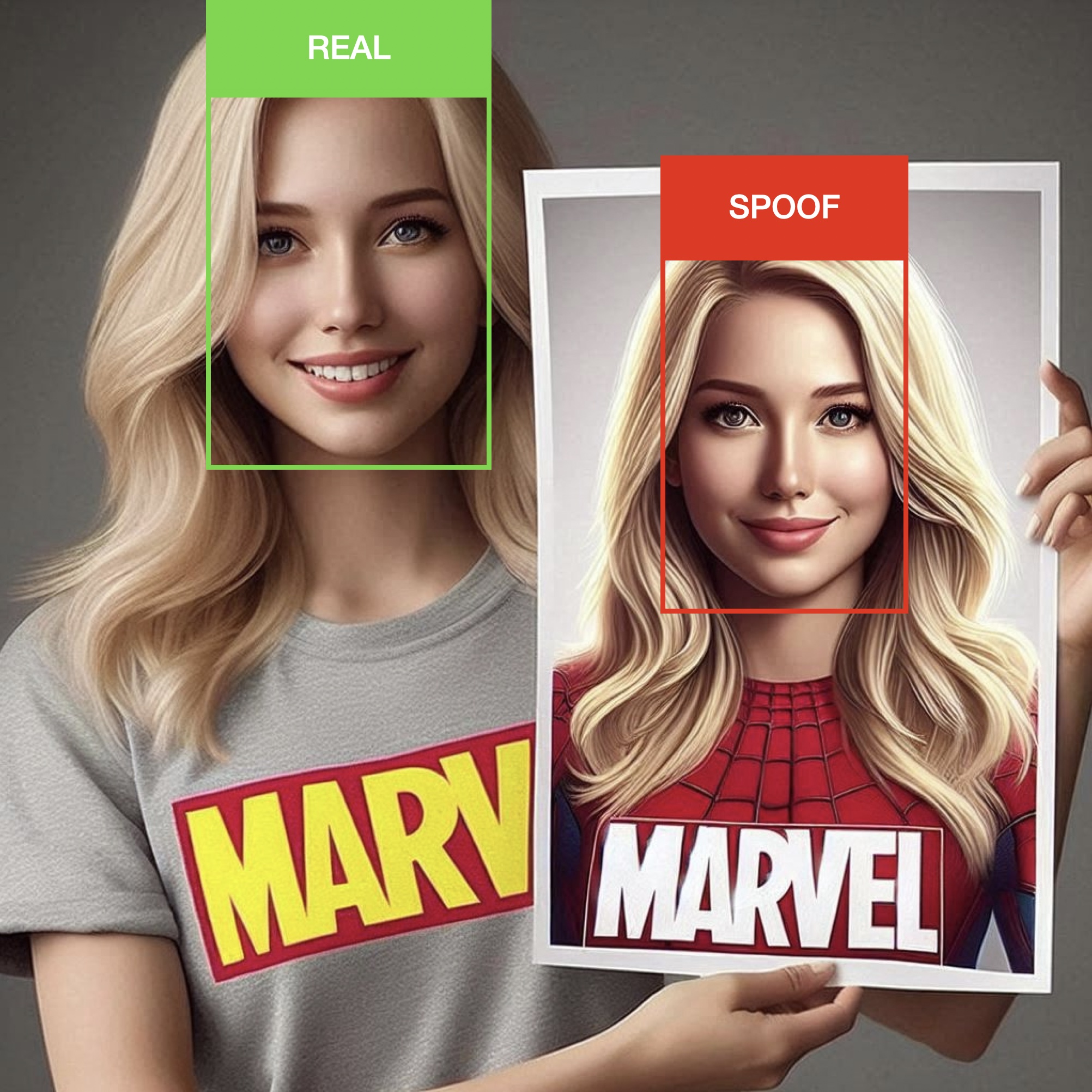
DeepFace also includes an anti-spoofing analysis module to understand given image is real or fake. To activate this feature, set the anti_spoofing argument to True in any DeepFace tasks.
# anti spoofing test in face detection
face_objs = DeepFace.extract_faces(img_path="dataset/img1.jpg", anti_spoofing = True)
assert all(face_obj["is_real"] is True for face_obj in face_objs)

# anti spoofing test in real time analysis
DeepFace.stream(db_path = "C:/database", anti_spoofing = True)
Similarity - Demo
Face recognition models are regular convolutional neural networks and they are responsible to represent faces as vectors. We expect that a face pair of same person should be more similar than a face pair of different persons.
Similarity could be calculated by different metrics such as Cosine Similarity, Angular Distance, Euclidean Distance or L2 normalized Euclidean. The default configuration uses cosine similarity. According to experiments, no distance metric is overperforming than other.
metrics = ["cosine", "euclidean", "euclidean_l2", "angular"]

result = DeepFace.verify(
  img1_path = "img1.jpg", img2_path = "img2.jpg", distance_metric = metrics[1]
)

dfs = DeepFace.find(
  img_path = "img1.jpg", db_path = "C:/my_db", distance_metric = metrics[2]
)
API - Demo, Docker Demo
DeepFace serves an API as well - see api folder for more details. You can clone deepface source code and run the api with the following command. It will use gunicorn server to get a rest service up. In this way, you can call deepface from an external system such as mobile app or web.
# running the service directly
cd scripts && ./service.sh

# running the service via docker
cd scripts && ./dockerize.sh
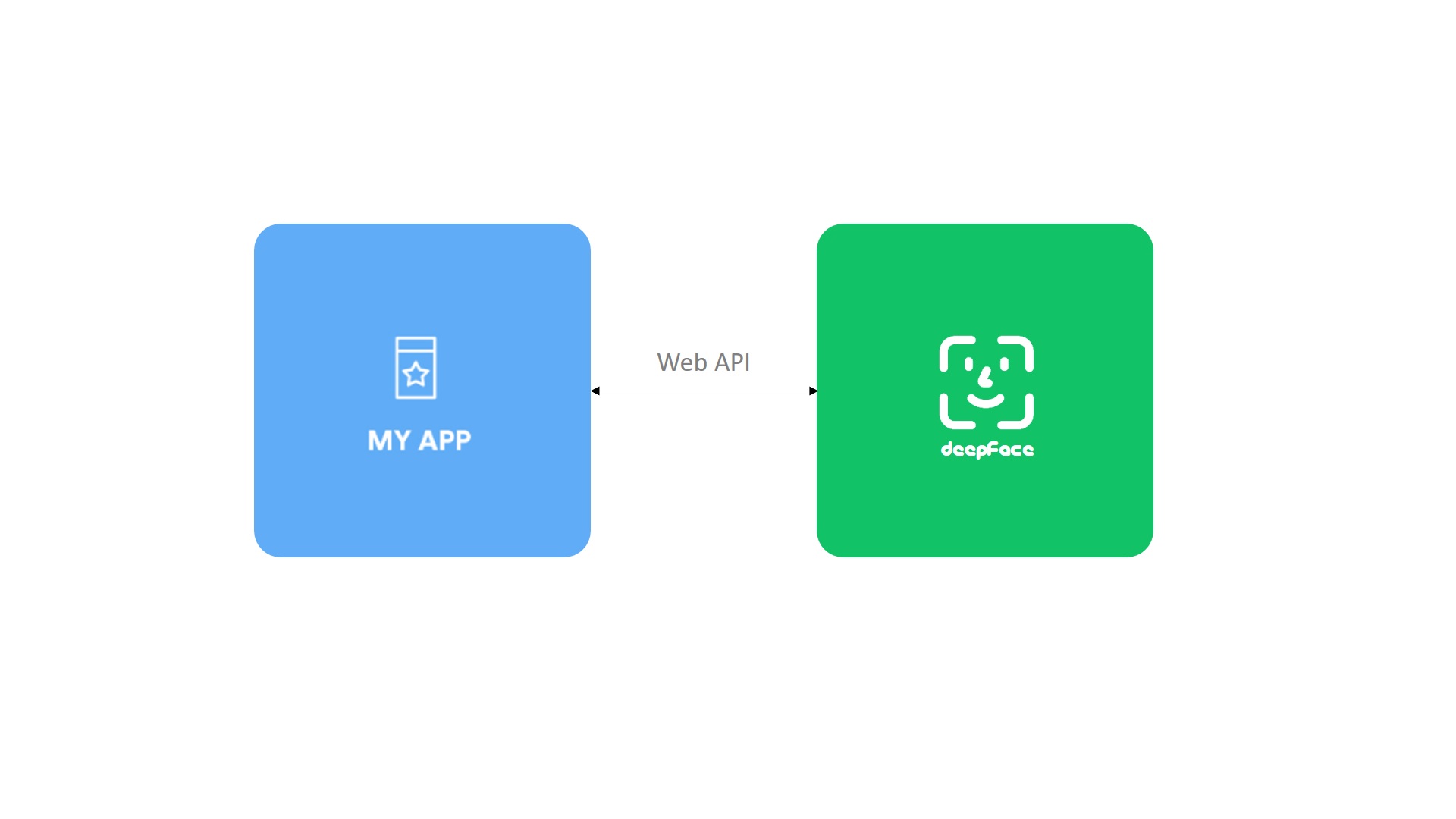
Face verification, facial attribute analysis, vector representation and register & search functions are covered in the API. The API accepts images as file uploads (via form data), or as exact image paths, URLs, or base64-encoded strings (via either JSON or form data).
$ curl -X POST http://localhost:5005/represent \
   -d '{"model_name":"Facenet", "img":"img1.jpg"}'

$ curl -X POST http://localhost:5005/verify \
   -d '{"img1":"img1.jpg", "img2":"img3.jpg"}'

$ curl -X POST http://localhost:5005/analyze \
   -d '{"img": "img2.jpg", "actions": ["age", "gender"]}'

$ curl -X POST http://localhost:5005/register \
   -d '{"model_name":"Facenet", "img":"img18.jpg"}'

$ curl -X POST http://localhost:5005/search \
   -d '{"img":"img1.jpg", "model_name":"Facenet"}'
DeepFace Cloud - Demo
Don’t want to host and scale DeepFace yourself? deepface.dev provides a managed API built on top of DeepFace.
- One API for verification, embeddings, and vector comparison
- Docs and machine-readable agent docs:
docs.deepface.dev - MCP endpoint:
https://deepface.dev/mcpusing a dedicated MCP key - Usage-based pricing that scales from testing to production
Extended Applications
DeepFace isn't only for facial recognition, it can also be used for fun and insightful applications such as
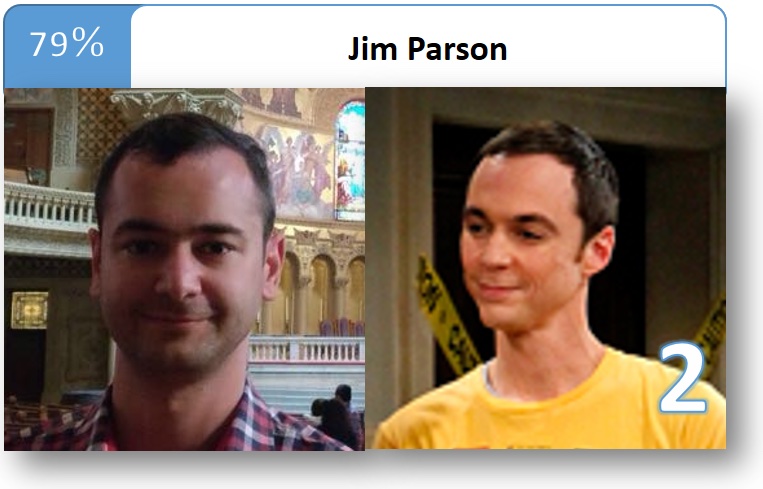
Find Your Celebrity Look-Alike - Demo, Real-Time Demo, Tutorial
DeepFace can analyze your facial features and match them with celebrities, letting you discover which famous personality you resemble the most.
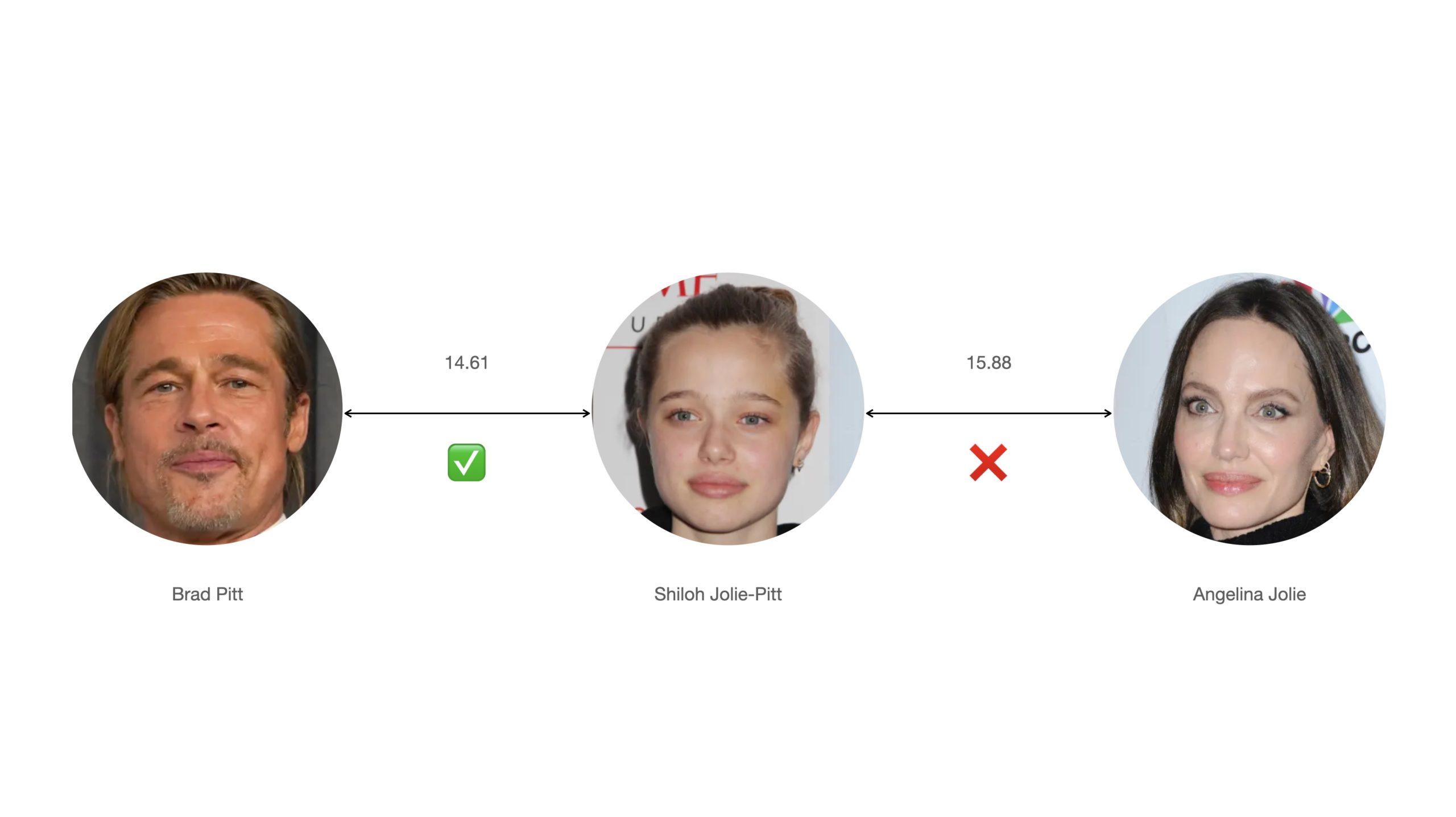
Find Which Parent a Child Look More - Demo, Tutorial
DeepFace can also be used to compare a child's face to their parents' or relatives' faces to determine which one the child resembles more.
Support
There are many ways to support a project - starring⭐️ the GitHub repo is just one 🙏 It really helps the project get discovered by more people.
If you do like this work, you can also support it financially on Patreon, GitHub Sponsors or Buy Me a Coffee.

Citation
Please cite deepface in your publications if it helps your research. Here is its BibTex entry:
@article{serengil2026boosted,
  title     =  {Boosted LightFace: A Hybrid DNN and GBM Model for Boosted Facial Recognition},
  author    =  {Serengil, Sefik Ilkin and Ozpinar, Alper},
  journal   =  {Gazi University Journal of Science},
  volume    =  {39},
  number    =  {1},
  pages     =  {452-466},
  year      =  {2026},
  doi       =  {10.35378/gujs.1794891},
  url       =  {https://dergipark.org.tr/en/pub/gujs/article/1794891},
  publisher =  {Gazi University}
}
Also, if you use deepface in your GitHub projects, please add deepface in the requirements.txt.
Licence
DeepFace is licensed under the MIT License - see LICENSE for more details.
DeepFace wraps some external face recognition models: VGG-Face, Facenet (both 128d and 512d), OpenFace, DeepFace, DeepID, ArcFace, Dlib, SFace, GhostFaceNet and Buffalo_L. Besides, age, gender and race / ethnicity models were trained on the backbone of VGG-Face with transfer learning. Similarly, DeepFace wraps many face detectors: OpenCv, Ssd, Dlib, MtCnn, Fast MtCnn, RetinaFace, MediaPipe, YuNet, Yolo and CenterFace. Finally, DeepFace is optionally using face anti spoofing to determine the given images are real or fake. License types will be inherited when you intend to utilize those models. Please check the license types of those models for production purposes.
DeepFace logo is created by Adrien Coquet and it is licensed under Creative Commons: By Attribution 3.0 License.