APCSFinalProject
June 11, 2021 · View on GitHub
Team: The GausAsian Blurs
Members: Shadman Rakib and Rickey Dong
Brief Project Description:
For our final project, we are going to create a photo editor similar to Photoshop in Processing. This photo editor would allow users to import a photo from their computer and edit it in the application, and they can save their work at the end. Some features include using kernels to convolute the image and drawing on the picture with various colors. And like in Photoshop, users can just create a canvas without images as well. They also can use layering tools to edit a certain part of the canvas without affecting other parts. Creating one whole image from all of the layers will use an alpha compositing algorithm. Image convolution with kernels should account for the border pixels by using edge extension.
Installation Instructions:
- Clone the repository.
- Open the PhotoEditor/PhotoEditor.pde file in the Processing editor.
- Download the UIBooster library.
- Click the "run" button in the Processing editor.
Start Screen
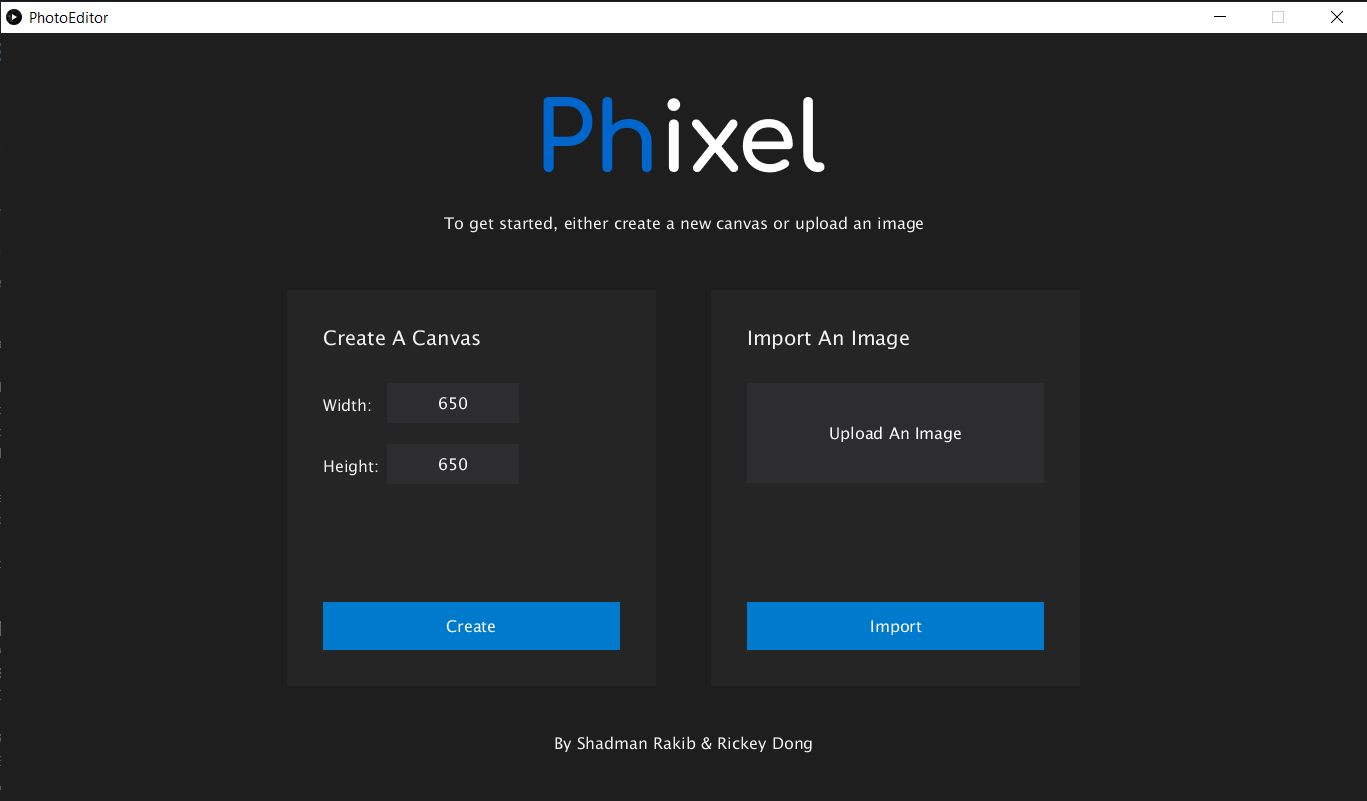
Choose to create a white canvas (max 650 x 650) or import an image. Images over 650 x 650 will not be resized, but users can use the move tool to reposition the image.
Editor Screen
Edit and create art.
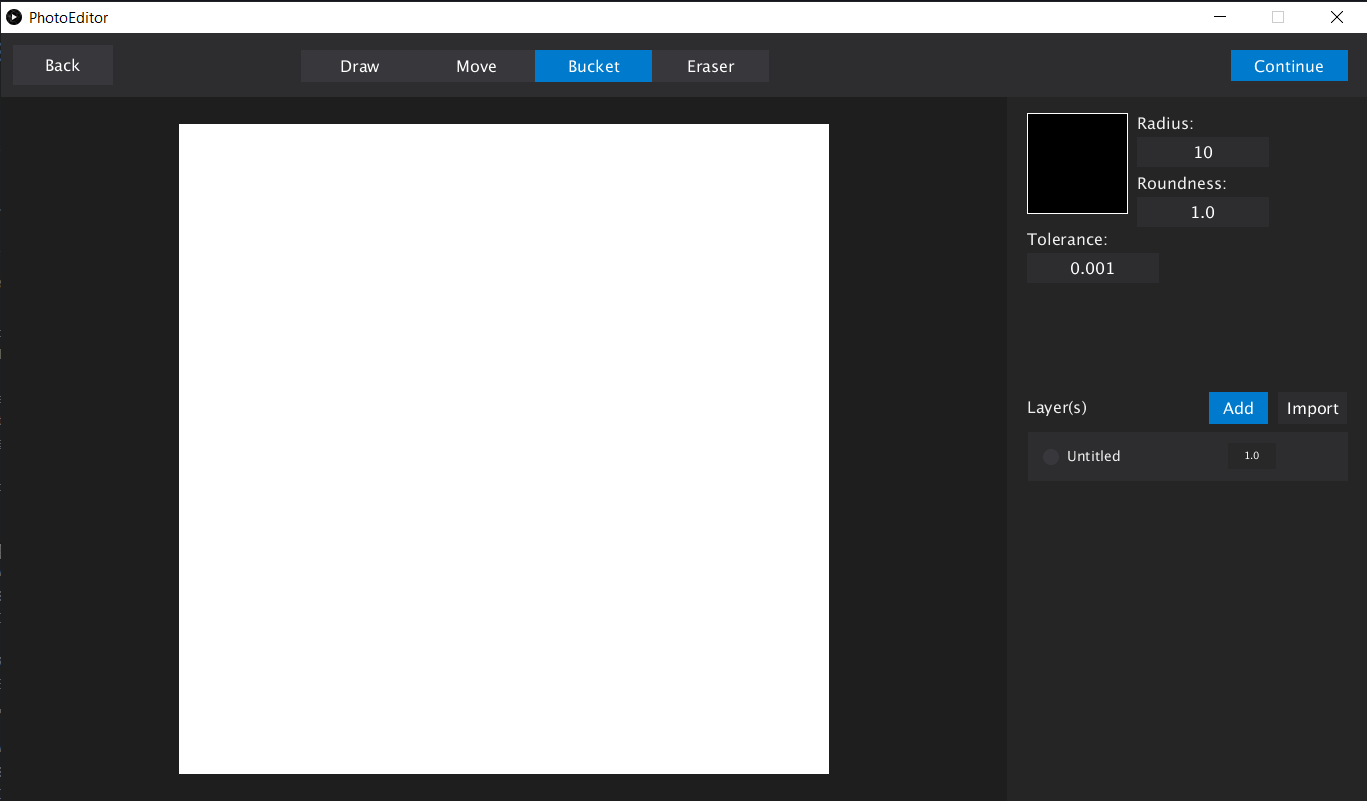
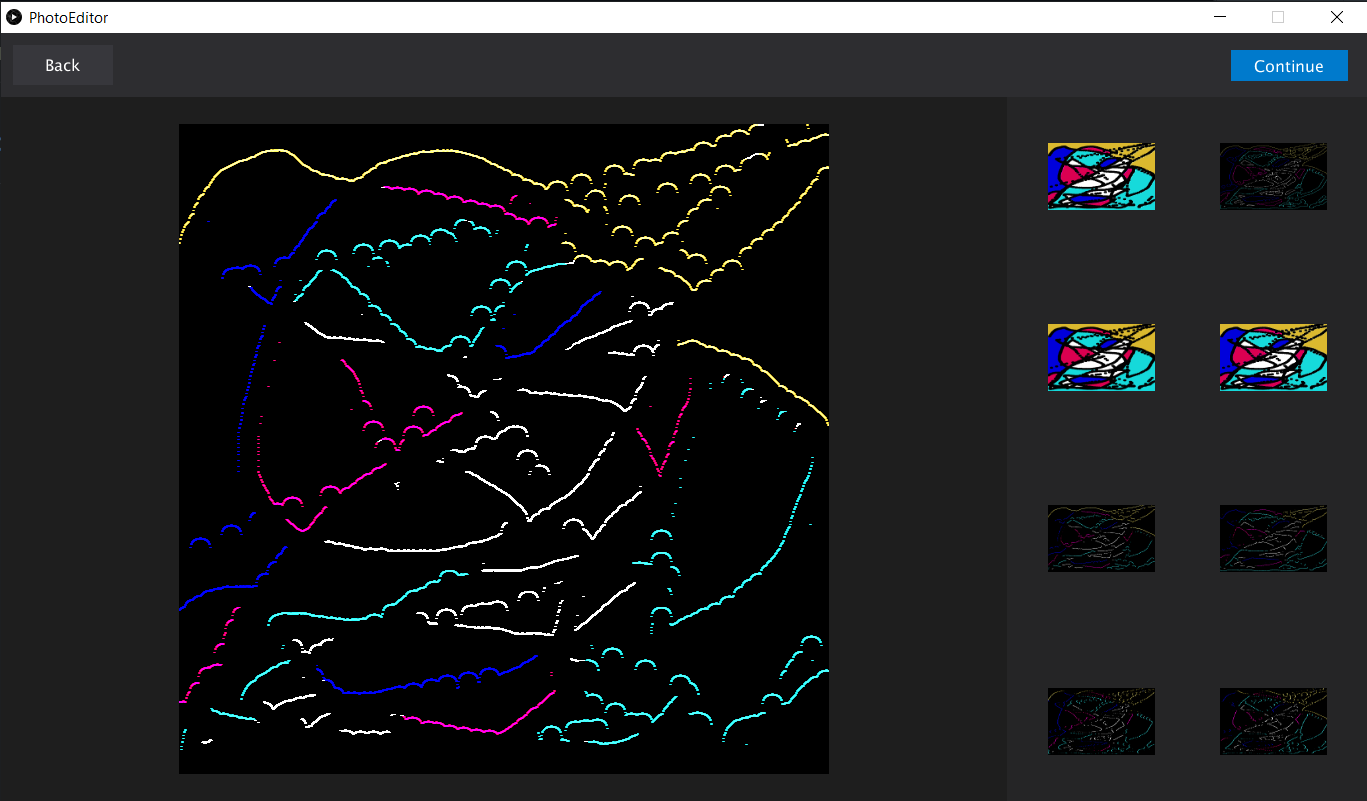
Use the navbar's continue and back button to navigate through the app. Use the toolbar to select tools to use.

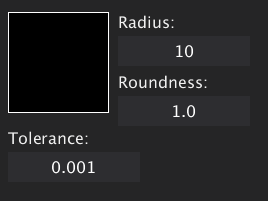
Set the color of the draw and bucket tool. Set the radius and roundness of the draw and eraser tool. Set the tolerance of the bucket tool.
Add and import new layers. Note that the original bottom-most layer is completely opaque while new ones that get added in are initially set to fully transparent.
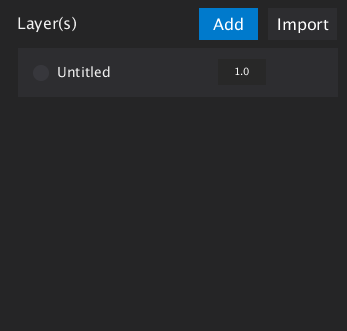
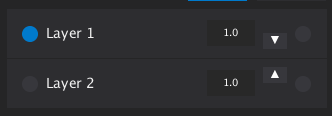
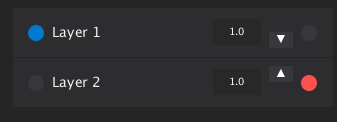
Select a layer by clicking the left most circle. Selected circles are blue. Only layers that are selected can be modified by the tools! Do not forget to select a layer. Click the layer name to change it. Click the layer opacity button to change the opacity. Move layers up and down using the the up and down buttons. Remove a layer by clicking the right most button. It should turn red on hover.

Filter Screen
Choose filters to add to your work.
Save Screen
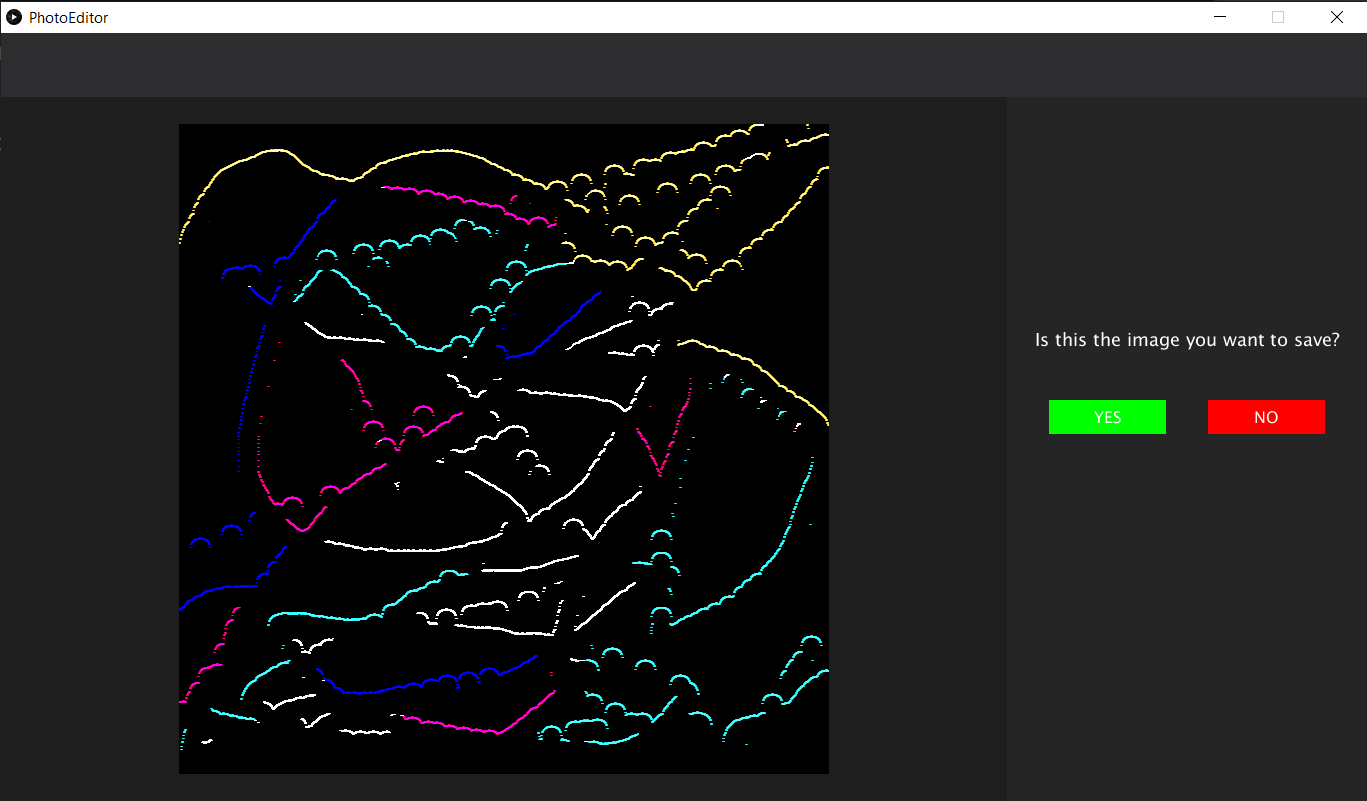
Save your artwork. The extensions supported include .png, .jpg, .tga, and .tif. The file is saved in the gallery directory in the sketch directory.
📃 Development Log
May 24, 2021 (Monday)
-
Shadman 🧰
Created a dev branch to ensure that the main branch always has functioning code. Created initial files and global variables for color palette. -
Rickey 🎈
Experimented with file handling for importing and saving images. Discovered that you can successfully choose a file to load in, edit and save it under a specific directory name, and access all of the images under a directory as an array.
May 25, 2021 (Tuesday)
-
Shadman 🧰
Designed Figma sketches for how the different screens in the app would look. -
Rickey 🎈
Created a Sandbox directory in the dev branch where all the experimental code snippets can be stored for later use. Also found out that I was using wrong vocabulary term: it is not normalization that handles edges; it is edge extension.
May 26, 2021 (Wednesday)
-
Shadman 🧰
Created an abstract class called UiElement so that UI elements can be displayed and interacted with easily. Created the initial parts of the toolbar and sidebar. Created Button class with on press and on hover rendering. -
Rickey 🎈
Worked on creating abstract UiElement class and Button class along with Shadman while he screenshared.
May 28, 2021 (Friday)
-
Shadman 🧰
Created start screen. Implemented buttons to move between the start screen and upload screen. Created controlled input elements to take canvas width and height. -
Rickey 🎈
Implemented modified kernel convolution algorithm complete with edge extension to handle the border pixels.
May 29, 2021 (Saturday)
-
Shadman 🧰
Created canvas and layer classes. Connected start screen create and import buttons to the editor screen through initializing a canvas. Loaded images into 2D color arrays. Created buttons and corresponding methods to create new transparent layers and import a new image as a layer. Created a display method for canvas that uses alpha compositing to render the layers and preserve the transparent effect. Merged and resolved conflicts in Rickey's code and my code. -
Rickey 🎈
Completely overhauled/updated the UML diagram and added it to the prototype.
May 31, 2021 (Monday)
- Rickey 🎈
Fixed bugs within Shadman's code which were based on the fact that images in Processing are x by y while 2D arrays are created, traversed, and accessed by row, col order. Created the FilterScreen class and corresponding classes and methods to let the user apply a filter to their image using kernel convolution.
June 3, 2021 (Thursday)
- Shadman 🧰
Created a UI interface so that users can select layers and change a layer's names. I also created a basic draw tool. - Rickey 🎈
Completed the FilterScreen with all 8 kernel filter options. Created and completed the SaveScreen where users can save their work or continue working.
June 4, 2021 (Friday)
- Shadman 🧰
Added color selection for draw tool. Added a way to drag layers. Started creating a toolbar.
June 5, 2021 (Saturday)
- Shadman 🧰
Removed the pen and move layer tools. Refactored PhotoEditor code to make the code more modular, less redundant, and cleaner. Updated UiElement to include commonly user methods like isHovering. Added a variable in screen to store an arraylist of ui elements. Fixed inconsistent composition array dimensions.
June 6, 2021 (Sunday)
- Shadman 🧰
Added default display method to UiElement. Created a layer move tool and a draw tool. Created toolbar UI for move and draw tool. - Rickey 🎈
Fixed two major bugs in the project: choosing a color from the color selector not updating and the thumbnail previews for the filters not changing after re-editing.
June 7, 2021 (Monday)
- Shadman 🧰
Added delete layer button. Added layer opacity button. Fixed calculate compositon bug. Hid add layer buttons when there are 7 or more layers. Added a thickness input.
June 8, 2021 (Tuesday)
- Shadman 🧰
Added a checkerboard pattern to the canvas to indicate transparency. Fixed canvas coordinate system. Added board around selected layers. Fixed the draw tool. Fixed bucket tool. Added draw tool roundness and necessary input in editor screen. Added buttons to swap layer positions. - Rickey 🎈
Completed the bucket tool and completed the eraser tool.
June 9, 2021 (Wednesday)
- Shadman 🧰
Fixed eraser roundness and radius. Fixed bucket tolerance bug. Added validation for all text inputs. Fixed layer opacity button bug and layer border bug. - Rickey 🎈
Worked with Shadman to find bugs and fix them. Fixed the isSomewhatEqual method for bucket tool where black ink would fill the whole canvas despite there being a black perimeter. Fixed the bug where the stagedPhoto can sometimes stay null when the user goes to the previous screen after not having chosen a filter.
June 10, 2021 (Thurday)
- Shadman 🧰
Fixed radius input prompt. Added instructions and documentation to README.md. - Rickey 🎈
Rewrote files that accessed variables directly by creating accessor and mutator methods for better OOP methodology. Updated prototype and UML diagram.