README.md
May 24, 2026 · View on GitHub
Markdown Preview Enhanced
Supporting this project
Markdown Preview Enhanced is an open source project released under the University of Illinois/NCSA Open Source License. Its ongoing development is made possible thanks to the support by these awesome backers. You can help make this project better by supporting us on GitHub Sponsors, PayPal, or 微信支付 Wechat Pay. Thank you!
Sponsors

These GitHub Sponsors and Backers help push this project forward 🎉.
Introduction
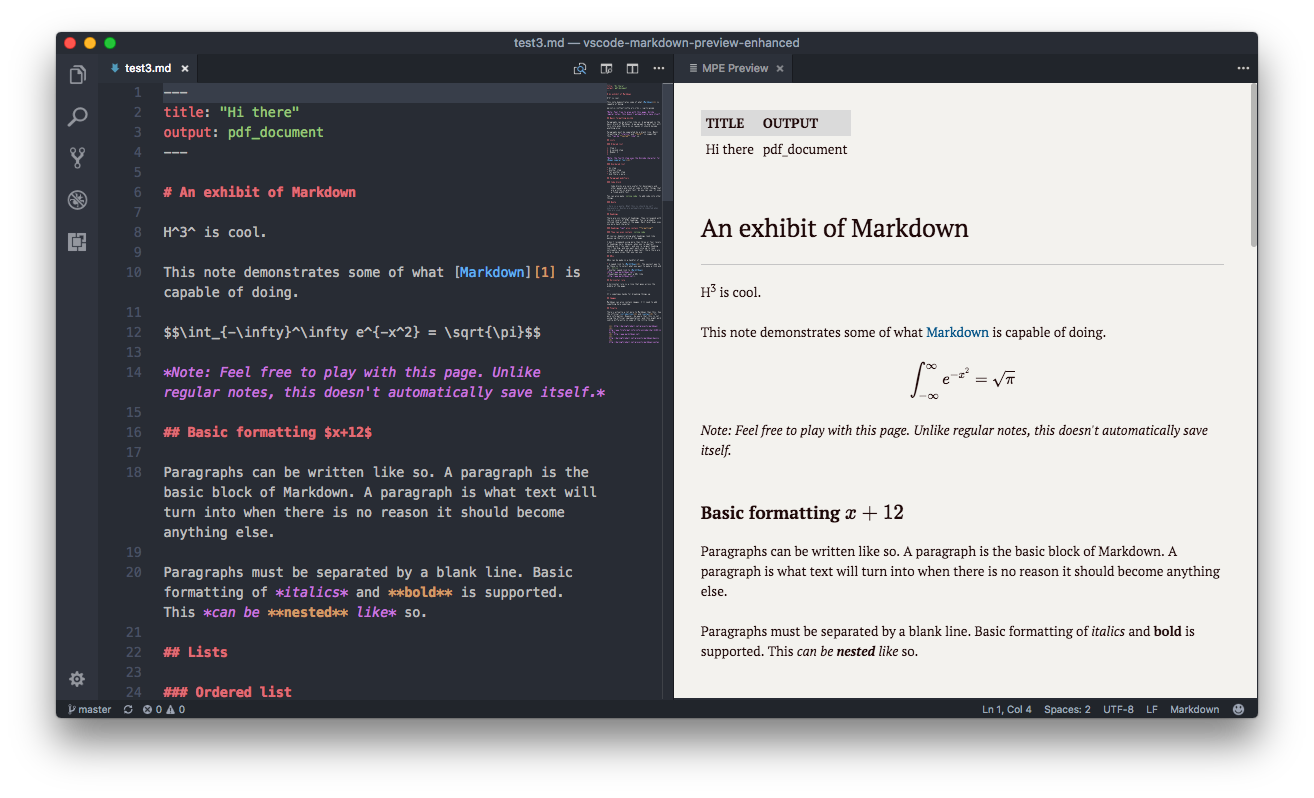
Markdown Preview Enhanced is an extension that provides you with many useful functionalities such as automatic scroll sync, math typesetting, mermaid, PlantUML, WebSequenceDiagrams, pandoc, PDF export, code chunk, presentation writer, etc. A lot of its ideas are inspired by Markdown Preview Plus and RStudio Markdown.
Feel free to ask questions, post issues, submit pull request, and request new features.
For more information about this project and how to use this extension, please check out our documentation ⬇︎
Privacy
This extension does not collect, transmit, or share your data with any external service. The core preview, scroll sync, math typesetting, diagram rendering, and all editor features run entirely on your local machine. No telemetry, no tracking, no phone-home.
- Markdown content — rendered locally; never leaves your machine.
- Math (KaTeX/MathJax) — typeset locally or via a CDN JavaScript library you configure (default: jsdelivr).
- Diagrams (Mermaid, Graphviz, Vega, WaveDrom, D2, TikZ) — rendered locally using bundled or system-installed tools.
- PlantUML — rendered via your own PlantUML server (
plantumlServerconfig) or a local.jarfile. Unless explicitly configured to usekroki.io, no diagram data is sent to any remote service. - Image upload (imgur, sm.ms, qiniu) — opt-in only. Requires you to manually trigger the upload and configure API credentials.
- Pandoc / ebook / PDF export — uses locally installed tools; no data is uploaded.
If you have any questions about data handling, please open an issue.
Documentation
To check out the documentation, visit
Contact me if you are willing to help translate the documentation :)
Keybindings
The cmd key for Windows is ctrl.
| Shortcuts | Functionality |
|---|---|
| cmd-k v or ctrl-k v | Open preview to the Side |
| cmd-shift-v or ctrl-shift-v | Open preview |
| cmd-k shift-l or ctrl-k shift-l | Open locked preview to the Side |
| cmd-k cmd-shift-l or ctrl-k ctrl-shift-l | Toggle preview lock |
| ctrl-shift-s | Sync preview / Sync source |
| shift-enter | Run Code Chunk |
| ctrl-shift-enter | Run all Code Chunks |
| cmd-= or cmd-shift-= | Preview zoom in |
| cmd-- or cmd-shift-_ | Preview zoom out |
| cmd-0 | Preview reset zoom |
| esc | Toggle sidebar TOC |
Changelog
Please check the Releases page of this project.