Silex
June 29, 2026 · View on GitHub




Silex — the visual builder for static sites
The web belongs to everyone. Silex is a free/libre visual website builder — no lock-in, no subscription, no tracking. Design visually, export clean HTML/CSS, host anywhere.
Try Silex online | Documentation | Desktop app — coming soon | Manifesto
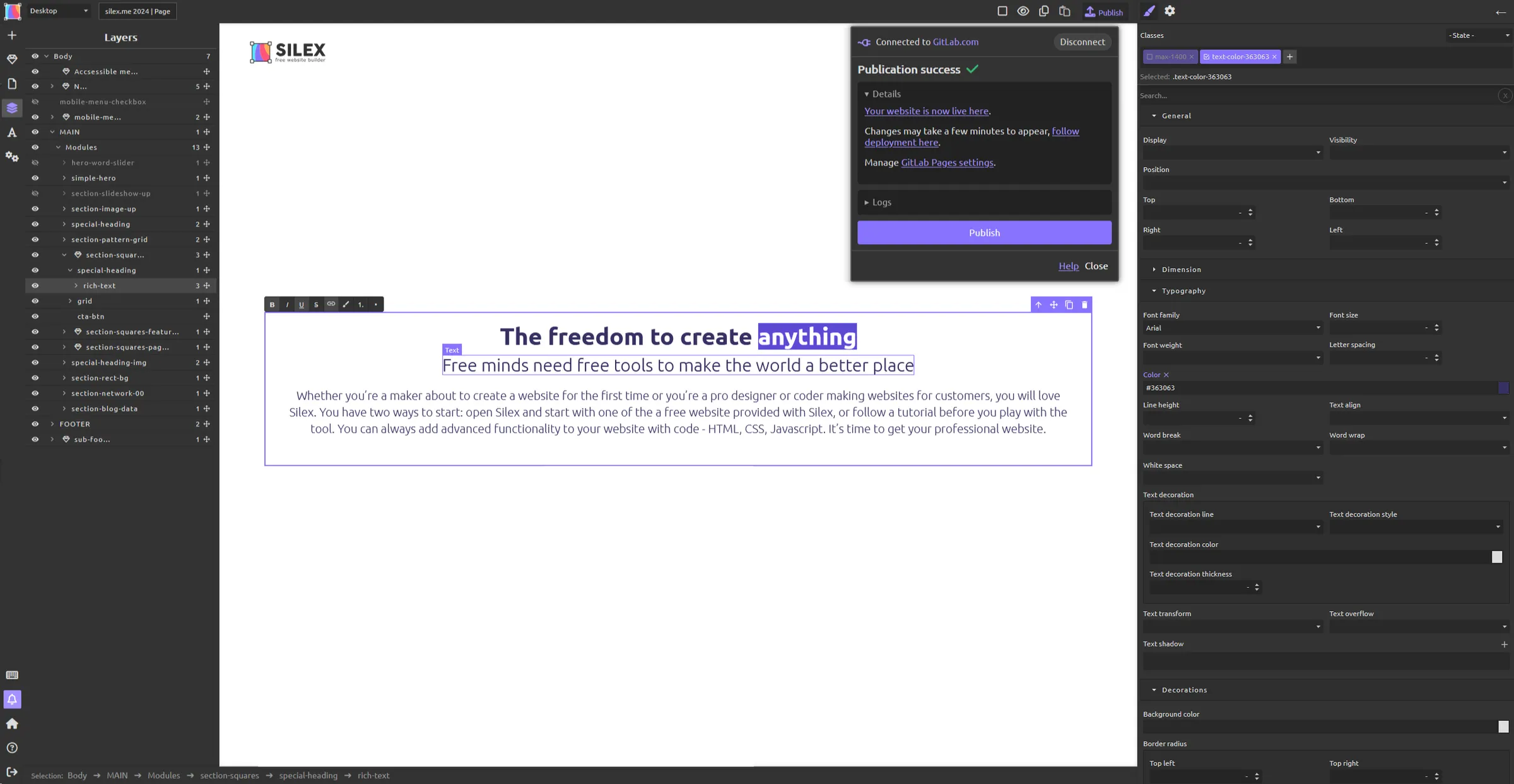
Why Silex?
Most no-code tools lock you in: proprietary formats, forced hosting, subscriptions. Silex is different.
- Your data is yours — standard HTML/CSS output, export everything, host anywhere, leave anytime
- Real web skills — everything you learn in Silex (HTML, CSS, JAMstack) is transferable knowledge
- Community-owned — maintained by Silex Labs, a non-profit recognized as being of general interest. No investors, no exit strategy, transparent finances
- Free forever — always free software (AGPL), all features included, no premium tier
"The only open source alternative to Webflow." — "The most powerful and graphically precise website builder that I have experienced."
Who is Silex for?
- Web agencies — visual workflow, static output, scale client work without scaling your team
- WordPress developers — visual frontend, content from WP via GraphQL, ditch the theme layer
- Freelance webdesigners — create client sites without code, export standard HTML, host anywhere
- No-code developers — go beyond Wix/Squarespace with full CSS control and no vendor lock-in
Features
- GrapesJS-based visual editor — drag-and-drop page building with HTML, CSS, and JS editors
- Static HTML output — fast, secure, easy to host anywhere
- CMS integration — bind components to WordPress, Strapi, Squidex, or any GraphQL API
- 11ty compatible — generate static sites from Silex templates, deploy with CI/CD
- Desktop app (coming soon) — work offline, no account needed, AI-ready with built-in MCP server. Built with Tauri for Windows, macOS, Linux. Follow progress.
- Plugin system — extend with server and client plugins in JS/TS
- SEO tools — meta tags, Open Graph, per-page settings
- Self-hosting — Docker, Node.js, or one-click deploy on CapRover
Quick start
Use it online — v3.silex.me (free, requires a GitLab account for storage)
Desktop app (alpha) — download for Windows, macOS or Linux. Work offline, no account needed.
Contribute
git clone --recurse-submodules https://github.com/silexlabs/Silex.git
cd Silex
pnpm install && pnpm build && pnpm start
Then open http://localhost:6805. For Docker and production setups, see the self-hosting guide.
Useful links to get you contributing fast:
- Good first issues — start here
- Contributing guide — coding standards, PR process, discuss-first rule
- Community forums — ask questions, share ideas
- Chat — quick help
- Bug reports
- AI-assisted coding — setup guide for Claude Code, Cursor, opencode, etc.
See the Development section below for build and release workflow.
Development
How the repo is organized
This is a monorepo. The Silex app itself is a single package (one package.json, one build) — the editor, server and common code are not split into separate packages. The code is split by role:
| Folder | What it is |
|---|---|
editor/ | the GrapesJS-based visual editor (browser); built with webpack |
server/ | the Node.js server, storage/hosting connectors and server/deploy/ (SaaS / CapRover) |
common/ | shared contracts and types, plus the plugin-config system |
grapesjs-plugins/ | the first-party GrapesJS plugins — independently publishable packages (see Workspaces below) whose source the editor build compiles directly |
server-rust/ | the Rust server library |
desktop/ | the Tauri desktop app (embeds server-rust/ + the editor frontend) |
silex-dashboard/, silex-dashboard-2026/ | the multi-site SaaS dashboards — git submodules (see Submodules below) |
Cross-folder imports use path aliases (~/common, ~/editor, ~/server) — no ../../. The first-party plugins are imported by package name (@silexlabs/grapesjs-*), resolved to their source via webpack aliases (see Workspaces below). The Rust crates (server-rust/, desktop/) form a separate Cargo workspace.
Issues and pull requests all live in this single repository. A single branch can change several areas at once (e.g. the editor and one of its plugins).
Workspaces (the grapesjs-plugins/)
We use a pnpm workspace (pnpm-workspace.yaml) only for the plugins under grapesjs-plugins/* — to install, lint, test and publish them as independent packages. Two things to understand:
- The Silex app build does not use the workspace. The editor compiles each plugin's source directly, resolved through webpack aliases + tsconfig
paths(seewebpack.config.js) — not throughnode_moduleslinking. So building/running Silex never depends on the plugins being installed as packages. The app's own install stays lean (pnpm install --filter @silexlabs/silex, as inDockerfile). - The plugins are versioned and released independently. We deliberately do not use the
workspace:protocol between them — a Silex release does not force a plugin release, and vice-versa. The only exception is@silexlabs/expression-input, a small internal lib used bygrapesjs-advanced-selectorandgrapesjs-data-source: it is linked locally ("@silexlabs/expression-input": "workspace:*") so those plugins always build and test against its current source.
Per-plugin tasks (each plugin keeps its own package.json, build, lint and test):
pnpm test:plugins     # run each plugin's own test
pnpm lint:plugins     # run each plugin's own lint
pnpm build:plugins    # build each plugin (for publishing)
# or target one:  pnpm --filter @silexlabs/grapesjs-symbols run test
The plugins come from separate repos and still have heterogeneous toolchains (some scripts call
yarn, some useweb-test-runner). Normalizing them to pnpm and getting every plugin green is ongoing — contributions welcome.
Submodules (the dashboards)
silex-dashboard/ and silex-dashboard-2026/ are git submodules — they are content (multi-site dashboards built with Silex), not core code, so they live in their own repos and are pinned here. Clone with submodules:
git clone --recurse-submodules https://github.com/silexlabs/Silex.git
# already cloned? pull them in with:
git submodule update --init --recursive
The SaaS server serves the pre-built dashboard from silex-dashboard/_site (see server/deploy/server-plugins/dashboard.js). You don't need the submodules to develop the editor — only to run the full multi-site SaaS.
Day-to-day work happens on main — PRs target this branch. Releases are driven by git tags (see Releasing below).
Dev setup
git clone --recurse-submodules https://github.com/silexlabs/Silex.git
cd Silex
nvm install        # optional — uses version from .nvmrc
pnpm install       # install dependencies
pnpm build         # build the editor + server
pnpm start         # start the editor at http://localhost:6805
For the Rust side: cargo check (or cargo build) at the repo root builds server-rust/ and desktop/.
Working on the code
- Fork
silexlabs/Silexon GitHub and add your fork as a remote:git remote add fork git@github.com:<your-username>/Silex.git - Create a branch, edit the code (anywhere under
editor/,server/,common/,grapesjs-plugins/,server-rust/,desktop/), commit and push to your fork:git checkout -b my-fix # ... make changes ... git commit -m "fix: description of the fix" git push fork my-fix - Open a PR from your fork against
silexlabs/Silex
Before pushing: pnpm lint and pnpm test (and cargo test -p silex-server for the Rust server) — these run in CI on every PR.
Releasing
main is deployed continuously to canary (canary.silex.me). Production releases are driven by git tags, in two independent channels (a server release never ships a desktop update, and vice-versa):
v*(e.g.v3.8.1) — server/web release: publishes thesilexlabs/silex-platformDocker image and deploys to CapRover production (v3.silex.me).desktop-v*(e.g.desktop-v1.2.0) — desktop release: builds the Tauri apps (macOS, Windows, Linux) and publishes the GitHub release with auto-updater metadata.
AI / Vibe coding
Design websites with AI — open, local, yours. Learn more
The upcoming Silex Desktop app will let you create and transform sites through prompts: describe what you want, see it built live, refine the design in real time, publish clean HTML/CSS anywhere.
Silex uses MCP (Model Context Protocol), an open standard — so you choose your AI. Run a local model with Ollama for full privacy, or use any MCP-compatible tool: OpenCode, Goose, Claude Code, etc. The MCP server is optimized for small local models (7B+).
See the vibe coding roadmap for what's coming (prompt library, examples cookbook, best practices guide — contributions welcome).
MCP setup (for developers)
Once Silex Desktop is running, connect your AI tool to:
http://localhost:6807/mcp
OpenCode — add an MCP server in your config file with URL http://localhost:6807/mcp.
Goose — add a remote server in your profile config with endpoint http://localhost:6807/mcp.
Claude Code — claude mcp add --transport http silex http://localhost:6807/mcp
Any other MCP client — use a Streamable HTTP transport pointed at the same URL.
Contributors
Silex is the work of contributors from all over the world. This project is maintained by Alex Hoyau and owned by the non-profit Silex Labs
2026 — Alex Hoyau, Ola Mohamed, Syed Ishmum Ahnaf, Safal2004, Wassim Triki
2025 — Alex Hoyau, ceubri, Mazen Kamal, Piotr Golebiewski, oliviermgx
2024 — Alex Hoyau, oliviermgx, JeremyZXi, SuperDelphi
2023 — Alex Hoyau, Eskeminha, Ari Karageorgos
2022 — Alex Hoyau, Khaled Bentoumi
2021 — Alex Hoyau
2020 — Alex Hoyau
2019 — Alex Hoyau
2018 — Alex Hoyau, Jean-Baptiste Richardet, jotakar, swakarm
2017 — Alex Hoyau, Jean-Baptiste Richardet, Jenn Parker, Rapenne Solène, tariqbenezza, singchan
2016 — Alex Hoyau, singchan, Pierre Ozoux
2015 — Alex Hoyau, singchan, Christophe, Pierre Ozoux, René Föhring, christian-bromann
2014 — Alex Hoyau, Camille Gérard-Hirne, neocorp64, Michele Martone, peoslaap
2013 — Alex Hoyau, Yann Le Scouarnec, TheCause, yanhick, Thomas Fetiveau
Links
- Official website
- Manifesto — our values and commitments
- User documentation
- Developer documentation
- Road map — help define tasks and priorities
- Community forums
- Newsletter (EN) | (FR)
- OpenCollective — financial contributions
Built on
Silex stands on the shoulders of these open-source projects and their communities:
- GrapesJS — front-end drag-and-drop framework
- 11ty (Eleventy) — static site generator used for CMS integration
- Tauri — desktop app framework (Rust + WebView)
- TypeScript — language used across packages
Funding
An OW2 project, funded by the NGI0 Commons Fund, supported by its sponsors and volunteers.
Credits
Brought to you since 2009 by Alex Hoyau and the Silex community.
Silex is free/libre software. Join the community, contribute, donate, or report bugs.