docui - TUI Client for Docker Written in Go
December 23, 2021 · View on GitHub




This repository is no longer maintenance. Please use lazydocker instead.
About docui
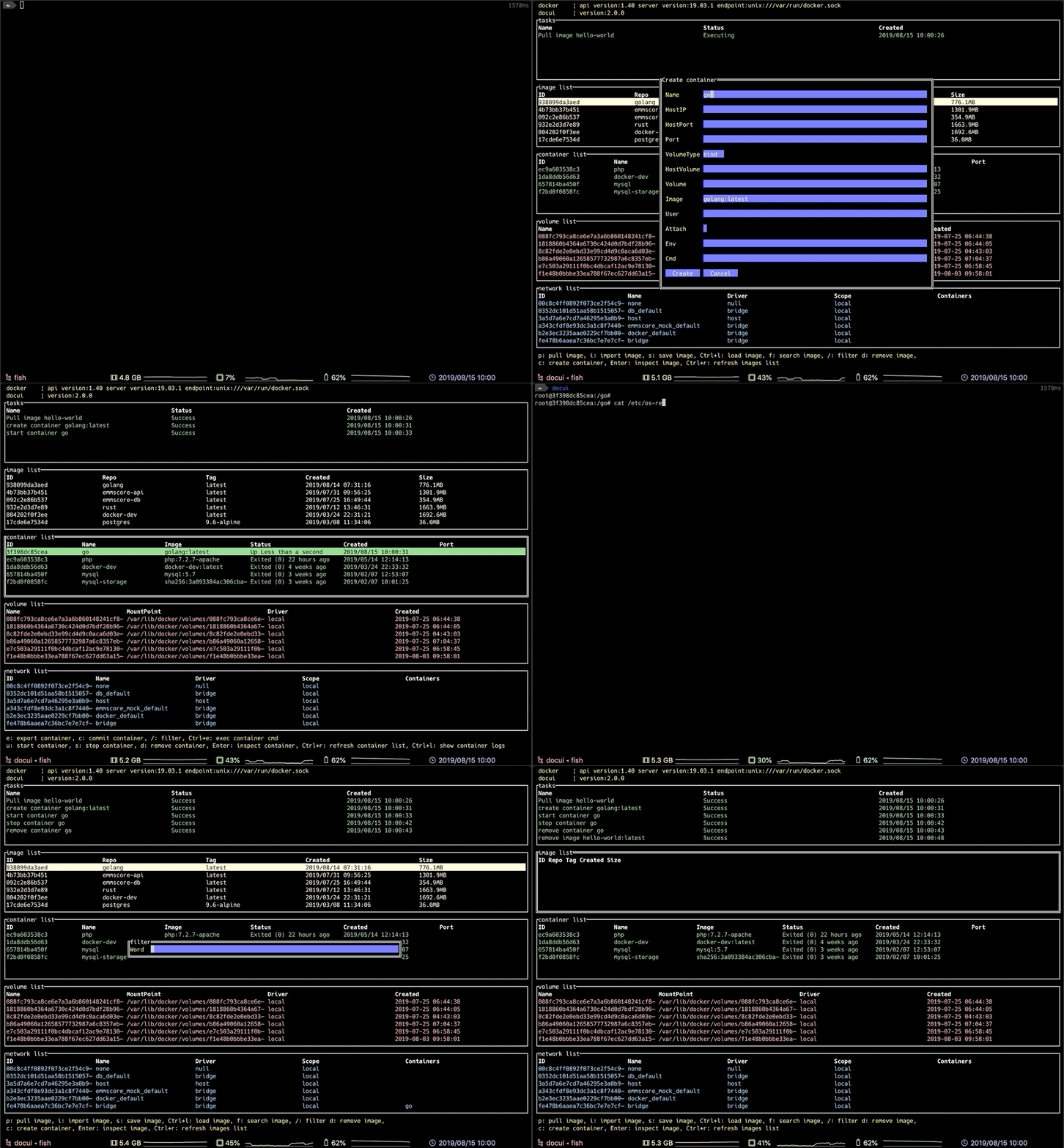
docui is a TUI Client for Docker. It can do the following:
-
image
- search/pull/remove
- save/import/load
- inspect/filtering
-
container
- create/remove
- start/stop/kill
- export/commit
- inspect/rename/filtering
- exec cmd
-
volume
- create/remove
- inspect/filtering
-
network
- remove
- inspect/filtering
Supported OSes
- Mac
- Linux
Required Tools
- Go Ver.1.11.4~
- Docker Engine Ver.18.06.1~
- Git
Installation
Environment variables
The following environment variables must be set.
export LC_CTYPE=en_US.UTF-8
export TERM=xterm-256color
From Source
If you have not installed go and set GOPATH/GOBIN, you must install and set env before installing docui.
This project uses Go Modules for dependencies introduced in Go 1.11.
Use go get or git clone:
$ go get -d github.com/skanehira/docui
$ cd $GOPATH/src/github.com/skanehira/docui
$ GO111MODULE=on go install
$ git clone https://github.com/skanehira/docui.git
$ cd docui/
$ GO111MODULE=on go install
Make sure your PATH includes the $GOPATH/bin directory so your commands can be easily used:
export PATH=$PATH:$GOPATH/bin
Homebrew
$ brew install docui
Nix
docui is available on nixpkgs unstable channel:
$ nix-env -i docui
Update
Use git pull:
$ git pull
$ GO111MODULE=on go install
Log file
Check wiki.
Use on Docker
$ docker run --rm -itv /var/run/docker.sock:/var/run/docker.sock skanehira/docui
Build Docker Image
$ make docker-build
Keybindings
| panel | operation | key |
|---|---|---|
| all | change panel | Tab / Shift + Tab |
| all | quit | q |
| list panels | next entry | j / ↓ |
| list panels | previous entry | k / ↑ |
| list panels | next page | Ctrl / f |
| list panels | previous page | Ctrl / b |
| list panels | scroll to top | g |
| list panels | scroll to bottom | G |
| image list | pull image | p |
| image list | search images | f |
| image list | remove image | d |
| image list | create container | c |
| image list | inspect image | Enter |
| image list | save image | s |
| image list | import image | i |
| image list | load image | Ctrl + l |
| image list | refresh image list | Ctrl + r |
| image list | filter image | / |
| container list | inspect container | Enter |
| container list | remove container | d |
| container list | start container | u |
| container list | stop container | s |
| container list | kill container | Ctrl + k |
| container list | export container | e |
| container list | commit container | c |
| container list | rename container | r |
| container list | refresh container list | Ctrl + r |
| container list | filter image | / |
| container list | exec container cmd | Ctrl + e |
| container logs | show container logs | Ctrl + l |
| volume list | create volume | c |
| volume list | remove volume | d |
| volume list | inspect volume | Enter |
| volume list | refresh volume list | Ctrl + r |
| volume list | filter volume | / |
| network list | inspect network | Enter |
| network list | remove network | d |
| network list | filter network | / |
| pull image | pull image | Enter |
| pull image | close panel | Esc |
| create container | next input box | Tab |
| create container | previous input box | Shift + Tab |
| detail | cursor dwon | j |
| detail | cursor up | k |
| detail | next page | Ctrl / f |
| detail | previous page | Ctrl / b |
| search images | search image | Enter |
| search images | close panel | Esc |
| search result | next image | j |
| search result | previous image | k |
| search result | pull image | Enter |
| search result | close panel | q |
| create volume | close panel | Esc |
| create volume | next input box | Tab |
| create volume | previous input box | Shift + Tab |
How to use
For details of the input panel please refer to wiki
Alternatives
- lazydocker A simple terminal UI for both docker and docker-compose, written in Go with the gocui library.
- docker.vim Manage docker containers and images in Vim
- See Awesome Docker list for similar tools to work with Docker.